Category Archives: Technology

Posts are related to technology.

Cloud Storage vs External Hard Drives (2026 Guide)

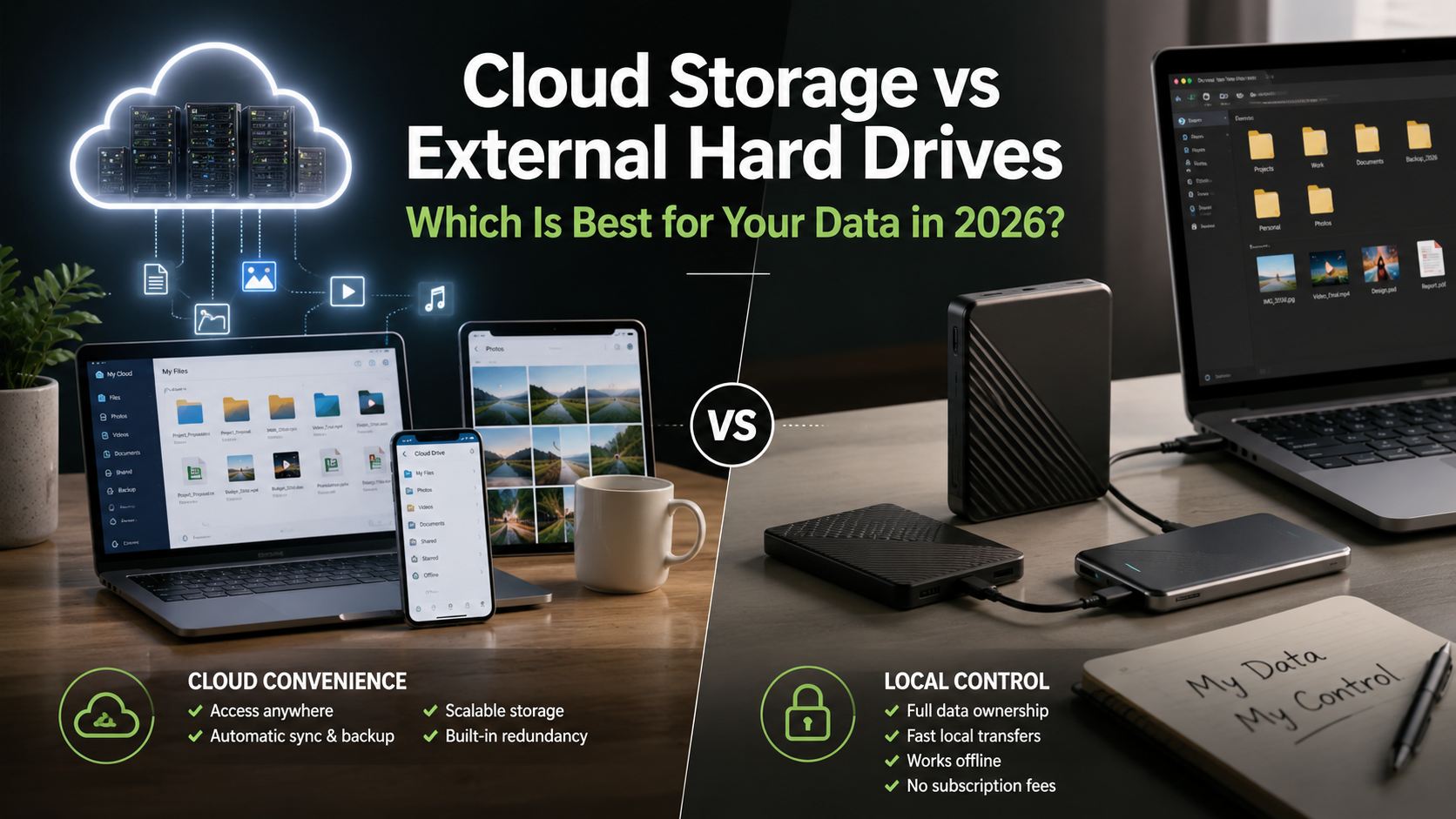
Cloud Storage vs External Hard Drives: Which Is Best for Your Data in 2026?

Cloud storage vs external hard drives is one of the biggest decisions people face when choosing a reliable way to store and protect their digital files in 2026. From family photos and personal documents to business records, creative projects, and high-resolution videos, selecting the right storage solution can significantly improve your data security, accessibility, and long-term backup strategy. Whether you’re a student, freelancer, gamer, photographer, or business owner, understanding the differences between these two storage options will help you make the right choice.

When comparing cloud storage vs external hard drives, you’re essentially deciding between two completely different approaches to storing and backing up your data. Cloud storage offers the convenience of accessing files from virtually anywhere with an internet connection, automatic synchronization across devices, and effortless collaboration. External hard drives, on the other hand, provide complete ownership of your data, lightning-fast transfer speeds, and a one-time purchase without recurring subscription fees.

Neither option is universally better than the other. Instead, the right choice depends on your storage needs, budget, workflow, privacy concerns, and how often you access your files. For someone constantly working across multiple devices, cloud storage may be the ideal solution. Meanwhile, professionals dealing with massive video files or users who prioritize privacy may prefer external SSDs or HDDs.

Throughout this comprehensive guide, you’ll discover the key differences between cloud storage and external hard drives, including their performance, security, pricing, advantages, disadvantages, and ideal use cases. By the end of this article, you’ll have a clear understanding of which storage method—or combination of both—is the best fit for your needs.


Cloud Storage vs External Hard Drives: What Is the Difference?
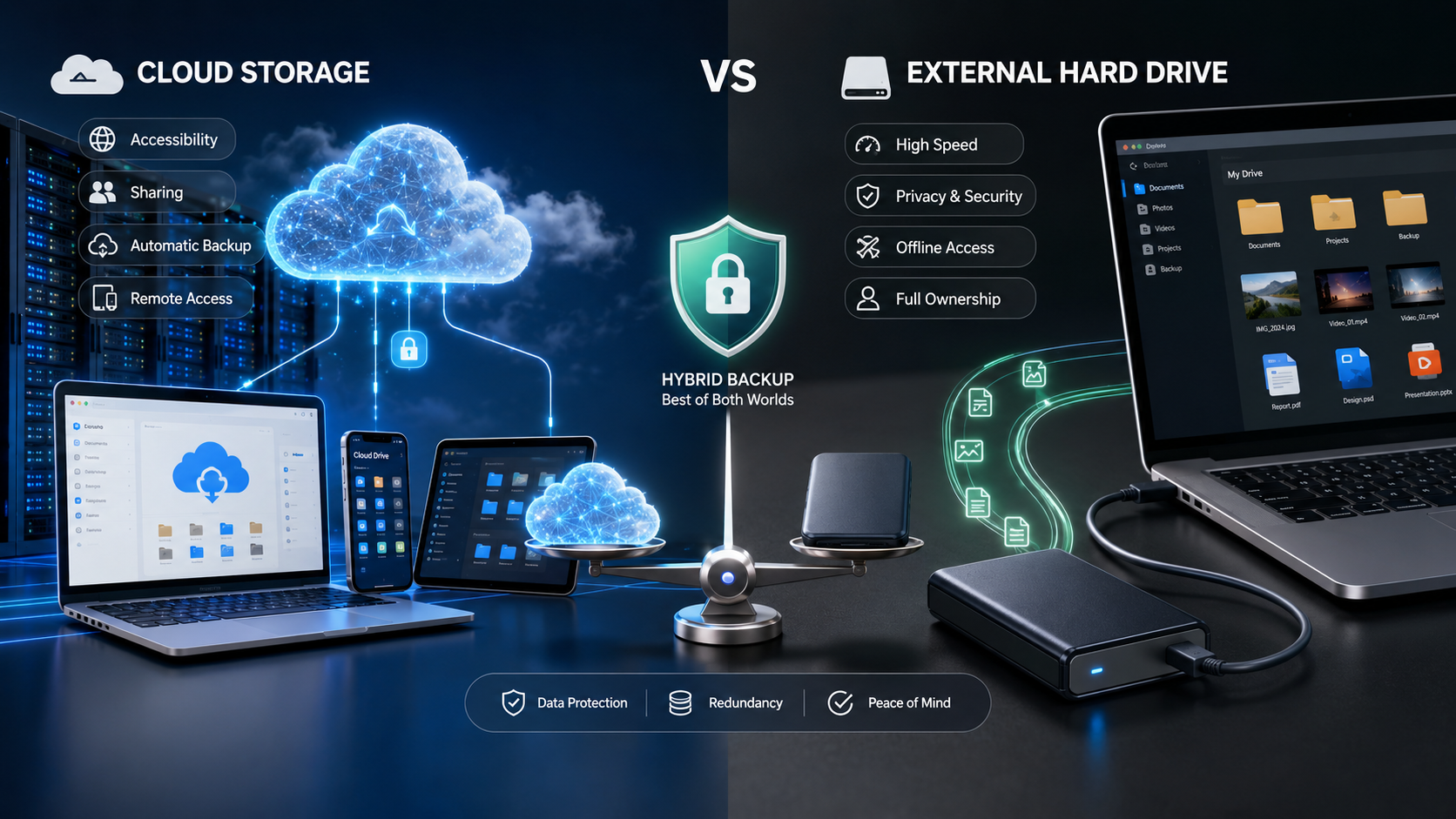
Choosing between cloud storage and an external hard drive starts with understanding how each technology works. While both solutions allow you to save and protect files, they operate in entirely different ways and are designed to solve different storage challenges.

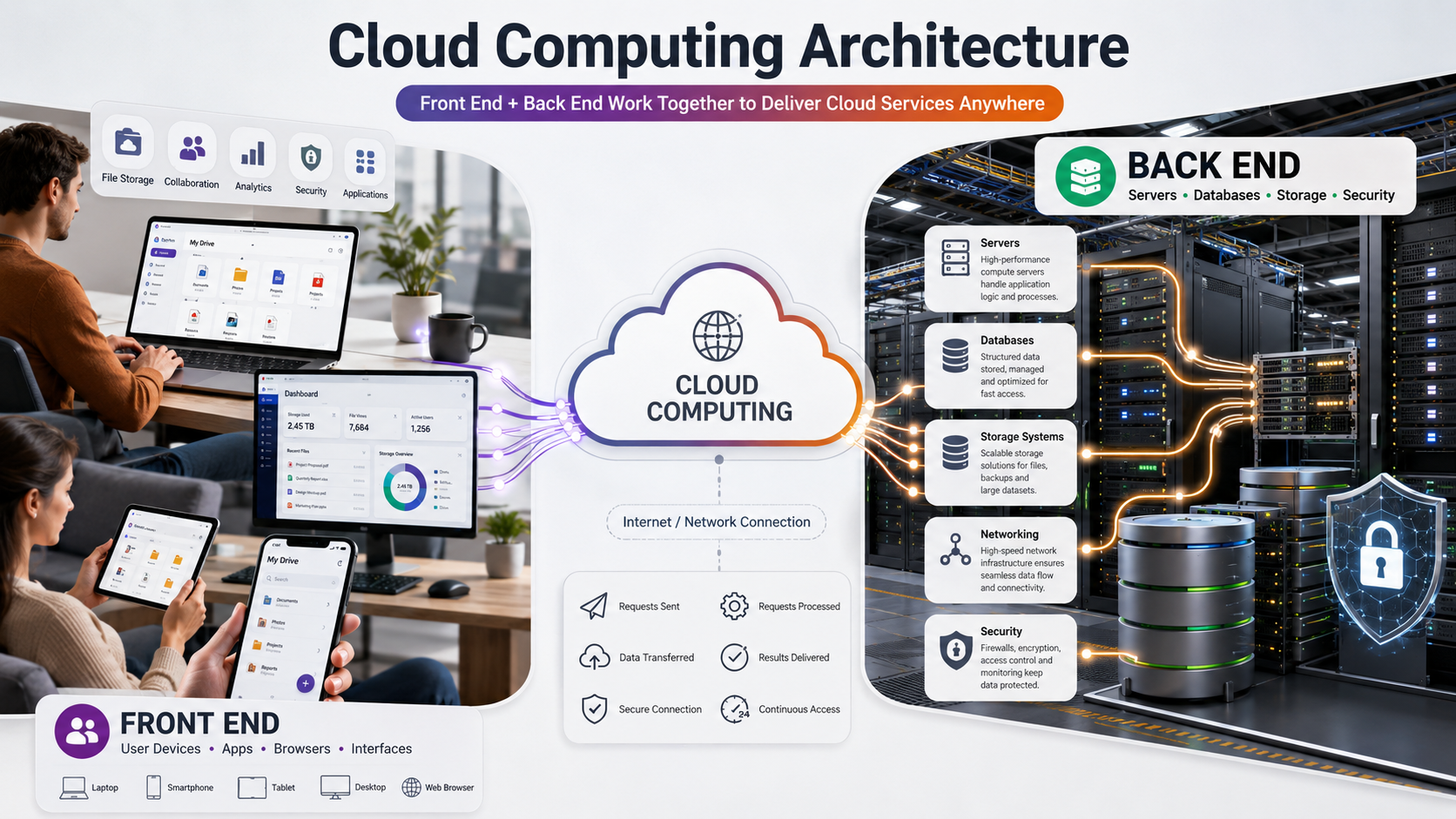
Cloud storage keeps your files on remote servers owned and maintained by a service provider. Your data is uploaded over the internet and can be accessed from multiple devices after signing into your account. External hard drives, however, store files locally on physical hardware that connects directly to your computer using USB, USB-C, or Thunderbolt.

The biggest distinction comes down to ownership versus convenience. Cloud storage emphasizes flexibility, synchronization, and accessibility, whereas external drives focus on speed, privacy, and long-term local storage.

Some users rely exclusively on one option, but many professionals combine both to create a reliable backup strategy. Understanding the strengths and limitations of each approach will help you determine which one aligns with your workflow.

How Does Cloud Storage Work?

Cloud storage allows you to upload files to secure remote servers through the internet. Instead of saving data directly on your computer or an external device, your files are stored in professionally managed data centers operated by cloud service providers. For example, services like Google Cloud Storage documentation explain how cloud-based storage systems allow users to store, manage, and access data remotely.

Every time you upload a document, photo, or video, the file is synchronized with your online account. As a result, you can log in from your smartphone, laptop, desktop, or tablet and access the same files from almost anywhere in the world.

Benefits of Cloud Storage

  • Access files from any internet-connected device
  • Automatic synchronization across multiple devices
  • Easy file sharing with friends or colleagues
  • Automatic backup of important files
  • Scalable storage plans as your needs grow

Cloud storage is particularly valuable for remote teams, businesses, students, and individuals who frequently switch between devices. Since the files are stored remotely, hardware failures on your computer typically won’t affect the copies stored in the cloud.

However, cloud storage also has limitations. Uploading or downloading large files depends entirely on your internet speed. Slow connections can significantly increase transfer times, especially for video editors, photographers, and professionals handling hundreds of gigabytes of data.

Another important consideration is privacy. Although most providers use strong encryption, your files are ultimately stored on servers owned by another company. Users handling confidential or sensitive information should carefully review the provider’s security policies before uploading valuable data.

How Do External Hard Drives Work?

External hard drives are physical storage devices that connect directly to your computer using USB, USB-C, or Thunderbolt interfaces. Unlike cloud storage, your files remain completely under your control because they’re stored locally on hardware that you personally own.

External storage devices are available in two primary types:

  • Hard Disk Drives (HDDs) that use spinning magnetic disks
  • Solid State Drives (SSDs) that use flash memory without moving parts

Traditional HDDs generally provide higher storage capacities at lower prices, making them ideal for long-term archiving. SSDs, on the other hand, deliver significantly faster read and write speeds while being more resistant to accidental drops because they contain no mechanical components.

Advantages of External Storage

  • Complete ownership of your data
  • No recurring subscription costs
  • Extremely fast file transfers
  • Works without internet access
  • Greater privacy and offline protection

External drives are especially popular among photographers, filmmakers, software developers, gamers, and professionals working with very large files. Since data travels directly between your computer and the drive, transfer speeds can reach over 1,000 MB/s with modern SSDs.

The downside is that physical devices can be damaged, lost, or stolen. Without an additional backup, a failed drive may result in permanent data loss.

Cloud Storage vs External Hard Drives Comparison

Although both options perform the same basic function—storing your files—they differ dramatically in everyday use.

Feature Cloud Storage External Hard Drive
Storage Location Remote Servers Local Physical Device
Internet Required Yes No
Accessibility Anywhere Wherever the Drive Is
Monthly Cost Usually Yes No
One-Time Purchase No Yes
Transfer Speed Internet Dependent Extremely Fast
Collaboration Excellent Limited
Privacy Provider Managed User Controlled

The comparison above demonstrates why neither option is universally better. Cloud storage excels in convenience, collaboration, and accessibility, while external drives provide unmatched speed, privacy, and ownership.

Many professionals now combine both technologies instead of choosing one over the other. They use external SSDs for daily work and cloud storage for secure off-site backups, creating a balanced solution that offers both performance and protection.


Cloud Storage vs External Hard Drives: Security and Privacy Comparison

When comparing storage solutions, speed is often one of the biggest deciding factors. Whether you’re editing 4K videos, transferring thousands of RAW images, installing games, or backing up an entire computer, the time required to move your data can dramatically affect your productivity.

Although cloud storage has improved significantly over the past decade, it still depends on your internet connection. External drives, especially modern SSDs, deliver consistently higher performance because data is transferred directly through physical hardware instead of traveling across the internet.

Let’s examine how these technologies compare in real-world performance.

Local Transfer Speeds: Why External Drives Are Faster

External SSDs have transformed portable storage by providing exceptional read and write speeds. Premium USB-C and Thunderbolt SSDs routinely deliver transfer speeds exceeding 1,000 MB/s, while some high-end models surpass 2,000 MB/s.

This speed allows users to:

  • Transfer hundreds of gigabytes within minutes
  • Edit videos directly from the drive
  • Back up entire operating systems quickly
  • Move large software libraries efficiently
  • Reduce waiting times during file transfers

Traditional HDDs are slower, usually ranging between 100 MB/s and 200 MB/s, but they remain an affordable option for storing large collections of photos, videos, and backups.

Because everything happens locally, performance remains consistent regardless of internet availability. This makes external drives the preferred choice for professionals who regularly work with large files or require dependable high-speed storage.

Cloud Storage Performance: What Affects Upload and Download Speeds?

Cloud storage performance depends on several factors outside your control. Even if a cloud provider offers excellent infrastructure, your experience is limited by your internet connection.

Several factors influence cloud performance:

  • Upload speed provided by your ISP
  • Download bandwidth
  • Network congestion
  • Distance to the provider’s data center
  • Current server load
  • Wi-Fi stability

For example, uploading a 500 GB video project to the cloud could take several hours—or even days—depending on your internet connection. Downloading those files later will require similar amounts of time.

Cloud storage performs exceptionally well for smaller documents, spreadsheets, PDFs, and photos. However, professionals working with terabytes of media often find internet-based storage significantly slower than local alternatives.

As internet speeds continue to improve globally, cloud performance will become increasingly competitive. Even so, for handling massive files and frequent transfers, external SSDs remain the clear winner in terms of raw speed and efficiency.


Access Your Files Anytime, Anywhere with Cloud Storage

One of the greatest advantages of cloud storage is its ability to make your files available almost anywhere. As long as you have an internet connection, you can sign in to your account and access documents, photos, videos, or backups from virtually any device.

This flexibility makes cloud storage especially valuable for:

  • Remote employees
  • Students studying in different locations
  • Business professionals
  • Digital nomads
  • Freelancers
  • Teams collaborating across countries

For example, you can upload a presentation from your office computer and continue editing it on your tablet while traveling. Any changes you make are automatically synchronized across all connected devices.

Benefits of Cloud Accessibility

  • Access files from smartphones, tablets, desktops, and laptops
  • Automatic synchronization
  • Instant file sharing
  • Real-time document collaboration
  • No need to carry physical storage devices

Another major benefit is automatic backup. If your laptop is stolen or damaged, your files remain safely stored in the cloud and can be restored to a new device within minutes.

However, this convenience depends entirely on having a reliable internet connection. Without internet access, your ability to retrieve files may become limited unless you’ve previously enabled offline access.

External Hard Drives: Reliable Offline Access

External hard drives offer a completely different type of convenience. Instead of depending on internet connectivity, they provide immediate access to your files whenever the drive is connected to your computer.

This is particularly beneficial for professionals working in locations where internet access is unreliable or unavailable.

Examples include:

  • Photographers shooting on location
  • Videographers editing large projects
  • Construction sites
  • Travelers in remote areas
  • Researchers working in the field

Since all files remain stored locally, there are no upload delays or synchronization processes. You simply connect the drive and begin working immediately.

Advantages of Offline Storage

  • No internet required
  • Instant file access
  • Consistent performance
  • Perfect for large media libraries
  • No cloud synchronization delays

Many video editors prefer working directly from high-speed external SSDs because editing large 4K or 8K video projects directly from cloud storage is usually impractical due to bandwidth limitations.

The primary disadvantage is portability. If you forget your drive at home or the office, you cannot access your files until you physically retrieve it.


Cloud Storage vs External Hard Drives: Security Comparison

Protecting valuable information should always be a top priority. Whether you’re storing personal photos, financial documents, business records, or confidential client information, understanding the security differences between cloud storage and external hard drives is essential.

Both options offer strong security features, but they approach data protection in fundamentally different ways.

External drives provide complete ownership and physical control over your files, while cloud storage relies on sophisticated encryption, secure data centers, and provider-managed infrastructure.

Understanding the strengths and weaknesses of each option will help you make a safer long-term decision.

Security Benefits of External Hard Drives

External hard drives offer one major advantage that cloud storage cannot fully replicate: complete physical ownership.

Since your files remain on hardware you own, no third party has direct access to your information unless the drive is lost, stolen, or compromised.

Key Security Advantages

  • No third-party servers
  • No internet exposure
  • Reduced hacking risks
  • Complete data ownership
  • Offline protection

Many businesses that handle highly confidential information choose local storage because it minimizes online exposure.

However, physical storage also comes with unique risks.

Your drive could be:

  • Dropped
  • Damaged by water
  • Destroyed in a fire
  • Lost while traveling
  • Stolen during a burglary

Without another backup, recovering data from a damaged drive can be expensive—or even impossible.

Cloud Storage Security Features

Modern cloud providers invest billions of dollars in cybersecurity, making cloud storage much safer than many people assume.

Most reputable providers protect your files using:

  • AES-256 encryption
  • TLS encryption during transfers
  • Multi-factor authentication
  • Automatic security updates
  • Geographically redundant backups

Because your files are stored across multiple servers, even hardware failures inside a data center rarely result in permanent data loss.

Additional Security Features

  • Automatic ransomware detection
  • Version history
  • File recovery
  • Account activity monitoring
  • Device management

These features provide protection that individual users would often find difficult or expensive to implement on their own.

The main concern is trust. Since another company stores your data, you rely on that provider to maintain strong privacy policies and security practices.


Which Option Offers Better Privacy?

Privacy is another important consideration when comparing storage solutions.

With external hard drives, your files remain completely under your control. Unless someone physically accesses your drive, your data remains private.

Cloud storage is different because files are stored on servers operated by third-party companies.

While reputable providers encrypt user data, some may still collect metadata for operational purposes, including:

  • File sizes
  • Device information
  • Login history
  • Usage statistics

For users storing highly confidential information, privacy-focused cloud providers that offer end-to-end or zero-knowledge encryption provide an additional layer of protection.

Best Practices for Better Privacy

  • Use strong passwords
  • Enable two-factor authentication
  • Encrypt sensitive files
  • Keep backup copies
  • Regularly review account activity

Combining these practices with either cloud storage or external drives significantly improves overall data security.


External Hard Drives Advantages and Disadvantages

Despite the rapid growth of cloud storage, external hard drives continue to be one of the most popular storage solutions because they provide speed, affordability, and complete ownership.

Understanding both their strengths and weaknesses will help you determine whether they’re suitable for your needs.

Advantages of External Hard Drives

External drives remain popular because they offer several practical benefits that cloud storage simply cannot match.

Key Advantages

  • One-time purchase with no monthly fees
  • High-speed file transfers
  • Offline accessibility
  • Complete ownership of your data
  • Works without internet
  • Large storage capacities
  • Ideal for backups
  • Long-term archive solution

Professional photographers, gamers, video editors, and businesses often prefer external SSDs because transferring terabytes of data locally is dramatically faster than uploading files to the cloud.

Additionally, owning your hardware means you’re never locked into subscription plans or dependent on a provider’s pricing changes.

Disadvantages of External Hard Drives

Although external drives are incredibly useful, they also have limitations that users should understand before relying on them as their only storage solution.

Common Drawbacks

  • Physical damage from drops
  • Risk of theft
  • Can be misplaced
  • No automatic synchronization
  • Limited collaboration
  • Hardware eventually wears out

Traditional HDDs contain moving mechanical parts that can fail unexpectedly after years of use. While SSDs are much more durable, they also have finite write cycles and can eventually degrade.

Perhaps the biggest disadvantage is relying on a single copy of your files. If your external drive fails and no backup exists, your data could be permanently lost.

For this reason, experts strongly recommend maintaining at least one additional backup, preferably stored in a different physical location.


Cloud Storage Advantages and Disadvantages

Cloud storage has revolutionized how people store, share, and protect digital information. Its convenience and accessibility have made it the preferred choice for millions of individuals and businesses worldwide.

However, like any technology, it has both strengths and weaknesses.

Understanding these advantages and disadvantages will help you decide whether cloud storage should become your primary storage solution or simply one part of a broader backup strategy

Advantages of Cloud Storage

Cloud storage offers unmatched convenience for modern users who regularly work across multiple devices or collaborate with others.

Major Benefits

  • Access files anywhere
  • Automatic backups
  • Easy file sharing
  • Real-time collaboration
  • Scalable storage plans
  • Disaster protection
  • Automatic synchronization
  • Reduced hardware maintenance

Since providers manage the infrastructure, users don’t need to worry about replacing failed hard drives or maintaining physical storage devices.

Cloud storage also protects against local disasters such as floods, fires, or theft because your data remains safely stored in professionally managed data centers.

For businesses and remote workers, these benefits often outweigh the ongoing subscription costs.

Disadvantages of Cloud Storage

Although cloud storage offers exceptional convenience, it also has several limitations that should be carefully considered before making it your only storage solution.

Biggest Drawbacks

  1. Monthly or yearly subscription costs continue indefinitely.
  2. Access depends entirely on internet availability.
  3. Large uploads can take many hours or even days.
  4. Privacy concerns may arise when storing sensitive information on third-party servers.
  5. Occasional service outages can temporarily restrict access to your files.

In addition, some cloud providers charge data retrieval or bandwidth fees for large-scale downloads, particularly in enterprise environments.

For users storing massive media libraries, these recurring expenses can eventually exceed the cost of purchasing multiple external hard drives.

This is why many IT professionals recommend using cloud storage for critical files while keeping larger archives on external drives for long-term cost savings.


Frequently Asked Questions (FAQs)

What Are the 5 Disadvantages of Cloud Storage?

Although cloud storage is convenient and flexible, it has several disadvantages that users should understand before relying on it completely. The first drawback is ongoing subscription costs. Unlike an external hard drive that requires only a one-time purchase, cloud storage usually involves monthly or annual fees that continue for as long as you use the service.

Another disadvantage is its dependence on an internet connection. If your internet is slow, unstable, or unavailable, accessing or uploading files can become frustrating. This is especially challenging for professionals who regularly work with large files such as videos or RAW photos.

Privacy is another concern because your files are stored on third-party servers. While most providers use strong encryption, you’re still trusting another company with your personal or business data. In addition, cloud services may occasionally experience outages, temporarily preventing access to important files.

Finally, uploading or downloading large amounts of data can take considerable time due to bandwidth limitations. For this reason, many experts recommend combining cloud storage with an external hard drive, giving you both remote accessibility and fast local backups.

How Much Does 100 TB of Cloud Storage Cost?

The price of 100 TB of cloud storage depends on the provider and the type of storage plan you choose. Consumer storage plans generally don’t offer this much capacity, so businesses and professionals usually use enterprise cloud storage or object storage services.

On average, cloud storage costs between $5 and $20 per terabyte per month. Using an average price of $15 per TB, storing 100 TB would cost approximately $1,500 per month, or nearly $18,000 per year. Some providers also charge additional fees for downloading large amounts of data, often called data egress fees, which can significantly increase long-term costs.

By comparison, purchasing several high-capacity external hard drives to build a local 100 TB storage system typically costs around $2,000–$3,000 as a one-time investment. Although cloud storage provides excellent scalability and remote access, external storage is usually much more economical for large archives. Many businesses reduce costs by storing active projects in the cloud while archiving completed files on external drives.

Which Is Better, iCloud or External Storage?

Choosing between iCloud and external storage depends on your workflow and the devices you use every day. If you’re heavily invested in the Apple ecosystem, iCloud offers seamless integration with your iPhone, iPad, Mac, and other Apple devices. It automatically syncs photos, documents, contacts, notes, and backups, making it incredibly convenient.

However, external storage provides advantages that iCloud cannot match. External SSDs and HDDs offer significantly faster transfer speeds, much larger storage capacities, complete ownership of your data, and no recurring subscription fees. They also work without an internet connection, making them ideal for storing large video files, photo libraries, and long-term backups.

Another benefit of external storage is its compatibility with multiple operating systems, including Windows and macOS. If your priority is automatic syncing and easy access across Apple devices, iCloud is an excellent choice. If you value speed, privacy, lower long-term costs, and offline access, an external hard drive is often the better option. Many users benefit from combining both solutions for maximum flexibility and data protection.

Will I Lose Everything If I Stop Paying iCloud Storage?

No, you won’t immediately lose all your files if you cancel your iCloud storage subscription. If the amount of data stored in your account exceeds the free storage limit, Apple generally allows a grace period during which your existing files remain available while you decide whether to upgrade your plan or reduce your storage usage.

During this time, however, several features may stop functioning properly. For example, your device may no longer create new iCloud backups, additional photos and videos may stop syncing, and you may be unable to upload new files until enough storage space becomes available.

If your account remains over the storage limit for an extended period, Apple may eventually remove data that exceeds your available storage according to its policies. To avoid any risk of losing valuable information, it’s wise to maintain a separate backup on an external hard drive or another trusted storage solution. Following the 3-2-1 backup strategy ensures your files remain protected even if your cloud subscription changes or your account reaches its storage limit.


Conclusion

Choosing between cloud storage vs external hard drives depends on your priorities, including accessibility, speed, privacy, and budget. Cloud storage offers convenience, automatic backups, and easy file access anywhere, while external hard drives provide faster performance, offline access, and complete data ownership. For the best protection, many users combine both solutions to create a reliable and flexible backup strategy.

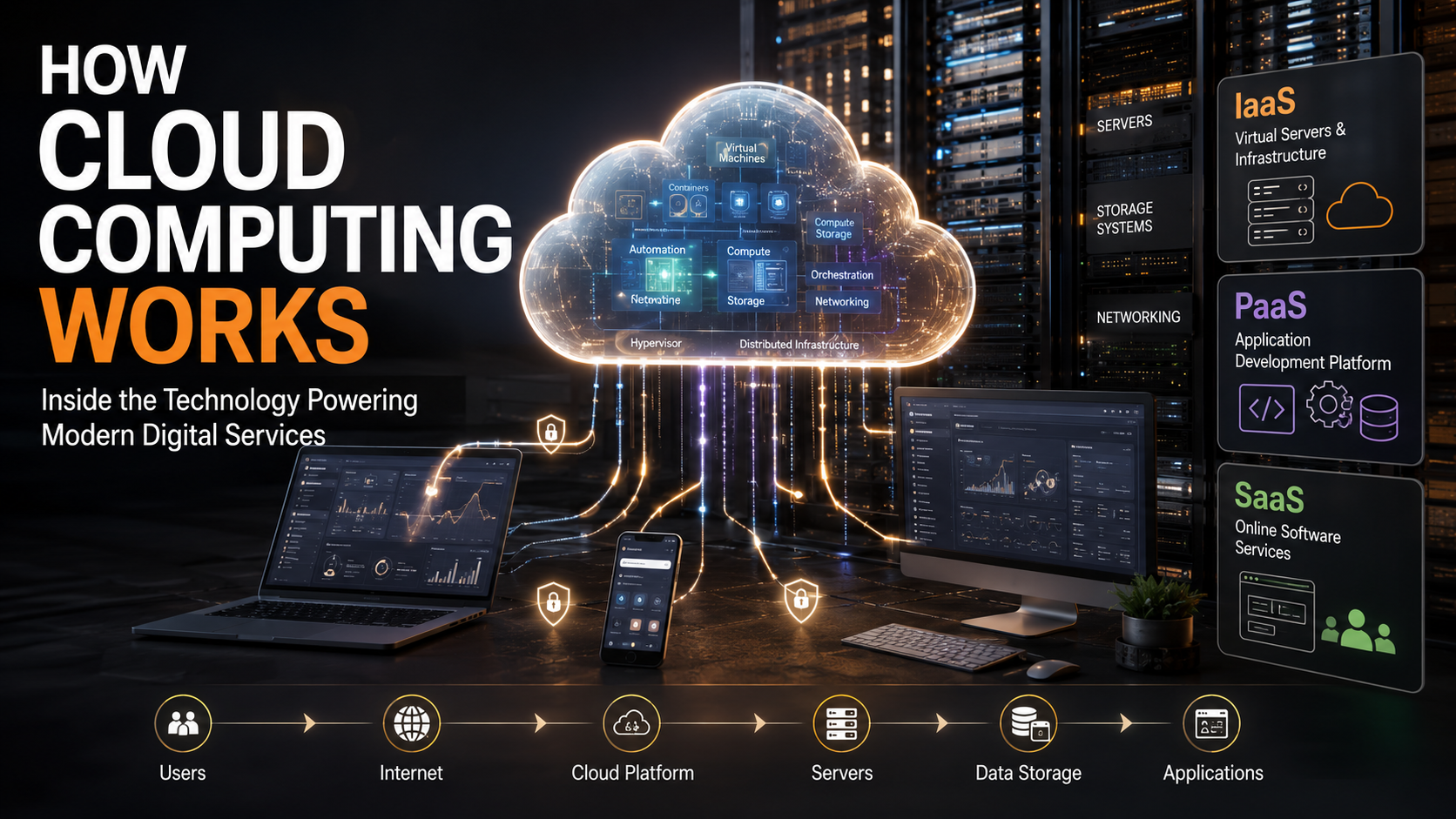
Understanding the technology behind online storage can also help you make better decisions about your data. Learn more about how cloud computing works .


Why Is Gen Z Using Wired Headphones? The Retro Trend

The Wired Renaissance: Why Is Gen Z Using Wired Headphones in 2026?

Wireless earbuds transformed the way people listened to music over the past decade. Their compact design, cable-free convenience, and advanced features quickly made them one of the most popular tech accessories worldwide. However, a surprising trend has emerged in recent years. Across college campuses, coffee shops, public transport, and city streets, wired headphones are making a remarkable comeback. As a result, many people are asking the same question: Why is Gen Z using wired headphones when wireless technology is more advanced than ever?

Interestingly, this shift is about much more than nostalgia. Instead, it reflects changing consumer priorities. Gen Z is choosing products that are affordable, dependable, stylish, and easy to use. While wireless earbuds certainly offer convenience, they also introduce common frustrations such as battery anxiety, Bluetooth pairing issues, software updates, and higher replacement costs. In contrast, wired headphones provide a simple plug-and-play experience that many young consumers now appreciate.

Moreover, social media platforms such as TikTok and Instagram have played an important role in bringing vintage technology back into mainstream fashion. Early-2000s aesthetics, often referred to as the Y2K revival, have influenced clothing, accessories, cameras, flip phones, and even wired earphones. Consequently, these classic headphones are no longer viewed as outdated technology. Instead, they have become a symbol of individuality and authenticity.

Furthermore, many students and young professionals are becoming more conscious of their spending habits. Rather than paying hundreds of dollars for wireless earbuds that may only last a few years, they are choosing durable wired alternatives that often cost significantly less. This practical mindset has helped fuel the growing popularity of corded headphones throughout 2026.

In this comprehensive guide, you’ll discover why Gen Z is using wired headphones, how this trend became mainstream, and whether wired audio devices truly offer advantages over their wireless counterparts.

The Aesthetic Appeal of Vintage Tech

One of the biggest reasons Gen Z is using wired headphones is their unique visual appeal. Unlike previous generations that eagerly embraced every new gadget, many younger consumers enjoy mixing modern technology with retro fashion. Consequently, wired headphones have become much more than listening devices—they are now stylish accessories that complement everyday outfits.

The growing popularity of the Y2K aesthetic has significantly influenced this trend. Fashion inspired by the late 1990s and early 2000s has returned across social media, bringing back cargo pants, oversized hoodies, vintage sneakers, digital cameras, flip phones, and classic wired earphones. As a result, wearing visible headphone cables now feels intentional rather than outdated.

Additionally, many Gen Z consumers appreciate products that feel authentic instead of overly polished. Wireless earbuds often look nearly identical regardless of the brand, creating a uniform appearance. By comparison, wired headphones stand out because the visible cable immediately catches attention. For many young people, this small design detail helps express their personality and individual style.

The popularity of white wired headphones has also sparked conversations online, with many users discussing why this classic accessory has returned. Community discussions on Reddit highlight how people view wired headphones as affordable, reliable, and easier to use compared with some wireless alternatives

Ultimately, the appeal goes beyond appearance alone. For Gen Z, wired headphones represent authenticity in an increasingly digital world, making them an accessory that combines fashion with functionality.

Better Sound Quality and Zero Battery Anxiety

Although style has contributed to the popularity of wired headphones, performance remains one of the strongest reasons behind their comeback. Many users believe that wired headphones deliver a more reliable listening experience, especially during everyday activities such as studying, commuting, gaming, or editing videos.

First of all, wired headphones never need charging. This alone solves one of the biggest frustrations associated with wireless earbuds. Almost everyone has experienced earbuds running out of battery in the middle of a workout, an online class, or a favorite playlist. With wired headphones, however, that problem simply does not exist. As long as the connected device has power, the headphones continue working without interruption.

In addition, wired connections eliminate Bluetooth pairing issues. Wireless earbuds occasionally disconnect, experience interference in crowded places, or require repeated pairing after software updates. By contrast, wired headphones provide an instant and stable connection every time they are plugged in.

Sound quality is another important consideration. Generally speaking, wired headphones can deliver higher-quality audio because they transmit signals directly through a cable instead of relying on wireless compression. While premium wireless earbuds have improved dramatically in recent years, many wired models still provide excellent clarity and consistency, particularly within the same price range.

Another significant advantage is zero audio latency. Audio remains perfectly synchronized with video, making wired headphones especially useful for mobile gaming, video editing, music production, and watching films. Consequently, users enjoy smoother performance without noticeable delays between audio and visuals.

Finally, troubleshooting is refreshingly simple. If the connection becomes loose, users usually only need to unplug and reconnect the cable. There are no firmware updates, charging cases, or Bluetooth settings to manage. Therefore, many Gen Z consumers appreciate the straightforward reliability that wired headphones continue to offer in 2026.

Setting Boundaries in an Overconnected World

Another important reason why Gen Z is using wired headphones is the desire to create healthy boundaries in an increasingly connected world. Today, smartphones, social media notifications, messaging apps, and constant online communication make it difficult for many people to enjoy uninterrupted personal time. As a result, young adults are looking for simple ways to reduce distractions and regain control over their daily routines.

One surprising solution is the use of wired headphones. Unlike wireless earbuds, which can be difficult for others to notice, the visible cable clearly signals that someone is listening to music, studying, or focusing on a task. Consequently, people are less likely to interrupt conversations, ask unnecessary questions, or expect immediate interaction. This makes wired headphones an effective visual cue that communicates, “I’m busy right now.”

“The wire is the ultimate ‘do not disturb’ sign. It tells the world you are intentionally tuned out and deeply immersed in your own space.”

This visual signal helps young people reclaim privacy in public spaces. It allows them to navigate crowded environments without unwanted social interactions.

The Financial Logic of Plug-and-Play Gear

Cost is another major reason why Gen Z is using wired headphones. As living expenses continue to rise, many students and young professionals are becoming more careful about how they spend their money. Therefore, affordable technology that offers long-term value is becoming increasingly attractive.

Wireless earbuds often come with premium price tags. Depending on the brand and features, high-end models can cost hundreds of dollars. Additionally, these devices rely on small rechargeable batteries that naturally lose capacity over time. After several years of regular use, battery performance often declines, making replacement necessary even if the speakers still function properly.

In addition, many Gen Z consumers are embracing more sustainable shopping habits. Rather than upgrading to the newest gadget every year, they prefer products that last longer and generate less electronic waste. Wired headphones align perfectly with this mindset because they offer reliable performance without requiring frequent replacement.

Overall, plug-and-play technology provides excellent value for money. It combines affordability, durability, and dependable performance, making wired headphones an appealing choice for budget-conscious consumers in 2026.

Why Is Gen Z Using Wired Headphones in 2026?

The growing popularity of wired headphones is not simply a passing internet trend. Instead, it represents a broader shift in how Gen Z views technology. Rather than chasing every new feature or gadget, many young consumers now prioritize reliability, affordability, and simplicity. Consequently, wired headphones have become a practical choice that aligns with these changing values.

One of the biggest reasons behind this movement is the growing interest in digital minimalism. Many people feel overwhelmed by devices that constantly require charging, updating, syncing, and managing through multiple apps. Therefore, products that work instantly without additional setup are becoming increasingly attractive. Wired headphones perfectly fit this lifestyle because users simply plug them in and start listening.

Moreover, fashion trends continue to influence consumer behavior. The return of Y2K-inspired clothing and vintage technology has transformed wired headphones into a stylish accessory rather than an outdated product. Young people enjoy combining retro items with modern fashion to create unique personal styles that stand out both online and offline.

Looking ahead, wired headphones are likely to remain relevant throughout 2026 and beyond. While wireless technology will continue to evolve, many users now recognize that convenience is only one part of the overall experience. Reliability, affordability, excellent sound quality, and timeless style remain equally important.

For these reasons, the answer to “Why is Gen Z using wired headphones?” is clear. They offer a balanced combination of fashion, functionality, value, and simplicity that continues to appeal to a generation seeking practical technology for everyday life.

Frequently Asked Questions About Wired Headphones and Gen Z

Why Is Everyone Suddenly Using Wired Headphones Again?

The sudden return of wired headphones has surprised many people because wireless audio technology has become so advanced. However, this comeback is not happening randomly. Instead, it is the result of several cultural and practical changes happening at the same time.

First, Gen Z is using wired headphones because they offer a combination of style, reliability, and affordability. Many young consumers have become interested in vintage technology, especially items connected to the early 2000s. As a result, wired earphones have become part of the broader Y2K fashion revival, where older designs are being transformed into modern fashion statements.

In addition, wired headphones solve several common problems associated with wireless devices. Users do not need to worry about charging batteries, losing small earbuds, or dealing with Bluetooth connection issues. Therefore, many people see wired headphones as a simpler and more dependable alternative.

Why Does Gen Z Wear Headphones All the Time?

Many people notice that Gen Z often wears headphones while walking, studying, traveling, or relaxing, but the reason goes beyond simply listening to music. Headphones have become a tool for managing modern life and creating a personal environment in public spaces.

Today, people experience constant noise and digital interruptions. Busy streets, crowded transportation, social media notifications, and endless conversations can quickly become overwhelming. As a result, many young people use headphones to create a sense of control and comfort.

Music, podcasts, and audio content allow users to create their own personal atmosphere. For example, someone traveling on a crowded train can use headphones to reduce distractions and focus on something enjoyable. Similarly, students often use headphones to concentrate while studying in shared environments.

Why Are Wired Earphones Trending Again?

The trend of wired earphones becoming popular again is closely connected to the revival of nostalgic technology and the desire for simpler products. Although wireless earbuds dominate the market, many people are rediscovering the advantages of traditional audio devices.

One major reason is the influence of retro culture. Fashion trends often repeat themselves, and technology is no exception. The return of early-2000s styles has made older products attractive again. Therefore, items that were once considered outdated are now viewed as unique and fashionable.

In addition, wired earphones fit perfectly into the current movement toward authenticity. Many Gen Z consumers prefer items that feel personal rather than mass-produced. Wireless earbuds often have similar designs, while wired headphones come in different colors, shapes, and styles.

Are Wired Headphones Still Popular in 2026?

Yes, wired headphones are still popular in 2026, and their popularity has continued to grow beyond a temporary internet trend. While wireless technology remains dominant, wired audio devices have found a strong place among consumers who value reliability and simplicity.

At first, many people believed the return of wired headphones would only be a short-lived fashion moment. However, the trend has continued because it solves real problems. For example, users enjoy avoiding battery issues, connection failures, and expensive replacements.

Additionally, wired headphones appeal to people who want technology that works immediately. Modern devices often require apps, accounts, updates, and charging. Wired headphones avoid these extra steps, making them attractive for everyday use.

Do Wired Headphones Sound Better Than Wireless Ones?

The answer depends on the specific headphones being compared, but wired headphones often provide advantages in sound quality and consistency. This is one of the main reasons many audio enthusiasts continue to prefer them.

A wired connection sends audio signals directly through a physical cable. As a result, there is no need for wireless transmission, Bluetooth compression, or battery-powered processing. This can allow wired headphones to deliver detailed and consistent audio performance.

However, wireless technology has improved significantly. Modern wireless headphones can produce impressive sound quality, especially premium models. Therefore, the difference between wired and wireless audio is not always obvious for casual listeners.

Conclusion: Why Is Gen Z Using Wired Headphones?

The comeback of wired headphones shows that Gen Z values more than just the latest technology. Their popularity comes from a mix of style, affordability, reliability, and simplicity. While wireless earbuds offer convenience, wired headphones provide a dependable listening experience without charging issues or connection problems. Moreover, the Y2K fashion revival has transformed old-school earphones into a modern accessory. Ultimately, why Gen Z is using wired headphones comes down to choosing practical technology that fits their lifestyle. Sometimes, classic designs remain popular because they simply work better.

If you’re also exploring practical tech choices, check out our guide on best budget smartphones under 30000 for affordable devices that balance performance, features, and value.

Panthalassa’s Floating, Wave-Powered Data Centre Tech

Panthalassa’s Floating, Wave-Powered Data Centre Technology: The Future of Clean AI Infrastructure?

Panthalassa’s floating, wave-powered data centre technology is designed to address the growing demand for AI computing power. The artificial intelligence boom has created massive pressure on traditional data centres, and many energy systems struggle to support this rapid expansion. Panthalassa, an Oregon-based startup, proposes a new solution by moving advanced computing infrastructure into the open ocean.

The company designs floating data centres that capture energy from ocean waves and convert it into electricity for AI workloads. This approach removes the need for traditional land-based power connections and reduces pressure on existing electrical grids.

Panthalassa’s technology focuses on two major challenges: sustainable energy production and efficient cooling. The offshore systems generate their own power and use the surrounding seawater to manage heat from advanced computer hardware.

This article explores how these floating systems work, why the company attracted major investment, and how ocean-based computing could influence the future of clean AI infrastructure.


How Panthalassa’s Floating, Wave-Powered Data Centre Technology Works

Panthalassa follows a simple principle: place computing systems close to renewable energy sources. Instead of producing electricity offshore and sending it back to land, the company places servers directly inside floating ocean structures.

These offshore nodes use wave movement to generate electricity. Panthalassa’s floating systems combine renewable energy generation with autonomous AI infrastructure. Ocean swells move the structure up and down, forcing water through an internal system. The moving water powers turbines that create energy for onboard AI processors.

The design removes several problems linked to traditional data centres. Land facilities often compete for electricity, space, and cooling resources. Panthalassa’s ocean-based approach avoids these limits by operating independently at sea.

The company also connects these platforms through satellite networks instead of underwater cables. This allows remote operation while reducing the need for expensive marine infrastructure. Together, wave power, ocean cooling, and autonomous operation create a new model for future AI computing.

The Anatomy of Panthalassa’s Floating Compute Node

Panthalassa builds its offshore systems around large floating structures called nodes. These nodes use hollow steel cylinders that extend deep into the ocean. The main body reaches 50 to 80 meters below the surface, while the upper section spreads 15 to 30 meters across the water.

The design resembles a large vertical buoy. However, the structure does much more than float. It captures wave energy and transforms ocean movement into usable electricity.

The system works through three main stages. First, waves move the node and push seawater into an internal pressure chamber. Next, the pressurized water flows through a hydro turbine that generates power. Finally, the system sends electricity directly to onboard AI hardware.

The closed-loop design reduces mechanical complexity. Instead of using many external moving parts, the structure recirculates internal water. This reduces maintenance needs and improves long-term reliability in challenging ocean environments.

The mechanical architecture functions similarly to a self-filling hydroelectric dam, relying entirely on heavy-duty, earth-abundant materials like steel:

  • Kinetic Capture: As ocean waves cause the node to bob up and down, water is forced into an internal, pressurized reservoir.

  • Power Generation: This pressurized water drives an internal hydro turbine, which generates electricity continuously.

  • Closed-Loop System: The design eliminates high-maintenance mechanical failure points like external hinges, flaps, or gearboxes. It relies on a closed system that recirculates internal fluid to turn the generator.

  • Data Transmission: Because there are no physical wires linking the node to the mainland, all data routing and AI queries are processed via low-Earth-orbit satellite networks, specifically SpaceX’s Starlink.


Panthalassa’s Floating Data Centre Cooling Advantage

AI hardware produces enormous amounts of heat during operation. Traditional data centres spend large amounts of energy on cooling systems to protect processors. Panthalassa’s ocean-based approach uses the natural temperature of deep seawater to solve this challenge.

The company places computing equipment inside sealed underwater containers. The surrounding ocean absorbs heat from the hardware and works as a natural cooling system.

This method removes the need for energy-heavy cooling equipment. It also reduces dependence on freshwater resources, which many land-based facilities require for temperature control.

Deep-sea cooling creates an efficient environment for high-performance computing. As AI models become larger and demand more processing power, cooling efficiency becomes increasingly important.

By combining wave-generated electricity with passive seawater cooling, Panthalassa creates a system that could reduce the environmental impact of future AI infrastructure.


Panthalassa’s Floating Ocean Fleet Logistics

Operating computing infrastructure in the open ocean creates unique engineering challenges. Panthalassa designs its nodes to survive harsh marine conditions while working without constant human support.

Ships tow each node horizontally to its operating location. Once the structure reaches deep water, internal ballast systems rotate it into a vertical position. The node then begins its independent operation.

The platform uses autonomous systems to maintain its position. Sensors monitor ocean conditions and adjust the structure when currents or waves push it away from its target area.

The company designs the hull shape to improve stability and movement control. The nodes can operate in regions with strong and consistent ocean swells, especially areas in the Southern Hemisphere.

Autonomous operation reduces the need for frequent maintenance trips. This allows offshore data centres to function in remote locations while producing clean energy and supporting AI workloads.


Panthalassa’s Floating Node Navigation System

Floating data centres must remain stable despite changing weather and ocean conditions. Panthalassa solves this challenge through automated navigation and control systems.

Each node uses onboard technology to track its location and adjust its position. The system prevents the structure from drifting into shipping routes or restricted areas.

The vertical design improves stability because much of the structure remains below the surface. The deep underwater section acts like a heavy anchor, reducing movement caused by waves and currents.

The node’s hydrodynamic shape also helps it respond naturally to ocean forces. Instead of fighting every movement, the design uses the surrounding water to maintain balance.

This approach allows the platforms to operate independently for long periods. By combining renewable energy generation, satellite communication, and autonomous controls, Panthalassa aims to create a new generation of offshore computing facilities.


Frequently Asked Questions

Is Panthalassa a publicly traded company?

No, Panthalassa is not a publicly traded company at this time. The company operates as a privately held startup, which means everyday investors cannot purchase its shares through public stock exchanges such as NASDAQ or the New York Stock Exchange.

As a private company, Panthalassa receives funding from venture capital firms and private technology investors rather than public market shareholders. This allows the company to develop its offshore computing technology while raising capital through private investment rounds.

The company reportedly raised significant funding through a private Series A round, increasing investor confidence in its wave-powered data centre concept. This investment helped strengthen its position as a growing player in the clean AI infrastructure sector.

If Panthalassa chooses to become publicly traded in the future, it would need to complete an Initial Public Offering (IPO). An IPO would allow the public to buy shares and give the company access to broader financial markets.

Until that happens, ownership remains limited to founders, employees, and private investors.

Who is the CEO of Panthalassa?

The co-founder and CEO of Panthalassa is Garth Sheldon-Coulson. He leads the company’s mission to develop offshore computing systems powered by renewable ocean energy. His work combines experience from technology, energy, and investment fields.

Before founding Panthalassa, Sheldon-Coulson built a background across artificial intelligence, clean energy, and financial strategy. He previously worked as a senior investment associate at Bridgewater Associates, where he gained experience analyzing global economic trends and large-scale investments.

His academic background covers several disciplines. He earned a Doctor of Law (J.D.) from Harvard Law School, a Master of Science degree from the Massachusetts Institute of Technology (MIT), and a Bachelor of Arts degree from Swarthmore College.

Under his leadership, Panthalassa focused on developing and testing its wave-energy technology before entering the data centre industry. The company spent years refining its offshore systems, aiming to create a new approach for sustainable AI infrastructure.

Sheldon-Coulson’s vision centers on combining renewable energy, autonomous ocean platforms, and advanced computing to address the growing demand for cleaner AI operations.

What are the main benefits of moving data centers to the ocean?

Moving data centres offshore can solve several major challenges facing modern computing infrastructure. As artificial intelligence systems become more powerful, traditional land-based facilities require increasing amounts of electricity and cooling capacity. Many existing power grids struggle to support these large energy demands, which can delay the construction and expansion of new data centres.

Ocean-based facilities provide an alternative by generating energy closer to where computing takes place. Instead of depending on crowded terrestrial power networks, floating systems can use renewable ocean energy sources such as wave power. This allows the infrastructure to operate more independently from local electricity supplies.

Another major advantage comes from natural ocean cooling. AI processors create significant heat, and land-based facilities often rely on expensive mechanical cooling systems. Offshore data centres can use surrounding seawater as a natural heat sink, reducing energy consumption and freshwater usage.

By combining renewable energy production with efficient cooling, ocean data centres could lower operating costs and reduce the environmental impact of large-scale AI computing.

How do these floating nodes communicate with the mainland?

Panthalassa’s floating data centres operate far from traditional communication networks, so they avoid using physical connections such as undersea fibre-optic cables. Instead, the platforms rely on satellite-based communication systems to exchange data with users and operators on land.

Each ocean node connects through low-Earth-orbit (LEO) satellite networks, which provide high-speed communication over remote areas. When a user sends an AI request from the mainland, the data travels from the ground station to a satellite network. The satellite then transfers the information to the floating compute node in the ocean.

Once the request reaches the node, onboard AI processors complete the required calculations. The system processes the workload locally rather than sending large amounts of data back to land for every operation. After completing the task, the node sends the results back through the satellite network.

This wireless approach removes the need for expensive underwater cables and allows the platforms to operate in international waters. By combining renewable energy, autonomous operation, and satellite communication, Panthalassa creates a flexible model for future offshore computing.

What happens to the ocean nodes during severe storms?

Panthalassa designs its ocean nodes to handle extreme marine environments, including powerful storms and large ocean swells. The structures use a deep vertical design that keeps most of their mass below the surface, where water movement remains more stable. Instead of allowing waves to push against a large surface area, the node presents a smaller profile to incoming storms.

The hollow steel cylinder extends 50 to 80 meters underwater, creating a strong foundation that helps maintain balance. This deep structure works like a heavy pendulum. When waves move the upper section, the underwater mass naturally resists sudden changes and helps the node return to its original position.

The top section contains the critical computing equipment and remains sealed against water exposure. Its design allows large waves to move around and over the structure without causing major instability. Engineers also protect internal electronics from moisture, pressure changes, and harsh ocean conditions.

During severe weather, the autonomous control systems continue monitoring the node’s position and performance. The combination of deep-water stability, durable materials, and automated systems allows these offshore data centres to keep operating even in challenging storm conditions.

Conclusion

Panthalassa’s floating, wave-powered data centre technology offers an innovative path forward for an industry facing severe power constraints. By decoupling high-density AI computing from vulnerable terrestrial grids and placing it directly into high-energy ocean swells, the company provides a creative solution to the tech sector’s carbon footprint. The engineering design leverages passive seawater cooling and simplified internal hydro turbines to build a clean computing platform. While deploying unmoored fleets across international waters presents distinct regulatory and maintenance challenges, the influx of capital from major Silicon Valley investors indicates strong institutional confidence in the viability of offshore compute infrastructure.

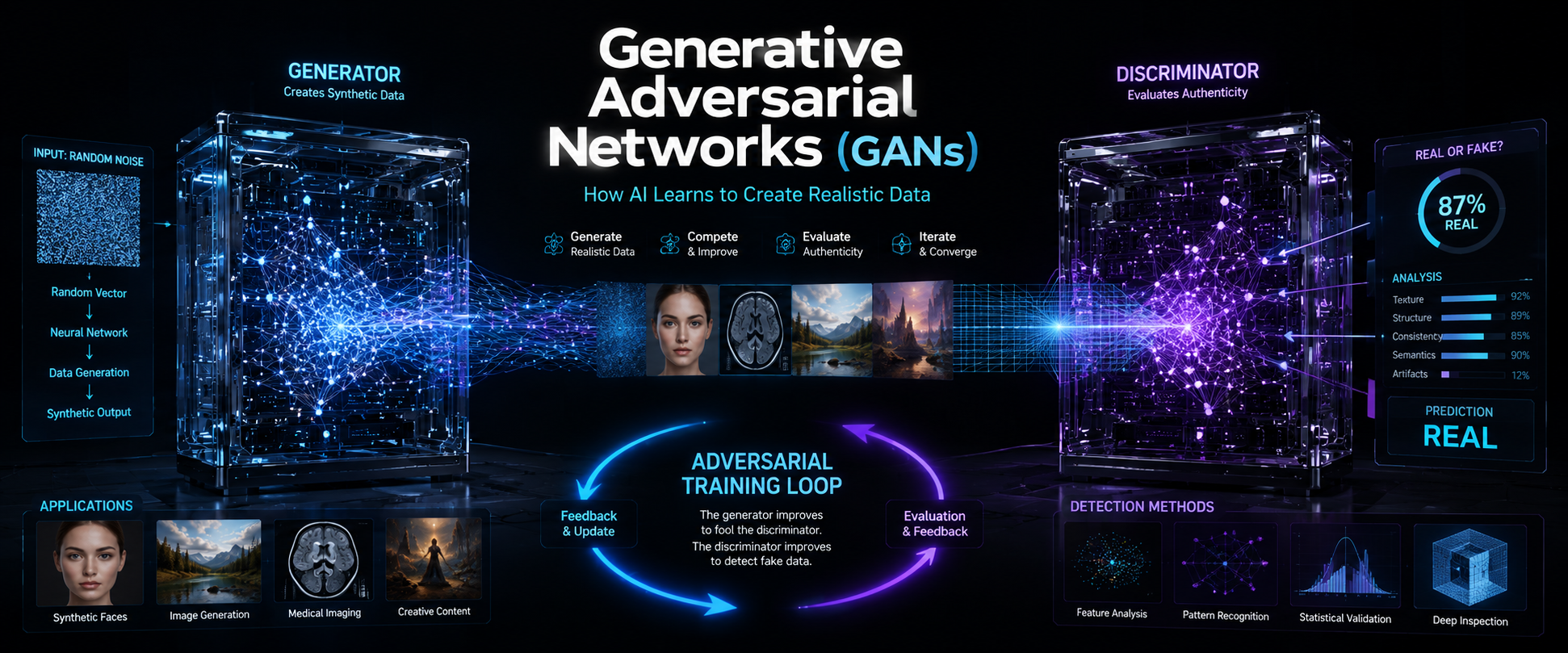
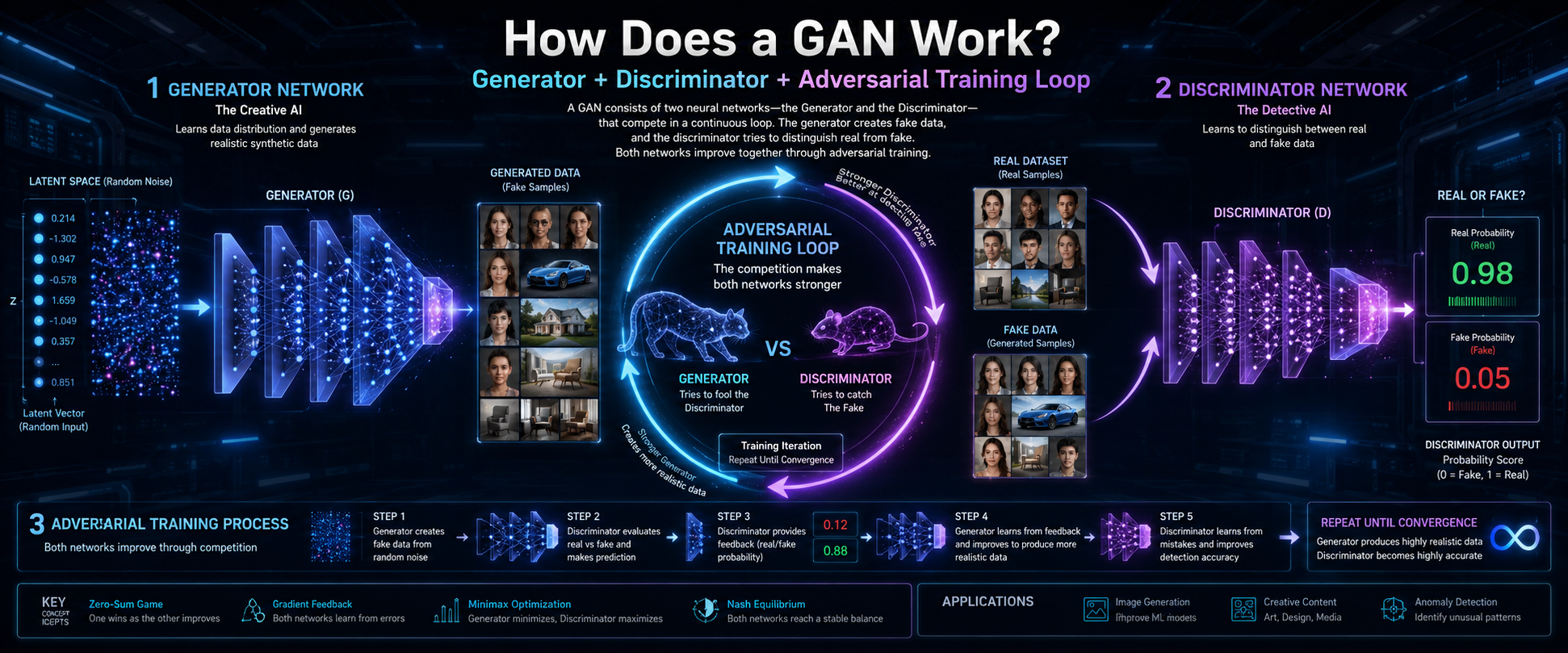
As artificial intelligence infrastructure continues to evolve, technologies that improve computing efficiency and sustainability will become increasingly important. Understanding advanced AI concepts such as Generative Adversarial Networks (GANs) also highlights the broader innovations shaping the future of artificial intelligence.

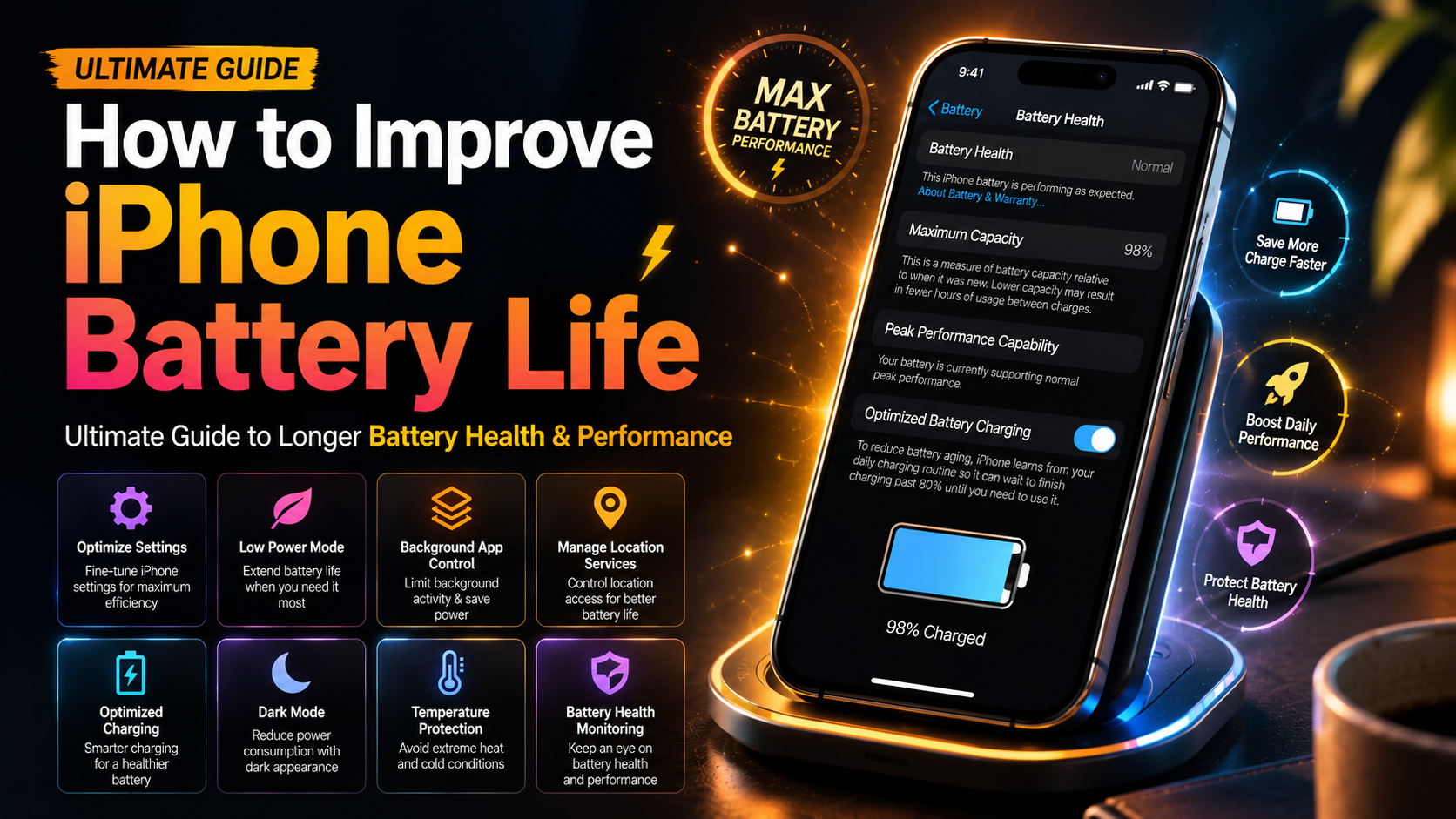
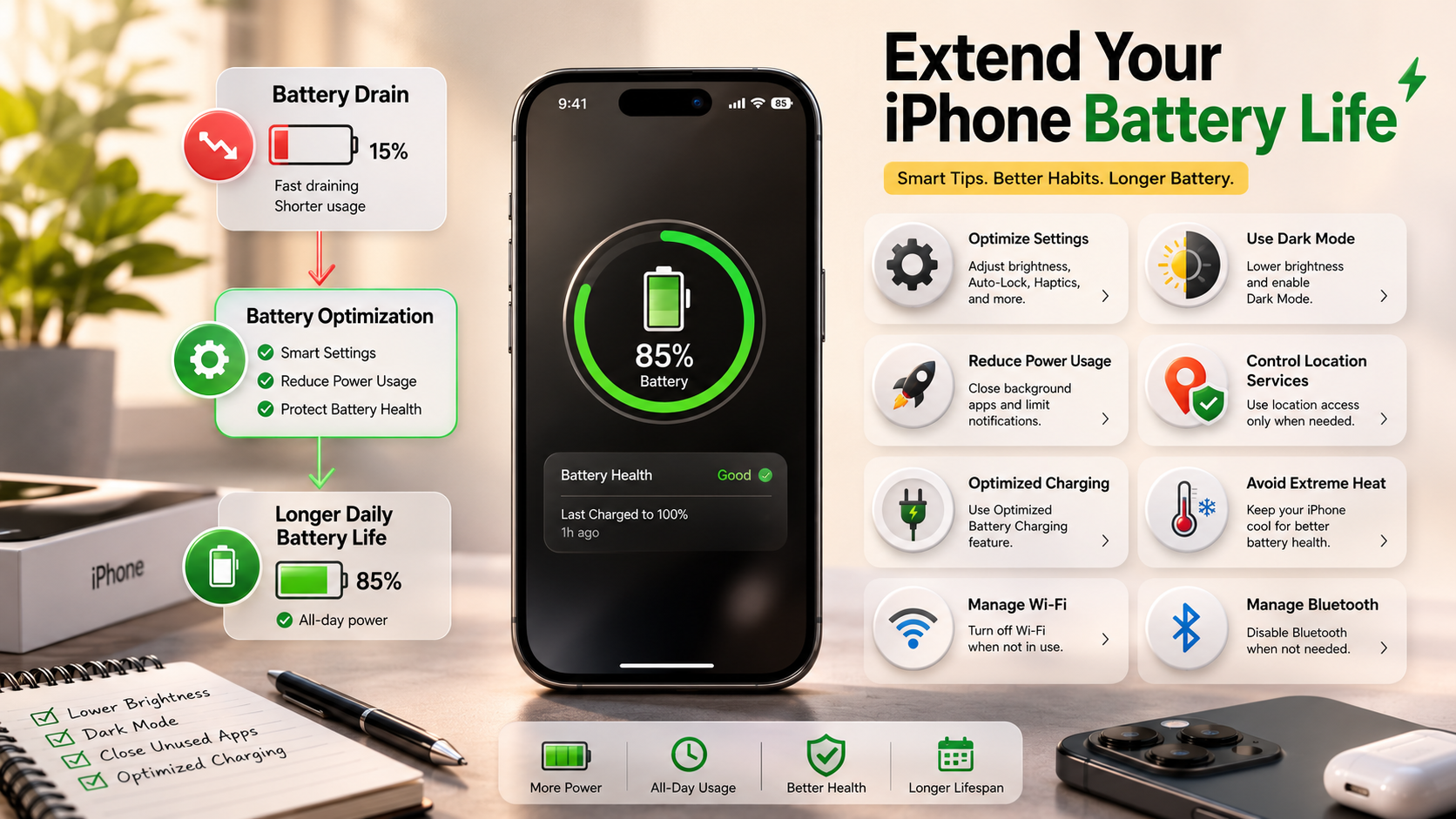
How to Improve iPhone Battery Life in 2026: The Ultimate Guide

How to Improve iPhone Battery Life: The Ultimate Guide

Few things are more frustrating than watching your iPhone battery drop from 100% to 10% before the day is over. If you are searching for how to improve iPhone battery life, you are not alone. Millions of iPhone users experience battery drain caused by daily usage habits, background activity, screen settings, and charging routines.

Modern iPhones are designed to handle powerful tasks like gaming, video streaming, photography, and multitasking. However, these advanced features can consume a lot of energy if they are not managed properly. According to Apple, lithium-ion batteries naturally age over time, which gradually reduces their maximum capacity. You can learn more about Apple’s official recommendations for battery care and maintaining performance through Apple Batteries – Maximising Performance.

This complete guide explains the best ways to optimize your iPhone settings, reduce unnecessary power consumption, and maintain better battery health. From managing apps and display settings to improving charging habits, these practical tips will help your iPhone last longer throughout the day.


1. Optimize Your iOS Settings for Maximum Efficiency

The fastest way to improve your iPhone battery performance is by reviewing your iOS settings. Many features continue working in the background even when you are not actively using your device. These hidden activities may include app updates, location tracking, notifications, and automatic syncing.

By controlling these settings, you can reduce unnecessary battery usage without affecting your normal phone experience. Small changes can create a noticeable difference in your daily screen time.

How Background App Refresh Affects iPhone Battery Life

Background App Refresh allows apps to download new information even when they are closed. While this feature helps apps stay updated, it can consume processing power and battery.

To change this setting:

  • Open Settings.
  • Tap General.
  • Select Background App Refresh.
  • Choose Off or allow it only for important apps.

You do not need every application refreshing in the background. Social media, shopping, and entertainment apps often use extra power because they constantly search for new content.

Limiting background activity is one of the easiest steps when learning how to improve iPhone battery life.

Improve iPhone Battery Performance by Managing Location Services

Many apps request access to your location, but not every app needs constant GPS tracking. Location services use energy because your iPhone communicates with GPS satellites, Wi-Fi networks, and mobile towers.

To manage location settings:

  • Go to Settings > Privacy & Security > Location Services.
  • Review app permissions.
  • Change unnecessary “Always” access to While Using the App.

This prevents apps from tracking your location when they are not needed and helps save battery power.


2. How to Improve iPhone Battery Life with Display and Screen Settings

Your iPhone display is one of the biggest battery consumers. Bright screens, animations, and long screen-on time can quickly reduce battery percentage.

Optimizing display settings is an important part of improving battery performance.

Turn On Dark Mode

Dark Mode changes the appearance of your iPhone interface and reduces power consumption on OLED displays. OLED screens can turn off individual pixels when displaying black colors, which may save energy.

To enable Dark Mode:

  • Open Settings.
  • Tap Display & Brightness.
  • Select Dark.

Using Dark Mode, especially at night, can reduce eye strain and may help your battery last longer.

Improve iPhone Battery Usage with Auto-Brightness

Keeping your screen brightness at maximum levels forces your phone to use more energy. Auto-Brightness automatically adjusts the display based on surrounding light conditions.

To enable it:

  • Go to Settings.
  • Open Accessibility.
  • Tap Display & Text Size.
  • Turn on Auto-Brightness.

This allows your iPhone to maintain a comfortable brightness level while avoiding unnecessary battery drain.


3. Master Healthy Charging Habits

Charging habits play a major role in your iPhone battery lifespan. Lithium-ion batteries perform best when they are protected from extreme charging patterns and temperatures.

Many users believe that charging overnight always damages the battery, but modern iPhones include smart charging features designed to reduce stress.

Optimized Battery Charging for Longer iPhone Battery Life

Optimized Battery Charging learns your charging routine and delays charging beyond 80% until you need the phone.

To activate it:

  • Open Settings.
  • Tap Battery.
  • Select Battery Health & Charging.
  • Enable Optimized Battery Charging.

This feature helps reduce the time your iPhone stays fully charged, which can slow battery aging.

Protect iPhone Battery Health by Avoiding Extreme Temperatures

Heat is one of the biggest enemies of battery health. High temperatures can permanently affect battery capacity.

Avoid:

  • Charging in direct sunlight.
  • Leaving your phone inside a hot car.
  • Using heavy apps while charging in hot conditions.

Always charge your iPhone on a cool surface with proper airflow.


4. Use Low Power Mode to Extend Battery Life

Low Power Mode is one of the most effective tools for saving energy quickly. It reduces background processes and temporarily limits certain features to increase battery duration.

When enabled, Low Power Mode can:

  • Reduce background app activity.
  • Pause automatic downloads.
  • Lower visual effects.
  • Limit some syncing processes.

To turn it on:

  • Open Settings > Battery.
  • Enable Low Power Mode.

You can also add it to Control Center for faster access.

Many people only use Low Power Mode when their battery is almost empty, but using it during travel, long workdays, or busy schedules can help your battery last significantly longer.


5. Reduce Unnecessary Notifications

Every notification can wake your screen, activate your processor, and use energy. If you receive many alerts every day, your iPhone may lose battery faster than expected.

To manage notifications:

  • Open Settings.
  • Tap Notifications.
  • Choose apps you do not need alerts from.
  • Disable unnecessary notifications.

Apps like games, shopping platforms, and social networks often send frequent alerts that provide little value.

Reducing notifications helps your iPhone stay inactive longer, lowering power consumption.


6. Keep Your iPhone Software Updated for Better Battery Efficiency

Keeping your iPhone software updated can improve battery efficiency. Apple regularly releases updates that fix bugs, improve performance, and optimize energy usage.

Outdated apps may use more battery because they are not optimized for newer iOS versions.

To update iOS:

  • Open Settings.
  • Select General.
  • Tap Software Update.

For apps:

  • Open the App Store.
  • Enable automatic app updates.

Regular updates keep your device running efficiently and prevent unnecessary battery drain caused by software problems.


7. How to Improve iPhone Battery Life by Managing Wireless Connections

Wireless connections constantly communicate with networks and devices. When they are searching for signals, they consume additional power.

Follow these tips:

  • Use Wi-Fi whenever available.
  • Turn off Bluetooth when not needed.
  • Disable personal hotspot after use.
  • Use Airplane Mode in areas with no signal.

A weak cellular signal can drain your battery because your iPhone increases power to maintain a connection.

Managing wireless settings is another effective method for how to improve iPhone battery life.


8. How to Improve iPhone Battery Life by Removing Battery-Draining Apps

Some apps consume large amounts of power because they run background processes, use location tracking, or constantly sync data.

To check battery usage:

  • Go to Settings.
  • Tap Battery.
  • Review app activity.

If an app uses excessive battery:

  • Update it.
  • Limit permissions.
  • Remove it if unnecessary.

Deleting unused apps also frees storage space and allows your iPhone to operate more smoothly.


9. How to Improve iPhone Battery Health and Check Battery Condition

Every iPhone battery loses capacity over time. This is a normal process because lithium-ion batteries chemically age.

You can check your battery condition:

Settings > Battery > Battery Health & Charging

Look for:

  • Maximum Capacity.
  • Peak Performance Capability.
  • Charging optimization settings.

Signs of an aging battery include:

  • Faster battery drain.
  • Unexpected shutdowns.
  • Reduced performance.

If your battery health becomes poor, replacing the battery can restore your iPhone’s ability to hold a charge.


FAQ Section

What is the 80 20 rule for iPhone battery?

The 80/20 rule for iPhone battery is a popular charging habit that focuses on keeping your battery level between 20% and 80% whenever possible. This approach is recommended because lithium-ion batteries experience more stress when they remain at extremely low or extremely high charge levels. Therefore, avoiding frequent drops to 0% and limiting long periods at 100% can help maintain better battery health over time.

In simple terms, try to charge your iPhone when it reaches around 20% and unplug it near 80% instead of always charging it completely. As a result, the battery goes through less chemical strain, which may slow down natural aging. However, this does not mean you should never charge your phone to 100%. Occasionally reaching a full charge is completely fine, especially when you need extra power.

Additionally, features like Optimized Battery Charging can help manage charging automatically. Overall, following the 80/20 habit, along with avoiding heat and using proper charging practices, can help your iPhone battery stay healthier for a longer time.

Why is my iPhone draining its battery so fast?

If your iPhone battery is draining quickly, the problem is usually caused by several small factors working together. Background app activity, high screen brightness, location tracking, and poor network connections can all increase power consumption. For example, social media apps, streaming services, and navigation apps often continue running tasks in the background, which makes your iPhone use more energy even when you are not actively using it.

Additionally, a bright display is one of the biggest battery consumers. Therefore, lowering brightness and enabling Auto-Brightness can immediately reduce unnecessary battery usage. Another common reason is weak cellular signal. When your iPhone struggles to connect to a network, it increases power output to maintain the connection, which can drain the battery faster.

Moreover, outdated apps or iOS versions may contain bugs that affect battery performance. To identify the cause, go to Settings > Battery and review which apps are using the most power. By updating software, limiting unnecessary background activity, reducing location access, and managing screen settings, you can significantly improve battery life and prevent unexpected battery drain.

How do I keep my battery 100% healthy?

Keeping your iPhone battery at 100% health forever is not possible because lithium-ion batteries naturally lose capacity as they age. However, you can slow down battery degradation and maintain excellent battery health for a much longer time by following smart charging and usage habits.

First, avoid extreme heat, because high temperatures are one of the biggest causes of battery aging. For example, leaving your iPhone in a hot car, charging it under direct sunlight, or using it heavily while it is overheating can reduce battery performance over time. Therefore, always charge your device in a cool and well-ventilated area.

Additionally, use Apple-certified chargers and reliable charging accessories to provide safe and stable power. Turn on Optimized Battery Charging by going to Settings > Battery > Battery Health & Charging. This feature reduces the amount of time your iPhone stays fully charged, which helps protect the battery.

Moreover, avoid regularly draining your phone completely to 0%. Instead, try charging it before the battery becomes extremely low. Finally, reduce heavy activities such as high-performance gaming or long video recording sessions while charging, because extra heat can accelerate battery wear

Is it bad to charge my iPhone overnight?

Charging your iPhone overnight is generally safe with modern devices because iPhones are designed with intelligent battery management systems. Unlike older phones that could experience overcharging problems, newer iPhones automatically control the charging process to protect the battery. Once the battery reaches 100%, the device reduces or stops charging and manages power efficiently to prevent unnecessary stress.

However, keeping your iPhone plugged in for long periods can still contribute to battery aging over time, especially if the device becomes warm. Therefore, enabling Optimized Battery Charging is a smart choice. This feature learns your charging routine and delays charging beyond 80% until you usually need your phone, reducing the amount of time it stays at full capacity.

Additionally, avoid charging your iPhone in places where heat can build up. For example, placing it under a pillow, blanket, or thick material can trap heat and increase internal temperatures. As a result, the battery may experience faster chemical aging.

For better battery health, charge your iPhone overnight on a hard, cool surface with proper airflow. Overall, overnight charging is not harmful when done correctly and with the right settings enabled.

Is 70% iPhone battery health good?

A 70% iPhone battery health level is considered low and usually means the battery has experienced significant aging. The Battery Health percentage shows how much charge your battery can hold compared to when it was new. Therefore, a battery with 70% maximum capacity can only store about 70% of the power it originally could, which leads to noticeably shorter usage time.

Generally, when an iPhone battery drops below 80% maximum capacity, it is considered significantly degraded. At 70%, you may experience faster battery drain, more frequent charging, and reduced performance during daily activities. For example, tasks like gaming, video streaming, camera use, and navigation may consume power much faster than before.

Additionally, an older battery may struggle to provide enough power during demanding situations. As a result, your iPhone may slow down performance temporarily or experience unexpected shutdowns to protect the device.

To check your battery condition, go to Settings > Battery > Battery Health & Charging and review the Maximum Capacity section. If your battery health is around 70%, replacing the battery with a reliable service provider can restore better performance and improve daily battery life. A new battery can make your iPhone feel faster, more reliable, and capable of lasting longer between charges.

Conclusion

Learning how to improve iPhone battery life does not require technical expertise or tedious compromises. By making small, intentional adjustments to your daily settings and charging routines, you gain better control over your device’s performance and battery longevity. Simple steps like disabling unnecessary background data, managing location tracking, reducing screen brightness, and staying within the ideal 20% to 80% charging range can deliver noticeable benefits over time.

Furthermore, protecting your iPhone from extreme heat, keeping iOS updated, and using built-in battery optimization features can help maintain healthier battery performance. These small habits work together to reduce unnecessary power consumption and extend the overall lifespan of your device.

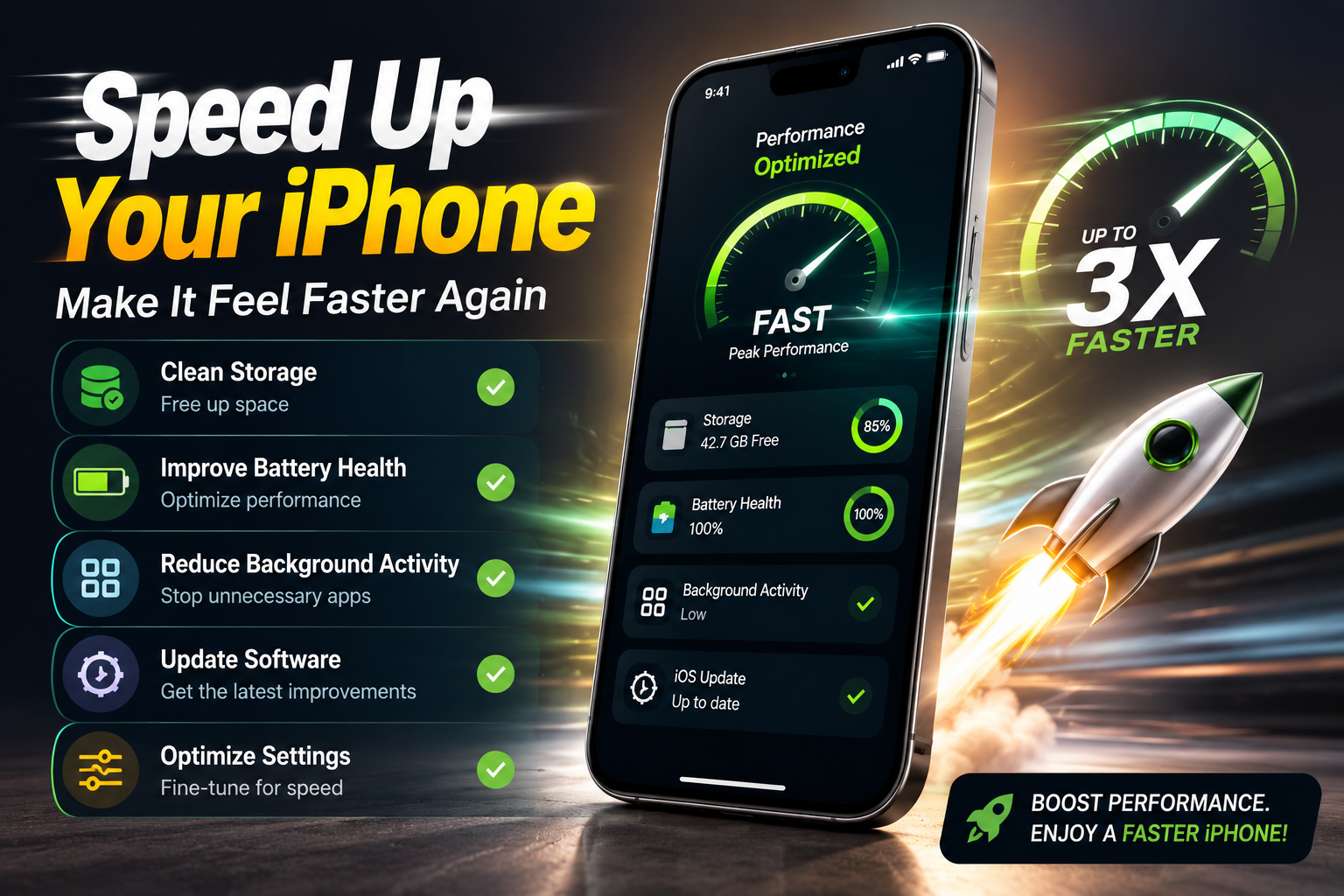
For even better iPhone performance, you can also explore additional optimization tips and learn how to speed up your iPhone in 2026. By combining battery-saving techniques with general performance improvements, you can keep your iPhone running smoothly, efficiently, and reliably for years.

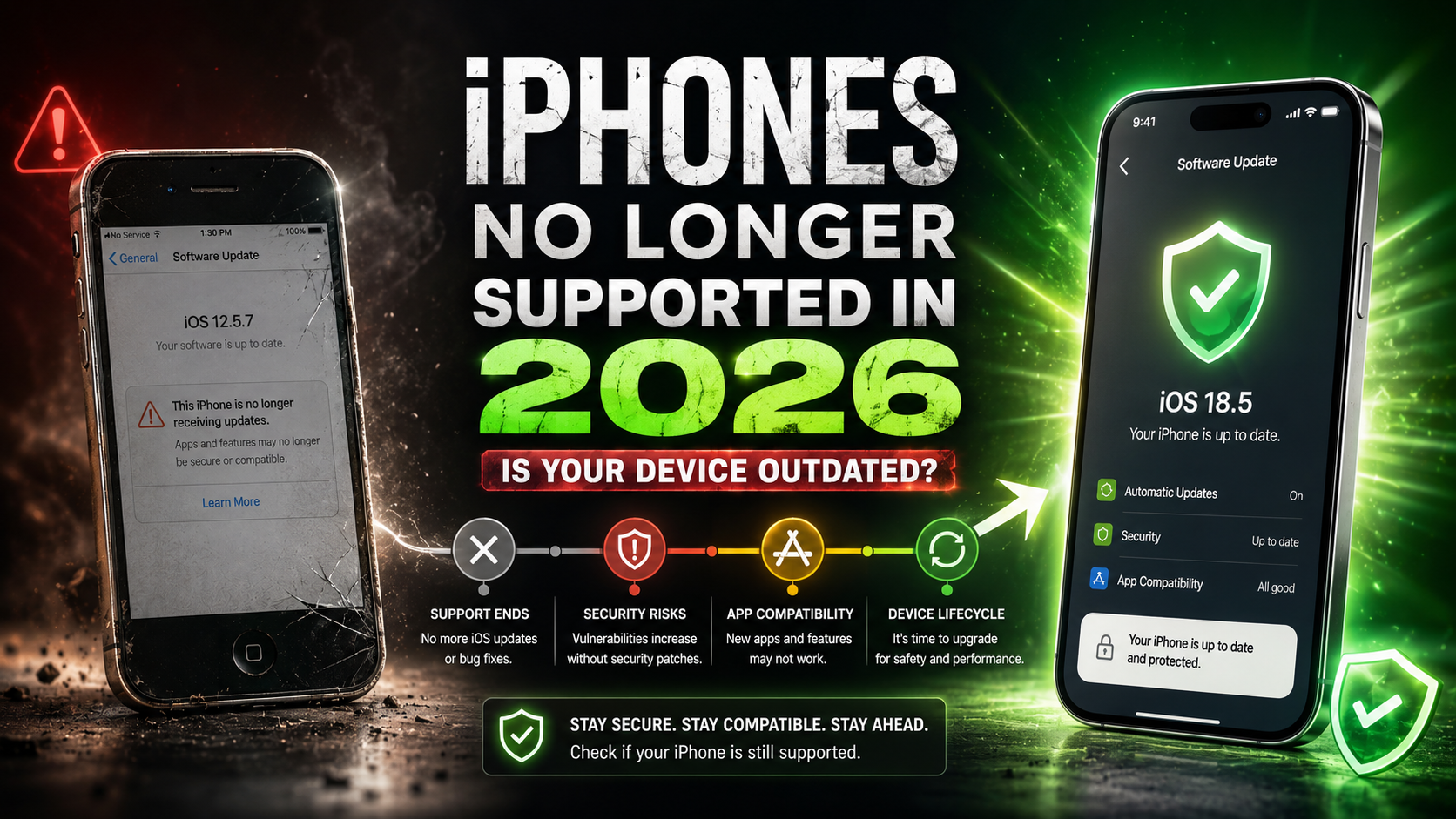
iPhones That Are No Longer Supported in 2026: Full List

iPhones That Are No Longer Supported in 2026: Is Your Device Outdated?

iPhones That Are No Longer Supported in 2026 are older Apple devices that have reached the end of major iOS update support. Apple’s iPhone lineup is known for offering long software support, but every model eventually stops receiving new iOS versions. You can check the latest iOS compatibility details and supported devices directly through Apple’s official iOS information page: Apple iOS official page. In 2026, several older iPhones no longer receive the latest features, security improvements, and app compatibility updates.In 2026, several older iPhones no longer receive the latest features, security improvements, and app compatibility updates.

When Apple stops providing major iOS updates, the device does not suddenly stop working. You can still make calls, send messages, browse the internet, and use many existing apps. However, over time, unsupported iPhones become less secure because they no longer receive the latest system protections and performance improvements.

For users who rely on their phones for online banking, digital payments, business communication, social media, and personal data storage, staying on an outdated iOS version can become a serious concern. This guide explains which iPhones are no longer supported, what risks older devices face, and whether it is time to upgrade.


Complete List of iPhones That Are No Longer Supported in 2026

Apple has one of the longest software support cycles in the smartphone industry, with many iPhone models receiving iOS updates for several years after their original release. However, as technology advances, older devices eventually reach their software limits. Newer versions of iOS require more powerful processors, stronger security systems, improved graphics capabilities, and hardware designed to handle modern features.

In 2026, several older iPhone models are no longer supported with the latest iOS updates. These devices can still work for basic tasks such as calling, texting, taking photos, and using some existing applications, but they cannot install the newest iOS versions released by Apple.

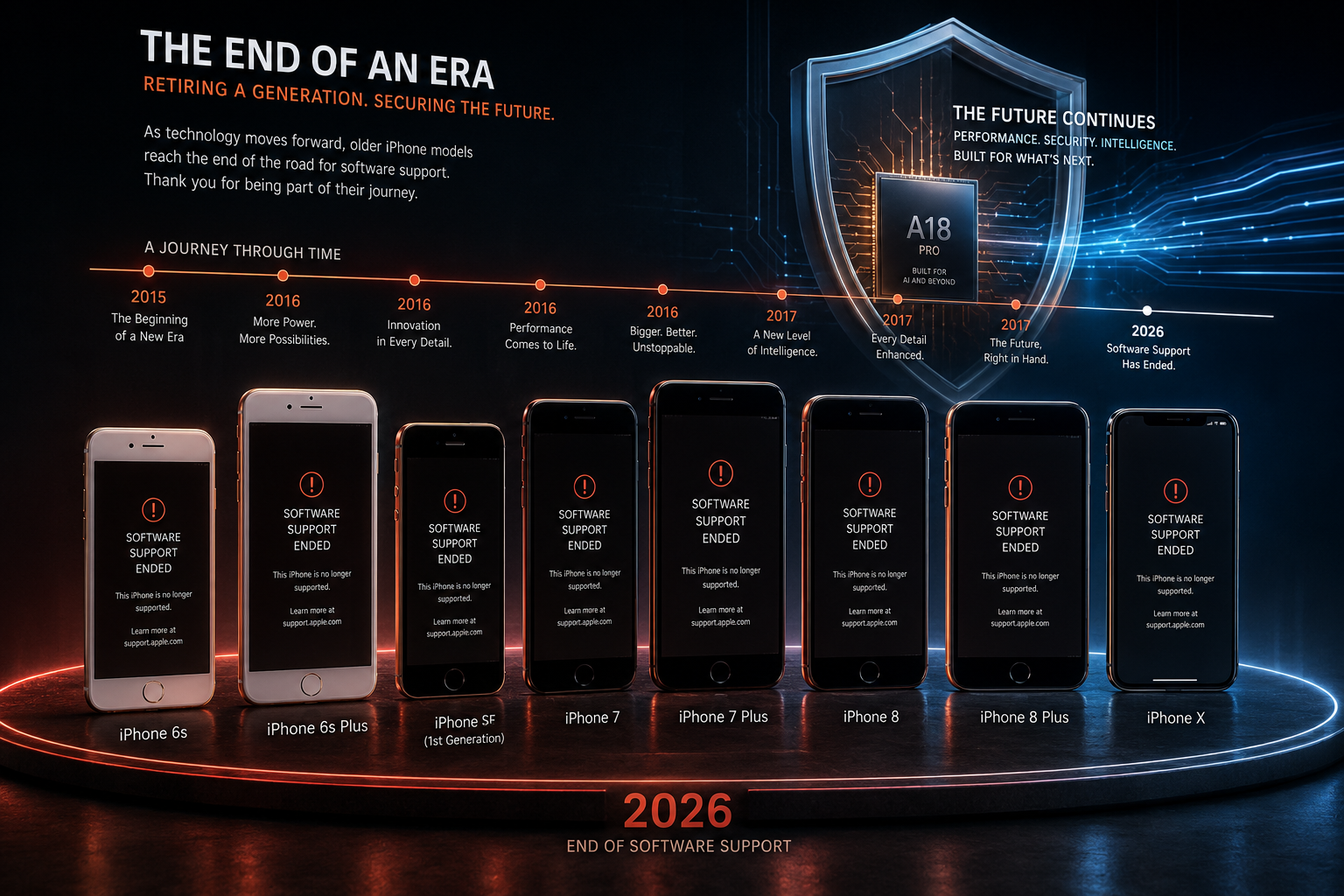
The main iPhone models that are no longer supported include:

  • iPhone 6s
  • iPhone 6s Plus
  • iPhone SE (1st Generation, 2016)
  • iPhone 7
  • iPhone 7 Plus

These models reached the end of major iOS update support because their internal hardware could not meet the requirements of newer operating systems.

The iPhone 8, iPhone 8 Plus, and iPhone X also moved into an older software category after newer iOS versions introduced features that require more advanced hardware capabilities.

Why Apple Stops Supporting Older iPhones

One of the biggest reasons older iPhones lose support is the processor inside the device. The A9 chip used in the iPhone 6s series and the A10 Fusion chip found in the iPhone 7 lineup were designed many years ago.

While these processors were powerful at launch, modern iOS versions demand more advanced performance for features such as artificial intelligence processing, improved privacy controls, advanced camera systems, and stronger security protection.

Hardware Limitations of Older Models

Another factor is memory capacity. Newer apps and operating systems require more RAM and faster storage technology to operate smoothly. Older iPhones may struggle to provide the performance users expect from modern smartphones.

Even after losing official software support, these iPhones are not completely useless. They can still work as secondary devices, music players, cameras, or basic communication phones.

Should You Upgrade an Unsupported iPhone?

For anyone relying on their iPhone for banking, business, online payments, or sensitive personal information, moving to a newer supported model is the safer long-term choice.

A newer iPhone with a recent-generation chip will provide better security, improved performance, and a longer software lifespan.


Why iPhones That Are No Longer Supported in 2026 Lose Updates

The end of iOS support is not only about adding new features. Modern operating systems require significantly more processing power, memory management, and security technology.

Every year, Apple introduces improvements such as:

  • Advanced privacy controls
  • Improved security protection
  • Artificial intelligence features
  • Better battery management
  • Faster application performance

Older iPhones often lack the hardware needed to run these systems efficiently.

For example, newer iPhones include more powerful chips with improved neural processing capabilities. These processors help handle tasks like image processing, voice recognition, security encryption, and smart features.

When a device becomes unsupported, Apple focuses development resources on newer hardware that can deliver a stable and secure experience.


Risks of Using iPhones That Are No Longer Supported in 2026

Using an older iPhone after it loses official software support does not mean the device will suddenly stop working. Many unsupported iPhones can still make calls, send messages, take photos, and run existing applications. However, continuing to use an unsupported iPhone in 2026 comes with several important risks that users should consider before keeping the device as their primary smartphone.

Security Problems

The biggest disadvantage of using an unsupported iPhone is the loss of regular security updates. Apple frequently releases iOS updates to fix security vulnerabilities, improve system protection, and defend users against newly discovered threats. Once an iPhone stops receiving major iOS updates, it may no longer receive these important security improvements.

This can affect:

  • Password security
  • Online banking safety
  • Personal files
  • Private conversations
  • Stored payment information

While Apple sometimes releases emergency security patches for older systems, these are not guaranteed forever.

App Compatibility Issues

Another major issue with unsupported iPhones is that apps gradually stop working properly. Developers usually update their applications to support newer versions of iOS, and older systems eventually fall behind.

Users may notice problems with:

  • Banking applications
  • Social media apps
  • Streaming platforms
  • Productivity tools

A phone that works today may have fewer usable apps in the future.


iPhones That Are No Longer Supported in 2026: Supported vs Vintage vs Obsolete

Many iPhone users assume that an older device becomes useless once it stops receiving new updates, but Apple divides its device lifecycle into different categories. Understanding the difference between supported, vintage, and obsolete iPhones helps users make better decisions about upgrades, repairs, and long-term security. The list of iPhones no longer supported in 2026 shows which older Apple devices have reached the end of major iOS update support and may no longer receive the latest features, security improvements, and app compatibility updates.

Supported iPhones

A supported iPhone receives the latest iOS versions directly from Apple. These models get important improvements, including new features, security updates, performance enhancements, and better app compatibility.

Apple considers supported iPhones the safest option because they can run the newest software and work smoothly with modern applications. Users with supported devices can continue enjoying updated features, improved protection, and better overall performance.

A supported iPhone receives:

  • Latest iOS updates
  • Security improvements
  • New features
  • App compatibility updates

These devices provide the best long-term experience.

Vintage iPhones

A vintage iPhone refers to a device that Apple has stopped selling for a certain period of time but may still qualify for repairs if replacement parts are available. Being classified as vintage does not always mean the phone has lost software support. It mainly relates to Apple’s hardware service and repair availability.

However, being vintage does not mean the phone receives new iOS versions.

Obsolete iPhones

An obsolete iPhone is much older and has reached the final stage of Apple’s lifecycle classification. Apple no longer provides regular hardware service for these devices, and authorized repair providers may not be able to obtain official replacement parts. While the phone may still turn on and perform basic tasks, it becomes increasingly difficult to maintain.

Knowing these categories helps users understand whether they need a simple repair, a battery replacement, or a complete upgrade. A device’s true lifespan depends not only on its physical condition but also on its ability to receive software updates and security protection.


FAQ SECTION

Which iPhone will be outdated in 2026?

By late 2026, the iPhone 11 series may enter the later stages of its software support cycle. Although the iPhone 11 lineup still handles many everyday tasks, Apple may eventually stop including these models in major iOS updates as newer devices introduce more advanced hardware capabilities.

The iPhone 11 uses the A13 Bionic chip, which still delivers solid performance for activities such as calling, messaging, photography, streaming, and many apps. However, future iOS versions may require newer processors and improved hardware features to support advanced functions, artificial intelligence tools, and enhanced security systems.

When Apple ends major software support for the iPhone 11, the device will likely continue working for basic tasks. Users can still make calls, browse the web, and use apps that support the older software version. However, they may lose access to some new features and eventually experience compatibility problems with newer applications.

People who want longer software support should consider upgrading to newer models, as recent iPhones typically receive updates for many years after release.

Can I still use my iPhone 7 in 2026?

Yes, you can still use an iPhone 7 in 2026, but it may not provide the experience that most users expect from a modern smartphone. The device can still handle basic activities such as calling, texting, listening to music, taking photos, and using some older applications. However, the phone has reached the later stages of its usable life because Apple stopped providing major iOS updates for this model several years ago.

The iPhone 7 runs on older software, which means many newer apps may no longer support it. Banking apps, advanced communication tools, and some social media platforms may require newer versions of iOS and stronger hardware. Users may also notice slower performance, shorter battery life, and compatibility issues with newer services.

Security also remains an important concern. Without regular software updates, the phone may not receive the latest protections against new digital threats. For simple offline tasks, the iPhone 7 can still work, but it is not the best choice for managing sensitive information or daily online activities in 2026.

What is the oldest iPhone still supported 2026?

In 2026, the oldest iPhone models that still receive software support include the iPhone 12 series and the iPhone SE (2nd Generation, released in 2020). These devices continue to run modern versions of iOS because Apple designed them with capable processors and hardware that can handle current system requirements.

The iPhone 12 lineup uses the A14 Bionic chip, while the second-generation iPhone SE uses the A13 Bionic chip. Both processors still provide enough power for everyday activities such as messaging, web browsing, photography, streaming, and many popular applications. Apple also continues to focus on security improvements, which helps older iPhone models remain useful and safer to use.

However, these phones are approaching the later stages of their support lifespan. Future iOS updates may eventually stop including these models as Apple introduces newer hardware requirements and advanced features. Even after official software support ends, the phones may continue working for basic tasks, but users may miss new features and security improvements.

For long-term use, newer models like the iPhone 15 or iPhone 16 series provide a longer expected support period.

What phone do most billionaires use?

Most billionaires, technology leaders, and high-profile executives use premium smartphones from major brands rather than choosing rare luxury phones. Many of them prefer models such as the iPhone Pro Max series or the Samsung Galaxy Ultra lineup because these devices combine strong security, powerful performance, and reliable features.

People at the highest levels of business often value privacy and protection, so they choose phones from companies that focus heavily on security updates, encryption, and protection against modern digital threats. Apple and Samsung regularly improve their security systems, which makes their flagship devices attractive choices for professionals who handle sensitive information.

However, billionaires do not all use the same phone. Some choose an iPhone because of its simple user experience and strong connection with other Apple devices, while others prefer Samsung phones because of their customization options and advanced hardware features. In many cases, the phone choice depends on personal preference, business needs, and the technology ecosystem they already use.

Overall, most wealthy individuals usually rely on the same high-end smartphones available to everyday consumers.

Can I still use my iPhone 13 in 2027?

Yes, you can still use your iPhone 13 in 2027. It should continue to work well for everyday tasks. Apple usually supports its flagship iPhone models for several years after release.

The iPhone 13 launched in 2021 with the A15 Bionic chip. It still has enough power for apps, browsing, streaming, gaming, and communication.

The iPhone 13 should continue receiving security updates and software improvements for some time. However, Apple may eventually stop supporting older models. Future iOS versions may require newer hardware for advanced features.

Even after support ends, the phone should still handle basic tasks. You can continue making calls, sending messages, and using many apps.

The device also has strong battery life, a capable camera, and a durable design. With proper care, the iPhone 13 can remain a reliable phone throughout 2027 and possibly longer.


CONCLUSION

Understanding which iPhones no longer receive support in 2026 helps users protect their security and make better upgrade decisions. While keeping an older phone can save money, software support determines how long a smartphone remains safe and compatible with modern apps.

Unsupported iPhones can continue working, but they gradually lose access to security improvements, new features, and app updates. Users who store sensitive information or rely on their phones daily should plan a move to newer hardware.

Before upgrading, you can also improve your current device’s performance and extend its usable life by following optimization tips. Check out this guide on how to speed up your iPhone and improve performance in 2026

Deepfake Technology Explained: How It Works & Detection

Deepfake Technology Explained: Understanding Synthetic Media

The digital landscape is rapidly changing with the rise of synthetic media, and deepfake technology is one of the most significant developments in artificial intelligence. A complete deepfake technology explained guide helps users understand how AI-generated videos, images, and audio are created and why they matter. As artificial intelligence continues to evolve, organizations such as IBM Artificial Intelligence Overview are exploring how AI can be developed and used responsibly across different industries.

Deepfakes use advanced artificial intelligence (AI) and deep learning algorithms to manipulate or generate digital content that appears realistic but may not represent a real event. This technology can change a person’s face, replicate their voice, or create completely artificial scenes.

While deepfakes have creative applications in entertainment, education, and accessibility, they also create serious concerns related to misinformation, cybersecurity, privacy, and digital trust.

As AI tools become more powerful and accessible, learning how deepfakes work and how to identify them has become an essential digital skill.


What Is a Deepfake?

A deepfake is a form of synthetic media created using artificial intelligence to replace or modify a person’s appearance, voice, or actions in digital content.

The term “deepfake” comes from two words:

  • Deep – referring to deep learning, a type of machine learning based on neural networks.
  • Fake – meaning digitally altered or artificially created content.

Unlike traditional video editing methods that require manual changes, deepfake technology automatically studies large amounts of data and learns human features such as facial expressions, speech patterns, and body movements.

This allows AI systems to create realistic-looking videos and audio recordings that can be difficult to distinguish from genuine content.


How Deepfake Technology Works

Deepfake creation depends on powerful artificial intelligence models trained using large datasets of images, videos, or audio recordings.

The system learns:

  • Facial structure
  • Eye movement
  • Expressions
  • Voice characteristics
  • Speaking style
  • Body gestures

After training, the AI can generate or modify media by applying learned characteristics to another person or scene.

The two major technologies behind deepfakes are:

1. Autoencoders

Autoencoders are neural networks that learn how to compress and reconstruct information.

A typical deepfake system uses:

Encoder

The encoder analyzes an image and reduces it into important features such as:

  • Face shape
  • Expression
  • Position
  • Movement patterns

Decoder

The decoder reconstructs the face using the learned information.

For face swapping, the system trains on two individuals and transfers the facial features of one person onto another person’s video.

2. Generative Adversarial Networks (GANs)

Generative Adversarial Networks (GANs) are another important technology used for creating realistic synthetic media.

A GAN contains two competing networks:

Generator

The generator creates artificial images or videos and tries to make them appear real.

Discriminator

The discriminator checks whether the content is genuine or fake.

The two systems continuously compete:

  • The discriminator improves at detecting fake content.
  • The generator improves at creating realistic content.

Over time, this process produces highly convincing synthetic media.


Why Has Deepfake Technology Become Popular?

Deepfake tools were originally limited to research laboratories because they required:

  • Expensive hardware
  • Advanced programming skills
  • Large computing resources

However, recent advances in AI, cloud computing, and open-source software have made these tools widely available.

Today, many users can create AI-generated content using consumer-level computers and online platforms.

This accessibility has created both exciting opportunities and new digital risks.


Applications of Deepfake Technology

Deepfake technology is considered a dual-use technology, meaning it can be used for both positive and harmful purposes.

Positive Uses of Deepfakes

1. Film and Entertainment

The entertainment industry uses synthetic media for:

  • Digital character creation
  • Actor de-aging
  • Voice restoration
  • Visual effects
  • Film production improvements

This can reduce production costs and make creative storytelling easier.

2. Education and Training

Educational institutions can use AI-generated simulations to create:

  • Interactive historical lessons
  • Virtual instructors
  • Realistic training environments

For example, students can experience historical events through digitally recreated scenarios.

3. Accessibility Technology

AI-generated voices can support people who have lost their ability to speak due to illness or injury.

Voice cloning technology may help create personalized communication tools.


Risks and Challenges of Deepfake Technology

Although deepfakes offer innovation, they also introduce serious problems.

1. Fake News and Misinformation

Deepfake videos can be used to create false statements from public figures or manipulate public opinion.

This can impact:

  • Elections
  • Social trust
  • Public safety
  • Journalism

2. Cybersecurity Threats

Criminals can use AI-generated voices or videos for:

  • Identity theft
  • Social engineering attacks
  • Financial fraud

For example, a fake voice message may imitate a company executive and request unauthorized payments.

3. Privacy Violations

One of the most harmful uses of deepfakes is creating non-consensual manipulated content.

This can damage reputations and violate personal privacy.


How to Detect a Deepfake?

As deepfake technology continues to advance, identifying manipulated content has become more difficult. However, many AI-generated videos and audio files still contain subtle signs that can help reveal whether they are authentic or altered. By carefully examining visual and audio details, users can improve their ability to recognize synthetic media.

Visual Signs of a Deepfake

Unnatural Facial Movements

One of the most common indicators of a deepfake is unusual facial behavior. For example, pay attention to:

  • Strange or unnatural facial expressions
  • Irregular eye movements
  • Abnormal blinking patterns
  • Stiff or unrealistic facial reactions

Additionally, older deepfake models often struggle to recreate natural eye movement and emotional expressions, making these areas easier to notice.

Lighting and Shadow Inconsistencies

Another important sign is incorrect lighting. A genuine video usually has consistent lighting across the entire scene. Check whether:

  • Shadows match the surrounding environment
  • Skin tones remain consistent
  • Face lighting matches the background

If the face appears brighter, darker, or differently colored than the rest of the image, it may indicate AI manipulation.

Face and Body Distortions

Deepfake software may create blending errors around important areas. Therefore, inspect:

  • Face edges
  • Jawline
  • Hair boundaries
  • Neck and body transitions

Blurry areas, unnatural textures, or sudden changes in appearance may suggest that the content has been edited.

Audio Warning Signs

Deepfakes are not limited to video; AI-generated voices can also be difficult to identify. When listening to audio, look for:

  • Robotic or unnatural voices
  • Strange pauses between words
  • Unusual pronunciation
  • Poor lip synchronization
  • Sudden changes in background noise

Moreover, AI-generated speech may sound realistic but often lacks the natural rhythm, emotion, and variation found in human conversations.

Additional Verification Methods

Finally, combine visual and audio checks with technology-based verification methods. Reverse image searches, metadata analysis, and AI detection tools can help confirm whether a file is original or manipulated. Although no single method is perfect, using multiple checks provides a stronger way to identify deepfake content.


FAQ SECTION

What is the technology behind deepfakes?

Deepfake technology is powered mainly by advanced artificial intelligence techniques, especially deep learning algorithms such as Autoencoders and Generative Adversarial Networks (GANs). These systems first analyze thousands of images, videos, or audio samples of a target individual. During this process, the AI learns important details, including facial features, expressions, voice patterns, and natural movements. Furthermore, Autoencoders help compress and rebuild digital information, while GANs improve realism by allowing one network to create content and another to detect errors. As a result, the generated media becomes increasingly convincing over time. After the training phase is complete, the model can replace faces, imitate voices, or create entirely new footage. Additionally, modern deepfake tools can produce realistic synthetic content faster than traditional editing methods. However, these capabilities also create challenges because they can be misused for misinformation, fraud, and privacy violations.

Is DeepFake illegal in India?

Deepfake technology itself is not completely illegal in India; however, creating or sharing harmful deepfake content can lead to legal consequences. Currently, India does not have a single law specifically designed only for deepfakes. Instead, authorities rely on existing laws to address misuse of synthetic media.

The Information Technology Act, 2000 includes provisions that may apply to deepfake-related crimes, such as digital fraud, identity misuse, privacy violations, and publishing inappropriate content. For example, Sections 66D, 66E, and 67 deal with offenses involving cheating through digital methods, capturing or sharing private images without consent, and transmitting obscene material.

Additionally, the Bharatiya Nyaya Sanhita (BNS) contains provisions related to crimes such as forgery, defamation, and criminal intimidation, which may apply when deepfakes are used to harm someone.

Can ChatGPT detect deepfakes?

No, ChatGPT cannot directly detect deepfakes. ChatGPT is primarily a text-based artificial intelligence model designed to understand questions, analyze information, and generate written responses. However, it does not work like specialized digital forensic software that examines video frames, audio signals, or hidden file data to confirm whether media has been manipulated.

In addition, detecting deepfakes requires advanced technologies such as computer vision models, audio analysis systems, and AI-powered forensic tools. These solutions examine details like facial movements, lighting inconsistencies, voice patterns, metadata, and unusual pixel changes.

For example, a deepfake detection system may identify unnatural blinking, poor lip synchronization, or artificial voice patterns that are difficult for humans to notice. Therefore, while ChatGPT can help explain deepfake concepts, discuss possible warning signs, or guide users on verification methods, dedicated detection tools are needed to accurately analyze synthetic images, videos, and audio files.

What is the concept of deep fake?

The concept of deepfake involves using artificial intelligence and deep learning techniques to create or modify digital content, including videos, images, and audio recordings, so they appear authentic even though they may be artificially generated. The term “deepfake” is a combination of “deep learning” and “fake,” referring to the AI methods used to produce realistic synthetic media.

Essentially, deepfake technology allows computers to study a person’s facial features, voice patterns, expressions, and movements before recreating or replacing them in digital files. As a result, it can be used to swap faces, imitate voices, or change actions without traditional manual editing.

Unlike older editing methods that required extensive human effort, deepfake systems automate the process using neural networks. Furthermore, these tools can generate highly realistic content within a short time. However, while deepfakes have useful applications in entertainment, education, and accessibility, they can also create risks such as misinformation, fraud, and privacy violations when misused.

How can I detect a deepfake?

Detecting a deepfake requires careful observation because AI-generated content is becoming increasingly realistic. However, many synthetic videos and audio files still contain small inconsistencies that can reveal manipulation.

First, examine the visual details of the content. Look for signs such as unnatural blinking, unusual facial movements, inconsistent skin textures, or strange changes in facial expressions. Additionally, check whether the lighting and shadows on the person’s face match the surrounding environment. Blurry edges around the face, jawline, or hair may also indicate that a face has been digitally altered.

Moreover, audio can provide important clues. Listen for robotic voices, unnatural pauses, unusual pronunciation, or poor synchronization between speech and lip movements.

Finally, verification tools can help confirm whether media is authentic. Reverse image search, metadata analysis, and AI-based detection software can trace original sources and identify possible manipulation.


CONCLUSION

Deepfake technology represents a major turning point in our digital ecosystem. As generative artificial intelligence models improve, separating authentic human expression from synthetic fabrications will become increasingly difficult. Understanding the neural networks, autoencoders, and training frameworks that power these files helps users approach online media with healthy skepticism. To better understand the AI models behind synthetic content creation, readers can also explore this detailed guide on Generative Adversarial Networks (GANs) Explained.

Securing our digital spaces requires a multi-layered strategy. This includes stronger legal frameworks, automated detection software, improved cybersecurity practices, and public media literacy programs. By staying informed and using practical verification habits, we can enjoy the creative benefits of synthetic media while protecting ourselves from its risks.

Best Free Apps for Android Users (2026 Guide)

Best Free Apps for Android Users to Elevate Your Smartphone Experience

The Google Play Store hosts millions of applications, making it incredibly overwhelming to separate truly valuable tools from bloated software. Finding the best free apps for Android can completely transform how you use your smartphone, turning it into a powerhouse for productivity, creativity, and entertainment. Whether you want to streamline your daily workflow, secure your personal data, or simply enjoy high-quality entertainment without opening your wallet, the right software makes all the difference. You can browse the official Google Play Store to explore options, but filtering out the noise requires a strategic approach.

Understanding what makes an application worth your storage space involves looking at performance, user privacy, and overall utility. Many applications claim to be completely free, yet they bombard you with intrusive advertisements or hide essential features behind aggressive paywalls. This comprehensive guide highlights outstanding, genuinely helpful software that offers massive value at zero cost. We have thoroughly tested these options to ensure they deliver top-tier performance while respecting your device’s resources. From robust security tools to seamless organization utilities, let’s dive into the essential downloads that will elevate your mobile experience today.


Top Productivity and Organization Tools for Android

Staying organized on the move is essential, and your smartphone is the ultimate tool for efficiency if you equip it correctly. Managing daily schedules, setting reminders, and tracking complex projects becomes completely seamless with the right mobile software.

Google Keep: The Ultimate Lightweight Note-Taking Solution

Google Keep is a simple yet powerful note-taking and organization app designed for Android users who want to capture ideas, manage tasks, and save important information instantly. Its lightweight design makes it extremely fast and reliable, even on entry-level smartphones. Google Keep works perfectly for students, professionals, business owners, and anyone who wants a digital notebook that is always available.

Key Features of Google Keep:

  • Quick Note Creation: Create text notes, checklists, voice notes, and image-based notes within seconds.
  • Automatic Sync: All your notes are synchronized through your Google account across smartphones, tablets, and computers.
  • Smart Reminders: Set time-based or location-based reminders for important tasks.
  • Color Organization: Use different colors to categorize notes and improve visual organization.
  • Labels and Search: Add labels and quickly find saved information using Google’s powerful search system.
  • Shopping Lists: Create practical grocery lists and receive reminders when reaching specific locations.
  • Voice Notes: Record ideas quickly when typing is inconvenient.
  • Simple Interface: The clean design ensures smooth performance without unnecessary features.

Google Keep is one of the best free productivity apps for Android because it balances simplicity and useful features. It helps users stay organized without complicated menus or expensive subscriptions. Whether you need a daily planner, reminder tool, or personal notebook, Google Keep provides an efficient solution.

Microsoft To Do: Seamless Task Management

Microsoft To Do is a complete task management application that helps Android users plan their days, organize projects, and improve productivity. It is designed for people who want more than basic reminders and need a structured system for managing responsibilities.

Key Features of Microsoft To Do:

  • Daily Planning: The “My Day” feature creates a focused workspace for your most important tasks.
  • Task Breakdown: Divide large projects into smaller, easier steps.
  • Due Dates and Reminders: Set deadlines and receive alerts before important tasks.
  • Recurring Tasks: Create repeating reminders for habits, meetings, and regular activities.
  • Priority Settings: Mark important tasks so you can focus on urgent work.
  • Device Synchronization: Access your tasks from multiple devices using your Microsoft account.
  • Outlook Integration: Connect your tasks with Microsoft services for better workflow management.
  • Simple Interface: Easy navigation makes it suitable for beginners and professionals.

Microsoft To Do is one of the top productivity apps for Android because it combines powerful planning tools with a free and user-friendly experience. It helps users manage work schedules, personal goals, and daily routines effectively.


Essential Security and Privacy Applications

Protecting your digital footprint is more critical than ever. Android offers solid built-in security, but adding specialized software ensures your passwords, browsing history, and personal data remain completely shielded from malicious third parties.

Bitwarden: Open-Source Password Management

Bitwarden is a highly secure password manager app that protects your online accounts by storing passwords safely in an encrypted digital vault. With increasing cyber threats, managing strong and unique passwords has become essential, and Bitwarden makes the process simple.

Key Features of Bitwarden:

  • Secure Password Storage: Store unlimited usernames, passwords, and private information safely.
  • Open-Source Security: Its code can be reviewed by security experts, improving transparency.
  • Password Generator: Automatically creates strong and unique passwords.
  • Autofill Support: Quickly log into apps and websites without typing passwords manually.
  • Encrypted Vault: Protect sensitive information with advanced encryption technology.
  • Multi-Device Sync: Access your saved passwords across Android phones, tablets, and computers.
  • Biometric Login: Unlock your vault using fingerprint or device security features.
  • Two-Factor Authentication: Add extra protection to your account.

Bitwarden is one of the best free password manager apps for Android because it provides strong security features without making the experience complicated. It is ideal for users who want privacy, convenience, and better digital protection.

ProtonVPN: Secure Browsing Without Data Caps

Proton VPN is a privacy-focused VPN application that helps Android users browse the internet securely. It protects your connection by encrypting internet traffic, making it useful when using public Wi-Fi networks or browsing sensitive websites.

Key Features of ProtonVPN:

  • Encrypted Internet Connection: Protects your online activity from unwanted monitoring.
  • Public Wi-Fi Protection: Adds security when using networks in airports, hotels, and cafes.
  • Privacy-Focused Design: Built with user security and data protection in mind.
  • Free VPN Option: Provides access to VPN protection without requiring a paid plan.
  • Multiple Server Locations: Helps users maintain reliable connections while traveling.
  • Easy Setup: Simple interface suitable for beginners.
  • No Complex Settings: Connect quickly with a single tap.
  • Secure Browsing: Helps protect personal information during online activities.

ProtonVPN is among the best VPN apps for Android because it combines security, ease of use, and privacy features. It is a useful tool for anyone who wants safer browsing and improved online protection.


Must-Have Media and Entertainment Software

Your smartphone is a powerful pocket entertainment center. Upgrading your media experience with specialized tools allows you to enjoy music, videos, and podcasts exactly the way you want.

VLC for Android: Powerful Universal Media Player

VLC for Android is a popular media player app that allows Android users to play almost any video or audio file format. Known for its reliability and open-source development, VLC provides a complete entertainment experience without unnecessary restrictions.

Key Features of VLC for Android:

  • Multiple Format Support: Plays MP4, MKV, AVI, MP3, FLAC, and many other formats.
  • No Advertisements: Offers a clean entertainment experience without intrusive ads.
  • Subtitle Support: Easily load and customize subtitles.
  • Gesture Controls: Adjust volume, brightness, and playback using simple swipes.
  • Audio Tools: Manage sound settings and playback options.
  • Network Streaming: Play media directly from online sources or networks.
  • Background Playback: Continue listening even when switching apps.
  • Free and Open Source: Provides powerful features without subscription fees.

VLC for Android is one of the best video player apps because it offers smooth performance, wide compatibility, and complete control over media playback. It is perfect for movie lovers, music listeners, and anyone who manages offline media files.

Pocket Casts: A Premium Podcast Experience

Pocket Casts is a feature-rich podcast application that improves the way Android users discover, organize, and listen to podcasts. Its modern design and advanced playback controls make it a favorite choice among podcast enthusiasts.

Key Features of Pocket Casts:

  • Podcast Discovery: Find new shows based on interests and categories.
  • Custom Playback Speed: Adjust listening speed according to your preference.
  • Silence Removal: Automatically skips unnecessary pauses in episodes.
  • Smart Filters: Organize podcasts by topic, category, or release date.
  • Automatic Downloads: Save episodes for offline listening.
  • Episode Management: Easily track played and unplayed episodes.
  • Clean Interface: Enjoy a smooth and attractive user experience.
  • Cross-Device Sync: Continue listening across supported devices.

Pocket Casts is one of the best podcast apps for Android because it combines organization, customization, and excellent audio controls. It is ideal for users who follow multiple podcasts and want a smarter way to manage their subscriptions.


FAQ SECTION

What are the best free apps for Android to improve daily productivity?

Improving daily productivity on Android becomes much easier when you use the right organization tools. Among the best free productivity apps available, Google Keep and Microsoft To Do stand out because they offer simple yet powerful features for managing tasks, notes, and daily responsibilities. These applications are especially useful for students, professionals, and anyone who wants to stay organized while working on the go.

First of all, Google Keep is an excellent choice for users who need a fast and flexible note-taking solution. It allows you to instantly save ideas, create checklists, record voice notes, and store images. Moreover, its color-coded notes and labeling system make it easier to find important information quickly. In addition, Google Keep supports reminders, including location-based alerts, so you never forget important tasks.

On the other hand, Microsoft To Do provides a more structured productivity experience. It helps users break large projects into smaller tasks, assign deadlines, create recurring reminders, and organize daily priorities. Furthermore, the “My Day” feature allows you to focus on essential activities without feeling overwhelmed.

Are free Android security applications genuinely safe to use?

Free Android security applications can be genuinely safe to use; however, it is important to choose trusted and well-established apps. Reliable security tools such as Bitwarden and Proton VPN are popular choices because they focus on privacy, transparency, and user protection. These applications provide useful security features without requiring users to pay for expensive subscriptions.

First of all, open-source applications like Bitwarden offer an additional level of trust because their source code can be reviewed by independent security researchers. As a result, potential weaknesses can be identified and improved more quickly. Furthermore, Bitwarden helps users create strong passwords, store login details securely, and protect accounts from unauthorized access.

Similarly, ProtonVPN improves online safety by encrypting internet traffic and helping protect users when they connect to public Wi-Fi networks. In addition, reputable VPN services clearly explain their privacy policies and security practices, which makes them more trustworthy.

Which free Android applications work completely offline?

Many free Android applications provide excellent offline functionality, making them useful when you have limited internet access or want to save mobile data. Two great examples are VLC for Android and Google Keep. Both apps allow users to complete important tasks without needing a constant internet connection.

First of all, VLC for Android is one of the best offline media player apps available. It allows you to watch movies, listen to music, and open locally stored files without Wi-Fi or mobile data. Moreover, VLC supports a wide range of formats, including MP4, MKV, AVI, MP3, and FLAC, so users do not need additional media players. In addition, features like subtitles, playback controls, and audio adjustments continue working completely offline.

Similarly, Google Keep is a reliable offline note-taking application. Users can create new notes, edit existing lists, write reminders, and organize information even when they are not connected to the internet. Furthermore, once the device reconnects to Wi-Fi or cellular data, all updates automatically synchronize with the user’s Google account.

How do free apps make money if they do not charge users?

Free Android applications can generate revenue in several ways, even when they do not require users to pay for downloads. Many developers use business models that allow them to provide useful features for free while still supporting ongoing development, updates, and customer support.

First of all, one of the most common methods is advertising. Many free apps display advertisements within the application, and developers earn money based on views or user interactions. However, reputable apps usually keep advertisements limited so they do not damage the user experience.

Another popular approach is the freemium model. In this system, users can access basic features completely free, while advanced tools require a paid upgrade. For example, an app may offer free note-taking or productivity features but charge for extra storage, customization options, or professional tools.

Can I find a free video editor for Android without watermarks?

Yes, you can find several free video editing apps for Android that allow you to create professional-looking videos without adding permanent watermarks. Two excellent options are CapCut and VN Video Editor. These applications are especially popular among beginners, social media creators, and users who want powerful editing tools without paying for expensive software.

First of all, CapCut is a feature-rich video editor that provides a wide range of creative tools for free. It allows users to trim clips, combine videos, add music, apply effects, and create engaging content for platforms like social media. Moreover, CapCut includes advanced features such as multi-layer editing, transitions, filters, text animations, and speed controls. As a result, users can produce high-quality videos directly from their smartphones.

Similarly, VN Video Editor offers a professional editing experience with a clean interface and powerful controls. It supports multi-track timelines, keyframe animations, color adjustments, subtitles, and advanced transition effects. Furthermore, VN is designed to give creators more control over their projects while keeping the editing process simple.


CONCLUSION

Equipping your smartphone with the best free apps for Android allows you to maximize your device’s potential without spending a single dime. From the robust, open-source password security of Bitwarden to the seamless multimedia versatility of VLC Media Player, these tools prove that top-tier software does not always carry a premium price tag. Investing a few minutes to download and configure these applications will drastically improve your mobile privacy, organization, and daily efficiency.

As you curate your personal app collection, always prioritize transparency, user reviews, and sensible device permissions to protect your digital safety. The right mix of software turns your mobile device into an optimized tool tailored directly to your lifestyle. Start by downloading one or two utilities that address your most immediate digital bottlenecks, whether that means cleaning up your cluttered daily schedule or securing your online accounts. Ultimately, the flexibility of the Android ecosystem grants you total control over your user experience. Take advantage of these exceptional free resources today, explore their deep feature sets, and enjoy a smarter, safer, and significantly more productive mobile lifestyle.

If you are looking to improve productivity beyond your smartphone, check out our guide on best productivity apps for Windows 11 to discover powerful desktop tools that can help you manage tasks, organize workflows, and boost efficiency across your devices.

How to Speed Up Your Android Phone in 2026

How to Speed Up Your Android Phone in 2026 

If you want to speed up your Android phone without deleting your files, changing a few system settings and improving storage management can make a noticeable difference. A slow Android phone can quickly turn simple daily tasks into frustrating experiences. Whether you are opening applications, browsing websites, taking photos, or switching between different tasks, performance issues can make your device feel outdated. However, in most cases, you do not need to replace your smartphone or perform a factory reset to solve these problems. Modern Android devices are designed to manage resources efficiently, but over time, unnecessary files, background activities, and poorly optimized applications can affect overall speed.

Many users assume that their phone becomes slower because the hardware becomes weaker. In reality, smartphone processors and memory components usually continue working at the same capability they had when the device was new. Instead, software-related issues are often responsible for slow performance. For example, temporary files, unused apps, excessive background processes, and limited storage space can prevent Android from operating smoothly. If you are experiencing performance issues, following this guide to Speed up a slow Android device can help you free up storage and improve your phone’s responsiveness.

Fortunately, you can restore much of your phone’s original performance by making a few smart adjustments. By cleaning unnecessary data, controlling background activity, improving storage management, and adjusting hidden system settings, you can make your Android phone feel faster again. Furthermore, these methods allow you to keep your personal photos, apps, and files without removing everything through a factory reset.

This guide explains the most effective ways to speed up your Android phone in 2026 while keeping your important data safe.


Understanding Why You Need to Speed Up Your Android Phone

Before applying performance improvements, it is important to understand why Android devices slow down in the first place. A smartphone does not usually become slow because the processor suddenly loses power. Instead, performance problems typically develop because the operating system has to handle more tasks than before.

Every application installed on your phone requires storage space, memory, and processing power. Over time, many apps continue running background services even when you are not actively using them. As a result, your device may spend resources syncing data, checking notifications, downloading updates, or collecting information in the background.

Additionally, storage space plays a major role in Android performance. When your internal storage becomes almost full, the operating system has less room to create temporary files and manage system operations. Therefore, apps may take longer to open, animations may feel delayed, and multitasking can become slower.

Another common reason is outdated software. Although updates are usually created to improve security and performance, older applications may not always work efficiently with newer Android versions. Consequently, compatibility issues can create lag, crashes, or battery drain.

Moreover, visual effects, widgets, live wallpapers, and heavy launchers can increase the workload on your phone’s processor. While these features make your device look attractive, they may reduce responsiveness on older or budget smartphones.

The good news is that these problems are usually reversible. With proper optimization, your Android phone can regain speed and provide a smoother experience.


Practical Ways to Speed Up Your Android Phone

You do not need to perform a frustrating factory reset to get your performance back. Use these highly effective, non-destructive expert strategies instead.

1. Clear Cache Files to Speed Up Your Android Phone

One of the easiest and safest ways to speed up an Android phone is by clearing unnecessary cached data. Cache files are temporary files created by applications to help them load information faster. For example, social media apps store images, videos, and website elements in cache so they can appear quickly the next time you open them.

However, while cache files are useful, they can become excessive over time. Large amounts of outdated cache data may occupy valuable storage space and sometimes create conflicts with newer app versions. As a result, applications may become slower, freeze unexpectedly, or consume more system resources than necessary.

To clean cached data, open your Android device settings and go to Settings > Storage. From there, you can review unnecessary files and remove temporary data. Additionally, if a specific application is causing problems, you can clear its individual cache by visiting:

Settings > Apps > Select App > Storage > Clear Cache

This process does not delete your personal information. Your photos, messages, accounts, and login details remain untouched. Instead, Android simply removes temporary files that the application can rebuild when needed. Clearing cache is one of the safest ways to speed up your Android phone because it removes temporary files without deleting your personal data.

2.Remove Unused Apps and Files to Improve Android Speed

Another effective way to improve Android performance is by removing applications and files that you no longer use. Many users install apps for temporary purposes but forget to uninstall them later. Although these apps may appear inactive, they can still create background processes, receive updates, store data, and consume valuable storage space.

When your phone storage becomes crowded, Android has less available space for important system operations. The operating system requires free storage to manage temporary files, app updates, and internal processes. Therefore, keeping your storage clean allows your device to respond faster.

Start by reviewing your installed applications. Open your app drawer and identify programs that you have not used recently. If an app has been untouched for several weeks or months, uninstalling it can immediately free space and reduce background activity.

Additionally, check your Downloads folder because it often contains forgotten files such as old documents, duplicate images, videos, installation packages, and compressed files. These items may not seem important, but together they can occupy several gigabytes of storage. Regularly removing unused apps is a simple habit that helps you speed up your Android phone and maintain better long-term performance.

3.Update Apps and Software to Speed Up Your Android Phone

Keeping your Android applications and system software updated is one of the most important steps for maintaining smooth performance. Many people delay updates because they believe new versions only add features or change the appearance of apps. However, updates often include important improvements that directly affect speed, stability, security, and resource management.

Application developers regularly release updates to fix bugs, improve compatibility, and optimize how their software uses memory and processing power. For example, an older version of an application may contain unnecessary background activities that slow down your device. After an update, those issues may be resolved, allowing the app to run more efficiently.

Similarly, Android system updates often include performance improvements from manufacturers and Google. These updates can improve battery management, memory handling, and overall system responsiveness. Therefore, keeping your phone updated helps ensure that your hardware and software continue working together properly.

To update your applications, open the Google Play Store, tap your profile icon, and select Manage apps & device. From there, choose Update all to install available updates. Additionally, check your phone’s system updates by opening:

Settings > System > System Update

However, updating alone is not enough. It is also a good idea to remove apps that are no longer supported or maintained. Old applications may become inefficient over time because they are not optimized for newer Android versions.

By combining regular updates with proper app management, you can prevent performance problems before they appear. As a result, your Android phone stays faster, safer, and more reliable without requiring a factory reset.

4.Restart Your Device Regularly for Faster Android Performance

Many Android users keep their phones running continuously for weeks or even months without restarting them. Although modern smartphones are designed to operate for long periods, occasional restarts can significantly improve system responsiveness. A simple reboot helps clear temporary memory issues, refresh background processes, and close applications that may have become stuck.

When you use your phone every day, different apps open and close repeatedly. Sometimes, applications do not completely release the memory or resources they were using. Over time, these small issues can accumulate and cause slower performance, delayed responses, or unexpected app crashes.

Restarting your phone gives Android a clean working environment. During the reboot process, temporary files stored in active memory are removed, background services restart properly, and the operating system reorganizes its processes. Consequently, your phone often feels smoother immediately after turning back on.

For better maintenance, consider restarting your device once every week. This simple habit requires only a few seconds but can prevent many common performance problems. Furthermore, restarting can help identify whether an issue is caused by software rather than hardware.

To restart your phone, press and hold the power button, then select the restart option. Some newer devices may require holding the power button and volume key together.

Although a restart is not a permanent solution for every issue, it is an easy and effective method for keeping your Android phone running efficiently over time.

5.Use Developer Options to Speed Up Your Android Phone Instantly

Android includes a hidden set of advanced tools called Developer Options. Originally created for developers and technicians, these settings allow users to control certain system behaviors. When adjusted carefully, some of these options can make your phone feel significantly faster without changing your personal files.

To activate Developer Options, open:

Settings > About Phone

Then tap the Build Number seven times. After entering your security verification, a message will appear confirming that Developer Options have been enabled.

Next, go to:

Settings > System > Developer Options

One of the most useful adjustments is changing animation settings. Android uses animations when opening apps, switching screens, and moving through menus. These effects look smooth, but they also require processing power. By reducing them, your phone can respond more quickly.

Find these options:

  • Window animation scale
  • Transition animation scale
  • Animator duration scale

Change each setting from 1x to 0.5x. Alternatively, you can disable them completely for an even faster interface.

You can also adjust the Background process limit. This setting controls how many applications remain active in the background. Reducing the limit can help older phones with limited RAM by preventing too many apps from running simultaneously.

However, avoid changing unknown developer settings because some options can affect system behavior. When used properly, Developer Options can make your phone feel faster, smoother, and more responsive without risking your data.

6.Use Lightweight Apps and Web Versions Whenever Possible

Heavy applications are one of the biggest reasons older Android phones become slow. Many popular apps now include advanced features such as automatic video playback, artificial intelligence tools, animations, and constant background syncing. While these features improve the user experience, they also require more RAM, storage, and processing power.

A simple way to improve performance is to switch to lightweight alternatives. Many companies offer simplified versions of their applications that use fewer resources. These lighter apps usually remove unnecessary features while keeping the essential functions you need.

For example, instead of installing a large application, you can sometimes use a mobile website through your browser. Modern browsers support Progressive Web Apps (PWAs), which allow websites to behave almost like installed applications. You can simply open a website in Chrome and choose the option to add it to your home screen.

This approach saves storage space and reduces background activity. Additionally, browser-based versions often receive updates automatically without requiring large downloads.

Another advantage is improved battery life. Since lightweight apps use fewer system resources, your phone does not need to work as hard throughout the day. As a result, you may notice better speed, longer battery performance, and fewer slowdowns.

Therefore, replacing unnecessary heavy apps with simpler alternatives is a practical way to extend the useful life of your Android phone.

7.Remove Heavy Widgets and Live Wallpapers

Your home screen may look attractive with multiple widgets and animated wallpapers, but these features can quietly reduce your phone’s performance. Widgets are constantly updating elements that display information such as weather, news, calendar events, or social media updates. Although they seem simple, many widgets regularly connect to the internet and refresh data in the background.

Live wallpapers also require continuous processing power because they create animations and visual effects every time you unlock your device. On powerful smartphones, the impact may be small. However, on older phones or devices with limited RAM, these extra processes can contribute to lag.

Removing unnecessary widgets can immediately reduce background activity. Start by reviewing your home screen and keeping only the widgets you actually use. For example, if you rarely check a weather widget, removing it can save resources without affecting your daily routine.

Similarly, replacing animated wallpapers with a simple static image can reduce GPU usage and improve battery efficiency. Your phone will spend less energy creating visual effects and more resources on important tasks.

Additionally, a cleaner home screen can make navigation faster because Android does not need to load as many visual elements. Therefore, simplifying your interface is a small but effective optimization technique.

By reducing unnecessary visual features, you can make your Android experience smoother while still maintaining a clean and personalized appearance.

8.Manage Auto-Sync Accounts to Reduce Background Usage

Automatic synchronization is a useful Android feature that keeps your information updated across different services. For example, your phone can automatically sync emails, contacts, calendars, cloud files, and application data. However, having too many accounts syncing at the same time can quietly consume system resources.

Every active sync service requires internet access, battery power, and processing capability. If multiple accounts are connected, your phone may constantly check for new information even when you are not using those services. As a result, your device may experience slower performance, faster battery drain, and increased background activity.

To improve efficiency, review the accounts connected to your phone. Go to:

Settings > Passwords & accounts

Here, you can see which accounts are active and what information they synchronize. If you find old email accounts, unused cloud services, or apps that you no longer rely on, you can disable their synchronization.

Additionally, consider reducing the sync frequency for applications that do not require real-time updates. For example, not every service needs instant notifications. A longer sync interval can reduce the workload on your device.

Furthermore, managing synchronization improves privacy because fewer apps continuously exchange data in the background. Therefore, this simple adjustment benefits both performance and security.

By controlling automatic syncing, you allow Android to focus its resources on the apps and tasks that matter most. This helps your phone feel faster and more responsive throughout the day without removing important accounts or personal information.

9.Optimize Battery Settings and Restrict Resource-Hungry Apps

Battery management and performance are closely connected on Android devices. When certain applications consume excessive power, they are often using a large amount of processing power in the background. Therefore, identifying and controlling these apps can significantly improve your phone’s speed.

Many applications continue running after you close them. They may refresh content, track location, send notifications, or perform background tasks. Although these features can be useful, poorly optimized apps can overload your system resources.

To check which apps are causing problems, open:

Settings > Battery > Battery Usage

This section shows which applications are consuming the most energy. If you notice an app using an unusually high amount of battery, consider limiting its background activity.

Android provides options such as:

  • Background restriction
  • Battery optimization
  • Adaptive Battery

Adaptive Battery uses your usage patterns to decide which applications should receive priority. As a result, frequently used apps stay responsive while rarely used apps receive fewer resources.

Additionally, restricting unnecessary background activity reduces CPU workload. This means your processor spends less time handling hidden tasks and more time responding to your actions.

However, be careful with important apps such as messaging tools or alarms because restricting them too aggressively may delay notifications.

By regularly reviewing battery usage and controlling resource-heavy apps, you can achieve better speed, improved battery life, and a smoother Android experience.

10.Reset App Preferences Without Losing Personal Data

Sometimes Android performance problems are caused by incorrect application settings rather than the apps themselves. Over time, users change permissions, disable important services, or modify default app settings. These changes can create conflicts that affect how the system operates.

Fortunately, Android includes an option called Reset App Preferences. This feature restores default settings for applications without deleting your personal files, accounts, or installed apps.

To access this option, go to:

Settings > Apps > See all apps

Then tap the menu icon and choose:

Reset app preferences

This process restores several settings, including:

  • Disabled applications
  • Default app selections
  • Background permission settings
  • Notification restrictions

For example, if an important system service was accidentally disabled, resetting preferences can bring it back to normal operation.

Moreover, this method is useful when your phone feels unusually slow but you cannot identify the cause. Instead of performing a factory reset and losing everything, you can first try this safer solution.

However, remember that some customized settings may return to their original state. You might need to adjust certain app permissions again afterward.

Overall, resetting app preferences is a powerful troubleshooting method. It fixes hidden configuration problems while preserving your personal data, making it an excellent option for improving Android performance.


Frequently Asked Questions

How do I increase the speed of my Android phone?

You can increase your phone’s speed by freeing up local storage space, updating your apps, and restarting your device regularly. Additionally, clearing cached data from heavy apps like social media platforms prevents system bottlenecks. For an immediate boost, turn on Developer Options and lower your animation scales to 0.5x. This makes your phone transition between screens much faster.

What does *#9900# do to your phone?

The *#9900# code opens the SysDump menu, which is a hidden diagnostic tool on Android devices. Selecting the “Delete dumpstate/logcat” option within this menu clears out old system logs and error reports. This safely frees up internal storage space without deleting any personal user data. It is an excellent way to resolve sudden, unexplained system sluggishness.

How do I make my phone 10x faster?

To achieve maximum speed improvements, go to Developer Options and change the window, transition, and animator scales to 0.5x or off. Next, restrict the background process limit to a maximum of three apps to optimize RAM usage. Finally, remove bloated widgets from your home screen and uninstall heavy apps that run constantly in the background.

Why is Android so laggy and slow?

Android phones generally experience lag when their internal storage capacity is nearly full, which leaves little room for virtual memory. Furthermore, having too many apps running background services drains your RAM and battery resources. Over time, corrupt system cache files and unoptimized software updates can also degrade your hardware’s processing efficiency.

Will clearing cache delete my personal photos?

No, clearing your app or system cache will not delete personal photos, videos, or documents. Cache files are simply temporary files that apps use to load information a bit faster. Deleting them is completely safe and helps resolve performance bugs.

Conclusion

Learning how to speed up your Android phone does not require advanced technical skills or a risky factory reset. By clearing hidden log files using diagnostic codes, optimizing your device storage, and adjusting animation scales, you can instantly revive an old device. These simple adjustments reduce the heavy burden on your phone’s processor and RAM. Commit to restarting your phone once a week and keeping your storage clean to maintain peak performance. Try these adjustments today to enjoy a faster, lag-free mobile experience.

If you also want to improve your computer’s performance and make your PC run faster, check out our guide on how to increase CPU speed and boost PC performance for more optimization tips.

How to Speed Up Your iPhone in 2026: Fast Fixes

How to Speed Up Your iPhone and Make It Feel Faster Again

If you want to speed up your iPhone and restore its smooth performance, you do not always need to buy a new device. Over time, iPhones can become slower because of limited storage, too many background processes, outdated software, battery aging, and heavy apps. Learning how to properly manage your settings and resources can help your iPhone feel faster and more responsive again. If your device is already experiencing performance issues, you can also check Apple’s guide on what to do if your iPhone or iPad is running slow for additional troubleshooting steps.

Modern iOS versions include powerful features, advanced security tools, and smarter background functions. While these improvements make the experience better, older devices may need regular maintenance to keep up. By following a few simple steps, you can speed up your iPhone, reduce lag, and improve everyday performance without expensive upgrades.

The good news is that a few simple adjustments can often restore a smoother, faster experience. From cleaning storage and managing apps to improving battery performance, these steps can help your iPhone feel responsive again.


How to Speed Up Your iPhone: Why Your Device Feels Slow

Before you try to speed up your iPhone, it is important to understand why the slowdown happens. Most performance problems are caused by storage issues, background activity, battery health, or software-related problems.

A slow iPhone is usually affected by one or more of these factors:

Low Storage Space

Your iPhone needs free space for temporary files, app data, updates, and system operations. When storage gets almost full, iOS has less room to manage these tasks efficiently.

This can lead to:

  • Apps opening slowly
  • Keyboard delays
  • Stuttering animations
  • Longer loading times

Keeping some free storage available helps iOS work more smoothly.

Too Many Background Processes

Some apps continue performing tasks even when you are not actively using them. They may refresh content, check your location, download updates, or sync data.

A few background processes are useful, but too many can consume battery and processing power.

Battery Aging

An older battery may not deliver power as efficiently as it once did. iOS can adjust performance in certain situations to prevent unexpected shutdowns, which may make your phone feel slower.

Software Problems

Temporary bugs, memory issues, or outdated software can also affect performance. Sometimes a simple restart or update can fix problems that seem much bigger.


1. Restart Your iPhone to Quickly Speed Up Your iPhone Performance

One of the simplest ways to speed up your iPhone is restarting it regularly. A restart clears temporary files, refreshes system memory, and closes processes that may have become stuck.

A restart clears temporary system issues, refreshes memory, and stops processes that may have become stuck. If your iPhone suddenly feels unusual, apps are freezing, or the keyboard is lagging, restarting should be your first step.

To restart a modern iPhone:

  1. Press and hold the Side button and either Volume button.
  2. Wait until the power menu appears.
  3. Slide the Power Off option.
  4. Wait about 30 seconds.
  5. Hold the Side button again until the Apple logo appears.

If your iPhone is frozen and does not respond, try a force restart:

  1. Quickly press and release Volume Up.
  2. Quickly press and release Volume Down.
  3. Hold the Side button until the Apple logo appears.

A restart does not erase your data or change settings, but it can solve many random slowdowns.


2. Stop Closing Every App Manually

Many people believe that constantly removing apps from the App Switcher makes an iPhone faster. In reality, iOS already manages apps intelligently.

When you leave an app, the system usually pauses it and prevents it from consuming unnecessary resources. Closing it completely means the phone has to reload everything from the beginning the next time you open it.

This can actually make app launching slower and may use more battery.

A better approach:

  • Leave apps alone when they are working correctly.
  • Only force-close apps that are frozen, crashing, or behaving incorrectly.

Let iOS handle memory management instead of manually fighting the system.


3. Free Storage Space to Speed Up Your iPhone

Storage management is one of the most effective ways to speed up your iPhone. When your device is almost full, iOS has less room to handle temporary files, updates, and background tasks.

When your device is packed with photos, videos, downloads, messages, and unused apps, the system has less room for temporary operations.

To check storage:

  1. Open Settings.
  2. Tap General.
  3. Select iPhone Storage.

You will see a breakdown of what is using space.

Remove:

  • Large videos you no longer need
  • Old screenshots
  • Huge message attachments
  • Unused apps
  • Duplicate files

You can also use Offload Unused Apps. This removes the app itself but keeps your documents and data, allowing you to reinstall it later without losing information.

Try keeping around 10–15% of your storage free for the best results.


4. Clear Safari Data and Browser Clutter

Your browser collects temporary files, cookies, and website data over time.

A large cache can sometimes make browsing feel slower.

To clear Safari data:

  1. Open Settings.
  2. Scroll to Safari.
  3. Choose Clear History and Website Data.

This can improve Safari responsiveness, especially if pages are loading slowly or the browser feels heavy.


5. Update iOS to Help Speed Up Your iPhone

Keeping your software updated is another important step to speed up your iPhone. Apple regularly releases updates that improve stability, fix bugs, and optimize performance.

Apple frequently releases updates that include:

  • Bug fixes
  • Security improvements
  • Memory optimizations
  • Performance improvements

If your iPhone is slowing down because of a software problem, updating may solve it.

Check for updates:

  1. Open Settings.
  2. Tap General.
  3. Select Software Update.
  4. Install the latest available update.

You can enable automatic updates, but manually checking is useful when your phone is already having problems.


6. Manage Background Activity to Speed Up Your iPhone

Background App Refresh allows apps to update content when you are not actively using them.

It can be useful for apps like:

  • Messaging
  • Email
  • Weather

But dozens of apps running background tasks can create unnecessary workload.

To manage it:

  1. Go to Settings.
  2. Open General.
  3. Tap Background App Refresh.

You can:

  • Turn it off completely
  • Disable it only for unnecessary apps

This can help speed up your iPhone by reducing the amount of work your device performs when you are not actively using it.


7. Limit Location Services

Some apps constantly request your location even when you are not using them.

GPS activity can increase battery drain and create extra background workload.

To adjust location access:

  1. Open Settings.
  2. Go to Privacy & Security.
  3. Tap Location Services.

Review apps individually and choose:

  • Never
  • Ask Next Time
  • While Using the App

Only allow constant location access when it is actually needed.


8. Check Battery Health to Improve iPhone Speed

Battery condition can directly affect performance.

To check:

  1. Open Settings.
  2. Tap Battery.
  3. Select Battery Health & Charging.

Pay attention to maximum capacity and performance messages.

A heavily degraded battery may cause slower performance because iOS tries to protect the device from unexpected shutdowns.

Replacing an old battery can sometimes make an older iPhone feel significantly better.


9. Use Low Power Mode to Make Your iPhone Run Smoother

Low Power Mode is mainly designed to save battery, but it can also reduce unnecessary background activity.

It limits things like:

  • Background syncing
  • Some visual effects
  • Certain automatic tasks

To enable it:

  1. Open Settings.
  2. Tap Battery.
  3. Turn on Low Power Mode.

It is especially helpful when:

  • Your battery is almost empty
  • The phone is getting warm
  • You need longer usage time

10. Reduce Animations to Speed Up Your iPhone Experience

iOS animations look smooth, but older devices may feel faster with fewer effects.

To reduce motion:

  1. Open Settings.
  2. Go to Accessibility.
  3. Tap Motion.
  4. Enable Reduce Motion.

You can also reduce transparency:

  1. Go to Accessibility.
  2. Open Display & Text Size.
  3. Turn on Reduce Transparency.

This reduces some visual effects and may make navigation feel quicker.


11. Reset Your iPhone as a Last Resort

If your iPhone remains slow after trying everything, a clean reset may help.

Over years of use, devices collect:

  • Old settings
  • Broken configurations
  • Unused files
  • App leftovers

Before resetting:

  1. Back up your iPhone.
  2. Perform a factory reset.
  3. Set it up again.

A fresh installation can remove long-term software problems.


12. Keep Your iPhone Cool for Better Performance

Temperature also affects speed.

When an iPhone becomes too hot, the system may reduce performance to protect the hardware.

Avoid:

  • Using heavy apps while charging
  • Leaving your phone in direct sunlight
  • Using thick cases during intense tasks

Keeping the device at a normal temperature helps maintain consistent performance.


Frequently Asked Questions About Speeding Up Your iPhone

How can I make my iPhone faster in 2026?

Making an iPhone faster in 2026 does not always require purchasing a newer model. In many cases, performance issues come from storage pressure, background activity, outdated software, or battery wear. The first thing to do is check your available storage and remove unnecessary files such as old videos, large message attachments, unused apps, and duplicate photos. Keeping some free space allows iOS to manage temporary files and system operations more efficiently.

A simple restart can also solve many small performance problems by clearing temporary glitches and refreshing system processes. Managing Background App Refresh is another useful step because too many apps constantly updating in the background can slow things down and drain battery.

You should also install the latest iOS updates because Apple regularly releases improvements that fix bugs and improve system stability. Reducing animations through Accessibility settings, limiting unnecessary location tracking, and checking battery health can make an older iPhone feel smoother.

If your iPhone still feels slow after these steps, a backup and clean reset may help remove years of accumulated settings and software issues.

Which iPhone models are best for long-term use?

The best iPhone for long-term use is usually a newer model with a powerful processor, enough memory, and strong battery efficiency. Recent iPhone generations are designed to handle future iOS updates better because they have faster chips and improved hardware capabilities.

When choosing an iPhone for several years of use, it is important to consider more than just the camera or design. Processor performance, RAM, battery capacity, and expected software support all affect how well the device will age. Newer Pro models often provide extra performance headroom, making them better suited for demanding tasks such as gaming, video editing, photography, and advanced AI-based features.

However, a standard model from a newer generation can also be a great choice because Apple’s processors are generally powerful and efficient. A well-maintained iPhone with good battery health can remain useful for many years.

For someone planning to keep their phone for five or more years, choosing a recent model is usually the safest option because it will receive software updates longer and handle newer apps more comfortably.

Can an iPhone last 10 years?

An iPhone can physically last 10 years if it is maintained properly, but long-term usability depends on several factors. The hardware itself can remain functional for a decade, especially if the phone is protected from drops, water damage, overheating, and extreme conditions.

One of the biggest challenges with an older iPhone is battery aging. After years of charging cycles, the battery naturally loses capacity, which means shorter battery life and possible performance limitations. Replacing the battery can significantly extend the useful life of an older device.

Software support is another important factor. As iOS continues to evolve, older models may eventually stop receiving major updates. Even if the phone still works, missing security updates and app compatibility can become problems over time.

A ten-year-old iPhone can still handle basic tasks like calling, messaging, browsing, and simple apps. However, it may struggle with newer features, advanced applications, and modern performance expectations.

With proper care, regular updates, and occasional repairs, many iPhones can remain reliable far beyond their original lifespan.

Does deleting apps make an iPhone faster?

Deleting unused apps can improve iPhone performance, but it depends on the situation. Removing apps that you never use helps by freeing storage space, reducing clutter, and giving iOS more room to manage system processes. This is especially helpful when your device is almost full.

However, deleting every app from the App Switcher or constantly closing apps is not the same thing. iOS is designed to manage memory automatically, and frequently force-closing apps can sometimes make things slower because the phone has to reload those apps completely when you open them again.

The best approach is to remove apps you no longer need, offload large apps you rarely use, and review which apps consume the most storage. Some apps also run background tasks, send notifications, or use location services, so removing unnecessary ones can reduce extra activity.

If your iPhone is slow, focus on overall storage management, battery health, software updates, and background settings instead of only deleting apps. These changes usually have a bigger impact on speed and responsiveness.

If you also want to improve your computer’s performance and make your PC run faster, check out our guide on how to increase CPU speed and boost PC performance for more optimization tips.


Final Thoughts

A slow iPhone does not always mean it is time for an upgrade. Small maintenance habits can keep your device running smoothly for much longer.

Keep storage under control, avoid unnecessary background activity, update regularly, protect battery health, and restart your phone occasionally.

With the right settings and a little care, your iPhone can continue delivering a fast and reliable experience for years.

Secure Home Network Guide for Remote Engineers

Secure Home Network Guide for Remote Engineers: Securing the Digital Workspace

As a remote developer, your local workstation is a direct gateway to production servers, proprietary source code, and sensitive client databases. Consequently, knowing Secure Home Network Guide for Remote Engineers demands is no longer just a nice-to-have skill; rather, it is a critical professional requirement. According to cybersecurity frameworks published by the National Institute for Standards and Technology (NIST), securing remote endpoints is the first line of defense against sophisticated supply chain attacks. Therefore, taking immediate steps to fortify your local setup is paramount to your engineering role.

When you work from home, standard consumer router settings leave you incredibly vulnerable to lateral network movement and malicious data interception. Cybercriminals frequently target software developers because a single compromised credential can grant them unauthorized access to an entire corporate repository. As a result, building a robust defense system at home protects both your professional livelihood and your company’s critical infrastructure.

This comprehensive guide will walk you through the essential architecture needed to isolate your development environment completely. Specifically, we will cover advanced hardware segregation, strict traffic encryption techniques, and router hardening strategies. By the end of this article, you will have a clear, actionable roadmap to turn your home office into an enterprise-grade secure hub.

Secure Home Network Guide for Remote Engineers: Why Standard Home Wi-Fi Fails

Most consumer home networks operate on a completely flat architecture, which means every connected device can talk to every other device freely. Consequently, if your smart refrigerator, a guest’s phone, or a family member’s tablet gets infected with malware, an attacker can easily scan your network for open SSH ports or unencrypted local databases running on your development machine. This lack of isolation turns a minor smart-home vulnerability into a major corporate risk.

Furthermore, default ISP routers often lack the processing power and advanced firmware updates necessary to block modern automated exploits. Indeed, they rarely support custom firewall rules, granular logging, or virtual local area networks (VLANs). For a software engineer handling highly sensitive API keys, cloud credentials, and deployment tokens, relying on default configurations is, therefore, a massive professional liability. Attackers know these devices are weak links and actively exploit them to gain initial access.

Additionally, consumer routers usually have weak encryption protocols enabled by default for backward compatibility with older devices. This vulnerability allows close-range attackers to sniff wireless packets and potentially capture sensitive data in transit. Therefore, standard home setups inherently fail to meet the rigorous security baselines required for handling modern enterprise software repositories.

Secure Home Network Guide for Remote Engineers: Essential Security Setup

1. Implement Network Segmentation via VLANs

The most effective way to secure your workspace is to isolate your development machine from the rest of your chaotic household traffic. Accordingly, you can achieve this by creating Virtual Local Area Networks (VLANs) on a managed switch or a prosumer router. This layout ensures that even if another device on your network is compromised, the threat remains safely contained.

  • Production/Work VLAN: Dedicate this exclusively to your work laptop, test local servers, and production deployment tools.

  • IoT VLAN: Move all smart TVs, smart plugs, and voice assistants to a separate network so they cannot communicate with your workstation.

  • Guest VLAN: Keep friends and family on an isolated channel that only grants internet access without local visibility.

By establishing these boundaries, you build a resilient defense-in-depth architecture. Consequently, a compromised smart bulb on your IoT network cannot execute code or scan ports on your primary machine. This simple logical separation dramatically reduces your overall attack surface.

2. Upgrade to a Prosumer Router or Firewall

Ditch the basic router provided by your internet service provider immediately. Instead, invest in dedicated hardware running open-source or prosumer firmware like pfSense, OPNSense, or Ubiquiti UniFi. These platforms are excellent because they allow you to configure strict firewall rules, monitor real-time traffic spikes, and run network-wide intrusion detection systems.

Prosumer routing hardware offers frequent security patches and robust processing power to handle encrypted tunnels without slowing down your internet speed. Moreover, they give you deep visibility into packet traffic, allowing you to spot unauthorized outbound connections from your network. This level of control is absolutely essential for diagnosing anomalous behavior before it turns into a severe breach.

Furthermore, professional hardware allows you to configure multiple service set identifiers (SSIDs) mapped directly to your custom VLANs. This means your work Wi-Fi network can remain invisible to unauthorized devices. Ultimately, upgrading your hardware transitions your home office from a hobbyist setup into a hardened enterprise micro-branch.

3. Enforce Strict Firewall Rules

Once you segment your network, you must establish explicit firewall rules to control the traffic moving between your newly created subnets. By default, you should adopt a posture of implicit deny, which blocks all traffic unless it is explicitly permitted by a rule.

  • Block all inbound traffic from the IoT and Guest VLANs directly to the Work VLAN.

  • Allow the Work VLAN to establish connections to the internet, but completely restrict local broadcast discovery protocols.

  • Change all default management ports on your router and restrict router dashboard access to a physical, wired ethernet connection only.

Regularly auditing these firewall logs helps you identify rogue devices attempting to communicate across boundaries. Similarly, restricting configuration access ensures that an unauthenticated wireless user cannot tamper with your routing tables. Consequently, these rules ensure your development assets remain completely dark to the rest of the house.

Advanced Device Hardening and Safe Remote Access

Utilizing Dedicated Hardware VPNs

While software VPNs protect your laptop’s data in transit, running a dedicated hardware-level VPN client on your prosumer router provides a reliable extra layer of defense. For this reason, it ensures that every piece of data leaving your workspace is automatically encrypted before it even hits the public internet. This setup removes the risk of human error, such as forgetting to turn on your desktop VPN client before pulling code.

Moreover, a hardware-to-hardware VPN tunnel allows you to seamlessly connect your entire local development subnet to your company’s cloud VPC. This approach provides a stable, encrypted pipeline for staging environments and remote databases. Consequently, your development tools communicate securely without exposing open ports to the broader internet.

Additionally, this method protects your metadata by hiding your true destination IP addresses from your local ISP. Therefore, even if your local machine suffers from a software misconfiguration, the underlying hardware routing layer acts as a safety net to keep your development traffic thoroughly encrypted.

Transitioning to a Zero Trust Network Architecture

Modern corporate security is rapidly shifting away from traditional network perimeters toward a comprehensive Zero Trust Network Access (ZTNA) model. Therefore, you should implement tools like Tailscale, Perimeter 81, or Cloudflare Tunnels for your personal development projects and remote work flows. These tools ensure that devices must continuously verify their identity, device posture, and context before gaining access to any local development servers.

Under a Zero Trust framework, being on the correct physical network or VLAN is no longer enough to grant implicit trust. Every single request is authenticated, authorized, and encrypted from end to end. Consequently, this model completely neutralizes the threat of stolen credentials being used from an unrecognized or unverified device.

Furthermore, using lightweight mesh networks allows you to access your home development rig securely from anywhere in the world without opening risky firewall ports. As a result, transitioning to Zero Trust principles ensures that your home coding workspace aligns perfectly with modern enterprise-grade security standards.

Frequently Asked Questions

Why should a remote software engineer segment their home network?

Network segmentation is one of the best ways to improve home network security. Many home networks use a flat structure where all devices communicate freely. This setup creates unnecessary risks for remote software engineers. If a smart TV, gaming console, or IoT device becomes infected with malware, an attacker may use it as a starting point to target more valuable systems.

Creating separate network segments reduces this risk. A dedicated work VLAN can isolate development machines, testing environments, and deployment tools. Personal devices and smart-home equipment can remain on separate networks. This isolation limits the impact of a security incident and prevents attackers from moving freely across your network.

Segmentation also improves visibility and control. You can apply custom firewall rules to each network segment. This makes it easier to monitor suspicious activity and block unauthorized connections. Since remote engineers often manage source code, API keys, and cloud infrastructure, network segmentation provides an important layer of protection. It is a simple but highly effective way to strengthen home office security.

Can I secure my home development network using a standard ISP router?

A standard ISP router can provide basic protection for everyday internet use. However, it is often not enough for remote software engineers who handle sensitive data and production systems. Most ISP-provided routers focus on convenience rather than advanced security. As a result, they usually lack features such as VLAN support, detailed traffic monitoring, intrusion detection, and advanced firewall controls.

Firmware updates are another concern. Some ISP routers receive updates infrequently, which can leave known vulnerabilities unpatched. Attackers frequently target outdated networking equipment because it often contains security weaknesses.

Upgrading to a prosumer router or firewall can significantly improve protection. Platforms such as pfSense and OPNsense offer advanced security features. These include custom firewall rules, VPN support, network segmentation, and detailed logging. Such tools provide greater visibility into network activity and help identify unusual behavior. While a standard router may be acceptable for casual users, developers should consider more advanced hardware to protect valuable company assets and development resources.

How does a hardware firewall differ from a software firewall for developers?

Hardware and software firewalls serve different purposes, but both are important for security. A software firewall runs on a specific device. It monitors incoming and outgoing traffic for that machine. This helps block unauthorized access and restrict potentially harmful applications.

A hardware firewall operates at the network level. It sits between your internet connection and your local network. All traffic passes through it before reaching connected devices. This allows it to protect multiple systems at the same time.

Using both solutions creates a layered security model. The hardware firewall serves as the first line of defense. It filters malicious traffic before it enters the network. The software firewall then provides device-specific protection. This combination helps reduce risk and improve overall security.

For remote software engineers, layered protection is especially valuable. Development systems often connect to cloud services, repositories, and production environments. If one security layer fails, the other continues to provide protection. This approach makes it more difficult for attackers to gain access to sensitive systems and data.

Is changing the default Wi-Fi password enough to protect my work?

Changing the default Wi-Fi password is an important security step. However, it is only the beginning. Modern cyber threats target many areas beyond wireless passwords. Attackers often look for weak router settings, outdated firmware, and unsecured devices connected to the network.

A strong and unique Wi-Fi password helps prevent unauthorized access. However, additional measures are necessary. Disable Wi-Fi Protected Setup (WPS) because it has known security weaknesses. Change the default administrator credentials used to manage your router. Keep router firmware updated to patch security vulnerabilities. Whenever possible, enable WPA3 encryption for stronger wireless protection.

You should also separate work devices from personal and IoT devices. VLANs and guest networks make this process easier. A properly configured firewall adds another layer of defense. Multi-factor authentication further protects important accounts and services.

For remote software engineers, protecting source code and company resources requires a layered approach. A strong password is essential, but it should be part of a broader security strategy. Combining multiple protections provides much stronger defense against modern threats.

Should I use a separate internet connection for remote engineering work?

A separate internet connection can improve isolation and security. However, it is not necessary for most remote software engineers. The main advantage is physical separation between work and personal activities. This can reduce risk and simplify compliance requirements for certain industries.

The downside is cost. Maintaining a second internet connection increases monthly expenses. It may also require additional networking equipment and configuration. For many professionals, these costs outweigh the benefits.

A properly configured home network often provides sufficient protection. VLANs, dedicated work Wi-Fi networks, VPNs, and strong firewall rules can isolate development systems from personal devices. These measures create a secure environment while using a single internet connection.

A dedicated connection may be appropriate for government contractors or organizations with strict compliance requirements. Some employers may require complete physical separation of work systems. However, most remote engineers can achieve excellent security through network segmentation and modern security controls. The right choice depends on your risk profile, budget, and organizational requirements.

Conclusion

Building a secure home workspace requires planning and consistent effort. Remote software engineers work with valuable assets such as source code, credentials, and production systems. Protecting these resources should be a top priority.

This Secure Home Network Guide for Remote Engineers highlights several key security practices. Network segmentation helps isolate critical systems. Advanced routers and firewalls provide greater visibility and control. VPNs and Zero Trust solutions strengthen secure remote access. Together, these measures reduce the risk of cyberattacks and unauthorized access.

Home networks are no longer used only for personal activities. They now serve as extensions of corporate infrastructure. A single security weakness can expose sensitive information and disrupt business operations.

Take time to review your current network setup. Update firmware regularly. Use strong authentication methods. Monitor network activity and apply security updates promptly. By following this Secure Home Network Guide for Remote Engineers, you can create a safer development environment and protect both personal and professional assets from evolving cyber threats.

A secure digital workspace is also about maintaining a healthy balance between productivity, focus, and personal responsibilities while working remotely. For more practical advice on creating an efficient remote work routine, check out our guide on scheduling your work-from-home day around kids.

What Is a Generative Adversarial Network?

Understanding the Power of a Generative Adversarial Network (GAN)

Imagine two talented artists working in the same room, but instead of cooperating, they are locked in a fierce, ongoing competition. One artist acts as a master copyist, constantly trying to create a perfect forgery of a classical masterpiece. The other artist operates as a brilliant art detective, analyzing every brushstroke to catch the fake. This intense competitive dynamic is exactly how a generative adversarial network operates in the digital world. Originally introduced by artificial intelligence researcher Ian Goodfellow and his colleagues in 2014, this revolutionary architecture completely transformed the field of machine learning. Instead of just analyzing existing information, machines could suddenly generate brand-new, realistic data from scratch, a major leap forward that is thoroughly detailed in the machine learning archives of GeeksforGeeks.

Understanding this technology matters immensely because it powers many of the cutting-edge visual tools we see today, from deepfakes and special effects to advanced medical imaging systems. It allows computers to move far beyond standard data analysis and enter the complex realm of realistic creation. By setting up a digital battleground where two algorithms constantly challenge each other, engineers can train software to mimic real-world patterns with incredible accuracy. In this comprehensive guide, we will explore exactly how these networks function under the hood, break down their core architectural components, examine their real-world use cases across various industries, and look at the unique technical challenges they face during training.

How Does a Generative Adversarial Network Work?

To understand a generative adversarial network, you must look closely at its two internal core components: the generator and the discriminator. These two separate neural networks engage in a continuous, algorithmic game of cat and mouse, which completely drives the learning process from start to finish. At the beginning of the process, the entire system is highly inefficient, but the adversarial tension forces rapid improvement.

The Generator in a Generative Adversarial Network

The generator in a generative adversarial network is responsible for creating artificial data that closely resembles real-world examples. Its main goal is to produce outputs that are realistic enough to fool the discriminator into believing they are genuine. At the beginning of training, the generator starts with random noise and creates outputs that often appear unrealistic or meaningless.

As training continues, the generator receives feedback from the discriminator about the quality of its results. It uses this information to adjust its internal parameters and learn important features. These features include patterns, textures, shapes, and other details found in the original dataset.

Over thousands of training cycles, the generator becomes better at creating realistic content. It can produce images, videos, audio samples, and other forms of synthetic data. This ability to improve through competition is one of the main reasons why generative adversarial networks can create highly convincing results.

The Discriminator in a Generative Adversarial Network

The discriminator works as the judge of the generative adversarial network. It receives two types of data: real examples from the training dataset and fake examples created by the generator. Its purpose is to decide whether each piece of data is genuine or artificial.

The discriminator can be compared to an expert who checks whether something is authentic or fake. It studies the details of the input and provides a probability score. A score close to 1 means the data is likely real, while a score close to 0 suggests it is fake.

As the discriminator improves, it becomes better at detecting generated content. This forces the generator to create more accurate outputs. The continuous competition between these two networks helps the entire system become stronger and more effective.

The Adversarial Training Loop

The true magic happens when these two components interact inside a continuous, cyclical training loop. The process follows a strict, repeating sequence of events that pushes both networks to their structural limits:

  • The generator takes a random string of numbers, known as a latent vector, and transforms it into a synthetic image.

  • The discriminator evaluates this new synthetic image alongside a selection of real images from the database.

  • The discriminator penalizes its own network if it accidentally misclassifies a fake image as real or a real image as fake.

  • The generator receives a heavy mathematical penalty if the discriminator successfully identifies its output as a fabrication.

Consequently, both neural networks get smarter simultaneously through this mutual punishment. The generator learns how to make better fakes, and the discriminator learns how to be a sharper detective. This adversarial process continues until the generated data is virtually indistinguishable from real data, creating a state of equilibrium where the detective can no longer tell the difference.

The Core Challenges of Training Competitive Neural Networks

Although generative adversarial networks have powerful creative abilities, training them is a complex process. These systems depend on two neural networks that compete with each other. The first network is the generator, which creates new data. The second network is the discriminator, which checks whether the generated data is real or fake. Both networks must improve together for the system to work properly.

The main challenge is maintaining a balance between these two networks. If the discriminator becomes too strong, the generator may not receive enough useful feedback. If the generator improves too quickly, the discriminator may struggle to identify fake outputs. This imbalance can reduce the quality of the results.

Training also requires large amounts of data and computing power. Engineers must carefully adjust many settings, such as learning rates and network structures. Small changes can have a major effect on performance. Because of these difficulties, GAN training is often unpredictable. Researchers continue developing improved methods to make these systems more stable, accurate, and efficient.

Mode Collapse

Mode collapse is one of the most common problems that occurs during GAN training. It happens when the generator finds a small number of outputs that successfully trick the discriminator. Instead of learning the full range of patterns in the training data, the generator starts producing similar results repeatedly.

This problem prevents the model from creating diverse outputs. For example, a GAN trained to generate images of different animals should create many types of animals. However, a model affected by mode collapse may create only one animal repeatedly. The images might appear realistic, but they do not represent the variety of the original dataset.

Mode collapse occurs because the generator chooses an easier path. It focuses on outputs that already receive positive feedback from the discriminator. As a result, it stops exploring new possibilities. This reduces the usefulness of the model, especially in creative applications.

Researchers use different techniques to reduce mode collapse. These include improving training methods, changing network designs, and adding better evaluation strategies. Solving this issue helps GANs create more realistic and diverse content.

Vanishing Gradients

Vanishing gradients are another important challenge in training competitive neural networks. This issue occurs when the discriminator becomes much better than the generator during the early stages of training. The discriminator may quickly identify fake outputs with very high accuracy.

When this happens, the generator receives weak feedback. The information it needs to improve becomes very limited. During training, neural networks depend on gradients to update their internal settings. If these gradients become extremely small, the generator cannot make meaningful changes.

As a result, the learning process slows down or stops completely. The generator may continue creating poor-quality outputs because it cannot understand how to improve. This creates an imbalance between the two networks.

Researchers have developed several methods to reduce the problem of vanishing gradients. Some approaches involve changing the loss functions or improving the architecture of the networks. These techniques help maintain better communication between the generator and discriminator. By solving this challenge, GANs can become more stable and capable of producing higher-quality results.

The Core Challenges of Training Competitive Neural Networks

Although these systems have impressive creative abilities, training them can be difficult. Two neural networks must learn at the same time. They must maintain a careful balance to work effectively. If one network becomes much stronger than the other, the entire training process can fail.

Mode Collapse

One common problem in GAN training is called mode collapse. It happens when the generator discovers a specific output that easily fools the discriminator. Instead of creating different and creative results, the generator keeps producing the same type of output.

This reduces the diversity of the generated data. For example, if a GAN is trained to create images of different dog breeds, a generator affected by mode collapse may produce only one type of dog repeatedly. It may create realistic images, but it fails to represent the full variety of the training dataset.

Vanishing Gradients

Another challenge is the problem of vanishing gradients. This occurs when the discriminator becomes too powerful during training. It may quickly identify all generated outputs as fake. As a result, the generator receives very little useful feedback.

Without proper feedback, the generator cannot improve its results. The learning process slows down or stops completely. Researchers continue to develop better training methods to overcome these issues and make generative models more stable and reliable.

FAQs

What is a generative adversarial network?

A Generative Adversarial Network (GAN) is a machine learning framework that uses two neural networks working against each other. These networks compete in a process based on game theory. The two main parts of a GAN are the generator and the discriminator.

The generator creates new data from random inputs. Its goal is to produce realistic results that look similar to real examples. The discriminator examines the generated data and compares it with real training data. It then decides whether the output is genuine or fake.

This competition helps both networks improve over time. The generator learns to create more realistic content, while the discriminator becomes better at identifying differences. Through this process, GANs can produce high-quality synthetic data.

GANs are widely used in generative artificial intelligence. They can create realistic images, improve video quality, generate audio, and support research in many fields. Their ability to produce new and convincing data has made them an important development in modern AI.

How are these networks used in healthcare?

In healthcare, these networks are used to create synthetic medical data, such as CT scans, mammograms, and MRI images. This helps researchers train medical AI systems with larger datasets. It also reduces the need to use real patient records, which can protect privacy and support compliance with healthcare data regulations.

These models are especially useful when real medical data is limited. Some rare diseases have very few available examples, making it difficult to train accurate diagnostic systems. Generative models can create realistic synthetic cases that help researchers study these conditions more effectively.

They are also used to improve medical imaging technologies. AI systems trained with synthetic data can assist doctors in detecting diseases, analyzing scans, and improving diagnosis. However, these generated images must be carefully tested to ensure accuracy and reliability.

Overall, these networks provide valuable support in healthcare research. They help overcome data limitations while creating new opportunities for faster and more advanced medical solutions.

What is mode collapse in AI training?

Mode collapse is a common failure that can happen when training Generative Adversarial Networks (GANs). It occurs when the generator network starts producing only a limited variety of outputs.

In this situation, the generator finds a few outputs that consistently fool the discriminator. Instead of exploring new possibilities, it keeps repeating those successful patterns. As a result, the model stops learning the full diversity of the training data.

This leads to repetitive and low-variation results. For example, an image generator might keep producing nearly identical faces or objects. Even though the outputs may look realistic, they lack variety.

Mode collapse reduces the usefulness of the model. The goal of generative AI is to capture the full range of real data distributions. When mode collapse happens, that goal is not achieved. Researchers continue to develop new training methods to reduce or prevent this issue.

Can these systems generate text?

Yes, these systems can generate text, but they are more commonly used for creating images and videos. Text generation is more challenging because language works differently from visual data. Images contain continuous values, such as pixel colors, which can be adjusted gradually. However, text is made of separate units called tokens, including words and punctuation.

Because of this difference, it is harder for a generator to improve text output through the feedback process. The discriminator must judge whether the generated text appears realistic and meaningful. Small changes in language can also completely change the meaning of a sentence.

Despite these challenges, researchers have created specialized versions of these models for natural language tasks. These systems can perform activities such as text summarization, translation, and dialogue generation. Although GANs are not the primary technology used for modern text generation, they have contributed to the development of creative AI systems. Their ideas continue to influence research in language and generative models.

Who invented this AI architecture?

Generative Adversarial Networks (GANs) were introduced by computer scientist Ian Goodfellow and his research colleagues in 2014. They presented this idea in their influential research paper, which proposed a new approach to machine learning. The paper introduced a system where two neural networks compete with each other.

One network, called the generator, creates new data. The other network, called the discriminator, checks whether the data is real or generated. This competition follows the principles of game theory. Over time, both networks improve their abilities through continuous training.

The creation of GANs became a major milestone in artificial intelligence. It changed how researchers approached data generation and creative machine learning tasks. The technology made it possible to create realistic images, videos, and other forms of synthetic content. Today, GANs continue to influence modern generative AI systems. Their development helped establish new possibilities for how humans and machines can create and interact with digital information.

Conclusion

The evolution of Generative Adversarial Networks (GANs) has changed the direction of modern artificial intelligence and machine learning. This technology introduced a new way for machines to create realistic content. GANs work by using two neural networks that compete with each other. One network generates new data, while the other evaluates its quality. Through this process, the system learns to produce more accurate and creative results.

GANs have moved AI beyond simple data analysis and classification. They have opened new possibilities in areas such as healthcare, entertainment, and scientific research. For example, they can support medical image creation, improve visual effects, and help generate useful training data. However, GANs still face challenges. Issues such as mode collapse, unstable training, and high computational requirements continue to affect their development.

Despite these limitations, GANs remain one of the most important innovations in AI. As technology improves, these systems will become more reliable and powerful. They will continue to influence the way humans and machines work together in creative and practical fields.

To understand more about the future of artificial intelligence and how machines create new content, explore our detailed guide on what is generative AI.

What Is a Steam Machine? Valve’s Gaming Legacy

What Is a Steam Machine? Valve’s Gaming Legacy

The Steam Machine was one of Valve Corporation’s most ambitious attempts to reshape the gaming industry. Designed to bring the power and flexibility of PC gaming into the living room, Steam Machines aimed to combine the open nature of personal computers with the convenience and simplicity of traditional gaming consoles. Unlike the PlayStation or Xbox, Steam Machines were not a single device but a family of compact gaming PCs produced by multiple hardware manufacturers and powered by SteamOS, Valve’s Linux-based operating system.

The project emerged from Valve’s desire to create an open gaming ecosystem that was less dependent on Microsoft’s Windows platform. By partnering with manufacturers such as Alienware, Gigabyte, and Zotac, Valve hoped to offer players a console-like experience while still allowing the customization and upgradeability associated with PC gaming. To support this vision, the company also introduced complementary products including the Steam Controller and Steam Link, creating a complete entertainment ecosystem centered around the Steam digital storefront.

Officially released on November 10, 2015, Steam Machines generated significant interest among gamers and industry analysts. Although the platform struggled commercially and was largely discontinued by 2018, its impact extended far beyond sales figures. The project helped advance Linux gaming, influenced future Valve hardware initiatives, and remains an important chapter in the evolution of PC gaming technology.

The Origins of Steam Machines

The origins of Steam Machines can be traced back to Valve’s concerns about the future of PC gaming. During the early 2010s, Steam had become the dominant digital storefront for PC games, accounting for a large share of digital game sales on Windows. However, Valve became increasingly concerned about Microsoft’s direction with Windows 8 and the growing emphasis on closed software ecosystems.

Valve co-founder and CEO Gabe Newell publicly criticized Windows 8 and described it as a potential threat to the openness that had helped PC gaming thrive. To reduce dependence on Microsoft, Valve began investing heavily in Linux gaming. The company released a Linux version of Steam in 2012 and started encouraging developers to support the platform.

At the same time, Valve recognized that many gamers wanted a console-like experience without giving up access to PC games. This idea eventually evolved into the concept of the Steam Box, an internal project that later became Steam Machines. Valve envisioned compact gaming computers that could sit beside a television, boot directly into Steam, and provide a living-room experience comparable to dedicated gaming consoles.

Valve’s Vision for the Living Room

Valve’s goal was not simply to create another gaming console. Instead, the company wanted to redefine how players interacted with PC games. Traditional gaming PCs were typically used at desks with keyboards and mice, while consoles were designed for televisions and controllers. Steam Machines aimed to combine these two worlds.

The company imagined a future where players could purchase a small gaming PC, connect it to a television, and immediately access their entire Steam library. Because the platform was based on PC architecture, users would still enjoy the benefits of upgradeable hardware and open software.

Valve also envisioned a broader ecosystem that included game streaming, family sharing, parental controls, and cloud-based services. These features were designed to make PC gaming more accessible to casual players while retaining the flexibility valued by enthusiasts.

The living-room strategy was central to Valve’s long-term plans and influenced many of the products developed during this period.

SteamOS: The Operating System Behind Steam Machines

SteamOS served as the software foundation of every Steam Machine. Built on Debian Linux, the operating system was specifically optimized for gaming and entertainment.

Unlike traditional desktop operating systems, SteamOS launched directly into Big Picture Mode, a controller-friendly interface designed for televisions. Users could browse their game libraries, access the Steam store, communicate with friends, and manage settings without needing a keyboard or mouse.

SteamOS also introduced several advanced features, including:

  • Family Sharing
  • Parental Controls
  • Media Streaming
  • Steam In-Home Streaming
  • Cloud Saves
  • Multi-user support

One of SteamOS’s biggest challenges was game compatibility. At the time, most PC games were developed primarily for Windows. Valve later addressed this issue through Proton, a compatibility layer that enables Linux systems to run many Windows games without requiring native ports.

Today, Proton remains one of Valve’s most important software achievements and continues to power modern SteamOS devices.

Steam Machine Hardware Specifications

Unlike traditional consoles, Steam Machines did not use standardized hardware. Valve established minimum requirements while allowing manufacturers to create unique configurations.

The original beta hardware distributed to testers included several configurations featuring Intel processors and Nvidia graphics cards.

Typical specifications included:

Processor Options:

  • Intel Core i7-4770
  • Intel Core i5-4570
  • Intel Core i3

Graphics Options:

  • Nvidia GeForce GTX Titan
  • Nvidia GeForce GTX 780
  • Nvidia GeForce GTX 760
  • Nvidia GeForce GTX 660

Memory:

  • 16 GB DDR3-1600 RAM

Storage:

  • 1 TB Hybrid Drive with 8 GB SSD Cache

Power Supply:

  • 450-Watt Internal PSU

Valve also designed a specialized cooling system that separated airflow channels for the CPU, GPU, and power supply. This approach helped maintain thermal efficiency within the compact chassis.

Steam Controller: A New Approach to Gaming Input

The Steam Controller was one of the most innovative components of the Steam Machine ecosystem. Rather than relying solely on traditional analog sticks, it featured dual haptic touchpads designed to replicate mouse-like precision.

Valve created the controller to make genres such as strategy games, simulation titles, and first-person shooters more comfortable to play from a couch. The device included:

  • Dual haptic trackpads
  • Gyroscopic motion controls
  • Rear grip buttons
  • Customizable control schemes
  • Cloud-based profile sharing

Although the controller received mixed reviews, it developed a loyal fan base and influenced later Valve hardware designs.

Steam Link and Home Streaming

Alongside Steam Machines, Valve launched Steam Link, a small streaming device designed to bring PC gaming to televisions without requiring dedicated gaming hardware.

Steam Link connected to a home network and streamed games from a primary gaming PC. This allowed users to play their existing Steam libraries on a television in another room.

Ironically, Steam Link became one of the biggest competitors to Steam Machines themselves. Many consumers found it more affordable to purchase a Steam Link than invest in an entirely new gaming system.

Vendor Support and Hardware Partners

Valve partnered with numerous manufacturers to bring Steam Machines to market.

Major partners included:

  • Alienware
  • CyberPowerPC
  • Digital Storm
  • Falcon Northwest
  • Gigabyte
  • Zotac
  • Origin PC
  • Scan Computers
  • Webhallen

These companies produced machines ranging from entry-level gaming systems priced around $499 to premium configurations costing several thousand dollars.

While this flexibility appealed to enthusiasts, it also created confusion among mainstream buyers who were accustomed to straightforward console offerings.

Why Steam Machines Failed

Despite significant media attention, Steam Machines struggled to achieve widespread adoption.

Several factors contributed to their decline:

  • Limited Linux game support
  • High hardware prices
  • Hardware fragmentation
  • Competition from Windows PCs
  • Competition from PlayStation and Xbox
  • The success of Steam Link
  • Delays in SteamOS development

By mid-2016, fewer than 500,000 units had been sold. Many manufacturers eventually discontinued their models, and Valve removed Steam Machine sections from the Steam storefront in 2018.

The Return of Steam Machine in 2025

In November 2025, Valve announced a new singular version of the Steam Machine as part of its broader hardware lineup. Unlike the original initiative, which relied on numerous manufacturers, the new approach centers on a unified hardware design.

The upcoming device is scheduled for release on June 29, 2026. While Valve has not revealed every technical detail, the announcement marks the return of the Steam Machine brand after several years of absence.

This new strategy appears to address many of the issues that affected the original platform, particularly hardware fragmentation and inconsistent user experiences.

Legacy and Impact

Although the original Steam Machines were not commercially successful, they played an important role in Valve’s hardware evolution.

The project accelerated Linux gaming development, contributed to the creation of Proton, and helped Valve gain valuable experience designing gaming hardware. Many lessons learned during the Steam Machine era influenced later products and software initiatives.

Today, Steam Machines are remembered as a bold attempt to challenge the traditional console market and expand the possibilities of PC gaming. While the original experiment may have fallen short of expectations, its influence continues to shape Valve’s approach to gaming technology and open-platform development.


FAQ SECTION

How Much Did the Steam Machine Cost?

The price of a Steam Machine depended on the manufacturer, hardware configuration, and performance level. Unlike traditional consoles that launch with one standard model, Valve allowed several companies to create their own versions of Steam Machines. This approach gave buyers more choices but also created a wide price range.

Companies such as Alienware offered entry-level models that started around $450 to $500. These machines targeted players who wanted a simple living-room gaming setup without building a desktop PC. More expensive models included stronger processors, dedicated graphics cards, larger storage drives, and improved cooling systems. High-end versions could easily cost more than $1,500, while some premium configurations reached even higher prices.

Valve discontinued the original Steam Machine lineup in 2018, so retailers no longer sell new units. Today, collectors and enthusiasts occasionally buy used models through online marketplaces. Prices usually range from $100 to $300 depending on the hardware and condition.

Modern gamers usually choose newer gaming PCs or handheld devices instead because they offer better performance, compatibility, and long-term support.

What Is a Steam Machine Used For?

Valve created Steam Machines to bring PC gaming into the living room and give players a console-style experience. The devices allowed users to connect a compact gaming computer to a television and access their Steam library from a couch.

Steam Machines used SteamOS, a Linux-based operating system that Valve designed specifically for gaming. The system opened directly into Big Picture Mode, an interface that helped users browse games, purchase titles, manage settings, and communicate with friends using a controller.

The machines focused mainly on gaming, but they also worked as small home computers. Since SteamOS used Linux, owners could install applications, stream videos, browse the web, and use the device for entertainment purposes. This flexibility gave Steam Machines more freedom than traditional consoles.

Valve also supported the ecosystem with products like the Steam Controller and Steam Link. These accessories improved navigation and allowed players to stream games from another PC.

Although Steam Machines did not become popular, they introduced many ideas that shaped modern PC gaming devices.

Is the Steam Machine Still Coming?

The original Steam Machine project ended after Valve and its hardware partners failed to attract a large audience. Valve removed Steam Machine products from the Steam store in 2018 after sales remained low and many manufacturers stopped producing new models.

The company faced several challenges during the platform’s lifespan. Many PC games supported Windows but lacked Linux versions, which limited the available library. Consumers also struggled to understand the difference between various hardware models because each manufacturer offered different specifications.

However, Valve did not abandon the ideas behind Steam Machines. The company continued improving SteamOS and developed Proton, a technology that allows Linux systems to run many Windows games. These improvements solved one of the biggest problems that affected the original project.

Valve later used these lessons in newer hardware designs. The Steam Deck became the closest successor because it combined PC gaming flexibility with a simple console-like experience.

The Steam Machine name represents an important step in Valve’s hardware journey, even though the original product line disappeared.

Is a Steam Machine Worth Buying Today?

Most gamers should not buy an original Steam Machine today because the hardware has become outdated. The systems used components from the mid-2010s, and many modern games require much stronger hardware to deliver smooth performance.

The original Steam Machines also relied on early versions of SteamOS. At launch, Linux gaming had limited support, and many popular Windows games could not run properly. Valve improved the situation later with Proton, but the original devices did not receive the full benefits of that technology.

Still, some users may find value in a Steam Machine. Collectors may enjoy owning a unique piece of gaming history, while Linux enthusiasts can experiment with the hardware and customize the system. The compact design also makes some models useful as media centers or retro gaming machines.

For most people, modern gaming PCs, handheld PCs, or newer Valve hardware provide a much better experience. These options deliver stronger performance, wider game compatibility, and better future support.

A Steam Machine remains an interesting historical device, but it no longer makes sense as a primary gaming system.

Is a PC Better Than a Steam Machine?

A traditional gaming PC offers a better experience than an original Steam Machine for most players. Standard PCs provide access to a much larger selection of games because developers primarily design PC titles for Windows.

Gaming PCs also give users complete control over upgrades. Players can replace graphics cards, processors, memory, storage, and other components whenever they need more performance. Steam Machines offered less flexibility because many models used compact designs that limited hardware changes.

A PC also supports multiple gaming platforms. Users can access Steam, other digital stores, creative applications, streaming tools, and countless software options. This makes a gaming PC more versatile than a device focused mainly on SteamOS.

Steam Machines still introduced valuable ideas. They showed that many players wanted a simple living-room gaming experience without losing PC features. Valve used those lessons to improve SteamOS and create newer products.

For someone who wants maximum performance, customization, and compatibility, a gaming PC remains the stronger choice. Steam Machines mainly appeal to collectors and technology enthusiasts who appreciate Valve’s experimental approach.


CONCLUSION

The story of the Steam Machine is a classic tale of a brilliant concept arriving slightly ahead of its technological time. Valve correctly predicted that players wanted the freedom of open-source PC gaming combined with the comfortable, accessible form factor of a traditional television console. However, early hardware fragmentation, high pricing, and a lack of native game compatibility on Linux severely limited its mainstream commercial appeal. Instead of abandoning the initiative altogether, Valve patiently iterated on their software stack, systematically fixing their biggest ecosystem flaws behind the scenes.

Ultimately, this bold living room experiment laid the vital foundation for the modern portable gaming revolution. The creation of the Proton compatibility layer completely transformed Linux from an outsider platform into a gaming powerhouse. When you look closely at the success of modern portable devices, you are looking directly at the refined, perfected DNA of Valve’s original hardware vision. It proved that meaningful innovation requires a willingness to stumble, learn, and adapt.

The future of gaming continues to expand beyond traditional platforms, creating new ways for players to interact with technology and even explore opportunities like earning money while playing games.

Best Productivity Apps for Windows 11: Top Tools

Maximize Your Desktop Workflows: The Best Productivity Apps for Windows 11

The operating system update changed how our desktops look and feel, but aesthetics alone cannot check off your daily to-do list. To transform your PC from a standard workspace into an efficient powerhouse, finding the best productivity apps for Windows 11 is essential. Relying entirely on generic tools or cluttered setups creates unnecessary digital friction, which slows down your progress. By integrating tailored applications directly into your daily routine, you can streamline complicated projects and safeguard your attention span. To set up your computer correctly for these programs, refer to the Microsoft Windows Support Documentation for performance and alignment guidance.

Modern workplaces require professionals to balance multiple projects simultaneously, making organizational software highly valuable. The correct application stack reduces the energy spent jumping between fragmented windows and browser tabs. These selected tools work alongside modern native desktop features like Snap Layouts and virtual desktops to ensure seamless multitasking. Below is an analytical look at the elite applications designed to revolutionize your administrative tasks, note-taking habits, and time management strategies.

Best Productivity Apps for Windows 11:

1. Microsoft Copilot: Your Built-In AI Companion

Artificial intelligence is now a key part of modern digital workspaces. Microsoft Copilot works as a smart desktop assistant that helps users complete tasks faster. It allows you to organize information, summarize content, and manage projects without switching between multiple applications. As a result, your workflow becomes smoother and more efficient.

Moreover, Copilot provides quick support when your workload increases. It can analyze information, suggest ideas, and help you make better decisions. Instead of spending extra time searching through files, you can use Copilot to find important details instantly.

Data Summarization:
When your inbox contains lengthy updates, Copilot can identify the most important points. Therefore, you can understand key information without reading every message.

Project Conversion:
If your ideas are spread across different documents, Copilot can bring them together. For example, it can turn simple notes into a clear project checklist with actionable steps.

Interactive Planning:
You can also chat with Copilot to plan events, create schedules, or organize personal tasks. Additionally, it can generate structured plans based on your instructions. This makes daily work easier and helps you stay focused on important goals.

Get started with Microsoft Copilot: Open Microsoft Copilot

2. Microsoft To Do: Simplified Task and List Management

Managing deadlines requires a simple system that keeps your work organized. Microsoft To Do gives you an easy way to handle daily tasks, important projects, and upcoming responsibilities. With this app, you can create lists, set reminders, and track progress without feeling overwhelmed.

Additionally, Microsoft To Do connects smoothly with Outlook and the wider Microsoft 365 ecosystem. This integration helps you keep emails, schedules, and tasks together in one place. As a result, you spend less time searching for information and more time completing your work.

The app lets you create custom lists for different areas of your life. For example, you can create separate lists for office projects, personal goals, or long-term plans. You can also add due dates and set recurring tasks for regular activities.

Overall, Microsoft To Do helps you build a better workflow. It combines simple task management with useful features that support productivity every day.

The Power of My Day: The “My Day” feature supports intentional prioritization by forcing you to select a manageable number of items for immediate action. This boundary prevents the psychological fatigue caused by looking at an endless master list.

Access Microsoft To Do here: Open Microsoft To Do

3. The New Outlook Calendar: Visualizing Your Schedule

Managing multiple schedules becomes easier when you use a clear and organized calendar system. The new Outlook Calendar for Windows helps you manage appointments, meetings, and daily commitments from one place. It allows you to view your schedule quickly and join meetings without unnecessary steps.

Additionally, Outlook Calendar connects different accounts to create a unified workspace. You can manage work and personal events together while keeping your plans organized. As a result, you avoid switching between separate calendar applications throughout the day.

Key Features and Benefits:

Multi-Account Sync:
Outlook Calendar brings Outlook, Google, and other supported accounts into one dashboard. Therefore, you can track all your important events from a single location.

Color-Coded Labels:
The calendar allows you to use different colors for different types of activities. For example, you can separate work meetings, personal plans, and important deadlines easily.

Direct Meeting Actions:
You can join online meetings, contact attendees, or update invitations directly from the calendar. This saves time and keeps your workflow moving.

Furthermore, using time-blocking techniques helps you plan your day better. By reserving specific hours for focused work, you protect your schedule from unexpected interruptions.

Try Outlook Calendar: Open Outlook Web

4. Microsoft OneNote: Your Complete Digital Notebook

Capturing ideas, research, and important information requires a flexible note-taking system. Microsoft OneNote gives you a digital workspace where you can store notes, files, images, and other content. It helps you organize information into notebooks, sections, and pages, making it easier to find what you need later.

Additionally, OneNote supports different ways to capture your thoughts. You can type notes, draw ideas with a stylus, add screenshots, or record audio. This flexibility allows you to choose the method that fits your workflow. As a result, you can collect information faster and keep everything in one place.

OneNote also syncs across desktop and mobile devices. Therefore, you can access your notes whenever you need them. Whether you are working from your office or traveling, your information stays available.

Furthermore, Copilot integration inside OneNote improves productivity even more. It helps you create outlines, organize messy notes, and generate new ideas with simple prompts. For example, you can turn rough thoughts into structured plans within seconds.

Overall, Microsoft OneNote combines organization and creativity. It works well for professionals, students, and anyone who wants a reliable digital notebook.

Start using OneNote: Open Microsoft OneNote

5. Snipping Tool: Accelerating Daily Communication

Clear communication becomes easier when you can share visual information quickly. The built-in Snipping Tool helps you capture screenshots and explain ideas more effectively. It works especially well for software development, technical support, and workplace collaboration.

You can open the Snipping Tool instantly by pressing the Windows logo key + Shift + S shortcut. This allows you to select the exact area you want to capture. As a result, you avoid taking unnecessary screenshots and keep your information focused.

Additionally, the tool includes simple editing features that improve your screenshots. You can highlight important sections, add text, and remove unwanted areas. These options help you guide attention toward the most useful details.

The Snipping Tool also includes a screen recording feature. Therefore, you can create short videos to demonstrate problems or explain processes. For example, a quick video showing a software issue often communicates the solution faster than a long written message.

Overall, the Snipping Tool saves time and improves teamwork. It turns complex explanations into clear visual instructions and helps users communicate more efficiently.

Learn more about Snipping Tool: Use Windows Snipping Tool


Why You Need the Best Productivity Apps for Windows 11

Windows 11 provides a strong foundation for daily tasks, but the default setup may not support every professional workflow. The best productivity apps for Windows 11 help users customize their workspace and improve the way they manage information. These tools make it easier to organize projects, track deadlines, and complete tasks without unnecessary distractions.

Additionally, specialized applications work together with Windows features to create a smoother experience. Features like Snap Layouts, virtual desktops, and cloud syncing help users switch between tasks more efficiently. As a result, you can spend less time managing your computer and more time focusing on important goals.

Furthermore, productivity apps help reduce digital clutter. Instead of keeping files, notes, and schedules in separate places, you can connect everything through a unified system. This approach improves organization and prevents delays during busy workdays.

The right tools also support better performance while working remotely. They help you manage battery usage, simplify workflows, and keep your data accessible across devices. Ultimately, choosing the right productivity apps allows you to save time.


FAQ: Best Productivity Apps for Windows 11

What makes these specific tools the best productivity apps for Windows 11?

These productivity tools stand out because they work smoothly with Windows 11. They connect directly with the operating system and create a more efficient workspace. Instead of using separate applications that do not communicate well, users can manage tasks, notes, and schedules through connected tools.

For example, Microsoft Copilot, OneNote, and Microsoft To Do work together to support daily workflows. This integration helps users move information between apps more easily. As a result, they spend less time organizing files and more time completing important tasks.

Additionally, these tools reduce unnecessary background activity. They use Windows features effectively and help maintain better system performance. The built-in connection also removes the need to manually transfer information between different platforms.

Furthermore, Windows 11 features like Snap Layouts and virtual desktops improve multitasking. Users can arrange applications, compare information, and switch between projects faster. Therefore, these productivity apps create a cleaner and more focused digital workspace.

How does Microsoft Copilot save time during a busy workday?

Microsoft Copilot helps you save time by handling repetitive tasks and organizing information quickly. It can process large amounts of text and find important details within seconds. Instead of spending a long time reading through emails or documents, you can ask Copilot to summarize the main points.

Additionally, Copilot helps you understand complex information faster. For example, it can identify important actions from a long email conversation and create a simple summary. As a result, you can focus on making decisions instead of searching for details.

Copilot also helps you manage unorganized notes. If you have ideas spread across different pages or files, it can organize them into a clear project plan. Therefore, you can turn simple thoughts into useful tasks without extra effort.

Furthermore, Copilot supports daily planning by helping you create outlines, prepare reports, and structure information. This reduces the time you spend on routine work.

Can I manage multiple email and calendar accounts using the built-in Windows tools?

Yes, you can manage multiple email and calendar accounts using the built-in Windows tools. The modern Outlook experience on Windows 11 allows you to connect different accounts in one place. You can add Microsoft accounts, Google accounts, and supported workplace accounts. As a result, you can check emails and schedules without opening several separate applications.

Additionally, Outlook Calendar brings all your appointments together in a single view. This makes it easier to track meetings, deadlines, and personal plans. You can also organize events with different colors. Therefore, you can quickly identify work tasks, personal activities, and important reminders.

The unified interface helps you save time throughout the day. Instead of switching between different apps, you can manage everything from one dashboard. Furthermore, Outlook keeps your information synchronized across devices, so your schedule stays updated wherever you work.

Overall, built-in Windows productivity tools simplify daily planning. They help you stay organized, reduce missed appointments, and create a smoother workflow.

What are the main benefits of using Focus Sessions in the Clock app?

Focus Sessions help you create better work habits by improving concentration and time management. The feature uses a structured approach similar to the Pomodoro technique. It divides your workday into focused periods followed by short breaks. As a result, you can maintain your energy and avoid feeling mentally exhausted.

Additionally, Focus Sessions connects with Microsoft To Do. This integration allows you to select specific tasks and add them to your focus timer. Therefore, you can stay clear about your goals and complete important work without distractions.

The feature also supports a more organized workspace by reducing interruptions. Instead of constantly checking notifications or switching between apps, you can focus on one task at a time. Furthermore, Spotify integration allows you to play background music directly while working.

This keeps your attention on the task instead of sending you to other websites or apps. Overall, Focus Sessions creates a simple but effective system that helps users manage their time, improve productivity, and build consistent daily routines.

Is OneNote suitable for both structured corporate work and creative brainstorming?

Yes, OneNote works well for both professional organization and creative thinking. Its flexible layout allows users to manage information in a way that matches their workflow. The app uses a simple notebook, section, and page structure. Therefore, users can store large amounts of business data without losing track of important details.

Additionally, OneNote gives each page a flexible workspace. You can add text, images, files, sketches, and audio recordings wherever you need them. As a result, the app supports different working styles and makes information easier to organize.

For corporate tasks, users can create meeting notes, project documents, research files, and detailed reports. Meanwhile, creative users can use the open canvas to draw ideas, create mind maps, and explore new concepts.

Furthermore, the digital stylus support makes brainstorming more natural. You can write ideas by hand and convert them into organized notes later.

Conclusion

Building a high-performance desktop setup with the best productivity apps for Windows 11 is the most effective way to optimize your professional schedule. Relying entirely on random browser extensions or fragmented setups limits your potential and increases cognitive fatigue. By utilizing the advanced AI capabilities of Microsoft Copilot, tracking milestones with Microsoft To Do, and using visual tools like the Snipping Tool, you create an environment optimized for deep focus.

True time management is about reducing friction and keeping your mind clear for high-value tasks. Take a few moments today to review your current daily bottlenecks, pick the tools that match your immediate needs, and integrate them into your workflow. You will notice a major improvement in your clarity, execution speed, and daily output almost immediately. For an even smoother Windows experience, you can also explore these tips on how to boost CPU speed on Windows and improve your system performance.

How Cloud Computing Works: A Complete Guide

How Cloud Computing Works: A Simple, Comprehensive Guide

How cloud computing works has transformed the way people and businesses use modern technology. Instead of storing files, running applications, or managing software only on a personal computer, cloud computing allows users to access digital resources through the internet. When you save photos online, stream videos, edit documents in a web browser, or use business applications remotely, cloud technology handles these tasks through powerful online systems. You can learn more about the basics of this technology through this detailed cloud computing definition and overview.

The basic concept of how cloud computing works is simple: large networks of servers located in data centers around the world store information and provide computing services whenever users need them. These servers process requests, manage data, and deliver services without requiring users to own expensive hardware.

Businesses no longer need to spend large amounts of money on physical servers, maintenance, and complex IT infrastructure. Instead, they can use cloud providers to access storage, computing power, and software based on their requirements. Cloud platforms such as Amazon Web Services have changed traditional computing by offering technology as a flexible, on-demand service.

Today, cloud computing supports remote work, online businesses, artificial intelligence, mobile applications, and digital transformation. Learning how cloud computing works helps individuals and organizations understand how technology improves flexibility, security, and scalability in the digital world.


Cloud Computing Architecture: Front End and Back End Explained

Cloud computing works through a combination of two major components: the front end and the back end. These two parts communicate with each other through the internet or another network connection. Together, they create a complete system that allows users to access cloud-based services from anywhere.

The Front End: The User Side of Cloud Computing

The front end is the part of the cloud system that users interact with directly. It includes devices such as laptops, smartphones, tablets, and desktop computers. It also includes applications, browsers, and user interfaces that allow people to send requests and receive information from cloud servers.

For example, when you open an online storage application and view your saved files, the application interface you see is part of the front end. Your device sends instructions to the cloud system, and the cloud responds by delivering the requested data.

The front end is designed to make cloud services simple and user-friendly. Users do not need to understand the complex infrastructure running behind the scenes. They only need an internet connection and an account to access powerful computing services.

The Back End: The Cloud Infrastructure

The back end is where all the major processing happens. It includes servers, databases, storage systems, networking equipment, and security technologies located inside data centers. These systems handle millions of requests from users around the world.

Cloud providers use advanced technologies to distribute workloads, protect information, and ensure reliable performance. The back end processes user requests, stores information securely, and sends results back through the network. This powerful infrastructure allows businesses and individuals to use computing resources without owning physical hardware.


How Cloud Computing Works Behind the Scenes

Cloud computing depends on several important technologies that allow providers to deliver fast, secure, and scalable services. The process begins when a user sends a request through an application or web browser. That request travels through the internet to a cloud data center, where it is processed and completed.

One of the most important technologies behind cloud computing is virtualization. Virtualization allows a single physical server to be divided into multiple virtual machines. Each virtual machine works like an independent computer with its own operating system and applications.

A special software layer called a hypervisor manages these virtual machines. It ensures that multiple users can share the same physical hardware safely without affecting each other. This improves efficiency because cloud providers can use their servers more effectively.

Cloud computing also relies heavily on automation and orchestration. These systems automatically assign resources, manage workloads, balance traffic, and increase capacity when demand grows. This allows cloud services to operate smoothly even when millions of users are accessing them at the same time.


The Three Main Cloud Computing Service Models

Cloud computing services are generally divided into three major categories known as service models. These models describe how much responsibility the cloud provider manages and how much control the customer has.

Infrastructure as a Service (IaaS)

Infrastructure as a Service provides basic computing resources through the internet. With IaaS, businesses can rent virtual servers, storage, and networking instead of purchasing physical equipment.

The customer manages the operating system, applications, and software, while the cloud provider manages the physical infrastructure. This model is popular among companies that need flexibility and control over their technology environment.

IaaS helps organizations reduce hardware costs and quickly increase or decrease resources based on demand.

Platform as a Service (PaaS)

Platform as a Service provides developers with a complete environment for building and deploying applications. The cloud provider manages the servers, operating systems, and development tools.

Developers can focus on writing code instead of worrying about infrastructure management. PaaS speeds up software development and makes it easier to launch applications.

Software as a Service (SaaS)

Software as a Service delivers ready-to-use applications through the internet. Users can access software directly from a browser without installing programs on their computers.

Examples include online email platforms, collaboration tools, and business management software. SaaS is the most common cloud model used by everyday consumers.


Types of Cloud Deployment Models

Organizations choose different cloud deployment methods depending on their security requirements, budget, and business goals. The three main deployment models are public cloud, private cloud, and hybrid cloud.

Private Cloud

A private cloud is a cloud computing environment designed exclusively for a single organization. Unlike a public cloud, where resources are shared among multiple customers, a private cloud provides dedicated infrastructure that gives businesses greater control over their computing resources. Organizations can customize the system according to their specific needs, manage security settings, and maintain complete control over their data.

Private clouds are commonly used by businesses and institutions that require strong data protection and compliance. Industries such as banking, healthcare, government, and large enterprises often rely on private cloud solutions because they handle sensitive and confidential information. With advanced security features, encryption, and controlled access, private clouds help reduce security risks while improving reliability and performance.

Hybrid Cloud

A hybrid cloud combines the advantages of both public and private cloud environments. It allows organizations to store sensitive applications and important data in a private cloud while using public cloud resources for general workloads, testing, or tasks that require extra scalability.

This flexible approach helps businesses achieve a balance between security, cost savings, and performance. Organizations can quickly increase computing power when needed without investing in additional hardware. Hybrid cloud models are popular because they provide flexibility, allowing companies to choose where their data and applications should run based on their requirements. This makes hybrid cloud a practical solution for modern businesses that need both control and scalability.


FREQUENTLY ASKED QUESTIONS (FAQs)

What is the simplest definition of how cloud computing works?

Cloud computing works by allowing users to access digital resources, applications, and storage through the internet instead of depending on their own computer’s hard drive. In simple terms, cloud computing moves data and software from your personal device to powerful remote servers managed by cloud providers.

When you upload a photo, open an online application, or save a document, your device sends a request through the internet. The cloud system receives the request, processes the information using advanced servers, and delivers the result back to your device within seconds. This entire process happens in the background without requiring users to understand the complex technology behind it.

Cloud computing uses large data centers filled with servers, storage systems, and networking equipment to handle user activities. These systems help people store files, run applications, and access services from almost anywhere. Instead of purchasing expensive hardware, users can rely on cloud services and pay only for the resources they need.

This technology also helps businesses reduce costs, improve flexibility, and scale their operations quickly. Cloud computing makes digital services faster, more accessible, and easier to manage for individuals and organizations

Where is my data actually stored in the cloud?

Your data in the cloud is stored inside large facilities called data centers. These data centers contain thousands of powerful physical servers, storage devices, networking systems, and security equipment that work together to manage digital information. When you save a photo, document, video, or application data online, your device sends that information through the internet to these remote facilities.

Cloud providers operate data centers in different parts of the world to deliver faster performance and reliable access. Instead of keeping your files on a single server, cloud systems usually create multiple copies of your data and store them across different servers or locations. This approach helps protect your information from hardware problems, technical failures, or unexpected disruptions.

These facilities use advanced security measures such as encryption, monitoring systems, controlled access, and backup technologies to protect user information. The cloud does not mean your data floats somewhere in the internet; it exists on real computers inside highly managed data centers.

Is cloud computing secure for sensitive business data?

Yes, cloud computing can provide strong security for sensitive business data when organizations use proper protection methods and follow security best practices. Many cloud providers build their platforms with advanced cybersecurity systems designed to protect valuable information from unauthorized access, cyber threats, and data loss.

Cloud companies use technologies such as data encryption, firewalls, identity management systems, and continuous monitoring to secure their infrastructure. Their data centers include strict access controls, surveillance systems, and other physical security measures to protect the servers that store customer information. These security features help businesses keep important files, applications, and databases safer.

However, cloud security depends on both the provider and the user. Cloud providers protect the infrastructure, but businesses must manage their own accounts carefully. Companies should create strong passwords, enable multi-factor authentication, limit user permissions, and regularly review security settings.

Cloud computing also offers advantages such as automatic backups and disaster recovery options. If a hardware failure or unexpected event affects one system, businesses can often restore their information from secure copies. With the right security practices, cloud computing can become a reliable solution for managing sensitive business data while supporting flexibility and growth.

What is virtualization in cloud computing?

Virtualization in cloud computing is a technology that allows a single physical computer or server to create multiple independent virtual environments. Instead of using one physical server for only one task, virtualization divides its resources, such as processing power, memory, and storage, into several virtual machines.

A special software layer called a hypervisor manages this process. The hypervisor creates and controls multiple virtual machines on the same physical server. Each virtual machine works like a separate computer because it can run its own operating system, applications, and settings. Users can operate these virtual environments without knowing that they share the same physical hardware.

Cloud providers use virtualization to improve resource usage and deliver flexible services. For example, one physical server can support multiple customers at the same time while keeping each customer’s data and applications separate. This approach helps providers reduce hardware costs, improve performance, and quickly allocate resources when users need them.

Virtualization also makes cloud systems easier to manage because providers can create, move, or remove virtual machines quickly. It plays a major role in making cloud computing scalable, reliable, and cost-effective for businesses and individuals.

What happens if the internet goes down while using the cloud?

If your internet connection stops working while you are using cloud services, your access to real-time cloud applications and online features will usually become limited. Since cloud computing depends on internet connectivity, your device needs a network connection to communicate with remote servers, retrieve information, and save updates.

When the connection drops, some cloud applications may stop working immediately, while others may continue using offline features. Many modern cloud-based tools allow users to work without an active internet connection by temporarily saving files and changes on the local device. This allows users to continue editing documents, viewing certain files, or completing tasks until the connection returns.

Once the internet connection becomes available again, the application reconnects with the cloud servers and uploads the saved changes. The system then synchronizes the updated information so that the latest version appears across all connected devices.

However, not every cloud service supports offline access. Applications that require constant communication with servers, such as live collaboration platforms or real-time business systems, may not function properly without internet access.

Why do companies prefer cloud services over traditional servers?

Companies choose cloud services over traditional servers because cloud technology provides greater flexibility, cost efficiency, and faster business growth. Traditional server systems require businesses to purchase expensive hardware, build dedicated infrastructure, and hire IT teams to manage maintenance, security, and upgrades. These responsibilities can increase operational costs and slow down innovation.

Cloud computing changes this approach by allowing companies to access computing resources through a flexible, pay-as-you-use model. Instead of investing heavily in physical servers, businesses can rent storage, processing power, and software services whenever they need them. This helps organizations reduce unnecessary expenses and use their budgets more effectively.

Another major advantage of cloud services is scalability. Companies can quickly increase or decrease their resources based on customer demand, seasonal changes, or business growth. For example, an online business can add more computing power during a busy sales period and reduce resources afterward.

Cloud services also support remote work by allowing employees to access files, applications, and business tools from different locations. They improve collaboration, speed up development, and help companies launch new products faster. With better flexibility and lower infrastructure challenges, cloud computing has become an important choice for modern businesses.

CONCLUSION

Demystifying how cloud computing works reveals a highly sophisticated system built on virtualization, automation, and global infrastructure. By splitting environments into accessible front ends and powerful back ends, providers deliver computing resources exactly like a utility company delivers electricity. Whether an organization utilizes IaaS, PaaS, or SaaS, they gain the ability to innovate rapidly without the burden of physical hardware management. Embracing these cloud architectures is no longer just a luxury; it is a fundamental requirement for staying competitive in a digital-first economy.

For more insights into technology trends and computing performance, explore our guide on Microsoft CPU Speed Boost.

GTA 6 Pre-Order Date: Official Details & Price

The Wait Is Over: GTA 6 Pre-Order Date Officially Confirmed

The gaming community has been waiting over a decade for this exact moment. After endless speculation, Rockstar Games has officially confirmed the GTA 6 pre-order date. Securing a copy of what is arguably the most anticipated entertainment release in history is now an actionable reality rather than a distant dream. Fans around the world are currently organizing their finances, clearing their console storage, and preparing for the digital rush. This launch is not just another video game release; it is a global cultural event that will undoubtedly shatter industry records. Therefore, understanding exactly when and how to secure your reservation is absolutely crucial.

For months, the internet has been saturated with fake countdown timers, unverified leaks, and misleading rumors. Now, we have concrete facts directly from the source. This comprehensive guide will analyze the official announcements, break down the newly established timeline, and answer your most pressing questions about pricing and hardware compatibility. We will examine what this means for current-generation console owners and how the retail ecosystem is preparing for the influx of buyers.

To underscore the magnitude of this release, we must look at the official communications from the developers themselves. According to the latest announcement published directly on the Rockstar Games, the company has established a definitive schedule for reservations. This clear communication finally puts an end to the speculation. Let us dive deep into the newly revealed facts, prepare your gaming setup, and ensure you are fully ready when the digital storefronts finally open their doors.


The Official GTA 6 Pre-Order Date: June 25

Credit : rockstargames.com

The definitive answer that everyone has been waiting for is finally here. Rockstar Games has officially announced that the GTA 6 pre-order date is set for June 25, 2026. This applies to both major digital storefronts and select authorized physical retailers worldwide. This strategic timing aligns perfectly with Rockstar’s historical marketing approach, allowing them to build immense hype throughout the summer months leading up to the final launch.

Currently, players have the immediate option to wishlist the game on both the PlayStation Store and the Microsoft Store. Utilizing this feature is highly recommended. By wishlisting the title now, you ensure that you will receive instant notifications the moment the pre-order window officially opens on June 25. Given the expected server loads, being among the first to receive this alert could be the difference between securing a copy easily and facing technical errors.

This specific date gives consumers a brief but necessary window to prepare. It allows players to finalize their hardware setups, determine which edition they want, and secure the necessary funds. Retailers, both digital and physical, are bracing for unprecedented web traffic. Therefore, marking your calendar for June 25 and preparing your payment methods in advance is the most critical step you can take right now.


How to Wishlist Grand Theft Auto VI Right Now

You do not have to wait until the official launch window to take action. Both major console platforms have already created dedicated pages for the game. This allows you to add the title to your personal account immediately. Taking this step ensures that your console ecosystem links directly to the latest information, update patches, and digital purchase options as soon as Rockstar triggers the storefront transition on June 25.

If you are a Sony console player, you can access the game profile instantly. Head over to the official PlayStation Grand Theft Auto VI Hub to view the initial tracking page. From there, simply log into your PlayStation Network account and select the prominent “Add to Wishlist” button. This links the game to your PS5 console dashboard, allowing the hardware to push automatic alerts straight to your TV screen or mobile app the second the pre-order goes live.

Microsoft ecosystem users have an identical path forward. You can navigate directly to the official Xbox Store Grand Theft Auto VI Page to secure your tracking spot. Adding the game to your Xbox wishlist ensures that your Series X or Series S console tracks the official release state seamlessly. This simple step keeps you ahead of millions of unprepared buyers who will scramble to find the correct store pages during the intense launch morning traffic.


GTA 6 Release Date: The November 2026 Target

While the reservation window opens in summer, the actual launch comes later. Rockstar Games has reportedly set the release date for Grand Theft Auto VI on November 19, 2026. Therefore, the game lands in the busy holiday shopping season. This timing helps the game reach maximum global sales.

In addition, this release strategy follows Rockstar’s usual pattern. For example, both Grand Theft Auto V and Red Dead Redemption 2 launched in the fall. As a result, the company gains more time for final polishing and bug fixes. Moreover, large open-world games need heavy testing before launch. Therefore, a November target gives the developers enough room to improve stability.

The gap between the pre-order window and release also matters. Pre-orders usually open months earlier. Meanwhile, players wait through trailers, gameplay reveals, and marketing updates. As a result, hype builds steadily over time. Finally, this also helps players plan their budget and purchase timing more easily.


Preparing Your Hardware for the New Generation

As the pre-order period approaches, hardware preparation becomes very important. Rockstar Games develops Grand Theft Auto VI only for current-generation systems. Therefore, older consoles like PS4 and Xbox One will not support the game.

In addition, the game targets modern hardware like the PlayStation 5 and Xbox Series X/S. These systems use fast SSD storage. As a result, they load large open worlds much faster. According to modern console design standards, SSD streaming plays a key role in performance. Therefore, the game depends heavily on this technology.

Meanwhile, storage space will also become a major concern. The game world will likely include high-resolution textures and large environments. As a result, the file size may become very large. Players should therefore manage their storage early.

In addition, external NVMe SSD expansion drives may help increase space. These upgrades allow smoother installation and better performance. Finally, preparing hardware in advance ensures a smooth experience on launch day. Instead of troubleshooting storage issues, players can immediately enjoy the game world.


Frequently Asked Questions

Are GTA 6 pre-orders available?

No, they are not currently available for purchase, but the official timeline is set. Rockstar Games confirmed that the official GTA 6 pre-order date is June 25, 2026. Until that date arrives, you cannot actively buy the game. However, you can currently add the game to your wishlist on the PlayStation Store and the Microsoft Store. Doing so ensures you receive a direct alert the moment the reservations go live. Avoid any third-party sites claiming to sell the game before this official date.

What is the release date of GTA 6?

Rockstar Games announced that Grand Theft Auto 6 will launch globally on November 19, 2026. This target date places the game right before the major holiday shopping season. The development team is currently utilizing the time between the June pre-order phase and the November launch to polish the game. This ensures the massive open world runs smoothly on current-generation consoles.

How much is GTA 6 going to cost?

While Rockstar has not explicitly published the pricing tiers in the latest Newswire update, players should expect the standard edition to align with the current industry baseline. This standard is currently set at $69.99 USD for PlayStation 5 and Xbox Series X/S games. Premium collector’s editions and digital deluxe packages will undoubtedly cost significantly more, but the base entry point follows the established market standard.

Is GTA 6 costly than Burj Khalifa?

This is a popular internet comparison regarding the game’s total budget. The Burj Khalifa cost approximately $1.5 billion USD to construct. While Rockstar has not officially confirmed the exact development costs, industry analysts widely estimate that the total budget for GTA 6 has exceeded $2 billion USD. This includes development, global marketing, and long-term multiplayer infrastructure. Therefore, producing this video game is more expensive than building the world’s tallest building.

What is the price of GTA 6 in India?

For Indian gamers, the price will reflect the standard regional conversions for premium $69.99 USD titles. On the official digital storefronts like the PlayStation Store and Xbox Marketplace, this typically translates to approximately ₹5,599. Physical editions sold through local retailers may vary slightly, generally hovering between ₹5,000 and ₹6,000. Players looking to secure premium collector’s editions should expect much higher prices due to import duties and taxes.


Conclusion

The definitive confirmation of the GTA 6 pre-order date shifts the gaming landscape from speculation to preparation. With reservations officially opening on June 25, 2026, players finally have a concrete timeline to follow. We analyzed the official communications from Rockstar Games, detailing both the summer reservation window and the highly anticipated November 19, 2026 launch date. This clarity allows the community to budget accordingly and prepare for a record-breaking release.

Now is the time to optimize your gaming setup. Upgrading to a PlayStation 5 or Xbox Series X/S is a strict necessity. The game completely bypasses last-generation hardware. Furthermore, ensuring your console has adequate, high-speed storage space will prove critical for handling the massive installation files. By acting now, you eliminate the stress of scrambling for hardware at the last minute.

Your immediate action point is simple but vital. Log into your preferred digital platform—either the PlayStation Store or the Microsoft Store—and add Grand Theft Auto VI to your wishlist today. This simple action guarantees you receive the official alert the moment the storefronts open on June 25. Prepare your payment methods, mark your calendars, and get ready to secure your return to Vice City.

Amazfit Helio Strap Pro: The Ultimate Hybrid Training Guide

Amazfit Helio Strap Pro: The Ultimate Hybrid Training Guide

The Amazfit Helio Strap Pro represents a new direction in fitness tracking technology from Amazfit. Modern athletes no longer want simple step counters. Instead, they demand accurate performance metrics, deeper recovery insights, and detailed movement analysis.

As a result, a new category of wearable technology has emerged. Rather than focusing only on general wellness, manufacturers are now creating devices specifically for serious athletes, hybrid competitors, and functional fitness enthusiasts.

Launched in June 2026 at the HYROX World Championship in Stockholm, the Amazfit Helio Strap Pro is one of the most ambitious products in this category. Specifically, it targets athletes who need accurate biometric data during demanding workouts and high-intensity training sessions.

However, traditional smartwatches often struggle during complex movements. For example, heart-rate sensors can lose accuracy during exercises involving heavy gripping, rapid wrist movement, or loaded carries. Consequently, these limitations can reduce the reliability of workout data.

The Amazfit Helio Strap Pro solves this problem with a dual-sensor system. Instead of relying on a single wrist-based sensor, it tracks both physiological performance and body movement. As a result, athletes receive a more complete picture of training intensity, fatigue, and efficiency.

In this guide, we will explore how the Amazfit Helio Strap Pro works, what makes it different from competing wearables, and whether it deserves a place in your training setup.

What Is the Amazfit Helio Strap Pro?

The Amazfit Helio Strap Pro is a premium dual-sensor sports tracking platform designed for functional fitness, hybrid racing, and high-intensity training environments.

Unlike traditional smartwatches, the device does not include a display. Instead, the Amazfit Helio Strap Pro focuses entirely on collecting accurate biometric and movement data. Therefore, athletes can train without distractions while still capturing detailed performance information.

The system includes two separate hardware components:

  • Helio Core Motion HR
  • Helio Core Motion Waist

First, athletes can wear the Core Motion HR sensor on either the wrist or upper arm. This module contains the upgraded BioTracker 6.0 optical sensor. Furthermore, it uses five photodiodes and two LEDs to monitor heart rate and blood oxygen levels with improved precision.

Meanwhile, the second component attaches to the athlete’s waist. This lightweight tracking pod measures movement patterns, posture, and stability metrics that wrist devices often miss.

Together, these sensors create a more complete performance profile. While one sensor measures physiological stress, the other tracks movement quality and structural efficiency.

Because of this dual-sensor design, athletes can understand not only how hard they are training but also how effectively they are moving. Ultimately, this deeper analysis helps identify performance limitations and improve future workouts.

Amazfit Helio Strap Pro Dual-Sensor Architecture Explained

The Amazfit Helio Strap Pro stands out because of its unique hardware design.

The upper-arm sensor contains a 9-axis inertial measurement unit. This system combines:

  • A three-axis accelerometer
  • A three-axis gyroscope
  • A geomagnetic sensor

These components help identify movement patterns, exercise types, and body positioning with impressive accuracy.

Despite its advanced capabilities, the module weighs only 11.4 grams. Therefore, most athletes will barely notice it during intense training sessions.

The waist-mounted pod serves a different purpose. Instead, it acts as a central reference point for movement tracking.

When attached to a waistband or lifting belt, it measures:

  • Vertical oscillation
  • Pelvic stability
  • Lateral movement
  • Hip extension power
  • Core positioning

As a result, the Amazfit Helio Strap Pro captures movement information that traditional wrist trackers cannot provide.

During explosive exercises such as burpee broad jumps, sled pushes, and Olympic lifts, the sensor records how efficiently the body generates and transfers force.

The software then combines data from both sensors. For example, an athlete may show an increasing heart rate while movement efficiency declines. In this situation, the system can identify fatigue rather than simply detecting reduced effort.

This distinction helps athletes make smarter training decisions and reduce the risk of overtraining.

Amazfit Helio Strap Pro Performance Metrics for Hybrid Athletes

Hybrid sports place unique demands on the body.

Athletes must transition quickly between strength movements and cardiovascular efforts. For example, a HYROX competitor may move from sled pushes to rowing intervals and then immediately perform lunges or wall balls.

Traditional fitness trackers often struggle to analyze these rapid changes.

However, the Amazfit Helio Strap Pro addresses this challenge with activity-specific performance analysis.

The platform supports detailed tracking for:

  • SkiErg sessions
  • Rowing intervals
  • Sled pushes
  • Sled pulls
  • Farmer’s carries
  • Sandbag lunges
  • Burpee broad jumps
  • Wall balls
  • Plyometric exercises

Instead of treating the workout as one continuous effort, the system evaluates each movement category separately.

During a farmer’s carry, for example, the upper-arm sensor measures cardiovascular strain. At the same time, the waist sensor tracks body sway and core stability.

Therefore, athletes can see exactly when fatigue begins to affect technique and performance.

After training, users can review detailed muscle load and movement efficiency reports inside the Zepp app.

These insights make it easier to identify weaknesses, adjust training plans, and improve future performance.

The Zepp App Experience

The hardware is only one part of the ecosystem.

The Zepp App acts as the platform’s analytical hub. It collects data from training sessions, sleep tracking, daily activity, and recovery monitoring.

The app organizes this information into clear dashboards and performance reports.

Bluetooth 5.2 connectivity ensures stable communication between the sensors, smartphone, and compatible Amazfit smartwatch.

One of the platform’s most interesting features is HybridCharge Energy Intelligence.

This recovery framework combines multiple factors to estimate readiness and recovery status.

BioCharge

BioCharge analyzes physiological recovery.

It focuses on:

  • Heart rate variability (HRV)
  • Resting heart rate
  • Recovery trends

These metrics help athletes understand how well their nervous system has recovered.

Training Load

Training Load measures accumulated exercise stress.

The platform compares recent workload against long-term training history.

This comparison helps athletes avoid sudden spikes that increase injury risk.

LifeLoad

LifeLoad evaluates factors outside the gym.

It includes:

  • Sleep quality
  • Daily movement
  • Stress levels
  • General activity

This category recognizes that recovery depends on more than training alone.

Together, these three pillars provide a comprehensive readiness score.

Third-Party Integrations

Many athletes use multiple fitness platforms.

Amazfit addresses this need through broad integration support.

Users can sync workout data with:

  • Strava
  • TrainingPeaks
  • Apple Health

These integrations make it easier to share performance data with coaches, training partners, and healthcare professionals.

The open ecosystem also reduces the risk of getting locked into a single platform.

Pricing and Availability

The Amazfit Helio Strap Pro launched with a retail price of $199.99 in the United States.

The package includes:

  • Core Motion HR sensor
  • Core Motion Waist sensor
  • Performance bands
  • Waist clip
  • Magnetic charging cradle

For serious athletes, this pricing places the device in direct competition with premium fitness wearables.

Smartwatch Compatibility

At launch, the Helio Strap Pro requires a compatible Amazfit smartwatch to unlock its full range of features. Without a supported watch, athletes can still track basic biometric data. However, they won’t have access to the platform’s most advanced movement analytics.

Currently, the system supports the following smartwatch models:

  • Amazfit Balance 3
  • Amazfit Balance Ultra

These watches serve as processing hubs during workouts. In other words, they collect, synchronize, and process data from both tracking sensors in real time.

As a result, athletes receive a more detailed view of their physiological and biomechanical performance. Furthermore, the smartwatch helps combine heart-rate data with movement metrics to create a complete training profile.

The standalone sensors can still function independently for everyday tracking. However, advanced features such as dual-sensor movement analysis, exercise-specific insights, and detailed performance breakdowns require the full Amazfit ecosystem.

Therefore, athletes who want to take advantage of the platform’s complete capabilities should pair the Helio Strap Pro with a compatible Amazfit smartwatch.

Technical Specifications

Category Details
Compatible Watches Amazfit Balance 3, Balance Ultra
Smartphone Support Android 8.0+ and iOS 17+
Data Platform Zepp App
Core Metrics Subscription Free
Third-Party Integrations Strava, Apple Health, TrainingPeaks

A Subscription-Free Advantage

Many competing fitness platforms rely on subscription revenue.

Athletes often pay monthly fees to access recovery scores, sleep analysis, and historical performance data.

Amazfit takes a different approach.

The company provides access to core biometric metrics without a recurring subscription.

For long-term users, this policy can result in significant savings over several years.

That advantage strengthens the overall value proposition of the Helio Strap Pro.


Frequently Asked Questions

Is the Helio Strap Pro Better Than Whoop?

The Helio Strap Pro compares favorably with Whoop for many hybrid athletes. While both devices focus on recovery and performance tracking, they take different approaches to data collection.

Whoop primarily relies on a single sensor location. As a result, signal quality can vary depending on sensor placement and exercise type. During certain functional fitness movements, this may affect data consistency.

In contrast, the Helio Strap Pro uses a dual-sensor architecture. Alongside its biometric sensor, it includes a dedicated motion sensor that tracks movement mechanics. Consequently, athletes gain deeper insights into posture, stability, and structural fatigue throughout a workout.

Furthermore, the additional movement data helps identify performance breakdowns that a single-sensor system may overlook. This can be particularly valuable for HYROX competitors and functional fitness athletes.

Another major advantage is pricing. Unlike Whoop, which requires an ongoing subscription, the Helio Strap Pro provides access to core metrics without recurring fees. Therefore, it may offer better long-term value for budget-conscious athletes.

Is the Helio Strap Pro Worth Buying?

For HYROX athletes, functional fitness enthusiasts, and competitive cross-trainers, the answer is likely yes. The platform delivers performance insights that most traditional wearables cannot provide.

In particular, its movement analysis features help athletes understand how fatigue influences technique, posture, and overall efficiency. As a result, users can make more informed training decisions and target specific weaknesses.

Additionally, the dual-sensor system offers a deeper understanding of both physiological strain and movement quality. This combination makes the platform especially useful for athletes who regularly perform complex, high-intensity workouts.

However, not every athlete needs this level of analysis. If your training mainly consists of walking, running, cycling, or basic gym sessions, many of the advanced features may go unused.

In that case, a traditional multisport smartwatch could provide better overall value. Ultimately, the Helio Strap Pro makes the most sense for athletes who want detailed biomechanical insights and are committed to optimizing every aspect of their performance.

Does the Helio Strap Pro Measure Blood Oxygen?

Yes, the Helio Strap Pro can monitor blood oxygen levels through its BioTracker 6.0 sensor system.

The sensor tracks blood oxygen saturation (SpO₂) alongside heart rate and recovery metrics. As a result, athletes can gain a broader understanding of their body’s response to different training conditions.

Furthermore, SpO₂ data can help users evaluate how their bodies adapt to exercise intensity, recovery demands, and environmental changes. For example, athletes may use these insights to better understand recovery patterns after demanding workouts.

However, blood oxygen measurements represent only one part of the overall performance picture. When combined with heart-rate trends, movement data, and recovery analysis, the Helio Strap Pro provides a more complete view of training readiness.


Conclusion

The Amazfit Helio Strap Pro represents a significant milestone in specialized wearable fitness tech by moving past the limitations of traditional single-device wrist trackers. By separating data collection across an upper-arm biometric sensor and a waist-mounted motion pod, this innovative system provides cross-trainers and hybrid athletes with an incredibly accurate view of physical strain and biomechanical form. It eliminates the data interference caused by heavy gripping movements, delivering clean heart rate data alongside deep structural stability analysis. Combined with the subscription-free analytical power of the Zepp App dashboard, it stands out as an exceptional tool for anyone serious about optimizing their functional movement and athletic longevity.

If you want to take your hybrid training and recovery metrics to elite levels, investing in this multi-sensor tracking platform is a smart, forward-thinking move. Before making your decision, you may also want to explore how modern fitness tracking technologies compare in our comprehensive guide to Google Fitbit Air Fitness Tracker features and benefits. To get started, evaluate your current hardware setup to ensure compatibility with an Amazfit hub watch like the Balance 3 series, allowing you to seamlessly integrate dual-sensor movement intelligence into your next training block.

Will the iPhone 18 Cost More? Apple Price Increase

Will the iPhone 18 Cost More? Apple Price Increase

Apple’s next-generation smartphone lineup is already creating strong interest among technology enthusiasts. One question is dominating discussions among buyers: Will the iPhone 18 cost more than previous iPhone models?

Although Apple has not officially revealed the iPhone 18 price, several industry factors suggest that future flagship iPhones could become more expensive. Rising semiconductor costs, advanced chip technology, artificial intelligence features, and increasing manufacturing expenses may influence Apple’s pricing strategy.

Recent reports have also highlighted growing pressure from memory and storage chip costs. Apple CEO Tim Cook has acknowledged that rising component expenses are creating challenges across the technology industry. However, the final iPhone 18 pricing will depend on Apple’s production costs, supply chain conditions, and business decisions.

The iPhone 18 could cost more than earlier models, but Apple has not confirmed official pricing yet.

Apple has traditionally tried to keep entry-level iPhone prices competitive while creating a larger price difference between standard and Pro models. However, producing premium smartphones is becoming more expensive because of advanced hardware requirements.

Possible reasons behind a potential iPhone 18 price increase include:

  • More powerful processors
  • Higher memory requirements for AI features
  • Advanced camera systems
  • Rising semiconductor manufacturing costs
  • Premium materials and display improvements


Apple to Raise Prices Due to Memory Chip Crunch: What Tim Cook’s Comments Mean for iPhone 18

One of the biggest factors that could influence future iPhone pricing is the rising cost of memory and storage components. Modern smartphones require increasingly powerful hardware to support advanced features such as artificial intelligence, high-resolution photography, gaming, and improved performance. As a result, memory and semiconductor costs have become an important part of the overall smartphone manufacturing expense.

Recent industry reports have also suggested that Apple may face increasing pressure from rising component expenses. A report from Forbes report on Tim Cook’s comments about possible iPhone price increases highlighted concerns that higher manufacturing costs and supply chain challenges could make future iPhone models, including the iPhone 18 Pro, more expensive.

Furthermore, the rapid growth of artificial intelligence has created additional pressure on the semiconductor market. AI companies and large data center operators require huge amounts of high-performance memory to run advanced computing systems. Consequently, chip manufacturers are facing increased demand, which can impact availability and pricing for other technology products.

For future iPhone models, including the expected iPhone 18 lineup, these market conditions could increase production expenses. Additionally, as Apple adds more advanced AI features, improved processors, and higher memory capacity, the company may face greater hardware costs.

However, Apple has not confirmed that the iPhone 18 will receive a specific price increase. Instead, these factors represent possible challenges that could influence Apple’s pricing strategy. Therefore, buyers should view a higher iPhone 18 price as a possibility rather than an official announcement until Apple reveals the final details.


How AI Could Affect iPhone Pricing

Artificial intelligence is becoming one of the most important areas of development for Apple’s future smartphone strategy. As Apple continues expanding its AI features, future iPhone models may require more powerful hardware to deliver faster and more efficient performance.

On-device AI features depend on advanced processors, improved neural processing systems, and increased memory capacity. Unlike traditional smartphone functions, AI tasks require significant computing power because devices must process complex data directly on the phone. Therefore, stronger chips and additional RAM may become necessary for future iPhone models, including the iPhone 18 lineup.

Additionally, improved AI capabilities could increase manufacturing costs. More powerful processors, higher memory configurations, and advanced semiconductor components all contribute to the overall cost of producing a smartphone. As a result, Apple may need to carefully balance new technology improvements with pricing decisions.

Furthermore, the rapid growth of AI data centers has changed the global semiconductor market. Large technology companies are investing heavily in AI infrastructure, increasing demand for advanced chips and memory components. Consequently, smartphone manufacturers are facing greater competition for access to these resources.

However, Apple has significant purchasing power and strong relationships with suppliers, which may help reduce some cost pressures. Still, if component prices continue rising, those increases could eventually influence iPhone pricing.

Therefore, while AI features could make the iPhone 18 more advanced and capable, they may also become one of the factors contributing to a possible price increase.


The Impact of Advanced Chip Manufacturing

Apple’s custom processors are manufactured by TSMC, one of the world’s leading semiconductor companies. These advanced chips play a major role in the performance, efficiency, and artificial intelligence capabilities of modern iPhones.

As smartphone technology continues to evolve, chip manufacturers are moving toward smaller and more advanced manufacturing processes. Newer chip technologies allow more transistors to fit into a smaller space, which can improve processing speed, power efficiency, and overall device performance. However, these advancements also come with significantly higher development and production costs.

Additionally, creating next-generation processors requires billions of dollars in research, specialized manufacturing equipment, and advanced factory infrastructure. The transition to smaller chip nodes is a complex process because manufacturers must maintain high production quality while dealing with increasing technical challenges.

Furthermore, Apple’s future iPhone models are expected to rely heavily on powerful processors to support advanced features, including artificial intelligence, improved photography, gaming performance, and better battery efficiency. As a result, the cost of producing these advanced chips could influence the final price of future iPhones.

If Apple introduces newer chip technology in the iPhone 18 lineup, the increased manufacturing expenses may have a greater impact on Pro models, which usually receive the latest processor upgrades first. However, Apple may try to manage these costs through supply chain agreements and pricing strategies to maintain customer demand.

Therefore, while advanced chip manufacturing helps create more powerful iPhones, it may also become one of the factors contributing to a possible iPhone 18 price increase.


Will New Materials Make the iPhone More Expensive?

Apple has increasingly focused on premium designs and materials in its flagship smartphones.

Possible features that can increase manufacturing costs include:

  • Titanium frames
  • Stronger glass protection
  • Advanced camera hardware
  • Higher-quality displays

Premium materials and advanced engineering usually appear first in Apple’s Pro lineup, which means those models may experience the biggest price changes.


Expected iPhone 18 Price (Estimated)

Apple has not announced official iPhone 18 pricing. The following estimates are based on previous pricing trends and possible increases in component costs.

Model Estimated Starting Price
iPhone 18 Standard Around $799–$899
iPhone 18 Plus/Max Around $899–$999
iPhone 18 Pro Around $1,099–$1,299
iPhone 18 Pro Max/Ultra Around $1,299–$1,499

Actual pricing may be different when Apple officially launches the device.


Standard vs Pro Models: Which Could See the Biggest Increase?

Apple’s Pro models are more likely to receive noticeable price increases because they include the company’s most advanced technology.

The Pro lineup usually features:

  • Better camera systems
  • Premium materials
  • Faster processors
  • Advanced display technology

The standard models may continue targeting users who want a modern iPhone experience without paying the highest flagship prices.


Will Older iPhones Become Cheaper After New Launch?

Yes, older iPhone models are expected to become more affordable after the iPhone 18 launch. Historically, Apple reduces the prices of previous-generation devices when a new iPhone lineup arrives. This strategy helps Apple maintain a wider product range while giving customers more affordable options.

However, the price reduction may not only come directly from Apple. Retailers and mobile carriers often provide additional discounts, trade-in offers, and promotional deals to attract buyers after a new iPhone release. As a result, customers who do not need the newest features can often find excellent value in older models.

Additionally, previous-generation iPhones usually continue receiving software updates for several years. Therefore, buying an older iPhone after the iPhone 18 launch does not necessarily mean sacrificing performance or security. Many users may find that an iPhone 17 or earlier model still handles everyday tasks such as browsing, gaming, photography, and productivity without problems.

Furthermore, the difference between two consecutive iPhone generations is often smaller than expected for regular users. While the latest model may introduce improvements in areas like artificial intelligence, camera technology, or processing power, older devices can still provide a premium smartphone experience.

Therefore, if the iPhone 18 launches at a higher price, waiting for discounts on previous models could be a smart choice for budget-conscious buyers. For many consumers, purchasing an older iPhone after the new release may offer the best balance between price, performance, and long-term value.


How to Save Money If the iPhone 18 Price Increases

If Apple increases iPhone 18 pricing, buyers can reduce costs by:

  • Using trade-in programs
  • Comparing carrier promotions
  • Waiting for seasonal discounts
  • Buying previous-generation models
  • Keeping their current iPhone longer

Modern iPhones receive software updates for many years, allowing users to extend the life of their devices.


Frequently Asked Questions

Will the iPhone 18 Cost More?

The iPhone 18 may cost more than previous models; however, Apple has not officially announced the final pricing yet. At the moment, all expected prices are based on industry trends, previous Apple launches, and possible changes in smartphone manufacturing costs.

Several factors could influence the final iPhone 18 price. For example, Apple is expected to continue improving its processors, artificial intelligence features, cameras, and overall performance. Additionally, advanced hardware components such as memory chips and next-generation processors are becoming more expensive across the technology industry.

Furthermore, the growing demand for AI technology has increased competition for semiconductor resources. As a result, smartphone manufacturers may face higher production costs in the coming years. Apple has traditionally tried to maintain competitive pricing, but rising expenses could eventually affect the price customers pay.

Therefore, while a price increase is possible, it is important to remember that Apple has not confirmed any official iPhone 18 pricing details. Buyers should wait for Apple’s official announcement before making final purchasing decisions.


How Much Will the iPhone 18 Cost?

The exact price of the iPhone 18 is currently unknown because Apple has not revealed the official lineup or pricing structure. However, based on Apple’s current pricing strategy and previous iPhone launches, experts expect the device to remain within the premium smartphone category.

The standard iPhone 18 model could potentially start around the $799 to $899 range, while higher-end Pro versions may cost significantly more. Additionally, models with larger displays, better cameras, more storage, and premium materials are likely to carry higher price tags.

Moreover, Apple’s Pro models usually receive the newest technologies first. Therefore, if Apple introduces advanced AI features, improved processors, or upgraded camera systems, the premium versions could see a larger price increase compared with standard models.

However, these numbers are only estimates and should not be considered official. Apple may decide to adjust pricing depending on market demand, manufacturing costs, and competition from other smartphone brands.

Ultimately, customers should wait for Apple’s official launch event for confirmed iPhone 18 pricing information.


Why Could Apple Increase iPhone Prices?

Apple could increase iPhone prices because producing modern smartphones requires increasingly advanced technology. Over time, smartphones have become more powerful, and manufacturers must invest heavily in processors, displays, cameras, artificial intelligence capabilities, and semiconductor development.

One major factor is the rising cost of advanced chips. Furthermore, newer manufacturing technologies require expensive equipment and significant research investments. As chip designs become smaller and more complex, production becomes more challenging and costly.

Additionally, Apple is focusing more on AI-powered features. These features require stronger processors and additional memory capacity, which can increase the cost of building each device. The growing demand for AI hardware globally has also created more competition for important semiconductor components.

However, Apple has a history of managing costs through supplier relationships and large-scale purchasing power. Therefore, the company may not immediately transfer every increase to customers. Instead, Apple could balance pricing by adjusting different models, offering trade-in programs, or keeping entry-level devices more affordable.


Should I Buy an iPhone 18 or Wait?

Whether you should buy the iPhone 18 or wait depends on your personal needs, budget, and current device. If your current iPhone works well and you do not need the latest features, waiting may be a better option.

On the other hand, users who want the newest technology may find the iPhone 18 appealing. The device is expected to focus on improvements such as better performance, AI features, camera upgrades, and efficiency improvements.

Additionally, waiting a few months after launch can sometimes provide advantages. For example, retailers and carriers often introduce discounts, trade-in offers, or promotional deals after the initial release period.

Meanwhile, buyers who want the best value may consider purchasing an older iPhone model after the iPhone 18 launches. Previous-generation devices usually become more affordable while still offering strong performance and long software support.

Therefore, the best decision depends on whether you prioritize having the newest technology or getting the most value for your money.


Conclusion

The answer to “Will the iPhone 18 cost more?” is still not officially confirmed, but several industry trends suggest that a price increase is possible. Apple has not announced the final cost of the iPhone 18 lineup; however, rising production expenses could influence future pricing decisions.

Advanced semiconductor technology, artificial intelligence features, and increasing hardware requirements are making smartphone development more expensive. Additionally, memory chip demand has increased due to the rapid growth of AI applications, creating more pressure on the global supply chain.

As a result, Apple may need to adjust its pricing strategy, especially for higher-end models that include the company’s most advanced technologies. However, Apple’s long-term approach has always focused on balancing innovation, customer value, and premium product positioning. The company’s history of innovation and product strategy has been strongly influenced by its leadership vision, including the principles that shaped Apple’s growth over the years, as discussed in this article about Steve Jobs’ vision and Apple’s success strategy.

Meanwhile, consumers can prepare by comparing trade-in programs, monitoring launch announcements, and evaluating which features are most important before upgrading.

Ultimately, the iPhone 18 could become one of Apple’s most advanced smartphones yet. However, until Apple officially reveals the device and its pricing, all estimates should be considered predictions rather than confirmed information.

Google Fitbit Air: Features, Benefits & Guide

Google Fitbit Air: Features, Benefits & Guide

The wearable tech space just got a major refresh with a tiny, powerful device that changes how we view fitness tracking. If you are exhausted by constant wrist notifications and bulky screens, the Google Fitbit Air is exactly what you have been waiting for.

This innovative device completely strips away the screen. Therefore, it focuses purely on high-fidelity, 24/7 health tracking. Understanding your body’s metrics has never been more vital. In fact, according to data from the World Bank, non-communicable diseases—such as cardiovascular issues—account for a massive percentage of global mortality. This underscores the critical need for preventive, everyday health monitoring.

By prioritizing seamless wellness tracking, this new pebble-shaped wearable makes health management effortless. In this comprehensive guide, we will dive deep into what makes this tracker unique. We will cover its standout features, battery performance, and the benefits of its minimalist, screenless design.

Furthermore, we will answer your most pressing questions about the Google Fitbit Air. For instance, we will discuss its highly anticipated availability in India and exactly what subscription requirements apply. If you want a distraction-free way to improve your health, keep reading to learn why this might be the perfect wearable for you, or check out the official support documentation to learn how to get started with Google Fitbit Air.


The Rise of Screenless Health Tracking


Most modern fitness trackers look and feel like miniature smartphones strapped to your wrist. However, the Google Fitbit Air takes an entirely different approach. It consists of a lightweight, screenless sensor module. This pebble securely fits into a comfortable, custom band designed for all-day wear.

Consequently, this design philosophy focuses on living in the moment rather than staring at another screen. Because it lacks a display, the device remains highly discreet. It works silently in the background to capture a rich picture of your daily activity.

For example, it logs your heart health and sleep patterns continuously. Therefore, you get all the benefits of a premium fitness wearable. Best of all, you achieve this without the distraction of text messages, emails, and app alerts constantly buzzing on your arm.

Key Features and Benefits

Despite its compact 12-gram weight, the tracker is packed with advanced sensor technology. Google has engineered this device to capture highly accurate physiological data round the clock.

Here are the standout features you can expect:

  • Continuous Heart Rate Monitoring: Tracks your resting heart rate and heart rate variability (HRV) day and night.

  • AFib Detection: Monitors your heart rhythm for irregularities and sends atrial fibrillation alerts directly to your phone.

  • SpO2 Tracking: Measures your blood oxygen saturation levels to ensure your body is efficiently absorbing oxygen.

  • Detailed Sleep Analysis: Breaks down your nightly rest into light, deep, and REM sleep stages.

  • Automatic Workout Detection: Senses when you start walking, running, or cycling, and logs the activity automatically.

Unmatched Comfort and Battery Life


One of the biggest hurdles with traditional smartwatches is sleep tracking. Heavy, bulky metal watches are simply uncomfortable to wear to bed. Fortunately, the Google Fitbit Air solves this common problem. Its ultra-lightweight profile and soft Performance Loop Band are made from recycled, breathable materials.

As a result, you will likely forget you are even wearing it. Moreover, the lack of a power-hungry screen means exceptional battery longevity. A single full charge easily lasts up to seven days.

Even if you forget to charge it, plugging it in for just five minutes yields an entire day’s worth of battery life. This means less time tethered to a wall and more time actually understanding your health.

Seamless Integration with Google Health

All the robust data collected by the Google Fitbit Air is sent directly to your paired smartphone. It uses the newly revamped Google Health app as its central hub. This is where the magic truly happens. You can dive into deep analytics, view your daily readiness score, and closely track your stress levels.

Additionally, the app features an advanced Google Health Coach powered by Gemini AI. This allows you to log workouts simply by snapping a photo of your gym equipment. You can also receive personalized, adaptive coaching that adjusts based on your sleep quality, recent workouts, and overall energy levels.


FAQ SECTION

Is Google Fitbit Air available in India?

Yes, the Google Fitbit Air is officially making its way to the Indian market. Following its initial global launch in May 2026, the device was spotted on the Bureau of Indian Standards (BIS) certification database under model number GW968. This strongly indicates an imminent nationwide rollout across the subcontinent.

Currently, Indian consumers can expect to find the device through verified retailers such as Hustle Culture, as well as major e-commerce platforms. Given the booming wellness market in India, this screenless tracker provides a fantastic alternative. It is perfect for users who want precise health data without the bulk or distractions of a traditional smartwatch.

Does Fitbit Air require a subscription?

No, the Google Fitbit Air does not require a mandatory subscription to function. Right out of the box, you can access your core health metrics entirely for free via the Google Health app. This includes automatic activity tracking, detailed sleep analysis, and continuous heart rate data.

However, Google does offer an optional premium tier called Google Health Premium. This unlocks deeper insights, such as the Gemini-powered Google Health Coach and personalized long-term fitness planning. Fortunately, every new device typically comes with a complimentary three-month trial, allowing you to thoroughly test these advanced features before deciding to pay.

What does the Google Fitbit Air do?

The Google Fitbit Air is a screenless, 24/7 fitness tracker designed to monitor your well-being without causing digital fatigue. Instead of displaying notifications, it utilizes a high-fidelity sensor array to quietly collect vital health data in the background. It continuously monitors your resting heart rate, blood oxygen (SpO2) levels, and heart rate variability.

Moreover, it acts as a comprehensive sleep tracker, precisely breaking down your nightly rest. During the day, it utilizes advanced algorithms for automatic workout detection. Whether you are swimming, running, or briskly walking, the device logs the exercise and sends a detailed recap straight to your smartphone.

Is Fitbit good for heart patients?

Yes, a fitness tracker like the Google Fitbit Air can help individuals manage heart conditions. The device tracks your heart rate 24/7 and lets you review long-term trends. It also includes an AFib (atrial fibrillation) detection system that checks your heart rhythm for irregularities.

The tracker immediately alerts you when it detects an abnormal pattern. It also monitors heart rate variability (HRV), which can help you understand and manage stress levels. However, remember that a fitness tracker serves as a supplementary tool rather than a certified medical diagnostic device. Share the collected data with your cardiologist, but do not use it as a substitute for professional medical advice.

What are the side effects of wearing a Fitbit?

Most users do not experience any serious health side effects when wearing a Google Fitbit Air. The most common issue is mild skin irritation or contact dermatitis. Sweat or soap trapped beneath the silicone band often causes this reaction.

You can prevent irritation by cleaning the device and band regularly and allowing your skin to breathe. Some users also express concerns about Bluetooth EMF radiation. However, the tracker emits extremely low levels of non-ionizing radiation. Regulatory authorities strictly control these levels, making the device safe for continuous wear without known long-term health risks.

How long does the Fitbit Air battery last?

The Google Fitbit Air offers impressive battery life thanks to its minimalist, screenless design. Under normal usage, a single charge can power the device for up to seven days. As a result, most users only need to charge it about four times per month.

The tracker also supports fast charging. If the battery runs low before a workout or bedtime, a quick five-minute charge provides enough power for a full day of use. This feature helps you maintain uninterrupted health and fitness tracking.


CONCLUSION

The wearable market has evolved significantly, and the Google Fitbit Air stands at the forefront of this new era. By removing the screen and focusing entirely on high-quality sensors, Google has created a device that seamlessly blends into your everyday life.

It provides immense peace of mind through continuous health tracking without contributing to daily screen fatigue. In today’s hyper-connected world, stepping away from constant notifications is crucial for both mental and physical well-being. From its advanced AFib detection to its incredibly comfortable, sleep-friendly design, this device is explicitly built for real-world usability.

Moreover, the seamless integration with the AI-powered Google Health app ensures that the data you collect is genuinely useful. Therefore, you can easily adjust your lifestyle, sleep patterns, and daily workouts based on highly personalized insights. This level of customized, actionable guidance makes achieving your long-term fitness goals much more attainable.

Ultimately, if you want a reliable, lightweight wellness partner, the Google Fitbit Air is a brilliant investment in your future. It tracks your vitals 24/7 without ever being an intrusive distraction. By making health management simpler than ever, it empowers you to take control of your well-being with total confidence and ease.

 Learn more about staying fit with these helpful tips: Exercises to Stay Fit Guide

Use AI responsibly for homework

Use AI responsibly for homework


The landscape of education has shifted dramatically in recent years. Artificial intelligence is now a permanent classroom fixture. From drafting essays to solving complex calculus problems, tools like ChatGPT and Gemini offer incredible convenience. However, this convenience brings up a major challenge for modern learners. Using AI responsibly for homework is no longer just a suggestion. It is an absolute necessity for anyone who wants to learn and grow.

When you use AI as a shortcut to bypass hard work, you only cheat your own intellectual development. Conversely, when you treat artificial intelligence as a personalized tutor, it can unlock new levels of understanding. The goal is to enhance your natural abilities, not replace them. Furthermore, mastering this technology today sets the stage for your future career in the AI age.

In this article, we will explore exactly how you can navigate this new digital terrain. We will look at practical strategies to integrate AI into your study routine. You will also learn ways to avoid accidental plagiarism and keep your critical thinking skills sharp. Ultimately, learning to manage these tools ethically will give you a massive advantage both in school and in life.

Treat AI as a Personal Tutor, Not a Ghostwriter

The most common mistake students make is asking an AI to do the heavy lifting from start to finish. If you simply copy and paste an essay prompt into a chatbot and submit the result, you are completely bypassing the learning process. Instead, you should view AI as a highly knowledgeable, 24/7 tutor.

For instance, if you are stuck on a difficult math concept, do not ask the tool for the final answer. Ask it to explain the steps, provide a similar example, or break down the underlying formula. This approach forces you to actively engage with the material. Moreover, it builds problem-solving skills that you will actually remember when test day arrives.

When you use AI to clarify confusing topics, you retain ownership of your education. You are still doing the mental push-ups required to build cognitive strength, but you have a spotter to make sure you do not get crushed by the weight of the assignment.

Brainstorming and Overcoming Writer’s Block

Staring at a blank screen is one of the most frustrating parts of any writing assignment. Fortunately, AI is an incredible tool for breaking through writer’s block. You can use it to generate ideas, suggest outlines, or provide different perspectives on a topic you might not have considered.

  • Ask for varied viewpoints: Request three different arguments for a debate topic to broaden your understanding.

  • Generate essay outlines: Let the AI create a structural skeleton, but fill in the meat and evidence yourself.

  • Refine your thesis: Feed your initial thesis statement to the AI and ask for constructive criticism to make it stronger.

By using the technology in this manner, you are setting up a collaborative environment. The AI acts as a sounding board, but the final voice, style, and conclusions are entirely your own. Therefore, the work remains authentic to your personal perspective.

Fact-Checking: A Crucial Step to Use AI Responsibly for Homework

One of the biggest risks of relying heavily on artificial intelligence is the “hallucination” phenomenon. Developers design AI models to predict the next logical word in a sentence. Because of this, these tools can confidently present completely fabricated information as absolute fact.

Therefore, you must cross-reference every single piece of data, historical date, or scientific claim an AI gives you. A chatbot might provide a compelling statistic for your history paper. If so, you need to find a primary or secondary source to back it up. Relying on unverified information can severely damage your academic credibility and result in failing grades.

Always utilize trusted databases, textbooks, and academic journals to confirm what the AI tells you. When you rigorously fact-check, you not only protect your grades but also sharpen your digital literacy and research skills.

Preparing for the Future by Using AI Responsibly for Homework

Navigating AI ethically in school keeps you out of trouble with teachers. It also actively prepares you for the modern workforce. The world is changing rapidly. Employers want professionals who can leverage technology without losing their human touch.

A recent International Monetary Fund (IMF) analysis highlights a major shift. Artificial intelligence is expected to affect nearly 40% of all jobs globally. AI will certainly enhance productivity in many sectors. However, workers must develop strong critical thinking and AI literacy to remain competitive.

Therefore, figuring out how to use AI responsibly for homework right now is essentially early career training. You are learning how to prompt effectively and verify digital outputs. You also learn to synthesize machine-generated data with human intuition. These are the exact skills that will make you invaluable in the future job market.

Frequently Asked Questions (FAQ)

1. Is AI Cheating? Guidelines for Using AI Responsibly on Assignments.

No, using AI responsibly is generally not considered cheating, provided you follow your school’s specific guidelines and use the tool to enhance your learning rather than bypass it. Cheating occurs when you misrepresent someone else’s work—or a machine’s work—as your own original thought. If you copy and paste a complete essay generated by ChatGPT and put your name on it, that is undeniably academic dishonesty.

However, if you use AI to clarify a confusing concept, generate a study schedule, or brainstorm potential topics for a project, you are using it as an educational aid. Think of it like using a calculator in a math class; it is a tool meant to assist you, but you still need to know how the formulas work to pass the exam. Always communicate with your teachers about their specific policies regarding AI. Transparency is the best way to ensure you are staying on the right side of academic integrity.

2. How can I use AI to brainstorm essay ideas without plagiarizing?

Using AI to brainstorm is one of the most effective and ethical ways to integrate the technology into your workflow. To do this without plagiarizing, you must treat the AI strictly as an idea generator, not a writer. Start by feeding the AI your general topic and asking it to provide a list of unique angles or thesis statements.

For example, if you are writing about climate change, ask the AI to suggest five unconventional aspects of climate policy. Once the AI provides the list, do not ask it to write the paragraphs. Instead, choose the angle that interests you the most and do your own independent research using library databases or academic journals. Create your own outline based on the evidence you find. Because the actual words, sentence structures, and synthesized arguments come from your own brain, the resulting essay is entirely your own original work.

3. Can AI detectors accurately tell if I used ChatGPT for my assignment?

The short answer is that AI detectors are helpful tools, but they are not entirely foolproof. Programs designed to catch AI-generated text analyze patterns, predictability, and sentence variety to determine the likelihood of machine involvement. If you submit a totally unedited block of text directly from an AI, these detectors have a very high chance of flagging it.

However, detectors are also known to produce “false positives,” occasionally flagging entirely human-written text as AI-generated. This usually happens if a student writes in a very rigid, repetitive, or overly formal style. Because of this unreliability, depending on detectors alone is risky for both students and educators. The best defense against being falsely accused is to maintain your unique writing voice, utilize personal anecdotes, and keep thorough records of your research and drafting process to prove your work is authentic.

4. What is the best way to fact-check information provided by an AI?

Fact-checking AI output requires a skeptical mindset and a multi-step verification process. Because AI models can “hallucinate” and invent convincing but fake sources, you should never blindly trust a quote, statistic, or historical claim provided by a chatbot. The first step is to take the specific claim and plug it into a traditional search engine like Google or Google Scholar.

Look for the claim in established, reputable sources such as peer-reviewed journals, government websites (.gov), or recognized educational institutions (.edu). If the AI provided a specific citation, manually search for that exact book or paper title to ensure it actually exists. Furthermore, check the context. Sometimes an AI will provide a real statistic but apply it to the wrong situation entirely. By treating AI output as a rough draft of information that needs to be proven, you build essential media literacy skills.

5. How Does Ethical AI Homework Prep You for Future Careers?

Using AI responsibly today is essentially a training ground for the modern workplace. In almost every major industry—from medicine to finance to creative arts—professionals are using AI to streamline their workflows. By learning to interact with AI now, you are developing “prompt engineering” skills, which is the ability to clearly communicate with machines to get precise, highly useful outputs.

More importantly, you are practicing critical thinking and quality control. When you use AI ethically, you learn to evaluate data, spot errors, and refine machine-generated concepts with human intuition. Employers in the coming decades will not pay you to simply generate content; they will pay you for your judgment, your ethical boundaries, and your ability to orchestrate AI tools to solve complex problems. Mastering this balance during your school years gives you a massive head start.

Conclusion

In the end, navigating the modern educational landscape requires a delicate balance of embracing new technology while maintaining personal integrity. Figuring out how to use AI responsibly for homework is not about finding the easiest way out of an assignment. Rather, it is about learning to use powerful tools to elevate your own understanding and cognitive abilities.

When you treat AI as a collaborator and personalized tutor, you unlock an incredible learning resource. However, you must always remain the captain of your own ship. You are the one responsible for fact-checking, critical thinking, and forming your own opinions. Using AI responsibly for homework means doing your own thinking. Relying on a machine will only leave you ill-equipped for the real world.

As artificial intelligence continues to integrate into our economy, the habits you build today will define your future success. Embrace the technology, set strict ethical boundaries, and always prioritize your own intellectual growth. By making the choice to use AI responsibly for homework, you will master your coursework today. You will also step into the future with confidence and highly sought-after skills.

Best Budget Smartphone Under 30000: Top Picks for 2026

Best Budget Smartphone Under 30000: Top Picks for 2026

Finding the perfect mobile phone without breaking the bank used to be a frustrating challenge. Today, the mid-range market is packed with incredible devices that offer flagship-level features at a fraction of the cost. If you are looking for the best budget smartphone under 30000, you are in the right place.

This specific price bracket has become the ultimate sweet spot for modern tech consumers. You no longer have to compromise on performance, camera quality, or battery life to stay within budget. Brands are aggressively competing, pushing boundaries, and delivering premium experiences for less. According to recent data from the World Bank regarding digital adoption, affordable high-speed internet and accessible mid-range technology are rapidly transforming global connectivity.

Whether you are a hardcore mobile gamer, an aspiring content creator, or simply someone who wants a reliable daily driver, the ₹30,000 range has something spectacular for you. In this guide, we will break down the top contenders currently dominating the market. We will explore their standout features, real-world performance, and why they deserve your hard-earned money. Let’s dive in and find the perfect smartphone upgrade for your needs.


Why the ₹30,000 Segment is the Ultimate Sweet Spot

A few years ago, spending under ₹30,000 meant settling for a mediocre display, a sluggish processor, or cameras that struggled in low light. However, the smartphone industry has evolved drastically. Today, the best budget smartphone under 30000 often includes features that were exclusively reserved for ultra-expensive flagship phones just two years ago.

Moreover, technological advancements have driven down the cost of premium components. You can now easily find stunning 144Hz AMOLED displays, powerful processors like the Snapdragon 7s Gen 4, and ultra-fast 90W charging speeds in this price category. Therefore, buyers are getting unprecedented value for their money.

Furthermore, these phones are designed to last. With companies promising up to four years of software updates, investing in a mid-range phone is a smart, long-term financial decision. You get a snappy, future-proof device that handles 5G seamlessly without emptying your savings account.


Top Contenders for Your Next Smartphone Upgrade

1. Motorola Edge 70 Fusion: The Design and Display Winner

If you despise bloated software and intrusive ads, the Motorola Edge 70 Fusion is a breath of fresh air. It offers a near-stock Android experience that is incredibly smooth, intuitive, and highly responsive. Coupled with its stunningly slim design, it feels like a premium flagship in the hand.

Additionally, this phone boasts a vibrant curved pOLED display that makes watching movies a joy. The primary camera captures sharp, vibrant photos, while the fast charging ensures you are never tethered to a wall for long. It is easily one of the most balanced and visually striking smartphones available today.

2. Poco X7 Pro: The Unrivaled Gaming Beast

For users who prioritize raw power and gaming performance, the Poco X7 Pro stands in a league of its own. It is equipped with a highly aggressive processor, allowing it to run heavy, graphically demanding games at maximum frame rates without breaking a sweat.

Besides its exceptional performance, the Poco X7 Pro features advanced cooling technology to prevent overheating during long sessions. The display is bright and incredibly responsive, giving gamers a crucial competitive edge. Therefore, if performance is your ultimate priority, this device is a fantastic investment.

3. OnePlus Nord CE6: The Dependable Daily Driver

The OnePlus Nord series has always been synonymous with immense value, and the Nord CE6 continues this proud legacy. It perfectly balances a minimalist design with highly reliable day-to-day performance. The OxygenOS software remains one of the cleanest and most customizable interfaces on the market.

Moreover, the phone features incredibly fast charging technology, meaning you can power up for the whole day in just minutes. The camera system is highly versatile, capturing excellent dynamic range in daylight and solid details in low-light environments. It is a fantastic choice for users who want guaranteed everyday reliability.

4. Vivo T5 Pro: The Multimedia and Portrait Champion

If your day revolves around watching videos, scrolling through social media, and taking portraits, the Vivo T5 Pro should be at the top of your list. It features a jaw-dropping AMOLED display that makes every animation and video feel incredibly vivid and fluid.

Furthermore, Vivo has packed stellar camera processing into this device. The camera system is specifically tuned for stunning human portraits, delivering exceptional edge detection and natural skin tones. Paired with a solid battery, it is a fantastic multimedia powerhouse for the modern social media user.

5. Samsung Galaxy M56: The Battery and Brand Powerhouse

For buyers who value brand trust and massive battery life, the Samsung Galaxy M56 is nearly impossible to beat. It features Samsung’s signature Super AMOLED display, offering deep blacks and incredibly punchy colors for an immersive viewing experience.

Additionally, the Galaxy M-series is famous for its massive battery capacities, and the M56 easily provides up to two days of usage on a single charge. Combined with Samsung’s promise of long-term software updates and Knox security, it is one of the safest and most durable investments in this price bracket.


Frequently Asked Questions

Which is the best smartphone under 30k?

Choosing the best smartphone under ₹30,000 depends on your needs. If you prefer a clean, ad-free software experience, the Motorola Edge 60 Pro is an excellent choice. It also offers a premium curved display and reliable performance.

If gaming is your priority, the Poco F7 is a better option. Its powerful processor handles demanding games with ease. For users who value unique design and a minimalist interface, the Nothing Phone (4a) stands out.

Ultimately, the best phone is the one that matches your daily habits. Most leading models now offer strong battery life, reliable 5G connectivity, and capable cameras.

Which mobile is best in the 30k range?

The OnePlus Nord 5 and Vivo T5 Pro are among the best smartphones in the ₹30,000 segment. The OnePlus Nord 5 delivers a balanced experience. It features fast charging, a dependable camera, and the popular OxygenOS interface.

The Vivo T5 Pro is ideal for media consumption and photography. It offers a vibrant AMOLED display with a high refresh rate. Its large battery also provides impressive endurance.

Both smartphones deliver smooth performance and premium features. They are excellent choices for long-term use.

Which phone can I buy with 30k?

A ₹30,000 budget gives you access to several flagship-level smartphones. Gamers can consider the Poco F7 or iQOO Neo 10R. These devices focus on speed and performance.

If you prefer stylish designs and strong camera systems, the Motorola Edge 60 Pro and Nothing Phone (4a) are great options.

Many phones in this price range include 256GB of storage. You can also expect 8GB to 12GB of RAM for smooth multitasking. Most of these devices can comfortably serve you for three to four years.

Which budget phone is best?

The Motorola Edge 60 Pro is often regarded as one of the best budget phones near the ₹30,000 mark. It offers premium features without a flagship price tag. Highlights include IP68 water resistance and wireless charging.

If your budget is closer to ₹25,000, the Poco X7 Pro remains a strong value-for-money choice. It delivers excellent performance and solid battery life.

The best budget phone is the one that meets your priorities. Software support, battery reliability, and display quality should all influence your decision.

Who is No. 1 mobile in India?

The top smartphone brand in India changes from quarter to quarter. However, Samsung, Xiaomi, and Vivo consistently rank among the market leaders.

In the under-₹30,000 segment, OnePlus, Motorola, and Poco have gained strong popularity. They attract buyers through competitive pricing and feature-rich devices.

Samsung leads the overall market with products across multiple price segments. Vivo and Xiaomi perform especially well in offline retail stores. As a result, there is no single No. 1 mobile brand for everyone. The best choice depends on your budget and requirements.


Conclusion

Navigating the crowded mobile market can feel overwhelming, but the current mid-range lineup is stronger than ever. Finding the best budget smartphone under 30000 is no longer about accepting compromises; it is about choosing which premium features matter most to you.

Whether you are captivated by the clean interface of the Motorola Edge 60 Pro, the gaming dominance of the Poco F7, or the striking design of the Nothing Phone (4a), your options are incredible. The technology previously reserved for flagship devices is now accessible to everyday consumers, bringing high-speed performance and stunning photography to the masses.

If you are still deciding on the best budget smartphone under 30000, take a moment to evaluate your daily habits—whether you prioritize gaming, photography, software experience, or battery endurance—and make your choice confidently.

To get even more value from your smartphone, explore these essential iPhone and Android apps that can simplify your daily routine

You are guaranteed to walk away with a fantastic device. Happy smartphone hunting!

Best Educational Apps for Students in 2026: The Ultimate Guide

Best Educational Apps for Students in 2026: The Ultimate Guide


The digital landscape has completely transformed how we acquire knowledge. Gone are the days when learning was confined to four walls and heavy textbooks. Today, smartphones and tablets serve as powerful portals to global education. Consequently, finding the best educational apps for students has become a priority for parents, educators, and learners alike.

In a fast-paced academic environment, having the right digital tools can make all the difference. Whether you are struggling with complex algebra or trying to master a foreign language, the right application can elevate your educational journey. Furthermore, interactive platforms cater to various learning styles, making difficult subjects much more digestible.

As technology continues to shape modern learning experiences, businesses and educators can also explore how to utilize mobile apps for your business to improve engagement, accessibility, and digital interaction.

This comprehensive guide will explore the top-rated tools available in 2026. We will dive deep into specialized categories such as mathematics, languages, and productivity. Moreover, we will highlight platforms that utilize artificial intelligence to create personalized, highly adaptive learning experiences.

By the end of this article, you will have a clear understanding of which applications suit your specific academic needs. Let us explore how integrating the best educational apps for students into your daily routine can unlock your full potential and foster a lifelong love for learning.

Why Digital Learning Tools Are Essential Today

The integration of technology in education is no longer just a passing trend; it is a fundamental shift in how human beings learn. Mobile applications provide unprecedented flexibility, allowing learners to access high-quality content anytime and anywhere.

This democratization of knowledge ensures that geographical barriers do not hinder academic progress. According to research supported by organizations like the World Bank, adopting digital education infrastructure is crucial for building resilient, inclusive learning systems globally.

Educational applications help bridge the gap by offering localized, multilingual content. Furthermore, these tools often incorporate gamification. By turning lessons into engaging challenges, apps keep students motivated, focused, and eager to achieve higher academic milestones. Resources from organizations such as UNESCO Education also highlight the importance of digital learning solutions in improving access to education worldwide.

Top Platforms for Mastering Mathematics

Mathematics is often a subject that causes significant anxiety for learners of all ages. Fortunately, developers have created intuitive applications to simplify complex equations. Photomath, for example, remains a staple for visual learners seeking immediate homework help.

By scanning a math problem with a smartphone camera, the app provides detailed, step-by-step solutions. Consequently, users do not just get the final answer; they actually understand the methodology behind it. Another exceptionally strong resource in this category is Khan Academy.

This platform offers an extensive library of video tutorials and practice exercises. Moreover, it is completely free to use. Khan Academy adapts to a student’s individual pace, ensuring they master foundational concepts before moving on to advanced calculus or trigonometry.

Best Language Learning Platforms

Acquiring a second language opens up numerous global opportunities. When discussing the best educational apps for students, Duolingo consistently ranks at the top. The app uses a highly effective spaced-repetition system and gamified streaks to build daily learning habits.

Whether you want to learn Spanish, French, or Japanese, the bite-sized lessons fit perfectly into a busy schedule. For those seeking deeper fluency, Memrise offers a slightly different, yet highly effective approach. It focuses heavily on real-life vocabulary and native speaker videos.

Therefore, students learn how the language is actually spoken in everyday situations, rather than just textbook grammar. Consequently, learners can build conversational confidence much faster and sound more like native speakers.

Tools for Organization and Productivity

Academic success requires more than just subject knowledge; it demands excellent time management. Without proper organization, students can easily become overwhelmed by assignments and exams. When searching for the best educational apps for students to boost productivity, note-taking tools are indispensable.

Evernote and Microsoft OneNote are incredibly powerful for note-taking and project planning. They allow users to sync notes across all devices seamlessly. Additionally, apps like Quizlet completely revolutionize how students prepare for rigorous tests.

By allowing users to create custom digital flashcards, Quizlet makes memorization highly efficient. Furthermore, the platform offers community-created study sets. This means you can often find pre-made flashcards for your exact textbook or syllabus, saving you hours of prep time.

The Role of AI and Coding Apps in Future-Proofing Skills

As the global economy evolves, technological literacy is rapidly becoming a mandatory skill. Therefore, introducing students to coding early is incredibly beneficial. Scratch Jr is a phenomenal tool for younger learners. It teaches computational thinking through visual, block-based coding.

Since it requires no prior reading skills, it is highly accessible to elementary students. For older students, platforms like SoloLearn provide interactive courses in Python, Java, and HTML. Moreover, artificial intelligence is now playing a massive role in personalized education.

Many of the best educational apps for students now feature AI-driven environments. These AI companions adapt to a student’s curiosity, answering complex questions in real-time. This level of customization ensures that every student receives a tailored educational experience designed for their specific mindset.

Frequently Asked Questions (FAQ)

What are the best educational apps for students in high school?

When considering the best educational apps for students in high school, it is essential to focus on tools that address advanced subjects and college preparation. High schoolers face rigorous academic demands, including standardized tests and complex STEM courses. Khan Academy stands out as an exceptional resource, offering comprehensive modules for SAT prep, advanced calculus, and physics.

Furthermore, Quizlet is incredibly popular among teenagers for its digital flashcard system, which makes memorizing historical dates or biology terms much easier. Moreover, applications like Photomath are lifesavers for students struggling with advanced algebra or trigonometry. It breaks down equations step-by-step, acting as a pocket tutor.

For literature and writing, Grammarly is indispensable. It helps high school students refine their essays, ensuring proper syntax and tone. Ultimately, the ideal high school apps should not only teach concepts but also promote independent study habits and critical thinking skills.

Are free learning apps as good as paid ones?

A common question among parents and learners is whether free learning apps are as effective as their premium counterparts. The short answer is yes; many free applications offer phenomenal educational value. Platforms like Khan Academy and MIT OpenCourseWare provide world-class, university-level education entirely free of charge. Their mission is to democratize learning, and they deliver high-quality content without any paywalls.

However, the freemium model is also widely used in the industry. Applications like Duolingo or Coursera offer excellent free tiers that are more than sufficient for everyday learning. The premium versions typically remove advertisements, offer offline access, or provide additional practice quizzes.

Therefore, paying for an app usually buys convenience rather than exclusive core knowledge. For users on a budget, the free versions of the best educational apps for students provide comprehensive, rigorous, and highly effective learning experiences without requiring any financial investment.

How can educational apps improve student productivity?

Improving productivity is one of the most significant benefits of using digital learning tools. The best educational apps for students streamline the study process, allowing learners to accomplish more in significantly less time. For instance, note-taking applications like Microsoft OneNote and Evernote enable users to organize their class materials neatly in the cloud.

Instead of shuffling through messy binders, students can search for specific keywords across all their digital notes instantly. Moreover, many educational applications utilize gamification and spaced repetition to make studying much more efficient. Apps like Quizlet track which concepts a student struggles with and present those specific flashcards more frequently.

Consequently, learners do not waste time reviewing material they already know. Furthermore, task management apps help students visualize their deadlines and break large projects into manageable steps. By setting reminders and tracking progress, students drastically reduce procrastination and academic anxiety.

Are AI-powered learning apps safe for kids?

The rapid integration of artificial intelligence in education has sparked valid concerns regarding safety and data privacy. Are AI-powered learning apps actually safe for kids? Generally, reputable AI educational platforms are designed with strict safety protocols and parental controls in mind.

Among the best educational apps for students, AI platforms are designed to build secure environments where children can explore their curiosity without exposure to inappropriate content. Newer AI companions tailored specifically for children are programmed to respond at an age-appropriate level. Unlike general-purpose chatbots, these specialized apps restrict harmful topics entirely.

However, it is crucial for parents and educators to remain vigilant. Always review the privacy policy of any application before downloading it. Ensure that the app complies with strict child privacy regulations. Furthermore, parents should actively engage with their children’s digital learning, monitoring their usage to ensure a safe, enriching digital experience.

Best Educational Apps for Students: Which Apps Are Best for Learning a New Language?

Learning a new language has been revolutionized by mobile technology, making it easier and more engaging than ever. When searching for the best educational apps for students focusing on languages, Duolingo is undoubtedly the most recognized name. Its gamified approach keeps learners highly motivated and establishes a consistent daily study habit.

For students looking for a more immersive experience, Memrise is a fantastic alternative. Memrise incorporates videos of native speakers using the language in real-world contexts. This helps students grasp the natural rhythm, slang, and pronunciation that traditional textbooks often miss entirely.

Another excellent option is Babbel, which offers more structured, dialogue-based lessons. It is highly effective for students who want to understand grammar rules deeply while practicing conversational skills. By combining these different applications, students can achieve a well-rounded language education, mastering everything from basic vocabulary to confident fluency.

Can educational apps replace traditional classroom learning?

Can educational apps completely replace traditional classroom learning? This is a highly debated topic in the modern educational landscape. While digital tools have completely transformed how we access information, they are generally viewed as powerful supplements rather than outright replacements for traditional schooling.

Educational apps excel at personalized pacing, allowing students to review difficult concepts or accelerate through easy material entirely on their own. However, traditional classrooms offer crucial elements that applications currently cannot replicate. In-person learning fosters vital social-emotional skills, such as teamwork, empathy, and real-time debate.

The physical presence of a teacher provides mentorship, emotional support, and the ability to dynamically adjust a lesson. Therefore, the most effective educational model is a hybrid approach. Blending the interactive, accessible nature of the best educational apps for students with the collaborative environment of a physical classroom yields the highest academic success rates.

CONCLUSION

In conclusion, the modern digital landscape offers unprecedented opportunities for profound academic growth. Navigating the vast array of available tools can seem daunting, but identifying the best educational apps for students is a crucial step toward lifelong academic success. From mastering complex mathematical equations to achieving fluency in a foreign language, these applications provide accessible, high-quality knowledge right at our fingertips.

Throughout this guide, we have explored various platforms that cater to completely different learning styles and academic needs. We highlighted the importance of gamified learning, the efficiency of digital productivity tools, and the groundbreaking potential of artificial intelligence in personalized education. Furthermore, the integration of these technologies aligns with global developmental goals, ensuring that quality education remains accessible to diverse populations worldwide.

Ultimately, technology should empower learners, not overwhelm them. By selecting a few targeted applications that address specific weaknesses or interests, students can build a highly effective, personalized study routine. When you utilize the best educational apps for students daily, you foster an environment of continuous improvement and academic excellence.

We encourage parents, educators, and learners to explore these digital resources actively. Embrace the future of learning, leverage the power of the best educational apps for students, and transform your academic journey into an engaging, successful pursuit of knowledge.

DDR5 vs DDR4 in 2026: Which RAM Should You Buy?

DDR5 vs DDR4 in 2026: The Ultimate Memory Guide

Building a PC has always required careful planning. However, choosing between DDR5 vs DDR4 in 2026 has become more complicated than expected. Many assumed DDR4 prices would drop sharply, but market shifts have changed that. DDR5 also remains more expensive than anticipated due to global demand.

A major reason is the rise of artificial intelligence infrastructure. Large tech companies are purchasing huge amounts of high-performance memory, which reduces supply for consumer PCs. This has contributed to higher RAM prices overall.

Memory standards are defined by the JEDEC Solid State Technology Association, which governs both DDR4 and DDR5 specifications.

So why does DDR5 vs DDR4 in 2026 matter for your build? Because memory choice determines your platform. You must choose a compatible CPU and motherboard based on DDR4 or DDR5 support.

In this guide, we compare pricing, performance, and compatibility to help you decide whether DDR4 still makes sense or if DDR5 is worth the upgrade. AMD and Intel platforms like AM5 and LGA1851 increasingly favor DDR5, while DDR4 remains a budget-friendly option for older systems.

Major manufacturers such as Samsung Semiconductor and SK hynix also influence pricing and availability through their production priorities.


Evaluating DDR5 vs DDR4 in 2026: Market Price Trends

If you recently checked online computer stores, you probably noticed a massive price jump. In early 2025, modern memory kits reached an affordable sweet spot. However, prices have skyrocketed since then. A standard 32GB DDR5-6000 kit that previously cost $80 now ranges between $420 and $510.

The Impact of AI on Memory Costs

This massive price increase stems directly from enterprise data center expansion. Tech giants require immense amounts of high-performance memory for machine learning. Manufacturers like Samsung and SK Hynix focus their production lines on highly profitable server memory. This leaves significantly fewer resources for consumer PC parts.

Meanwhile, older memory prices remain steady. Warehouses still hold surplus inventory from previous production years. You can easily purchase a reliable 32GB DDR4-3200 kit for roughly $60. This massive price gap heavily influences the DDR5 vs DDR4 in 2026 debate. Budget PC builders must carefully weigh this severe cost difference before deciding to upgrade.

For a deeper breakdown, see RAM prices 2026 skyrocketing analysis.


Performance and Speed Showdown

Price alone does not tell the whole story. The performance gap between these two memory generations is substantial. Modern computer processors thrive on high memory bandwidth, and newer RAM modules deliver exactly that.

Raw Bandwidth and Architectural Differences

Older memory typically operates between 2133 MHz and 3600 MHz. In contrast, the newer generation starts at 4800 MHz. Enthusiast memory kits frequently push past 8000 MHz today. This incredible speed literally doubles the data transfer rate. Furthermore, the newer standard operates at a lower voltage of 1.1V compared to 1.2V. It manages power distribution directly on the module itself. This architectural shift provides better system stability and reduces overall motherboard heat.

Beyond simple frequency increases, the physical architecture changed significantly. A single modern memory stick features two independent 32-bit channels. Older sticks rely on a single 64-bit channel. This means a single newer module functions similarly to a dual-channel setup from previous generations. When you install two sticks, the system benefits from four independent channels. This fundamentally transforms how the processor requests and receives data, eliminating micro-stutters during heavy multitasking.

Real-World Gaming and Productivity

Does this massive speed boost translate to better gaming performance? The answer depends entirely on your monitor resolution and graphics card. At 1080p, ultra-fast memory increases frame rates by 10% to 15% in fast-paced esports titles like Valorant or Counter-Strike 2. However, at 1440p or 4K resolution, the graphics card becomes the bottleneck. In these high-resolution scenarios, the performance difference drops to a negligible margin.

For professional productivity, the story changes entirely. Video editors, 3D animators, and data scientists experience massive improvements. Complex software renders much faster when it accesses system memory instantly. If time equals money for your business, the expensive platform upgrade pays for itself quickly.


Platform Compatibility Updates for AMD and Intel

You cannot mix and match memory types. Your computer motherboard strictly dictates which generation you must install. In the past, companies occasionally offered transition motherboards. Today, manufacturers force a strict hardware division.

AMD AM5 and Legacy AM4 Support

AMD moved exclusively to the newer standard with its AM5 platform. Processors like the Ryzen 7000 and Ryzen 9000 series completely lack support for older memory. However, AMD surprised the market by extending support for its legendary AM4 socket. They recently released new processors for this older platform. This ensures budget gamers can still build highly capable machines using cheap older memory.

Intel LGA1851 and Older Platforms

Intel followed a similar path recently. The latest Core Ultra 200 series on the LGA1851 socket abandons older RAM entirely. If you want the absolute newest Intel chip, you must pay the premium for modern memory. Fortunately, Intel’s older LGA 1700 platform still supports both memory generations. If you buy a 13th or 14th Gen processor, you can easily pair it with an affordable legacy motherboard.


Should You Choose DDR4 or DDR5 in 2026?

Making the final choice depends entirely on your total budget, daily workflow, and upgrade cycle. Neither option is universally wrong, but one will definitely suit your specific needs better.

When the Older Generation Makes Sense

Choose the older standard if you are building a strict budget PC. The money you save on the memory and the motherboard allows you to buy a significantly better graphics card. A mid-range GPU paired with cheap memory will easily outperform a weak GPU paired with expensive memory. Additionally, if you already own an AM4 or LGA 1700 system, upgrading your CPU while keeping your current RAM makes perfect financial sense.

When the Newer Generation is Necessary

Invest in the newer standard if you are building a high-end system meant to last five years. Any flagship CPU requires top-tier bandwidth to reach its maximum computing potential. Furthermore, creative professionals must choose the faster option. The time saved during heavy video rendering easily justifies the inflated price tag. Finally, if you demand the absolute highest frame rates in competitive 1080p gaming, you truly need the extra bandwidth.

Ultimately, the computer memory market remains highly volatile. Industry analysts suggest prices might stabilize late this year as manufacturing yields improve. Until then, buyers must balance their immediate performance needs against their financial constraints. Do not overspend on memory speeds your processor cannot fully utilize. Instead, aim for the sweet spot—typically 6000 MHz for modern Ryzen chips and 6400 MHz for Intel processors.


Frequently Asked Questions

Should I go for DDR4 or DDR5 in 2026?

You should base this decision entirely on your total budget and hardware platform. If you plan to build a top-tier gaming PC or professional workstation using AMD’s AM5 or Intel’s LGA1851 sockets, you must buy DDR5. These platforms do not support older memory. However, if you are upgrading an older PC or building a strict budget system, DDR4 remains an excellent choice. The massive price difference allows budget builders to redirect funds toward a superior graphics card. Ultimately, choose the newer standard for future-proofing, but stick with the older standard for maximum value.

Is DDR5 worth it in 2026?

Yes, the newer memory generation is absolutely worth it for specific use cases. Creative professionals handling heavy video editing, 3D rendering, or complex data analysis will see massive time savings. The doubled bandwidth significantly accelerates these intensive workloads. Additionally, competitive gamers playing at 1080p resolution will enjoy higher, more stable frame rates in esports titles. However, casual gamers playing at 1440p or 4K resolution will notice very little difference. In higher resolutions, the graphics card limits performance rather than the system memory. Therefore, it is only worth the high cost if your workload demands it.

Will DDR5 RAM prices go down in 2026?

Market experts predict that prices will likely remain elevated for most of the year. The surge in demand for AI server infrastructure consumes the majority of global manufacturing capacity. Companies simply cannot produce enough memory chips to satisfy both enterprise and consumer markets simultaneously. However, some industry trackers expect a slight market correction during the fourth quarter as production yields slowly improve. Unless you are willing to wait until late 2026 or early 2027, you should not expect major price drops. Buy what you need now, rather than waiting for an unpredictable market shift.

Is 16GB DDR5 enough for 2026?

No, 16GB is no longer the ideal capacity for a modern PC build. Modern operating systems, background applications, and web browsers consume a significant amount of memory just running idle. Furthermore, new AAA video games frequently demand 16GB just for themselves. When you factor in the high cost of modern memory kits, buying a small capacity makes little financial sense. You should consider 32GB as the new baseline standard for any new computer build today. This capacity ensures smooth multitasking, eliminates micro-stutters in heavy games, and provides enough headroom for future software updates.

What is the lifespan of DDR5 RAM?

The physical lifespan of modern memory easily exceeds ten years under normal operating conditions. Memory modules contain no moving parts and generate relatively little heat compared to processors or graphics cards. The built-in power management integrated circuits (PMIC) also help regulate voltage efficiently, preventing electrical degradation. From a technological standpoint, this generation will remain the industry standard until at least 2029 or 2030, when the next iteration eventually launches. Therefore, a quality memory kit purchased today will comfortably outlast several processor upgrades and remain fully functional for the entire life of your computer.

Can I use DDR5 in a DDR4 motherboard?

No, you absolutely cannot mix memory generations on the same motherboard. The physical design of the memory sticks differs significantly. The alignment notch on the bottom edge sits in a completely different position, preventing you from inserting the wrong stick into the motherboard slot. Additionally, the two technologies operate on entirely different electrical architectures and pin layouts. Always verify your motherboard specifications before purchasing memory. If your motherboard specifies support for the older standard, you must purchase that exact generation, regardless of what processor you install into the system.


Conclusion

Navigating the complexities of PC building requires careful research, especially when deciding between DDR5 vs DDR4 in 2026. As we have explored, the landscape has changed dramatically. Artificial intelligence infrastructure demands have driven modern memory prices to unprecedented heights. Consequently, the choice between generations is no longer just about raw performance; it is heavily about budget management and platform restrictions.

If you desire maximum performance, the newer memory standard delivers incredible bandwidth and efficiency. It stands as a strict requirement for modern AMD AM5 and Intel LGA1851 platforms. For video editors, heavy multitaskers, and extreme esports gamers, the steep investment pays dividends in speed and system reliability.

Conversely, the older memory generation remains remarkably relevant. Thanks to extended support for legacy platforms like AMD’s AM4 and Intel’s LGA 1700, budget-conscious builders can still create highly capable gaming rigs. The money saved on memory easily funds a stronger graphics card, which yields far better gaming results at higher resolutions.

Ultimately, your specific needs and budget must dictate your choice. Evaluate your primary PC usage, check your motherboard compatibility, and plan your upgrades strategically. Do not overspend on memory if your processor cannot utilize the extra speed. Take a close look at your budget today, pick the platform that aligns with your goals, and start building your ideal computer with total confidence.

Microsoft CPU Speed Boost: How to Maximize Performance

Microsoft CPU Speed Boost: How to Maximize Performance

In today’s fast-paced digital world, a microsoft cpu speed boost can make a huge difference when a slow computer starts hurting productivity and patience. This is especially true whether you run data models, compile code, or juggle many browser tabs. System performance matters more than ever.

A slow processor does more than waste a few seconds. It can slow down an entire workflow. For businesses, this often means lost time and reduced efficiency. When systems lag, productivity drops quickly.

Computing efficiency also has a wider economic impact. Reports from the World Bank on digital infrastructure show that better technology use supports growth and productivity. Efficient systems help both individuals and organizations perform better.

The good news is that Windows includes many built-in tools for optimization. You do not need advanced technical skills to use them. Simple changes can make a noticeable difference.

In this guide, you will learn how to safely improve processor performance. We will look at power settings and background app management. Each step is practical and easy to follow.

By the end, you will have a clear plan to improve speed. Your computer will feel more responsive. Your daily workflow will run more smoothly.

Understanding Your Processor’s True Potential

Before changing any system settings, it is important to understand what actually slows down your processor. A computer’s CPU is the brain of the entire operation, handling millions of calculations every second. However, Windows often restricts this power by default to save battery life and reduce heat generation.

Consequently, your machine might be operating at a fraction of its true capability. Bottlenecks usually occur due to strict power management plans, excessive background applications, or thermal throttling. Therefore, achieving a meaningful performance upgrade requires a balanced approach between software optimization and hardware management.

The Windows 11 Low Latency Profile (LLP)

Recently, a massive microsoft cpu speed boost has been introduced natively for Windows 11 users through the Low Latency Profile (LLP). Available in versions 24H2 and 25H2, this powerful feature is a complete game-changer for daily system responsiveness. Whenever you interact with the Start menu, use the search bar, or launch applications, the LLP forces your CPU to hit its absolute maximum clock speed for one to three seconds.

Consequently, this short burst of targeted power dramatically reduces frustrating lag. In fact, Microsoft reports that this profile accelerates app launches by up to 40% while improving overall system responsiveness by an impressive 70%. The best part is that you do not need to download sketchy third-party software to get it. It arrives automatically via standard Windows Updates, such as the KB5094126 cumulative patch.

To ensure you have this feature, simply navigate to Settings > Windows Update, and check for any pending downloads.

How to Optimize and Verify the CPU Boost

Once your system is updated, you can further optimize this feature by adjusting your power settings. Navigate to Settings > System > Power & battery, and change the Power mode dropdown to “Best performance.” This ensures your operating system is continually supplying optimal voltage to your processor when it demands it.

If you want to confirm this boost is actively working, you can easily monitor your system’s behavior. Open the standard Windows Task Manager or a free monitoring application like HWiNFO. Next, briefly open your Start menu or Search bar. You should immediately see your processor’s core speeds spike to their maximum turbo frequency before quickly settling back down to an idle state.

However, you should be aware of a few minor trade-offs with the LLP. Because your processor is frequently hitting its maximum frequency, laptop users might experience slightly increased battery consumption. Additionally, you may notice minor, temporary spikes in processor heat, though modern cooling systems handle this perfectly well.

Following Official System and Visual Optimizations

Sometimes the best improvements come straight from the creators of the operating system. According to Microsoft’s official tips to improve PC performance in Windows, adjusting your visual effects can free up significant processing power. Windows 11 includes beautiful animations and shadow effects, but these aesthetic features consume valuable system resources.

If your computer is older or struggling to keep up, disabling these effects is a smart move. You can easily do this by searching for “Performance” in the taskbar and selecting “Adjust the appearance and performance of Windows.” Choosing the “Adjust for best performance” option will strip away unnecessary animations, leaving more CPU cycles available for your actual work. Furthermore, Microsoft highly recommends utilizing the built-in Storage Sense feature to automatically clear out temporary files that can bog down system drives and slow down data retrieval.

Disabling Startup Apps and Bloatware

Even the fastest processor in the world will struggle if it is constantly fighting against invisible background applications. When you install new software, many programs secretly set themselves to launch the moment you turn on your computer. Over time, this bloatware severely clogs up your CPU cycles and system memory.

Therefore, managing your startup applications is a crucial step in system optimization. You can easily do this by pressing Ctrl + Shift + Esc to open the Task Manager, then navigating to the Startup tab. Here, you will see a comprehensive list of every program that boots alongside Windows.

Simply right-click and disable any non-essential applications like cloud syncing services you rarely use, third-party update checkers, or chat applications. Periodically uninstalling software you no longer need will prevent unnecessary background processes from consuming your valuable processing power.

The Impact of Thermal Management and Custom Hardware

Software tweaks can only take you so far if your hardware is physically overheating. Modern processors are designed with built-in safety mechanisms that protect them from melting. When a CPU gets too hot, it automatically triggers a process known as thermal throttling, deliberately slowing itself down to reduce heat output.

For desktop users, fighting this involves cleaning dust out of case filters or installing additional intake fans. However, pre-built computers often come equipped with highly restrictive cases and budget-tier coolers that permanently limit your processor’s potential.

If you want absolute control over your machine’s thermals to ensure sustained maximum speeds, constructing your own system is the best route. You can explore this comprehensive beginner-friendly guide to building a computer to learn exactly how selecting custom components—like premium aftermarket heatsinks and high-airflow chassis—can completely eliminate thermal bottlenecks and hardware limitations.

FAQ SECTION

Does a microsoft cpu speed boost require third-party software?

No, achieving a significant performance improvement does not require any third-party software. In fact, many programs advertised as “PC boosters” or “speed optimizers” can actually do more harm than good. These third-party applications often run constantly in the background, consuming the very processor cycles they claim to be freeing up. Furthermore, some untrustworthy optimization tools bundle malware or excessive advertisements that severely degrade system stability over time.

Instead of relying on external programs, you should utilize the powerful tools already built directly into the Windows operating system. Utilities like the Task Manager, System Configuration, Storage Sense, and the Power Options menu offer deep control over how your computer allocates its resources. By manually adjusting these native settings, you ensure that your system remains clean, secure, and genuinely optimized without adding unnecessary bloatware to your hard drive.

How does thermal throttling affect my processor speed?

Thermal throttling is a built-in hardware safety feature that drastically reduces your processor speed to prevent permanent heat damage. When you run demanding tasks like video editing, 3D rendering, or heavy gaming, your CPU generates a massive amount of electrical heat. If the computer’s cooling system cannot expel this heat fast enough, the processor hits a critical temperature threshold, usually around 90 to 100 degrees Celsius.

Once this dangerous threshold is reached, the motherboard forcefully lowers the CPU’s clock speed and voltage. By operating slower, the processor generates less heat, bringing temperatures back to a safe level. However, this sudden drop in speed causes massive performance drops, stuttering, and system lag. To prevent thermal throttling, you must ensure your computer has excellent airflow, clean cooling fans, and occasionally replace the thermal paste sitting between the processor and its heatsink.

Will changing the processor scheduling settings improve Microsoft CPU speed boost?

Yes, adjusting your processor scheduling settings can definitely improve performance, provided you tailor it to your specific computing workload. Windows allows you to allocate processor resources specifically for either “Programs” or “Background services.” You can access this hidden setting by opening the Advanced System Settings menu, navigating to the Performance Options, and clicking on the Advanced tab.

By default, Windows is optimized for “Programs,” which gives priority to the active applications running on your screen, such as web browsers or video games. This is the ideal setting for almost all standard desktop and laptop users. However, if you are using your computer as a dedicated server, or if you heavily rely on background audio processing software, switching this setting to “Background services” will force the CPU to treat all running tasks equally. This prevents foreground applications from stealing vital resources away from your crucial background operations.

Is overclocking safe for a standard Windows computer?

Overclocking carries inherent risks and is generally not recommended for a standard, factory-built Windows computer. Overclocking involves manually forcing your processor to run at a higher clock speed than the manufacturer officially intended. While this can provide a massive and immediate microsoft cpu speed boost, it also requires pushing more electrical voltage through the silicon chip.

This increased voltage drastically raises the processor’s operating temperature and power consumption. Standard laptops and budget desktop computers simply lack the robust cooling systems necessary to handle this excess heat. Consequently, improper overclocking can lead to constant system crashes, blue screens of death, and even permanent hardware failure. Furthermore, modifying clock speeds often completely voids your hardware warranty. It is far safer for average users to rely on software optimizations and built-in “High Performance” power plans rather than risking manual overclocking.

How often should I update my BIOS to maintain CPU speed?

You should only update your BIOS when it is absolutely necessary, rather than treating it as a routine maintenance task. The BIOS, or Basic Input/Output System, is the fundamental firmware that initializes your hardware before Windows even starts loading. While keeping your operating system and graphics drivers updated regularly is highly recommended, BIOS updates carry a higher level of risk. If a power outage occurs during a BIOS flash, it can permanently “brick” your motherboard, rendering the computer useless.

However, there are specific times when a BIOS update is crucial for CPU speed. If you are upgrading to a newly released processor, or if the manufacturer releases a critical microcode update to fix performance bugs, updating becomes essential. For instance, security vulnerabilities like Spectre and Meltdown required mandatory BIOS updates that significantly impacted processor scheduling and performance. Unless you are experiencing hardware instability or need a specific patch, your current BIOS version is usually fine.

CONCLUSION

Getting the most out of your computer does not always require a new, expensive machine. A microsoft cpu speed boost can often be achieved with simple software tweaks instead. Regular maintenance also helps keep your system fast.

One of the most effective changes is switching your Windows power settings to High Performance. This removes unnecessary limits on your processor. It can provide an immediate boost in responsiveness.

You should also reduce background and startup programs. Too many running apps slow down your system. Fewer background tasks mean more resources for what you are actively doing.

Keeping your hardware cool is equally important. Overheating can cause thermal throttling. This reduces CPU speed to protect the system.

Even trusted organizations like the World Bank highlight the importance of strong digital infrastructure for productivity. On a personal level, your computer setup is part of that efficiency.

System optimization is not a one-time task. It is an ongoing habit. New software and updates can slowly add clutter over time.

It is a good idea to review your system every few months. Clean up startup items. Check performance settings. Remove unnecessary programs.

With these small steps, your processor can perform closer to its full potential. A consistent microsoft cpu speed boost helps your workflow become smoother. Your overall productivity improves noticeably.

RAM Prices 2026: Why They’re Skyrocketing Now

RAM Prices 2026: Why They’re Skyrocketing Now

RAM prices in 2026 are rising rapidly, and this has become a major concern for PC users, gamers, and professionals. The keyword RAM prices in 2026 is now trending because memory costs are no longer stable like before. Instead, prices are increasing due to global demand shifts and technology changes.

In 2026, RAM is not just used in personal computers. It powers AI systems, cloud servers, and massive data centers. Therefore, demand has grown much faster than supply. Moreover, manufacturing limitations and supply chain pressure have made things even worse. This global shift is strongly tied to the growing demand for AI infrastructure and high-performance computing platforms like those developed by NVIDIA AI Computing.

In this article, you will learn why RAM prices are increasing, whether 32GB is still enough, and if prices will ever come down. Additionally, we will also help you decide whether you should buy RAM now or wait. As a result, you will get a clear and practical understanding before making your next upgrade decision.

Main Reasons RAM Prices Are Rising in 2026

1. AI & Data Center Demand Explosion

Modern AI models require massive memory bandwidth and capacity. Cloud providers and AI companies are consuming large volumes of DRAM, leaving less supply for consumer markets.

2. Slow Manufacturing Expansion

Semiconductor fabs take 3–5 years to build. Demand increased much faster than production capacity, creating a structural shortage.

3. DDR5 Transition Costs

The global shift from DDR4 to DDR5 has increased production complexity, testing requirements, and manufacturing costs, keeping RAM prices higher overall.

4. Global Supply Chain Pressure

Geopolitical tensions, shipping delays, and raw material dependencies continue to affect DRAM supply stability.

5. Enterprise Priority Allocation

Manufacturers prioritize high-margin enterprise customers (servers, AI clusters) over consumer RAM markets, tightening retail supply.


Market Impact in 2026

  • Consumer RAM availability is tighter than before
  • Discounts and seasonal price drops are less common
  • Enterprise demand dominates global DRAM allocation
  • Prices remain structurally high rather than temporarily spiking

Frequently Asked Questions

Will RAM prices increase in 2026?

Yes, RAM prices in 2026 will likely stay high and may rise at times. Strong demand from AI systems, cloud computing, and large data centers drives this trend. These industries consume massive amounts of DRAM and often secure bulk supply ahead of retail buyers.

At the same time, semiconductor manufacturers cannot expand production quickly because new fabrication plants take years to build and scale. This creates a gap where demand grows faster than supply.

Manufacturers also prioritize high-margin enterprise contracts, which reduces availability for consumers. As a result, consumers will likely face higher RAM prices throughout 2026, with only short-term fluctuations rather than sustained drops.

Why is RAM so expensive now?

RAM costs remain high because demand from AI and data-heavy computing has surged. Modern AI models and cloud platforms require large memory capacity and bandwidth, far beyond typical consumer workloads.

This shift pushes manufacturers to allocate more DRAM production to enterprise customers like data centers and large tech companies. That reduces supply for the retail market.

Production costs also stay high due to advanced fabrication processes and the transition to newer standards like DDR5. In addition, supply chains face pressure from logistics constraints and geopolitical factors.

When demand rises faster than supply, prices increase—and that is exactly what is happening in the current market.

Is 32GB RAM overkill in 2026?

No, 32GB RAM no longer counts as overkill for many users in 2026. Gamers, content creators, and professionals increasingly rely on it for smooth performance.

Modern AAA games, video editing software, and 3D tools use large amounts of memory. Even web browsers consume more RAM when you run many tabs or extensions.

For basic users who only browse, stream, or use office apps, 16GB still works well. However, 32GB offers better future-proofing and smoother multitasking.

Will RAM prices go down?

RAM prices may stabilize, but large long-term drops look unlikely in 2026. AI workloads, cloud infrastructure, and enterprise computing continue to absorb much of the global DRAM supply.

Even when production increases, demand usually catches up quickly. That prevents sustained price declines.

You may still see temporary discounts or seasonal deals, but the overall market will likely move sideways with gradual fluctuations rather than sharp price crashes.

Should I buy RAM now or wait?

Your decision depends on how your system performs today. If your PC struggles with multitasking, gaming, or creative work, upgrading now makes sense because prices are unlikely to fall significantly in the near term. Waiting may not save much money and could delay performance gains.

If your current setup still meets your needs, you can wait and watch for occasional discounts or sales. However, given ongoing AI-driven demand and limited supply growth, major price drops remain unlikely in 2026.


Conclusion

RAM prices in 2026 are rising due to strong global demand, especially from AI and cloud computing industries. At the same time, supply is limited because manufacturing cannot scale quickly.

As a result, users are seeing higher prices and fewer discounts compared to previous years. Moreover, 32GB RAM is now becoming a practical standard for gaming and professional workloads.

Therefore, understanding market trends is important before upgrading your system. If you need performance, buying now makes sense. However, if you can wait, monitoring prices may help.

Ultimately, RAM prices in 2026 reflect a long-term shift in global technology demand rather than a temporary spike.

For more insights on future-ready tech careers and opportunities, you can explore this guide on gaming and digital careers: Gaming Jobs for a Secure Future

Best AI Tools in 2026: Top Picks & Free Options

Best AI Tools in 2026: Top Picks & Free Options

The demand for the best AI tools in 2026 continues to grow rapidly. Businesses, developers, and creators now rely on AI for daily tasks. Moreover, AI tools improve speed, accuracy, and creativity in almost every field. Therefore, choosing the right tools has become more important than ever.

In addition, AI technology evolves faster each year. Because of this, users must understand both current leaders and upcoming innovations. This article explains the best AI tools in 2026, future AI trends, developer-focused tools, and free options that deliver real value.


What is the best overall AI tool in 2026?

The best overall AI tools in 2026 combine versatility, accuracy, and ease of use. Currently, advanced large language models lead the market. For example, AI assistants like ChatGPT-style systems and multimodal platforms handle writing, coding, image generation, and research efficiently.

Moreover, these tools support businesses by automating repetitive work. Therefore, teams save time and reduce operational costs. In addition, they improve decision-making through data analysis and predictive insights.

However, the best AI tool depends on user needs. For content creation, tools like ChatGPT-style assistants perform strongly. On the other hand, enterprise users often prefer platforms such as Microsoft Copilot or Google Gemini because they integrate deeply with productivity ecosystems.

Furthermore, multimodal AI tools stand out in 2026. They process text, images, audio, and video in one system. As a result, users complete complex tasks without switching platforms.

For example, a marketer can generate ads, analyze performance, and create visuals in one AI workflow. Consequently, productivity increases significantly.

In conclusion, the best AI tools in 2026 focus on integration, intelligence, and automation. However, the “best” choice always depends on specific goals and workflows.


What AI is coming in 2026?

AI in 2026 focuses on autonomy, reasoning, and real-time decision-making. Therefore, new systems move beyond simple chat responses. Instead, they act like intelligent assistants that complete full tasks independently.

Moreover, agent-based AI systems become a major trend. These systems perform multi-step actions without constant human input. For example, an AI agent can plan a marketing campaign, execute it, and report results automatically.

In addition, multimodal AI continues to expand. These models combine text, video, and audio understanding. Because of this, users interact with AI more naturally than ever before.

Meanwhile, personal AI assistants also improve significantly. They learn user preferences deeply and provide customized recommendations. As a result, they feel more like digital coworkers than tools.

However, AI safety and regulation also grow in importance. Governments and organizations introduce stronger frameworks to ensure responsible use. For more details on AI development trends, you can explore research from OpenAI Blog.

Consequently, the future of AI in 2026 focuses on smarter automation, better personalization, and safer deployment. Therefore, users can expect more powerful and reliable AI systems in everyday life.


What are the AI developer tools for 2026?

AI developer tools in 2026 help engineers build faster, smarter, and more scalable applications. Moreover, these tools reduce coding time and improve software quality.

For example, AI-powered IDEs like GitHub Copilot-style systems assist with code completion, debugging, and optimization. Therefore, developers write cleaner code with fewer errors.

In addition, vector databases play a key role. They help store and search unstructured data efficiently. Consequently, AI applications retrieve information faster and more accurately.

Furthermore, machine learning frameworks such as PyTorch and TensorFlow remain essential. However, new simplified frameworks also emerge. These new tools focus on low-code or no-code AI development. As a result, even non-experts build AI applications.

Meanwhile, API-based AI platforms become more popular. Developers integrate powerful models through simple API calls instead of building models from scratch. Therefore, development cycles become much shorter.

In addition, cloud-based AI infrastructure improves scalability. Developers deploy models globally with minimal setup. Consequently, startups launch AI products faster than ever.

Overall, the best AI tools in 2026 for developers focus on speed, simplicity, and scalability. Therefore, both beginners and experts benefit from these advancements.


What is the best overall AI tool free?

Free AI tools in 2026 offer impressive capabilities, especially for students, freelancers, and small businesses. Moreover, many companies now provide limited free tiers to attract users.

For example, free versions of AI chat assistants provide strong writing and research support. Therefore, users generate articles, emails, and summaries without paying.

In addition, free AI design tools help users create images, logos, and social media content. Consequently, creators reduce their dependence on expensive software.

However, free tools usually come with limitations. These include usage caps, slower processing, or fewer advanced features. On the other hand, they still deliver strong value for basic tasks.

Moreover, open-source AI models also play a major role in the free AI ecosystem. Developers and researchers access powerful models without licensing costs. Therefore, innovation spreads faster across the community.

For instance, many free tools integrate directly into browsers or mobile apps. As a result, users access AI instantly without installation barriers.

However, users must choose carefully. Some free tools may lack strong data privacy controls. Therefore, it is important to review terms and security policies before use.

In conclusion, the best free AI tools in 2026 provide strong functionality for everyday needs. However, advanced users often upgrade to paid plans for better performance and reliability.


Conclusion

The best AI tools in 2026 transform how people work, learn, and create. Moreover, they offer powerful automation, smarter reasoning, and better user experiences. Therefore, individuals and businesses gain major productivity benefits.

In addition, AI continues to evolve toward more autonomous and multimodal systems. However, users must choose tools based on their specific goals and workflows. Consequently, understanding both free and advanced options helps make better decisions.

Ultimately, the best AI tools in 2026 combine intelligence, flexibility, and accessibility. Therefore, users who adopt these tools early will stay ahead in a rapidly changing digital world.

If you want to read more about technology, please visit our Technology category page.

GPT-3: Towards its definition, uses and inherent Risks 

GPT-3: Towards its definition, uses and inherent Risks

GPT-3, or the third-generation Generative Pre-trained Transformer, is a neural network machine learning model that was trained using internet data to generate any type of text. The advancement of OpenAI has made it possible to produce large amounts of relevant and intelligent machine-generated text from very little text input.

GPT-3 is the biggest neural network ever created as of early 2021. Consequently, GPT-3 outperforms all previous models in generating language that is compelling enough to pass for human-written.

You can discover everything about GPT-3 here in this article. It is a one stop to answer all your questions.

Functions of GPT-3

Image via Unsplash.com

GPT-3 performs a range of natural language tasks by processing text input. To comprehend and produce natural human language text, it makes use of both natural language processing and natural language creation.

It has always been difficult for robots to create information that people can understand since they are not aware of the subtleties and intricacies of language. GPT-3 can generate enormous volumes of copy from a tiny amount of input text.

Some models of GPT-3

A prominent illustration of GPT-3’s application is the ChatGPT language model. As a human-dialogue-optimized version of the GPT-3 model, ChatGPT may challenge false premises, offer follow-up questions, and acknowledge mistakes.

To gather user feedback, ChatGPT was made available to the general public for free during its research preview. One of the main goals of ChatGPT’s design was to lower the likelihood of negative or dishonest comments.

Dall-E is yet another well-known instance. An artificial intelligence image-generating neural network called Dall-E is based on a GPT-3 version with 12 billion parameters. OpenAI was responsible for creating ChatGPT and Dall-E.

The healthcare industry is another application for GPT-3. A study conducted in 2022 investigated the potential of GPT-3 to assist in the diagnosis of neurodegenerative disorders, such as dementia, by identifying common symptoms, such as speech impairment in patients.

Potential of GTP-3

Image via Unsplash.com

  • produce advertising text, comic strips, quizzes, recipes, memes, and blog articles;
  • compose jokes, music, and social media postings;
  • automate conversational duties by providing fresh, contextually-relevant text in response to any text that a user types into the computer;
  • convert text to commands in programming; convert commands in programming to text;
  • conduct contract information extraction; conduct sentiment analysis;
  • create a color in hexadecimal based on a description in text;
  • construct boilerplate code; identify errors in already written code;
  • mock up a webpage
  • undertake hostile prompt engineering and phishing assaults; translate across programming languages; and create condensed summaries of material.

How does it actually work?

A language prediction model is called GPT-3. This indicates that it is equipped with a neural network machine learning model that can interpret text input and convert it into what it believes to be the best beneficial outcome.

A supervised testing phase and a subsequent reinforcement phase are used to train GPT-3. A group of trainers poses a query to the language model during ChatGPT training, keeping in mind the desired result. The trainers modify the model to teach it the proper response if it provides an incorrect response. Additionally, the model may provide many responses, which trainers rate from best to worst.

GPT-3 is substantially larger than its predecessors, the previous large language models, like Turing NLG and Bidirectional Encoder Representations from Transformers (BERT), with over 175 billion machine learning parameters.

A large language model’s parameters specify its capabilities for tasks like text generation. The performance of large language models often increases with the number of parameters and data added to the model.

Benefits of GTP-3

Image via Unsplash.com

GPT-3 offers a useful option whenever a machine is required to generate a significant amount of text from a little bit of text input. Given enough training instances, large language models such as GPT-3 can produce reasonable results.

There are numerous artificial intelligence applications for GPT-3. Because it is task-agnostic, it can do a broad range of jobs without requiring fine-tuning.

Like any automation, GPT-3 would be able to perform fast, repetitive jobs, freeing up humans to work on more difficult, critically thinking-intensive activities.

For instance, sales teams can utilize GPT-3 to engage with new clients, while customer care centers can use it to respond to inquiries from consumers and assist chatbots.

The risks you need to know

Image via  Pexels.com

  • The GPT-3 does not learn continuously. It doesn’t have an ongoing long-term memory that picks up new information with every interaction because it has already been pre-trained.
  • Limited size of input: A user cannot supply a large amount of text for the output, which may restrict the use of some programs. The prompt limit for GPT-3 is approximately 2,048 tokens.
  • Slow rate of inference: GPT-3 experiences a delayed inference time as well because the model takes a while to produce findings.
  • Because language models like GPT-3 are getting more and more accurate, it might get harder to tell machine-generated text from human-written information. This could lead to some problems with plagiarism and copyright.
  • Though GPT-3 is good at mimicking the style of human-generated text, it lacks factual accuracy in a lot of scenarios.

There lies no doubt that Artificial Intelligence is our Future. Perhaps we are thriving towards a better one too. However, we need to remain conscious to the fact that the usage of Artificial intelligence can lead to various unwelcomed risks. If this is acknowledged, then half of our is done.

Moreover, the need of the hour is to engage yourself in constructive and enlightening debates around Artificial Intelligence. We need to explore more about it rather than mindlessly naming it as a cause of deteriorating humanity. As it is important to note that we, the human community, occupy the driving seat and not the other way around. The future lies in our hands.

USEFUL LINKS:

Explore this wonderful guide on GPT-3 and have all your doubts cleared
Building a computer with our beginner friendly Guide. See everything here 
All about social media: Its evolution, future and Impact


Natural Language Processing: Dwell Deep into AI

Natural Language Processing: Dwell Deep into AI

Artificial intelligence (AI)’s Natural Language Processing (NLP) discipline makes it possible for computers to interpret and analyze spoken and written human language. In place of programming or artificial languages like Java or C, it was designed to create software that generates and comprehends natural languages, enabling users to conduct natural conversations with computers.

While simpler speech-to-text software can translate our spoken words into written words, it cannot incorporate computational linguistics and natural language processing (NLP).

 An overview of Natural Language Processing

Image credits: Unsplash.com

Artificial intelligence and computer algorithms are used in natural language processing, or NLP, to make computers recognize and react to human speech.

Although there are many different NLP techniques, most of them entail segmenting voice or text into distinct subunits and then matching these to a database that has information about how these units fit together based on prior experience.

Over the past several years, text-to-speech apps—which are now available on the majority of iOS and Android platforms—as well as smart speakers like Google Home and the Amazon Echo (Alexa) have become commonplace instances of natural language processing (NLP).

Towards a simple life

The goal of the technology industry is to employ artificial intelligence (AI) to make life easier, and natural language processing (NLP) is one step towards this goal. Many businesses have found that the digital world has changed the game as more and more tech-savvy people discover new methods to communicate with businesses and with one other online.

Social media has changed what it means to be a community; cryptocurrencies have altered the accepted practices for digital payments; e-commerce has given the word convenience a new meaning; and cloud storage has made data preservation accessible to a wider audience.

World of possibilities

Image credits: Unsplash.com

AI-enabled disciplines like deep learning and machine learning are unleashing limitless potential. Data analytics is using machine learning more and more to interpret large amounts of data.  However, without the innovation of Natural Language Processing (NLP), these forward-thinking machine learning applications would not be feasible.

Stages of Natural Language Processing

To process voice and human or natural languages, NLP blends artificial intelligence (AI) with computer science and computational linguistics. There are three components to the process.  The computer performs a speech recognition procedure that translates natural English into a programming language using an integrated statistical model. It accomplishes this by dissecting a recent speech it hears into tiny units and contrasting them with earlier units from an earlier speech.

Speech-to-text process

Image credits: Unsplash.com

The text formatted output or result uses statistical analysis to identify the words and sentences that were most likely spoken. We refer to this initial effort as the speech-to-text process.

Part-of-Speech Task: Natural Language Processing

The next job is known as word-category disambiguation, or part-of-speech (POS) tagging. This method uses a set of lexicon rules that are encoded into the computer to identify words in their grammatical forms like nouns, verbs, adjectives, past tenses, etc. Following these two procedures, the computer most likely now comprehends the meaning of the spoken word.

Text-to-speech conversion

Text-to-speech conversion is an NLP’s third action. At this point, the user can access the computer programming language in an audio or textual manner. When a financial news chatbot receives a question such as “How is Google doing today?,” it will probably search online finance sites for Google shares and may choose to respond with solely price and volume statistics.

Exceptional contributions into Natural Language Processing

Image credits: Unsplash.com

NLP uses the illusion of human-computer interaction to try and imbue machines with intelligence. A computer is considered fully intelligent if it can think and communicate like a human without the human being aware that they are actually speaking with a machine, according to Alan Turing’s 1950 Turing test.

A chatbot in 2014 that assumed the identity of a thirteen-year-old kid was able to pass the exam with convincing ease.

This does not imply that it is impossible to create an intelligent machine. But it does highlight the challenges involved in getting a computer to think or speak like a human.

Why is NLP important?

Unstructured text is where you’ll get about 95% of customer data. Like emails, survey responses written down, Twitter posts, online reviews, forum comments, and more.

It is practically difficult to read through this entire material. Even if the average human could comprehend 50 items of unstructured data in an hour, it would take them about seven years to go through a million things. How then can you make sense of and absorb all of this feedback?

Natural language processing uses advanced speech recognition and human language algorithms to automate text reading. NLP engines can recognize words and grammar to extract meaning from vast volumes of text. They are quick, reliable, and programmable.

Benefits of Natural Language Processing

Image credits: Unsplash.com

In a fraction of the time, it would take a human, computational linguistics and natural language processing can arrange an input of data from a vast array of sources into actionable knowledge. For example, in only one hour, Qualtrics XM Discover can transcribe up to 1,000 audio hours of speech.

Smarter chatbots

When possible, chatbots are a terrific way to let customers help themselves. However, if the bot is unable to follow the conversation, you will simply have irate customers.

Bots can become vastly more intelligent with the use of natural language processing and computational linguistics. This will enable them to respond correctly to positive or negative sentiment. Also to communicate in any language with human-level comprehension, and even interpret emojis.

Enhanced customer service

Image credits Pexels.com

Conversations with customers don’t always center on one subject. Fortunately, natural language processing (NLP) is capable of identifying every topic and subtopic in a single contact. And it can also do actionable “root cause” analysis. The same holds true for various clientele channels.

USEFUL LINKS:

Dwell deep into the world of artificial intelligence
The benefits and drawbacks of various computers 
All about social media: Its Evolution, Impact and Future

The Benefits and Drawbacks of Various Computers

From personal tasks to professional endeavours, these versatile machines play a pivotal role in our daily routines. The world of computing is vast, with a multitude of options available, each tailored to specific needs and preferences. Whether you’re a student, a professional, a creative, or a gamer, choosing the right computer can significantly impact your productivity and overall computing experience. In this article, we will explore the benefits and drawbacks of various types of computers and help you determine the one that best suits your requirements.

Desktop Computers

(Photo from iStock)

  • Benefits:

  1. Performance: Desktop computers are known for their superior performance. They are equipped with powerful processors, ample RAM, and dedicated graphics cards, making them ideal for resource-intensive tasks like video editing, 3D modelling, and gaming.
  2. Upgradability: Unlike laptops and some other computing devices, desktops offer a high degree of upgradability. You can easily swap out components such as the CPU, GPU, and RAM to keep your system up to date.
  3. Customizability: Desktop computers can be customized to meet specific requirements. You can choose the form factor, components, and peripherals to create a system tailored to your needs.
  4. Durability: Due to their stationary nature, desktop computers tend to have a longer lifespan compared to portable devices. They are less prone to accidental damage, making them a sound investment for the long term.
  • Drawbacks:

  1. Portability: One of the most significant drawbacks of desktop computers is their lack of portability. They are not suitable for individuals who need to work or compute on the go.
  2. Space Requirements: Desktops require a dedicated workspace and take up a significant amount of space, which might be a challenge in smaller living environments.
  3. Power Consumption: Desktops consume more power than laptops and are not environmentally friendly. They can contribute to higher electricity bills, especially if used for extended periods.

Best For: Graphic designers, video editors, gamers, professionals who need high performance and don’t require portability.

Laptops

(Photo from iStock)

  • Benefits:

  1. Portability: Laptops are designed for mobility, making them the go-to choice for people who need to work or study in various locations. They’re compact and lightweight, allowing you to carry your computing power with you.
  2. Battery Life: Modern laptops offer impressive battery life, enabling users to work for extended periods without needing to be plugged in. This feature is invaluable for those who need to work while traveling or in places with limited power sources.
  3. Versatility: Laptops are versatile and can be used for a wide range of tasks, from office work to gaming. They can serve as a primary computing device for many users.
  4. Connectivity: Laptops come with a variety of ports and connectivity options, ensuring that you can connect to external devices and networks easily.
  • Drawbacks:

  1. Limited Performance: While high-end laptops can rival desktops in terms of performance, most laptops are less powerful due to size and thermal limitations. This can be a drawback for professionals requiring heavy computational power.
  2. Upgradability: Laptops are not as upgradable as desktops. Some components, like the CPU and GPU, are often soldered to the motherboard, making it challenging to upgrade individual parts.
  3. Heating Issues: Laptops can heat up during intensive tasks, which may affect performance and lead to discomfort during prolonged use.
  4. Price: High-quality laptops can be quite expensive, and customization options are often limited compared to desktops.

Best For: Students, professionals on the move, casual users, and anyone who values portability.

Workstations

(Photo from iStock)

  • Benefits:

  1. High Performance: Workstations are designed for professionals in fields like architecture, engineering, and 3D modelling, providing exceptional computational power for complex tasks.
  2. Reliability: Workstations are built to withstand heavy workloads and are known for their reliability and stability, making them ideal for critical projects.
  3. Graphics Capabilities: Workstations often feature powerful GPUs designed for rendering and other graphics-intensive work.
  4. Customization: Many workstations are highly customizable, allowing users to configure them to meet specific needs.
  • Drawbacks:

  1. Price: Workstations are typically expensive, and the cost can be prohibitive for individuals or small businesses.
  2. Size and Weight: Workstations are larger and heavier than standard desktops, which can limit their portability and ease of use in smaller workspaces.
  3. Power Consumption: Due to their high-performance components, workstations can be power-hungry . Specifically, may require additional cooling solutions.

Best For: Professionals in fields that require extensive computing power, such as 3D rendering, scientific simulations. Furthermore.  data analysis.

Chromebooks

(Photo from iStock)

  • Benefits:

  1. Affordability: Chromebooks are often more budget-friendly than traditional laptops, making them accessible to a wide range of users.
  2. Simplicity: Chromebooks run on the Chrome OS, which is user-friendly and requires minimal maintenance. They are excellent for casual users and those who primarily use web-based applications.
  3. Fast Boot-Up: Chromebooks typically have quick boot times, allowing users to start working or browsing the web in seconds.
  4. Automatic Updates: Chrome OS provides automatic system updates, ensuring that your device remains secure.  Straightaway,  up-to-date.
  • Drawbacks:

  1. Limited Software: Chromebooks rely heavily on web apps, which means they may not be suitable for users who need specific software applications not available in the Chrome Web Store.
  2. Offline Use: While Chromebooks have improved offline functionality, they are still primarily designed for online use, which can be a limitation in areas with limited internet access.
  3. Limited Hardware: Chromebooks tend to have modest hardware specifications, which can limit their performance for certain tasks.

Best For: Casual users, students, and individuals with basic computing needs who are primarily focused on web browsing, email, and document editing.

Tablets

(Photo from iStock)

  • Benefits:

  1. Portability: Tablets are extremely portable and lightweight, making them ideal for on-the-go computing.
  2. Touchscreen Interface: Tablets offer a touchscreen interface, which is intuitive and user-friendly, making them great for media consumption, web browsing, and casual tasks.
  3. Battery Life: Tablets generally have good battery life, allowing for extended use without the need for frequent charging.
  4. App Ecosystem: Tablets have access to a wide variety of apps through app stores, expanding their functionality for both productivity and entertainment.
  • Drawbacks:

  1. Limited Productivity: While tablets are suitable for some productivity tasks, they may not replace traditional computers for more demanding work.
  2. Lack of Precision: Tablets can be less precise for tasks that require fine control, such as graphic design or detailed document editing.
  3. Limited Connectivity: Tablets may have limited connectivity options and fewer ports compared to laptops or desktops.

Best For: Casual users, media consumption, e-book reading, and individuals who value portability.

Conclusion

In conclusion, choosing the right computer involves a thoughtful analysis of your needs, preferences, and budget. Eventually, the wide range of options available in the market ensures that there is a computer suitable for virtually every use case. Whether you need high-performance computing, portability, or versatility, there is a computer out there that can meet your requirements. Hence, by carefully considering the benefits and drawbacks of various computer types, you can make an informed decision and invest in a computing device that enhances your productivity and enjoyment of the digital world.

Reference

Unstop 

Want to do a meal prep, what are you waiting, go check some amazing ideas for meal prepping, click on the link below:

How to do your meal prepping routine


All About Social Media: Its Evolution, Impact, and Future

Social media has become an inseparable part of our day to day lives because it shapes the way we maintain social relations with other people. It has evolved rapidly over the past few decades, influencing various aspects of society, from politics and business to personal relationships and self-expression. In this article, we’ll explore the history and evolution of social media, its impact on individuals and society and its potential future developments.

The Evolution of Social Media

(Photo from iStock)

  • Early Beginnings

The concept of social media dates back to the early days of the internet. In the late 1960s and early 1970s, the development of ARPANET, the precursor to the internet, laid the foundation for online communication but these platforms were limited to text-based communication among researchers and academics.

  • Bulletin Board Systems (BBS)

The 1980s saw the emergence of Bulletin Board Systems (BBS), which allowed users to post messages, share files and interact with  others in a more organized manner so BBS created the first online communities, setting the stage for the social networks we know today.

  • The Internet’s Explosion

(Photo from iStock)

With the widespread availability of the internet in the 1990s so online communication became more accessible to the general public. Services like AOL Instant Messenger (AIM) and ICQ introduced the concept of real-time messaging, while platforms like GeoCities enabled users to create their own web pages.

  • The Birth of Social Networking

The 2000s witnessed the rise of true social networking platforms. Friendster, launched in 2002, is often credited as the first social media site but it faced scalability issues and eventually lost its popularity.

  • The Facebook Era

(Photo from iStock)

In 2004, Mark Zuckerberg and his college roommates launched Facebook, which would change the social media landscape forever. Facebook allowed users to create detailed profiles, connect with friends and share photos and status updates. It quickly gained popularity because of college students and expanded to a global audience.

  • The Age of Microblogging

Microblogging platforms like Twitter, founded in 2006, introduced the concept of real-time, short-form communication. Users could share thoughts, news and updates in 140 characters or less. This format proved highly effective in spreading information quickly because it engages a large audience.

  • Visual Content Takes Center Stage

With the launch of Instagram in 2010, visual content became a dominant force in social media. Instagram allowed users to share photos and short videos, focusing on aesthetics and storytelling. This emphasis on visual content led to the rise of influencers and brand marketing through imagery.

  • The Snapchat Revolution

(Photo from iStock)

Snapchat, founded in 2011, popularized ephemeral messaging. Users could send photos and videos that disappeared after a short time, creating a sense of urgency and privacy. This innovation challenged the idea of permanent online content.

  • Video Sharing Platforms

YouTube, founded in 2005, became the go-to platform for sharing and consuming video content. It created opportunities for creators to build massive audiences and monetize their videos. Platforms like TikTok (2016) and Vine (2013-2017) further expanded the influence of short-form video.

  • The Era of Messaging Apps

(Photo from iStock)

Messaging apps like WhatsApp, WeChat, and Facebook Messenger have become essential communication tools. They offer features beyond simple text messaging, including voice and video calls, group chats, and even business services.

The Impact of Social Media

  • Personal Relationships

Social media has transformed how we maintain and nurture personal relationships. It enables us to stay connected with friends and family, regardless of geographical distance. However, it has also been associated with feelings of loneliness and the paradox of being “connected” yet isolated.

  • Communication

Social media has redefined communication. It allows for instant, global communication, making it easier to share news, opinions, and ideas. However, this accessibility has led to challenges such as misinformation, cyberbullying, and harassment.

  • Self-Presentation and Identity

Social media platforms offer users the opportunity to curate their online personas. This has led to questions about authenticity and the impact on self-esteem and mental health, as individuals may compare themselves to carefully curated representations of others.

  • Business and Marketing

(Photo from iStock)

Social media has revolutionized marketing and advertising. Businesses leverage platforms like Facebook, Instagram and Twitter to reach a vast audience and engage with customers. Influencer marketing has also emerged as a powerful tool for brands to connect with their target demographics.

  • Political Influence

Social media plays a significant role in politics, enabling politicians to communicate directly with constituents and mobilize support. It has also been a platform for political activism and social movements, from the Arab Spring to the Black Lives Matter movement.

  • Privacy and Data Concerns


The collection and use of user data by social media companies have raised concerns about privacy and data security. Incidents like the Cambridge Analytica scandal have highlighted the potential misuse of personal information for political and commercial purposes.

  • Information Consumption

Social media is a primary source of news and information for many people but the spread of misinformation and echo chambers, where users are exposed to only like-minded views, are pressing challenges.

  • Mental Health

(Photo from iStock)

The constant use of social media has been linked to mental health issues including anxiety, depression and addiction. The pressure to maintain a perfect online image and the fear of missing out (FOMO) contribute to these problems.

The Future of Social Media

Social media continues to evolve and its future holds several exciting possibilities and challenges.

  • Virtual and Augmented Reality

The integration of virtual reality (VR) and augmented reality (AR) into social media could revolutionize the way we connect. Imagine attending virtual parties, exploring digital worlds or meeting friends in immersive environments.

  • Privacy and Regulation

(Photo from iStock)

As concerns about data privacy and misinformation grow, governments and regulatory bodies are likely to enact stricter regulations on all  companies. This may impact how these platforms collect and use user data because it is actually effective.

  • Artificial Intelligence

AI-driven algorithms will continue to shape our social media experiences because they will determine the content we see, recommend connections and even create personalized content. The ethical implications of AI in social media will be a topic of ongoing debate so that we thrive for a better future.

  • New Platforms and Technologies

Innovation will give rise to new social media platforms and technologies we can’t even imagine today. These platforms may disrupt the dominance of current giants like Facebook and Twitter.

  • Mental Health Support

As awareness of mental health issues related to social media grows, platforms may implement features and tools to promote healthy usage. This provides support to users struggling with addiction or mental health challenges.

Conclusion

Social media has come a long way since its inception therefore fundamentally changing the way we communicate, connect and express ourselves. Its impact on society is undeniable, from the way we form relationships and consume information to its role in business, politics and personal identity.

Reference:

Tech Target

Want some amazing jewelry making ideas, that too at your home so what are you waiting for?, click on the link below:

Homemade Jewelry making for kids