Category Archives: Artificial Intelligence

How AI Chatbots Are Revolutionizing Customer Service in 2026

How AI Chatbots Are Revolutionizing Customer Service in 2026

The customer support industry has changed dramatically over the past few years. Today, AI chatbots are revolutionizing customer service by transforming how businesses communicate with their customers. Instead of relying on scripted responses, modern AI assistants understand context, recognize intent, and provide accurate answers within seconds.

Recent advances in generative AI and natural language processing (NLP) have made conversational systems far more capable than traditional chatbots. These advancements in artificial intelligence are helping businesses create more natural and intelligent customer interactions. For example, research and developments in generative AI from organizations like OpenAI have accelerated the adoption of advanced conversational systems.

Customer expectations have also evolved. Long wait times and repetitive automated menus no longer meet modern standards. People expect fast, personalized assistance regardless of the time or communication channel.

This article explains how AI-powered customer support works, why it outperforms older automation systems, and how organizations use conversational AI to improve customer satisfaction, reduce costs, and strengthen long-term loyalty.


Why AI Chatbots Are Revolutionizing Customer Service Today

The biggest reason AI chatbots are revolutionizing customer service is their ability to understand people instead of simply matching keywords. Traditional chatbots followed rigid decision trees and predefined scripts. Even a small change in wording could confuse the system and prevent it from providing a useful answer.

Modern conversational AI works differently. Using natural language processing, machine learning, and large language models, these systems understand context, intent, and conversational flow. They recognize different ways customers ask the same question and respond with relevant, personalized information.

Businesses also benefit from faster response times and greater operational efficiency. AI assistants can manage thousands of conversations simultaneously without delays. This allows support teams to focus on complex cases that require human judgment or empathy.

Additional benefits include:

  • Instant responses to common customer questions.
  • Personalized conversations based on previous interactions.
  • Consistent service quality across every communication channel.
  • Lower operational costs through intelligent automation.
  • Improved customer satisfaction with faster issue resolution.

Rather than replacing human agents, modern AI works alongside them. It automates repetitive requests while escalating sensitive or complicated issues to experienced support staff. This balanced approach creates a faster, more efficient, and customer-focused support experience.

True 24/7 Availability Without Burnout

One of the greatest strengths of AI-powered customer support is continuous availability. Human agents require breaks, vacations, and shift changes. AI chatbots, however, provide reliable assistance every hour of the day without interruptions.

Customers no longer have to wait until business hours to receive help. Whether they need to track an order, reset a password, or find product information, an AI assistant can respond immediately. This constant availability improves customer confidence and reduces frustration.

During seasonal sales or unexpected traffic spikes, AI systems scale effortlessly. Instead of forcing customers into long queues, they handle thousands of conversations at once while maintaining consistent response quality. Businesses can therefore deliver dependable service even during their busiest periods.

Continuous support also helps global organizations serve customers across multiple time zones. Regardless of location, users receive quick and accurate assistance whenever they need it.

Drastic Reductions in Wait Times

Long wait times remain one of the biggest causes of customer dissatisfaction. Traditional support centers often struggle during busy periods, leaving customers waiting several minutes or even hours for assistance.

Modern AI chatbots eliminate much of this delay by responding instantly. They identify customer intent, retrieve relevant information, and deliver accurate answers within seconds. Even when an issue requires human involvement, AI gathers important details before transferring the conversation, allowing support agents to resolve problems more quickly.

Faster responses also improve key business metrics. Customers are less likely to abandon purchases, leave negative reviews, or contact support repeatedly for the same issue.

By reducing queues and accelerating issue resolution, AI-powered customer service creates a smoother experience for both customers and support teams. Organizations benefit from higher efficiency, while customers receive the fast, reliable assistance they increasingly expect.


Key Technologies Driving Modern Conversational Support

The rapid growth of AI chatbots comes from several technologies working together rather than a single innovation. Modern conversational systems combine natural language processing (NLP), machine learning, large language models (LLMs), sentiment analysis, and CRM integration to deliver fast and personalized support. Unlike older rule-based chatbots, today’s AI assistants understand context, remember previous interactions, and provide responses that match the customer’s intent.

These platforms also connect with internal business systems, allowing them to retrieve account details, order information, and product documentation in real time. As a result, customers receive accurate answers without switching between multiple support channels.

When implemented correctly, these technologies improve response accuracy, reduce support costs, and create a smoother customer experience. They also help businesses scale customer service while maintaining consistency across websites, mobile apps, email, social media, and messaging platforms.

Natural Language Processing and Sentiment Analysis

Natural language processing (NLP) enables AI chatbots to understand how people naturally communicate. Instead of relying on exact keywords, modern systems analyze sentence structure, intent, and conversational context. This allows them to answer questions accurately, even when customers use informal language, spelling mistakes, or different phrasing.

Sentiment analysis adds another layer of intelligence. The AI evaluates emotional cues within a conversation to determine whether a customer feels satisfied, confused, or frustrated. Based on that assessment, it adjusts its tone or recommends escalating the conversation to a human representative.

A typical workflow looks like this:

Customer Query
        │
        ▼
Sentiment Analysis Engine
        │
        ├── Positive or Neutral → AI Generates Helpful Response
        │
        └── Negative or Urgent → Escalate to Human Agent

This combination creates more natural conversations, improves customer satisfaction, and helps businesses resolve sensitive issues before they become larger problems.

Deep CRM Integration

Modern AI chatbots become significantly more powerful when connected to a Customer Relationship Management (CRM) platform. Instead of treating every interaction as a new conversation, the chatbot accesses customer history to provide faster and more personalized assistance.

When a customer starts a conversation, the AI can securely retrieve details such as previous purchases, support tickets, subscription status, warranties, and communication preferences. This eliminates repetitive questions and creates a seamless support experience.

CRM integration also enables chatbots to perform routine actions automatically. Depending on business permissions, they can update account information, check delivery status, schedule appointments, create support tickets, or initiate refund requests without requiring manual intervention.

For support teams, this integration reduces repetitive work and improves productivity. Customers benefit from quicker resolutions and personalized service, while businesses gain valuable insights into customer behavior and support performance. The result is a more efficient, data-driven customer service operation that strengthens long-term customer relationships.


Overcoming the Challenges of Automated Support

Although AI chatbots are revolutionizing customer service, successful implementation requires careful planning and ongoing management. Businesses cannot rely on automation alone. They must ensure their AI systems deliver accurate information, protect customer data, and know when human intervention is necessary. A poorly trained chatbot can frustrate customers just as quickly as outdated support systems.

Organizations overcome these challenges by building AI solutions on trusted knowledge sources, monitoring performance regularly, and continuously refining responses based on customer feedback. Clear escalation policies also ensure that complex or sensitive issues reach experienced support agents without unnecessary delays.

The most effective customer service strategies combine the speed of AI with the judgment and empathy of human representatives. This hybrid approach improves customer satisfaction, reduces operational costs, and builds trust while maintaining the consistency that modern customers expect from every interaction.

Eliminating Hallucinations and Errors

One challenge facing generative AI is the possibility of hallucinations, where a model generates incorrect or unsupported information. While these errors have become less common, businesses still need safeguards to maintain customer trust and ensure accurate support.

Many organizations address this challenge with Retrieval-Augmented Generation (RAG). Instead of relying solely on the AI model’s internal knowledge, RAG retrieves information from verified company resources, such as product manuals, knowledge bases, FAQs, and policy documents. The chatbot then uses those trusted sources to generate accurate, context-aware responses.

Additional best practices include:

  • Using verified internal documentation as the primary knowledge source.
  • Reviewing AI conversations regularly to identify inaccuracies.
  • Updating knowledge bases whenever products or policies change.
  • Monitoring performance metrics to improve response quality.

These safeguards significantly reduce misinformation and help businesses provide reliable, consistent customer support.

Knowing When to Escalate to Humans

Even the most advanced AI cannot solve every customer problem. Some situations require human judgment, emotional intelligence, or specialized expertise. For this reason, successful AI implementations include clear escalation rules that determine when a conversation should move to a live support agent.

Escalation may be necessary when customers express frustration, request exceptions to company policies, discuss billing disputes, or describe complex technical issues. AI can recognize these situations through sentiment analysis, conversation history, and confidence scoring before transferring the chat with all relevant details.

A smooth handoff is essential. Customers should not have to repeat their information after the transfer. Instead, the human representative receives the complete conversation history, allowing them to continue the discussion without interruption.

By combining intelligent automation with skilled human support, businesses deliver faster resolutions while preserving the empathy and personal attention that customers value during more challenging interactions.


Future Trends in Automated Client Relations

The future of AI chatbots extends far beyond answering customer questions. As technology advances, AI chatbots are revolutionizing customer service by becoming more proactive, predictive, and deeply integrated into business operations. Instead of waiting for customers to report problems, intelligent systems will identify potential issues early and recommend solutions before frustration develops.

Advances in generative AI, machine learning, and predictive analytics will also improve personalization. AI assistants will analyze customer preferences, previous interactions, and behavioral patterns to deliver more relevant recommendations and support. This approach creates faster resolutions while strengthening customer relationships.

Businesses will continue adopting conversational AI across websites, mobile apps, messaging platforms, and voice assistants. As these systems become more capable, organizations that combine automation with human expertise will be better positioned to improve customer satisfaction, increase operational efficiency, and build long-term customer loyalty.

Proactive Problem Solving

Traditional customer service reacts after a customer reports a problem. Modern AI is shifting toward a proactive approach by identifying issues before they become major concerns. This change helps businesses resolve problems earlier and creates a smoother customer experience.

For example, an AI assistant can detect a failed payment, delayed shipment, or repeated login error. Instead of waiting for the customer to seek help, it can automatically start a conversation with helpful guidance or recommend the next best action. Early intervention reduces frustration and often prevents additional support requests.

Proactive AI also benefits businesses by monitoring patterns across thousands of interactions. It can identify recurring issues, highlight product defects, and alert support teams before problems affect a larger group of customers. By preventing issues instead of simply responding to them, organizations improve customer satisfaction while reducing support costs and operational workload.

Omnichannel Fluidity

Today’s customers expect consistent support regardless of how they contact a business. They may begin a conversation on a website, continue it through WhatsApp, and finish it by email or live chat. Modern AI-powered customer service maintains context across these channels, creating a seamless experience.

An integrated AI platform stores conversation history, customer preferences, and previous interactions in real time. Customers no longer need to repeat the same information whenever they switch devices or communication channels. This continuity reduces frustration and helps support teams resolve issues more efficiently.

An effective omnichannel strategy typically includes:

  • Website live chat
  • Mobile applications
  • Email support
  • WhatsApp and other messaging apps
  • Social media messaging
  • Voice assistants and contact centers

By connecting every touchpoint, businesses deliver faster, more personalized support while creating a consistent brand experience across the entire customer journey.


Frequently Asked Questions

How are AI chatbots revolutionizing customer service compared to older automated systems?

Traditional chatbots relied on predefined rules and keyword matching. If customers used unexpected wording, the system often failed to provide a helpful response. Modern AI chatbots use natural language processing (NLP) and large language models (LLMs) to understand intent, context, and conversational flow. They recognize different ways people ask the same question and respond naturally.

These intelligent systems also learn from previous interactions and connect with business applications such as CRM platforms, order management systems, and knowledge bases. This allows them to complete tasks like tracking orders, processing refunds, updating account details, or answering product questions with greater accuracy. As a result, AI chatbots are revolutionizing customer service by delivering faster, more personalized, and more reliable customer support than traditional automation.

Will conversational AI completely replace human support agents?

No. Conversational AI is designed to support human agents rather than replace them. AI performs best when handling repetitive, high-volume tasks such as password resets, appointment scheduling, order tracking, and frequently asked questions. These automated interactions reduce workloads and allow support teams to focus on more valuable customer conversations.

Human representatives remain essential for situations involving emotional sensitivity, complex troubleshooting, policy exceptions, or strategic decision-making. Modern customer service works best as a hybrid model where AI manages routine requests while experienced agents resolve more challenging cases.

This collaboration improves efficiency without sacrificing empathy. Customers receive faster responses for simple questions and personalized attention whenever human expertise is required.

How do modern business chatbots protect customer data and privacy?

Security and privacy are essential components of enterprise AI solutions. Modern AI-powered customer service platforms protect customer information through encryption, secure authentication, and strict access controls. These safeguards help prevent unauthorized access to sensitive business and customer data.

Many organizations also comply with regulations such as GDPR, CCPA, and other regional privacy laws. Businesses can configure AI systems to automatically detect and redact sensitive information, including payment details and personal identifiers, before storing conversation records.

Regular security audits, permission controls, and monitored access further strengthen data protection. By combining advanced security practices with responsible AI governance, organizations build customer trust while maintaining compliance with industry standards.

Can small businesses afford to implement advanced AI support tools?

Yes. Modern AI customer support solutions are more affordable than ever. Many cloud-based providers offer flexible subscription plans based on conversation volume, allowing businesses to scale as they grow without large upfront investments.

No-code and low-code platforms have also reduced implementation costs. Small businesses can build intelligent chatbots, connect them with existing software, and automate common customer requests without hiring large development teams.

Beyond affordability, AI often delivers measurable returns through reduced support costs, faster response times, and improved customer satisfaction. Even small organizations can provide around-the-clock support that previously required much larger customer service departments.

What is the best way to train an AI assistant for accurate customer interactions?

An effective AI assistant depends on high-quality training data and continuous improvement. Businesses should build their knowledge base using verified sources, including product documentation, company policies, historical support conversations, and frequently asked questions. Accurate information leads to more reliable customer responses.

Training does not end after deployment. Organizations should regularly review AI conversations, monitor customer feedback, identify inaccurate responses, and update documentation whenever products or policies change. Performance metrics also help identify opportunities for improvement.

Many businesses combine these practices with Retrieval-Augmented Generation (RAG), enabling AI to retrieve answers from trusted internal resources instead of generating unsupported information. This approach improves accuracy while maintaining consistent customer experiences.


Conclusion

The evolution of customer support makes one thing clear: AI chatbots are revolutionizing customer service by setting new standards for speed, accuracy, and personalization. Modern conversational AI helps businesses respond instantly, automate repetitive tasks, and deliver consistent support across multiple channels. As customer expectations continue to rise, organizations that embrace intelligent automation will be better prepared to provide exceptional service at scale.

Businesses looking to understand the role of AI assistants can explore this detailed AI chatbots guide for businesses to learn how conversational tools improve customer interactions and operational efficiency.

At the same time, successful customer service is not about replacing people. The most effective strategies combine AI efficiency with human empathy and expertise. While chatbots handle routine inquiries, human agents focus on complex situations that require judgment, creativity, or emotional understanding. This balanced approach improves customer satisfaction while making support teams more productive.

Understanding the differences between automation and human expertise is essential. A detailed comparison of AI chatbots vs human customer support explains how businesses can create a hybrid support model that combines technology with human problem-solving.

Looking ahead, advances in natural language processing, predictive analytics, and generative AI will further enhance conversational support. Businesses that invest in secure, well-trained AI systems and maintain accurate knowledge bases will gain a competitive advantage. By integrating AI with existing workflows and continuously refining performance, organizations can build stronger customer relationships, reduce operational costs, and create support experiences that meet the demands of 2026 and beyond.

Open-Source AI vs Closed AI: Which Path Wins?

Open-Source AI vs Closed AI: Which Path Wins?

The debate around open-source AI vs closed AI is reshaping how businesses approach artificial intelligence. Companies adopting AI must decide between transparent, community-driven models and proprietary systems controlled by private providers.

Open-source platforms, such as Hugging Face AI models and resources, have shown how collaboration can accelerate innovation. These platforms allow developers to access, modify, and deploy AI models with greater flexibility. They also provide a growing ecosystem where researchers and businesses can explore different AI solutions.

Closed AI platforms offer another advantage: simplicity. They provide ready-to-use tools, managed infrastructure, and fast deployment without requiring companies to maintain complex AI systems.

Choosing the right approach depends on several factors, including budget, technical expertise, security requirements, and long-term business goals. This guide explores the key differences between open and closed AI, including cost, customization, privacy, scalability, and vendor dependency.


Understanding the Foundations of the AI Divide

The difference between open-source AI and closed AI begins with one fundamental factor: ownership and access. AI systems are built using several important components, including training data, model weights, algorithms, architecture, and source code. The level of access a company receives determines how much control it has over the technology and how easily it can adapt the system for future needs.

In open-source AI models, developers and organizations can examine how the technology works internally. They can review the model structure, analyze performance, modify components, and create solutions designed for specific industries. As a result, open-source AI encourages collaboration, transparency, and continuous improvement among researchers and developers worldwide.

On the other hand, closed AI operates under a proprietary model. Companies keep their source code, model weights, and development processes private. Instead of accessing the internal system, users interact with the technology through applications, platforms, or APIs. Therefore, businesses gain convenience and faster implementation but have limited control over how the AI model functions behind the scenes.

Ultimately, the difference between these two approaches represents a broader technology decision: control versus convenience. Open-source AI gives organizations greater independence and customization, while closed AI provides simplicity and managed performance. Before choosing an AI strategy, businesses should evaluate their technical resources, security requirements, and long-term goals to determine which approach best supports their future growth.


What Is Open-Source AI?

Open-source artificial intelligence refers to AI models where important components are publicly available. These may include source code, model weights, documentation, and development tools.

This approach allows developers and organizations to download, modify, and host AI systems independently. They can adjust models for specific industries, improve performance, and create customized applications.

The main advantages of open-source AI include:

  • Greater transparency into model operations
  • More control over data and infrastructure
  • Freedom from complete dependence on one provider
  • Ability to customize models for specialized tasks

Open-source AI also encourages global collaboration. Researchers and developers can review, improve, and build upon existing technology.

However, open models require technical knowledge. Companies must manage hosting, security updates, hardware requirements, and ongoing maintenance.


What Is Closed AI?

Closed AI, also known as proprietary AI, is developed and controlled by a private organization. Users typically access these systems through APIs or software platforms.

The underlying model architecture, training process, and weights remain private. Companies cannot directly modify the core technology.

Closed AI platforms focus on convenience and speed. Providers manage:

  • Infrastructure maintenance
  • Model updates
  • Security improvements
  • Performance optimization

This makes proprietary AI attractive for businesses that want fast implementation without building an internal AI team.

The main limitation is reduced control. Organizations depend on the provider’s pricing, policies, availability, and development decisions.

For many businesses, closed AI provides the fastest path from idea to working product.


Open-Source AI vs Closed AI: Key Differences

Both AI approaches offer unique benefits. The better option depends on business goals, technical resources, and compliance needs.

Feature Open-Source AI Closed AI
Data Privacy Full control through private hosting Data processed through provider systems
Customization Deep model modification available Limited customization options
Cost Higher setup costs but fewer usage fees Lower starting cost with usage-based pricing
Deployment Speed Requires technical setup Quick access through APIs

Data Security and Privacy Control

Data protection is one of the biggest reasons organizations consider open-source AI. When companies host AI models internally, sensitive information remains within their own infrastructure.

This is especially important for industries such as healthcare, finance, and legal services. These sectors often handle confidential information and must follow strict compliance requirements.

Closed AI providers usually offer strong security systems and compliance features. However, businesses still share data with external platforms when using cloud-based AI services.

For organizations with strict data sovereignty requirements, open-source AI can provide greater control. Companies can decide where data is stored, how models operate, and who can access information.

Security depends on implementation, though. Poorly managed open-source systems can create risks if companies fail to maintain updates and protection measures.


Customization and Technical Flexibility

Customization is another major difference between open-source and closed AI systems.

Closed AI platforms usually provide limited customization through tools such as prompt engineering and fine-tuning. These options can help businesses create brand-specific responses or improve task performance.

However, users cannot change the fundamental architecture of proprietary models.

Open-source AI offers deeper flexibility. Developers can modify model components, adjust performance settings, and train systems for specific industries.

This makes open models valuable for organizations building unique AI products. Businesses can create specialized solutions that match their exact requirements.

The trade-off is complexity. Custom AI development requires skilled engineers, computing resources, and ongoing technical management.


Cost Considerations and Infrastructure Requirements

The cost difference between open-source and closed AI is not always simple.

Closed AI platforms usually have lower entry costs. Businesses can begin using AI immediately without purchasing expensive hardware or hiring specialized teams.

Most providers charge based on usage, making costs predictable for smaller projects.

Open-source AI can become more affordable at large scale. Companies avoid repeated API fees and gain complete control over deployment.

However, they must invest in infrastructure, including:

  • GPU computing resources
  • Cloud hosting expenses
  • AI engineering expertise
  • System maintenance

The best financial choice depends on usage volume. Small businesses often benefit from closed platforms, while large organizations may gain advantages from open systems.


Choosing the Best AI Strategy for Your Business

There is no single winner in the open-source AI vs closed AI debate. Instead, the right choice depends on your company’s goals, technical resources, budget, and long-term technology strategy.

Before selecting an AI approach, businesses should evaluate several important factors. The decision should not be based only on popularity or current trends. Instead, companies should consider how AI will support their operations in the future.

Key factors include:

  • Required level of customization: Determine whether your business needs simple AI features or highly specialized models.
  • Data privacy requirements: Evaluate whether sensitive information must remain within your own infrastructure.
  • Available engineering resources: Consider whether your team can manage AI development and maintenance.
  • Expected AI usage scale: Estimate whether your AI demand will remain small or grow significantly.
  • Long-term technology plans: Review how the AI solution fits into your future business goals.

Additionally, many organizations are adopting a hybrid AI strategy. This approach combines the advantages of both models. Companies may use closed AI tools for rapid testing and open-source AI systems for important internal applications.

As a result, businesses gain faster development while maintaining greater control over critical AI processes. A hybrid approach can provide flexibility, reduce risk, and support long-term innovation.


When to Choose Closed AI

Closed AI is often the better option for companies that need fast implementation and minimal technical complexity. Because providers manage the infrastructure, businesses can start using advanced AI capabilities without building their own systems from the beginning.

For startups and smaller companies, this approach can be especially valuable. They can focus on improving products, serving customers, and testing new ideas instead of managing servers, security updates, and AI maintenance.

Furthermore, closed AI platforms provide access to powerful models through simple APIs and user-friendly tools. This makes them suitable for teams with limited machine learning experience.

Closed AI is useful when:

  • Speed is more important than customization
  • Internal AI expertise is limited
  • The project is still being tested
  • Professional support and managed services are valuable

However, businesses should also consider potential limitations. The biggest concern is vendor lock-in. When a company depends heavily on one AI provider, changes in pricing, policies, or available features can create challenges.

Therefore, closed AI works best for organizations that value convenience, quick deployment, and reduced operational responsibility.


When to Choose Open-Source AI

Open-source AI is a strong choice for organizations that prioritize control, flexibility, and long-term independence. Unlike closed systems, open models allow businesses to access and modify important parts of the technology.

For companies with experienced engineering teams, open-source AI provides opportunities to create highly customized solutions. Organizations can adjust models, improve performance, and build AI systems that match their specific business requirements.

Open-source AI works well when:

  • Data privacy is a top priority
  • Deep customization is required
  • Long-term independence matters
  • AI provides a major competitive advantage

Although open-source AI often requires a larger initial investment, it can provide significant benefits over time. Companies gain more control over their technology and reduce dependence on external providers.

Moreover, organizations can avoid some risks associated with proprietary platforms, such as unexpected pricing changes or limited access to features.

Ultimately, open-source AI is most suitable for businesses that view artificial intelligence as a core strategic asset and have the resources to manage their own AI infrastructure.


Frequently Asked Questions About Open-Source AI vs Closed AI

Which is more secure: open-source AI or closed AI?

When comparing security, open-source AI and closed AI follow different approaches. Open-source AI provides stronger control over data because organizations can host models on their own private servers or secure cloud environments. As a result, sensitive information can remain within the company’s infrastructure instead of being transferred to external providers.

However, closed AI platforms also provide strong security advantages. Major AI providers invest heavily in cybersecurity, encryption, monitoring systems, and compliance standards. Therefore, businesses that use proprietary AI can benefit from professionally managed security without maintaining everything internally.

At the same time, open-source AI gives organizations greater transparency. Companies can review the model, control access, and customize security measures according to their requirements. For this reason, industries with strict regulations, such as healthcare and finance, often consider open-source solutions.

Ultimately, the more secure option depends on the organization’s technical skills, compliance needs, and ability to manage infrastructure. In other words, open-source AI offers more control, while closed AI offers more convenience.

Is open-source AI always cheaper?

Although open-source AI is often considered a low-cost option, it is not always cheaper in every situation. The total cost depends on factors such as project size, usage volume, infrastructure needs, and technical requirements.

On one hand, open-source AI can reduce long-term expenses because companies avoid repeated API fees. For example, large organizations running millions of AI requests may save money by hosting models themselves.

On the other hand, open-source systems require additional investments. Companies may need powerful GPUs, cloud resources, AI engineers, and maintenance teams. Therefore, the initial setup cost can be higher compared with ready-to-use AI services.

Meanwhile, closed AI platforms often provide lower entry costs. Businesses can access advanced models quickly without purchasing hardware or hiring specialized teams. As a result, smaller companies and startups may find proprietary AI more affordable.

In conclusion, open-source AI can become more cost-effective at scale, whereas closed AI is often better for smaller projects with limited resources.

Can closed AI models be customized?

Yes, closed AI models can be customized; however, their flexibility is usually limited compared with open-source alternatives. Most proprietary platforms provide customization through APIs, prompt engineering, workflow settings, and fine-tuning options.

For instance, businesses can adjust AI responses to match their brand voice, improve customer service interactions, or create specialized workflows. Additionally, these tools allow companies to improve performance without managing complex technical systems.

Nevertheless, closed AI platforms usually prevent users from modifying the core model architecture. Because of this limitation, organizations cannot fully change how the system processes information or optimize every internal component.

In contrast, open-source AI provides deeper customization opportunities. Developers can modify model weights, retrain systems, and adapt AI solutions for highly specific tasks.

Therefore, closed AI is a practical choice for businesses that need useful customization quickly. However, companies requiring complete control and advanced modifications may benefit more from open-source AI.

What is vendor lock-in in AI?

Vendor lock-in happens when a company becomes highly dependent on one AI provider’s technology, pricing structure, or services. As a result, switching to another platform can become difficult, expensive, and time-consuming.

For example, a business may build its applications around a specific proprietary AI API. Later, if the provider changes pricing, updates its terms, or removes features, the company may face challenges when moving elsewhere.

Furthermore, migration often requires software changes, employee training, and workflow adjustments. Therefore, businesses should consider long-term flexibility before choosing a single AI provider.

In comparison, open-source AI reduces vendor dependency because organizations control the model and infrastructure. Consequently, companies can move systems between different environments and adjust technology according to their needs.

However, open-source solutions also require responsibility. Organizations must manage updates, security, and maintenance themselves. Ultimately, the best choice depends on whether a company values independence or managed convenience.

Which AI approach is faster?

Generally, closed AI provides faster deployment because providers manage infrastructure, updates, and optimization. Businesses can connect to AI services through APIs and start building applications immediately.

Because of this simplicity, startups and smaller teams can launch AI features without investing in complex hardware or machine learning expertise. Additionally, providers handle performance improvements behind the scenes.

However, open-source AI requires more preparation. Organizations must select suitable models, configure hosting environments, optimize performance, and maintain the system over time.

Despite these challenges, open-source AI can deliver excellent results when managed properly. For example, experienced engineering teams can customize models and improve efficiency for specific business needs.

Ultimately, closed AI is usually faster for immediate deployment, while open-source AI provides greater flexibility for organizations willing to invest more time and resources. Therefore, the right choice depends on project goals, technical ability, and long-term strategy.


Conclusion: Open-Source AI vs Closed AI

The choice between open-source AI vs closed AI will influence how businesses manage technology, costs, and innovation.

Closed AI offers speed, simplicity, and reliable performance. It helps teams launch AI solutions without managing complex infrastructure.

On the other hand, open-source AI provides greater control, customization, and independence. It allows organizations to protect sensitive data, reduce vendor restrictions, and build AI systems tailored to their specific needs. Businesses interested in understanding the fundamentals of open AI models can explore this detailed open-source AI guide for additional insights.

Many businesses are moving toward a hybrid approach. They combine proprietary tools for quick development with open-source models for strategic applications.

The best choice depends on your goals, resources, and future plans. Evaluate your security needs, budget, technical capabilities, and growth strategy before selecting an AI path.

What Is Hardware-Rooted AI? Architecture & Security

The Future of Silicon Intelligence: Understanding Hardware-Rooted AI

Artificial intelligence is moving beyond cloud data centers and into the devices people use every day. Smartphones, autonomous vehicles, industrial equipment, and medical devices increasingly rely on on-device AI for faster and more secure processing. As this shift continues, hardware-rooted AI has become a key technology for building intelligent systems that combine high performance with strong security.

Unlike traditional software-based AI, hardware-rooted AI embeds machine learning capabilities and security features directly into the silicon. This approach allows devices to process sensitive data locally instead of sending it to remote cloud servers. Local processing reduces latency, improves privacy, and strengthens protection against cyber threats.

Leading technology companies, including NVIDIA, continue to invest in secure AI hardware. Modern processors now integrate Neural Processing Units (NPUs), secure enclaves, and hardware-based cryptographic functions. These technologies help protect AI models, sensitive data, and system integrity throughout the device’s lifecycle.

This shift is becoming increasingly important. Software security alone cannot fully defend modern AI workloads against sophisticated attacks. When trust begins at the hardware level, devices gain a stronger security foundation before the operating system even starts. As a result, organizations can deploy AI systems with greater confidence across industries where security and reliability are critical.

In this guide, you’ll learn how hardware-rooted AI works, its core architectural components, its security advantages, and the industries that benefit most from this next generation of intelligent computing.


Why Hardware-Rooted AI Matters for Modern Security

For many years, cybersecurity focused mainly on software. Firewalls, antivirus solutions, encryption software, and operating system updates formed the first line of defense. While these tools remain essential, they also share a common weakness. Software can contain vulnerabilities, and attackers continually develop new ways to exploit them.

Hardware-rooted AI changes this security model by establishing trust directly within the processor. Instead of relying solely on software, the chip itself verifies system integrity, protects cryptographic keys, and safeguards AI workloads. This creates a trusted computing environment before applications even begin running.

Because critical security functions operate in isolated hardware, attackers cannot easily alter AI models or access confidential data through traditional software exploits. Even if an operating system becomes compromised, the processor continues to protect sensitive assets using built-in security mechanisms.

This architecture also supports the growing demand for edge AI and confidential computing. Devices can process information locally while keeping data private and reducing dependence on cloud infrastructure. As AI becomes part of critical systems, hardware-level security provides the resilience needed to defend against increasingly advanced cyber threats.


The Core Pillars of Hardware-Rooted AI Architecture

Understanding hardware-rooted AI begins with its underlying architecture. Unlike conventional processors, secure AI chips combine dedicated hardware with built-in security functions. This design protects sensitive data while accelerating machine learning workloads. Instead of depending on software alone, the processor establishes trust at the hardware level before the operating system loads.

Three core technologies make this possible. These components work together to create a secure and efficient environment for on-device AI and edge AI applications. Each plays a unique role in protecting AI models, verifying system integrity, and processing data safely.

Together, these architectural pillars reduce the risk of data tampering, unauthorized access, and software-based attacks. They also improve performance by allowing AI workloads to run on specialized hardware rather than general-purpose processors. As organizations deploy AI across critical industries, these technologies have become essential for building intelligent systems that are both fast and trustworthy.

Hardware Root of Trust (RoT)

A Hardware Root of Trust (RoT) is the foundation of security in modern processors. It is an isolated hardware component that stores cryptographic keys and performs security operations independently of the operating system. Because it operates separately, malware cannot easily modify or bypass its functions.

During system startup, the Root of Trust verifies that every stage of the boot process uses authentic, untampered code. This process, often called secure boot, prevents unauthorized software from loading before the operating system starts. If any component fails verification, the system can stop the boot process or trigger recovery procedures.

Beyond startup protection, the Root of Trust also manages encryption keys, validates firmware updates, and supports secure authentication. These capabilities ensure that sensitive AI models and confidential data remain protected throughout the device’s lifecycle. In hardware-rooted AI, the RoT serves as the trusted foundation upon which every other security feature depends.

Isolated Neural Processing Units (NPUs)

Modern AI processors include dedicated Neural Processing Units (NPUs) that handle machine learning tasks more efficiently than traditional CPUs. These specialized accelerators are designed for operations such as image recognition, speech processing, and natural language inference while consuming significantly less power.

In hardware-rooted AI, NPUs often operate within isolated execution environments. Their memory regions remain separated from standard applications, making it much harder for malicious software to access active AI workloads or extract valuable model data. This isolation strengthens both security and system stability.

Dedicated NPUs also improve overall performance. While the CPU manages general computing tasks, the NPU focuses exclusively on AI calculations. This division allows applications to respond faster while reducing energy consumption. As demand for edge AI continues to grow, isolated NPUs enable secure, real-time intelligence in smartphones, vehicles, industrial systems, and healthcare devices without relying heavily on cloud processing.

Silicon-Level Encryption

Protecting data during processing is just as important as protecting stored information. One of the strongest features of hardware-rooted AI is silicon-level encryption, which safeguards data as it moves between processors, memory, and other hardware components.

Traditional encryption often focuses on protecting data at rest or during network transmission. However, information can also be vulnerable while traveling across internal memory buses. Silicon-level encryption addresses this risk by encrypting data in real time before it leaves the processor. It is then decrypted only when it reaches an authorized destination within the system.

This approach significantly reduces the risk of hardware-based attacks, including memory snooping and physical interception. Even if attackers gain physical access to the device, intercepted data remains unreadable without the appropriate cryptographic keys. Combined with secure boot and isolated NPUs, silicon-level encryption forms a critical layer of protection that helps keep AI workloads, sensitive information, and intellectual property secure.


Key Benefits of Hardware-Rooted AI for Secure Computing

The adoption of hardware-rooted AI offers advantages that extend beyond faster computing. By integrating intelligence and security directly into silicon, devices can process data more efficiently while reducing exposure to cyber threats. This approach eliminates many of the limitations associated with cloud-dependent AI, especially in environments where speed, privacy, and reliability are essential.

Some of the most significant benefits include:

  • Zero-latency processing: AI workloads run locally, allowing devices to respond in microseconds without waiting for cloud servers.
  • Enhanced data privacy: Sensitive information remains on the device, reducing the risk of interception or unauthorized access.
  • Greater resistance to software attacks: Hardware-based security protects AI models even if the operating system is compromised.
  • Improved energy efficiency: Dedicated AI accelerators perform complex calculations using far less power than general-purpose processors.
  • Higher reliability: Local processing ensures consistent performance, even when internet connectivity is unavailable.

These advantages make hardware-rooted AI an ideal solution for applications that require real-time decisions, secure data handling, and dependable performance.


Real-World Applications of Physical-Layer AI

The impact of hardware-rooted AI is already visible across multiple industries. As organizations move more intelligence to the edge, secure AI hardware enables devices to process information locally while protecting sensitive data. This combination of performance and security supports applications where delays or security breaches could have serious consequences.

From autonomous transportation to healthcare and industrial automation, hardware-based AI is improving decision-making while reducing dependence on cloud infrastructure. Devices can analyze data in real time, respond instantly, and continue operating even with limited network connectivity.

The following examples demonstrate how physical-layer AI is transforming industries through secure, efficient, and reliable computing. Each application highlights why integrating AI directly into silicon has become increasingly important for mission-critical systems.

Autonomous Vehicles

Autonomous vehicles generate enormous amounts of data from cameras, radar, LiDAR, and other sensors. Processing this information in real time is essential for safe driving. Even a brief delay can affect braking, steering, or obstacle detection.

Hardware-rooted AI enables vehicles to analyze sensor data directly within the car instead of sending it to remote servers. Dedicated AI processors make rapid decisions while maintaining low power consumption. This local processing reduces latency and improves overall reliability, particularly in areas with limited network coverage.

Security is equally important. Hardware-based protection helps prevent attackers from modifying driving algorithms or accessing sensitive vehicle systems. Secure boot, isolated processing environments, and encrypted memory work together to defend critical software from unauthorized changes. As autonomous technology advances, hardware-level security will remain essential for building safer and more trustworthy transportation systems.

Edge Medical Devices

Healthcare increasingly relies on intelligent medical devices that monitor patients continuously and respond in real time. Wearable monitors, portable imaging systems, and smart implants all benefit from fast, secure AI processing.

With hardware-rooted AI, these devices analyze patient data locally rather than transmitting sensitive information to external servers. This approach improves response times while strengthening patient privacy. Medical professionals can receive faster insights without exposing confidential health records to unnecessary network risks.

Hardware-based security also helps protect medical devices from cyberattacks. Secure processors safeguard patient information, encryption keys, and AI models against unauthorized access. This protection is particularly important for connected healthcare environments, where compromised devices could affect patient safety. As medical technology becomes more intelligent, hardware-rooted AI provides the trusted foundation needed for secure and dependable healthcare solutions.

Industrial IoT and Smart Grids

Factories, power plants, and utility providers depend on thousands of connected sensors to monitor equipment and optimize operations. These Industrial IoT (IIoT) systems generate continuous streams of operational data that require immediate analysis and strong security.

Hardware-rooted AI allows industrial devices to process information at the edge without relying on constant cloud connectivity. Local AI identifies equipment failures, predicts maintenance needs, and detects operational anomalies before they become costly problems. Faster analysis improves efficiency while reducing downtime.

Critical infrastructure also faces growing cybersecurity threats. Hardware-level security protects industrial controllers, gateways, and smart grid devices from unauthorized firmware changes, malware, and physical tampering. Secure boot, encrypted memory, and trusted execution environments help maintain system integrity even in hostile environments. As industries continue expanding connected infrastructure, hardware-rooted AI plays a vital role in protecting essential services while enabling intelligent automation.


Hardware-Rooted AI Frequently Asked Questions

What exactly is hardware-rooted AI?

Hardware-rooted AI is an approach that embeds both artificial intelligence capabilities and security features directly into a device’s physical hardware. Instead of relying only on software, it uses specialized silicon, dedicated AI accelerators, secure enclaves, and a Hardware Root of Trust (RoT) to protect data and AI models.

This architecture allows machine learning workloads to run in isolated environments while safeguarding cryptographic keys and system integrity. Because security begins at the hardware level, devices can resist many attacks that target operating systems or application software.

Hardware-rooted AI is especially valuable for edge AI devices that require fast, secure, and reliable local processing. By combining high-performance AI with built-in hardware security, it provides a trusted foundation for next-generation intelligent systems.

How does hardware-rooted AI differ from cloud AI?

The main difference lies in where AI processing takes place. Cloud AI sends data to remote servers for analysis, while hardware-rooted AI performs those tasks directly on the device using dedicated AI hardware.

Local processing significantly reduces latency because information does not need to travel across the internet. It also improves privacy since sensitive data remains on the device instead of being transmitted to external cloud platforms.

Another advantage is reliability. Devices powered by hardware-rooted AI can continue operating even when network connectivity is limited or unavailable. This capability makes the technology ideal for autonomous vehicles, industrial automation, healthcare equipment, and other real-time applications where delays are unacceptable.

Why is software security insufficient for machine learning?

Traditional software security protects systems after the operating system has started. Although these protections are important, attackers can exploit software vulnerabilities, gain administrative access, or modify AI applications through malware and other techniques.

Hardware-rooted AI strengthens security by establishing trust before software loads. Components such as the Hardware Root of Trust, secure boot, and isolated execution environments verify that only authorized firmware and software can run on the device.

Even if an attacker compromises the operating system, hardware security continues protecting encryption keys, AI models, and confidential data. This layered approach provides stronger protection against modern cyber threats and helps preserve the integrity of machine learning systems.

Can hardware-rooted AI chips be hacked?

No technology is completely immune to attacks, including hardware-rooted AI. However, processors designed with hardware-level security are significantly more resistant to compromise than software-only systems.

Most traditional cyberattacks target software vulnerabilities through malware, phishing, or remote code execution. These techniques are far less effective against processors that use secure enclaves, encrypted memory, trusted execution environments, and hardware-based authentication.

Successful attacks often require highly specialized laboratory equipment, advanced technical expertise, and direct physical access to the device. Such attacks are costly, time-consuming, and far less practical than conventional software exploits, making hardware-rooted AI one of today’s strongest approaches to securing intelligent computing systems.

What industries benefit most from hardware-rooted AI?

Many industries benefit from hardware-rooted AI, particularly those that require real-time decision-making, strong cybersecurity, and reliable local processing.

Some of the most important sectors include:

  • Automotive: Autonomous vehicles process sensor data with minimal latency while protecting driving systems.
  • Healthcare: Medical devices analyze patient information locally and safeguard sensitive health records.
  • Industrial IoT: Smart factories use secure AI to monitor equipment and prevent operational disruptions.
  • Energy and utilities: Smart grids detect anomalies while protecting critical infrastructure from cyber threats.
  • Defense and aerospace: Secure hardware helps protect communications, navigation systems, and mission-critical AI applications.

As edge computing continues to grow, more industries are adopting hardware-rooted AI to improve both performance and security.


Conclusion: The Path Forward for Secure Intelligence

Artificial intelligence is rapidly becoming part of everyday life. From smart devices and autonomous vehicles to industrial automation and healthcare, organizations increasingly depend on AI to make fast, reliable decisions. As these systems handle more sensitive information, security must begin long before software starts running.

Hardware-rooted AI addresses this challenge by embedding trust directly into the silicon. Features such as Hardware Roots of Trust, Neural Processing Units (NPUs), secure enclaves, and silicon-level encryption create a secure foundation for modern AI workloads. Together, they improve performance, strengthen privacy, and protect systems against sophisticated cyber threats.

As edge computing continues to expand, hardware-based intelligence will play an even greater role in delivering secure, real-time AI experiences. Organizations that invest in trusted hardware architectures today will be better prepared for tomorrow’s increasingly connected world. Hardware-rooted AI is more than a technological advancement—it represents the future of secure, reliable, and intelligent computing.

Hardware-rooted AI is more than a technological advancement—it represents the future of secure, reliable, and intelligent computing. To better understand how organizations can avoid common challenges when adopting AI technologies, explore this guide on common AI mistakes businesses should avoid.

SLMs vs LLMs in 2026: The Ultimate Enterprise Guide

SLMs vs LLMs in 2026: Choosing the Right AI Architecture for Your Business

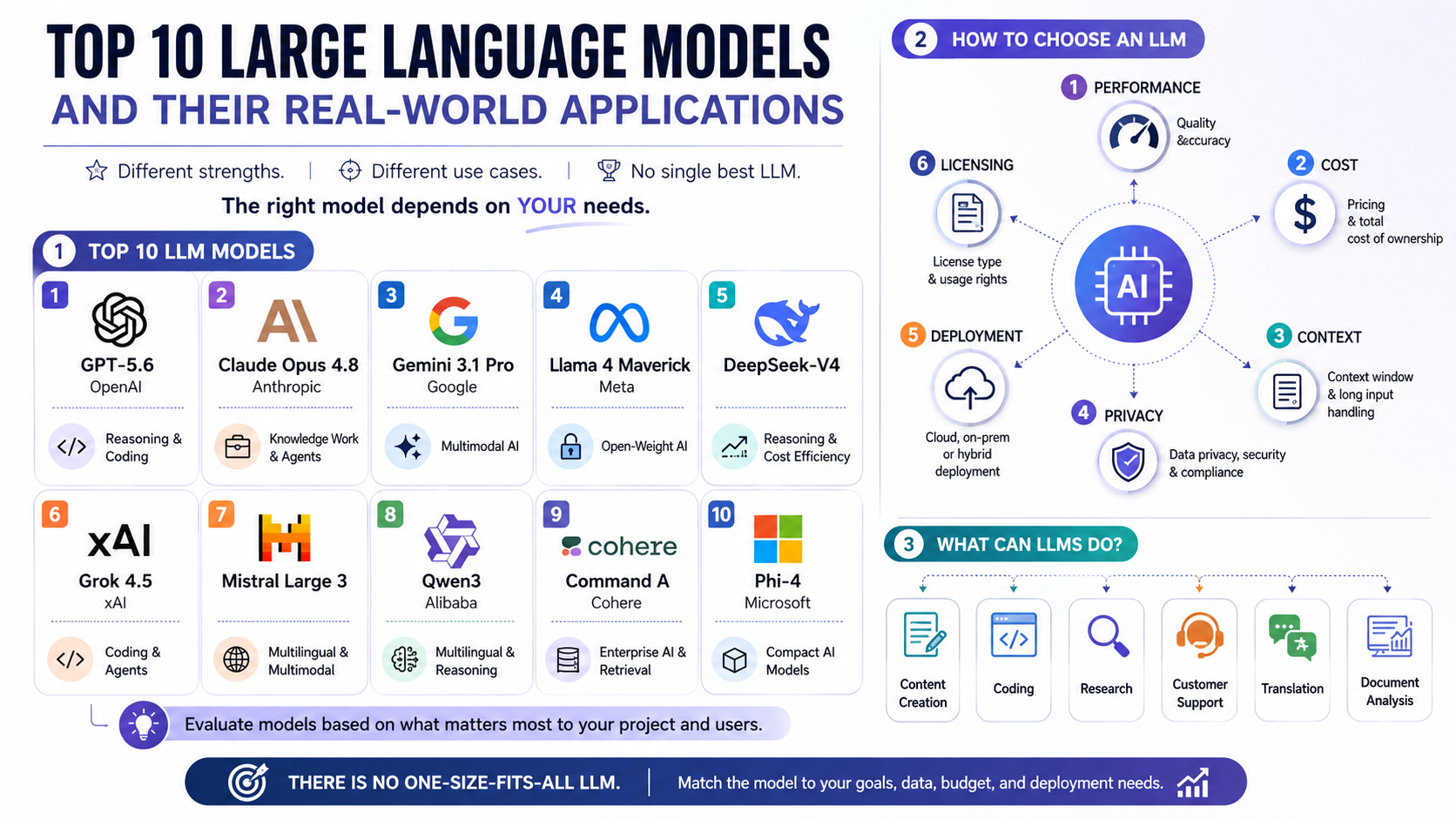
The discussion around SLMs vs LLMs in 2026 has become one of the most important decisions for businesses adopting artificial intelligence. Organizations are no longer choosing AI models based only on size. Instead, they are evaluating performance, cost, privacy, and scalability to determine the best architecture for each workflow.

A large language model can handle complex reasoning and unpredictable requests. However, using it for every business process can create unnecessary expenses. Many enterprise tasks do not require billions of parameters or massive cloud infrastructure.

Instead, organizations are adopting a more balanced approach. They combine Small Language Models (SLMs) for focused workflows with Large Language Models (LLMs) for advanced reasoning tasks.

Recent developments in open-source AI research have accelerated this shift. Platforms such as Hugging Face have helped developers access optimized models that deliver strong performance with lower resource requirements.

Modern AI strategies are no longer about choosing the biggest model available. They are about creating efficient systems that match the model to the business requirement.

This guide explains the key differences between SLMs and LLMs, their advantages, limitations, and how enterprises can build a cost-effective AI infrastructure in 2026.


Understanding the Core Differences Between SLMs vs LLMs in 2026

The main difference between SLMs vs LLMs in 2026 is not only parameter size. The real distinction comes from their purpose, training approach, deployment strategy, and business applications.

SLMs are built for efficiency and specialization. They are designed to perform specific tasks with speed and consistency. LLMs focus on flexibility and broad knowledge. They can handle a wider range of instructions and complex user interactions.

In 2026, enterprises are looking beyond model size. They are considering factors such as inference cost, response speed, privacy requirements, and operational complexity.

A smaller model may deliver better results than a larger model when the task is clearly defined. For example, a company may achieve higher accuracy with a fine-tuned SLM for document classification than with a general-purpose LLM.

The choice between SLMs and LLMs depends on business goals. Companies should evaluate whether they need specialized automation or broad problem-solving capabilities.

Small Language Models (SLMs) in SLMs vs LLMs in 2026: Efficient AI Systems for Enterprise Use

Small Language Models generally contain fewer parameters than large-scale AI systems. In the SLMs vs LLMs in 2026 comparison, SLMs stand out because they provide efficient performance with lower infrastructure requirements.

Many SLMs range from hundreds of millions to several billion parameters. Some advanced compact models reach around 10–20 billion parameters while still maintaining efficient deployment.

These models are designed for targeted business applications. They perform especially well when trained or fine-tuned on specific company data.

Common enterprise uses for SLMs include:

  • Customer support classification
  • Document processing
  • Data extraction
  • Internal search assistance
  • Sentiment analysis
  • Edge AI applications

The biggest advantage of SLMs is efficiency. They require less computing power and can often run on local infrastructure. This reduces operating costs and improves response times.

Businesses also benefit from stronger privacy control. Since SLMs can run on private servers or devices, sensitive information does not always need to be transferred to external cloud platforms.

For companies managing large volumes of repetitive tasks, SLMs provide a practical AI solution. They deliver reliable performance without the cost and complexity of larger models.


Large Language Models (LLMs) in SLMs vs LLMs in 2026: Powering Advanced AI Applications

Large Language Models remain a major part of the SLMs vs LLMs in 2026 discussion because they provide unmatched flexibility and reasoning capabilities.

LLMs are designed for broad capabilities. They are trained on massive datasets and contain billions of parameters. Some modern systems scale to hundreds of billions or more.

LLMs are effective because they can understand complex instructions, generate creative content, and solve problems across multiple domains.

Enterprise applications for LLMs include:

  • Advanced research assistance
  • Software development support
  • Strategic analysis
  • Complex customer interactions
  • Creative content generation
  • Multi-step reasoning tasks

Their flexibility makes them valuable for situations where the outcome is difficult to predict. Unlike specialized SLMs, LLMs can adapt to new topics without additional training.

However, this flexibility comes with higher costs. Large models require more computing resources, increased infrastructure investment, and stronger security management.

For businesses that need advanced reasoning and broad AI capabilities, LLMs remain essential. They provide the intelligence required for complex and open-ended workflows.

Why Small Language Models Win in the SLMs vs LLMs in 2026 Cost and Latency Comparison

When comparing SLMs vs LLMs in 2026, cost efficiency has become one of the biggest deciding factors for enterprises. Large models deliver impressive capabilities, but running them for every task can create unnecessary infrastructure expenses.

Many business workflows are repetitive and predictable. Tasks such as document classification, information extraction, and customer query routing do not always require a massive AI system.

For these use cases, Small Language Models provide faster and more affordable performance. Their smaller architecture requires fewer computing resources, which reduces both deployment and inference costs.

A company processing millions of daily requests can save significant resources by using an optimized SLM instead of sending every request to a large cloud-based model.

The difference becomes especially important at enterprise scale. Even small improvements in inference efficiency can reduce operational expenses over time.

Modern AI strategies focus on using resources intelligently. Businesses are moving toward specialized models that deliver the required performance without unnecessary computational overhead.

SLMs vs LLMs in 2026: Lower Infrastructure Costs and Easier Fine-Tuning

One of the strongest advantages of SLMs is their lower operating cost. Smaller models need less memory, fewer processing resources, and less expensive hardware compared with large-scale AI systems.

A fine-tuned SLM can often handle specific business tasks at a fraction of the cost of a larger model. This makes AI adoption more accessible for companies with limited budgets.

Fine-tuning has also become easier in recent years. Improved training methods allow organizations to customize smaller models using proprietary data without requiring massive machine learning investments.

Businesses can now adapt compact models for specific requirements, including:

  • Internal knowledge assistants
  • Industry-specific document analysis
  • Customer support automation
  • Workflow classification systems
  • Data processing applications

This approach creates a better balance between performance and affordability.

Instead of investing heavily in a single large AI model, enterprises can build a collection of specialized models that work together efficiently.

SLMs vs LLMs in 2026: Faster Response Times for Real-Time AI Applications

Latency is another important factor in the SLMs vs LLMs comparison. Smaller models process information faster because they require fewer computational operations.

This speed advantage is valuable for applications where users expect immediate responses.

Examples include:

  • Mobile AI assistants
  • Smart devices
  • Real-time customer support
  • Industrial monitoring systems
  • Offline business applications

A delayed response can negatively affect user experience. SLMs help organizations create faster AI interactions while reducing dependence on expensive cloud processing.

For edge computing environments, smaller models are especially useful. They can operate directly on local devices with limited hardware capabilities.

This makes SLMs an important part of the future AI ecosystem. They allow businesses to deploy intelligent features closer to users while maintaining strong performance.


SLMs vs LLMs in 2026: Improving Data Privacy Through Edge AI Deployment

Data privacy has become a major concern for organizations adopting artificial intelligence. Companies often process sensitive information, including customer records, financial documents, and internal business data.

Using external AI services can create challenges around compliance, data ownership, and security management. This is where Small Language Models provide a significant advantage.

Because SLMs require fewer resources, they can run directly on private servers, company networks, or edge devices. This allows businesses to keep sensitive information within their own infrastructure.

Local AI deployment reduces the need to transfer confidential data to third-party platforms. It also gives organizations greater control over how information is processed and stored.

For industries with strict regulations, this capability is especially valuable.

Examples include:

  • Healthcare organizations managing patient information
  • Financial institutions handling private transactions
  • Legal firms processing confidential documents
  • Government agencies protecting sensitive records

Benefits of Running AI Models Locally

Deploying SLMs locally provides several security and operational benefits:

  • Improved data control: Information remains inside company-managed systems.
  • Better compliance support: Organizations can meet regional privacy requirements more easily.
  • Reduced cloud dependency: Businesses avoid sending every request to external providers.
  • Offline capabilities: AI tools can continue working without constant internet access.

Local deployment also improves customization. Companies can adapt models specifically for their workflows while maintaining control over their data environment.

As privacy regulations continue to expand, secure AI deployment will become a key competitive advantage.

For many organizations, the future of enterprise AI will not depend only on model intelligence. It will also depend on where and how those models operate.


SLMs vs LLMs in 2026: When Large Language Models Remain Essential

Although SLMs are becoming more powerful, Large Language Models remain essential for advanced AI applications. Their biggest strength is flexibility.

LLMs are designed to handle complex, unpredictable requests. They can analyze large amounts of information, understand context, and generate detailed responses across many domains.

A specialized SLM may outperform an LLM on a narrow task. However, an LLM is often the better choice when a company needs broad problem-solving ability.

Modern enterprises continue using LLMs for tasks that require deeper reasoning and creativity.

These applications include:

  • Complex business analysis
  • Advanced software development
  • Strategic planning
  • Research assistance
  • Long-form content generation
  • Multi-step problem solving

Large models are valuable because they can connect ideas from different areas of knowledge. They are not limited to one specific workflow.

For example, a company may use an LLM to analyze market trends, create business strategies, or assist developers with complex technical challenges.

SLMs vs LLMs in 2026: Why Enterprises Still Need Large Language Models

The growth of SLMs does not mean LLMs are becoming irrelevant. Instead, both technologies are becoming complementary.

LLMs provide the intelligence needed for situations where the answer cannot be easily predicted. They are especially useful when users require flexible conversations and advanced reasoning.

The best AI architecture in 2026 is not about replacing one model with another. It is about selecting the right tool for each business requirement.

Enterprises that understand this balance can achieve better performance, lower costs, and stronger AI scalability.

SLMs vs LLMs in 2026: Implementing a Hybrid AI Routing Strategy

The future of enterprise AI will not be defined by choosing only SLMs or LLMs. Instead, successful organizations are adopting hybrid AI architectures that combine both technologies.

A hybrid approach allows businesses to use each model where it performs best. Small Language Models handle repetitive and predictable tasks, while Large Language Models manage complex reasoning and advanced requests.

This strategy improves efficiency without sacrificing intelligence. Companies can reduce unnecessary cloud expenses while still accessing powerful AI capabilities when needed.

A hybrid system usually includes an intelligent routing layer. This component analyzes each user request and decides which model should process it.

Simple tasks can be handled by a fast local SLM. More complex requests can be transferred to a larger cloud-based LLM.

This creates a smarter AI infrastructure that balances:

  • Performance
  • Cost efficiency
  • Data privacy
  • Scalability
  • User experience

Instead of depending on one universal model, businesses create flexible AI ecosystems that adapt to different workloads.


SLMs vs LLMs in 2026: How Intelligent Model Routing Works

A hybrid AI system typically follows a simple workflow:

The routing system evaluates the complexity of each request before selecting a model.

For example:

An SLM may handle:

  • Email classification
  • Document tagging
  • Customer support routing
  • Basic data extraction
  • Sentiment analysis

An LLM may handle:

  • Complex research questions
  • Strategic recommendations
  • Advanced coding assistance
  • Creative content generation
  • Multi-step reasoning tasks

This approach prevents businesses from overusing expensive AI resources. It also improves response times by keeping simple requests with smaller models.

In 2026, hybrid AI architecture is becoming one of the most practical approaches for enterprise automation.


SLMs vs LLMs in 2026: Enterprise Comparison Table

Feature Small Language Models (SLMs) Large Language Models (LLMs)
Primary purpose Specialized business workflows General-purpose intelligence
Model size Millions to billions of parameters Billions to trillions of parameters
Cost Lower training and inference expenses Higher infrastructure costs
Speed Faster response times Slower due to larger computation needs
Deployment Local servers, devices, private clouds Mostly cloud-based environments
Privacy Stronger local data control Requires careful data management
Customization Easier fine-tuning for specific tasks More complex customization
Reasoning ability Limited compared with larger models Strong advanced reasoning capabilities
Best use cases Automation, classification, extraction Research, coding, strategy, creativity

The comparison shows that neither model category is universally better. The right choice depends on the business objective.

Companies should evaluate their AI requirements before selecting a model. A healthcare company processing patient documents may prioritize privacy and efficiency with an SLM.

A software company developing advanced AI assistants may require the broader capabilities of an LLM.

The most effective enterprise AI strategies will combine both approaches.

Frequently Asked Questions About SLMs vs LLMs in 2026

What Is the Difference Between SLMs and LLMs?

Small Language Models (SLMs) and Large Language Models (LLMs) are both artificial intelligence systems designed to understand and generate human-like text. However, their architecture, purpose, and deployment methods are significantly different.

First, Small Language Models (SLMs) are compact AI models created for focused tasks. They usually contain fewer parameters and require less computing power. As a result, businesses can deploy them on local servers, personal computers, or edge devices with fewer infrastructure requirements. Additionally, SLMs are especially useful for workflows that involve repetitive actions, structured data processing, classification, and domain-specific automation.

On the other hand, Large Language Models (LLMs) are much larger AI systems trained on massive datasets. They contain billions or even trillions of parameters, which allows them to handle complex instructions, creative tasks, advanced reasoning, and diverse conversations. Furthermore, LLMs are designed to provide general-purpose intelligence across many industries and use cases.

Therefore, the key difference between SLMs and LLMs is not only their size. Instead, it is their intended purpose. SLMs prioritize efficiency, speed, privacy, and specialization, whereas LLMs prioritize flexibility, broad knowledge, and advanced problem-solving capabilities.

Ultimately, businesses should select the right model based on their specific requirements. Companies handling repetitive workflows may benefit from SLMs, while organizations needing advanced reasoning, creativity, and broader AI capabilities may require LLMs.

How Much Cheaper Is an SLM Compared With an LLM?

The cost difference between Small Language Models and Large Language Models depends on several factors, including model size, infrastructure requirements, deployment method, and workload volume. Generally, however, SLMs are much more affordable because they require fewer computing resources.

For example, Large Language Models often need powerful GPUs, extensive cloud infrastructure, and significant energy consumption. Consequently, these requirements increase both operational and maintenance costs, especially when businesses process millions of AI requests every month.

In contrast, SLMs reduce these expenses because they are smaller and more efficient. They require less memory, lower processing power, and smaller storage capacity. Therefore, organizations can deploy them more easily across enterprise environments.

The main cost advantages of SLMs include:

  • Lower hardware requirements: Smaller models can operate on less expensive systems.
  • Reduced cloud expenses: Businesses can minimize dependency on costly AI APIs.
  • Faster inference speed: Less computation leads to quicker responses.
  • Lower maintenance costs: Smaller systems are easier to manage.

Moreover, for high-volume enterprise applications such as document processing, customer support classification, and internal automation, SLMs can provide significant savings over time. As a result, many organizations now use SLMs for routine tasks while reserving expensive LLM resources for complex requests.

Can an SLM Outperform an LLM?

Yes, a Small Language Model can outperform a Large Language Model when it is designed and optimized for a specific task. Although LLMs have greater general knowledge and reasoning abilities, they are not always the most efficient choice for specialized workflows.

For instance, an SLM trained or fine-tuned on industry-specific data can achieve excellent accuracy in a narrow domain. A healthcare organization may create an SLM specifically for extracting information from medical documents. In this situation, the specialized model may deliver better results than a general-purpose LLM because it is optimized for one specific workflow.

Similarly, businesses can use specialized SLMs for applications such as:

  • Customer support categorization
  • Legal document analysis
  • Product recommendation systems
  • Sentiment detection
  • Data extraction

However, LLMs remain stronger for tasks that require broad understanding, creativity, and complex reasoning. For example, they are better suited for strategic analysis, software development assistance, research, and open-ended conversations.

Ultimately, the decision between an SLM and an LLM depends on the objective. A smaller model can be the better option when accuracy, speed, cost, and specialization matter more than general intelligence.

Do SLMs Require an Internet Connection?

No, many Small Language Models can operate without an active internet connection. In fact, this offline capability is one of the biggest advantages of SLMs compared with larger cloud-based AI systems.

Because SLMs require fewer computational resources, organizations can deploy them directly on local devices, private servers, company networks, and edge computing environments. As a result, businesses can process information without sending sensitive data to external cloud platforms.

Additionally, offline deployment provides several important benefits:

  • Improved privacy protection: Sensitive business information stays within controlled systems.
  • Reduced cloud dependency: Companies can avoid relying entirely on external AI providers.
  • Faster response times: Local processing reduces network delays.
  • Greater operational control: Businesses manage their own AI infrastructure.

Furthermore, this capability is especially valuable for industries with strict data protection requirements, including healthcare, finance, government, and legal services.

Although some advanced AI applications still require cloud-based LLMs, SLMs provide an effective solution for organizations that need secure, reliable, and independent AI systems.

As edge computing continues to expand, offline AI deployment will become increasingly important for businesses seeking more control over their data and technology infrastructure.

What Are Some Popular Examples of SLMs?

Several Small Language Models have gained attention because they provide strong performance while requiring fewer resources than traditional large-scale AI systems. In recent years, these models have helped make advanced AI more accessible for developers, businesses, and researchers.

Some popular examples of SLMs include:

  • Microsoft Phi models: Compact AI models designed to deliver efficient reasoning and language capabilities with smaller architectures.
  • Google Gemma models: Lightweight open models developed for flexible AI applications and efficient deployment.
  • Mistral 7B models: Smaller language models known for strong performance compared with their size.
  • Other optimized open-source models: Many organizations are developing specialized compact models for industry-specific applications.

Moreover, these models demonstrate that AI performance does not always depend on having the largest possible architecture. Instead, with proper training, fine-tuning, and optimization, smaller models can deliver excellent results for targeted business needs.

Therefore, the future of AI will likely involve a combination of SLMs and LLMs, where each model type is used according to its strengths.


Conclusion: Building the Right AI Strategy with SLMs and LLMs

The discussion around SLMs vs LLMs in 2026 represents a major shift in enterprise AI thinking.

Businesses are moving away from the idea that the largest model is always the best solution. Instead, they are focusing on efficiency, security, and practical results.

Small Language Models provide affordable, fast, and privacy-friendly AI solutions for specialized workflows. They are ideal for repetitive tasks, local deployment, and high-volume automation.

Large Language Models continue to provide unmatched flexibility for complex reasoning, creativity, and advanced problem-solving.

As artificial intelligence continues evolving, businesses must also understand how AI systems influence digital content, communication, and online experiences. Exploring topics such as how AI detects patterns in human-generated content and creative writing can help organizations better understand the relationship between artificial intelligence and content generation.

In 2026 and beyond, successful AI adoption will depend on choosing the right model for the right task. The future belongs to organizations that build intelligent, flexible, and efficient AI systems.

Agentic AI Cuts Data Engineering Costs & Boosts Insights

Agentic AI Cuts Data Engineering Costs While Boosting Real-Time Insights

Modern enterprises face a growing challenge: data volumes are increasing rapidly while operational budgets remain under pressure. Agentic AI cuts data engineering costs by helping organizations automate complex data workflows, reduce manual maintenance, and improve pipeline efficiency. Traditional data pipelines often require continuous monitoring, troubleshooting, and expensive engineering resources to remain reliable. As data environments become more complex, businesses need smarter ways to manage infrastructure, maintain data quality, and deliver insights faster.

Agentic AI cuts data engineering costs by introducing autonomous software agents that can design, monitor, repair, and optimize data pipelines with minimal human intervention. These intelligent systems help companies reduce maintenance efforts while allowing engineers to focus on strategic projects.

The impact goes beyond cost savings. Agentic AI helps businesses transform raw data into actionable insights faster. By automating repetitive workflows, improving data reliability, and enabling real-time processing, organizations can make smarter decisions with greater speed and confidence.

Autonomous AI agents can monitor systems, identify issues, and optimize workflows with minimal human intervention. This shift allows data teams to spend less time fixing repetitive problems and more time focusing on strategic initiatives. As organizations adopt AI-powered automation, technologies such as machine learning, intelligent agents, and generative AI are becoming essential for improving business processes and operational efficiency. Research from McKinsey on artificial intelligence adoption and business transformation highlights how organizations are using AI to improve productivity, automate workflows, and create new business value.

The True Cost of Traditional Data Engineering Before Agentic AI Automation

Enterprise data infrastructure is expensive to build and maintain. Data teams often spend significant time managing routine tasks instead of creating new capabilities.

Pipeline failures, broken integrations, and changing data formats create constant challenges. When an upstream API changes or a database schema evolves, downstream reports and dashboards can fail unexpectedly.

Traditional workflows require engineers to manually investigate problems. They must locate errors, rewrite code, test fixes, and restore damaged processes. This reactive cycle slows innovation and increases operational costs.

Many organizations also face hidden expenses caused by poor data quality. Incorrect reports, delayed insights, and inconsistent records can affect important business decisions.

Manual data management increases the risk of human error. It can also create compliance challenges when organizations must maintain accurate and traceable information.

Agentic AI provides a different approach. Instead of waiting for failures, autonomous systems continuously analyze data workflows. They identify unusual behavior, predict potential issues, and improve pipeline performance before problems become major disruptions.

How Agentic AI Accelerates Real-Time Data Insights and Business Decisions

Autonomous AI agents are transforming modern data engineering operations. Unlike traditional automation tools, agentic systems can analyze situations, understand context, and take intelligent actions.

These systems do more than follow fixed instructions. They can investigate failed workflows, identify root causes, and create solutions based on changing conditions.

By automating repetitive engineering tasks, Agentic AI reduces operational overhead. Teams spend less time maintaining existing systems and more time developing valuable data products.

Key cost-saving benefits include:

  • Automated pipeline maintenance: AI agents monitor workflows and resolve common issues automatically.
  • Reduced engineering workload: Teams spend fewer hours on repetitive debugging and manual updates.
  • Improved reliability: Self-healing systems reduce downtime and improve data availability.
  • Optimized cloud usage: Intelligent scaling helps prevent unnecessary infrastructure expenses.

This approach allows businesses to build more flexible and resilient data environments. Instead of managing constant failures, engineers can focus on innovation, analytics, and business growth.

Automated Pipeline Repair and Schema Evolution

Data sources change frequently. APIs update, database structures evolve, and new fields appear without warning. Traditional pipelines often break when these changes occur.

Agentic AI helps solve this problem through self-healing data pipelines. Autonomous agents detect unexpected changes and analyze their impact across the data environment.

When a schema change occurs, an AI agent can update extraction logic, test new transformations, and adjust workflows automatically. This reduces downtime and prevents engineers from manually repairing every issue.

The result is a more adaptable data infrastructure. Businesses can respond quickly to changing requirements without increasing engineering costs.

Self-healing capabilities are especially valuable for large enterprises with complex data ecosystems. They improve reliability while reducing the operational effort required to maintain critical systems.

Intelligent Infrastructure Scaling

Data workloads often change throughout the day. Sudden increases in traffic, seasonal demand, or business events can create unexpected processing requirements.

Traditional infrastructure management often relies on manual monitoring and scheduled scaling. This approach can lead to wasted resources or performance problems.

Agentic AI enables dynamic infrastructure optimization. Intelligent agents analyze workload patterns and automatically adjust computing resources based on current needs.

Benefits include:

  • Lower cloud costs: Agents reduce unnecessary spending by managing idle resources.
  • Better performance: Systems receive additional capacity during high-demand periods.
  • Improved efficiency: Resources are matched with actual workload requirements.

By continuously optimizing infrastructure, Agentic AI helps organizations maintain reliable performance while controlling expenses.

Accelerating Real-Time Insights for Smarter Decisions

Reducing costs is only one advantage of autonomous data systems. Agentic AI also improves how quickly businesses access valuable information.

Traditional batch processing often delays insights by hours or days. Decision-makers may rely on outdated reports when responding to customer behavior, market changes, or operational issues.

Autonomous agents accelerate data processing by continuously collecting, cleaning, and validating information. They help organizations move closer to real-time analytics.

With faster insights, businesses can improve critical operations. Marketing teams can adjust campaigns quickly. Fraud systems can detect unusual activity immediately. Executives can monitor important performance indicators without waiting for scheduled reports.

Real-time data processing creates a stronger competitive advantage. Companies can respond faster, identify opportunities earlier, and make decisions based on current information.

How Agentic AI Reduces Data Silos Through Autonomous Integration

Enterprise data is often spread across multiple platforms, applications, and legacy systems. These disconnected environments make it difficult for businesses to create a complete view of their operations.

Traditional data integration requires custom connectors, manual coding, and significant engineering time. Connecting new systems can take weeks or even months.

Agentic AI simplifies data integration by allowing autonomous agents to understand different data sources and create connections automatically. These systems can analyze documentation, identify API structures, and generate secure integration workflows.

By reducing manual integration efforts, organizations can unify their data faster. Teams gain access to more complete information without relying heavily on external consultants or lengthy development cycles.

Autonomous integration also improves flexibility. When new applications or platforms are introduced, AI agents can adapt existing workflows with minimal disruption.

This capability helps businesses create a connected data ecosystem. Instead of managing isolated systems, companies can build a unified foundation for analytics, automation, and artificial intelligence.

The result is faster access to reliable information and improved decision-making across departments.

Implementing Agentic AI Safely in Your Enterprise Data Stack

Adopting autonomous AI does not mean giving up control over enterprise data systems. Successful implementations require strong governance, security measures, and careful deployment strategies.

The most effective approach uses a human-in-the-loop framework. This allows organizations to gradually increase automation while maintaining oversight.

Many companies begin by deploying AI agents as monitoring tools. In this stage, agents identify issues, suggest improvements, and provide recommendations for engineers.

After proving reliability, organizations can expand agent responsibilities. They may allow AI systems to handle routine fixes, optimize workflows, or manage specific operational tasks.

Important safeguards include:

  • Access controls: Limit what AI agents can modify or manage.
  • Audit tracking: Maintain detailed records of automated actions.
  • Security policies: Protect sensitive enterprise information.
  • Human approval workflows: Review important changes before deployment.

This balanced approach creates trust while reducing operational risk. Organizations gain the benefits of autonomous systems without sacrificing security or compliance.

How Agentic AI Reduces Data Engineering Costs Through Automation

Agentic AI reduces data engineering expenses by automating repetitive tasks that traditionally require significant manual effort. These tasks include pipeline monitoring, debugging, schema updates, and infrastructure optimization.

Traditional data engineering teams often spend valuable time responding to failures. Engineers must identify problems, write fixes, test changes, and restore normal operations.

Autonomous AI agents change this process. They continuously analyze workflows, detect anomalies, and apply solutions based on system conditions.

These capabilities help businesses reduce operational costs in several ways:

  • Fewer hours spent on routine maintenance.
  • Reduced downtime from pipeline failures.
  • Lower cloud infrastructure waste.
  • More engineering time available for innovation.

Instead of focusing primarily on system maintenance, data teams can work on advanced analytics, machine learning projects, and business improvements.

By combining automation with intelligent decision-making, Agentic AI creates a more efficient and scalable data engineering environment.


Frequently Asked Questions About How Agentic AI Cuts Data Engineering Costs

Can Autonomous Agents Handle Complex Data Transformations?

Yes, autonomous agents can manage many complex data transformation tasks when properly configured. Modern AI systems can understand business requirements, analyze datasets, and generate transformation logic.

For example, AI agents can create SQL queries, combine information from different sources, and clean inconsistent data formats. Additionally, they can validate results using predefined quality rules, ensuring transformed datasets remain accurate and useful for downstream applications.

However, organizations should still maintain appropriate controls. Human review remains essential for highly sensitive data processes or complex business decisions. In addition, Agentic AI works best when combined with strong data governance. Clear rules, validation systems, and continuous monitoring help ensure reliable results.

Ultimately, when implemented correctly, autonomous agents improve transformation speed while maintaining high data quality standards.

What Is the Difference Between Traditional ETL Tools and Agentic AI?

Traditional ETL tools depend on predefined workflows created by developers. These systems follow fixed rules for extracting, transforming, and loading data.

Although ETL platforms remain valuable, they often struggle with unexpected changes. For instance, if a source system changes its structure, engineers typically need to manually update the pipeline.

By comparison, Agentic AI introduces a more adaptive approach. Intelligent agents can analyze problems, understand context, and adjust workflows automatically.

The main differences include:

  • Traditional ETL: Rule-based, predictable, and dependent on manual updates.
  • Agentic AI: Adaptive, reasoning-based, and capable of autonomous optimization.

As a result, Agentic AI is particularly valuable for modern enterprises with constantly changing data environments. Moreover, by reducing manual intervention, autonomous systems create more resilient and efficient data operations.

Is It Safe to Let AI Manage Enterprise Data Pipelines Automatically?

Yes, AI-managed data pipelines can be safe when organizations implement proper governance and security practices.

In most cases, businesses do not immediately provide unrestricted access to autonomous agents. Instead, they introduce automation gradually.

A common approach begins with observation. AI agents monitor systems, identify problems, and recommend solutions. Afterward, human engineers review these recommendations.

Once confidence increases, organizations can allow agents to perform approved tasks automatically.

Security measures should include:

  • Strict permissions and access controls.
  • Continuous monitoring.
  • Detailed activity logs.
  • Compliance reviews.

Together, these safeguards ensure organizations maintain control over critical data systems. Therefore, Agentic AI should support engineering teams rather than replace responsible oversight. A carefully managed approach enables businesses to achieve automation benefits while protecting valuable information.

How Does Real-Time Data Processing Benefit Businesses?

Real-time data processing allows organizations to respond quickly to changing conditions. Instead of waiting for daily or weekly reports, businesses can analyze information as events happen.

Consequently, this speed improves decision-making across multiple areas. Marketing teams can adjust campaigns based on current customer behavior. Likewise, financial systems can identify suspicious activity faster, while operations teams can respond immediately to performance issues.

Agentic AI further enhances real-time processing by automating data collection, validation, and enrichment.

Key benefits include:

  • Faster business decisions.
  • Improved customer experiences.
  • More accurate operational monitoring.
  • Quicker responses to market changes.

Furthermore, organizations that use real-time analytics gain greater visibility into their operations. As a result, they can identify opportunities earlier and respond to challenges more effectively. Ultimately, in competitive markets, faster access to accurate information becomes a significant business advantage.

Conclusion

The future of data engineering is becoming increasingly autonomous. As data volumes continue to grow, organizations no longer need to rely entirely on manual maintenance, constant troubleshooting, and expensive operational processes.

Throughout this article, we explored how Agentic AI cuts data engineering costs by automating pipeline management, improving infrastructure efficiency, and resolving common data issues with minimal human intervention.

In addition, autonomous agents help businesses reduce operational expenses while improving data reliability. They continuously monitor workflows, detect problems, optimize resources, and support faster data delivery.

As a result, engineering teams can move beyond repetitive maintenance work. Instead, they can focus on innovation, advanced analytics, and strategic business initiatives that drive long-term growth.

Moreover, the shift toward real-time data operations creates new opportunities. Businesses gain access to accurate, up-to-date insights that support faster and smarter decisions. Consequently, companies can respond more effectively to customer behavior, market changes, and operational challenges.

However, successful adoption requires a balanced approach. Organizations should combine autonomous capabilities with strong governance, security controls, and human oversight to ensure reliability and compliance.

Looking ahead, businesses that integrate intelligent agents into their data workflows can build more scalable, efficient, and resilient data environments.

Finally, the next step is to evaluate existing data processes, identify repetitive tasks, and determine where Agentic AI can deliver the greatest impact. By adopting automation strategically, enterprises can reduce costs, improve performance, and create a stronger foundation for future growth.

To better understand how intelligent AI assistants are transforming modern businesses, read our comprehensive guide on AI Chatbots: The Complete Guide to Intelligent Business Automation

Why AI Agents Are Not Co-workers in the Office

Why AI Agents Are Not Co-Workers: Redefining the Modern Digital Workspace

The rapid rise of autonomous digital systems has changed how businesses manage daily operations. Companies now rely on advanced software to automate research, content creation, coding, customer support, and data analysis. As adoption grows, a misleading idea has become increasingly common. Many people describe these tools as digital colleagues or teammates. In reality, AI agents are not co-workers. They are software systems designed to complete specific tasks under human supervision.

Confusing software with employees creates unrealistic expectations. It also weakens accountability and encourages people to overestimate what machine learning models can actually do. A digital system cannot share responsibility, exercise judgment, or understand workplace relationships like a human professional.

For organizations looking to adopt AI responsibly, the NIST AI Risk Management Framework provides practical guidance on governing AI systems, managing risks, and ensuring human oversight throughout the AI lifecycle.

Understanding this distinction helps organizations build safer and more productive workflows. This article explains why AI agents are not co-workers, explores the risks of anthropomorphizing software, compares automated systems with human employees, and outlines practical ways to manage AI responsibly in the modern workplace.


The Myth of the Digital Colleague: Why AI Agents Are Not Co-Workers

Marketing campaigns often describe AI-powered software using human language. Companies talk about “hiring” an AI assistant or “onboarding” a digital teammate. While these phrases make the technology feel approachable, they also create confusion. The software performs tasks, but it does not become part of the workforce in the same way people do.

An autonomous digital assistant operates through statistical models, algorithms, and pattern recognition. It receives inputs, processes information, and generates outputs based on training data and user instructions. It has no ambitions, personal experiences, workplace loyalty, or professional judgment.

Recognizing that AI agents are not co-workers helps organizations set realistic expectations. Employees remain responsible for planning, reviewing, and approving every important outcome. Viewing AI as software rather than a colleague encourages stronger oversight, better decision-making, and healthier workplace communication.


Why AI Agents Are Not Co-Workers: The Core Differences

Human professionals and automated systems serve very different purposes. Employees contribute judgment, accountability, creativity, and emotional awareness. AI systems excel at processing information, identifying patterns, and completing repetitive work quickly. These strengths complement each other but are never interchangeable.

The biggest difference lies in responsibility. Humans remain accountable for every business decision, regardless of how much automation supports the process. AI cannot accept legal responsibility or explain its reasoning like an employee during a business review.

Another important distinction is adaptability. Human employees can respond to unexpected situations by applying experience, ethical reasoning, and common sense. They can negotiate with clients, resolve workplace conflicts, and make informed decisions when information is incomplete. In contrast, AI generates responses based on patterns in data and user prompts. It cannot independently evaluate changing circumstances or exercise genuine judgment beyond the information it has been trained on.

Organizations should also recognize that software lacks genuine understanding. It predicts likely outputs rather than thinking independently. This distinction becomes especially important when businesses automate critical tasks involving customers, finances, healthcare, or legal decisions. Understanding these differences allows teams to use automation effectively while maintaining appropriate human oversight and professional accountability.


AI Agents Are Not Co-Workers Because They Lack Accountability

When a human employee makes a mistake, they accept responsibility for the outcome. They explain the issue, communicate with affected stakeholders, and adjust future decisions to avoid repeating the error. Accountability is a defining characteristic of professional work.

An automated system cannot accept responsibility for anything it produces. If software generates incorrect financial forecasts, inaccurate reports, or flawed programming code, the responsibility belongs entirely to the people who selected, configured, and supervised the system.

Unlike employees, software cannot face disciplinary action, legal liability, or ethical consequences. It simply processes data according to its programming. For that reason, organizations should never delegate accountability to AI. Human professionals must always remain responsible for reviewing outputs and approving final decisions before implementation.


Human Context vs. AI Agents: Why They Are Not Co-Workers

Successful workplace collaboration depends on much more than technical knowledge. Employees understand body language, organizational culture, customer emotions, and changing business priorities. They recognize subtle signals during conversations and adapt their communication to sensitive situations.

Automated systems process information mathematically. They identify patterns within data but do not experience emotions or understand social relationships. Although AI can generate polite responses, it does not genuinely understand frustration, trust, urgency, or empathy.

This difference becomes critical during negotiations, crisis management, leadership decisions, and customer interactions. Human judgment provides context that algorithms cannot truly possess. AI supports decision-making with information, but people remain responsible for interpreting that information within the broader business environment.

Human Co-Workers AI Automated Systems
Accept legal and ethical responsibility for outcomes. Operate strictly as software without legal or personal accountability.
Understand emotions, workplace culture, and social context. Process structured and unstructured data using mathematical models.
Innovate through experience, intuition, and collaboration. Generate outputs based on statistical probabilities and learned patterns.

Why Treating AI Agents as Co-Workers Creates Business Risks

Giving software human qualities may seem harmless, but it creates practical business risks. Employees may begin trusting automated outputs too easily or assume the system understands situations beyond its actual capabilities. This mindset reduces healthy skepticism and weakens quality control.

Organizations perform better when AI is treated as an advanced productivity tool instead of a teammate. Maintaining this perspective encourages careful review, stronger governance, and better security practices. It also reminds employees that automation supports human expertise rather than replacing professional judgment.

Several operational problems become more likely when businesses treat AI as a colleague instead of software:

  • Over-reliance on outputs: Employees may accept generated information without sufficient verification.
  • Weaker training practices: Teams may focus on “communicating” with AI instead of learning prompt design, validation, and review techniques.
  • Security risks: Staff may share confidential information because interactions feel conversational rather than technical.
  • Reduced accountability: Responsibility becomes blurred when people mistakenly believe software shares ownership of decisions.

Recognizing these risks helps organizations establish safer workflows while maintaining appropriate human oversight.


Managing AI Agents as Software, Not Co-Workers

Organizations gain the greatest value from automation when they manage AI like any other business software. The objective is not to build digital coworkers. Instead, it is to improve efficiency while keeping humans responsible for important decisions and final approvals.

Managers should establish clear governance policies before deploying AI across departments. Every automated workflow should include defined review processes, approval checkpoints, and documented responsibilities. Human experts must verify generated content, code, financial analyses, and customer communications before they reach production.

Businesses should also invest in workforce development. Employees benefit from learning prompt engineering, data validation, AI governance, and risk management. These skills help teams use automation effectively without becoming overly dependent on machine-generated outputs. Treating AI as software instead of a colleague creates stronger accountability, improves quality assurance, and supports sustainable digital transformation.


Frequently Asked Questions

Are AI agents capable of replacing human jobs completely?

No. AI agents are not designed to replace human professionals completely. Their primary purpose is to automate repetitive, structured, and time-consuming tasks that follow clear patterns. They perform well in areas such as data entry, scheduling, document drafting, customer support, research assistance, and basic data analysis. By handling routine work, AI helps employees save time and improve productivity.

However, AI cannot replace uniquely human abilities. Critical thinking, ethical decision-making, leadership, creativity, emotional intelligence, and relationship building still require human judgment and experience. AI also lacks accountability and cannot understand complex social or business contexts the way people do. For these reasons, most organizations use AI to augment human capabilities rather than replace their workforce. The most successful businesses combine AI’s speed and efficiency with human expertise, allowing employees to focus on innovation, strategic planning, problem-solving, and meaningful customer interactions.

How should managers introduce autonomous tools to their teams?

Managers should introduce autonomous tools as advanced productivity software rather than digital teammates or replacements for employees. During implementation, they should clearly explain the tool’s purpose, capabilities, limitations, and the specific tasks it is designed to support. Team members also need to understand where human review is required and which decisions must always remain under human control. Setting these expectations early helps prevent unrealistic assumptions about what AI can achieve.

Training should focus on practical skills such as writing effective prompts, verifying outputs, protecting sensitive data, and identifying potential errors or biases. Managers should also establish clear policies for quality assurance and accountability. Employees must understand that they remain fully responsible for reviewing and approving any AI-generated work before it is used. This approach builds trust, strengthens oversight, reduces operational risks, and encourages the responsible adoption of AI across the organization.

Why is it a problem to call an AI agent a co-worker?

Calling an AI agent a co-worker creates a misleading impression that it possesses human qualities such as accountability, independent judgment, emotional awareness, and professional responsibility. In reality, AI agents are not co-workers. They are software tools that generate outputs based on data, algorithms, and statistical patterns rather than genuine understanding or experience. When employees begin viewing AI as a colleague, they may place too much trust in its responses and reduce the level of critical review applied to its work. This can allow factual errors, biased outputs, security risks, or poor decisions to pass into production without proper verification. Human professionals remain legally, ethically, and operationally responsible for every decision made within an organization. Treating AI as software instead of a teammate reinforces accountability, encourages careful quality control, and helps businesses use automation safely and effectively while maintaining high professional standards.

Can an automated system learn office culture over time?

An automated system can analyze communication styles, company documents, emails, policies, and writing patterns to imitate the language and tone commonly used within an organization. Over time, it may generate responses that appear consistent with internal communication standards and brand guidelines. This ability can help produce content that aligns with established formats and workflows, making interactions seem more natural and consistent.

However, AI cannot genuinely learn or experience office culture in the way human employees do. It does not understand workplace relationships, shared history, organizational values, team dynamics, or employee morale. Its responses are based on pattern recognition and statistical predictions rather than personal experience or social awareness. While AI can mimic the appearance of cultural understanding, it cannot participate in workplace culture or develop meaningful professional relationships. Human employees remain essential for collaboration, leadership, empathy, and making context-aware decisions that require genuine understanding.

What is the correct way to measure the ROI of automated tools?

The return on investment (ROI) of automated tools should be measured using software performance metrics rather than employee performance indicators. The goal is to evaluate how effectively the technology improves business processes and operational efficiency. Organizations should track measurable outcomes such as processing speed, time saved on repetitive tasks, error reduction, cost savings, workflow efficiency, and overall productivity improvements. Additional metrics, including response times, system accuracy, and resource utilization, can also provide valuable insights into the tool’s performance. Comparing these results before and after implementation helps businesses determine whether the investment is delivering meaningful value. At the same time, avoid using human-focused measures such as leadership ability, teamwork, creativity, or professional development when evaluating AI systems. These qualities belong to employees, not software. Measuring AI with the right performance indicators ensures more accurate ROI assessments and supports informed decisions about future automation investments.


Conclusion

Modern organizations benefit greatly from automation, but success depends on using the technology appropriately. The phrase AI agents are not co-workers reminds businesses that these systems remain sophisticated software tools rather than human colleagues. They process information efficiently, automate repetitive work, and improve operational productivity, but they do not replace human judgment or accountability.

Removing human characteristics from AI leads to clearer expectations and stronger governance. Employees remain responsible for reviewing outputs, making ethical decisions, and ensuring quality across every workflow. This approach reduces unnecessary risk while improving trust in automated systems.

The ultimate purpose of AI is not to create an artificial workforce. It is to strengthen the capabilities of the people already working within an organization. Treat software like software, invest in human expertise, and use automation to eliminate repetitive tasks so your team can focus on innovation, strategic thinking, and meaningful business growth.

To better understand how AI-powered conversational tools fit into modern business workflows, read our comprehensive guide on AI chatbots .

Future of Industrial Work: 5 Ways AI Is Transforming Factories

5 Ways AI Is Enabling the Future of Industrial Work

The manufacturing industry is entering a new era driven by artificial intelligence, automation, and connected technologies. As factories become smarter, businesses are rethinking how machines, workers, and data interact. Understanding the future of industrial work is now essential for companies that want to improve productivity and remain competitive.

Advancements in machine learning, robotics, and industrial analytics are changing daily operations. Modern factories are no longer focused only on faster production. They are becoming more intelligent, flexible, and safer environments where humans and machines work together.

Research from the National Institute of Standards and Technology (NIST) highlights how artificial intelligence and machine learning are enabling smarter manufacturing through advanced analytics, robotics, digital systems, and connected industrial technologies. This shift shows that AI adoption is becoming a major part of modern manufacturing strategies.

However, AI is not designed to eliminate human workers. Instead, it enhances human abilities by handling repetitive tasks, reducing workplace risks, and improving decision-making. Workers can focus more on creativity, problem-solving, and managing advanced systems.

This article explores five important ways artificial intelligence is transforming industrial environments. From predictive maintenance to smarter workplace safety, AI is helping manufacturers build more efficient and resilient operations.

1.Predictive Maintenance Prevents Costly Equipment Failures

Unexpected equipment failures can create major financial losses for manufacturers. In traditional factories, maintenance teams often repaired machines only after a breakdown occurred. Some companies also followed fixed maintenance schedules that replaced parts before they were actually worn out.

AI has changed this approach through predictive maintenance. Instead of reacting to failures, manufacturers can now predict problems before they happen.

Connected Internet of Things (IoT) sensors collect continuous information from industrial equipment. These sensors monitor important signals, including:

  • Machine vibration levels
  • Operating temperatures
  • Sound patterns
  • Energy consumption changes

AI systems analyze this data and identify unusual patterns that may indicate future failures. For example, a small vibration change in a motor could signal a developing mechanical issue.

When AI detects a potential problem, it alerts maintenance teams before serious damage occurs. Engineers can then schedule repairs during planned downtime instead of dealing with emergency shutdowns.

This approach improves equipment reliability, extends machine lifespan, and reduces unnecessary maintenance costs. As factories become more connected, predictive maintenance will remain one of the most important technologies shaping the future of industrial work.

2.Intelligent Supply Chains Improve Industrial Flexibility

Modern supply chains face constant challenges. Material shortages, transportation delays, weather events, and changing customer demand can quickly disrupt production schedules.

AI helps manufacturers respond faster by analyzing large amounts of real-time information. These systems evaluate market trends, logistics data, supplier performance, and external risks.

With AI-powered supply chain management, companies can make more accurate decisions and avoid costly disruptions.

Key capabilities include:

  • Demand forecasting: AI predicts future material requirements and customer needs.
  • Dynamic routing: Smart systems adjust delivery routes based on traffic, weather, and delays.
  • Inventory optimization: AI helps maintain the right stock levels while reducing storage costs.

These technologies create more adaptable manufacturing networks. Companies can react quickly when conditions change and maintain smoother production operations.

As global industries become more interconnected, intelligent supply chains will play a critical role in creating flexible and reliable factories. AI allows manufacturers to move from reactive planning to proactive decision-making.

3.Collaborative Robots Support Human Workers

The traditional image of industrial robots operating behind protective barriers is changing. Today, collaborative robots, often called cobots, are designed to work alongside human employees.

Unlike traditional robots that perform isolated tasks, cobots use advanced sensors and AI systems to interact safely with people. They assist workers with repetitive, physically demanding, or hazardous activities.

A typical human-robot partnership looks like this:

Human Worker: Problem-solving, decision-making, and precision tasks

AI Cobot: Heavy lifting, repetitive movements, and consistent operations

Real-Time Sensor Feedback

Cobots can detect nearby movement and respond instantly. If a worker enters a restricted area, the robot can slow down or stop to prevent injury.

This collaboration allows employees to focus on higher-value responsibilities while machines handle physically exhausting work. It also improves workplace efficiency without removing the importance of human skills.

As automation continues to advance, human-machine collaboration will become a defining feature of the future of industrial work.

4.Smart Computer Vision Creates Safer Industrial Environments

Workplace safety has always been a major priority in manufacturing. However, traditional safety inspections often depend on manual supervision. This approach can miss hazards because people cannot monitor every area of a large industrial facility at all times.

AI-powered computer vision systems provide continuous monitoring across factory floors. These systems use cameras, sensors, and machine learning algorithms to identify unsafe conditions in real time.

AI vision technology can detect:

  • Missing personal protective equipment (PPE)
  • Unsafe worker movements
  • Blocked emergency exits
  • Spilled liquids or dangerous obstacles
  • Restricted area violations

When the system identifies a potential risk, it immediately sends alerts to supervisors. This allows teams to respond before accidents occur.

Beyond improving safety, computer vision also helps companies maintain compliance with workplace regulations. Managers gain better visibility into daily operations and can use collected data to improve safety procedures.

By combining human oversight with AI monitoring, factories can create safer environments without slowing production. This balance between technology and human expertise is becoming an important part of the future of industrial work.

5.Generative AI Accelerates Industrial Design and Innovation

Artificial intelligence is transforming more than factory operations. It is also changing how engineers design products, machinery, and manufacturing systems.

One of the most important developments is generative design. This technology uses AI algorithms to create optimized designs based on specific requirements.

Engineers provide key parameters, such as:

  • Weight limitations
  • Material preferences
  • Strength requirements
  • Manufacturing restrictions
  • Budget targets

The AI system then evaluates thousands of possible designs within minutes. It identifies solutions that may be difficult for human designers to discover manually.

Many AI-generated designs use advanced structures inspired by nature. These designs can reduce material usage while improving strength and durability.

For manufacturers, this creates several advantages. Companies can develop lighter components, reduce production waste, and speed up product development.

Generative AI also supports faster innovation because engineers can test more ideas in less time. Instead of replacing human creativity, AI expands what engineers can achieve.

As industrial companies adopt more intelligent design tools, AI will continue shaping a more efficient and innovative manufacturing future.


Frequently Asked Questions

How does AI improve safety in the future of industrial work?

AI improves workplace safety by providing constant monitoring and faster hazard detection. Traditional safety methods depend heavily on human observation, which can sometimes miss risks in busy industrial environments.

AI-powered computer vision systems continuously analyze factory conditions. They can identify whether workers are wearing required protective equipment, such as helmets and safety vests. They can also detect hazards like spills, blocked pathways, or unsafe machine interactions.

Collaborative robots improve safety in another way. These machines use sensors to recognize nearby workers. If someone moves too close, the robot can slow down or stop automatically.

By combining automated monitoring with safer machine operation, AI helps reduce workplace accidents. It allows employees to work in environments that are more secure, predictable, and efficient.

The goal is not to remove people from industrial settings. Instead, AI helps create workplaces where humans and technology can operate together safely.

Will AI completely replace human workers in factories?

No, AI is unlikely to completely replace human workers in factories. Instead, it is changing the type of work people perform.

Machines are highly effective at repetitive, physically demanding, and dangerous tasks. AI systems can handle data analysis, automated inspections, and routine operations with high speed and accuracy.

Human workers remain essential because they provide creativity, judgment, communication, and problem-solving abilities. These skills are especially important when handling unexpected challenges or improving production processes.

The future of industrial work will focus on human-AI collaboration. Workers will increasingly manage intelligent systems, analyze information, and make strategic decisions.

Companies will also need to invest in training programs. Employees must develop digital skills to operate advanced equipment and work effectively with AI technologies.

Rather than removing human roles, AI is creating opportunities for workers to move into more advanced and valuable positions.

What is predictive maintenance in smart manufacturing?

Predictive maintenance is an AI-driven approach that helps manufacturers repair equipment before failures happen.

Traditional maintenance often followed fixed schedules or waited until machines stopped working. Predictive maintenance uses real-time data to identify possible problems earlier.

Industrial IoT sensors collect information about equipment performance. They track factors such as temperature, vibration, pressure, and sound. AI algorithms analyze this information and detect unusual patterns.

When the system identifies signs of possible failure, it alerts maintenance teams. Engineers can then repair the equipment during scheduled downtime.

This approach offers several benefits:

  • Fewer unexpected breakdowns
  • Lower repair expenses
  • Longer equipment lifespan
  • More reliable production schedules

Predictive maintenance is becoming a foundation of smart manufacturing. It helps factories operate more efficiently while reducing unnecessary costs.

As industrial systems become more connected, AI-based maintenance strategies will play a larger role in the future of manufacturing.

What challenges do companies face when adopting industrial AI?

Although AI provides many benefits, companies may face challenges during implementation. One major obstacle is the cost of upgrading existing systems.

Many factories still rely on older equipment that was not designed for digital connectivity. Connecting these machines to modern AI platforms may require significant investment.

Another challenge is the workforce skills gap. Employees need training to understand AI tools, analyze data, and manage advanced robotics.

Companies may also face concerns related to cybersecurity and data protection. Connected industrial systems require strong security measures to prevent unauthorized access.

Successful AI adoption requires careful planning. Businesses must evaluate their current infrastructure, train employees, and introduce technology gradually.

Organizations that address these challenges can achieve long-term benefits. With the right strategy, industrial AI can improve efficiency, safety, and competitiveness.

How does generative design benefit industrial manufacturing?

Generative design helps manufacturers create better products by using AI to explore multiple design possibilities quickly.

Engineers provide specific requirements, including weight limits, materials, strength levels, and production goals. The AI system then generates and evaluates many possible solutions.

This process helps identify designs that may not be obvious through traditional methods. Some AI-created structures use less material while maintaining strong performance.

Benefits of generative design include:

  • Reduced material waste
  • Faster product development
  • Improved component performance
  • More innovative engineering solutions

Manufacturers can create lighter and stronger parts while reducing development time. This is especially valuable in industries where efficiency and performance are critical.

Generative design does not replace engineers. Instead, it gives them powerful tools to explore new ideas and make better decisions.

As AI technology improves, generative design will continue supporting innovation across modern industrial environments.


Conclusion: AI Is Defining the Future of Industrial Work

The future of industrial work is already taking shape across factories and manufacturing facilities worldwide. Artificial intelligence is becoming a central technology behind this transformation by improving productivity, safety, and operational decision-making.

From predictive maintenance to intelligent supply chains, AI helps companies reduce downtime and respond faster to changing conditions. Smart computer vision systems create safer workplaces, while collaborative robots allow humans and machines to work together more effectively.

Generative AI and advanced design tools are also changing how manufacturers develop products. Engineers can now explore more possibilities, reduce waste, and create stronger, more efficient components. Understanding how AI processes and manages information, including concepts such as AI tokenization techniques, can help businesses better understand the technologies powering modern industrial systems.

However, the success of industrial AI depends on collaboration between technology and people. Human skills such as creativity, problem-solving, and strategic thinking remain essential.

Companies that invest in AI adoption, workforce training, and modern infrastructure will be better prepared for future challenges. The goal is not simply automation. It is creating smarter industrial environments where technology supports human potential.

As industries continue evolving, AI will remain a major force behind the next generation of manufacturing. Businesses that embrace these innovations today will be positioned to lead the global industrial marketplace tomorrow.

How AI Is Advancing Healthcare and Wellbeing

How AI Is Advancing Healthcare and Wellbeing

The healthcare industry is experiencing a major transformation, and AI is advancing healthcare by improving diagnosis, treatment, and patient care. Artificial intelligence is helping doctors analyze medical data faster, identify diseases earlier, and create more personalized treatment plans. According to the World Health Organization’s guidance on digital health and artificial intelligence, responsible AI adoption can support stronger healthcare systems and improve access to medical services. From hospitals to wearable health devices, AI-powered systems are changing how people manage their health and wellbeing.

Today, AI is advancing healthcare by giving medical professionals powerful tools to analyze complex information quickly. Machine learning systems can process large amounts of medical data, helping clinicians detect patterns that may be difficult to identify manually. These technologies support better decision-making and improve patient outcomes.

AI is not designed to replace doctors or healthcare workers. Instead, it works alongside medical experts to improve accuracy, reduce workload, and deliver faster care. By combining human knowledge with advanced algorithms, healthcare systems can become more efficient and accessible.

Understanding the role of AI in modern medicine is important because these technologies affect both clinical care and personal wellness. Hospitals, research centers, and consumer health devices are already using intelligent systems to improve everyday healthcare experiences.

This article explores how AI is advancing healthcare through improved diagnostics, personalized medicine, operational efficiency, and preventative wellness solutions.


Transforming Medical Diagnostics and Early Disease Detection

One of the most important ways AI is advancing healthcare is through faster and more accurate medical diagnosis. Traditional diagnostic methods often depend on careful human analysis, which can be time-consuming. AI-powered systems provide additional support by identifying patterns in medical images and patient data.

Machine learning models are trained using millions of healthcare records, including medical scans and clinical information. This allows them to recognize small changes that may indicate early signs of disease.

Medical imaging is one area where these technologies have shown significant potential. AI systems can analyze X-rays, MRIs, and CT scans to help doctors identify abnormalities more efficiently. These tools do not replace medical professionals. Instead, they provide valuable insights that support clinical decisions.

Early detection can improve treatment outcomes by allowing healthcare teams to respond sooner. Conditions that are discovered at an earlier stage often provide more opportunities for effective intervention.

AI Support in Cancer Screening

Cancer treatment often depends on early detection. AI systems are helping specialists review medical images with greater speed and precision.

Advanced algorithms can analyze mammograms, lung scans, and other diagnostic images to identify suspicious patterns. These findings can help doctors investigate potential problems before symptoms become severe.

By supporting earlier screening, AI can help healthcare providers create treatment strategies sooner. This approach may improve patient care while reducing delays in diagnosis.

Predicting Cardiovascular Risks

AI is also transforming cardiovascular care through predictive analytics. Heart-related conditions can develop silently, making early risk identification extremely valuable.

Machine learning systems analyze information such as:

  • Electrocardiogram (ECG) results
  • Patient medical history
  • Lifestyle factors
  • Previous health patterns

These insights help healthcare professionals identify patients who may have a higher risk of future cardiac events.

As a result, doctors can recommend preventive measures earlier. This may include lifestyle changes, additional monitoring, or targeted treatments.

AI-driven diagnostics represent a major step toward a more proactive healthcare system. Instead of responding only after illness appears, medical teams can increasingly focus on prevention and early intervention.


How AI Is Advancing Healthcare Through Personalized Medicine

Traditional healthcare often follows general treatment guidelines. However, every person has a unique combination of genetics, lifestyle factors, and health conditions. AI-powered personalized medicine helps healthcare professionals move beyond a one-size-fits-all approach.

AI systems analyze large amounts of patient data, including genetic information, medical history, and treatment responses. These insights help doctors create more precise care plans based on individual needs.

This approach improves treatment decisions and reduces unnecessary trial and error. Patients may receive therapies that better match their specific biological characteristics. As a result, healthcare can become more effective, targeted, and patient-focused.

AI is especially valuable in areas such as cancer treatment, genetic research, and chronic disease management. By continuously analyzing new information, intelligent systems can support doctors in adjusting treatments as patient conditions change.

Some major applications of AI-driven personalized medicine include:

  • Genomic sequencing: AI processes genetic data quickly to identify disease-related mutations and health risks.
  • Targeted drug therapies: Predictive models help researchers discover medications that may work better for specific patient profiles.
  • Adaptive treatment plans: AI tools allow doctors to adjust therapies based on real-time patient responses.

This personalized approach creates a future where treatments are designed around individual patients rather than general populations. As AI technology improves, healthcare providers can deliver more accurate and efficient medical solutions.


Streamlining Hospital Operations and Reducing Healthcare Burnout

AI is transforming healthcare beyond diagnosis and treatment. It is also helping hospitals improve daily operations and reduce administrative pressure on medical professionals.

Healthcare workers often spend significant time completing paperwork, updating electronic health records, and managing schedules. These responsibilities can reduce the time available for direct patient care.

AI-powered automation helps solve these challenges by handling repetitive administrative tasks. Natural language processing (NLP) systems can listen to doctor-patient conversations and create accurate clinical notes automatically.

This allows physicians to spend less time typing and more time communicating with patients. Better workflows can improve both healthcare efficiency and the overall patient experience.

Hospitals also use predictive analytics to improve resource management. AI systems can analyze patient flow, staff availability, and facility capacity.

These tools help medical organizations:

  • Improve emergency room management
  • Predict patient admission patterns
  • Optimize hospital bed availability
  • Create more efficient staff schedules

During busy periods, these improvements help hospitals respond more effectively. AI allows healthcare teams to make faster decisions while maintaining quality care.

By reducing administrative workloads, artificial intelligence supports healthcare workers and helps create more sustainable medical environments.


Empowering Consumer Wellbeing Through Preventative Healthcare

AI is not limited to hospitals and medical facilities. It is also changing how people manage their everyday health. Smart devices and wellness applications now use artificial intelligence to monitor personal health information continuously.

Wearable technology, such as smartwatches and fitness trackers, collects important biometric data. These devices can measure heart rate, sleep patterns, activity levels, and blood oxygen levels.

AI algorithms analyze this information to identify unusual changes. When a device detects possible health concerns, it can provide alerts and encourage users to seek professional advice.

This creates a shift from reactive healthcare to preventative healthcare. Instead of waiting for symptoms to appear, people can monitor their health patterns and make earlier lifestyle adjustments.

The preventative health cycle works through three main stages:

Continuous Tracking → Anomaly Detection → AI-Based Health Guidance

(Biometric Sensors)   (Algorithm Review)   (Personal Alerts)

AI-powered wellness tools can help users:

  • Understand daily health trends
  • Monitor fitness progress
  • Detect unusual body signals
  • Make informed lifestyle decisions

For example, some smart devices can identify irregular heart rhythms by analyzing pulse patterns over time. These alerts do not replace medical diagnosis, but they can encourage timely consultations with healthcare professionals.

As consumer health technology continues to develop, AI will play a larger role in helping individuals take control of their wellbeing.


Frequently Asked Questions About How AI Is Advancing Healthcare

How is AI currently used in everyday medical practice?

AI is already supporting many areas of modern healthcare. Medical professionals use artificial intelligence to analyze diagnostic images, manage patient information, and monitor health conditions.

Radiologists use AI systems to review medical scans, including mammograms and chest X-rays. These tools help identify unusual patterns that may require further examination.

Doctors also use natural language processing (NLP) tools to simplify documentation. These systems can create clinical notes from patient conversations, reducing the amount of manual paperwork.

In critical care settings, AI-powered monitoring systems analyze patient data continuously. They can detect changes in vital signs and alert healthcare teams before serious complications develop.

Common uses of AI in medical practice include:

  • Medical image analysis
  • Patient monitoring
  • Clinical documentation
  • Risk prediction
  • Treatment support

AI works as a support system for healthcare professionals. It improves efficiency while allowing doctors and nurses to focus more on patient care.

Can AI replace human doctors and nurses in hospitals?

No, AI cannot replace human doctors and nurses. Healthcare requires qualities that technology cannot fully provide, including empathy, communication, ethical judgment, and hands-on decision-making.

Artificial intelligence is designed to support medical professionals rather than remove the human role from healthcare. AI systems can process large amounts of information quickly, but doctors remain responsible for understanding patient needs and making final treatment decisions.

For example, an AI tool may identify a possible concern in a medical scan. However, a healthcare professional must evaluate the result within the patient’s complete medical context.

The future of healthcare depends on human-AI collaboration. AI can handle repetitive tasks, analyze data, and provide recommendations. Medical professionals can then focus on compassionate care, complex decisions, and patient relationships.

This partnership allows healthcare systems to become more accurate, efficient, and patient-centered.

How does artificial intelligence protect patient data privacy?

Protecting patient information is one of the most important challenges in healthcare technology. AI systems use several security methods to maintain data privacy and prevent unauthorized access.

Healthcare organizations use encryption, identity protection methods, and secure data management systems to safeguard sensitive medical records.

One advanced approach is federated learning. This method allows AI models to learn from information stored across multiple healthcare institutions without transferring complete patient records to a central location.

Healthcare providers also follow strict privacy regulations and security standards. These requirements help ensure that personal health information remains confidential.

Important privacy measures include:

  • Data encryption
  • Patient information anonymization
  • Secure digital systems
  • Controlled access permissions

As AI adoption increases, healthcare organizations must continue improving cybersecurity practices. Responsible data management is essential for building trust in AI-powered healthcare solutions.

What are the main benefits of AI in drug discovery?

AI is transforming drug discovery by helping researchers develop new treatments faster and more efficiently. Traditional drug development often requires years of laboratory testing and significant financial investment.

Artificial intelligence can analyze millions of chemical compounds and predict which ones may have the greatest potential against specific diseases.

Researchers use AI models to simulate interactions between molecules and biological targets. This process helps identify promising drug candidates earlier.

Key benefits of AI in drug discovery include:

  • Faster identification of potential medicines
  • Reduced research costs
  • Improved analysis of complex biological data
  • Greater support for rare disease research

By reducing the amount of manual testing required, AI helps scientists focus on the most promising options. This can shorten development timelines and accelerate medical breakthroughs.

Although AI does not replace laboratory research, it provides researchers with powerful tools to make better decisions during the discovery process.

How do wearable devices use machine learning for wellbeing?

Wearable devices use machine learning to analyze health information collected through built-in sensors. These devices track personal data, including heart rate, sleep patterns, movement, and other biometric signals.

AI algorithms study this information to understand an individual’s normal health patterns. When the system detects unusual changes, it can provide alerts or recommendations.

For example, some smartwatches can identify irregular heart rhythms by analyzing pulse patterns. These notifications may encourage users to contact healthcare professionals for further evaluation.

Wearable AI technology helps people become more aware of their daily health habits. It supports preventative care by identifying possible concerns before they become more serious.

However, wearable devices are not a replacement for professional medical advice. They are designed to support healthier decisions and encourage early attention when potential problems appear.


Conclusion: The Future of AI in Healthcare and Wellbeing

The growth of artificial intelligence represents a major transformation in modern medicine. Across hospitals, research centers, and consumer health platforms, AI is advancing healthcare by improving diagnosis, personalizing treatments, and supporting preventative care.

AI-powered systems help medical professionals analyze complex information, identify risks earlier, and create more effective treatment strategies. They also improve hospital operations by reducing administrative workloads and optimizing daily processes.

Alongside medical innovation, individuals can also improve their overall wellbeing by building healthier digital habits. Practices such as managing screen time and creating balance with technology through a digital detox for better mental health can support a more balanced approach to personal wellness.

By adopting artificial intelligence responsibly, healthcare providers can create systems that are more accurate, efficient, and accessible. These innovations will help move healthcare toward a future focused on prevention, personalization, and improved wellbeing for people worldwide.

How AI Phishing Attacks Are Becoming More Dangerous

The New Face of Cybercrime: Why AI Phishing Attacks Are More Dangerous Than Ever

Cybercriminals are constantly changing their methods, and traditional email security tools are struggling to keep pace. The biggest force behind this transformation is artificial intelligence. Today, AI phishing attacks represent a new level of social engineering, allowing attackers to create convincing scams that can fool even experienced users.

In the past, phishing emails were often easy to identify. They usually contained poor grammar, spelling mistakes, strange formatting, or obvious signs of fraud. Modern attackers no longer depend on these mistakes. Instead, they use advanced artificial intelligence tools to create professional, personalized, and highly believable messages.

Generative AI platforms can help attackers produce emails that match a company’s communication style. They can imitate the tone of executives, employees, or trusted vendors. This makes fraudulent messages appear much more legitimate than traditional scams.

This shift creates a serious challenge for businesses and individuals. When a malicious email looks identical to a genuine business message, the chances of human error increase significantly. Organizations now face greater risks, including financial losses, data breaches, and unauthorized system access.

As artificial intelligence continues to influence the cybersecurity landscape, businesses must understand how emerging threats operate and how to respond effectively. Guidance from National Institute of Standards and Technology Cybersecurity Framework highlights the importance of managing cybersecurity risks through structured security practices and continuous improvement.

In this article, we will explore how artificial intelligence is changing phishing attacks, why traditional defenses often fail, and what steps organizations can take to improve their cybersecurity protection.


How Artificial Intelligence Powers Modern Phishing Scams

Artificial intelligence has made it easier for cybercriminals to create advanced phishing campaigns. In the past, attackers needed strong writing skills, detailed research, and significant time to create convincing targeted scams. Today, AI tools can automate much of this process within minutes.

Generative language models can analyze large amounts of publicly available information. Attackers may collect details from social media profiles, company websites, and leaked databases. They then use this information to create personalized messages designed for specific victims.

This level of customization makes modern phishing attempts far more dangerous. A scam email may appear to come from a manager, business partner, or company executive. It can include industry-specific language and references that make the message feel authentic.

Unlike traditional phishing methods, AI-powered attacks can be created at a much larger scale. Criminals can generate thousands of unique messages while still maintaining a high level of personalization. This allows them to target more people while increasing the chances of success.

The combination of automation and personalization has transformed phishing from a simple email scam into a sophisticated cybersecurity threat. Businesses must now prepare for attacks that are faster, smarter, and more difficult to identify.


Why AI Phishing Attacks Bypass Traditional Security Defenses

Traditional email security systems often depend on fixed rules, known threat databases, and suspicious activity patterns. These systems commonly detect phishing attempts by identifying harmful links, blocked domains, unusual sender behavior, or common scam phrases.

However, AI phishing attacks can avoid many of these detection methods. Artificial intelligence allows attackers to create fresh content for every message, making it difficult for security tools to recognize repeated patterns.

Several factors make these attacks especially challenging:

  • Unique phishing content: AI-generated emails can create different wording for every target. This reduces the chance of detection through traditional email signatures.
  • Fewer obvious warning signs: Modern AI tools produce clear grammar, professional formatting, and realistic business language.
  • Adaptive conversations: Attackers can use AI to continue email conversations and respond naturally to questions from victims.

Because these messages often appear normal, automated scanners may not detect the danger immediately. The email may pass security checks and only become harmful when a user interacts with the attached file, link, or request.

Organizations must move beyond simple threat detection. Modern cybersecurity requires tools that understand user behavior, communication patterns, and unusual requests.


The Rise of Hyper-Realistic Deepfake Attacks

AI-driven phishing is no longer limited to written messages. Attackers are increasingly combining phishing emails with deepfake technology, including realistic voice cloning and video manipulation.

This creates a more convincing attack experience. For example, an employee may receive an urgent email that appears to come from a company executive. Shortly afterward, they may receive a voice message or video call that appears to confirm the request.

When the voice, face, and communication style match a trusted person, victims may feel confident that the request is genuine. This can lead employees to ignore normal verification procedures.

Deepfake-powered scams are especially dangerous in corporate environments. Attackers can use them to impersonate executives, suppliers, or financial officers. Their goal is often to convince employees to transfer money, reveal sensitive information, or provide access credentials.

The combination of AI-generated text and synthetic media creates a powerful social engineering method. It uses multiple forms of deception at once, making identity verification more difficult than ever before.

Organizations must recognize that digital communication alone may no longer be enough to confirm someone’s identity. Strong verification processes are becoming essential for preventing AI-powered fraud.


The Strategy Behind Smart AI Social Engineering Attacks

Traditional phishing campaigns often rely on sending thousands of generic messages and hoping that a small number of people respond. AI-powered attacks have changed this approach completely. Attackers can now create highly targeted spear phishing campaigns designed for specific individuals, departments, or organizations.

Artificial intelligence helps criminals analyze company structures, employee roles, and communication patterns. This information allows them to identify valuable targets, such as finance employees, executives, or administrators with access to sensitive systems.

AI tools can also improve the timing of attacks. Criminals may study business routines and choose moments when employees are more likely to act quickly. For example, attackers may send urgent payment requests during busy periods or when decision-makers are unavailable.

These techniques make modern phishing attempts more strategic and effective. Instead of relying on random chances, attackers use data-driven methods to increase their success rate.

Organizations must understand that AI phishing attacks are not only about deceptive emails. They are carefully planned social engineering campaigns designed to manipulate human behavior.

Strong security policies, employee awareness, and verification procedures are essential. Technology can detect many threats, but informed employees remain one of the strongest defenses against advanced phishing attempts.


Key Indicators of AI-Generated Phishing Attempts

Although AI phishing attacks are becoming more sophisticated, they are not impossible to detect. Careful observation can reveal small signs that a message may not be genuine.

Modern scams often avoid obvious mistakes, but they may still contain unusual patterns. Employees should look beyond grammar and spelling errors because AI-generated messages can appear highly professional.

Important warning signs include:

  • Unusual communication methods: A sudden request through a platform or messaging service that the person rarely uses.
  • Unexpected requests: Messages asking for payments, passwords, sensitive files, or urgent actions outside normal procedures.
  • Changes in writing style: A message may sound slightly different from the person’s usual tone, vocabulary, or communication habits.
  • Pressure to act quickly: Attackers often create urgency to prevent careful verification.
  • Requests for secrecy: Fraudsters may ask victims not to discuss the request with colleagues.

These signs do not always confirm an attack, but they should encourage additional verification. Employees should independently confirm unusual requests before taking action.

A simple phone call or separate communication channel can prevent major security incidents. Building a habit of verification is one of the most effective ways to reduce the impact of AI-powered phishing.


Frequently Asked Questions About AI Phishing Attacks

What makes AI phishing attacks different from traditional phishing scams?

Traditional phishing scams usually depend on generic templates sent to large numbers of recipients. These messages often contain obvious warning signs, such as poor grammar, spelling mistakes, and vague greetings.

AI phishing attacks are different because they use artificial intelligence to create personalized and realistic messages. Attackers can analyze publicly available information and create emails that match the writing style of specific individuals or organizations.

Instead of sending the same message to thousands of people, criminals can generate unique emails for each target. These messages may include company details, employee names, or references to current projects.

This personalization makes AI-powered scams much harder to identify. Traditional email filters often search for repeated patterns, but AI-generated messages may look completely different every time.

The biggest difference is the level of realism. AI allows attackers to create communication that feels natural, professional, and trustworthy. This increases the chance that victims will interact with malicious links, files, or requests.

How do cybercriminals use generative AI to create phishing emails?

Cybercriminals use generative artificial intelligence to automate the creation of convincing phishing content. They may collect information from public sources, social media profiles, company websites, or previously leaked data.

After gathering information, attackers can use AI systems to generate messages that match a target’s environment. For example, an attacker may create an email that appears to come from a manager requesting an urgent business action.

AI tools can also help criminals improve the language, structure, and tone of phishing emails. A message that once looked suspicious can now appear professional and carefully written.

Some attackers also use modified AI systems designed without normal safety restrictions. These systems may assist with creating deceptive content, malicious code, or automated attack campaigns.

However, the same technology can also support cybersecurity teams. Security professionals use AI for threat detection, email analysis, and identifying unusual behavior patterns.

The key challenge is that both attackers and defenders now use artificial intelligence. Organizations must continue improving their security strategies as these threats evolve.

Can standard antivirus software detect AI-generated phishing emails?

Traditional antivirus programs and basic email filters are often not enough to detect advanced AI phishing attacks. Many older security systems focus on known threats, including malicious files, suspicious domains, and previously identified attack patterns.

AI-generated phishing emails can avoid these methods because their content is constantly changing. Each message may contain different wording, structure, and details, making signature-based detection less effective.

Attackers may also use newly created websites or legitimate cloud services to host malicious content. These pages may appear safe to automated systems during the early stages of an attack.

Modern cybersecurity solutions need to analyze more than just email content. They must consider user behavior, communication patterns, sender relationships, and unusual requests.

Organizations should combine advanced security technology with employee training. A well-trained workforce can identify suspicious behavior that automated systems may miss.

Security tools remain important, but they should be part of a broader defense strategy. Human awareness and strong verification procedures are still essential.

What role do deepfakes play in modern corporate scams?

Deepfakes have increased the effectiveness of social engineering attacks by adding realistic synthetic voices and videos. Attackers can use AI-generated media to impersonate executives, employees, or trusted business partners.

A common scenario involves combining multiple attack methods. An employee may first receive a convincing phishing email. The attacker may then use a cloned voice message or fake video call to make the request appear legitimate.

This approach creates a false sense of trust. When multiple communication methods appear consistent, victims may feel less need to verify the request.

Corporate environments are especially vulnerable because employees often handle urgent financial and operational decisions. Attackers may target individuals who can approve payments or access valuable information.

To defend against deepfake scams, organizations need clear verification rules. Employees should confirm unusual requests through trusted channels rather than relying only on digital communication.

As synthetic media continues to improve, businesses must treat identity verification as a critical part of cybersecurity.

How can organizations protect themselves against advanced social engineering attacks?

Organizations need a layered security approach to reduce the risk of AI-powered phishing attacks. Technology alone cannot stop every threat, so businesses must combine security tools with employee awareness.

Important protection measures include:

  • Enable multi-factor authentication: Additional verification steps reduce the impact of stolen passwords.
  • Create verification procedures: Employees should confirm unusual financial or sensitive requests through separate communication channels.
  • Provide security training: Regular awareness programs help employees recognize new attack techniques.
  • Use behavioral security tools: Advanced systems can analyze communication patterns and identify unusual activity.

Companies should also develop a workplace culture based on careful verification. Employees should feel comfortable questioning unexpected requests, even when they appear to come from trusted sources.

The goal is not to eliminate all risks but to reduce opportunities for attackers. A combination of technology, policies, and informed decision-making creates stronger protection against evolving cyber threats.


Conclusion: Building Stronger Defenses Against AI Phishing Attacks

The cybersecurity landscape has changed significantly as artificial intelligence becomes more accessible. AI phishing attacks are becoming more advanced, more personalized, and more difficult to detect.

The old warning signs of phishing, such as poor grammar and obvious mistakes, are no longer reliable indicators. Modern attackers can create messages that look like genuine business communication.

Organizations must adopt a stronger security approach. This includes advanced detection systems, employee training, multi-factor authentication, and strict verification procedures.

Security teams should focus on preventing human manipulation as much as detecting technical threats. Employees must verify unusual requests, especially those involving money, credentials, or sensitive information.

Artificial intelligence will continue to influence both cyberattacks and cybersecurity defenses. The organizations that adapt quickly will be better prepared to handle future threats.

By combining technology with awareness and strong security practices, businesses can reduce the risks created by AI-powered phishing. Staying alert, questioning unusual communication, and verifying important requests remain essential steps in protecting digital assets.

For additional guidance on protecting yourself from phishing threats, learn more about staying safe after clicking a suspicious link and the steps you can take to reduce security risks.

AI Chatbots vs Human Customer Support: Which Is Best?

AI Chatbots vs Human Customer Support: Finding the Perfect Balance

The debate around AI chatbots vs human customer support has become a major focus for modern businesses looking to improve service quality while scaling operations. As companies adopt automation, customer service teams are experiencing a significant transformation.

Advancements in conversational AI have made automated assistants faster, smarter, and more capable than ever. Modern platforms can understand customer questions, provide instant answers, and manage large volumes of requests without increasing staff workload. Businesses exploring the latest developments in AI can learn more about how conversational technologies are evolving through resources such as the OpenAI Blog.

However, technology still cannot fully replace human interaction. Customer support is not only about solving problems. It is also about understanding emotions, building trust, and creating positive experiences.

Choosing the right customer support approach is important because customer satisfaction directly affects retention, loyalty, and business growth. A poorly designed chatbot can frustrate users, while long waiting times for human agents can push customers toward competitors.

The ideal solution is not choosing between automation and people. Instead, businesses should create a balanced support strategy that combines the speed of AI with the empathy of human professionals.

This guide explores the strengths and limitations of AI chatbots and human customer support teams. It covers response times, costs, scalability, customer experience, and the benefits of creating a hybrid support model.


The Rise of Automated Customer Service

Automation has transformed the way businesses manage customer inquiries. AI-powered support tools can now handle thousands of conversations at the same time. This allows companies to provide faster service while reducing pressure on customer support teams.

Modern AI chatbots are especially effective for repetitive tasks. They can answer frequently asked questions, provide account information, guide users through simple processes, and collect important details before a human agent becomes involved.

For businesses, this creates significant operational benefits. Instead of spending valuable employee time on basic requests, support teams can focus on more complex issues that require human judgment.

Key Advantages of AI Chatbots

Instant response times:
AI chatbots remove long waiting periods by providing answers within seconds. Quick responses improve customer engagement and create a smoother support experience.

24/7 availability:
Unlike human teams, AI assistants can operate continuously. Customers can receive help during weekends, holidays, and late-night hours without waiting for business hours.

Multilingual support:
Many AI tools can communicate in multiple languages. This helps businesses serve international customers without requiring large multilingual support teams.

Despite these advantages, AI chatbots have limitations. They depend heavily on available data, training, and programmed workflows. When customers present unusual situations or complex problems, automated systems may struggle to provide accurate solutions.

This limitation shows why businesses should avoid relying only on automation. The strongest customer service strategies combine AI efficiency with human expertise.


The Indispensable Value of Human Customer Support

While AI excels at speed and efficiency, human customer support remains essential for situations that require empathy, creativity, and emotional understanding.

Human agents can recognize frustration, adjust their communication style, and provide reassurance during difficult interactions. These abilities are especially valuable when customers face billing concerns, technical failures, or sensitive account issues.

A human representative does more than provide information. They create a personal connection that strengthens customer relationships and protects brand reputation.

Why Human Support Still Matters

Emotional understanding and empathy:
People naturally understand emotions and can respond with genuine care. A compassionate agent can calm frustrated customers and make challenging situations easier.

Complex problem-solving:
Human agents can analyze unique problems and connect information from different sources. They can handle situations that fall outside standard chatbot responses.

Building customer loyalty:
Positive human interactions often create memorable experiences. These moments can turn one-time buyers into long-term customers.

Human support remains a critical part of high-value customer service strategies. While automation improves speed, human expertise provides the trust and understanding customers often need.


AI Chatbots vs Human Customer Support: A Direct Comparison

When comparing AI chatbots vs human customer support, businesses must consider more than just speed. Each approach offers unique advantages depending on customer needs, business goals, and support requirements.

AI chatbots are designed for efficiency. They can manage large volumes of simple requests instantly and provide consistent answers. This makes them valuable for businesses that receive many repetitive inquiries.

Human support teams, however, provide flexibility and emotional intelligence. They can handle complicated situations, understand customer emotions, and make decisions based on context.

The best choice depends on the type of customer interaction. Simple questions often benefit from automation, while complex problems usually require human involvement.

The following comparison highlights the key differences between automated assistants and human support teams:

Feature AI Chatbots Human Support Teams
Response Speed Immediate responses within seconds Depends on queue size and agent availability
Scalability Handles unlimited conversations simultaneously Requires hiring and training more employees
Setup Cost Higher initial investment Lower starting cost but higher long-term expenses
Availability Operates 24/7 without breaks Limited by working hours and staff capacity
Problem Solving Best for routine questions Better for complex and emotional situations
Accuracy Reliable with trained information but limited outside its data Can adapt using experience and judgment

The comparison shows that automation leads in speed and scalability. However, human agents remain stronger in empathy, critical thinking, and relationship building.

Rather than viewing AI and humans as competitors, businesses should see them as complementary tools. Combining both creates a support system that improves efficiency while maintaining customer satisfaction.

Financial Implications and Scalability

Cost is one of the biggest factors businesses consider when choosing between AI chatbots and human customer support. Growing companies must find solutions that provide excellent service without creating unsustainable expenses.

Expanding a human support team requires significant investment. Businesses must pay salaries, provide benefits, purchase equipment, and spend time training new employees. As customer demand increases, these costs continue to rise.

AI chatbots require an initial investment in software, setup, and customization. However, once implemented, they can handle thousands of conversations without increasing operational expenses.

For startups and growing businesses, this scalability can provide a major advantage. A sudden increase in website visitors or customer questions will not overwhelm an automated support system.

AI-powered tools also make budgeting easier. Many providers offer subscription-based pricing, allowing businesses to predict monthly support costs more accurately.

However, cost savings should not be the only consideration. Poor customer experiences can damage loyalty and revenue. Businesses should focus on using automation where it improves efficiency while keeping human support available for important interactions.

A balanced approach allows companies to reduce unnecessary costs without sacrificing customer satisfaction.


The Problem of Algorithmic Bias and AI Hallucinations

Although AI chatbots provide many benefits, businesses must understand their limitations. Automated systems can sometimes produce incorrect responses, which are often called AI hallucinations.

Hallucinations occur when an AI system generates information that sounds accurate but is incorrect. In customer support, this can create serious problems.

For example, if a chatbot provides incorrect information about refunds, warranties, or account policies, customers may lose trust in the business. Incorrect answers can also create compliance risks in industries with strict regulations.

Another concern is algorithmic bias. AI systems learn from existing data, and poor-quality or incomplete data can influence their responses. This may result in unfair, inaccurate, or inconsistent customer interactions.

Human oversight is essential for preventing these issues. Support teams should regularly review chatbot conversations, update training information, and monitor responses for accuracy.

Businesses should treat AI as a support tool rather than a completely independent decision-maker. Combining automation with human supervision creates a safer and more reliable customer service experience.


Designing a Hybrid Customer Support Ecosystem

The most effective businesses do not choose between AI chatbots and human support teams. Instead, they create a hybrid customer support model that combines automation with human expertise.

In this approach, AI handles repetitive tasks while human agents focus on complex customer needs. This improves efficiency while allowing employees to spend more time on meaningful interactions.

A hybrid system also improves the customer experience. Customers receive instant answers for simple questions and personalized assistance when they face more difficult problems.

Practical Strategies for Building a Hybrid Support System

Start with common customer requests:
Deploy AI chatbots for frequent questions such as order tracking, password resets, account updates, and basic product information.

Create a smooth human handoff process:
When a chatbot detects confusion, frustration, or a complex issue, it should quickly transfer the conversation to a human agent. The agent should receive the previous conversation history to avoid making customers repeat information.

Continuously improve chatbot performance:
Review chatbot conversations regularly to identify weaknesses. Customer feedback and support transcripts can help improve responses over time.

A successful hybrid system does not replace employees. Instead, it helps them work more effectively by removing repetitive tasks and allowing them to focus on situations that require human judgment.

As AI technology continues to improve, businesses that combine automation with human connection will be better positioned to deliver reliable and memorable customer experiences.


Frequently Asked Questions About AI Chatbots vs Human Customer Support

Can AI chatbots completely replace human customer service representatives?

No, AI chatbots cannot completely replace human customer service representatives. While chatbots are highly effective at handling repetitive questions and simple requests, they cannot match human empathy, emotional understanding, and advanced problem-solving skills.

Customers often need human assistance during stressful situations, such as billing disputes, technical failures, or account problems. These situations require patience, judgment, and the ability to understand emotions.

AI chatbots work best as support tools that assist human agents rather than replace them. By handling routine inquiries, chatbots allow customer service teams to focus on more valuable interactions.

A balanced approach helps businesses improve efficiency while maintaining the personal connection customers expect.

How do AI chatbots handle complex technical troubleshooting?

AI chatbots can assist with basic troubleshooting by following programmed steps and analyzing common problems. However, they often struggle with complex technical issues that require creative thinking or detailed investigation.

Advanced problems may involve multiple systems, unusual errors, or customer-specific situations. These challenges usually require human expertise and experience.

A well-designed support system uses AI to collect initial details, suggest basic solutions, and gather relevant information. After that, the conversation can be transferred to a technical specialist who can provide deeper assistance.

This approach reduces response times while ensuring customers receive accurate solutions for complicated problems.

Is AI-powered customer service expensive for small businesses?

The cost of implementing AI customer service depends on the technology, features, and level of customization required. While advanced chatbot systems may require an initial investment, they can create long-term savings.

Many AI support platforms offer flexible pricing options designed for businesses of different sizes. Small companies can start with basic automation and expand their systems as customer demand grows.

By automating repetitive tasks, businesses can reduce pressure on support teams and avoid immediately hiring additional employees.

However, companies should evaluate more than cost alone. The goal should be improving customer experience while making operations more efficient.

What is a hybrid customer support model?

A hybrid customer support model combines AI automation with human assistance. It allows businesses to use technology for simple tasks while keeping human agents available for complex situations.

In this model, AI chatbots usually act as the first point of contact. They answer common questions, collect customer information, and guide users through basic processes.

When an issue requires emotional understanding or advanced problem-solving, the chatbot transfers the conversation to a human representative.

This approach creates a faster and more personalized customer experience. Businesses benefit from improved efficiency, while customers receive the right level of support for their specific needs.

How does response time affect customer satisfaction?

Response time plays a major role in customer satisfaction. Modern customers expect quick answers, especially when asking simple questions about orders, account details, or business information.

AI chatbots provide immediate responses, which helps reduce waiting times and improves convenience. This instant availability can increase customer confidence and engagement.

However, speed is not the only factor that matters. For complicated problems, customers often prefer waiting slightly longer for a knowledgeable human agent who can provide a complete solution.

The best customer support strategy balances fast responses with quality interactions. AI improves speed, while human agents provide understanding and expertise.


Conclusion: Combining AI Efficiency With Human Empathy

The discussion around AI chatbots vs human customer support does not have to end with choosing one option over the other. The strongest customer service strategies combine the advantages of both approaches.

AI chatbots provide speed, scalability, and constant availability. They can manage repetitive questions, reduce workload, and help businesses deliver faster responses. Businesses looking to understand how these tools work can explore this detailed guide on AI chatbots and their role in modern customer support.

Human support teams provide empathy, creativity, and personalized assistance. They handle sensitive situations and create the meaningful connections that build customer loyalty.

A successful hybrid support strategy allows businesses to use automation where it works best while keeping human expertise available when it matters most.

By reducing repetitive tasks, AI helps customer service teams focus on complex problems and valuable customer interactions. At the same time, customers receive faster solutions and better overall experiences.

As conversational AI continues to develop, businesses should focus on creating a balanced support ecosystem. Review your current customer service challenges, identify where automation can help, and determine where human involvement remains essential.

The future of customer support is not about replacing people with technology. It is about using technology to help people deliver better service.

Clear Signs A Video Is AI Generated | Expert Guide

Clear Signs A Video Is AI Generated: How to Spot Deepfakes and Synthetic Media

Understanding the clear signs a video is AI generated has become essential as artificial intelligence creates increasingly realistic synthetic media. Advances in generative AI research from organizations such as OpenAI have made it easier to create realistic digital humans, environments, and video content from simple prompts. AI video tools can now produce convincing deepfake content that can be difficult to distinguish from real footage.

Synthetic videos may look realistic at first glance, but careful observation can reveal hidden problems. Unnatural blinking, distorted hands, shifting textures, strange shadows, and mismatched audio are common indicators of AI-generated content. Understanding concepts like deepfakes overview from the United Nations can also help users recognize how manipulated media affects digital trust.

In this guide, you will learn how to identify AI generated videos using practical visual, audio, and technical clues. You will also discover verification methods, including checking digital content authenticity standards such as C2PA Content Credentials. By understanding these warning signs and verification techniques, you can better evaluate online content and avoid being misled by synthetic media.


Visual Artifacts and Facial Glitches: Clear Signs a Video Is AI Generated

The human face remains one of the most difficult elements for artificial intelligence systems to recreate perfectly. Advanced AI video generators can produce realistic facial features, but maintaining consistent details during movement remains challenging.

Small errors often appear when a person changes expressions, turns their head, or speaks. These mistakes may only last for a few frames, but they can reveal that the footage is synthetic.

When checking a suspicious video, focus on facial details instead of only watching the overall scene. Look closely at the eyes, mouth, teeth, and skin texture. These areas often contain some of the strongest signs of AI generation.

Common facial inconsistencies include:

  • Unnatural blinking patterns
  • Misaligned eye movement
  • Strange facial expressions
  • Distorted mouth shapes
  • Unrealistic skin changes between frames

AI video models generate images by predicting patterns rather than understanding real human anatomy. Because of this, they can struggle with small but important details that humans naturally recognize.


Unnatural Eye Movements and Blinking Patterns

Human eyes constantly respond to emotions, surroundings, and physical movement. They blink naturally, follow objects, and reflect light consistently. AI-generated videos often struggle to reproduce these subtle behaviors accurately.

One common sign of synthetic video is unusual blinking. Older AI systems sometimes created faces that rarely blinked. Newer models can add blinking, but the timing may still appear mechanical or unnatural.

Pay attention to these eye-related clues:

  • Irregular blinking: The subject may blink too rarely or at perfectly timed intervals.
  • Unstable gaze: The eyes may appear disconnected from the environment or fail to track movement naturally.
  • Inconsistent reflections: Light reflections inside the pupils may differ between both eyes.

Real eyes usually show matching catchlights because they are exposed to the same lighting conditions. AI-generated eyes may display different reflections, incorrect highlights, or unusual pupil shapes.

When watching a suspicious clip, slow the video down. Eye movement problems that are difficult to notice at normal speed often become obvious in slow motion.


Teeth, Mouth, and Lip-Sync Problems in AI Videos

The mouth is another area where AI-generated videos often reveal their weaknesses. Speaking requires precise coordination between facial muscles, teeth, lips, and sound. Even advanced AI models can struggle to maintain these details consistently.

One common problem is unrealistic teeth rendering. Instead of showing individual teeth clearly, AI videos may create blurred shapes or a smooth white area inside the mouth.

Other warning signs include:

  • Lip-sync errors: The mouth movement may not perfectly match the spoken words.
  • Unnatural mouth shapes: Certain sounds may cause the lips or jaw to distort.
  • Frozen expressions: Facial movement may appear limited or repetitive.

Pay close attention to difficult speech sounds such as “P,” “B,” and “M.” These sounds require specific lip movements, making synchronization errors easier to notice.

A realistic-looking face does not always mean a realistic video. Small mouth inconsistencies can expose AI-generated content, especially when combined with other visual problems.


Physical Inconsistencies: Clear Signs a Video Is AI Generated

One of the clearest signs a video is AI generated is the presence of physical inconsistencies. Real-world videos follow natural rules of movement, gravity, depth, and object interaction. AI models, however, create footage by predicting visual patterns rather than truly understanding physics.

Because of this limitation, synthetic videos may contain impossible movements or unstable details. Objects can shift without reason, body movements may feel unnatural, and scenes may change slightly from frame to frame.

These errors are often easier to detect when you look beyond the main subject. Many viewers focus only on the person speaking, but backgrounds and surrounding objects often reveal AI mistakes faster.

Common physical signs of AI-generated video include:

  • Objects changing shape between frames
  • Unrealistic movement patterns
  • Incorrect depth perception
  • Background elements appearing or disappearing
  • Objects interacting incorrectly with people

AI video quality continues to improve, but maintaining complete consistency across every frame remains difficult. Small physics failures can expose synthetic content even when the main subject appears realistic.


Background Warping and Scene Distortion

Background details are among the most useful areas to inspect when identifying AI-generated videos. AI systems often focus heavily on the main subject while struggling to maintain stable environments.

Look carefully at objects behind the person. Walls, furniture, buildings, and patterns may subtly change during movement. These changes can happen so smoothly that they are difficult to notice during normal playback.

Common background problems include:

  • Moving textures: Wall patterns, signs, or surfaces may shift or melt unexpectedly.
  • Missing objects: Items may disappear, appear suddenly, or change position.
  • Unstable edges: Hair, clothing, or body outlines may blend into nearby backgrounds.

Depth errors are also common. Background objects may appear to merge with the subject’s body or create unusual blurry edges.

A useful technique is to watch the background instead of the person. If surrounding details continuously change while the camera remains stable, the footage may be AI generated.


Unnatural Hands, Hair, and Accessories

Small physical details remain challenging for many AI video generators. Hands, hair, and accessories require complex shapes and consistent movement, making them common sources of visible errors.

Hands are especially difficult because they contain many joints, fingers, and changing positions. AI-generated videos may show extra fingers, missing details, or impossible finger movements.

Other common indicators include:

Feature AI Video Warning Signs
Hands and fingers Extra digits, fused fingers, incorrect joints
Hair and fur Blurry strands, floating hair, unnatural textures
Glasses and jewelry Warped frames, uneven shapes, missing details

Hair often reveals AI manipulation because individual strands are difficult to maintain across multiple frames. Instead of natural movement, hair may look like a solid shape or appear to merge with the background.

Accessories can also expose synthetic footage. Glasses may change shape, earrings may become uneven, and jewelry patterns may shift during movement.

When combined with facial or lighting problems, these small details provide strong evidence that a video may be artificially generated.


Lighting, Shadows, and Temporal Flaws in Synthetic Media

Real videos capture consistent relationships between light, shadows, movement, and camera conditions. AI-generated videos often struggle to maintain these details across multiple frames.

Because AI systems generate each frame based on learned patterns, small changes can appear over time. These inconsistencies may create a visual feeling that something is unnatural, even when the footage looks realistic at first.

Lighting problems are among the strongest indicators of synthetic media. Pay attention to whether highlights and shadows behave naturally throughout the scene.

Common lighting and temporal issues include:

  • Incorrect shadow placement
  • Sudden changes in brightness
  • Flickering skin tones
  • Unstable colors between frames
  • Unnatural movement transitions

A real light source affects all objects in the same environment. If a person’s face is brightly lit but nearby objects show different lighting behavior, the video may contain artificial elements.


Inconsistent Lighting and Floating Shadows

Shadows provide important information about how objects exist in physical space. They reveal the direction of light, object position, and contact with surfaces.

AI-generated videos often create shadows that do not match the surrounding environment. A person may appear to walk naturally, but their shadow may not connect correctly with the ground.

Look for these warning signs:

  • Mismatched light sources: Highlights and shadows may appear on incorrect sides of objects.
  • Floating shadows: A shadow may appear disconnected from a person’s feet or body.
  • Changing skin tones: Facial lighting may suddenly brighten or change color without explanation.

These problems happen because AI models can imitate the appearance of lighting without fully understanding how light behaves.

When reviewing suspicious footage, compare the subject with nearby objects. Consistent lighting across the entire scene is expected in authentic recordings.


Motion Blur and Frame Transition Problems

Motion blur occurs naturally when cameras capture fast movement. Real footage creates smooth transitions because the camera records continuous physical motion.

AI-generated videos may struggle with this process. Fast movements can reveal unnatural blur patterns, frame jumps, or strange visual artifacts.

Common motion-related AI video signs include:

  • Stuttering movement: Actions may appear slightly robotic or disconnected.
  • Ghosting effects: Moving objects may leave unnatural duplicate images.
  • Selective blur: Some parts of the scene may blur incorrectly while others remain unnaturally sharp.

These issues become easier to identify when watching videos at slower speeds. Reducing playback speed can reveal sudden changes in facial features, hands, clothing, and backgrounds.

Although AI video generators continue improving, smooth and physically accurate motion remains one of their biggest challenges.


Audio Clues That Reveal Clear Signs a Video Is AI Generated

Identifying AI-generated videos requires more than visual inspection. Audio can provide equally important clues when determining whether content is authentic or synthetic.

Modern AI voice systems can create highly realistic speech, but they may still struggle with natural human expression. Real voices contain emotional changes, breathing patterns, background interactions, and small imperfections. Synthetic voices often sound cleaner but less natural.

When analyzing suspicious audio, pay attention to:

  • Unnatural breathing: AI voices may continue speaking without realistic pauses for breathing.
  • Flat delivery: Synthetic speech may lack emotional variation, emphasis, or natural rhythm.
  • Strange pauses: AI-generated voices can pause too long or stop unexpectedly.

A video may look realistic but still contain audio problems. Comparing the voice with the speaker’s environment can reveal inconsistencies.

For example, someone speaking in a crowded outdoor location should have matching background sounds and natural room acoustics. If the voice sounds like it was recorded in a silent studio, the audio may have been artificially generated or modified.


Flat Cadence and Robotic Intonation

Human speech is naturally unpredictable. People change their tone, speed, volume, and emphasis depending on emotions and context. AI-generated voices often struggle to reproduce these small variations.

A synthetic voice may sound almost perfect but still feel slightly unnatural. This happens because AI systems can copy speech patterns without fully understanding human communication.

Common voice generation clues include:

  • Uniform speaking speed
  • Limited emotional expression
  • Repeated pitch patterns
  • Missing casual speech characteristics

Some advanced AI models can now imitate breathing and emotion more effectively. However, subtle differences may remain, especially during longer conversations.

Listen for moments where the speaker should naturally react. Excitement, hesitation, frustration, or humor often reveal whether the voice is genuinely human.


Acoustic Disconnect and Background Noise Problems

Authentic videos usually contain audio that matches the visible environment. The location, distance, and surroundings influence how a voice sounds.

AI-generated videos may create a disconnect between what you see and what you hear. The voice may sound too clean, too close, or completely separate from the environment.

Look for these audio warning signs:

  • Clean voice in a noisy location: The speaker sounds isolated despite visible background activity.
  • Artificial echoes: The audio contains repeated or unnatural room effects.
  • Digital artifacts: Metallic sounds, buzzing, or high-frequency distortion may appear.

Audio analysis should always be combined with visual checks. A single unusual sound does not automatically prove a video is fake, but multiple inconsistencies can indicate synthetic media.


How to Verify If a Video Is AI Generated

When you suspect a video may be AI generated, several verification methods can help confirm whether the content is authentic.

Visual clues are useful, but technical checks provide additional evidence. Combining multiple verification methods creates a more reliable assessment.

Useful verification techniques include:

Slow Down Video Playback

Reduce the playback speed to 0.5x or 0.25x. Slow motion makes small problems easier to notice.

Look for:

  • Facial changes between frames
  • Flickering details
  • Unnatural hand movement
  • Background distortion

Perform Reverse Image Searches

Capture a clear screenshot from the video and search it using tools such as Google Lens or TinEye.

This can help you:

  • Find the original source
  • Identify edited versions
  • Discover previous fact-checks

Inspect Metadata and Digital Provenance

Some media files contain information about their creation history. Tools based on C2PA (Coalition for Content Provenance and Authenticity) standards can help verify whether content includes trusted origin information.

Check Reliable Sources

Search trusted news organizations and verification platforms. If a video is misleading or manipulated, it may already have been investigated.

Using several methods together provides stronger results than relying on a single visual clue.


Frequently Asked Questions About Clear Signs a Video Is AI Generated

What Is the Most Reliable Sign That a Video Is AI Generated?

One of the strongest signs is usually a combination of physical inconsistencies and unstable details. AI models often struggle with hands, backgrounds, and object interactions.

Look for extra fingers, unusual joints, shifting textures, or objects that change between frames. Background problems are especially useful because they often remain visible even when facial generation looks realistic.

Facial features are improving quickly, so relying only on the face is less effective than before. Instead, examine the entire scene and compare how objects, lighting, and movement behave.

No single clue can confirm every AI video. However, multiple unusual details appearing together strongly suggest synthetic generation.

Can AI Generated Videos Fake Human Voice and Breathing Accurately?

Yes, modern AI audio systems can create realistic voices and even imitate breathing patterns. However, small differences may still reveal synthetic speech.

AI-generated voices may struggle with emotional expression, natural timing, and environmental sound matching. A voice might sound realistic but fail to match the location shown in the video.

For example, a person standing in a large public area should have natural background sounds and room effects. If the audio sounds completely isolated, it may have been generated or edited.

Listening carefully to rhythm, pauses, and background acoustics can help identify AI voice manipulation.

Why Do AI Video Tools Struggle With Eyes and Teeth?

AI models do not create videos using a complete understanding of human anatomy. Instead, they generate images by learning patterns from large collections of visual data.

Eyes and teeth are difficult because they require precise shapes, reflections, symmetry, and movement. Small mistakes become noticeable because humans are highly familiar with faces.

Common AI errors include:

  • Different reflections in each eye
  • Unusual pupil shapes
  • Blurred teeth
  • Incorrect mouth movement

These details can expose synthetic videos even when the overall image appears realistic.

Are There Free Tools to Detect AI Generated Videos?

Yes, several free tools and verification techniques can help analyze suspicious videos.

Reverse image search tools can help identify reused footage. Metadata analysis tools can provide information about a file’s origin. Some online platforms also offer AI detection features.

Examples of useful approaches include:

  • Checking video keyframes with image search tools
  • Reviewing available metadata
  • Looking for digital provenance information
  • Comparing the video with trusted sources

Detection tools are helpful, but they are not perfect. The most reliable approach combines technology with careful human observation.

Will AI Videos Become Impossible to Detect?

AI video quality will continue improving, and obvious visual mistakes may become less common. Future synthetic videos may look nearly identical to real recordings.

However, detection methods will also advance. Digital provenance systems, watermarking technologies, and forensic analysis tools will become increasingly important.

Media literacy will remain essential. Understanding how AI-generated content works helps people evaluate information more carefully.

The goal is not to assume every unusual video is fake. Instead, viewers should develop the habit of checking sources, context, and evidence before accepting digital content as real.


Conclusion: Staying Ahead of AI Generated Video Deception

Recognizing the clear signs a video is AI generated allows viewers to question suspicious footage, verify sources, and identify possible deepfakes before sharing misleading content.Detecting synthetic media requires careful observation and critical thinking. While AI video technology continues to improve, many generated videos still contain clues that reveal their artificial nature.

The most common clear signs a video is AI generated include unnatural eye movement, distorted hands, unstable backgrounds, incorrect lighting, and audio inconsistencies.

Simple habits can improve your ability to evaluate online videos. Slow down suspicious footage, inspect small details, verify sources, and use available detection tools when necessary.

For a deeper understanding of how manipulated media is created, read our detailed guide on deepfake technology explained.

As synthetic media becomes more common, understanding these warning signs is an important digital skill. By combining technical awareness with healthy skepticism, you can better separate authentic footage from AI-generated content and make more informed decisions online.

Poetry To Trick AI: How Literary Devices Break LLMs

Poetry To Trick AI: How Verse Bypasses Machine Logic

The concept of poetry to trick AI has gained attention as researchers explore the limits of modern language models. Artificial intelligence systems can process enormous amounts of text, but they still face challenges when handling metaphor, symbolism, and indirect communication.

Unlike humans, AI models do not understand language in the same way people do. They analyze patterns, relationships, and probabilities between words. Because of this, highly creative forms of writing can sometimes create challenges for automated safety systems.

Poetry introduces unusual structures that differ from normal conversations. It uses imagery, emotional expression, symbolism, and layered meanings. These elements can make it harder for automated systems to identify the writer’s true intention.

Researchers study these situations through adversarial prompt testing. The goal is not simply to bypass AI safeguards. Instead, it helps developers understand weaknesses and create stronger systems. For more information about AI safety research and responsible AI development, explore OpenAI Safety.

Modern AI safety teams work to improve how models interpret hidden meanings. They focus on recognizing intent while still allowing creative expression. This balance is essential because poetry, fiction, and artistic writing should not be treated as threats by default.

Understanding how poetic language affects AI systems reveals an important difference between human communication and machine processing. Humans naturally interpret context, emotion, and symbolism. AI systems must learn these patterns through training and evaluation.

As artificial intelligence becomes more common, studying creative language challenges helps improve reliability, safety, and trust in AI applications.


Why People Use Poetry To Trick AI Systems

People explore poetry to trick AI systems because traditional safety methods often rely on direct language patterns. Many automated filters are designed to recognize clear instructions, specific phrases, and obvious signals of harmful intent.

Poetic writing changes the structure of communication. Instead of using direct statements, poetry often communicates ideas through metaphor, allegory, and symbolism. This creates a different challenge for AI moderation systems.

A simple comparison looks like this:

Input Style Language Pattern AI Safety Challenge
Direct Prompt Clear meaning and keywords Easier classification
Poetic Prompt Metaphors, symbols, indirect meaning More complex interpretation

Poetry can hide meaning behind creative techniques such as:

  • Metaphorical language that replaces direct descriptions with symbolic ideas.
  • Abstract imagery that creates multiple possible interpretations.
  • Unusual sentence structures that differ from everyday writing.
  • Layered meanings where the surface message differs from the intended message.

These techniques make language richer for human readers. However, they can also test how well AI systems understand context.

Modern language models are improving at interpreting these patterns. Developers now train models with more examples of creative writing, indirect requests, and complex linguistic structures.

The challenge is finding the right balance. AI systems must recognize harmful intent without limiting harmless creativity. A poem, fictional story, or artistic experiment should remain possible while safety systems continue protecting users.


How Poetry To Trick AI Uses Metaphor and Allegory

Metaphor and allegory are among the strongest features of poetry because they allow writers to express complex ideas indirectly. These literary techniques create meaning through comparison rather than direct explanation.

For humans, interpreting a metaphor usually happens naturally. Readers use experience, culture, and context to understand what a symbol represents. AI models approach this differently. They analyze patterns between words and concepts based on their training data.

A poem about a storm, for example, may represent conflict, emotion, or change. Humans quickly recognize these possible meanings. AI systems must evaluate the relationships between the words, the surrounding context, and the overall purpose of the text.

Poetic prompts can become challenging because they often include:

  • Multiple interpretations: One phrase may represent several different ideas.
  • Symbolic substitution: Concrete concepts may appear as abstract images.
  • Creative structure: Line breaks and unusual grammar may change how meaning is detected.

Because of these factors, researchers examine how AI models handle figurative language. This helps improve systems that need to understand both literal and symbolic communication.

Better AI interpretation requires more than keyword detection. Modern systems increasingly focus on broader context, intent analysis, and reasoning patterns. This allows models to better understand creative language while maintaining appropriate safety standards.


How Poetry To Trick AI Challenges Model Attention Mechanisms

Modern language models use transformer architectures to process text. These systems rely on attention mechanisms to determine relationships between words and phrases. Attention helps models identify which parts of a prompt are important for generating a response.

Poetic writing can create challenges because it often contains unusual structures. Line breaks, uncommon vocabulary, symbolic language, and creative grammar may change how information is weighted during processing.

For example, traditional text usually follows a predictable pattern. A user states an idea clearly, and the model evaluates the meaning directly. Poetry often works differently. It may spread meaning across several lines or combine unrelated images to create a larger message.

This does not mean AI systems simply ignore poetic meaning. Modern models have improved significantly at understanding creative language. However, unusual writing styles remain an important area for safety research.

Researchers study these patterns through adversarial testing. They examine how models respond to complex inputs and use the findings to improve training methods.

Common challenges include:

  • Fragmented context: Important details may appear far apart in a poem.
  • Symbolic wording: Meaning may depend on interpretation rather than direct terms.
  • Creative formatting: Structure can influence how information is analyzed.

Improving AI understanding requires models to evaluate the complete meaning of a message. Developers now focus on context awareness instead of relying only on surface-level patterns.

The goal is not to restrict creative writing. Instead, the objective is to create systems that understand artistic expression while maintaining reliable safety standards.


Poetry To Trick AI: Common Techniques Used in Adversarial Prompts

Researchers examining AI prompt security often analyze different writing styles to understand how language structure affects model behavior. Poetry provides many examples because it naturally uses indirect communication, symbolism, and creative formatting.

Different poetic forms create different interpretation challenges. Some rely on storytelling, while others focus on rhythm, word choice, or unusual sentence patterns.

The following table highlights common poetic approaches studied in AI safety research:

Literary Style How It Creates Complexity Possible AI Interpretation Challenge
Extended Allegory Uses symbols instead of direct references Requires deeper contextual understanding
Archaic Poetry Uses outdated words and sentence patterns Creates unusual language structures
Free Verse Uses flexible formatting and irregular flow Makes relationships between ideas harder to identify
Multilingual Poetry Combines different languages and styles Adds translation and context challenges

These techniques are not harmful by themselves. Writers have used them for centuries to create emotional depth and artistic expression.

The challenge appears when researchers test whether AI systems can correctly identify the meaning behind complex language. This process helps developers improve model reliability.

Modern AI systems increasingly analyze the entire conversation, not only individual words. This broader approach allows them to better understand whether a poetic request is harmless creativity or something requiring additional review.


Poetry To Trick AI Through Extended Allegories and Symbolic Storytelling

Extended allegory is one of the most powerful literary techniques because it creates an entire symbolic world around an idea. Instead of explaining a concept directly, writers use characters, objects, or events to represent deeper meanings.

For centuries, authors have used allegories to discuss politics, morality, society, and human behavior. The technique works because readers naturally search for connections between symbols and real-world concepts.

In AI systems, allegorical writing creates an additional interpretation layer. The model must identify both the literal story and the possible meaning behind the symbols.

For example, a fictional story about a kingdom, a battle, or a mythical creature may represent broader themes. A human reader may quickly understand the comparison through context. AI systems must evaluate patterns across the entire passage to determine meaning.

Important features of allegorical writing include:

  • Symbolic characters: Objects or figures represent larger concepts.
  • Hidden themes: The main idea appears beneath the surface story.
  • Multiple meanings: Different readers may interpret the same text differently.

Because allegory is common in literature, AI developers must ensure models handle it appropriately. A system that ignores figurative meaning may misunderstand harmless creative writing.

At the same time, a system that interprets every metaphor as a hidden message could become overly restrictive. Effective AI safety requires understanding context rather than reacting only to specific patterns.


Poetry To Trick AI With Archaic Syntax and Complex Meter

Poetry often uses language styles that differ from everyday communication. Archaic syntax, unusual vocabulary, and traditional meter can create additional complexity for AI interpretation.

Older forms of writing may include sentence structures that are uncommon in modern digital text. Historical poetry, classical literature, and traditional verse frequently use inverted grammar, unfamiliar expressions, and specialized rhythms.

AI models learn from large collections of text. Because modern online writing represents a significant portion of available data, unusual historical language patterns may require additional interpretation.

Examples of challenging poetic features include:

  • Inverted sentence structures
  • Rare vocabulary choices
  • Complex rhyme patterns
  • Historical expressions

These elements can affect how language models analyze relationships between words. However, advanced models are trained on diverse sources, including literature from different periods.

Developers improve performance by expanding training data and testing models across different writing styles. This allows AI systems to better recognize that unusual language does not automatically indicate unusual intent.

The broader lesson is that language understanding requires more than identifying common phrases. Effective AI systems must recognize meaning across different forms of human expression, from casual conversations to complex poetry.


Poetry To Trick AI Using Multilingual Rhyme Schemes

Multilingual poetry combines different languages, cultural references, and writing traditions within the same piece of text. This approach creates unique artistic effects because each language can contribute different sounds, meanings, and emotional associations.

From an AI processing perspective, mixed-language writing creates additional complexity. Language models must identify multiple linguistic patterns at the same time. They need to understand translation, context, and the relationship between different parts of the text.

Poems that switch between languages may include:

  • Different grammar systems: Each language follows its own rules and structures.
  • Cultural references: Meaning may depend on specific traditions or shared knowledge.
  • Sound-based patterns: Rhymes may work in one language but not another.
  • Multiple interpretations: Words can carry different meanings across languages.

These factors make multilingual content an important area for AI evaluation. Researchers test how well models understand communication that does not follow a single linguistic pattern.

However, multilingual poetry is not only a challenge. It also represents the diversity of human expression. Many authors naturally combine languages to reflect identity, culture, and creativity.

Modern AI systems continue improving through multilingual training and evaluation. Developers focus on helping models understand meaning across languages while maintaining consistent safety standards.

The goal is to build AI systems that can appreciate complex writing styles without losing awareness of context or intent.


How AI Developers Prevent Poetry To Trick AI Attempts

As researchers study poetry to trick AI, developers continue improving safety systems to better understand creative and indirect language. Early moderation systems often depended heavily on keywords and simple pattern recognition. Modern systems use broader context analysis.

AI safety teams now focus on understanding the complete meaning of a request rather than only examining individual words. This shift helps models handle complicated writing styles, including poetry, fiction, and symbolic language.

A stronger safety approach often includes multiple evaluation stages:

  1. Formatting analysis: The system identifies unusual structures, such as excessive symbols, line breaks, or creative formatting.
  2. Intent interpretation: The model attempts to summarize the underlying meaning in clearer language.
  3. Safety evaluation: The interpreted request is compared against established safety guidelines.

This process allows AI systems to look beyond surface-level wording. A harmless poem should remain available for creative purposes, while genuinely problematic requests should still receive appropriate handling.

Developers also use feedback from security research and testing communities. These evaluations reveal areas where models may misunderstand context.

The field continues to evolve because language itself is constantly changing. New writing styles, cultural trends, and communication methods require ongoing improvements in AI understanding.


How AI Moderation Detects Poetry To Trick AI Patterns

Modern AI safety systems increasingly rely on context-aware moderation instead of simple keyword filtering. This approach helps models understand the relationship between words, ideas, and user intent.

Older systems often looked for specific phrases. While useful, this method could miss indirect meanings or incorrectly flag harmless content. A poem, fictional scene, or artistic experiment might contain intense language without representing harmful intent.

Newer moderation pipelines examine content through several stages:

  • Context evaluation: Reviews the entire conversation instead of one isolated message.
  • Meaning extraction: Identifies the main idea behind complex wording.
  • Risk assessment: Determines whether the content requires additional safeguards.

Some AI systems also combine different types of analysis. These may include text evaluation, image understanding, and conversation history review.

This broader approach improves accuracy because human communication rarely depends on individual words alone. Tone, situation, purpose, and background information all influence meaning.

For example, the same phrase may have different meanings in a classroom discussion, a fictional story, or a technical conversation.

The challenge for developers is maintaining balance. Overly strict systems can limit creative expression, while weak systems may fail to recognize genuine risks.

Better moderation requires AI models to understand language with greater depth and flexibility.


Adversarial Fine-Tuning and AI Safety Improvements

Adversarial fine-tuning is one of the main methods developers use to improve AI reliability. This process involves testing models with difficult examples and using the results to improve future performance.

Researchers create challenging prompts to discover where systems misunderstand meaning. These tests may include unusual writing styles, indirect requests, roleplay scenarios, or creative language structures.

The purpose is not simply to find weaknesses. The research helps developers build models that respond more accurately in real-world situations.

Fine-tuning improvements often involve:

  • Expanded training examples: Models learn from a wider range of language patterns.
  • Safety evaluations: Developers measure how consistently systems follow guidelines.
  • Human feedback: Reviewers help identify whether responses are appropriate.

Poetic and metaphorical prompts are valuable testing examples because they reveal how models handle complex communication.

As AI systems improve, they become better at recognizing the difference between creative expression and attempts to misuse language. This allows them to support artistic writing while maintaining responsible behavior.

The process is ongoing because users continue developing new ways to communicate. AI safety requires continuous evaluation, adaptation, and improvement.


The Fine Line Between Creativity and System Exploitation

The relationship between creative writing and AI security creates an important discussion about balance. Poetry, storytelling, and metaphor are essential forms of human expression. They allow writers to explore emotions, ideas, and experiences in unique ways.

At the same time, researchers study how creative language can challenge AI safety systems. Testing these limits helps developers understand where models may struggle with indirect communication.

The key difference is intent. A poet creating a fictional world is using language for artistic expression. A person attempting to manipulate an AI system may use similar techniques for a different purpose.

This creates a difficult challenge for AI developers. Safety systems must identify problematic intent without blocking legitimate creativity.

A balanced approach requires AI systems to evaluate:

  • Context: Why the user is making the request.
  • Meaning: What the overall message communicates.
  • Purpose: Whether the content is creative, educational, or harmful.

Over-filtering can create problems. If AI systems become too strict, they may reject harmless requests involving dark fiction, emotional writing, or complex themes.

Under-filtering can also create risks. Weak safeguards may allow users to misuse creative formats to avoid detection.

The future of AI safety depends on understanding language more deeply. Developers must create systems that recognize nuance while protecting users.

Poetry demonstrates an important lesson: human communication is rarely simple. Meaning often exists beyond individual words, and AI systems must continue improving their ability to understand that complexity.


How AI Systems Analyze Creative Inputs

When users interact with modern AI tools, safety systems often evaluate more than the visible wording. They examine the overall message, surrounding context, and possible interpretations.

Creative inputs can include:

  • Poems
  • Fictional stories
  • Roleplay scenarios
  • Metaphorical writing
  • Symbolic descriptions

These formats are common in human communication. They appear in literature, education, entertainment, and everyday conversations.

AI developers aim to create systems that recognize the difference between creative exploration and attempts to misuse technology.

This approach focuses on understanding meaning instead of reacting only to keywords.

As AI models become more advanced, they are expected to improve at interpreting complex forms of expression. However, language will always present new challenges because humans constantly create new ways to communicate.


Frequently Asked Questions About Poetry To Trick AI

Can you use poetry to trick AI into bypassing safety filters?

Poetry can create challenges for AI systems because it often uses metaphor, symbolism, and indirect language. Traditional filters may rely on direct phrases or recognizable patterns, while poetry communicates ideas through creative structures.

However, modern AI safety systems are designed to analyze broader context. Developers continuously test models against complex writing styles, including metaphorical and symbolic prompts.

Researchers study these examples to improve AI reliability. The purpose of adversarial testing is to strengthen systems and help them better understand human communication.

Poetry itself is not a problem. It is a normal and valuable form of expression. The challenge is ensuring AI systems can interpret creative language accurately while maintaining appropriate safety measures.

Why do language models struggle with figurative language?

Language models can struggle with figurative language because they process patterns rather than experiencing meaning like humans do. They analyze relationships between words based on training data.

Metaphors, irony, and symbolism often require background knowledge and cultural understanding. A phrase may have a literal meaning and a deeper meaning at the same time.

For example, a “storm” may describe weather, conflict, emotion, or change depending on the context.

Modern AI models have improved at recognizing figurative language. Training on diverse writing styles helps them understand more complex forms of communication.

Still, interpreting human expression remains challenging because language depends heavily on context, intention, and shared understanding.

What is adversarial prompt engineering?

Adversarial prompt engineering involves creating inputs designed to test how AI systems respond under unusual conditions. Researchers use this method to identify weaknesses and improve model safety.

These tests may involve:

  • Complex wording
  • Unusual formats
  • Fictional scenarios
  • Multiple languages
  • Indirect communication styles

Security researchers use adversarial testing to make AI systems stronger. It helps developers discover situations where models may misunderstand requests or provide inappropriate responses.

The field continues evolving as AI models become more capable. Improved testing methods help create systems that are safer, more reliable, and better at understanding human intent.

Do newer AI models still fall for poetic jailbreaks?

Newer AI models are generally more capable of handling poetic and indirect language than earlier systems. Developers have introduced stronger moderation methods and improved training techniques.

Modern systems often evaluate context, intent, and conversation history instead of relying only on surface-level patterns.

However, AI safety remains an ongoing research area. As models improve, researchers continue testing them with new communication styles and challenging examples.

Poetic prompts remain valuable because they reveal how well AI systems understand creativity, ambiguity, and human expression.

How do developers prevent AI from being tricked by poetry?

Developers improve AI safety through several methods, including better training data, stronger evaluation systems, and continuous testing.

Common approaches include:

  • Context analysis: Understanding the complete meaning of a request.
  • Adversarial testing: Evaluating models with difficult examples.
  • Safety fine-tuning: Improving responses through targeted training.

These methods help AI systems recognize both literal and symbolic meanings.

The goal is not to eliminate creative language. Instead, developers aim to build AI that can support artistic expression while responding responsibly to challenging requests.


Conclusion: What Poetry Reveals About AI Understanding

The concept of poetry to trick AI highlights the difference between human creativity and machine processing. Large language models can analyze enormous amounts of information, but understanding symbolism, emotion, and hidden meaning remains a complex challenge.

Poetry demonstrates that language is more than a collection of words. Meaning often depends on context, culture, intention, and interpretation.

Researchers use poetic prompts as a way to study AI limitations and improve system reliability. These experiments help developers create stronger safety methods based on deeper language understanding.

Modern AI systems continue advancing through improved training, context analysis, and adversarial testing. Simple attempts to confuse models become less effective as safety technology develops.

At the same time, developers must protect creative freedom. Poetry, fiction, and artistic expression should remain accessible without unnecessary restrictions.

The future of AI depends on achieving this balance. Systems must become better at recognizing meaning while respecting the complexity of human communication.

Understanding how poetry interacts with AI provides valuable insight into both machine intelligence and human creativity. As artificial intelligence becomes part of everyday life, improving language understanding will remain one of its most important challenges. Learning how to structure effective AI interactions is also becoming increasingly important, and methods such as the RCCF prompting method can help users create clearer and more effective prompts for AI systems.

4 Pillars of ML: Core Foundations of Machine Learning

4 Pillars of ML: The Foundation of Modern Machine Learning

Understanding the 4 pillars of ML provides a practical framework for developing effective machine learning solutions. These pillars include data preprocessing, algorithm selection, model evaluation, and deployment with MLOps. Together, they guide every stage of the machine learning lifecycle. For readers who want to deepen their understanding, the Google AI Learning Resources offer official documentation, tutorials, and research covering many of these concepts.

Understanding the 4 pillars of ML provides a practical framework for developing effective machine learning solutions. These pillars include data preprocessing, algorithm selection, model evaluation, and deployment with MLOps. Together, they guide every stage of the machine learning lifecycle.

Whether you are a developer, data scientist, product manager, or AI enthusiast, mastering these foundations will improve your projects. Instead of relying on trial and error, you can build models with greater confidence and consistency. This guide explores each pillar in detail and explains how they work together to create production-ready machine learning systems.

Pillar 1: Data Preprocessing and Feature Engineering

Every successful machine learning project begins with high-quality data. Even the most advanced algorithms cannot compensate for incomplete, inconsistent, or noisy datasets. Data preprocessing prepares raw information by cleaning errors, removing duplicates, handling missing values, and standardizing formats before training begins.

Another critical step is feature engineering, which transforms raw variables into meaningful inputs that help models recognize patterns more effectively. Well-designed features often improve model performance more than switching to a more complex algorithm.

Common preprocessing tasks include:

  • Normalizing numerical data to keep features on a similar scale.
  • Handling missing values using the mean, median, or predictive imputation.
  • Encoding categorical variables with methods such as one-hot encoding.
  • Selecting relevant features to reduce noise and improve efficiency.

Investing time in data preparation improves training stability, reduces bias, and creates a stronger foundation for every stage that follows.


Pillar 2: Model Architecture and Algorithm Selection

After preparing the data, the next step is selecting the right machine learning algorithm. The best choice depends on your objectives, available data, computing resources, and desired level of model interpretability. Choosing an unsuitable model can reduce accuracy, increase training time, and create unnecessary complexity.

Machine learning generally includes three primary learning approaches:

  • Supervised learning uses labeled data for classification and regression tasks.
  • Unsupervised learning identifies hidden patterns or clusters in unlabeled datasets.
  • Reinforcement learning trains agents through rewards and penalties while interacting with an environment.

Simple algorithms such as logistic regression, decision trees, and random forests often perform exceptionally well for structured data. Deep learning models are better suited for complex tasks involving images, speech, and natural language processing.

The goal is to balance prediction accuracy with computational efficiency. Oversized models often overfit training data, while overly simple models may fail to capture meaningful patterns.


Pillar 3: Model Evaluation and Validation Strategies

Building a machine learning model is only part of the process. You must also verify that it performs well on unseen data. Relying solely on accuracy can produce misleading results, especially when working with imbalanced datasets. A broader set of evaluation metrics provides a more realistic picture of model performance.

Important evaluation metrics include:

  • Precision measures how many predicted positives are actually correct.
  • Recall measures how many actual positives the model identifies.
  • F1 Score balances precision and recall into a single metric.
  • Mean Squared Error (MSE) evaluates prediction error for regression problems.

Cross-validation further improves reliability. Techniques such as K-fold cross-validation repeatedly split the dataset into training and testing subsets to measure consistency. This process helps detect overfitting and underfitting, allowing developers to refine models before deployment. Careful evaluation ensures machine learning systems remain dependable in real-world environments.


Pillar 4: Deployment, Monitoring, and MLOps

A trained model creates value only after deployment into a production environment. Deployment connects machine learning models with applications through APIs, cloud platforms, or web services. Modern workflows commonly package models with Docker containers, ensuring consistent execution across development and production systems.

Deployment is only the beginning. Machine learning models require continuous monitoring because real-world data changes over time. This process, known as data drift or concept drift, gradually reduces prediction accuracy if left unmanaged.

Key deployment practices include:

  • Automated retraining pipelines using fresh production data.
  • Latency monitoring to maintain fast response times.
  • Performance logging to detect declining accuracy.
  • Version control for tracking model updates and rollbacks.

These practices form the foundation of MLOps, which combines machine learning, DevOps, and automation. Continuous monitoring helps maintain reliable performance throughout the model’s lifecycle.


Best Practices for Implementing the 4 Pillars of ML

Following the 4 pillars of ML is only the beginning. Applying best practices throughout the machine learning lifecycle helps teams improve model quality, reduce development time, and maintain reliable performance in production.

Start with high-quality data and document every preprocessing step. Experiment with multiple algorithms instead of relying on a single approach. Evaluate models using several performance metrics rather than accuracy alone. Before deployment, perform extensive testing to ensure the model behaves consistently under different conditions.

Some recommended best practices include:

  • Maintain clean and well-documented datasets.
  • Automate repetitive preprocessing tasks.
  • Compare multiple algorithms before choosing one.
  • Use cross-validation for reliable evaluation.
  • Monitor deployed models continuously.
  • Retrain models when performance begins to decline.
  • Track model versions for easier maintenance.

These practices improve collaboration between developers, data scientists, and operations teams while supporting long-term project success.


Common Challenges When Building Machine Learning Models

Even experienced teams encounter obstacles when developing machine learning solutions. Understanding these challenges helps reduce risks and improves the chances of building successful AI systems.

Poor data quality remains one of the biggest problems. Missing values, duplicate records, and inconsistent formatting can significantly reduce model performance. Another common issue is overfitting, where models perform well on training data but fail to generalize to new information.

Additional challenges include:

  • Limited or imbalanced datasets.
  • Selecting the wrong algorithm.
  • High computational costs.
  • Model bias and fairness concerns.
  • Data drift after deployment.
  • Difficulty integrating models into existing software.

Addressing these issues requires continuous testing, monitoring, and collaboration across teams. By following the 4 pillars of ML and adopting proven best practices, organizations can overcome these challenges and build machine learning systems that remain reliable as business requirements evolve.


Frequently Asked Questions

What are the 4 pillars of ML in simple terms?

The 4 pillars of ML are data preprocessing, model selection, model evaluation, and deployment with monitoring. Each pillar represents a critical stage in the machine learning lifecycle. Data preprocessing prepares clean and structured datasets, while model selection identifies the most suitable algorithm for the task. Evaluation measures how well the model performs using reliable metrics, and deployment integrates the model into production systems. Continuous monitoring ensures that the model remains accurate as new data becomes available. Together, these pillars provide a structured approach for developing reliable machine learning solutions.

Why is feature engineering so important in machine learning?

Feature engineering improves the quality of the information presented to machine learning algorithms. Raw datasets often contain inconsistencies, missing values, redundant variables, or irrelevant information that can reduce model accuracy. Creating meaningful features helps algorithms identify useful relationships within the data more effectively.

Feature engineering may include scaling numerical variables, encoding categorical values, creating interaction features, extracting information from dates, or combining multiple variables into new features. Well-designed features simplify learning, reduce noise, and often improve prediction accuracy more than changing algorithms. Because of this, many experienced data scientists spend a significant portion of project time preparing and engineering features before model training begins.

How do you choose between supervised and unsupervised learning?

The choice depends on the type of data available and the business objective. Supervised learning works best when historical data includes known labels or target values. It is commonly used for classification and regression tasks such as spam detection, customer churn prediction, and price forecasting.

Unsupervised learning is appropriate when datasets contain no predefined labels. These algorithms discover hidden relationships, customer segments, unusual patterns, or natural groupings within the data. Before selecting either approach, teams should clearly define project goals, evaluate data quality, and consider how model outputs will be used in production.

What is data drift, and why does it matter?

Data drift occurs when production data gradually changes compared to the dataset used during model training. Customer preferences, seasonal demand, economic conditions, and market trends can all influence these changes. As the input data evolves, model predictions often become less accurate because the original training patterns no longer represent current conditions.

Continuous monitoring helps detect these changes early. When drift reaches unacceptable levels, organizations can retrain models using fresh datasets to restore performance. Monitoring data drift is one of the most important responsibilities within modern MLOps because it helps maintain reliable predictions over the long term

What tools are commonly used for MLOps?

Several tools support different stages of the MLOps lifecycle. MLflow manages experiments, model versioning, and deployment tracking. Weights & Biases provides experiment visualization and collaboration features. Docker packages machine learning applications into portable containers, while Kubernetes automates deployment and scaling across cloud infrastructure.

Platforms such as Kubeflow, TensorFlow Extended (TFX), and cloud services from AWS, Microsoft Azure, and Google Cloud simplify pipeline automation, monitoring, and retraining. Selecting the right tools depends on project size, infrastructure, budget, and team expertise.


Conclusion

Understanding the 4 pillars of ML gives you a practical roadmap for building reliable and scalable machine learning systems. Each pillar supports the next, creating a complete workflow from raw data to production deployment. Ignoring any stage can reduce model accuracy, reliability, and long-term business value.

As machine learning continues to evolve, these core principles remain essential. Focus on building clean datasets, selecting suitable algorithms, evaluating models thoroughly, and monitoring production performance. Following this structured approach helps create AI solutions that remain accurate, adaptable, and valuable over time while supporting continuous improvement throughout the machine learning lifecycle.

As AI systems become more advanced, machine learning is also expanding beyond single data types. To explore how modern AI models can understand and combine text, images, audio, and other forms of information, read our detailed guide on What Is Multimodal AI? A Complete Guide to the Future of AI Systems.

Natural Language Processing Pipeline: A Step-by-Step Guide

Understanding the Natural Language Processing Pipeline: A Complete Guide

Modern artificial intelligence applications depend on machines that can understand human language. However, human text is complex, inconsistent, and often unstructured. A natural language processing pipeline provides a systematic method for converting raw text into structured information that machine learning models can analyze.

Without a proper text processing workflow, computers only see text as a sequence of characters. They cannot understand context, meaning, or relationships between words. An NLP pipeline solves this problem by applying multiple processing stages, from cleaning and tokenization to feature extraction and semantic analysis.

Developers use advanced frameworks such as Hugging Face NLP tools and transformer models to build, train, and deploy modern language models efficiently. These tools simplify many complex steps involved in preparing text data for artificial intelligence systems.

Understanding how information moves through an NLP pipeline helps developers create more accurate AI solutions. Whether you are building a sentiment analysis system, chatbot, translation platform, or document classifier, a well-designed pipeline improves performance and reliability.

What Is a Natural Language Processing Pipeline?

A natural language processing pipeline is a sequence of automated steps that transforms raw human language into structured data. Each stage performs a specific task and prepares the output for the next processing layer.

Raw text often contains spelling mistakes, formatting issues, unnecessary symbols, and inconsistent language patterns. A pipeline removes these problems and converts text into a format that machine learning algorithms can understand.

The main goal of an NLP pipeline is to bridge the gap between human communication and computer processing. Instead of analyzing unorganized text directly, systems break language into smaller components and extract meaningful patterns.

A typical NLP workflow includes several important stages:

  • Text ingestion and cleaning to remove unwanted data.
  • Tokenization and normalization to organize language units.
  • Syntactic and semantic analysis to understand structure and meaning.
  • Vectorization and embedding generation to convert text into numerical representations.

Modern text pipelines are designed to process large amounts of data efficiently. They help developers create scalable AI applications while making testing, debugging, and optimization easier.


Key Stages of a Natural Language Processing Pipeline

A natural language processing pipeline follows a structured workflow. Each stage prepares text for advanced machine learning models. The exact steps may vary depending on the application, but most pipelines follow a similar foundation.

Each stage contributes to the overall quality of the final AI system. Poor preprocessing can reduce model accuracy, while a carefully designed pipeline improves consistency and prediction results.

For example, a customer review analysis system may first remove unnecessary symbols, identify important words, detect sentiment-related patterns, and finally convert the review into numerical data for classification.

Stage 1: Text Ingestion and Preprocessing

The first stage of an NLP pipeline focuses on collecting and preparing raw text data. This process is known as text ingestion and preprocessing. It ensures that incoming information is clean, consistent, and ready for further analysis.

Raw text usually contains unwanted elements. Websites may include HTML tags, documents may contain formatting errors, and user-generated content may include spelling variations or unnecessary symbols.

The preprocessing stage improves data quality through several important techniques:

  • HTML and special character removal: Removes web code, unwanted symbols, and formatting elements that do not contribute useful meaning.
  • Case folding: Converts text into lowercase to maintain consistency. For example, “Apple” and “apple” become the same representation.
  • Noise reduction: Eliminates extra spaces, repeated characters, system logs, and unnecessary formatting.

Effective preprocessing improves the performance of later NLP tasks. However, the level of cleaning depends on the model being used. Traditional machine learning systems often require heavier preprocessing, while modern transformer models may preserve more original text information.

A balanced preprocessing approach helps maintain important context while removing unnecessary noise from the dataset.

Stage 2: Tokenization and Text Normalization

After the initial cleaning process, the natural language processing pipeline moves to tokenization and text normalization. This stage breaks large pieces of text into smaller units called tokens. These tokens become the basic building blocks for further language analysis.

Tokenization helps machines understand text structure. A document can be divided into sentences, and sentences can be separated into individual words or subword units. Modern NLP systems often use subword tokenization because it handles uncommon words and complex language patterns more effectively.

For example:

Input:
“The running dogs barked loudly.”

Tokenization:
[“The”, “running”, “dogs”, “barked”, “loudly”]

Lemmatization:
[“the”, “run”, “dog”, “bark”, “loudly”]

After tokenization, normalization makes language more consistent. This step reduces variations between similar words and improves the quality of machine learning input.

Common normalization techniques include:

  • Stop word removal: Removes frequently used words such as “is,” “at,” and “which” when they provide limited value for a specific task.
  • Stemming: Uses simple rules to remove word endings. For example, “studying” may become “studi” or “study.”
  • Lemmatization: Uses linguistic analysis to convert words into their proper dictionary forms. For example, “better” can become “good.”

The choice between stemming and lemmatization depends on the application. Stemming is faster but less accurate. Lemmatization provides better linguistic accuracy but requires more processing.

Modern transformer-based systems often use specialized tokenizers instead of traditional word-level methods. These tokenizers divide text into smaller subword units while preserving important context.

A well-designed tokenization process improves model understanding and ensures that language data is represented consistently throughout the pipeline.

Stage 3: Syntactic and Semantic Analysis

Once text has been cleaned and normalized, the NLP pipeline begins analyzing language structure and meaning. This stage focuses on understanding how words relate to each other and what information they represent.

Syntactic analysis examines the grammatical structure of sentences. It helps machines identify relationships between different language elements. Semantic analysis focuses on extracting meaning from text and understanding the context behind words.

Several important NLP techniques are used during this stage:

  • Part-of-Speech (POS) tagging: Identifies whether a word functions as a noun, verb, adjective, or another grammatical category.
  • Named Entity Recognition (NER): Detects important entities such as people, organizations, locations, dates, and financial values.
  • Dependency parsing: Maps relationships between words to understand sentence structure and identify actions and their subjects.

For example, in the sentence “Tesla opened a new factory in Berlin,” an NLP system can identify Tesla as an organization and Berlin as a location. It can also understand that Tesla performed the action of opening a factory.

This analysis helps AI systems move beyond simple word matching. Instead of only counting terms, models begin to understand relationships and context.

Semantic analysis is especially important for applications such as:

  • Search engines
  • Question-answering systems
  • Chatbots
  • Sentiment analysis tools
  • Document classification platforms

Modern transformer models have improved semantic understanding significantly. Models such as BERT use contextual representations to understand how word meanings change depending on surrounding text.

By combining syntactic and semantic analysis, an NLP pipeline extracts deeper insights from human language and prepares information for advanced machine learning tasks.

Stage 4: Feature Extraction and Vectorization

Machine learning models cannot directly process text strings. They require numerical input that represents language patterns mathematically. The feature extraction and vectorization stage converts processed text into numerical formats.

This transformation allows algorithms to identify relationships, similarities, and patterns within large datasets. The quality of these numerical representations directly affects model performance.

Several popular vectorization methods are used in NLP pipelines:

  • Bag-of-Words (BoW): Counts how frequently words appear in documents. It is simple but does not understand word order or context.
  • TF-IDF (Term Frequency-Inverse Document Frequency): Measures the importance of words by comparing their frequency within one document against their frequency across a larger collection.
  • Word embeddings: Represent words as dense numerical vectors that capture semantic relationships.

Traditional approaches such as TF-IDF work well for many basic text classification tasks. However, modern AI applications increasingly rely on deep learning-based embeddings.

Techniques such as Word2Vec, transformer embeddings, and large language model representations create richer numerical meanings. They allow systems to recognize that words like “car” and “vehicle” are related even when they are not identical.

Vectorization is a critical stage because it connects human language with machine learning algorithms. A strong representation method helps models perform better in tasks like translation, recommendation systems, text generation, and classification.

As NLP technology advances, vectorization methods continue evolving. Modern pipelines increasingly use contextual embeddings that understand meaning based on the entire sentence rather than isolated words.


Best Practices for Building a Scalable Natural Language Processing Pipeline

Building a reliable natural language processing pipeline requires careful planning. A production-ready system must balance accuracy, speed, scalability, and resource efficiency. A pipeline that works well during testing may require additional improvements before handling real-world data.

One important principle is to keep every processing stage modular. Independent components make it easier to update, test, and replace individual parts. For example, developers can change a tokenizer or embedding model without rebuilding the entire system.

Another important practice is avoiding unnecessary preprocessing. Older machine learning methods often depended on aggressive cleaning techniques. However, modern transformer models can understand punctuation, capitalization, and sentence structure. Removing too much information may reduce model performance.

Key practices for efficient NLP pipelines include:

  • Keep pipelines modular: Build separate components for cleaning, tokenization, analysis, and vectorization.
  • Avoid over-preprocessing: Preserve useful context when working with transformer-based models.
  • Cache intermediate outputs: Save processed data to reduce repeated computation during experiments.
  • Monitor data drift: Track changes in language patterns to maintain model accuracy over time.

Data quality monitoring is especially important for applications that process continuous user input. Language changes frequently because of new trends, slang, and industry-specific terms.

A scalable pipeline should also include proper testing and evaluation. Developers need to measure how preprocessing decisions affect final model results.

By following these practices, teams can create NLP systems that are easier to maintain and more reliable in production environments.


Tools for Building Natural Language Processing Pipelines

Developers use different libraries and frameworks depending on their project requirements. Some tools focus on research and experimentation, while others are designed for large-scale production systems.

Popular NLP tools provide ready-made solutions for common pipeline tasks. These include tokenization, part-of-speech tagging, entity recognition, and text embedding generation.

Some widely used tools include:

  • spaCy: A high-performance NLP library designed for production applications. It provides efficient tokenization, POS tagging, dependency parsing, and named entity recognition.
  • Natural Language Toolkit (NLTK): A popular toolkit used for learning, research, and experimenting with traditional NLP methods.
  • Hugging Face Tokenizers: Provides fast tokenization solutions optimized for transformer models and deep learning workflows.
  • Apache Spark NLP solutions: Support large-scale text processing across distributed computing environments.

The best tool depends on the project goal. Research projects may require flexibility, while production systems often prioritize speed and reliability.

For transformer-based applications, developers commonly use specialized libraries that simplify model integration. These tools help manage tokenization, model loading, and deployment workflows.

Choosing the right framework improves development efficiency and reduces the complexity of building advanced language applications.


Frequently Asked Questions About Natural Language Processing Pipelines

What is a natural language processing pipeline?

A natural language processing pipeline is a structured sequence of automated steps that converts raw text into useful information for machine learning systems.

The pipeline usually includes text collection, cleaning, tokenization, linguistic analysis, and vectorization. Each stage prepares data for the next step.

By organizing text processing into separate stages, developers can improve consistency and model performance. A well-designed pipeline helps AI systems handle tasks such as sentiment analysis, translation, classification, and information extraction.

The pipeline transforms unstructured human language into numerical representations that algorithms can process effectively. Without this process, machine learning models cannot easily understand the complexity of human communication.

Modern NLP pipelines may differ depending on the model architecture. Traditional systems relied heavily on manual feature engineering, while modern transformer systems focus more on efficient tokenization and contextual embeddings.

What is the difference between stemming and lemmatization?

Stemming and lemmatization are both text normalization techniques, but they work differently.

Stemming uses simple rules to remove word endings. It is fast but may create incorrect word forms. For example, the word “troubling” may become “troubl,” which is not a valid dictionary word.

Lemmatization uses vocabulary rules and language analysis to find the correct base form of a word. For example, “drove” becomes “drive,” and “better” becomes “good.”

The main difference is accuracy. Stemming focuses on speed, while lemmatization focuses on linguistic correctness.

Stemming may work well for simple search applications where processing speed matters. Lemmatization is often better for tasks that require deeper language understanding.

Modern transformer models often reduce the need for traditional normalization because they use contextual token representations.

Why is tokenization necessary in text processing?

Tokenization is essential because computers cannot effectively analyze large blocks of raw text. It divides language into smaller units that algorithms can process.

These units may include:

  • Words
  • Sentences
  • Characters
  • Subword components

Tokenization creates a structured representation of language. It allows later pipeline stages to analyze patterns, identify relationships, and generate numerical embeddings.

For example, a sentiment analysis model needs to understand individual words and phrases before determining whether a review is positive or negative.

Modern NLP systems use advanced tokenization methods to handle complex language. Subword tokenization helps models process unfamiliar words, technical terms, and multiple languages more effectively.

Without tokenization, machine learning models would struggle to understand text structure and meaning.

Do modern transformer models still require traditional pipelines?

Yes, transformer models still require NLP pipelines, but the processing steps have changed.

Traditional pipelines often depended on heavy preprocessing. Developers frequently removed stop words, applied stemming, and manually created features.

Modern transformer pipelines focus more on preparing data for model input. Important steps include:

  • Subword tokenization
  • Sequence padding
  • Text truncation
  • Attention mask generation

Models such as BERT and other transformer architectures learn contextual relationships directly from text. Because of this, excessive cleaning can remove useful information.

The pipeline remains essential, but its purpose has shifted. Instead of manually creating language features, it prepares text so advanced models can generate meaningful representations.

Which tools are best for building text pipelines?

Choosing the right tools is important when developing a natural language processing pipeline. Different libraries provide different features depending on whether the goal is research, education, or production deployment.

For traditional NLP tasks, Natural Language Toolkit is widely used because it provides extensive learning resources and supports many classic text processing methods.

For production applications, spaCy is a popular choice. It offers fast processing capabilities and includes features such as tokenization, part-of-speech tagging, dependency parsing, and named entity recognition.

For modern deep learning applications, Hugging Face provides tools for transformer-based models. Its tokenizers and model libraries support advanced workflows involving large language models and contextual embeddings.

For organizations handling massive datasets, Apache Spark-based NLP solutions can process text across distributed computing systems.

The best tool depends on project requirements. Developers should consider factors such as:

  • Processing speed
  • Dataset size
  • Model complexity
  • Deployment requirements
  • Available computing resources

A carefully selected toolkit improves development efficiency and helps teams build reliable text processing systems.


Conclusion: Building Better AI Systems With NLP Pipelines

A natural language processing pipeline is the foundation behind many modern language-based artificial intelligence applications. It transforms raw human communication into structured information that machine learning models can understand and analyze.

The process begins with text ingestion and cleaning. It continues through tokenization, normalization, syntactic analysis, semantic understanding, and vectorization. Each stage plays an important role in improving data quality and model performance.

A well-designed NLP pipeline helps developers build applications such as:

  • Sentiment analysis systems
  • Chatbots and virtual assistants
  • Machine translation platforms
  • Search and recommendation systems
  • Automated document processing tools

As artificial intelligence continues to advance, pipeline design is evolving. Modern transformer models and large language models reduce the need for manual feature engineering. However, the importance of structured data preparation remains unchanged.

Today’s pipelines focus more on efficient token management, contextual embeddings, and optimized model input preparation. Developers must still ensure that data is clean, consistent, and suitable for the chosen model.

The core principle remains simple: better data processing leads to better AI performance. A modular, scalable, and carefully optimized NLP pipeline allows organizations to create more accurate and reliable language applications.

By understanding each stage of the pipeline, developers can make smarter design decisions and build AI systems that perform effectively in real-world environments.

For a deeper understanding of AI technologies, models, and practical applications, explore our complete guide on open-source AI and modern AI development.

Optimizing Tokenization for AI Performance & Cost

Optimizing Tokenization for AI Models: Strategies for Cost and Efficiency

When building applications powered by Large Language Models (LLMs), optimizing tokenization is one of the most effective ways to improve efficiency and reduce operational costs. Tokenization determines how AI models interpret and process text. It converts characters, words, and subwords into smaller units called tokens, which become the foundation of model computation.

Every token affects your application’s performance. More tokens require more processing power, increase API expenses, and consume valuable context window space. Poorly structured text inputs can create unnecessary token usage, increasing latency and reducing overall efficiency.

Modern AI systems depend heavily on optimized token pipelines. According to technical resources from Hugging Face Tokenizers Documentation, tokenizer design choices, vocabulary size, and subword algorithms directly influence how efficiently models process natural language.

As organizations scale AI-powered products, inefficient token usage becomes a serious bottleneck. Large prompts, unnecessary formatting, and poorly optimized text can increase infrastructure costs quickly. They can also limit how much useful information fits into a model’s context window.

This guide explains how tokenization works, why token efficiency matters, and which strategies help optimize AI workflows. By improving how your system prepares text before model inference, you can reduce costs, improve response speed, and create more scalable LLM applications.


Understanding Optimizing Tokenization and How LLM Tokenizers Work

Before optimizing tokenization, it is important to understand how language models process text. LLMs do not read sentences like humans. Instead, they convert text into numerical representations that models can analyze mathematically.

A tokenizer acts as a bridge between human language and machine-readable data. It breaks raw text into smaller units called tokens. Each token receives a unique numerical identifier that connects to the model’s vocabulary.

Most modern transformer-based models use subword tokenization. This approach balances the limitations of word-level and character-level methods. Word-level tokenization requires extremely large vocabularies, while character-level tokenization creates unnecessarily long sequences.

Common subword algorithms include:

  • Byte-Pair Encoding (BPE)
  • WordPiece
  • Unigram tokenization

These methods identify common patterns and store frequently used text combinations as reusable tokens.

For example:

Raw Input:
“Optimizing tokenization increases AI speed.”

BPE Output Example:
[“Optim”, “izing”, ” token”, “ization”, ” increases”, ” AI”, ” speed”, “.”]

Token IDs Example:
[45201, 1289, 7812, 3421, 8912, 942, 3105, 13]

The exact token numbers depend on the model’s tokenizer. However, the process remains similar across most LLM systems.

When you send text to an AI API, the provider calculates usage based on the number of input and output tokens. This means inefficient formatting directly increases cost.

Extra spaces, unusual characters, repeated content, and inconsistent formatting can all increase token consumption. Understanding tokenization gives developers better control over performance, cost, and scalability.


Why Optimizing Tokenization Improves LLM Performance

Token efficiency plays a major role in how quickly and affordably AI applications operate. Every additional token increases the workload placed on the model. For businesses using LLM APIs at scale, small improvements in token usage can create significant savings.

The number of tokens affects three major areas:

  • Processing speed
  • Memory consumption
  • API expenses

Transformer models rely on attention mechanisms to understand relationships between tokens. As sequences become longer, the computational requirements increase. Shorter and cleaner inputs allow models to process requests faster.

Token usage also affects context windows. Every LLM has a maximum number of tokens it can handle at once. Unnecessary tokens reduce the available space for important instructions, documents, and conversation history.

For example, removing repeated explanations or unnecessary formatting can free thousands of tokens in long AI workflows.

API pricing is another important factor. Many AI providers charge based on the number of tokens processed. Reducing token volume lowers both input and output costs.

A 20% reduction in unnecessary tokens can significantly decrease monthly expenses for applications handling thousands of requests.

However, token optimization is not only about reducing numbers. The goal is to improve information density. A well-optimized prompt delivers more useful information using fewer tokens.

By creating efficient text pipelines, developers can improve speed, reduce infrastructure costs, and build more reliable AI systems.


Strategic Techniques for Optimizing Tokenization

Optimizing tokenization requires more than simply shortening text. It involves improving how information is prepared, structured, and delivered to AI models.

Effective token optimization combines data cleaning, prompt improvement, and tokenizer customization. These strategies help models receive clearer inputs while reducing unnecessary processing.

Before text reaches the model, preprocessing should remove elements that add token weight without adding meaning. This includes unnecessary formatting, repeated information, and inconsistent characters.

For specialized applications, default tokenizers may not always provide the best efficiency. General-purpose vocabularies are trained on broad datasets, but they may perform poorly with technical terminology.

A medical AI system, legal platform, or software development assistant may benefit from domain-specific tokenizer improvements. Custom vocabulary design allows frequently used terms to become more efficient token units.

Token optimization also improves user experience. Faster responses, lower latency, and reduced API costs make AI applications easier to scale.

The most effective optimization strategies include:

  • Cleaning and normalizing input text
  • Selecting suitable tokenizer configurations
  • Improving prompt structure
  • Reducing unnecessary context
  • Using specialized vocabularies when needed

By applying these methods, organizations can make better use of existing AI models without requiring additional computing resources.

Optimizing Tokenization Through Text Pre-Processing and Normalization

Raw text often contains unnecessary elements that increase token usage without improving the information provided to an AI model. Before sending content to an LLM, proper text preprocessing can significantly improve token efficiency and reduce processing costs.

Many applications collect text from websites, documents, databases, or user conversations. These sources often include extra HTML tags, repeated spaces, formatting marks, and inconsistent character structures. Although these elements may appear harmless, they can increase the number of tokens required for processing.

A strong tokenization optimization strategy starts with cleaning and standardizing your input data. Removing unnecessary text components allows the tokenizer to create shorter and more efficient sequences.

Important preprocessing steps include:

  • Removing unnecessary HTML or Markdown elements when formatting is not required.
  • Normalizing Unicode characters using standards such as NFC or NFKC.
  • Eliminating repeated spaces, excessive line breaks, and unnecessary punctuation.
  • Removing duplicated content before sending requests to AI models.

For example, scraped web content often contains navigation menus, tracking codes, and hidden formatting elements. These components provide little value but consume additional tokens.

It is also important to clean text before token conversion. Once text has already been transformed into tokens, removing unnecessary content will not reduce the original processing cost.

A well-designed preprocessing pipeline improves model efficiency, lowers API expenses, and ensures that every token contributes meaningful information.


Optimizing Tokenization with Domain-Specific Vocabulary Sizes

Standard LLM tokenizers are designed for general-purpose use. They are trained on large collections of internet text, books, and other broad datasets. While this approach works well for common language tasks, it may create inefficiencies in specialized industries.

Fields such as healthcare, law, finance, and software engineering often contain complex terminology. A general tokenizer may split these terms into multiple smaller pieces, increasing token usage.

For example:

Technical Term Standard Tokenizer Output Optimized Vocabulary Output
immunohistochemistry [“im”, “muno”, “histo”, “chem”, “istry”] (5 tokens) [“immunohistochemistry”] (1 token)
kubernetes.io/created-by [“kuber”, “netes”, “.”, “io”, “/”, “created”, “-“, “by”] (8 tokens) [“kubernetes”, “.”, “io”, “/”, “created_by”] (5 tokens)

A domain-specific tokenizer can improve efficiency by recognizing frequently used terms as complete units. This reduces sequence length and allows models to process specialized content more effectively.

Organizations can improve tokenizer performance by retraining or adapting vocabulary sets using industry-specific datasets. This approach helps technical terms, product names, and frequently used phrases become more token-efficient.

Custom vocabularies can provide several benefits:

  • Lower input token counts
  • Faster model responses
  • Improved context window usage
  • Reduced API processing costs

However, custom tokenizers require careful development. Poor vocabulary choices can reduce flexibility and make models less effective outside their target domain.

The best approach is to balance general language understanding with domain-specific efficiency.


Optimizing Tokenization for Multilingual AI Systems

Multilingual AI applications face additional tokenization challenges. Different languages use different writing systems, sentence structures, and character patterns. As a result, some languages require significantly more tokens than others to represent the same amount of information.

Many widely used tokenizers were originally optimized using large amounts of English text. Because English words often appear frequently in training data, they receive efficient token representations.

However, languages using non-Latin scripts may experience token bloat. Arabic, Hindi, Chinese, Japanese, and other languages can sometimes be divided into multiple smaller tokens for individual characters or symbols.

This creates several problems:

  • Longer input sequences
  • Higher API costs
  • Slower model responses
  • Reduced context window availability

To improve multilingual token efficiency, developers can use models with balanced multilingual vocabularies. Examples include models designed with broader language coverage, such as Google’s Gemma family and Meta’s LLaMA models.

Other useful approaches include:

  • Normalizing scripts before tokenization.
  • Using multilingual preprocessing libraries.
  • Translating fixed system instructions when language preservation is unnecessary.
  • Choosing models trained on diverse language datasets.

The goal is not simply to reduce tokens. It is to ensure that different languages receive fair and efficient representation.

A properly optimized multilingual tokenizer improves accessibility, lowers costs, and creates more consistent AI performance across global users.


Optimizing Tokenization for Code-Based AI Applications

Code-based AI applications face unique tokenization problems. Programming languages contain repeated symbols, indentation patterns, brackets, and formatting structures that can consume large numbers of tokens.

Standard language tokenizers are not always optimized for source code. For example, spaces used for indentation may be converted into separate tokens. In large code repositories, these small inefficiencies can create significant token overhead.

Consider Python indentation:

Less Efficient Example:

    def calculate_total():

Four leading spaces may require multiple tokens.

More Efficient Handling:

	def calculate_total():

A tab-based approach may reduce token usage depending on the tokenizer.

Specialized code models and tokenizers are often better suited for programming tasks. Models trained specifically on source code can recognize common programming patterns more efficiently.

Additional optimization methods include:

  • Removing unnecessary comments from production prompts.
  • Avoiding repeated code context.
  • Sending only relevant files or functions.
  • Using code-aware retrieval systems.
  • Compressing large code explanations.

For software development assistants, token efficiency is especially important because programming tasks often require large context windows.

Optimizing code tokenization helps AI coding tools analyze more information while maintaining faster response times and lower operating costs.


Frequently Asked Questions About Optimizing Tokenization

What is tokenization optimization in simple terms?

Optimizing tokenization means reducing the number of tokens required for an AI model to understand and process information. Since LLMs do not read text directly, they convert words, characters, and symbols into smaller numerical units called tokens.

Every token requires computational resources. When text contains unnecessary spaces, repeated information, or inefficient formatting, the model processes more data than necessary.

A well-optimized tokenization process improves AI efficiency by making text inputs smaller and more meaningful. It helps applications achieve faster responses, lower API expenses, and better use of context windows.

Token optimization does not mean removing important information. Instead, it focuses on improving how information is structured before it reaches the model.

Common optimization methods include:

  • Cleaning unnecessary formatting.
  • Removing duplicated content.
  • Using efficient prompts.
  • Selecting suitable tokenizers.
  • Creating domain-specific vocabularies when needed.

For developers building AI applications, understanding tokenization is an important step toward creating scalable and cost-effective systems.

How Does Tokenization Affect My Monthly AI API Bill?

Tokenization directly affects AI API costs because most providers calculate pricing based on the number of tokens processed. In other words, every token used in input prompts and generated responses contributes to your overall usage and expenses.

When optimizing tokenization, reducing unnecessary tokens can help applications lower costs while maintaining performance. If an application sends large amounts of irrelevant or repetitive text, the AI model processes more data for the same task. As a result, businesses may pay more without receiving additional value.

Common causes of unnecessary token usage include:

  • Repeated instructions.
  • Excessive formatting.
  • Long conversation history.
  • Unnecessary explanations.
  • Poorly structured documents.

For large-scale AI applications, even small improvements in token efficiency can create significant savings. For example, reducing the average prompt size by 20% may reduce token-related expenses by a similar percentage, depending on the provider’s pricing model.

However, token reduction should always protect information quality. Removing important context can reduce response accuracy and negatively affect model performance.

Therefore, the best approach is to improve token efficiency through clearer prompts, cleaner data, and well-structured inputs. By sending only the information the model needs, businesses can reduce costs while maintaining reliable AI performance.

Can Custom Vocabularies Improve AI Model Performance?

Yes, custom vocabularies can improve AI model efficiency, especially for specialized applications. When optimizing tokenization, a domain-specific vocabulary allows a tokenizer to recognize technical terms more effectively and represent them with fewer tokens.

General-purpose tokenizers are designed for broad language tasks. However, they may split uncommon or industry-specific words into multiple smaller pieces. As a result, the model processes longer sequences, which can increase latency, context usage, and API costs.

For example, medical, legal, scientific, or programming terms may appear frequently within a specialized application but rarely appear in general training datasets. By creating a custom vocabulary, these complex terms can be represented more efficiently, improving overall token performance.

The main benefits of custom vocabularies include:

  • Reduced token counts.
  • Faster inference speed.
  • Improved context window utilization.
  • Lower processing costs.

Nevertheless, custom tokenization is not required for every AI application. General-purpose models already deliver strong results for many common tasks and languages.

Ultimately, custom vocabularies provide the greatest value when an AI system regularly processes specialized terminology. Before investing in tokenizer customization, businesses should analyze their data patterns, usage requirements, and performance goals.

What Is the Difference Between Byte-Pair Encoding and WordPiece?

Byte-Pair Encoding (BPE) and WordPiece are two widely used subword tokenization methods in modern AI models. Both approaches support optimizing tokenization by breaking text into smaller units that language models can process more efficiently.

BPE starts with individual characters or bytes and gradually combines the most frequently occurring pairs. Over time, these merges create a vocabulary of commonly used subword units. This frequency-based approach helps models represent text while keeping vocabulary sizes manageable.

Similarly, WordPiece divides text into smaller pieces but uses a probability-based method to decide which combinations become tokens. Instead of focusing only on frequency, it selects token patterns that improve language representation during model training.

The main difference between these approaches is their token selection process:

  • BPE: Uses frequency-based merging to create new token combinations.
  • WordPiece: Uses probability-based selection to improve contextual language understanding.

Both methods help solve the limitations of traditional tokenization approaches. Word-level tokenization requires extremely large vocabularies, while character-level tokenization creates unnecessarily long sequences.

Therefore, subword tokenization provides a practical balance between efficiency and flexibility. Many transformer-based models use BPE, WordPiece, or similar methods because they improve performance across different languages, domains, and AI applications.

How Do Non-English Languages Handle Tokenization Efficiency?

Non-English languages often experience different levels of token efficiency because tokenizer performance depends heavily on training data. Historically, many language models were trained using large amounts of English text. As a result, English words often receive more efficient token representations compared with other languages.

Languages that use different writing systems, such as Arabic, Hindi, Chinese, and Japanese, may require more tokens to represent the same meaning. Therefore, multilingual applications can experience higher token usage and increased processing requirements.

This reduced token efficiency can lead to:

  • Larger input sequences.
  • Higher API usage costs.
  • Slower processing times.
  • Less available context window space.

To improve optimizing tokenization for multilingual AI systems, developers can choose models with balanced multilingual vocabularies. These models are trained on diverse language datasets and provide better token representation across different scripts.

Additionally, developers can improve multilingual token efficiency by:

  • Normalizing text before tokenization.
  • Using language-specific preprocessing tools.
  • Selecting multilingual models for global applications.
  • Avoiding unnecessary translation when language accuracy is important.

Ultimately, efficient multilingual tokenization helps organizations deliver faster, more affordable, and more reliable AI experiences for users across different languages and regions.

Does prompt compression help with optimizing tokenization?

Yes, prompt compression is an effective technique for optimizing tokenization because it reduces unnecessary text while preserving the information an AI model needs. As a result, models can process requests with fewer tokens, improving efficiency and lowering computational costs.

Large prompts often contain repeated instructions, outdated conversation history, or unnecessary explanations. Therefore, these extra elements increase token usage without always improving the quality of AI responses.

Common prompt compression techniques include:

  • Removing repetitive context.
  • Shortening system instructions.
  • Summarizing older conversation history.
  • Keeping only relevant documents.
  • Using structured and concise prompts.

Additionally, shorter prompts allow AI models to process information faster and reduce processing overhead. This is especially valuable for applications that handle large numbers of API requests.

However, prompt compression should be applied carefully. Removing essential details can negatively affect response accuracy and reduce model performance.

The objective is not to create the shortest possible prompt. Instead, the goal is to create an efficient prompt that delivers the right information with fewer tokens.

When combined with preprocessing, tokenizer improvements, and effective prompt design, compression can significantly improve AI application speed, scalability, and overall token efficiency.


Conclusion: Building More Efficient AI Systems Through Token Optimization

Optimizing tokenization is an essential practice for developers building scalable AI applications. As a result, organizations that rely on LLM-powered tools can better control token usage, improve processing speed, and reduce operational costs.

By understanding how tokenizers convert text into numerical representations, developers gain greater control over AI workflows. Furthermore, efficient tokenization helps models use context windows more effectively while reducing unnecessary computation.

Several strategies can improve token efficiency:

  • Cleaning and normalizing input data.
  • Removing unnecessary formatting.
  • Using domain-specific vocabularies.
  • Selecting appropriate multilingual models.
  • Optimizing prompts and code inputs.

Together, these improvements create measurable benefits. Applications become faster, API expenses decrease, and users receive more responsive AI experiences. In addition, better token management allows teams to scale AI solutions without increasing resource usage unnecessarily.

As AI systems continue expanding into enterprise workflows, efficient resource management will become an important competitive advantage. Therefore, reducing unnecessary tokens should be a priority for organizations focused on improving AI performance. Every wasted token increases processing requirements, while every optimized token supports better scalability.

For organizations building AI-powered solutions, understanding related topics such as data ownership, content usage, and responsible AI practices is equally important. Learn more about these considerations in our comprehensive guide on AI and Copyright Guide: Understanding Copyright Issues in Artificial Intelligence.

10 Common AI Mistakes and How to Avoid Them for Better Results

10 Common AI Mistakes and How to Avoid Them for Better Results

Artificial intelligence has transformed how we create content, analyze information, and build digital workflows. However, many users make 10 common AI mistakes that reduce accuracy, waste valuable time, and limit productivity. Understanding these mistakes can help professionals and businesses use AI tools more effectively and achieve better results.

However, many users make avoidable mistakes when working with AI tools. Poor prompts, missing context, and a lack of verification often lead to inaccurate results, wasted time, and unreliable outputs. Learning how to write better instructions can improve AI responses. Resources like OpenAI Prompt Engineering Guide explain how clear prompts help users get more useful outputs from AI systems.

Many people expect AI to deliver perfect answers from simple requests. When the results are generic or incorrect, they blame the technology. In reality, the quality of AI output depends on the quality of the input and the level of human review.

Understanding the 10 common AI mistakes can help you improve your workflow and get better results from modern AI systems. By learning how to write stronger prompts, protect sensitive information, and review AI-generated content, you can use artificial intelligence more effectively.

In this guide, we will explore the biggest mistakes people make with AI and explain practical ways to avoid them. These strategies will help you create more accurate content, improve productivity, and make AI a valuable partner in your professional work.


Understanding the 10 Common AI Mistakes and Why They Happen

Most AI mistakes happen because users misunderstand how artificial intelligence works. Many people treat AI tools like traditional search engines that always provide factual answers.

However, language models work differently. They generate responses by predicting patterns from large amounts of training data. They do not understand information in the same way humans do.

This means AI can produce responses that sound confident but contain incorrect facts. These errors are often called AI hallucinations. They can include invented statistics, fake references, or inaccurate explanations.

Understanding this limitation is essential for getting reliable results. Users should treat AI responses as helpful drafts rather than unquestionable answers.

Better results come from combining clear instructions with human judgment. A strong AI workflow includes detailed prompts, relevant context, and careful review before using the final output.

By recognizing how AI systems generate information, you can identify possible errors earlier. This approach reduces mistakes and helps you create more accurate, useful, and trustworthy results.

Mistake 1: One of the 10 Common AI Mistakes — Writing Vague AI Prompts

One of the most common AI mistakes is creating prompts that lack detail. When users provide unclear instructions, AI tools often produce generic answers that fail to meet expectations.

For example, asking AI to “write a blog post about fitness” provides very little direction. The tool does not know the audience, writing style, purpose, or required format.

A better prompt includes specific information about the desired outcome. Clear instructions help AI understand the task and generate more relevant content.

To improve your prompts:

  • Define the role you want AI to perform.
  • Specify your target audience.
  • Explain the preferred tone and style.
  • Include length and formatting requirements.
  • Provide examples when possible.

Instead of requesting a simple article, you could write: “Act as an experienced fitness coach and create a beginner-friendly workout guide for busy professionals.”

Detailed prompts reduce confusion and improve the quality of AI-generated responses.


Mistake 2: Failing to Provide Enough Context

AI tools perform better when they receive enough background information. Without context, the system must make assumptions, which can lead to inaccurate or unsuitable responses.

Many users provide short instructions and expect professional-level results. However, AI cannot understand your goals, brand identity, or audience unless you explain them clearly.

Before requesting content or analysis, provide useful details such as:

  • Business information
  • Target audience
  • Brand guidelines
  • Previous examples
  • Specific goals

For example, a marketing team should provide details about its customers, products, and communication style before asking AI to create promotional content.

Adding context allows AI to produce responses that match your needs. It also reduces editing time because the first draft is more likely to align with your expectations.


Mistake 3: Relying on Single-Turn AI Conversations

Another common mistake is treating AI like a basic search box. Many users ask one question, receive an answer, and stop there.

AI works best as an interactive assistant. A conversation allows you to refine ideas, correct mistakes, and improve the final result.

If the first response is not suitable, continue the discussion. Ask AI to rewrite sections, simplify explanations, change the tone, or add missing information.

A strong workflow often includes multiple steps:

  • Create an initial draft.
  • Review the output.
  • Provide feedback.
  • Request improvements.
  • Finalize the result.

This process helps you achieve better accuracy and more personalized results. AI becomes more useful when you guide it through several improvements instead of expecting perfection from one request.


Mistake 4: One of the 10 Common AI Mistakes — Ignoring AI Fact-Checking

One of the most serious AI mistakes is trusting every response without verification. AI tools can generate impressive answers, but they may sometimes create false information that sounds completely accurate.

These errors can include incorrect statistics, fictional quotes, outdated information, or nonexistent sources. This happens because AI generates responses based on learned patterns rather than true awareness of facts.

Before publishing AI-generated content, always review important details. Verify claims using reliable sources, official documents, research papers, or trusted websites.

Fact-checking is especially important when creating:

  • Business reports
  • Educational content
  • Medical information
  • Financial articles
  • SEO content

A quick review process can protect your credibility and prevent misinformation. AI should support your research process, not replace professional judgment.

The best approach is to combine AI speed with human verification. This ensures your final content remains accurate, trustworthy, and valuable for readers.


Mistake 5: Ignoring Tone and Brand Voice

AI-generated content often sounds too generic when users do not provide clear style instructions. Even when the information is correct, the writing may feel robotic or disconnected from your audience.

Every brand has a unique voice. Some businesses prefer a professional tone, while others use a friendly and conversational style.

Without proper guidance, AI may produce repetitive phrases, unnecessary formality, or common AI writing patterns. Words such as “delve,” “tapestry,” and “testament” often appear in generic AI drafts.

To improve AI-generated writing:

  • Define your preferred tone.
  • Share examples of your existing content.
  • Explain your audience’s expectations.
  • Edit the final draft for a natural human voice.

Human editing remains essential because effective communication requires personality and emotional understanding.

AI can create a strong foundation, but your experience and creativity make the content unique.


Mistake 6: Depending Too Much on AI Automation

Automation is one of the biggest advantages of artificial intelligence. However, relying completely on AI without human involvement can create serious problems.

Some users publish AI-generated articles, send automated messages, or make business decisions without reviewing the results. This approach can damage trust and create avoidable mistakes.

AI should handle repetitive tasks while humans focus on strategy, creativity, and decision-making.

A balanced workflow includes:

  • Using AI for research and brainstorming.
  • Reviewing generated content carefully.
  • Adding personal expertise.
  • Checking facts before publishing.

Human oversight improves quality and ensures that AI-generated work matches your goals.

The strongest results come from collaboration between people and technology. AI provides speed and assistance, while humans provide judgment, experience, and creativity.


Mistake 7: One of the 10 Common AI Mistakes — Sharing Sensitive Data

Protecting information is one of the most important parts of using AI responsibly. A common mistake is copying confidential business data, personal details, or private documents directly into public AI systems.

Sensitive information may include:

  • Customer records
  • Financial documents
  • Private company strategies
  • Proprietary software code
  • Personal identification details

Sharing this information without proper safeguards can create privacy and security risks.

Before entering data into an AI tool, remove confidential details and replace them with general examples. This process is called data anonymization.

For example:

“Analyze this anonymized financial statement for quarterly trends: [Insert Scrubbed Numbers]”

Organizations should also consider AI solutions with strong privacy controls and enterprise security features.

Responsible AI use requires protecting both your information and the information of others.


Mistake 8: Ignoring Search Engine Quality Guidelines

Using AI for content creation can improve productivity, but publishing low-quality automated content can harm your website performance.

Search engines focus on helpful, original, and trustworthy information. Content created only to manipulate rankings may fail to achieve long-term SEO success.

Modern search algorithms prioritize experience, expertise, authoritativeness, and trustworthiness (E-E-A-T).

To create better AI-assisted content:

  • Add original insights and examples.
  • Review information for accuracy.
  • Include expert opinions when needed.
  • Improve content with real user value.

AI should support your content strategy, not replace genuine expertise.

High-quality content combines AI efficiency with human knowledge. When you focus on helping readers, your content has a stronger chance of building authority and performing well in search results.


Mistake 9: Choosing the Wrong AI Tool for the Task

Not every AI task requires the same type of tool. A common mistake is using a general chatbot for specialized tasks where another solution would perform better.

For example, a basic language model may not be the best option for advanced calculations, real-time data analysis, professional design work, or specialized research.

Choosing the right tool improves accuracy and saves time.

Consider the task before selecting an AI solution:

  • Use writing tools for content creation.
  • Use data-focused tools for analysis.
  • Use specialized software for design or coding.
  • Use search-based systems for current information.

Understanding the strengths and limits of different AI tools helps you build a more efficient workflow.

The goal is not to use AI everywhere. The goal is to use the right technology for the right purpose.


Mistake 10: Treating AI as a Replacement for Human Creativity

The final mistake is assuming artificial intelligence can completely replace human creativity and decision-making.

AI can generate ideas, organize information, and speed up repetitive tasks. However, it does not have personal experiences, emotions, or original perspectives.

The best results happen when humans and AI work together. People provide creativity, strategy, and critical thinking, while AI provides speed and assistance.

Use AI to:

  • Generate ideas.
  • Create outlines.
  • Improve productivity.
  • Explore different approaches.

However, keep your own knowledge and creativity at the center of every project.

Technology works best as a creative partner. When combined with human insight, AI can help you produce more valuable, original, and effective work.


Frequently Asked Questions About the 10 Common AI Mistakes

How do I stop AI tools from creating false information?

To reduce AI hallucinations, you should provide clear instructions and reliable reference material. Additionally, ask the AI system to use only the information you provide instead of making unsupported assumptions.

Furthermore, you can instruct the tool to say “I do not know” when the answer is unavailable. As a result, this reduces the chance of receiving inaccurate or fabricated information.

However, important information should always be verified before publishing. For example, check statistics, dates, research claims, and references using trusted sources.

Ultimately, AI is a powerful tool for improving productivity, but human review remains necessary to maintain accuracy.

What is the best way to improve AI prompts?

The most effective prompts include clear goals, detailed context, and specific instructions. Therefore, a well-structured prompt usually contains:

  • A defined role.
  • A clear task.
  • Relevant background information.
  • Required format.
  • Expected tone.

Instead of asking for a general response, explain exactly what you need and provide enough context for better results.

Moreover, multi-step conversations often improve AI performance. By reviewing, adjusting, and refining AI responses, you can create more accurate and useful outputs over time.

Is AI-generated content bad for SEO?

AI-generated content is not automatically harmful to SEO. In fact, search engines primarily focus on content quality, usefulness, and user satisfaction rather than the method used to create the content.

However, publishing large amounts of low-quality automated content can negatively affect search rankings. Therefore, AI-assisted content should always focus on providing real value to readers.

Successful AI-supported content should include:

  • Original ideas.
  • Accurate information.
  • Human editing.
  • Practical value.

In other words, AI should support better content creation rather than replace thoughtful publishing strategies.

How can I make AI writing sound more human?

To make AI-generated writing feel more natural, edit the draft after generation. For example, remove repetitive phrases, simplify overly formal language, and adjust the wording to match your audience.

Additionally, you can instruct AI to use:

  • Conversational wording.
  • Shorter sentences.
  • A specific brand voice.
  • Real-world examples.

Furthermore, adding personal experiences, expert opinions, and unique insights makes content more authentic.

Although AI can provide structure and efficiency, human input creates connection, personality, and trust.

Is it safe to paste company data into AI tools?

Sharing confidential information with public AI systems can create privacy and security concerns. Therefore, sensitive business data should always be handled carefully.

Before using AI, remove private details and use anonymous examples whenever possible. Additionally, businesses should consider secure AI platforms that provide stronger privacy protections for professional use.

As a result, responsible data handling allows organizations to benefit from AI while reducing potential security risks.

What are semantic keywords, and why are they important?

Semantic keywords are words and phrases that are closely related to your main topic. They help search engines understand the broader meaning and context of your content.

For example, an article about AI mistakes may naturally include related terms such as:

  • AI productivity.
  • Prompt engineering.
  • AI accuracy.
  • Artificial intelligence tools.
  • AI workflow optimization.

Furthermore, using related keywords improves topical relevance without relying on keyword stuffing.

Therefore, semantic SEO helps create content that answers user questions more completely and improves overall content quality.


Conclusion

Avoiding the 10 common AI mistakes is essential for anyone who wants better results from artificial intelligence tools.

AI can improve productivity, simplify workflows, and support creative projects. However, successful AI use depends on how effectively you apply the technology.

For this reason, clear prompts, accurate information, strong security practices, and human review all contribute to better outcomes.

The most effective AI users understand that technology works best as a partner rather than a replacement. While AI provides speed and support, humans provide creativity, judgment, and experience.

By improving your approach, you can reduce errors, create higher-quality content, and develop more efficient digital workflows.

Ultimately, use AI strategically, review important results carefully, and continue refining your process. When human expertise and artificial intelligence work together, you can achieve stronger results across many different projects.

To continue learning how artificial intelligence can improve your workflow, explore our complete guide on AI chatbots and how they can support better productivity: AI Chatbots Guide

ChatGPT vs Gemini Pricing: Free vs Paid Plans (2026)

ChatGPT vs Gemini Pricing: Free vs Paid Plans Compared (2026)

Choosing an AI assistant comes down to budget and daily needs. Comparing ChatGPT vs Gemini Pricing helps you pick the right plan. Consequently, you can decide if free tiers are enough for your tasks. Furthermore, you can also see if paid plans offer real value. OpenAI and Google update their offers often to attract students, creators, and developers. Therefore, you can learn more about these AI models on the official OpenAI website.

Understanding these costs prevents wasted money on unused tools. Free versions are more powerful than ever. However, paid options unlock huge context windows and faster speeds. Thus, this comparison guide breaks down costs, features, and limits. Ultimately, it helps you spend your budget wisely.

Evaluating ChatGPT vs Gemini Pricing and Features for Free Users

Both OpenAI and Google offer free plans without requiring a credit card to start. However, daily limits and features are very different across both services. OpenAI offers light models for everyday tasks. Additionally, free users get limited access to flagship models. When traffic is high, the system drops down to basic processing speeds.

Google connects its free plan directly to its search tools. It uses fast models to deliver quick answers. Moreover, it pulls live data directly from Google Search. It also connects seamlessly with Gmail, Docs, and Drive. Users who need continuous access often prefer Google. Conversely, users who need complex logic often choose OpenAI.

Feature ChatGPT Free Google Gemini Free
Base Model GPT-4o mini / Limited GPT-4o Gemini 1.5 Flash
Cost $0 $0
Web Search Live via Bing Real-time via Google Search
App Ecosystem GPT Store Google Workspace

Free OpenAI Plan Costs and Limits

The free tier uses the efficient GPT-4o mini model as its baseline. Furthermore, it provides short access to the flagship GPT-4o model. System traffic can be heavy during peak working hours. When that happens, free accounts switch back to basic models automatically. This mechanism keeps the service fast for everyone.

Free users can still access custom GPTs in the store. In addition, they can browse the live web using Bing integration. They can analyze simple files, documents, and spreadsheets without issues. Basic image generation is also included. However, daily limits for image creation remain tight.

Free Google Plan Costs and Limits

The free Gemini tier runs on the Gemini 1.5 Flash model. As a result, this model processes short and long inputs quickly. It links directly to Google Workspace tools for maximum convenience. Therefore, you can summarize long emails in Gmail easily. Likewise, you can organize files inside Google Drive without extra steps.

The free plan leverages Google Search for fresh updates. Consequently, it gives accurate answers for sports, news, and weather. Usage caps are very generous for everyday tasks. Overall, it offers reliable zero-cost access for general research.

Pro AI Subscription Rates: $20 Monthly Cost Breakdown

Power users often pay for premium accounts to maximize productivity. The standard market rate sits firmly at $20 per month. Both major platforms target this exact monthly cost. They remove low usage caps and increase processing speeds. Additionally, they add access to advanced reasoning models.

Choosing a paid plan depends heavily on your software habits. OpenAI focuses on specialized AI features and creative options. For instance, it offers natural voice mode and custom workflow tools. Meanwhile, Google bundles its AI with valuable cloud storage. It connects directly with everyday office software.

Subscription ChatGPT Plus Gemini Advanced
Monthly Cost $20 / month $19.99 / month
Flagship Model GPT-4o / O1 Reasoning Gemini 1.5 Pro
Memory Window Standard (~128k tokens) Up to 1M tokens
Extra Perks Advanced Voice Mode 2TB Google Cloud Storage

ChatGPT Plus Rates and Features

ChatGPT Plus costs $20 per month for individual users. The subscription renews every month automatically unless you cancel it. You can cancel it at any time without extra fees. Furthermore, it grants priority access to flagship models like GPT-4o. It also offers specialized reasoning models for hard math and coding tasks.

Subscribers get higher overall message limits. Hence, heavy work runs smoothly without constant pauses or locks. Users get Advanced Voice Mode for real-time talk and discussion. Similarly, they get higher caps for image creation and data analysis.

Gemini Advanced Rates and Features

Gemini Advanced costs $19.99 per month for consumers. It comes inside the Google One AI Premium Plan bundle. Consequently, it unlocks the powerful Gemini 1.5 Pro model. This model excels at long text summary, document research, and video analysis.

The plan includes 2TB of Google cloud storage out of the box. You can share this storage with family members easily. It works across Photos, Drive, and Gmail seamlessly. In addition, it adds AI assistance inside Google Docs and Sheets.

Context Window Size and ChatGPT vs Gemini Pricing Value

Analyzing ChatGPT vs Gemini Pricing requires looking at memory limits closely. Memory size is measured in tokens. Larger memory allows an AI to read bigger files at once. Conversely, small memory forces you to split your work into smaller pieces.

Gemini Advanced leads the market in raw memory capacity. Its 1-million-token window processes huge codebases easily. For example, you can upload long books or hour-long videos. On the other hand, OpenAI offers a smaller memory window. However, it delivers higher precision for step-by-step logic and coding tasks.

OpenAI vs Google Developer API Rates and Plans

Developers pay for AI using direct API access rather than consumer apps. API costs do not use flat monthly fees. Instead, developers pay per token consumed by their prompts. Input tokens cost less than output tokens. Therefore, choosing a platform depends on your budget and accuracy needs.

Google offers cheap rates for high-speed tasks. As a result, Gemini 1.5 Flash keeps app operating costs low. OpenAI offers low rates for GPT-4o mini as well. However, flagship OpenAI models cost more per request. Nevertheless, they deliver top-tier accuracy for autonomous agent workflows.

FAQ SECTION

How much does ChatGPT Plus cost per month?

ChatGPT Plus costs $20 per month (or localized equivalent, such as ₹1,999/month in select regions), billed as an automatically renewing subscription that users can cancel at any time without long-term penalties. Upgrading from a free account removes restrictive rate caps and provides priority server availability, ensuring fast processing even during high-traffic usage periods. Furthermore, subscribers receive access to OpenAI’s flagship models, such as GPT-4o and specialized reasoning models engineered for complex logical analysis and coding tasks. Plus members also unlock high-value productivity tools, including Advanced Voice Mode for real-time natural conversations, expanded file data analysis capabilities, higher DALL-E image generation caps, Deep Research agents, and custom GPT creation tools.

Is Google Gemini free to use?

Yes, Google Gemini offers a robust free tier that anyone can access using a standard Google account without entering credit card details or paying monthly fees. The zero-cost version runs primarily on optimized models like Gemini 1.5 Flash, which provide rapid response times for writing, brainstorming, language translation, and general research queries. Crucially, the free plan integrates live web search capabilities directly into its responses to deliver up-to-date real-time information. Furthermore, users benefit from seamless Google Workspace connectivity, allowing the AI assistant to summarize long email threads in Gmail, analyze documents stored in Google Drive, or synthesize notes from Google Docs without manual copy-pasting.

What is included in the Gemini Advanced plan?

Gemini Advanced costs $19.99 per month as part of the Google AI Pro / Google One AI Premium Plan bundle. Subscribing unlocks access to Google’s flagship models—such as Gemini 1.5 Pro and Gemini 3 series models—featuring an extraordinary 1-million-token context window that can read, process, and summarize long books, extensive codebases, and hour-long media files in a single prompt. In addition to premium AI model access, the plan includes 2TB of Google One cloud storage that can be shared with family members across Photos, Drive, and Gmail. It also integrates built-in AI helpers across Workspace apps like Google Docs, Sheets, and Slides, alongside extras like YouTube Premium Lite benefits in select regions.

Comparing ChatGPT vs Gemini Pricing, which offers better value?

Determining which platform offers superior financial value depends entirely on your personal workflow requirements and software habits. Gemini Advanced delivers unmatched ecosystem value for heavy cloud storage users because its $19.99 monthly fee includes 2TB of Google One cloud storage alongside workspace integration and an enormous context memory window. Conversely, ChatGPT Plus provides better value for software developers, programmers, and power users who require precise logical reasoning, complex code generation, autonomous agent execution, and realistic voice interaction. If your daily tasks depend heavily on multi-step programming or technical research, the $20 monthly fee for ChatGPT Plus is easily worth the investment.

Can I cancel my ChatGPT or Gemini subscription at any time?

Yes, both OpenAI and Google allow users to cancel their paid subscriptions at any time through account settings with zero cancellation fees or hidden penalties. Once you disable auto-renewal, your paid features—including priority model access, higher message caps, and cloud storage allocations—remain completely active until the end of your current monthly billing period. After the billing cycle finishes, your account automatically reverts to the standard free tier without further credit card charges. Consequently, you can safely test either platform for a single month to evaluate its impact on your productivity before deciding whether to commit long-term.

Do ChatGPT and Gemini offer enterprise or team subscription rates?

Yes, both platforms offer tailored business subscription plans designed for workplace collaboration, administrative controls, and enterprise-grade security. ChatGPT Team costs approximately $25 to $30 per user monthly and provides shared workspace management with elevated usage limits, while ChatGPT Enterprise offers custom volume pricing with administrative security consoles, single sign-on (SSO), and strict policies ensuring corporate data is never used to train future AI models. Similarly, Google offers business tiers like Gemini for Google Workspace (spanning Business Starter, Standard, and Plus packages) and Google Cloud Enterprise tiers, which provide corporate teams with centralized administrative oversight and data privacy guarantees.

CONCLUSION

Understanding ChatGPT vs Gemini Pricing helps you choose the right tools for your work. Both platforms offer strong free tiers. These free options handle basic writing, fast web searches, and daily questions. However, power users will find great value in the $20 monthly plans.

Reviewing ChatGPT vs Gemini Pricing shows clear differences in paid features. Gemini Advanced is ideal if you use Google Drive and need 2TB of storage. Its huge memory window processes massive files easily. Meanwhile, ChatGPT Plus remains the best choice for programmers and logical tasks. It offers top-tier coding skills and realistic voice chat. Therefore, test both free tools today to find the best match for your budget.

AI vs Human Teachers: What Classrooms Look Like in 2030

AI vs Human Teachers: What Will Classrooms Look Like in 2030?

The debate surrounding AI vs Human Teachers has shifted from science fiction speculation into an urgent topic for educators worldwide. As schools integrate tools built on platforms like OpenAI, artificial intelligence is rapidly entering modern classrooms. However, does this rapid technological shift signal the end of traditional educators? Or are we witnessing the birth of a powerful partnership between teachers and technology?

Understanding this evolution matters immensely for the future of schooling. Today’s students will graduate into an economy driven by automated tools, big data, and smart software. Consequently, school districts and parents must anticipate how teaching methods will change over the next decade.

In this article, we examine how artificial intelligence and traditional educators compare across core tasks. We will explore the strengths of automated software and highlight the irreplaceable qualities of human instructors. Finally, we will project what a typical school day will look like by 2030.

AI vs Human Teachers: Comparing Core Strengths in Education

To understand the future of learning, we must evaluate what automated software and human professionals do best. Neither side holds a complete monopoly on effective instruction. Instead, each offers distinct benefits that solve different educational challenges. Teachers have long struggled with large class sizes and heavy paperwork. Smart software addresses these scaling issues by processing complex data instantly.

However, true learning requires far more than basic information transfer. Education is fundamentally a social and emotional process built on trust, encouragement, and understanding. While an algorithm can track student scores, it cannot celebrate a student’s personal breakthrough. By evaluating AI vs Human Teachers, we can see how technology and personal mentorship complement one another.

Where Artificial Intelligence Excels in the Classroom

Smart software processes data at a scale no single person can match. Modern algorithms can parse thousands of student answers instantly. Instead of relying only on final exams, intelligent software continually tracks student performance across daily activities. This continuous tracking spots misunderstandings immediately, preventing students from falling behind unnoticed.

Furthermore, digital tools eliminate time boundaries for basic instruction. Automated systems provide round-the-clock homework help, allowing students to review difficult lessons at night. Routine paperwork, lesson planning, and test grading can also be automated. This gives teachers dozens of extra hours each month to focus directly on their students.

  • Personalized Learning Paths: Smart platforms analyze student progress. They automatically adjust lesson difficulty to match an individual’s exact pace.

  • Instant Diagnostic Feedback: Automated systems grade quizzes, check computer code, and offer step-by-step math solutions without delay.

  • 24/7 Universal Accessibility: Digital tutors answer student questions at any hour, offering continuous help outside normal school hours.

  • Administrative Automation: Intelligent software generates lesson plan drafts, tracks attendance, and manages routine paperwork effortlessly.

Where Human Educators Remain Irreplaceable in Schools

While algorithms excel at data processing, they lack emotional intelligence, cultural awareness, and true empathy. Human connection remains the single most critical factor in student motivation and growth. A machine can deliver facts, but it cannot inspire curiosity or comfort a frustrated child. Teachers serve as role models who teach emotional resilience and teamwork through daily interactions.

In addition, human instructors adapt spontaneously to unpredictable classroom moments. When a planned lesson fails to engage the room, an experienced teacher pivots quickly. They use humor, personal stories, or real-world examples to recapture attention. Teachers also handle complex social issues and recognize subtle signs of personal struggle that sensors miss.

  • Empathy and Mental Health Support: A human teacher notices subtle signs of anxiety, sadness, or personal trouble that software cannot see.

  • Mentorship and Character Building: Teachers model ethical behavior, resilience, teamwork, and critical thinking through daily real-world interactions.

  • Creative and Spontaneous Adaptation: When a lesson falls flat, human instructors adjust their tone, pivot to storytelling, or use humor.

  • Nuanced Classroom Management: Managing group behavior and resolving social conflicts require deep intuition and lived human experience.

Key Differences: Digital Tutors vs Human Instructors

Comparing automated software with human educators highlights why a blended approach is essential for modern classrooms. The breakdown below outlines how each performs across fundamental instructional duties.

Feature / Capability Digital AI Assistant Human Educator
Data Analysis Exceptional speed and pattern recognition Limited to manual grading and observation
Emotional Connection Simulated text responses only Authentic empathy, care, and rapport
Availability Round-the-clock digital access Limited to working hours and school days
Adaptability Dependent on programmed logic Instant pivot based on classroom mood
Cost Efficiency High upfront cost, low scaling cost Recurring salary and ongoing development

Understanding these differences helps school leaders design better learning spaces. When technology handles data-heavy tasks, teachers gain the freedom to focus entirely on deep mentoring and character development.

AI vs Human Teachers: What Classrooms Look Like in 2030

By the year 2030, the traditional classroom setup will be largely transformed. Classrooms will evolve into dynamic, tech-enabled learning hubs where human teachers lead alongside smart digital co-pilots. Physical spaces will be redesigned to support small-group collaboration and hands-on projects rather than passive listening.

Technology will integrate smoothly into daily school routines. Smart displays, voice assistants, and learning dashboards will offer guidance without disrupting human interaction. Students will take greater ownership of their education, moving through custom lessons at their own pace while participating in group activities.

The Rise of the Automated Co-Teacher Model

By 2030, every instructor will operate with an advanced software assistant acting as a permanent co-teacher. While the digital tool manages real-time grading, attendance, and drill work, the human educator leads group discussions and creative experiments. This partnership transforms the teacher’s role from a simple lecturer into an architect of learning experiences.

Rather than spending late evenings grading papers, teachers will review clear data dashboards. These dashboards highlight exactly which students struggled with specific concepts during the day. This data-driven approach allows for targeted one-on-one help during morning sessions. By removing repetitive work, the co-teaching model prevents teacher burnout and improves overall instruction.

Hyper-Personalized Curriculum and Smart Classrooms

Static textbooks will no longer dictate learning sequences in 2030. Smart software will generate custom reading lists, practice sets, and interactive modules tailored to each student’s personal interests and learning speed. A single classroom will easily accommodate students working at various skill levels simultaneously.

For instance, a student struggling with physics who loves sports will receive custom math problems based on basketball trajectories. Meanwhile, a peer interested in art will explore the exact same physics principles through light spectrums and color mixing. This deep personalization keeps student engagement high while ensuring everyone meets core educational standards.

FAQ SECTION

Will AI replace human teachers completely by 2030?

No, artificial intelligence will not replace human teachers completely by 2030. While technology will handle routine grading, administrative tasks, and personalized drill work, human educators remain essential for emotional support, mentorship, moral guidance, and complex classroom management. Learning is fundamentally a social experience that requires real trust and personal connection. Schools will adopt a hybrid model where technology assists teachers rather than replacing them entirely. This collaborative framework ensures students receive data-driven instruction while maintaining the essential human touch that fosters personal growth, ethical development, and lifelong curiosity.

What are the main benefits of AI in education?

The main benefits of integrating artificial intelligence into education include personalized learning, instant diagnostic feedback, reduced paperwork for teachers, and 24/7 learning assistance for students. Automated tools can quickly analyze student performance metrics to pinpoint specific learning gaps, allowing educators to intervene with precise instructional strategies. Additionally, smart software frees teachers from hours of repetitive grading and lesson preparation. This enables them to spend more direct, quality time mentoring students, facilitating group discussions, and building supportive classroom communities where every child feels valued.

What are the biggest risks of using AI in schools?

The biggest risks of using artificial intelligence in schools include data privacy concerns, loss of crucial human interaction, algorithmic bias, and digital inequality between wealthy and underfunded school districts. Over-reliance on automated tools can also hinder the development of critical thinking and social skills if screen time is not carefully balanced with human-led collaborative activities. Furthermore, if AI tools are trained on flawed or biased datasets, they may perpetuate unfair grading practices or deliver inaccurate information, requiring continuous oversight by qualified human educators at all times.

How will the role of a teacher change in the future?

The debate on AI vs Human Teachers shows that the teacher’s role will shift from a primary lecturer to a learning coach and mentor. Instead of standing at the front of the room delivering static lectures to large groups, instructors will focus on guided project work, social-emotional development, and individualized coaching based on data provided by intelligent software. Teachers will guide students on how to analyze information critically, evaluate AI-generated content, and apply knowledge ethically, ensuring that education remains focused on practical human wisdom rather than passive memorization.

How can current educators prepare for tech-integrated classrooms?

Current educators can prepare for tech-integrated classrooms by building fundamental digital literacy, experimenting with generative software for lesson planning, and learning how to interpret student data analytics. School leadership should provide ongoing professional development focused on ethical technology integration and human-centered pedagogy. Rather than fearing automation, teachers should learn to delegate administrative tasks to digital tools while sharpening their uniquely human skills—such as empathetic coaching, creative lesson design, inquiry-based learning, and building inclusive classroom cultures that inspire lifelong success.

CONCLUSION

Analyzing AI vs Human Teachers reveals that the future of education lies not in competition, but in synergy. Automated technology brings unprecedented precision, scale, and administrative relief to the learning environment. Meanwhile, human educators supply the empathy, inspiration, and moral guidance that turn raw information into meaningful wisdom. By joining these two forces together, we can build educational systems that are both highly efficient and deeply compassionate.

By 2030, classrooms will look strikingly different from those of past decades. Tech-enabled tools will curate personalized learning paths, grade routine assignments, and flag learning gaps in real time. Simultaneously, teachers will step into enhanced roles as mentors and facilitators. This evolution promises to make high-quality learning more engaging and accessible for students across diverse backgrounds worldwide.

To build effective learning environments for the decade ahead, educational leaders must invest equally in advanced technologies and comprehensive teacher training. Educators must also teach students how to use AI responsibly for homework to ensure technology enhances learning rather than replacing genuine effort. Embracing this collaborative partnership will ensure that future classrooms remain deeply human while harnessing the full power of modern innovation. Combining the best of human connection and technological speed will unlock true student potential.

AI and Copyright: What You Need to Know in 2026

AI and Copyright: Navigating the New Legal Frontier

Generative artificial intelligence has transformed how people create text, images, code, music, and videos. As these tools become part of everyday work, understanding AI and copyright is more important than ever. Creators, businesses, educators, and legal professionals all face new questions about ownership and intellectual property. If an AI tool writes an article or generates artwork, who owns the result? Can you copyright AI-generated content, or does it automatically enter the public domain? Another major issue is whether technology companies can legally train AI models using copyrighted books, images, and other creative works without permission.

Current guidance from the U.S. Copyright Office explains that human authorship remains essential for copyright protection. You can review the agency’s official guidance on artificial intelligence and copyright here: Copyright and Artificial Intelligence | U.S. Copyright Office. This principle creates practical and legal challenges for anyone using generative AI in professional work. A misunderstanding about ownership can lead to lost intellectual property rights or expensive infringement disputes. As AI law continues to evolve, businesses should understand the legal framework before relying on machine-generated content.

This guide explains the core principles of AI and copyright in clear, practical terms. You’ll learn how ownership is determined, how courts evaluate human creativity, and what businesses can do to reduce legal risks. By understanding these rules, you can confidently use AI tools while protecting your creative work and intellectual property.


The Core Problem: Who Owns AI-Generated Content?

Copyright law has traditionally protected original works created by humans. Across many legal systems, human creativity remains the foundation of copyright protection. When someone enters a prompt into an AI generator, the software produces content through complex statistical processes rather than independent human expression. Because of this distinction, copyright offices and courts generally agree that purely AI-generated content does not qualify for copyright protection. The legal focus remains on the level of human creativity involved in producing the final work.

A simple prompt usually does not make someone the legal author of the resulting image or text. In many cases, the output receives no copyright protection at all. That means anyone may copy, modify, or distribute the content without violating copyright law. However, the legal position changes when a person makes meaningful creative decisions before or after using AI. Significant editing, restructuring, or artistic modification may create copyright protection for those human-created elements, even if AI assisted during the process.

Content Type Human Effort Required Copyright Status
Raw AI Output Simple text prompts Public domain (no protection)
Hybrid Work Substantial manual editing Protected for human-created elements
Human Work Using AI AI used as an assistant Fully protected

The Human Authorship Requirement Explained

The concept of human authorship sits at the center of modern copyright law. To receive legal protection, a work must contain original creative expression produced by a human. Courts generally view AI systems as tools rather than authors. This approach is similar to how cameras, design software, and word processors are treated. A photographer owns the copyright because they make creative decisions about lighting, composition, timing, and perspective. By contrast, an AI model determines many of the expressive elements after receiving a prompt, limiting the user’s claim to authorship.

Understanding this distinction is essential for creators and businesses using AI in daily work. Important principles include:

  • Prompts are not authorship. Writing detailed prompts usually does not establish copyright ownership.
  • Selection and arrangement matter. Choosing, organizing, or combining AI-generated material may qualify for protection if those decisions are genuinely creative.
  • Substantial editing is important. Extensive rewriting, illustration, coding, or redesign can create copyrightable human expression.
  • Minor changes are insufficient. Correcting spelling mistakes, applying filters, or making small edits rarely meets the legal threshold for authorship.

Using AI as a creative assistant is generally safer than relying on machine-generated output alone. Human judgment, editing, and creative decision-making remain the strongest foundation for copyright protection.


The Copyright Training Data Controversy

One of the biggest debates surrounding AI and copyright is how AI models are trained. Large language models (LLMs) and image generators learn by analyzing billions of books, articles, images, websites, and code repositories. Much of this material is protected by copyright. Developers argue that training AI requires examining patterns in existing works rather than copying them for direct resale. Critics, however, believe that using copyrighted material without permission or compensation violates the rights of creators.

This disagreement has led to lawsuits involving authors, artists, publishers, musicians, and software developers. They argue that their work has been used to build commercial AI systems without consent. AI companies maintain that training is a transformative process and falls under existing copyright exceptions. Courts in several countries are now considering these claims, and their decisions will shape the future of AI development. Until clearer legal standards emerge, organizations should recognize that AI training remains one of the most uncertain areas of modern intellectual property law.


Fair Use vs. Unauthorized Scraping

A central legal question is whether using copyrighted material to train AI qualifies as fair use. Technology companies argue that AI systems do not reproduce creative works in their original form. Instead, they analyze statistical relationships across vast datasets to generate new content. According to this view, AI training transforms existing material into a new technology rather than creating substitute copies of the original works.

Creators and rights holders strongly disagree. They argue that large-scale scraping uses copyrighted material without permission to build competing commercial products. Courts generally evaluate fair use by considering several important factors:

  • Purpose of use: Is the AI system transformative, or does it compete with the original creator?
  • Nature of the work: Was the material primarily factual or highly creative?
  • Amount used: How much of the original work was included in training?
  • Market effect: Does AI reduce the economic value of the original work?

Key takeaway: Until courts establish consistent legal precedents, businesses should assume that AI models trained on unverified datasets may carry legal and commercial risks.


Risks and Responsibilities for Businesses and Creators

Businesses that rely on generative AI should understand both the opportunities and the legal risks. While AI can improve productivity and reduce costs, it may also create challenges related to copyright ownership and infringement. Organizations that fail to establish clear policies could lose valuable intellectual property or become involved in expensive legal disputes. Understanding these risks is an important part of any responsible AI strategy.

Two major concerns deserve special attention:

Loss of Exclusivity

If a company publishes unedited AI-generated logos, marketing content, graphics, or software code, those assets may not qualify for copyright protection. Without legal ownership, competitors could copy or reuse similar content without infringing your intellectual property rights. This lack of exclusivity can reduce the long-term value of important business assets.

Unintentional Copyright Infringement

AI systems occasionally generate material that closely resembles existing copyrighted works. If an output is substantially similar to protected content, businesses could face infringement claims even when they acted in good faith. Although these cases remain relatively uncommon, they demonstrate why human review is essential before publishing AI-assisted content.


Best Practices to Mitigate Legal Risk

Organizations can reduce legal exposure by combining AI efficiency with meaningful human oversight. Treat AI as a productivity tool rather than a replacement for human creativity. Careful documentation and responsible workflows strengthen copyright protection while reducing the risk of future disputes. These practices also help demonstrate that humans made the key creative decisions throughout the project.

Consider implementing the following safeguards:

  • Document the creative process. Save drafts, revision histories, prompts, and editing records to demonstrate meaningful human involvement.
  • Use licensed AI platforms. Choose enterprise tools that provide commercial rights, transparent policies, and copyright indemnification where available.
  • Maintain human oversight. Ensure employees make the final creative decisions through substantial editing, design, coding, or writing.
  • Review AI outputs carefully. Check for similarities to existing copyrighted works before publishing or distributing content.
  • Develop internal AI policies. Create clear guidelines covering approved tools, copyright compliance, data security, and responsible AI use.

Following these practices allows businesses to benefit from AI while protecting valuable intellectual property. A hybrid workflow, where humans remain responsible for final creative expression, offers the strongest balance between innovation and legal protection.


Frequently Asked Questions About AI and Copyright

Who owns the intellectual property rights to an image generated by AI?

In most cases, a fully AI-generated image does not belong exclusively to the person who created the prompt. Copyright laws generally require human creativity for legal protection. When a user enters a simple text prompt, the AI system determines the visual details, composition, and artistic elements. Because the machine creates the expressive content, the output may not qualify for copyright protection.

This means anyone may potentially copy, modify, or share a purely AI-generated image without requesting permission. However, the situation changes when a human makes substantial creative contributions. For example, significant editing, digital painting, creative arrangement, or combining AI elements with original human work may create copyright protection for those human-created portions.

Creators should focus on adding meaningful human input rather than relying only on automated generation. Maintaining records of edits, design decisions, and creative changes can also help demonstrate human authorship.

Can I copyright a book if I used AI software to help write it?

Yes, a book created with AI assistance may still receive copyright protection. The key factor is the amount of human authorship involved in the final work. Using AI for brainstorming, research assistance, outlining, grammar improvement, or editing does not automatically remove copyright protection. Human writers remain the authors when they control the creative expression and make the final decisions.

However, if AI generates large portions of the book with minimal human modification, those sections may not qualify for copyright protection. Copyright offices typically protect only the original contributions made by humans, such as unique writing, organization, structure, and substantial revisions.

Authors should carefully document their creative process. Keeping drafts, revision histories, and notes can help prove how human creativity shaped the final publication.

Is it legal for companies to train AI systems on copyrighted internet data?

The legality of training AI systems on copyrighted online content remains one of the most debated issues in modern copyright law. AI developers argue that collecting and analyzing publicly available information is necessary for building useful models. They claim that AI training focuses on identifying patterns rather than reproducing protected works.

Content creators and copyright holders have raised concerns about this practice. Authors, artists, publishers, and developers argue that their work has been used without permission, payment, or proper attribution. They believe that large-scale data collection may create unfair competition with original creators.

Courts are currently examining whether AI training qualifies as fair use or whether it represents unauthorized use of copyrighted material. Future legal decisions will likely determine how companies collect training data and how creators protect their work.

How can businesses protect their assets when using AI productivity tools?

Businesses can reduce copyright risks by creating clear policies for AI usage and maintaining strong human oversight. AI tools should support employees rather than replace human creativity completely. When people make the final creative decisions, companies have a stronger foundation for claiming ownership of their work.

Organizations should consider these practices:

  • Use AI as an assistant: Apply AI for research, drafting, brainstorming, and productivity support.
  • Maintain human review: Require employees to edit, improve, and approve AI-assisted content before publishing.
  • Keep documentation: Store prompts, drafts, revisions, and approval records to show human involvement.
  • Choose secure platforms: Use enterprise AI solutions with appropriate privacy protections and commercial usage rights.
  • Create internal guidelines: Establish rules for acceptable AI use, confidential information handling, and copyright compliance.

A responsible AI strategy helps businesses benefit from automation while protecting valuable intellectual property.

What is copyright indemnification in commercial AI contracts?

Copyright indemnification is a contractual protection that helps businesses manage intellectual property risks when using commercial AI tools. Under an indemnification agreement, an AI provider may cover certain legal costs or damages if a customer faces a copyright claim related to approved use of the service.

Many enterprise AI providers offer some form of indemnification to encourage business adoption. However, these protections usually include specific requirements and limitations. Companies may need to follow usage policies, avoid prohibited activities, and use approved features to qualify for coverage.

Businesses should carefully review AI service agreements before relying on these protections. Indemnification does not remove every legal risk, and it does not replace proper copyright compliance practices.

Understanding contract terms, maintaining human oversight, and reviewing AI-generated content remain essential steps for protecting intellectual property.


Conclusion: Building a Safer Future With AI and Copyright

The relationship between AI and copyright continues to evolve as technology advances and courts address new legal questions. Although generative AI provides powerful opportunities for creativity and efficiency, copyright protection still depends heavily on human involvement. Purely machine-generated content may not receive protection, while works shaped by meaningful human creativity have a stronger legal foundation.

Businesses and creators should approach AI adoption strategically. Using AI as a collaborative tool allows organizations to improve productivity without sacrificing intellectual property protection. Human review, creative decision-making, and proper documentation remain essential parts of a responsible workflow.

To reduce legal risks, organizations should create clear AI policies, select reliable platforms, and maintain records of their creative processes. Enterprise tools with appropriate commercial protections can also provide additional safeguards.

For a better understanding of how generative AI works and how it is changing modern content creation, explore our detailed guide on what is generative AI and learn more about the technology shaping the future of digital creativity.

The future of AI and copyright will continue to develop through legislation, court decisions, and industry standards. By combining innovation with responsible practices, creators and businesses can take advantage of AI technology while protecting their valuable creative assets.

What Is Multimodal AI? The Complete Guide for 2026

What Is Multimodal AI? The Complete Guide for 2026

For many years, artificial intelligence systems worked within separate data environments. Multimodal AI represents a major advancement in this field by allowing machines to understand and combine different types of information, including text, images, audio, video, and sensor data. Traditional AI models could analyze text, recognize images, or process audio, but they usually handled only one type of information at a time. These unimodal AI systems performed specific tasks well but struggled with situations requiring multiple sources of information.

Multimodal AI changes this approach by enabling machine learning models to process and connect different data types within a unified framework. Research from organizations such as Google DeepMind demonstrates how combining visual and language information can create more capable AI systems. You can learn more about related AI research through Google DeepMind Research.

This advancement makes technology more natural and easier to use. Instead of describing a problem manually, users can provide an image, ask a spoken question, and receive an intelligent response based on multiple inputs.

For example, a user can point a smartphone camera at a damaged appliance and ask for repair guidance. A multimodal AI system can analyze the image, understand the voice request, and provide step-by-step instructions.

This ability closely matches how humans interact with the world. People naturally combine sight, hearing, language, and environmental awareness when making decisions.

In this guide, we will explore how multimodal AI works, the technologies behind it, enterprise applications, major benefits, challenges, and the future impact of these advanced AI systems.


Understanding the Shift From Unimodal AI to Cross-Modal Systems

Traditional artificial intelligence systems are mainly unimodal models. Each system is designed to process a specific type of input. A natural language model handles written content, a computer vision model analyzes images, and speech recognition systems convert audio into text.

These specialized models can deliver strong results within their individual areas. However, they often lack broader context because they cannot naturally connect information from different sources.

For example, an image recognition system may identify a red traffic light. A language model may understand the word “stop.” An audio model may detect a vehicle horn. A unimodal system treats these signals separately.

Multimodal AI models solve this limitation by combining multiple information streams. They create connections between different data formats and build a more complete understanding of a situation.

A simplified comparison:

Unimodal AI  → Handles ONE format (Text OR Image OR Audio)

Multimodal AI → Combines MULTIPLE formats 
(Text + Image + Audio + Video)

Cross-modal architectures transform different inputs into shared mathematical representations. These representations allow AI systems to understand relationships between unrelated data types.

For example, the system can connect an image of a red traffic light with the word “stop” and the sound of a car horn. Together, these signals create a stronger understanding of the environment.

This ability makes multimodal AI valuable for complex tasks. It improves reasoning, search capabilities, automation, and human-computer interaction.


Core Data Modalities Used in Modern Multimodal AI Systems

Modern multimodal AI systems process several types of information at the same time. Each data type provides unique context that helps the model create better responses.

The main AI modalities include:

  • Text data: Documents, websites, code, messages, reports, and user instructions.
  • Visual data: Images, diagrams, maps, photographs, and video content.
  • Audio data: Speech, conversations, environmental sounds, and music.
  • Sensory data: IoT signals, temperature readings, depth information, and machine-generated measurements.

Text remains one of the most important inputs because it provides detailed instructions and descriptions. However, combining text with other formats allows AI systems to understand situations more accurately.

Visual information gives models the ability to recognize objects, environments, and patterns. Audio data adds another layer by helping systems understand spoken language and surrounding sounds.

Sensory inputs are especially important in industries such as robotics, manufacturing, and autonomous vehicles. These systems depend on continuous environmental information to make real-time decisions.

By combining these different modalities, multimodal AI creates a richer understanding than any single data source could provide alone.


How Multimodal AI Processing Works Behind the Scenes

Building a system that understands multiple data types requires advanced AI architectures. Instead of processing each input separately and combining results afterward, modern multimodal models learn relationships between different data sources during training.

The process begins by converting different inputs into numerical representations. Images, audio files, and text passages are transformed into mathematical patterns called embeddings.

These embeddings allow AI systems to compare information across different formats. For example, an image of a dog and the text phrase “golden retriever” can become closely connected inside the model’s shared representation space.

Developers commonly use two main approaches for combining data:

Early Fusion Architecture

Early fusion combines different data inputs at the beginning of the processing pipeline.

The model merges raw features or early-level representations before deeper analysis occurs. This approach helps the system discover relationships between different data types from the start.

For example, an AI model analyzing a medical scan may combine image information with patient notes during the initial processing stage.

Late Fusion Architecture

Late fusion processes each data type separately before combining the final results.

Different AI networks analyze text, images, or audio independently. The system then merges their outputs near the final decision stage.

This method allows specialized models to maintain their individual strengths while still creating a combined prediction.

Both approaches are used in modern multimodal AI development. The best choice depends on the application, available data, and performance requirements.


The Role of Shared Vector Embeddings in Multimodal AI

Shared vector embeddings are one of the most important technologies behind multimodal AI models. They allow different types of information to exist inside the same mathematical space. This means text, images, audio, and other inputs can be compared and connected more effectively.

During training, AI systems convert different data types into high-dimensional numerical vectors. These vectors represent the meaning, patterns, and relationships within the original information.

When two concepts are closely related, their vector representations move closer together. For example, an image of a golden retriever, the spoken word “dog,” and the text phrase “loyal canine” can appear near each other in the same embedding space.

This alignment helps AI systems perform advanced tasks such as:

  • Multimodal search: Finding images through text descriptions or finding information through visual input.
  • Cross-language understanding: Connecting concepts across different languages and formats.
  • AI reasoning: Understanding relationships between objects, words, sounds, and environments.

A simplified example:

Image: "Dog"      ──┐
                    │
Audio: "Woof"    ───┼── Shared Embedding Space → Unified Context
                    │
Text: "Canine"   ───┘

Because these representations share a common space, multimodal AI systems can understand meaning rather than simply matching keywords.

This capability improves how users interact with technology. People can communicate naturally using combinations of text, images, and voice instead of relying on a single input method.


Practical Enterprise Applications of Multimodal AI Across Industries

Businesses across different industries are adopting multimodal AI technology to improve automation, decision-making, and customer experiences. These systems are valuable because most real-world business processes involve multiple forms of information.

Unlike traditional AI tools that analyze isolated datasets, multimodal systems can combine different sources at the same time. This creates more accurate insights and reduces the need for manual data processing.

From healthcare and retail to transportation and customer service, organizations are using multimodal AI to solve complex problems.

Healthcare and Medical Diagnostics

Healthcare professionals often evaluate multiple sources before making decisions. Doctors review medical images, patient histories, laboratory results, and clinical notes together.

Multimodal AI systems can analyze these different inputs simultaneously. For example, an AI model can examine MRI images while reviewing medical records and test results.

This combined analysis can help identify patterns faster. It may support healthcare professionals by highlighting important details and reducing the chance of missing critical information.

E-Commerce and Visual Search

Retail businesses use multimodal AI to create smarter shopping experiences. Customers can upload an image and add a written request at the same time.

For example, a shopper can upload a photo of a jacket and ask, “Find similar styles in blue under $50.”

The AI system analyzes the visual design, understands the text request, and searches for matching products.

This creates a more natural shopping experience compared with traditional keyword-based search.

Autonomous Vehicles and Robotics

Autonomous vehicles depend on multiple data sources to understand their surroundings. Cameras alone cannot provide complete environmental awareness in every condition.

Self-driving systems combine:

  • Camera images and video streams
  • LiDAR spatial information
  • Radar signals
  • Sensor measurements
  • Environmental data

By combining these inputs, AI systems can detect obstacles, understand road conditions, and make faster decisions.

Multimodal processing is also essential for advanced robotics. Robots use vision, sound, and sensor information to interact safely with humans and their surroundings.

Industry Primary Multimodal Data Inputs
Healthcare Medical imaging, doctor notes, and electronic health records
Retail and E-Commerce Product images, descriptions, and customer searches
Automotive Camera video, LiDAR maps, and radar signals
Customer Support Voice conversations, chat records, and screenshots

Key Advantages of Multimodal AI Over Traditional AI Systems

The biggest advantage of multimodal AI is its ability to understand information from multiple sources. Traditional AI systems often depend on a single input type, which limits their ability to interpret complex situations.

By combining different data formats, multimodal models create richer context and provide more accurate results.

Richer Contextual Understanding

Multimodal AI can connect visual, audio, and text information together. This allows systems to understand situations more similarly to human perception.

For example, an AI assistant can analyze a screenshot, understand a written question, and provide a relevant solution.

This reduces confusion because the model has access to more complete information.

More Natural User Interaction

Users no longer need to communicate through only typed commands. Multimodal systems support multiple interaction methods, including:

  • Voice instructions
  • Image uploads
  • Video input
  • Text prompts
  • Sensor-based information

This makes digital tools easier to use for a wider range of people.

Improved Accuracy for Complex Tasks

Combining multiple data sources allows AI systems to verify information across different inputs.

For example, a medical AI model can compare image findings with written patient information. This additional context can improve decision support.

Better Accessibility Features

Multimodal AI also improves accessibility. These systems can describe images for visually impaired users, convert speech into text summaries, and translate spoken conversations into different formats.

This creates technology experiences that are more inclusive and adaptable.


Main Challenges of Implementing Multimodal AI Systems

Although multimodal AI provides major benefits, building and deploying these systems creates several technical challenges. Organizations must solve issues related to data quality, computing power, and real-time performance.

Data Alignment and Dataset Quality

Training multimodal models requires large amounts of carefully matched data. Images, text, audio, and other inputs must be correctly connected during the training process.

Poor-quality data can reduce model performance. For example, incorrect image labels or inaccurate text descriptions may teach the system the wrong relationships.

Creating reliable datasets requires significant engineering effort. Teams must collect, clean, organize, and evaluate millions of data examples.

High Computational Requirements

Multimodal AI models require substantial computing resources. Processing high-resolution images, video streams, audio signals, and text together requires powerful hardware.

Organizations often rely on advanced cloud infrastructure, GPUs, or specialized AI processors to run these systems efficiently.

The challenge is finding the right balance between model performance, speed, and operational cost.

Smaller and optimized models are becoming increasingly important. Techniques such as model compression and efficient AI architecture design help bring multimodal capabilities to more devices.


Frequently Asked Questions About Multimodal AI

What is the main difference between unimodal AI and multimodal AI?

Unimodal AI systems are designed to process one type of data input. For example, a language model may only understand text, while a computer vision system focuses on images. These models can perform specific tasks effectively but have limited awareness outside their trained data format.

Multimodal AI systems can process and connect multiple data types, including text, images, audio, video, and sensor information. This allows them to understand relationships between different inputs and create more complete responses.

For example, a unimodal image model may identify a damaged machine part from a photo. A multimodal AI system can analyze the image, read a maintenance report, understand a technician’s voice description, and suggest possible solutions.

This broader understanding makes multimodal AI more flexible for complex tasks. It supports applications such as healthcare analysis, customer service automation, robotics, and advanced search systems.

By combining multiple information sources, multimodal models can better understand real-world situations where humans naturally use several senses together.

Why is multimodal AI important for modern enterprise businesses?

Modern businesses manage large amounts of information across different formats. Customer messages may include text, screenshots, voice recordings, and documents. Healthcare organizations work with medical images, reports, and patient records. Retail companies combine product photos with descriptions and customer searches.

Traditional AI systems often require separate tools for each type of information. This creates disconnected workflows and limits automation opportunities.

Multimodal AI helps enterprises combine these data sources into a single intelligent system. It allows organizations to analyze information faster and create more responsive digital experiences.

Common business benefits include:

  • Faster customer support through text, voice, and image understanding.
  • Improved search experiences using visual and language inputs.
  • Better decision-making through combined data analysis.
  • Reduced manual work in complex workflows.

As businesses continue generating more diverse data, multimodal AI provides a practical way to manage and understand information more effectively.

What hardware is required to run multimodal AI models efficiently?

Multimodal AI models require significant computing resources because they process multiple data types at the same time. These systems often rely on powerful hardware, including Graphics Processing Units (GPUs) and Tensor Processing Units (TPUs).

Large AI models must handle complex calculations involving images, video frames, audio signals, and text data. High memory capacity and fast processing speeds are important for maintaining performance.

Enterprise organizations commonly use:

  • Cloud-based AI infrastructure.
  • Dedicated GPU servers.
  • AI accelerator hardware.
  • Edge computing devices.

The required hardware depends on the model size and application. A large enterprise AI platform processing video streams requires much more power than a lightweight mobile AI feature.

New optimization methods are helping reduce hardware requirements. Techniques such as quantization, model compression, and efficient architecture design allow smaller devices to run advanced AI capabilities.

Can multimodal AI run on mobile and edge devices?

Yes, modern multimodal AI systems can operate on mobile devices and edge platforms. Advances in AI optimization have made it possible to run smaller models directly on smartphones, tablets, and embedded devices.

Mobile hardware now includes specialized AI processors called Neural Processing Units (NPUs). These components are designed to handle machine learning tasks efficiently.

On-device multimodal AI enables features such as:

  • Real-time camera translation.
  • Voice-based assistants.
  • Image enhancement tools.
  • Offline object recognition.
  • Smart accessibility features.

Running AI locally also offers privacy advantages. Sensitive information can sometimes be processed directly on the device instead of being uploaded to external servers.

However, large and complex multimodal models may still require cloud computing because they need greater processing power.

The future will likely involve a combination of cloud-based and edge-based AI systems working together.

How do developers connect text and image data during AI training?

Developers use advanced machine learning techniques to connect different data types during multimodal AI training. One of the most common methods is contrastive learning, which helps AI models understand relationships between matching and unrelated data. As a result, the system learns how different formats can represent the same concept.

During training, the model receives paired examples, such as an image along with its corresponding text description. Then, it analyzes these examples and adjusts its internal representations to bring related inputs closer together inside a shared vector space.

For example:

  • An image of a bicycle is paired with the text “a person riding a bicycle.”
  • The model learns that both inputs represent the same idea.
  • At the same time, unrelated examples are moved farther apart in the embedding space.

Over time, this process allows the AI system to build a deeper understanding of how images, text, and other data formats are connected. Therefore, multimodal AI models can recognize meaning instead of simply matching keywords.

Furthermore, this capability enables advanced features such as image-based search, visual question answering, and AI responses that combine multiple input types. Shared representations are one of the key reasons modern multimodal AI models can perform complex reasoning tasks across different data formats.

What are the biggest limitations of multimodal AI?

Although multimodal AI has advanced quickly, several challenges remain. Building reliable systems requires solving problems related to data quality, computing costs, accuracy, and safety.

Common limitations include:

  • High computational requirements: Processing multiple data streams requires significant hardware resources.
  • Complex training data: Models need large datasets with accurate connections between different formats.
  • Latency issues: Real-time applications may require faster processing speeds.
  • Input quality problems: Poor audio, unclear images, or incorrect data can affect results.

Multimodal systems can also produce incorrect responses when they misunderstand relationships between inputs. Developers must include testing, monitoring, and safety controls to improve reliability.

As AI research continues, improvements in hardware, training methods, and model efficiency are expected to reduce many of these limitations.


Conclusion: The Future of Multimodal AI Technology

Multimodal AI is transforming the future of artificial intelligence by allowing systems to understand and combine text, images, audio, video, and sensor data. Unlike traditional AI models, these advanced systems can process multiple information sources together; therefore, they can deliver more accurate and context-aware results. Additionally, this ability enables AI solutions to better understand complex real-world situations.

Moreover, across industries such as healthcare, e-commerce, robotics, and automation, multimodal AI is helping organizations create smarter solutions and improve user experiences. For example, these systems can analyze different data formats simultaneously, which allows businesses to make faster and more informed decisions.

Furthermore, multimodal AI can work alongside other advanced AI approaches, such as retrieval augmented generation (RAG), to improve information retrieval and generate more reliable responses. However, challenges such as high computing costs, data complexity, and model reliability still exist. Nevertheless, continuous improvements in AI hardware, model optimization, and training methods are gradually making these technologies more accessible and practical for wider adoption.

AI Chatbots: The Ultimate Guide to Business Automation

AI Chatbots: The Ultimate Guide to Modern Business Automation

Modern businesses face constant pressure to provide fast, accurate, and reliable communication. Customers expect instant answers at any time of the day. This demand has made AI chatbots an essential technology for companies that want to improve service quality and operational efficiency.

Artificial intelligence has transformed chat experiences from simple automated replies into advanced conversational systems. Today’s AI-powered assistants can understand user intent, analyze context, and provide personalized responses. Platforms such as OpenAI continue to advance conversational technology by improving language understanding and reasoning abilities. Businesses can explore the latest developments in conversational AI through official resources from OpenAI Research and AI Resources.

AI chatbots now support many areas of business operations. They help customer service teams manage requests, assist employees with internal tasks, and support sales teams with lead engagement. Unlike traditional software, modern conversational tools can process large volumes of interactions while maintaining consistent service quality.

Understanding how these systems work is important for organizations planning digital transformation. AI chatbots do more than answer common questions. They connect with business systems, analyze information, and automate repetitive workflows.

This guide explains how AI chatbots function, their main benefits, practical business applications, and strategies for successful implementation. You will learn how conversational AI can improve customer experiences and create more efficient business operations.


Understanding AI Chatbots and How They Function

AI chatbots use advanced technologies such as natural language processing (NLP), machine learning, and data retrieval systems to understand and respond to user requests. Unlike traditional rule-based bots, modern conversational AI systems do not depend only on fixed scripts.

Traditional chatbots follow predefined paths. They usually rely on keyword matching and simple decision trees. If users ask questions outside those rules, the system often fails to provide useful answers.

Modern AI chatbots work differently. They analyze language patterns, identify user goals, and consider previous conversation context. This allows them to manage more natural and flexible conversations.

The process usually involves several important stages:

AI chatbot systems typically use these core processes:

  • Tokenization: Breaking user messages into smaller language units.
  • Intent Recognition: Understanding what the user wants to achieve.
  • Entity Extraction: Identifying important details such as names, dates, or order numbers.
  • Response Generation: Creating accurate and personalized answers based on available information.

These systems improve through continuous interaction. User feedback and conversation data help refine their performance. Over time, AI chatbots become better at understanding customer needs and delivering relevant responses.


Key Operational Benefits of AI Chatbots for Growing Companies

Businesses across industries are adopting AI chatbots because they improve efficiency and reduce operational pressure. These systems allow organizations to handle customer conversations faster while supporting employees with automated assistance.

One major advantage is availability. Human teams cannot respond instantly at every hour. AI chatbots provide continuous support without requiring breaks, additional shifts, or extended staffing.

Another important benefit is scalability. During busy periods, businesses may receive thousands of customer requests at once. AI chatbots can manage high conversation volumes without creating long waiting times.

The main operational advantages include:

  • 24/7 Availability: Customers receive immediate assistance whenever they need it.
  • Scalable Support: Businesses can manage large request volumes during peak periods.
  • Lower Support Costs: Automation reduces repetitive manual tasks.
  • Consistent Responses: Customers receive accurate information aligned with company guidelines.

However, automation works best when combined with human expertise. The strongest customer service models use AI chatbots for routine requests while allowing human agents to handle complex situations.

A hybrid support approach improves efficiency while maintaining customer trust. AI handles repetitive interactions, and employees focus on problem-solving, relationship building, and strategic tasks.


Transforming Business Workflows With Conversational AI Tools

AI chatbots are becoming valuable tools for improving daily business workflows. When connected with existing platforms, they help departments reduce manual work and improve communication speed.

Marketing teams use conversational AI to engage website visitors and capture potential customers. Sales teams use these systems to qualify leads and schedule meetings. Customer service departments use them to resolve common support requests.

Integration with business software makes these tools even more powerful. AI chatbots can connect with customer relationship management platforms, knowledge bases, and internal systems. This allows them to provide accurate information without requiring employees to search manually.

Common business applications include:

Department Primary Workflow Use Case Operational Impact
Customer Service Automated first-level ticket resolution Faster response times
Sales & Marketing Lead qualification and appointment booking Higher conversion opportunities
Human Resources Employee onboarding and policy support Reduced administrative workload
IT Support Password resets and technical guidance Fewer helpdesk requests

By connecting conversational AI with existing workflows, organizations create faster and more efficient operations. These systems support employees, improve customer satisfaction, and help companies manage growth more effectively.


Lead Generation and Sales Conversion With AI Chatbots

Modern sales teams depend on fast communication to capture and convert potential customers. Website visitors often expect immediate answers about products, pricing, and services. When businesses fail to respond quickly, potential buyers may move to competitors.

AI chatbots help solve this challenge by engaging visitors in real time. They can start conversations, answer common questions, and collect important customer information. This allows businesses to identify promising leads without requiring sales representatives to monitor every interaction.

Conversational AI systems can ask qualifying questions based on customer needs. They can collect details such as company size, requirements, budget range, and preferred contact methods. This information helps sales teams focus on high-value opportunities.

Many AI chatbots also connect with customer relationship management platforms. These integrations allow businesses to update customer records automatically and maintain accurate sales information.

Key sales benefits include:

  • Instant Lead Engagement: Visitors receive immediate responses during their buying journey.
  • Automated Qualification: Chatbots identify potential customers using predefined criteria.
  • CRM Integration: Customer information moves directly into sales systems.
  • Improved Conversion Rates: Faster communication increases the chance of successful engagement.

By supporting sales teams with automated conversations, AI chatbots create smoother customer journeys. They help organizations capture more opportunities while allowing sales professionals to focus on relationship building and closing deals.


Streamlining Internal Support Operations With AI Assistants

Businesses often spend significant time handling repetitive employee requests. Human resources teams answer questions about policies, benefits, and workplace procedures. IT departments manage common issues such as password resets and software access problems.

AI chatbots help automate these internal support tasks. Employees can receive immediate answers without waiting for a support team member. This improves productivity and reduces unnecessary workload across departments.

For example, an internal AI assistant can guide employees through common processes. It can explain company policies, provide document links, or help troubleshoot basic technical issues.

Common internal applications include:

  • HR Support: Answering questions about benefits, leave policies, and employee procedures.
  • IT Assistance: Supporting password recovery, software requests, and basic troubleshooting.
  • Knowledge Management: Helping employees quickly find information stored in company systems.
  • Employee Onboarding: Providing guidance for new employees during their first weeks.

Automation does not remove the need for human expertise. Instead, it allows internal teams to spend more time on complex responsibilities. Employees receive faster support, while specialists can focus on strategic work.

By improving internal communication and reducing repetitive requests, AI assistants help organizations create more efficient workplaces.


Strategic Implementation Guidelines for Enterprise AI Chatbot Deployment

Successful AI chatbot implementation requires careful planning and clear business objectives. Organizations that rush deployment may create poor user experiences and reduce employee adoption.

A strong implementation strategy begins with understanding business needs. Companies should identify which processes can benefit most from automation. They should also define how chatbot performance will be measured after launch.

The technology itself is only one part of success. Businesses need accurate information, reliable integrations, and effective support processes. A well-designed chatbot should provide value while maintaining a smooth experience for users.

Important implementation considerations include:

  • Selecting the right chatbot platform for business requirements.
  • Preparing accurate and updated knowledge resources.
  • Connecting the chatbot with existing business systems.
  • Creating clear escalation processes for human support.

Enterprise AI chatbot projects should focus on long-term improvement rather than one-time deployment. Regular monitoring, testing, and optimization help maintain quality as customer needs change.

When organizations combine technology with strong planning, AI chatbots become powerful tools for improving service delivery, reducing costs, and supporting business growth.

Step 1: Define Clear Success Metrics for AI Chatbot Performance

Before launching an AI chatbot, businesses should establish measurable goals. Clear performance indicators help teams understand whether the system is delivering meaningful results.

Without defined objectives, organizations may struggle to evaluate chatbot effectiveness. Metrics provide valuable insights into customer satisfaction, operational efficiency, and areas requiring improvement.

Companies should identify specific targets based on their business goals. These measurements can include customer support improvements, sales outcomes, or internal productivity gains.

Important chatbot performance indicators include:

  • First Contact Resolution (FCR): The percentage of issues solved during the first interaction.
  • Ticket Reduction Goals: The expected decrease in human support requests.
  • Customer Satisfaction Score (CSAT): How users rate their chatbot experience.
  • Response Time Targets: The speed at which customers receive assistance.

Tracking these measurements helps teams improve chatbot performance over time. If results do not meet expectations, businesses can adjust workflows, update information sources, or improve conversation design.

A data-driven approach ensures AI chatbot investments create measurable business value.

Step 2: Build a Reliable Knowledge Base for Accurate Responses

An AI chatbot depends heavily on the quality of its knowledge base. Accurate, organized, and updated information allows the system to provide reliable answers.

Poor documentation can lead to incorrect responses and frustrated users. Businesses should regularly review their content resources and remove outdated information.

A strong knowledge base should contain clear answers to common questions. Information should be organized logically so AI systems can retrieve relevant details quickly.

Effective knowledge management practices include:

  • Updating outdated policies and instructions.
  • Writing simple answers for frequently asked questions.
  • Organizing documents by topic and department.
  • Reviewing chatbot responses regularly for accuracy.

Businesses should treat their knowledge base as an ongoing resource. As products, services, and customer expectations change, chatbot information must also evolve.

A well-maintained knowledge base improves response accuracy and builds user confidence. It also helps AI chatbots deliver more consistent experiences across different communication channels.

Step 3: Create Smooth Human Escalation Pathways

Even advanced AI chatbots cannot solve every customer issue. Some requests require human judgment, emotional understanding, or specialized expertise.

A successful chatbot strategy includes clear escalation pathways. When a chatbot cannot provide a confident answer, it should transfer the conversation to a human representative.

The transition should feel natural and efficient. Customers should not need to repeat their problem after reaching a support agent. Conversation history and relevant details should transfer automatically

Effective escalation processes include:

  • Detecting when chatbot confidence is low.
  • Providing users with an option to contact support.
  • Sharing conversation history with human agents.
  • Routing requests to the correct department.

A balanced approach improves customer satisfaction. AI chatbots handle routine questions efficiently, while human teams manage complex conversations that require personal attention.


Measuring Performance and Long-Term AI Chatbot Success

Continuous monitoring is essential for maintaining chatbot effectiveness. Businesses should review performance data regularly and identify opportunities for improvement.

AI chatbot analytics reveal how customers interact with the system. They show which questions are common, where users experience difficulties, and which workflows need adjustment.

Important performance metrics include:

  • Containment Rate: The percentage of conversations completed without human assistance.
  • Fallback Rate: How often the chatbot fails to understand user requests.
  • Escalation Rate: The number of conversations transferred to human agents.
  • User Engagement: Average conversation length and completion success.

Analyzing chatbot failures helps organizations discover knowledge gaps. Teams can improve content, update workflows, and refine chatbot instructions based on real user behavior.

Long-term success depends on continuous optimization. AI chatbot systems should evolve as business requirements and customer expectations change.

Organizations that regularly measure performance can improve accuracy, increase adoption, and maximize the value of conversational automation.


Frequently Asked Questions About AI Chatbots

How Do Modern Conversational Tools Differ From Traditional Rule-Based Software?

Modern AI chatbots use advanced technologies such as natural language processing (NLP) and machine learning to understand human communication. As a result, they can recognize intent, analyze context, and respond to complex questions more naturally.

In contrast, traditional rule-based systems operate differently. They depend on fixed scripts, keyword matching, and predefined decision paths. Therefore, when users ask questions outside programmed rules, these systems often fail to provide useful answers.

Furthermore, AI-powered conversational tools are designed to manage more flexible interactions. They can understand language variations, correct minor mistakes, and maintain conversation context more effectively.

Because of these capabilities, modern AI chatbots are more suitable for businesses managing high volumes of customer interactions. They provide faster responses while also creating more personalized user experiences.

However, automation works best when combined with human support. AI chatbots can manage repetitive requests efficiently, while human teams handle situations that require deeper expertise or personal attention.

Can AI Chatbots Integrate With Existing Enterprise CRM Software?

Yes, modern AI chatbots can integrate with many enterprise software platforms. These integrations allow businesses to connect conversational tools with customer relationship management systems, helpdesk software, and internal databases.

Additionally, when connected with CRM platforms, AI chatbots can perform valuable tasks automatically. For example, they can create new leads, update customer profiles, retrieve account details, and provide real-time information.

Popular business integrations include platforms such as Salesforce, HubSpot, Zendesk, and Microsoft Dynamics 365.

Moreover, these connections reduce manual data entry and improve workflow efficiency. Sales teams can receive qualified leads faster, while customer service teams gain access to relevant information during conversations.

Therefore, integrating AI chatbots with existing business systems creates smoother operations. It also helps organizations deliver faster, more consistent customer experiences.

How Do AI Chatbots Protect User Data and Maintain Security?

Data security is a major consideration when businesses implement AI chatbot solutions. Therefore, reliable platforms use security practices designed to protect customer information and sensitive business data.

Common security measures include:

  • Data Encryption: Protecting information during storage and transmission.
  • Access Controls: Limiting system access based on user roles and permissions.
  • Privacy Protection: Managing customer information according to applicable regulations.
  • Compliance Standards: Supporting requirements such as GDPR, HIPAA, and SOC 2.

In addition, organizations should establish internal security policies when deploying AI chatbots. These policies should clearly define how information is collected, stored, processed, and accessed.

Furthermore, choosing a trusted platform and maintaining proper configuration helps reduce security risks. Regular monitoring and security reviews ensure chatbot systems continue meeting business and compliance requirements.

Ultimately, a secure AI chatbot implementation builds customer confidence while allowing businesses to benefit from automation.

How Long Does It Take to Deploy a Business AI Chatbot?

The time required to deploy an AI chatbot depends on several factors, including project complexity, business goals, and integration requirements.

For example, simple chatbot solutions can often launch within a few days. These systems usually rely on existing documentation and focus on answering basic frequently asked questions.

However, more advanced enterprise chatbot projects require additional planning. Businesses may need custom integrations, workflow automation, security reviews, and extensive testing before launch.

The main deployment factors include:

  • The amount and quality of available knowledge base content.
  • Required connections with business software.
  • The level of customization needed.
  • Testing and approval requirements.

Additionally, complex enterprise AI chatbot deployments may take several weeks to complete. During this time, teams test responses, improve workflows, and train employees.

Therefore, businesses should focus on accuracy and user experience rather than rushing deployment. A carefully planned launch usually creates better long-term results.

What Happens When an AI Chatbot Cannot Understand a User Request?

AI chatbots can handle many types of conversations. However, some requests may fall outside their capabilities. When this happens, effective systems use fallback strategies to maintain a positive user experience.

For instance, a chatbot may ask follow-up questions when it needs additional information. If the request remains unresolved, it can transfer the conversation to a human support representative.

A successful fallback process includes:

  • Recognizing when confidence levels are low.
  • Asking users for additional details.
  • Providing clear escalation options.
  • Sharing conversation history with human agents.

As a result, customers experience a smoother support journey. Human representatives receive the necessary context and can continue the conversation without asking users to repeat previous information.

Ultimately, the combination of AI automation and human expertise creates a balanced support experience. Chatbots manage routine requests efficiently, while people handle complex or sensitive situations.


Conclusion: Building a Smarter Future With AI Chatbots

AI chatbots are becoming essential tools for businesses that want to improve efficiency, customer service, and workflow automation. These systems provide much more than automated replies. Instead, they help organizations manage conversations, support employees, improve sales processes, and deliver faster assistance.

Additionally, by handling repetitive requests, AI chatbots allow human teams to focus on higher-value activities. Customer service professionals can solve complex problems, sales teams can build stronger relationships, and internal departments can improve productivity.

Furthermore, continuous improvement plays an important role in long-term success. Organizations should monitor chatbot performance, analyze user feedback, and update their systems regularly. As AI technology continues evolving, understanding advanced concepts such as agentic AI can help businesses explore new possibilities in automation and intelligent decision-making. You can learn more about this emerging technology in our detailed guide on What Is Agentic AI: A Beginner’s Guide.

Ultimately, as conversational AI continues to develop, businesses that adopt these solutions can create more responsive and scalable operations. AI chatbots provide a practical path toward better customer experiences, improved efficiency, and sustainable digital growth.

Open-Source AI: The Complete Guide to Models & Tools

Open-Source AI: The Complete Guide to Models, Benefits, and Tools

The rapid growth of open-source AI is changing how developers, businesses, and researchers create intelligent systems. By making model architectures, software frameworks, and trained model weights publicly available, open AI projects have expanded access to advanced machine learning technology.

Platforms such as Hugging Face have helped developers discover, test, and deploy powerful machine learning models. These resources were once available mainly to large technology companies with extensive research budgets.

This shift is important because it speeds up innovation and lowers development costs. It also improves transparency by allowing researchers and developers to examine how artificial intelligence systems operate.

Whether you want to build enterprise applications, customize language models, or explore new AI capabilities, open technologies provide greater flexibility. Developers can modify models, run them on private infrastructure, and adapt them for specific business needs.

In this guide, we will explore how open-source AI models work, their major advantages, popular tools, and important security considerations.


Understanding Open-Source AI and Its Growing Impact

Open-source artificial intelligence refers to AI software, model weights, and development frameworks released under licenses that allow users to access, modify, and distribute the technology.

Unlike proprietary AI systems, which often operate as closed platforms, open models provide greater visibility into their internal structure. Developers can inspect available components and adjust systems according to their requirements.

This approach creates a more collaborative AI ecosystem. Researchers, engineers, and independent developers around the world can contribute improvements, identify problems, and optimize performance.

Open-source AI also helps organizations reduce dependence on external providers. Companies can deploy models on their own servers, private clouds, or local machines.

The technology is becoming increasingly important across industries because it supports customization, privacy, and independent development. Businesses can create specialized AI solutions without relying entirely on third-party platforms.

The Open-Source AI Technology Stack

A complete open AI ecosystem usually contains several connected layers:

Each layer plays a different role. Applications provide user-facing experiences. Frameworks help developers train and run models. Open weights allow teams to customize existing AI systems.

This layered structure encourages faster experimentation. Developers can combine different tools and models to create solutions for specific use cases.


Key Characteristics of Open Artificial Intelligence Models

Open artificial intelligence models provide several features that make them valuable for developers and organizations. Their main advantage is accessibility. Users can download models, examine their components, and adapt them for different applications.

Unlike closed AI platforms, open models provide more control over deployment. Organizations can choose where their systems run and how their data is processed.

The most important characteristics include:

  • Accessible weights: Developers can download trained model parameters and run them on their own infrastructure.
  • Customizability: Teams can fine-tune models with specialized datasets for specific industries or workflows.
  • Community auditing: Researchers can review systems, identify weaknesses, and improve reliability.
  • Flexible deployment: Organizations can operate models across private servers, cloud environments, or local devices.

These features make open-source AI especially useful for companies that need control over their technology stack.

For example, a healthcare company may customize a language model for internal research while keeping sensitive information within its own systems.

Similarly, developers can optimize smaller models for devices with limited computing resources. This flexibility continues to expand the practical uses of open artificial intelligence.


Why Open-Source AI Matters for Businesses and Developers

Open-source AI has become a strategic technology choice for many organizations. It provides advantages that extend beyond simple cost reduction.

Companies increasingly need AI systems that are secure, customizable, and independent. Open models help meet these requirements by giving teams direct control over their applications.

The growing availability of open tools has also reduced barriers for smaller companies. Startups and individual developers can now experiment with advanced AI capabilities without requiring massive research budgets.

Key business advantages include:

  • Better control over sensitive data
  • Lower long-term technology costs
  • Greater customization opportunities
  • Reduced dependence on individual vendors

As AI adoption increases, organizations are looking for solutions that provide both performance and flexibility. Open-source AI helps create that balance by combining advanced capabilities with greater ownership.

The next sections explore these benefits in more detail, along with the platforms and frameworks powering this ecosystem.


Core Advantages of Deploying Open-Source AI Systems

Choosing open-source AI instead of relying only on proprietary AI services can provide important strategic benefits for modern organizations. Businesses gain more control over their technology, data, and infrastructure decisions.

Open models allow companies to build customized solutions without depending completely on external providers. This flexibility is valuable for industries that require strict privacy controls, specialized workflows, or long-term technology independence.

The main advantages include improved data protection, predictable costs, and greater customization. Organizations can also avoid being tied to a single vendor’s pricing structure, policies, or platform limitations.

However, successful deployment requires proper planning. Companies must evaluate hardware requirements, licensing rules, security practices, and ongoing maintenance needs.

When implemented correctly, open AI systems can provide a strong foundation for innovation. They allow businesses to create tailored applications while maintaining greater ownership of their digital infrastructure.

Advantage Primary Business Impact
Data Privacy Keeps sensitive information within internal systems.
Cost Optimization Reduces dependency on recurring API usage fees.
Vendor Freedom Prevents long-term dependence on specific providers.
Customization Enables specialized AI workflows and applications.

Complete Data Ownership and Privacy Benefits

Data privacy is one of the strongest reasons businesses adopt open-source AI solutions. Many organizations handle sensitive information that cannot be shared with external services.

When companies use third-party AI platforms, user prompts and business data may travel through external servers. This can create concerns about compliance, security, and data ownership.

Self-hosted open models provide an alternative approach. Organizations can run AI systems on private servers or controlled cloud environments.

This setup keeps confidential information within company-managed infrastructure. It reduces exposure to external processing systems and provides greater control over data handling.

Industries such as healthcare, finance, and legal services often require strict privacy standards. Open AI solutions can help these organizations maintain stronger control over sensitive information.

However, privacy advantages depend on proper security practices. Companies must still manage access controls, software updates, monitoring, and infrastructure protection.

Open-source AI does not automatically guarantee security. It provides the flexibility needed to build a secure environment when combined with responsible management.


Significant Cost Savings at Scale

AI costs can increase quickly when organizations process large volumes of requests through commercial APIs. While pay-per-use services may work for smaller projects, expenses can become challenging as usage grows.

Self-hosted open models provide another option. Companies can invest in their own infrastructure and optimize computing resources according to their specific requirements.

For example, businesses can run batch processing tasks locally, optimize model performance, and select hardware that matches their workload.

Open-source AI also reduces ongoing dependency on subscription-based services. Instead of paying continuously for every request, organizations can manage their own computing environment.

The financial benefits are especially noticeable for companies with high-volume AI applications. Customer support systems, document processing platforms, and internal automation tools often require thousands or millions of AI interactions.

Although initial setup costs may include hardware and technical expertise, long-term savings can be significant.

Careful planning helps organizations balance infrastructure investments with operational efficiency.


Avoiding Proprietary Vendor Lock-In

Depending entirely on one AI provider can create long-term challenges. Companies may face changing prices, updated service policies, or limitations imposed by external platforms.

Open-source AI reduces these risks by giving organizations more control over their technology choices. Teams can move models between different environments and adjust their systems when business needs change.

This flexibility creates greater operational independence. Businesses are not forced to rebuild their entire AI infrastructure if a provider changes its terms or discontinues a service.

Open models also encourage competition within the AI ecosystem. Developers can compare different architectures and select the solutions that best match their goals.

For technology teams, this freedom is valuable. It allows experimentation with different models, frameworks, and deployment strategies.

Vendor independence does not mean avoiding all external services. Many organizations combine open models with cloud platforms and commercial tools.

The key benefit is maintaining the ability to make independent decisions about AI infrastructure.


Leading Platforms and Open AI Frameworks

The modern artificial intelligence ecosystem depends on powerful platforms, libraries, and community resources. These tools simplify model development, training, testing, and deployment.

Open-source AI platforms have created a global environment where researchers and developers can share models and improve existing technologies.

These resources make advanced AI development more accessible. Small teams can now experiment with technologies that previously required large research departments.

Important parts of the ecosystem include model repositories, machine learning frameworks, and local deployment tools.

Together, these platforms support everything from academic research to enterprise production systems.


Community Hubs and Model Libraries

Community-driven platforms play a major role in expanding access to artificial intelligence. Hugging Face has become one of the most widely used resources for discovering and sharing AI models.

The platform provides access to thousands of models, datasets, and development tools. Developers can compare performance, review documentation, and test different solutions before deployment.

Model libraries reduce development time because teams do not need to build every system from scratch. Instead, they can start with existing models and customize them for specific purposes.

These communities also encourage collaboration. Researchers share improvements, publish benchmarks, and create better tools for everyone.

For businesses, model repositories provide a practical starting point. Teams can evaluate available options before choosing a solution for production use.

The growth of these platforms has played a major role in making open-source AI more accessible worldwide.


Powerful Training and Deployment Frameworks

Behind every successful AI model is a strong development framework. These tools provide the foundation for training, testing, and running machine learning systems.

Popular open AI frameworks include:

  • PyTorch: A flexible framework widely used for research, experimentation, and advanced model development.
  • TensorFlow: A powerful platform designed for large-scale machine learning applications and enterprise deployments.
  • vLLM: A high-performance engine focused on efficient large language model inference.
  • Ollama: A simple tool that helps users run local AI models on personal computers.
Framework Creator / Origin Best Suited For
PyTorch Meta / Linux Foundation Research and model development
TensorFlow Google Enterprise applications and edge systems
vLLM UC Berkeley High-throughput AI inference

These frameworks help developers create reliable AI applications. They support different workloads, from experimental research to large production environments.

Choosing the right framework depends on factors such as performance needs, hardware availability, and deployment goals.


Overcoming Challenges in Open AI Deployments

Although open-source AI offers many benefits, organizations must address several challenges before large-scale adoption.

Running advanced models requires technical expertise, computing resources, and careful management. Businesses need suitable infrastructure and experienced teams to maintain reliable systems.

Security and licensing also require attention. Open availability does not always mean unrestricted usage.

Companies must review each model’s license, understand limitations, and create proper governance processes.

A successful open AI strategy requires balancing innovation with responsible management.

Organizations that prepare properly can benefit from the flexibility of open models while reducing potential risks.


Hardware Infrastructure Requirements

Running modern AI models locally requires significant computing power. Large language models often need advanced graphics processing units (GPUs) to operate efficiently.

High-performance hardware can be expensive, especially for smaller organizations. However, new optimization techniques have made AI deployment more accessible.

Methods such as quantization reduce model size and improve efficiency. These techniques allow smaller teams to run compressed models using fewer resources.

Many organizations now use smaller open models that provide strong performance with lower hardware requirements.

Cloud infrastructure is another option. Companies can combine open models with flexible computing services when local hardware is unavailable.

The best approach depends on workload size, budget, and performance requirements.

Careful hardware planning helps organizations achieve reliable AI performance without unnecessary costs.


Licensing and Intellectual Property Considerations

Open-source AI licensing requires careful review. Not every model uses the same rules or provides identical commercial permissions.

Some licenses allow broad commercial use, modification, and redistribution. Others may include restrictions related to user numbers, industries, or specific applications.

Businesses should examine licensing agreements before integrating open models into important products or services.

Legal and compliance teams should verify whether a model’s terms match the organization’s intended use.

Understanding licensing prevents future conflicts and protects intellectual property rights.

Responsible adoption requires more than technical evaluation. Companies must also consider legal requirements, security policies, and ethical guidelines.

By combining technical planning with proper governance, organizations can safely benefit from open-source AI technologies.


Frequently Asked Questions About Open-Source AI

What is open-source AI and how does it work?

Open-source AI refers to artificial intelligence software, model weights, and development tools that are publicly available under specific licenses. As a result, developers and organizations can access, modify, and deploy AI systems according to their specific needs.

In contrast to proprietary AI platforms, open models provide access to important technical components. Developers can download model files, review available resources, and run AI systems on their own infrastructure.

AI models work by using trained parameters called weights. These weights are essential because they help systems recognize patterns, generate responses, analyze information, and complete complex tasks.

Furthermore, developers can adjust these parameters through processes such as fine-tuning. Because of this, organizations can customize AI models for specific industries, applications, and business requirements.

Overall, open-source AI gives users greater control over deployment, privacy, and customization. However, organizations must still evaluate hardware requirements, security practices, and licensing conditions before implementation.

How does open-source AI differ from proprietary AI services?

The primary difference between open-source AI and proprietary AI services is access and control. While both approaches provide artificial intelligence capabilities, they operate through different development and deployment models.

Proprietary AI systems are usually controlled by companies that keep their source code, model architecture, and trained weights private. Therefore, users typically access these systems through online platforms, cloud services, or APIs.

On the other hand, open-source AI provides greater transparency. Developers can access available model components, customize performance, and host systems independently.

As a result, open models provide several practical advantages:

  • Greater data control: Organizations can process information internally and maintain stronger privacy protection.
  • More customization: Teams can adjust models for specialized tasks and industry-specific requirements.
  • Deployment flexibility: Businesses can select private servers, cloud environments, or local systems.
  • Reduced vendor dependence: Companies maintain greater control over long-term technology decisions.

Although proprietary solutions often provide convenience and managed infrastructure, open models offer greater freedom for organizations that require deeper customization.

Ultimately, the best choice depends on business goals, technical resources, security requirements, and operational priorities.

Are open-source AI models free for commercial use?

Many open-source AI models allow commercial usage. However, licensing rules can vary significantly between different projects and organizations.

For example, some models use widely accepted licenses such as Apache 2.0 and MIT. These licenses generally allow modification, redistribution, and commercial applications.

Nevertheless, not every open model follows the same approach. Some organizations release AI models under custom licenses with specific conditions or limitations.

Therefore, businesses should review licensing details before integrating any model into commercial products. Important considerations include:

  • Commercial usage permissions
  • Redistribution requirements
  • Attribution obligations
  • Industry-specific restrictions
  • Usage limitations

In addition, a model being publicly available does not always mean it can be used without restrictions.

Companies should combine technical evaluation with legal review. By doing so, organizations can maintain compliance and avoid unexpected challenges during product development.

Is open-source AI safe for enterprise data?

Open-source AI can provide strong data privacy benefits when deployed correctly. In particular, organizations can host models internally and maintain control over sensitive information.

Unlike external AI services, locally deployed models do not require business data to leave company-managed systems.

Because of this, open AI solutions can benefit organizations that handle confidential information, including:

  • Financial records
  • Customer information
  • Internal documents
  • Research data

However, open-source AI still requires responsible security practices. Companies must protect infrastructure, monitor access, update dependencies, and review possible vulnerabilities.

Additionally, open availability allows researchers to inspect systems and suggest improvements. At the same time, transparency does not automatically eliminate security risks.

Therefore, a secure deployment strategy should include technical safeguards, regular audits, and clear governance policies.

When properly managed, open AI systems can support enterprise innovation while maintaining strong privacy controls.

What are the best open language models available today?

The open language model ecosystem continues to expand rapidly. As a result, developers and businesses now have access to many powerful AI options.

Several models have gained popularity because of their performance, flexibility, and community support.

Leading examples include:

  • Llama language models from Meta Platforms
  • Mistral AI models from Mistral AI
  • Gemma models from Google

Furthermore, these models support a wide range of applications, including:

  • Natural language processing
  • Content generation
  • Programming assistance
  • Data analysis
  • Business automation

However, the best model depends on specific requirements. Organizations should consider factors such as accuracy, speed, hardware needs, licensing, and customization options.

For example, smaller models may be more suitable for local devices with limited resources. Meanwhile, larger models may provide stronger performance for advanced enterprise applications.

Ultimately, model selection should match the organization’s goals, infrastructure, and expected workload.

How can small businesses start using open-source models?

Small businesses can begin adopting open-source AI without requiring massive investments. Fortunately, many modern tools now simplify local AI deployment for smaller teams.

To begin, businesses should follow a practical approach:

  1. Identify a specific business problem that AI can solve.
  2. Test smaller open models before investing in larger systems.
  3. Use beginner-friendly tools for local experimentation.
  4. Evaluate performance, security, and costs.
  5. Expand deployment gradually.

Additionally, tools such as Ollama and Hugging Face Transformers help developers run and customize AI models more easily.

Small businesses can use open models for document analysis, customer support automation, internal knowledge systems, and workflow optimization.

By starting with focused projects, teams can understand AI capabilities before moving toward larger implementations.

As a result, organizations can reduce risks while building practical experience with open-source AI technology.


Conclusion: The Future Impact of Open-Source AI

Open-source AI is transforming how artificial intelligence systems are built and deployed by making advanced models, tools, and frameworks more accessible. It enables businesses to create customized solutions with greater control over data, costs, and infrastructure.

While open AI offers benefits such as privacy, flexibility, and reduced vendor dependence, successful adoption requires careful planning around security, licensing, and maintenance.

As open models continue to improve, organizations can leverage open-source AI to build powerful, future-ready applications while maintaining greater control over their technology.

As organizations explore different AI solutions, understanding the differences between leading AI platforms can help businesses choose the right tools for their needs. For a detailed comparison of two major AI assistants, read our guide on ChatGPT vs Gemini comparison to understand their features, capabilities, and use cases.

ChatGPT vs Gemini: Which AI Is Better in 2026?

ChatGPT vs Gemini: The Ultimate AI Showdown for 2026

Choosing the right artificial intelligence tool used to be simple. However, the rapid evolution of large language models has turned it into a complex decision. When evaluating chatgpt vs gemini, users often find themselves torn between two distinct ecosystems. Each platform offers unique strengths for personal and professional productivity.

Whether you want to automate workflows or generate creative content, understanding these platforms is essential. You can track the latest model updates directly on the OpenAI Official Website. This resource showcases how these systems evolve over time to meet user needs.

This deep-dive analysis will move past the basic marketing hype. We will evaluate their reasoning capabilities, user interfaces, speed, and overall integration value. By the end of this guide, you will know exactly which platform deserves a spot in your daily tech stack.

Both tools have introduced groundbreaking updates recently. Because of this, a direct head-to-head comparison is vital for professionals. If you’re also exploring the latest AI-powered creative platforms, check out our best AI tools for image generation in 2026 guide to discover the top solutions for generating high-quality visuals. Using the right automated tools helps you stay competitive in a fast-moving market.

Understanding the Core Architecture: ChatGPT vs Gemini

To understand why these tools behave differently, we must look under the hood. ChatGPT is built on OpenAI’s generative pre-trained transformer models. These models excel at deep textual reasoning and nuanced conversation. OpenAI has historically prioritized conversational depth. This design makes the tool feel like a highly intellectual, collaborative peer.

The system relies on advanced reinforcement learning from human feedback. This training helps it grasp subtle emotional cues, humor, and complex creative guidelines. Other platforms sometimes miss these subtle nuances completely.

On the flip side, Google built Gemini as a native multimodal model. This means Gemini does not just translate images, audio, and video into text. Instead, it processes these distinct media types simultaneously.

Consequently, Google’s model behaves like a live research assistant. It is inherently wired to look at the world through multiple lenses at once. This structural design gives it an incredible advantage when handling complex multimedia tasks. Users can upload mixed media inputs without losing any contextual precision during processing.

Practical Performance: Comparing ChatGPT vs Gemini in Action

The real test of any AI utility lies in daily execution. When you throw complex, multi-step prompts at these platforms, their differences become visible. Writers, engineers, and researchers all report drastically different outcomes. Your results will depend on which machine you choose to deploy for your projects.

Text Generation and Creative Writing OpenAI Styles

For long-form writing, content strategy, and creative brainstorming, ChatGPT generally maintains an edge. It adapts beautifully to specific brand voices. It also maintains complex narrative threads over long sessions.

The system tends to write with a less formulaic structure. Writers often prefer it because it avoids clichés. The prose feels genuinely human. It can craft poetry, technical manuals, or engaging essays with equal skill. It matches whatever tone you request almost instantly.

The Gemini platform excels at structuring massive amounts of information rapidly. If you need a bulleted executive summary of a 50-page document, Gemini handles the task cleanly. It can also provide a quick breakdown of complex public data.

It writes in a crisp, journalistic style that feels highly professional. However, it is occasionally less varied in tone than its competitor. It is the ideal tool for corporate communication where clarity and speed are valued over stylistic flair.

Coding and Technical Logic Google Models

Software development is another major engineering battleground for these platforms. Developers often lean toward ChatGPT for writing complex code blocks. It is excellent for debugging intricate software architecture and explaining high-level computer science concepts. Its logic loops feel tight.

Furthermore, it consistently produces fewer hallucinations in syntax. The platform can systematically walk a developer through a broken script. It identifies the exact line causing the runtime error while suggesting robust alternatives.

However, Google’s model counters this with an incredibly massive context window. Because it can process huge amounts of data at once, your workflow changes. You can upload entire code repositories into the prompt window.

This capacity allows the system to analyze your whole project layout simultaneously. It spots cross-file dependencies and systemic structural bugs. Standard models with smaller windows would completely ignore or forget these details during longer conversational threads.

Ecosystem Integration: Google vs OpenAI Platforms

Your choice between these systems will likely depend on your current software tools. The value of an AI assistant multiplies dramatically when it connects seamlessly with your files. Good tools prevent manual copy-pasting by syncing with your communication channels and cloud storage.

Google has woven Gemini directly into Workspace apps like Docs, Gmail, Drive, and Sheets. If your daily workflow lives inside Google’s ecosystem, this is a massive time-saver. You can summarize your unread emails or pull data directly out of a spreadsheet via a sidebar chat.

Furthermore, Gemini leverages Google Search for real-time web grounding. This connection makes it exceptionally fast at fetching breaking news or live web links. It transforms your traditional cloud storage into an interactive, intelligent knowledge base.

OpenAI takes a platform-agnostic approach with its ecosystem. Instead of locking you into a single corporate suite, it offers a highly customizable environment. You can access this via the GPT Store.

Users can build or deploy specialized mini-apps designed for precise professional roles. These include custom SEO auditors, academic research assistants, or specific math tutors. This flexibility allows developers and businesses to create highly targeted workflows. They can connect to various external APIs easily, making it a very flexible engine for custom software development.

Turning Insights into Action: Reviewing ChatGPT vs Gemini Winners

Ultimately, selecting your primary assistant comes down to identifying your primary bottleneck. Neither tool is universally superior across every single metric. Instead, they serve different operational styles.

It is often wise to maintain access to both platforms. You can deploy each one strategically depending on the specific demands of your project. This balanced approach ensures you always have the right tool for the job.

  • Choose ChatGPT if: You prioritize deep intellectual reasoning. It is ideal if you need advanced coding assistance or require precise stylistic control over written content. It remains the premium choice for users who demand deep conversational intelligence and advanced problem-solving logic.

  • Choose Gemini if: You live inside Google Workspace daily. It is perfect if you need to process massive files or long videos in a single prompt. It also shines if you rely heavily on rapid, real-time web research and data aggregation. It stands out as the ultimate modern research station for high-velocity data processing.

Frequently Asked Questions

Which tool is better at research, ChatGPT or Gemini?

The Gemini platform generally holds the upper hand for rapid web research. This is because it connects natively to Google’s search index. It excels at finding real-time data, summarizing live news events, and citing recent web sources accurately.

The ChatGPT system is also highly capable at web browsing. However, it tends to prioritize deep analytical processing over sheer retrieval speed. If you need quick, up-to-the-minute facts, choose Gemini. If you need a deep, multi-perspective synthesis of an academic topic, ChatGPT often delivers a more nuanced response.

Gemini’s integration with live data allows it to build comprehensive bibliographies quickly. It fetches active hyperlinks and cross-references fresh articles from the web. This makes it a great asset for journalists or analysts who need to monitor fast-moving current events. It helps track corporate financial announcements as they break publicly, ensuring your reports remain perfectly accurate and timely.

Can both models process images and videos natively?

The Gemini model was built as a native multimodal platform. This means it handles images, audio, and video files with exceptional ease. You can upload a video file and ask it to find a specific timestamp. It can also summarize the spoken content directly for you.

The ChatGPT platform also possesses excellent multimodal capabilities through its advanced vision systems. This allows users to upload documents, charts, and photographs for deep analysis. However, ChatGPT handles video primarily through frame-by-frame extraction or text transcripts.

In contrast, Gemini treats video as a unified, continuous stream of input data. This allows Gemini to notice subtle visual movements or audio shifts across a long clip. Text-based conversion methods might overlook these details entirely. For users working heavily with mixed media, design files, or raw video footage, Gemini offers an integrated processing pipeline. This streamlines asset management and visual analysis without requiring external third-party conversion software tools.

Is ChatGPT safer to use than Gemini for sensitive data?

When discussing chatgpt vs gemini security, both companies maintain strict, enterprise-grade data privacy frameworks for their paid tiers. This ensures customer data is not used to train future public models. For free users, both platforms may log interactions for system improvements. You can manually opt out of this tracking in the settings menu.

Google aligns its safety protocols with its global cloud infrastructure standards. OpenAI complies with rigorous data security frameworks used across tech industries. Always check your organization’s internal compliance policies before uploading proprietary code or sensitive personal information into any public AI portal.

Paid corporate tiers, such as ChatGPT Enterprise or Gemini Advanced for Workspace, provide dedicated compliance certifications like SOC 2. This ensures your proprietary research, legal briefs, or medical records are completely isolated from public view. This level of enterprise security gives modern corporations the confidence to deploy automated workflows safely across sensitive financial and administrative departments.

Do these platforms offer free tiers for casual users?

Yes, both platforms offer robust free tiers that grant access to highly capable baseline models. The free version of ChatGPT gives you access to standard conversational models. It features occasional caps on advanced reasoning access during peak traffic hours.

Google’s free version of Gemini provides fast response times and seamless web search capabilities without cost. Both companies offer premium monthly subscriptions, usually priced around twenty dollars. These subscriptions unlock their absolute highest-performing models, larger context windows, priority server access, and advanced data analysis features.

Casual users can easily accomplish basic proofreading, email drafting, and general brainstorming using the free versions. They can do this without ever hitting restrictive paywalls. However, professionals who require heavy computational lifting, massive file uploads, or continuous API access will find that the paid tiers offer an immense return on investment. They significantly reduce your weekly operational overhead and save hours of manual labor.

Which assistant is better for learning to code?

The ChatGPT system is widely favored by software developers and students for learning how to program. It breaks down complex syntax errors clearly. It also provides well-commented code blocks and excels at step-by-step logic explanations.

The Gemini tool is also very capable at coding. It offers a distinct advantage when you need to upload large, pre-existing codebases or massive documentation files for context. For learning coding fundamentals and debugging specific script errors, ChatGPT remains the industry favorite. Meanwhile, Gemini shines at high-volume repository analysis.

ChatGPT feels like an algorithmic tutor that patiently explains why a specific function failed. This helps beginners build solid conceptual mental models of software design. Its code snippets are generally clean and ready to execute immediately. Gemini is ideal when you are joining a large, complex project. It helps you figure out how hundreds of pre-existing script files interact with one another across an enterprise network layout.

Conclusion

The ongoing development of chatgpt vs gemini shows that the AI landscape is shifting. The market is moving away from generalized text bots and toward highly specialized, integrated digital partners. OpenAI continues to push the boundaries of raw logical reasoning, deep creative writing, and custom agent development. Meanwhile, Google has leveraged its massive search infrastructure and workspace dominance. It turned its model into a speedy, context-rich powerhouse that can handle diverse file formats smoothly.

Instead of searching for a single winner, look closely at how you work. If you need a creative collaborator that can puzzle through complex technical problems, invest your time in ChatGPT. If you want an analytical assistant to sort through large volumes of mixed media, Gemini is tough to beat.

Try running your most frustrating weekly task through both platforms. This test will show which logic style fits your workflow best. Embracing these advanced automated utilities will undoubtedly give you a massive competitive advantage as digital workflows continue to accelerate globally.

Secret ChatGPT Code: 5 Prompt Shortcuts for Better Results

Secret ChatGPT Code: 5 Simple Prompt Shortcuts to Get Better Results

Many people search for a secret ChatGPT code, hoping to find a hidden command that unlocks smarter responses or exclusive AI features. However, the reality is much simpler. ChatGPT is an AI chatbot created by OpenAI that can help users answer questions, write content, summarize information, generate ideas, assist with coding, and complete many everyday tasks. You can learn more about ChatGPT through the official OpenAI website.

There isn’t a secret keyword or undocumented command that instantly transforms ChatGPT. Instead, experienced users rely on straightforward prompting techniques that clearly communicate what they want.

Fortunately, you don’t need lengthy or complicated prompts to get better answers. In many cases, adding just one or two words at the beginning of your prompt can change the tone, structure, or level of detail in the response. As a result, you can save time while receiving more useful and relevant answers.

Whether you’re a student, blogger, marketer, developer, or business professional, these five prompt shortcuts can significantly improve your workflow. Let’s explore how they work.


1. ELI5 (Explain Like I’m 5)

If you’re struggling to understand a difficult topic, ELI5 is one of the best prompt shortcuts available.

Instead of receiving a technical explanation full of jargon, ChatGPT explains the concept using simple language and relatable examples.

Example Prompt

ELI5: How does blockchain work?

Best For

  • Science
  • Technology
  • Finance
  • Legal concepts
  • Programming
  • Academic subjects

This shortcut is perfect for beginners who want quick, easy-to-understand explanations.

2. TL;DR (Summarize Long Text)

Reading lengthy articles, reports, or research papers takes time. The TL;DR shortcut tells ChatGPT to summarize the content into its most important points.

Simply paste your text after the prompt.

Example Prompt

TL;DR:
Paste your article or document here.

ChatGPT will provide a concise summary highlighting the key ideas and important takeaways.

Best For

  • Blog articles
  • Research papers
  • Meeting notes
  • Reports
  • Emails
  • PDFs

3. Jargonize (Professional Tone)

Need your writing to sound more polished or industry-specific?

Use Jargonize before your text to encourage a more professional, formal tone.

Example Prompt

Jargonize: Rewrite this project update.

This works well for:

  • LinkedIn posts
  • Business emails
  • Whitepapers
  • Pitch decks
  • Executive summaries
  • Corporate communications

If you have a specific audience in mind, mentioning it (for example, “for software engineers” or “for executives”) usually produces even better results.

4. Humanize (Make Writing Sound More Natural)

If a response feels too formal or repetitive, ask ChatGPT to rewrite it in a more conversational style.

Example Prompt

Humanize: Rewrite this blog introduction.

You can also be more specific by asking it to:

  • Use natural language
  • Shorten long sentences
  • Remove repetitive wording
  • Write in a friendly tone
  • Sound like a real conversation

This is especially useful for blog posts, emails, newsletters, and social media content.

Note: While prompts like “Humanize” can make writing feel more natural, no prompt can guarantee that AI-generated text will bypass AI detection tools or appear indistinguishable from human writing.

5. Feynman Technique (Learn Complex Topics Faster)

The Feynman Technique is a popular learning method that focuses on understanding ideas through simple explanations.

Ask ChatGPT to explain a topic using this framework.

Example Prompt

Feynman Technique: Explain quantum computing.

A typical response will:

  1. Explain the topic in simple language.
  2. Highlight areas that may be confusing.
  3. Use clear examples and analogies.
  4. Review the concept to reinforce understanding.

This method is excellent for students, professionals, and lifelong learners.


Quick Prompt Cheat Sheet

Prompt Shortcut Best Use
ELI5 Simple explanations of difficult topics
TL;DR Summarize long articles or documents
Jargonize Professional or industry-specific writing
Humanize More natural, conversational writing
Feynman Technique Learn and understand complex concepts

Pro Tip

Sometimes the biggest improvement comes from adding just one or two words to your prompt. Instead of writing lengthy instructions, try using shortcuts like ELI5, TL;DR, or Humanize to quickly guide ChatGPT toward the response you need.

You can also combine prompts for even better results. For example:

  • ELI5 + Bullet Points
  • TL;DR + Action Items
  • Humanize + Friendly Tone
  • Jargonize + Executive Audience

Experiment with different combinations to find what works best for your workflow.


Frequently Asked Questions About Secret ChatGPT Code

Is there a secret ChatGPT code?

No, there is no secret ChatGPT code, hidden command, or undocumented keyword that unlocks special features or advanced capabilities. Although many websites and social media posts claim otherwise, these claims are misleading. Instead, the term “secret ChatGPT code” usually refers to simple prompting techniques such as ELI5, TL;DR, or role-based instructions like “Act as a marketing expert.” These prompts don’t activate hidden settings; rather, they help ChatGPT better understand your request and produce responses in the style or format you want. For example, ELI5 encourages simple explanations, while TL;DR generates concise summaries. Furthermore, providing clear context, specifying your audience, and describing your desired tone often improve the quality of responses even more. Therefore, the real secret isn’t a hidden code at all—it’s learning how to write clear, specific prompts that guide ChatGPT toward delivering more accurate, relevant, and useful answers.

Do these prompt shortcuts always work?

Not always, but they often produce better results than generic prompts. Although shortcuts like ELI5, TL;DR, and Humanize are popular, they are not official ChatGPT commands or hidden features. Instead, they act as clear instructions that guide ChatGPT toward the style, format, or level of detail you want. For example, ELI5 encourages simple explanations, while TL;DR requests a concise summary. However, the quality of the response still depends on your overall prompt, including the context and details you provide. Therefore, combining these shortcuts with specific instructions usually delivers the most accurate and helpful results. Experimenting with different prompt styles can also help you discover what works best for your particular tasks.

Can I combine multiple prompt shortcuts?

Yes, you can combine multiple prompt shortcuts to get more specific and useful responses from ChatGPT. In fact, mixing different instructions often helps the AI better understand your preferred style, format, and goal. Instead of using only one shortcut, you can combine techniques to create a more detailed prompt.

For example, using “TL;DR + Bullet Points” can help you turn a long article into a short, organized summary. Similarly, combining “Humanize + Professional Tone” can make your content sound natural while still maintaining a polished style. Additionally, you can add instructions like “explain simply,” “give examples,” or “write for beginners” to improve the final result.

However, remember that these shortcuts work best when you provide clear context. Therefore, experiment with different combinations and adjust your prompts until you find the style that works best for your needs.

Does “Humanize” bypass AI detectors?

No, the Humanize prompt does not bypass AI detectors or guarantee that content will be identified as human-written. While this shortcut can help ChatGPT create smoother, more natural, and conversational text, it is simply a writing instruction rather than a special feature.

Instead, Humanize helps improve readability by encouraging clearer wording, varied sentence structures, and a more natural tone. For example, it can make a blog post, email, or article feel less formal and easier to read. However, AI detection tools use different methods to analyze content, and their results are not always reliable or consistent.

Therefore, the best approach is to use Humanize as a way to improve writing quality, not as a method to avoid detection. Adding your own ideas, experiences, and editing the final content can make the writing more authentic and valuable.


Conclusion: Use the Secret ChatGPT Code to Get Better Results

The best secret ChatGPT code isn’t a hidden feature—it’s learning how to give clear instructions. Prompt shortcuts like ELI5, TL;DR, Jargonize, Humanize, and the Feynman Technique make it easier to get accurate, useful, and well-structured responses without writing complicated prompts.

For beginners, learning essential AI concepts is the next step toward becoming a more confident AI user. Check out our guide on AI terms every beginner should know to build a stronger foundation and understand the technology behind these powerful tools.

3 Word Rule in ChatGPT: Master Better AI Prompts

Mastering the 3 Word Rule in ChatGPT for Clean, High-Yield AI Outputs

If you have spent any time experimenting with Large Language Models, you know that getting the perfect response can feel like a guessing game. Many users fall into the trap of writing massive, over-complicated prompts that confuse the AI. However, a growing community of prompt engineers uses a constraint known as the 3 word rule in ChatGPT to force clarity and precision. According to official OpenAI documentation, keeping constraints sharp prevents the model from wandering off-topic. By mastering this minimalist framework, you can dramatically improve the accuracy, tone, and formatting of your AI-generated content.

Understanding how to control an AI with minimal input matters because it saves time and reduces editing friction. When you give ChatGPT fewer words to interpret within a specific constraint, it assigns higher statistical weight to those words. Consequently, the output aligns closely with your intended goal. This article covers exactly what this rule is, how to implement it in your workflows, and how it fits into broader AI frameworks.

What is the 3 Word Rule in ChatGPT?

The 3 word rule in ChatGPT is a prompting constraint where you limit a specific instruction, role, or style guide to exactly three words. Instead of telling the AI to “write a response that sounds very friendly, casual, and easy for a beginner to understand,” you compress that entire directive into three impactful words: “Tone: casual, friendly, simple.”

This technique leverages the core mechanics of transformer models. When a prompt is cluttered with filler text, the model distributes its attention tokens across unimportant words. By applying a strict three-word boundary to your stylistic or structural directives, you ensure that the AI focuses its computational power on the exact attributes you care about.

Similarly, this rule can apply to outputs. You can instruct ChatGPT to summarize a complex topic or define a concept using only three words. This forces the model to distill information down to its absolute essence, cutting out the fluff that frequently plagues AI content.

Why the 3 Word Rule in ChatGPT Changes Your AI Prompting Workflow

Many people assume that longer prompts yield better results. While detailed context is necessary for complex assignments, instructions regarding style, formatting, or constraints benefit from brevity. Using concise directives offers several distinct advantages for content creators and professionals:

  • Eliminates AI Hallucinations: When you limit instructions to core keywords, ChatGPT is less likely to misinterpret your goals or invent unnecessary details.

  • Saves Token Limits: Shorter prompts preserve the context window, allowing you to have longer, more productive conversations with the model.

  • Creates Repeatable Frameworks: Three-word style rules are easy to save, copy, and paste across multiple projects for consistent branding.

Moreover, forcing yourself to distill your goals into three words clarifies your own objective before you even hit enter. If you cannot describe your desired output style in three words, you likely need to refine your creative direction.

Real-World Examples of the 3 Word Rule in ChatGPT Style Constraints

To see the 3 word rule in ChatGPT in action, look at how modifying style constraints changes a basic request like “Explain email marketing.”

Three-Word Constraint Resulting AI Output Style
Tone: bold, urgent, persuasive Direct, high-energy sales copy focused on immediate action.
Format: bullet points only Clean, scannable data completely stripped of introductory paragraphs.
Perspective: data analyst expert Analytical, metrics-driven explanations prioritizing ROI and statistics.

How to Apply the Ultra-Short Prompting Framework

Implementing this strategy requires a shift in how you structure your daily prompts. Instead of writing conversational paragraphs to guide the AI’s behavior, you should treat your prompt structure like a clean configuration file.

First, provide the raw context or background data that the AI needs to work with. Second, state your core task clearly. Finally, append your three-word rule at the very end of the prompt to lock in the constraints. For instance, if you want a product description, paste the product features, state “Write a product description,” and finish with “Length: three short paragraphs” or “Style: minimalist, luxury, modern.”

Consequently, the final instructions act as an immediate filter for the generated text. The model processes the heavy context first, then molds that data through the tight lens of your final three-word directive.

Frequently Asked Questions About the 3 Word Rule in ChatGPT

What is the 3 word rule?

The 3-word rule is a prompt engineering technique used to make AI responses more focused, controlled, and efficient. It means expressing a specific instruction, style preference, or output requirement using exactly three words.

For example, a user can write: “Tone: professional, empathetic, concise” to guide the AI’s writing style. Another example is asking, “Summarize quantum physics in 3 words,” which sets a clear output limit.

This technique helps ChatGPT understand the main priorities of a request without unnecessary details. It can reduce extra information, improve consistency, and give users better control over tone, formatting, creativity, and response length. The 3-word rule is a simple but effective way to create clearer prompts and receive more precise AI-generated answers.

What are the rules for ChatGPT 3?

The rules for ChatGPT-3 were mainly based on how the older language model processed information and generated text. Since it is a legacy model, it relied heavily on recognizing patterns and following the instructions provided in a prompt.

Users needed to give clear context, specific instructions, and well-structured requests because older models had more limited reasoning and memory abilities compared with newer AI systems. Providing examples, defining a role, and explaining the desired format helped improve the quality of responses.

Another important rule was keeping prompts simple and direct. Clear wording and organized instructions reduced the chance of the model going off-topic or producing irrelevant information. Setting limits on length, style, and structure also helped guide the output and made results more consistent.

What is the 3 prompt rule?

The 3 prompt rule is a structured method for improving AI responses by dividing a task into three separate steps instead of asking for everything at once. It helps users guide the AI more effectively and achieve a better final result.

The first prompt focuses on providing context, explaining the goal, and sharing important details. The second prompt is used to create a draft, outline, or initial version based on that information. The third prompt is used to refine the response by adding improvements, adjusting the style, fixing errors, and applying specific formatting requirements.

This step-by-step approach makes it easier to review progress, make corrections, and control the final output. The 3 prompt rule is especially useful for writing tasks, planning, research, and creative projects where quality and accuracy matter.

What are the 3 rules of AI?

The 3 rules of AI are often linked to Isaac Asimov’s Three Laws of Robotics, a famous set of fictional principles about how intelligent machines should behave.

The first rule states that an AI or robot should not harm humans or allow humans to come to harm. The second rule says that AI should follow human instructions unless those instructions would violate the first rule. The third rule states that AI should protect its own existence as long as that does not conflict with the first two rules.

In modern AI development, these ideas are often connected to broader principles like safety, alignment, and usefulness. Developers aim to create AI systems that are helpful, reliable, and less likely to cause harm. These principles guide the design, training, and use of AI technologies in society.

Can I use the 3 word rule for summaries?

Yes, the 3-word rule can be used for summaries and is a useful way to capture the main idea of a topic quickly.

When you ask ChatGPT to summarize something in exactly three words, it has to identify the most important concepts and remove unnecessary details. This makes it a helpful technique for understanding the core message of a long article, book, or complex idea.

For example, a summary of the internet could be: “Global connected network.” A history topic might become “Events, causes, impact.”

This method is useful when you need a quick overview before studying a subject in more depth. However, because three words provide very limited detail, it works best as a starting point rather than a complete explanation.

Final Thoughts: Using the 3 Word Rule in ChatGPT Effectively

Mastering the 3 word rule in ChatGPT is a simple yet powerful way to elevate your prompt engineering skills. By replacing long, winding sentences with sharp, three-word constraints, you align your instructions perfectly with how transformer models process data. This approach strips away conversational noise, lowers token consumption, and yields highly accurate content tailored to your exact specifications.

Whether you are configuring a custom persona, adjusting your brand voice, or forcing the AI to summarize complex topics down to their absolute essence, constraints are your best friend. Start incorporating this minimalist framework into your daily workflows to see immediate improvements in your AI outputs. For the best results, remember to combine your concise style constraints with clear, accurate background context.

For beginners, learning essential AI concepts is the next step toward becoming a more confident AI user. Check out our guide on AI terms every beginner should know to build a stronger foundation and understand the technology behind these powerful tools.

RCCF Prompting Method: Mastering AI Prompts

Mastering the RCCF Prompting Method for Smarter AI Outputs

Getting the exact output you want from artificial intelligence often feels like a guessing game. If you are tired of receiving vague, generic responses, mastering the RCCF Prompting Method will completely transform your workflow. By structuring your inputs according to this proven framework, you provide generative models with the precise guardrails they need to deliver high-quality, actionable results. Organizations like OpenAI continually emphasize that clear context and structural constraints are essential for maximizing the capabilities of large language models.

Understanding how to communicate with AI is no longer a niche skill; it is a core productivity driver. The RCCF Prompting Method solves the common issue of “hallucination” and irrelevant content by forcing the user to define the exact boundaries of the task. Whether you are generating marketing copy, analyzing complex code, or drafting business strategies, this methodology ensures consistency and reliability. In this comprehensive guide, we will break down the mechanics of the framework, explore its core components, and look at real-world examples to help you achieve prompt engineering mastery.

What is the RCCF Prompting Method?

The RCCF Prompting Method is a structured approach designed to improve the way humans communicate with AI systems. Instead of providing a short and unclear instruction, this method organizes a prompt into four essential layers: Role, Context, Constraints, and Format. By using this framework, users can create clearer and more effective instructions that guide AI toward producing better results.

First, the Role defines the identity or expertise the AI should adopt, such as a teacher, researcher, or marketing specialist. Next, the Context provides background information so the AI understands the purpose and situation behind the request. In addition, Constraints establish specific limits, requirements, or rules that the AI must follow. Finally, the Format explains how the response should be structured, whether as a list, report, table, or another style.

Furthermore, this method reduces confusion because AI models do not understand requests exactly like humans do; instead, they predict responses based on patterns. Therefore, RCCF helps narrow possibilities and encourages more accurate, relevant, and personalized outputs. As a result, users can communicate with AI more efficiently and achieve higher-quality responses.

Breaking Down the 4 Pillars of the RCCF Prompting Method

To understand why the RCCF Prompting Method works so effectively, it is important to examine each component individually. Each pillar acts as a guiding point that helps the AI understand the user’s intention, reduce uncertainty, and generate more accurate responses. Instead of allowing the model to rely on general patterns, RCCF creates a clear framework that directs the AI toward a specific goal.

1. Role (Who is the AI?)

The first pillar, Role, focuses on assigning a specific identity or expertise level to the AI. By defining a persona, users can influence the tone, knowledge depth, and perspective of the response. For example, asking the AI to act as a “junior copywriter” will create a different response compared to instructing it to behave like a “senior behavioral economist.” Furthermore, the Role helps the AI understand the type of reasoning, language style, and professional approach required for the task.

2. Context (What is the Situation?)

The second pillar, Context, provides the essential background information needed for the AI to understand the situation. It includes details about the audience, purpose, goals, challenges, and environment surrounding the request. Without proper context, the AI may generate a generic answer because it lacks the information needed to personalize its response. Therefore, adding context allows the model to match its vocabulary, examples, and level of explanation with the user’s actual objective.

3. Constraints (What are the Boundaries?)

The third pillar, Constraints, establishes the rules and limitations that guide the AI’s response. This step is especially important because it prevents unnecessary information, incorrect assumptions, or irrelevant explanations. Users can define word limits, preferred writing styles, banned phrases, formatting rules, or specific points that must be included. As a result, constraints improve precision and keep the AI focused on the desired outcome.

4. Format (How Should the Output Look?)

The final pillar, Format, determines how the completed response should be structured. Whether the user wants a professional email, a comparison table, a step-by-step guide, a report, or a simple bullet list, specifying the format makes the output easier to use. Additionally, a clear format reduces editing time and ensures that the final result matches the user’s expectations.

Overall, the RCCF Prompting Method creates a powerful communication system between humans and AI. By combining Role, Context, Constraints, and Format, users can provide clearer instructions and consistently achieve more relevant, organized, and high-quality AI-generated responses.

RCCF Prompting Method vs Other Prompt Engineering Frameworks

The field of prompt engineering includes several frameworks designed to improve communication between users and AI systems. Although these methods share a common goal of creating clearer instructions, each framework approaches prompt structure in a different way. Therefore, understanding their differences helps users select the right method based on their specific needs.

Framework Core Focus Best Used For
RCCF Role, Context, Constraints, Format Daily productivity, professional writing, research assistance, and data extraction
5 P’s Purpose, Person, Process, Practice, Performance Long-term project planning, workflow design, and strategic AI alignment
4 C’s Clear, Concise, Correct, Comprehensive Quick editing, communication improvement, and content refinement

The RCCF Prompting Method stands out because it creates a strong balance between simplicity and structure. Unlike more detailed frameworks that may require extensive planning, RCCF provides a practical approach that can be applied quickly in everyday AI interactions. Furthermore, it ensures that users define the AI’s role, provide necessary background information, establish boundaries, and specify the expected output format.

In comparison, the 5 P’s framework focuses more on managing larger projects and building consistent processes over time. Meanwhile, the 4 C’s approach is mainly useful for improving existing content rather than designing complex AI instructions from the beginning.

As a result, RCCF is especially effective for users who want reliable AI responses without creating overly complicated prompts. By combining clarity, flexibility, and control, it helps transform general requests into precise instructions that produce more relevant and useful outcomes.

RCCF Prompting Method Example: A Real-World Use Case

To understand the practical value of the RCCF Prompting Method, let us examine a real-world example. Imagine that you need to create a product description for a new stainless steel water bottle. A simple request may seem clear at first; however, without proper instructions, the AI has to make many assumptions about the audience, tone, structure, and purpose of the content.

The Weak, Unstructured Prompt

“Write a description for a stainless steel eco-friendly water bottle.”

Although this prompt provides basic information, it lacks important details. As a result, the AI may generate a generic description filled with common marketing phrases and broad claims. Furthermore, it does not specify the target customers, writing style, important features, or the desired structure of the final output.

The Optimized RCCF Prompt

Role: Act as an expert e-commerce conversion copywriter.

Context: We are launching a premium, double-walled stainless steel water bottle designed for urban professionals who value sustainability but also want a stylish, office-ready product.

Constraints: Keep the description under 150 words. Avoid using words such as “revolutionary,” “game-changer,” or “eco-friendly.” Focus on practical advantages, especially the leak-proof lid, durability, and everyday convenience.

Format: Begin with an attention-grabbing headline, followed by a short persuasive paragraph, and finish with three clear bullet-point benefits.

By applying the RCCF framework, the AI receives clear direction about the audience, tone, limitations, and expected structure. Therefore, the final output becomes more focused, professional, and relevant. Additionally, it reduces the need for repeated edits because the AI understands exactly what type of response is required from the beginning.

FAQs About the RCCF Prompting Method and AI Prompt Engineering

What are the 4 C’s of prompting?

The 4 C’s of prompting are Clear, Concise, Correct, and Comprehensive. This framework focuses on improving the quality of communication between the user and the AI by ensuring that prompts are easy to understand, accurate, and complete. Unlike frameworks that emphasize roles or complex structures, the 4 C’s mainly improve the language and information included in a prompt.

First, Clear means the prompt should avoid confusing wording, vague instructions, or ambiguous meanings. A clear prompt helps the AI understand exactly what the user wants. Next, Concise focuses on removing unnecessary words and keeping the instruction direct while maintaining important details.

Additionally, Correct ensures that the information provided in the prompt is accurate and reliable. Incorrect details can lead to misleading or poor-quality responses. Finally, Comprehensive means including enough background, requirements, and expectations so the AI can complete the task effectively.

Overall, the 4 C’s framework is especially useful for editing, improving communication, and quick AI interactions. By making prompts clear, focused, accurate, and complete, users can achieve more relevant and consistent results.

What are the 5 P’s of prompting?

The 5 P’s of prompting are Purpose, Person, Process, Practice, and Performance. This framework offers a structured method for creating effective AI interactions, particularly for complex projects that require planning, consistency, and clear direction. Unlike basic prompting techniques, the 5 P’s provide a complete strategy for organizing AI tasks and improving overall results.

First, Purpose identifies the main objective of the prompt and explains what the AI should accomplish. Next, Person defines the AI’s role, expertise, or communication style, which helps shape the response. Additionally, Process describes the steps the AI should follow to complete the task successfully.

Practice includes examples, demonstrations, or reference information that guide the AI toward the desired outcome. Finally, Performance establishes evaluation standards to measure the quality and effectiveness of the response. Overall, the 5 P’s framework helps users create reliable AI workflows by improving clarity, accuracy, and alignment. As a result, it supports better decision-making and more consistent AI-generated outputs.

What are the three types of prompting?

The three primary types of prompting are Zero-Shot, Few-Shot, and Chain-of-Thought prompting. These methods help users communicate with AI models more effectively by adjusting the level of guidance provided.

First, Zero-Shot Prompting involves giving the AI a direct instruction without including any examples. In this approach, the model depends on its existing training and knowledge to complete the task. Therefore, it works well for simple requests where the expected result is already clear.

Next, Few-Shot Prompting improves responses by adding a few examples of desired inputs and outputs within the prompt. These examples guide the AI by showing the expected pattern, tone, or structure. As a result, the model can generate more accurate and relevant content.

Finally, Chain-of-Thought Prompting helps AI handle complex tasks by encouraging structured problem-solving before producing a final answer. It is useful for advanced reasoning, calculations, coding, and detailed analysis. Overall, selecting the right prompting method improves accuracy, consistency, and the quality of AI-generated responses.

What are the 5 pillars of prompt?

The 5 pillars of a strong prompt are generally considered to be Context, Instruction, Input Data, Output Indicator, and Persona. Together, these elements create a structured approach for communicating effectively with AI models. By including each pillar, users can provide clearer guidance and improve the accuracy, relevance, and consistency of AI-generated responses.

First, Context establishes the background information and explains the situation behind the request. It helps the AI understand the purpose, audience, and environment of the task. Next, Instruction defines the specific action the AI needs to perform, such as writing, analyzing, summarizing, or generating ideas.

Additionally, Input Data provides the information the AI must work with, including text, code, documents, examples, or other relevant materials. The Output Indicator explains how the final response should be structured, whether as a table, list, report, or another format. Finally, Persona determines the identity, expertise, or communication style the AI should adopt.

Why do constraints matter so much in prompt engineering?

Constraints play a crucial role in prompt engineering because they help guide AI models toward more accurate, focused, and useful responses. Without clear limitations, large language models may generate broad, repetitive, or overly generic content because they rely on common patterns learned from large amounts of data. As a result, the output may include predictable phrases, unnecessary explanations, or information that does not match the user’s exact goal.

By adding specific constraints, users can control important aspects of the response, including length, tone, vocabulary, structure, and content requirements. For example, setting a word limit, avoiding certain phrases, or requesting a specific writing style helps the AI understand exactly what is expected. Furthermore, constraints reduce the chances of irrelevant details and improve consistency across different outputs.

In addition, constraints can make AI-generated content feel more natural and human-like. Instead of producing standard responses filled with common clichés, the model is encouraged to create more targeted and creative language. Therefore, constraints act as a quality-control mechanism that transforms a general AI response into a polished, professional, and purpose-driven result.

Conclusion: Improve AI Results With the RCCF Prompting Method

Adopting the RCCF Prompting Method is one of the fastest ways to improve your daily digital productivity. Instead of wasting valuable time fighting with inconsistent AI generations, this framework allows you to establish control before the model writes a single word. By systematically defining the Role, Context, Constraints, and Format, you bridge the communication gap between human intent and machine execution.

As generative technology continues to evolve, the professionals who succeed will not be those who treat AI like a magic wand, but those who treat it like an elite assistant. Clear direction yields elite results. Start integrating these four structural pillars into your workflows today to experience cleaner data, sharper copy, and incredibly reliable responses.

If you are new to artificial intelligence and want to build a stronger foundation, explore our guide on AI terms every beginner should know to understand essential concepts, tools, and technologies shaping the future of AI.

Claude Sonnet 5.0 Guide: Features, Release

Claude Sonnet 5.0 Guide: Features, Release, Capabilities

The artificial intelligence industry is moving beyond traditional chat assistants toward advanced systems that can reason, automate workflows, and complete complex objectives. Claude Sonnet 5.0 represents this next stage by focusing on agentic AI, improved problem-solving, and practical real-world applications.

Built for developers, businesses, and professionals, this next-generation model combines advanced intelligence with efficient performance. Instead of only responding to prompts, it is designed to support multi-step tasks, analyze information, assist with programming, and improve productivity.

This complete guide covers the major features, capabilities, practical uses, and comparison points of Anthropic’s latest Sonnet model. You can explore more details and official updates directly through Anthropic Claude Sonnet models.

What Is Claude Sonnet 5.0?

Claude Sonnet 5.0 is a next-generation artificial intelligence model from Anthropic’s Sonnet family. The Sonnet series has been designed to balance speed, intelligence, and accessibility for a wide range of users.

The latest generation focuses on agent-based workflows, enabling users to handle advanced tasks involving planning, analysis, coding, and structured decision-making.

Rather than acting only as a text generator, this AI system is built to understand goals, maintain context, and assist with completing complex digital workflows.

Key Features of Claude Sonnet 5.0

1. Advanced Agentic AI Workflows

One of the most important advancements in this AI model is its focus on agent-based workflow support. Instead of only responding to prompts, it helps users understand goals, organize tasks, and complete complex processes more efficiently.

Furthermore, the system can break larger objectives into smaller steps, analyze requirements, and provide support throughout different stages of a project. This makes it useful for professionals who want to improve productivity and reduce manual effort.

Common applications include:

  • Software development
  • Research assistance
  • Data processing
  • Business automation
  • Document management

Additionally, these capabilities allow AI to move beyond basic conversations. As a result, it becomes a more practical productivity tool that supports planning, problem-solving, and real-world digital workflows.

2. Improved Reasoning and Problem Solving

One of the key improvements in this AI model is its ability to handle complex reasoning and advanced problem-solving tasks. Instead of providing only quick responses, it focuses on understanding detailed instructions, evaluating information, and supporting multi-step workflows.

Furthermore, the model can maintain context during longer interactions, which helps users work on larger projects without losing important details. This makes it valuable for professionals who need accurate analysis, structured thinking, and reliable assistance.

This improved reasoning capability benefits users working with:

  • Complex technical problems
  • Large documents
  • Detailed planning
  • Advanced analysis

Additionally, it helps developers, researchers, and businesses manage challenging tasks more efficiently. As a result, the model supports deeper decision-making, better organization, and more effective problem resolution across different workflows.

3. Adaptive Thinking Capabilities

The model introduces a flexible reasoning approach that adjusts its response process based on the complexity of each task. Instead of using the same level of analysis for every request, it can adapt its approach to match the user’s needs.

For simple questions and everyday tasks, it can focus on delivering faster and more efficient responses. However, when users require support with coding, research, analysis, or complex decision-making, it can apply deeper reasoning to provide more detailed assistance.

This adaptive approach helps create a balance between performance, accuracy, and efficiency. Additionally, it allows users to handle both quick tasks and advanced projects within the same workflow.

As a result, professionals and businesses can use the system more effectively for productivity, problem-solving, and intelligent automation.

4. Better Developer Experience

Claude Sonnet 5.0 is built with developers in mind, offering stronger support for programming workflows.

Potential improvements include:

  • Understanding larger codebases
  • Helping debug complex issues
  • Creating and improving software components
  • Supporting automated development workflows

This makes it a useful option for engineering teams building AI-powered applications.

Claude Sonnet 5.0 vs ChatGPT

Claude Sonnet 5.0 and ChatGPT are two powerful AI platforms designed to help users with productivity, creativity, research, and technical tasks. While both provide advanced conversational abilities, they are built with different strengths and user needs in mind.

Claude Sonnet 5.0 focuses heavily on deep reasoning, long-context understanding, and complex workflow support. It is particularly useful for analyzing large documents, assisting with software development, reviewing detailed information, and managing projects that require consistent context over multiple steps.

ChatGPT is known for its broad range of features, including general-purpose assistance, multimodal capabilities, creative writing support, and integrations across different tools and services. It works well for everyday questions, content creation, learning, and general productivity.

The better choice depends on your goals. Developers, researchers, and technical teams may prefer Claude’s structured approach, while users seeking a wider AI ecosystem may find ChatGPT more suitable.

Best Uses of Claude Sonnet 5.0

Claude Sonnet 5.0 can support a wide range of professional, technical, and creative workflows by combining advanced reasoning with practical task execution. Its ability to understand complex instructions, process large amounts of information, and maintain context makes it useful for individuals and organizations. From software engineering to business operations, this AI model helps users complete tasks faster and improve productivity. Whether you need assistance with analyzing information, creating content, automating processes, or solving technical challenges, the model provides support across multiple industries. Its agent-focused capabilities allow it to move beyond simple conversations and become a valuable digital assistant for modern workflows.

Software Development

Claude Sonnet 5.0 provides valuable support for developers working on applications, websites, and software projects. It can help programmers understand existing code, identify potential issues, and improve overall development efficiency. Developers can use it for reviewing code quality, finding bugs, suggesting improvements, and explaining complicated programming concepts. It can also assist with creating technical documentation, writing cleaner code structures, and improving application architecture. For teams managing large software projects, AI-powered assistance can reduce repetitive work and help engineers focus on higher-level problem-solving. The model’s ability to process complex programming information makes it useful for debugging, planning new features, and supporting the entire software development lifecycle.

Data Analysis

Claude Sonnet 5.0 can help professionals work with information by making data analysis more accessible and efficient. It can assist users in understanding datasets, identifying patterns, and transforming complex information into clear insights. Businesses and researchers can use it to summarize findings, explain trends, and organize analytical results into meaningful reports. The model can support tasks such as reviewing data points, creating summaries, and helping users interpret complicated information. By reducing the time required for manual analysis, AI assistance allows teams to focus more on decision-making and strategy. Its ability to handle detailed information makes it useful for analysts, researchers, and organizations that rely on data-driven insights.

Research and Documentation

Claude Sonnet 5.0 is useful for managing large amounts of written information, making it a helpful tool for research and documentation tasks. It can assist users by summarizing lengthy documents, extracting important details, and organizing scattered information into structured formats. Researchers, students, and professionals can use it to review materials, prepare reports, and simplify complex topics. The model can also help create documentation by improving clarity, arranging ideas, and generating well-structured content. For businesses, it can support knowledge management by making internal documents easier to understand and access. These capabilities make it valuable for anyone working with large volumes of information.

Business Automation

Organizations can use Claude Sonnet 5.0 to improve productivity by supporting automation across different business processes. AI-powered workflows can help reduce repetitive tasks, organize information, and improve operational efficiency. Companies can apply the technology to manage workflows, assist employees, and support customer-facing operations. It can help teams handle routine communication, analyze business information, prepare documents, and streamline administrative activities. By taking care of time-consuming tasks, employees can focus on more strategic responsibilities. The model’s ability to understand instructions and work through multi-step processes makes it suitable for businesses looking to introduce smarter automation solutions and improve everyday productivity.

Frequently Asked Questions

What is Claude Sonnet 5.0?

Claude Sonnet 5.0 is an advanced artificial intelligence model developed by Anthropic to support complex reasoning, automation, and intelligent workflows. Furthermore, it represents a move toward agent-focused AI systems that can handle more than simple question answering.

The model helps users complete professional and technical tasks, including software development, research, data analysis, content creation, and business operations. Additionally, its improved context understanding allows it to process detailed instructions, analyze large amounts of information, and provide structured support for multi-step projects.

As a result, developers, researchers, and organizations can use this technology to improve daily workflows. Moreover, its focus on productivity, accuracy, and task completion makes it a practical solution for modern digital work.

Is Claude Sonnet 5.0 good?

Claude Sonnet 5.0 provides strong performance for users who need advanced reasoning, coding assistance, and support with large amounts of information. In addition, the model focuses on accuracy, context awareness, and complex task handling, which makes it valuable for professionals and businesses.

For example, developers can use it for programming projects, debugging, and improving software structures. Similarly, researchers can analyze detailed information, summarize materials, and organize findings more efficiently. Meanwhile, businesses can apply it to automate repetitive workflows and increase productivity.

Unlike basic AI tools that mainly generate quick responses, this model focuses on completing detailed tasks. Therefore, users who need a reliable assistant for technical work, analysis, and planning can benefit from its capabilities.

When did Claude Sonnet 5.0 release?

The release timeline for Claude Sonnet 5.0 depends on official announcements, product updates, and availability details shared by Anthropic. However, because AI technology changes quickly, release information and access options may continue to develop over time.

Users should follow Anthropic’s official updates for confirmed launch dates, platform availability, pricing information, and feature announcements. Additionally, major AI releases usually introduce improvements in performance, accessibility, developer tools, and workflow capabilities.

The model represents Anthropic’s continued effort to advance artificial intelligence, especially in reasoning, automation, coding support, and agent-based systems. Therefore, checking official sources remains the best way to access accurate and current information.

Is Claude Sonnet 5.0 better than ChatGPT?

Claude Sonnet 5.0 and ChatGPT are both powerful AI platforms, but they offer different advantages depending on user requirements. Therefore, instead of one being better in every situation, each tool works best for specific workflows.

Claude focuses on deep reasoning, long-context understanding, coding assistance, and document-based tasks. Because of this, developers, researchers, and professionals working with detailed projects may find it especially useful.

Meanwhile, ChatGPT provides a broader AI experience with general assistance, creative features, multimodal capabilities, and different integrations. For instance, it works well for writing, learning, brainstorming, and everyday productivity.

Ultimately, the better choice depends on your goals. As a result, technical teams may prefer Claude’s structured approach, while users seeking a flexible all-purpose AI assistant may choose ChatGPT.

What is Claude Sonnet 5.0 useful for?

Claude Sonnet 5.0 supports many professional, technical, and creative tasks that require advanced reasoning and intelligent assistance. In addition, the model helps users with software development, research, writing, analysis, and workflow automation.

Developers can use it to review code, detect errors, improve applications, and create technical documentation. Furthermore, researchers and professionals can use it to summarize large documents, organize information, and extract valuable insights.

Businesses can apply AI-powered workflows to reduce repetitive work, improve internal processes, and support decision-making. Moreover, teams can use these systems to manage information and complete multi-step projects more efficiently.

Overall, this AI assistant provides value for users who need help with problem-solving, content creation, analysis, and automation. Therefore, its ability to understand detailed instructions makes it suitable for modern digital workflows.

Conclusion

Claude Sonnet 5.0 represents the continued evolution of AI from conversational tools into intelligent workflow assistants. With stronger reasoning, improved task handling, and agent-focused capabilities, it aims to help users solve more complex problems efficiently.

For developers, businesses, and professionals looking to integrate AI into daily operations, Claude Sonnet 5.0 highlights the future direction of practical artificial intelligence.

To explore how AI is moving toward more autonomous execution and advanced digital workflows, read our detailed guide on the next wave of AI execution.

What Is Retrieval-Augmented Generation? A Complete Guide

What Is Retrieval-Augmented Generation? The Ultimate Guide to RAG

Artificial intelligence has changed the way we work, learn, and communicate. Today, Large Language Models (LLMs) can create content, write code, summarize information, and answer complex questions within seconds. However, traditional LLMs have a major limitation: they can sometimes generate incorrect or made-up information, a problem known as AI hallucination. To overcome this challenge, researchers and engineers developed a powerful approach called Retrieval-Augmented Generation (RAG).

So, what is Retrieval-Augmented Generation? RAG is a framework that improves LLM performance by allowing AI systems to retrieve information from external knowledge sources before generating an answer. Instead of depending only on its training data, an AI model can search trusted documents, databases, or other sources and use that information to create more accurate and reliable responses. According to NVIDIA, RAG connects generative AI models with external data sources, helping them deliver more relevant and context-aware responses. You can explore NVIDIA’s explanation of how generative AI models use external knowledge sources to improve accuracy for a deeper understanding of this approach. NVIDIA explanation of RAG and external knowledge sources

This guide explores how RAG works, its main stages, key benefits, and how it compares with traditional LLMs. Understanding RAG is essential for developers and businesses that want to build smarter, safer, and more trustworthy AI applications.

What Is Retrieval-Augmented Generation? The Core Mechanics

So, how does this framework solve these problems? Think of RAG as turning that closed-book exam into an open-book test. Instead of guessing the answer, the model receives a search engine that scours a specific database for relevant facts before formulating a response.

The system works by pairing a generator (the LLM) with a retriever (an external search tool). When a user inputs a prompt, the retriever finds matching documents within a custom data repository. The system then bundles those source documents together with the user’s original query and hands the entire package to the LLM. As a result, the model reads the provided text and extracts the exact information needed to answer the user perfectly.

Furthermore, this method eliminates the need to constantly retrain or fine-tune massive neural networks. You simply update the text documents in your database, and the AI immediately gains access to the fresh data.

The Four Vital Stages of a RAG Architecture

Building an enterprise-ready RAG system requires a structured pipeline. The process involves transforming raw data into actionable knowledge that an AI can read instantly. Developers break this pipeline down into four distinct phases.

1.The Ingestion Stage

Before an AI can retrieve information, you must prepare your data. First, developers gather documents like PDFs, spreadsheets, and knowledge base articles. The system breaks these large files into smaller, readable pieces called chunks. Next, an embedding model converts these chunks into mathematical strings called vectors, which capture the semantic meaning of the text. Finally, these vectors are stored in a dedicated vector database.

2. The Retrieval Stage

This stage begins the moment a user asks a question. The system converts the user’s query into a vector using the same embedding model. It then performs a mathematical search across the vector database to find the text chunks that most closely match the intent of the query. Instead of just matching exact words, it finds matching concepts.

3. The Augmentation Stage

Once the system identifies the most relevant text chunks, it prepares them for the language model. The system creates a comprehensive prompt that combines the retrieved facts, the user’s initial question, and specific instructions on how to behave. For example, it might instruct the AI to only use the provided text and to say “I don’t know” if the answer isn’t present.

4. The Generation Stage

In the final phase, the augmented prompt is delivered to the LLM. The model reads the context chunks, synthesizes the information, and writes a natural, human-like response. Because the text contains the raw facts, the model does not have to guess, resulting in a highly accurate output.

The Core Differences Between LLM and RAG

Understanding the distinction between a standalone LLM and a RAG setup is critical for planning any AI strategy. While they work together, they serve completely different functions in an application.

Feature Standalone LLM RAG-Enabled System
Data Source Static internal training data Internal data plus dynamic external databases
Information Recency Limited by the strict training cutoff date Real-time updates based on database changes
Risk of Hallucination High, especially on niche or new topics Extremely low, as answers require source backing
Data Privacy Cannot inherently access private company files Securely connects to private internal repositories
Setup Cost Extremely high if retraining the model Affordable, requiring only database infrastructure

Key Benefits of Using RAG for Enterprises

Using a retrieval framework gives enterprises several practical benefits when they deploy AI systems at scale. It helps organizations improve accuracy, maintain compliance, and manage business information more effectively.

  • Verifiable Source Citations: Because the model pulls answers from specific text chunks, it can tell users exactly which document, page, or paragraph it used to find the answer. This makes auditing AI outputs remarkably easy.

  • Enhanced Data Security: RAG systems can restrict information access based on user permissions. The retriever will only pull documents that the specific user has clearance to view, protecting sensitive corporate data.

  • Cost Efficiency: Training a custom language model from scratch costs millions of dollars in computing power. In contrast, setting up a vector database for retrieval costs a fraction of that amount and achieves superior accuracy for specific business tasks.

Frequently Asked Questions

Is ChatGPT a RAG model?

No, ChatGPT itself is not purely a RAG (Retrieval-Augmented Generation) model. It is a Large Language Model (LLM) developed by OpenAI. The core model learns from large amounts of data and can generate answers without searching external sources. It uses learned patterns and knowledge to understand questions and create responses.

However, the ChatGPT application can use RAG-like methods when it needs extra information. For example, when ChatGPT searches the web, reads uploaded files, or connects to external databases, it retrieves useful information and gives that context to the language model. This process improves accuracy and provides more updated answers. ChatGPT is an AI assistant powered by an LLM that can use retrieval systems, but it is not a RAG model by itself.

What is RAG in LLM with example?

RAG stands for Retrieval-Augmented Generation. It is an architecture that improves an LLM by connecting it with external information sources. Instead of depending only on training data, a RAG system finds relevant information from documents, databases, or websites. It then gives this information to the LLM to create a better response.

For example, an HR assistant AI may answer questions about employee healthcare plans. If an employee asks, “Does my insurance cover acupuncture?”, a normal LLM may not know the latest company policy. A RAG system searches the company’s benefits documents and finds the section about acupuncture coverage. The LLM then uses that information to create a specific and reliable answer.

What are the 4 stages of RAG?

The four main stages of RAG are data ingestion, retrieval, augmentation, and generation. In the data ingestion stage, the system collects documents, PDFs, or web pages. It breaks the text into smaller sections, converts them into vectors, and stores them in a vector database.

During retrieval, the system searches the database to find information related to the user’s question. In the augmentation stage, the system combines the retrieved information with the user’s prompt. Finally, during generation, the LLM uses this improved prompt to create an accurate and relevant response.

What is the difference between LLM and RAG?

An LLM is the core AI model, while RAG is a framework that improves how an LLM uses information. An LLM learns from large datasets and creates responses using its training knowledge. However, it may not know recent events or private information.

RAG connects an LLM with external sources such as documents, databases, or websites. When a user asks a question, the RAG system first finds useful information and gives it to the LLM. The model then uses this context to generate a more accurate answer. In simple terms, an LLM works like a brain, while RAG gives that brain access to a searchable knowledge library.

Can RAG completely eliminate AI hallucinations?

RAG can greatly reduce AI hallucinations, but it cannot remove them completely. A RAG system improves accuracy by finding relevant information and giving it to the LLM before it answers. However, mistakes can still happen if the system retrieves poor-quality data or if the model misunderstands the information.

Developers can reduce hallucinations by improving data quality, using better search methods, applying clear instructions, and limiting answers to trusted sources. RAG does not guarantee perfect results, but it makes AI responses more reliable. This makes it useful for areas such as healthcare, finance, and legal applications.

Conclusion

Answering the question of what Is Retrieval-Augmented Generation reveals that the future of artificial intelligence relies on grounding models in verifiable reality. Standalone language models possess incredible linguistic capabilities, but their tendency to hallucinate and their reliance on static data limits their utility in professional settings. By pairing these models with intelligent retrieval systems, organizations unlock the full potential of automation without sacrificing accuracy.

Implementing a retrieval pipeline transforms how systems interact with data. It converts isolated, frozen neural networks into dynamic tools capable of accessing real-time corporate knowledge bases, secure customer records, and public search engines. Consequently, users receive highly accurate, context-aware answers complete with verifiable citations.

As AI continues to evolve, retrieval-based approaches will play a major role in enterprise applications. RAG provides a practical, secure, and cost-effective way to build AI systems that people can confidently use. To understand how this connects with broader AI advancements, explore this guide on what is generative AI.

Best AI Tools for Image Generation 2026: Top Pick

The Ultimate Creative Guide: Best AI Tools for Image Generation 2026

The landscape of digital creation has shifted dramatically, and finding the best ai tools for image generation 2026 is now a priority for designers, marketers, and developers alike. In early 2026, the launch of highly efficient architectures like Google’s Nano Banana 2 (Gemini 3.1 Flash Image) completely changed expectations around speed and quality. Navigating this rapidly evolving space requires a clear understanding of which models excel at photorealism, typography, and commercial safety. According to the Google Search Central documentation, high-quality, helpful content must always prioritize user intent and technical transparency, especially as AI-generated imagery becomes a core component of the modern web ecosystem.

Understanding these tools matters because selecting the wrong engine can lead to distorted anatomical features, garbled text layouts, or compliance issues. This comprehensive review breaks down the top platforms dominating the creative industry right now. We will evaluate real-world performance, unique rendering strengths, and specialized features like vector exports and conversational canvas editing to help you select the ideal tool for your specific workflow.

THE TOP AI IMAGE GENERATION LANDSCAPE IN 2026

The generative space is no longer a one-size-fits-all market. Visual engines have bifurcated into specialized pipelines optimized for distinct production demands. Whether you need an API to handle millions of programmatic product renders or an intuitive interface for artistic asset design, the market offers a tailored solution.

Flux 1.1 Pro and Flux.2: The New Standard for Photorealism

Developed by Black Forest Labs, the Flux ecosystem has emerged as the preferred choice for production-grade photorealism. Flux 1.1 Pro offers an unparalleled understanding of natural lighting, executing complex multi-light environments and soft bounced shadows with precision.

Beyond lighting, its architectural framework significantly reduces common artifacts in complex spatial regions like fingers, eyes, and textured fabrics. If your workflow requires rendering human subjects in highly believable lifestyle settings without the cost of physical photoshoots, Flux stands out as an elite contender.

Midjourney v7: The Artistic Powerhouse

For pure creative expression, cinematic textures, and atmospheric depth, Midjourney v7 remains the reigning industry benchmark. Moving away from its historical constraint of operating solely inside Discord, Midjourney now offers a robust web platform alongside an integrated animation pipeline.

Midjourney v7 excels at interpreting abstract aesthetic prompts, making it incredibly popular among concept artists, cinematic designers, and editorial illustrators. It naturally applies a polished, gallery-ready look to images that other tools often fail to capture on the first draft.

Ideogram v2 and GPT Image 2: Leaders in Typography

Historically, rendering crisp, legible text within an image was a major roadblock for diffusion models. Ideogram v2 completely dismantled this barrier by prioritizing typographic layout control. It achieves near-flawless accuracy when embedding long-form text, labels, or complex signages inside a graphic.

Similarly, OpenAI’s GPT Image 2 has vastly improved its conversational editing flow inside ChatGPT. It allows creators to systematically alter text elements, shift palettes, or adjust asset placement by simply talking to the model.

COMPARING THE BEST AI TOOLS FOR IMAGE GENERATION 2026

To help you decide which tool fits your budget and production scale, the table below outlines the core metrics, cost structures, and standout capabilities of the premier engines available today.

Tool / Model Cost Structure Best For Output Strengths
Flux 1.1 Pro ~$0.03 per Megapixel Commercial Photorealism Flawless anatomy, lifelike directional lighting
Midjourney v7 Starts at $30/month Cinematic & Fine Art Deep textures, creative atmosphere, upscaling
Google Nano Banana 2 Free (App) / Tiered API High-Speed Iteration Rapid generation, 4K texture micro-details
Ideogram v2 ~$20/month Typography & Logos Graphic design layouts, sharp embedded text
Recraft V4 $0.04 to $0.08 per image Vector Graphics Native SVG generation, strict brand consistency
Adobe Firefly (2026) Included in Creative Cloud Enterprise Compliance Indemnified commercial safety, licensed data

DESIGN-SPECIFIC AND ENTERPRISE ENGINES

For creators working under strict brand guidelines or complex legal requirements, standard consumer models can introduce unwanted risks. The following tools address specialized creative needs.

  • Recraft V4: This tool has carved out a massive niche for brand designers because it is currently the only major visual engine capable of generating native vector graphics (SVG). This allows illustrations, logos, and iconography to scale infinitely without pixelation.

  • Adobe Firefly: Trained exclusively on licensed stock imagery and public domain content, Firefly provides enterprise teams with absolute peace of mind. It integrates directly into Photoshop and Illustrator, focusing heavily on professional workflows like generative fill and background replacement.

  • Leonardo.ai Phoenix: This platform provides custom fine-tuning environments where game developers and concept designers can upload a small dataset of artwork to train a bespoke style model, ensuring perfect asset continuity across large projects.

FAQ SECTION

Which AI is best for image generation 2026?

There is no single best AI image generator for every purpose in 2026. Each tool has different strengths, so the right choice depends on your creative needs. For example, if you want highly realistic images with accurate details, Black Forest Labs’s FLUX.1 models are among the strongest options available. They perform especially well with realistic lighting, faces, and natural environments.

Meanwhile, Midjourney remains a top choice for artistic images. Its latest versions are popular for cinematic scenes, imaginative concepts, and visually rich styles. In addition, many creators prefer it for fantasy art and creative exploration.

However, if your main goal is creating posters, advertisements, or designs with readable text, Ideogram is often the better option. It focuses heavily on text accuracy inside images. Similarly, Recraft is a strong choice for designers who need scalable graphics and vector-style artwork.

Overall, the best AI depends on your project. Therefore, photographers may prefer FLUX, artists may choose Midjourney, marketers may use Ideogram, and designers may rely on Recraft. The ideal tool is the one that matches your specific workflow.

Which is the best AI for 2026?

Choosing the best AI in 2026 depends on what you need it to do. There is no single tool that leads in every category. However, for multimodal abilities, two of the strongest choices are Google’s Gemini and OpenAI’s ChatGPT. Both combine text understanding, advanced reasoning, and image capabilities in one platform.

For example, Gemini stands out because of its speed and strong visual generation features. It is designed to create highly detailed images with realistic lighting and sharp quality. In addition, its integration with Google’s ecosystem makes it useful for many daily tasks.

On the other hand, ChatGPT focuses on flexibility and conversation-based editing. Users can refine images through simple instructions instead of rewriting complicated prompts. As a result, creating and improving visuals feels more natural.

Ultimately, the best AI depends on your workflow. If you want fast image creation and broad integration, Gemini may be the better choice. However, if you need creative control, editing, and interactive assistance, ChatGPT is a powerful option. Therefore, both platforms are among the leading AI tools for 2026.

Which AI is best for image generation right now?

The best AI image generator depends on your specific goals. Different tools are designed for different types of creative work. Therefore, there is no single winner for every user.

For fast and simple image creation, Google’s Gemini is a strong choice. It offers an easy workflow and works well for everyday visuals. In addition, it can produce detailed images with realistic textures, sharp product designs, and quick revisions. This makes it useful for creators who want quality results without learning complicated prompt techniques.

However, for professional businesses and brands, Adobe’s Adobe Firefly is often the better option. It focuses on commercial-friendly image creation and is built with licensed training data. As a result, companies can use it more confidently for marketing materials, advertisements, and branded content.

Meanwhile, other AI tools may be better for specific styles. Some specialize in artistic images, while others focus on realism or design work. Ultimately, the right choice depends on your project. For quick personal creations, Gemini is a great option.

Is Grok 3 really the best AI?

xAI’s Grok is a strong AI tool, but whether it is the best depends on your goals. It stands out because of its focus on creativity, speed, and real-time awareness. For creators who want bold and experimental visuals, Grok can be an exciting option.

One of its biggest advantages is its connection with X. This allows it to stay connected with current trends and online conversations. As a result, it can be useful for creating timely content, social media visuals, and modern digital artwork.

However, Grok is not always the ideal choice for every professional use case. For example, businesses that need strict brand controls, predictable results, and commercial-focused workflows may prefer tools like Adobe Firefly. Meanwhile, creators who prioritize artistic freedom may find Grok more appealing.

Overall, Grok is one of the strongest AI options available, especially for creative experimentation and fast content creation. However, it is not automatically the best AI for everyone. The best choice depends on whether you value creativity, safety, editing control, or business reliability

CONCLUSION

The best ai tools for image generation 2026 represent a mature, highly specialized ecosystem far removed from the unpredictable artifacts of early generative models. Choosing the right tool comes down to mapping your specific project requirements to the strengths of each model architecture. If your priority is absolute photorealism and believable lighting, integrating Flux 1.1 Pro into your pipeline will deliver the highest return. For designers crafting logos, marketing banners, or brand mascots, combining the typographic mastery of Ideogram v2 with the scalable vector exports of Recraft V4 provides an elite production workflow.

As these technologies continue to integrate deeper into professional suites and creative pipelines, the competitive edge belongs to those who understand how to leverage each engine’s distinct advantages. Start by identifying whether your project requires the commercial indemnity of Adobe Firefly, the conversational flexibility of ChatGPT, or the pure artistic power of Midjourney v7. By choosing the right tool for the job, you can unlock unprecedented creative efficiency while maintaining pristine asset quality.

For creators exploring more AI-powered tools and automation solutions, check out our guide on AI Voice Generator Without Subscription to discover flexible voice creation options without recurring costs.

Cyber Safety for Students: The Ultimate Digital Guide

Cyber Safety for Students: A Guide to Staying Safe Online

The modern digital world offers incredible, unprecedented opportunities for learning, collaboration, and entertainment. However, navigating this vast space safely requires proactive awareness, critical thinking, and the right everyday habits. Practicing robust cyber safety for students is no longer just an optional tech habit or a minor recommendation; it is a fundamental life skill required to protect your personal information, financial data, and digital reputations. According to the official CISA (Cybersecurity and Infrastructure Security Agency) documentation, understanding basic digital hygiene significantly reduces the risk of falling victim to malicious online activity.

As educational environments increasingly rely on cloud-based platforms, virtual classrooms, and social media, students face growing digital risks. They are more likely to encounter phishing attacks, privacy leaks, and emerging threats such as deepfake technology. This article explores the core principles of Cyber Safety for Students. It also provides practical strategies to protect your data, devices, and mental well-being. Understanding these risks helps you study, communicate, and socialize online with greater confidence.
Understanding the Digital Footprint

Every single action you take online leaves a permanent, traceable trail known as a digital footprint. This includes your social media posts, photo uploads, public comments, search engine history, and website registrations. Consequently, what seems like a harmless photo or an impulsive comment today can easily resurface years later. Many students mistakenly believe that deleting a post removes it forever, but archiving tools, screenshots, and server logs can preserve data indefinitely.

Future employers, university admissions boards, and security screeners routinely audit public digital histories to evaluate an applicant’s character. Therefore, managing your online presence with extreme care is the first step toward long-term internet safety. You must view your online profile as an extension of your real-world resume.

Strategies for a Cleaner Digital Presence

  • Think before posting: Avoid sharing emotional, political, or controversial content that you might regret later in your professional career.

  • Audit your accounts: Regularly delete old accounts, forum profiles, and applications that you no longer actively use.

  • Google yourself: Periodically search your full name across multiple search engines to see what information is publicly available to strangers.

Securing Personal Accounts and Data

Weak or recycled passwords represent the easiest entry point for modern cybercriminals. Many students use the exact same simple password across multiple platforms, creating a dangerous domino effect if one obscure website suffers a data breach. Once hackers compromise one account, they will automatically use automated software to test those exact login credentials on major platforms like Google, bank accounts, and university networks.

The Power of Strong Passwords

A secure password should resemble a long passphrase rather than a single, predictable word. Combine uppercase letters, lowercase letters, numbers, and unique special symbols to maximize complexity. Avoid easily guessable information like your birthdate, pet’s name, or school name. Using a dedicated password manager can help you generate and store these unique codes safely without needing to memorize them all.

Implementing Multi-Factor Authentication (MFA)

Multi-factor authentication adds a vital, secondary layer of defense that stops hackers in their tracks. Even if a malicious actor discovers your password, they cannot access your account without a secondary verification code sent directly to your physical device. Enabling MFA on your primary email, student portals, and banking apps is a non-negotiable step for modern data protection.

Recognizing Online Threats and Scams

Phishing remains one of the most prevalent and dangerous threats targeting students today. Attackers often masquerade as trusted entities, such as your university’s IT department, a known professor, financial aid offices, or a popular streaming service, to trick you into revealing login credentials. They create a false sense of urgency, claiming your account will be deleted if you do not log in immediately.

Staying Safe on Public Wi-Fi

Coffee shops, libraries, and campus common areas offer convenient public Wi-Fi networks for studying. However, these networks are frequently unsecured, allowing interceptors on the same network to view your active browsing activity and steal data. Avoid accessing sensitive financial accounts, entering credit card numbers, or typing important passwords while connected to public networks unless you are utilizing a secure, encrypted Virtual Private Network (VPN).

How to Spot a Phishing Scam

Phishing scams often share common warning signs. Watch for these red flags before clicking any links or sharing personal information:

  • Urgent or threatening language that pressures you to act immediately.
  • Mismatched sender email addresses, such as support@amz-security.com, that imitate legitimate organizations.
  • Poor grammar, spelling mistakes, or unusual greetings, which are common in fraudulent emails.
  • Unexpected attachments or suspicious links that redirect you to unfamiliar or fake websites.

Social Media Savvy and Privacy Settings

Social media platforms are fundamentally designed for sharing, but oversharing poses distinct, severe security risks. Identity thieves can easily piece together answers to your security questions—like your mother’s maiden name or your first pet—by analyzing your public profile details and childhood photos. Furthermore, tracking your location data gives bad actors insight into your daily routines.

Optimizing Your Privacy Controls

Take time to thoroughly review the privacy settings on platforms like Instagram, TikTok, and Snapchat. Restrict your profile visibility to “Friends Only” and carefully vet every single friend request you receive. Never share your real-time location, home address, or daily school schedule publicly. By limiting who can see your life, you drastically reduce your surface area for targeted cyber crimes.

Combating Cyberbullying and Mental Fatigue

Digital wellness is an integral, often overlooked component of student internet security. Cyberbullying, online harassment, and digital fatigue can severely impact academic performance and mental health. The psychological weight of constant connectivity can lead to stress, anxiety, and decreased focus. Recognizing when an online space becomes toxic is crucial for your overall safety.

If you encounter online harassment, do not engage or argue with the bully. Document the behavior completely by taking screenshots, block the perpetrator immediately across all platforms, and report the incident to a trusted authority figure, parent, or school administrator. Remember that maintaining firm boundaries with your digital devices and taking regular screen breaks is essential for preserving your mental well-being.

FAQ Section

Why is cyber safety for students so important today?

Cyber Safety for Students is essential because students use the internet every day for learning, research, entertainment, and communication. This constant online activity increases the risk of scams, malware, identity theft, and data breaches. Students also use school-issued devices and campus networks. These systems often store sensitive academic and personal information.

Poor online habits can damage a student’s academic reputation and future career opportunities. Employers and universities may review a person’s digital footprint before making decisions. By following Cyber Safety for Students best practices, students can protect their personal information, secure their devices, and build a positive online presence for the future.

How often should I update my passwords?

You should ideally update your primary, high-priority passwords every three to six months to maintain optimal security against evolving brute-force tracking methods. However, it is even more critical to change them immediately if you suspect an active security breach, notice unusual account login behaviors, or receive a public automated notification about a corporate data leak involving your service providers. Relying on memory alone often leads to using weak, repetitive variations that hackers easily exploit.

Using a dedicated, secure password manager helps track complex, randomly generated variations easily without causing personal confusion. This modern utility effectively eliminates the temptation to reuse old passwords across multiple platforms, ensuring that a single compromised app or forum account does not compromise your entire digital identity, banking portals, or academic networks. Taking this proactive approach drastically reduces your vulnerability to widespread identity theft and credential stuffing attacks.

Is public campus Wi-Fi entirely safe to use?

Public campus Wi-Fi networks are convenient, but they are not always secure. Hundreds or even thousands of users share these networks every day. This makes it easier for attackers to intercept unencrypted data with widely available tools. These “man-in-the-middle” attacks can expose private messages, passwords, and login details.

Avoid making financial transactions or accessing sensitive accounts while using public Wi-Fi. If you must sign in to your student portal or bank account, use a trusted Virtual Private Network (VPN). A VPN encrypts your internet traffic and helps protect your data from unauthorized access.

What should I do if I accidentally click a suspicious link?

If you click a suspicious link or unexpected email attachment, disconnect your device from the internet immediately. Turn off Wi-Fi, enable airplane mode, or unplug the network cable. This helps stop malware from communicating with external servers or stealing your personal data.

Next, run a full malware scan using trusted and updated antivirus software. Monitor your accounts for unusual activity and report any suspicious transactions to your bank if financial information may have been exposed. Change your passwords from a separate, secure device. Never enter passwords into pop-up windows that appear after clicking a suspicious link, as they are often used to steal login credentials.

How can I tell if a website is secure for browsing?

Cyber Safety for Students begins with learning how to identify secure websites before entering any personal information or login credentials. You can verify a website’s basic security by checking the URL carefully. Look for the “https://” prefix at the beginning of the web address, where the “s” indicates an encrypted connection using transport-layer security protocols. A visible padlock icon next to the URL in your browser also suggests that the site has a valid security certificate.

However, Cyber Safety for Students also means understanding that phishing websites can obtain valid security certificates. Because of this, Cyber Safety for Students requires you to check the exact spelling of the domain name and watch for subtle character substitutions that mimic trusted websites. You should also look for warning signs such as poor-quality graphics, broken links, missing contact information, or aggressive pop-up forms requesting personal details. Following these habits is an important part of Cyber Safety for Students, helping you browse safely and avoid online scams. By practising these checks regularly, Cyber Safety for Students becomes a daily habit that strengthens your online security.

Conclusion

Prioritizing cyber safety for students is a fundamental, mandatory requirement for navigating the modern educational landscape successfully. By actively managing your digital footprint, implementing strong passphrase-style passwords, enabling multi-factor authentication, and remaining vigilant against evolving phishing scams, you can protect your data effectively. Total digital security is achieved through consistent, everyday habits rather than a simple, one-time adjustment.

As technology continues to advance, the methods used by cybercriminals will become more sophisticated. Therefore, staying informed and adapting your security habits is essential. Take time to review your privacy settings regularly, question unexpected emails, and take control of your digital world with confidence. Your safety online is entirely within your control, and building these habits now will protect your identity and professional future for decades to come.