
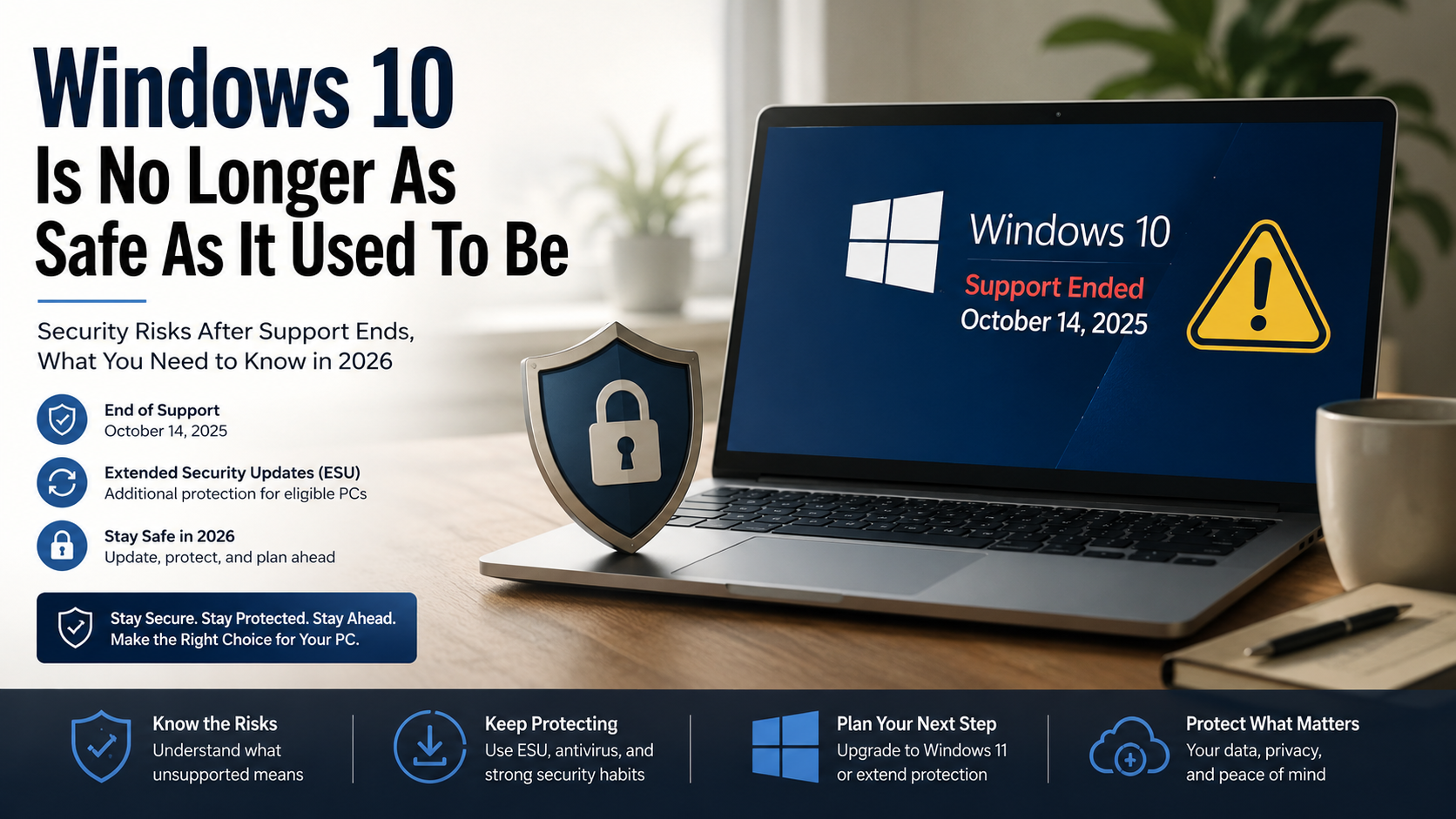
Windows 10 Is No Longer As Safe As It Used To Be
Many users are asking whether Windows 10 is safe now that Microsoft has ended standard support. Windows 10 Home and Pro reached the end of support on October 14, 2025. Microsoft no longer provides regular security updates for these editions through the standard support lifecycle.
However, that does not mean every Windows 10 PC suddenly became dangerous. Eligible users can use Microsoft’s Extended Security Updates (ESU) program for additional security coverage. ESU provides critical and important security updates after the normal support deadline.
The bigger issue is long-term protection. An unsupported operating system becomes harder to secure as new vulnerabilities appear. Antivirus software can help, but it cannot replace operating system security patches.
This article explains whether Windows 10 is safe in 2026. It also covers Windows 12 rumors, staying on Windows 10, and upgrading to Windows 11. Understanding these changes can help you protect your files, accounts, and personal information.
Is Windows 10 no longer safe?
Windows 10 is not automatically unsafe, but its security situation has changed. Microsoft ended standard support for Windows 10 on October 14, 2025. This means unsupported Home and Pro systems no longer receive regular security fixes through Windows Update.
That creates a growing security concern. New vulnerabilities can appear after support ends, while standard installations may not receive fixes for them. Attackers can also target older systems because users may continue running outdated software.
Third-party antivirus programs still provide useful protection. They can detect malware, block suspicious files, and monitor dangerous activity. If you suspect your PC is already infected, learning how to remove malware from Windows can help you respond before the problem becomes more serious. However, antivirus cannot replace an operating system patch for a newly discovered system vulnerability.
Windows 10 users should therefore consider their support status carefully. If your PC is eligible, ESU can provide additional security coverage. Otherwise, upgrading to a supported operating system is the safer long-term approach.
You should also keep your browser and applications updated. Strong passwords, multi-factor authentication, and regular backups add further protection.
Rising Risks from Unsupported System Architecture
The main risk with an unsupported Windows 10 PC is not that it suddenly stops working. Your computer can continue running normally after support ends. Microsoft confirms that Windows 10 PCs will continue to work after the support deadline.
The concern is what happens when new security problems are discovered. Standard Windows 10 installations no longer receive regular security updates after October 14, 2025. That can leave some vulnerabilities unresolved.
Cybercriminals often look for systems that have missed important updates. An unpatched vulnerability can potentially become an entry point for malware, ransomware, or unauthorized access. If you notice unusual behavior on your PC, knowing the signs your computer has malware can help you identify a potential infection and take action quickly.
Your actual risk depends on how you use the computer. A PC used for banking, work, and sensitive accounts needs stronger protection than an offline computer used for basic tasks.
If you need more time, Microsoft’s Extended Security Updates program provides critical and important security updates for eligible enrolled systems. It is designed as a temporary option rather than permanent Windows 10 support.
The safest long-term strategy is to move to a supported Windows version when your hardware allows it.
Is Windows 10 still safe in 2026?
So, is Windows 10 safe in 2026? The answer depends on whether your computer still receives security protection. Windows 10 Home and Pro reached the end of standard support on October 14, 2025.
A normal unsupported installation no longer receives Microsoft’s regular security fixes. That increases the potential risk from newly discovered vulnerabilities. The longer an unsupported system remains in use, the more important additional protection becomes.
There is an important exception. Microsoft offers Extended Security Updates (ESU) for eligible Windows 10 devices. Enrolled systems can continue receiving critical and important security updates beyond the standard support date.
This means it would be inaccurate to say that every Windows 10 computer is completely unsafe in 2026. A better description is that Windows 10 has become a less sustainable security choice without ongoing update coverage.
Your browser and other applications may continue receiving updates. However, application updates do not replace operating system security fixes.
If your PC supports Windows 11, upgrading provides a more sustainable path. If it does not, ESU can give you additional time to plan your next computer.
The Danger of Zero-Day Exploits Without Patches
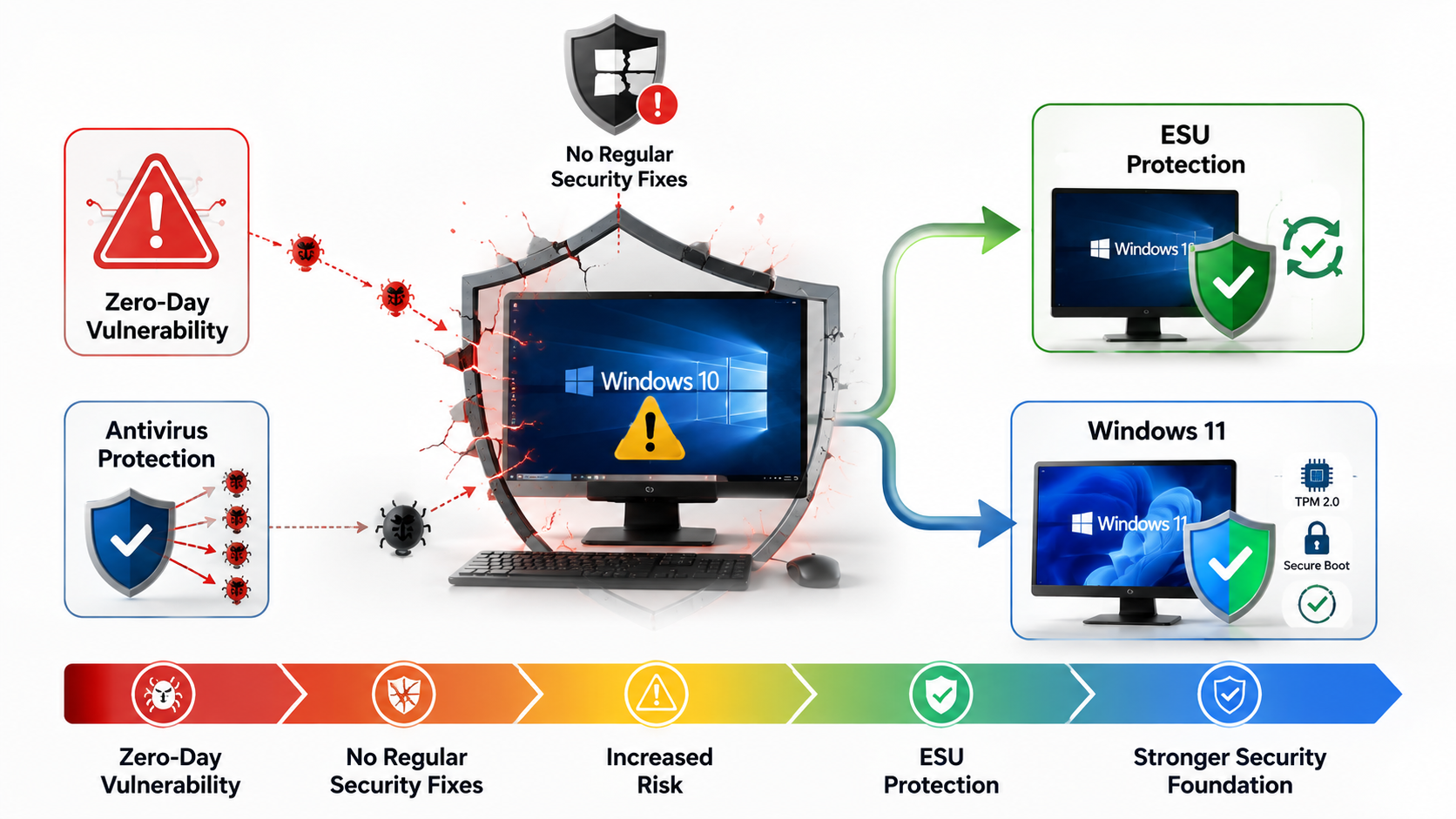
A zero-day exploit involves a software vulnerability that is unknown or has not yet been fully addressed by the vendor. These vulnerabilities can be especially dangerous because attackers may exploit them before a fix becomes available.
However, it is important not to assume that every Windows 10 zero-day vulnerability will remain permanently unpatched. Eligible systems covered by Microsoft’s ESU program can continue receiving critical and important security updates.
The greater concern affects Windows 10 installations without ongoing security coverage. After standard support ended, Microsoft stopped providing regular security fixes for unsupported Windows 10 editions.
Antivirus software can detect many known threats. It can also provide protection against suspicious downloads and malicious activity. Still, it cannot guarantee protection from every operating system vulnerability.
Windows 10 users should therefore use several layers of security. Keep supported software updated, avoid suspicious links, and be cautious when downloading files from unfamiliar websites. Use multi-factor authentication for important accounts and maintain reliable backups.
If you continue using Windows 10, check your ESU eligibility. If your PC can run Windows 11, consider upgrading instead. A supported operating system provides a stronger security foundation for everyday computing.
Is Windows 12 actually coming?
Rumors about Windows 12 continue to appear online, but users should be careful with unconfirmed release claims. Microsoft has not provided an official Windows 12 release date that should guide your current upgrade decision.
That matters because waiting for a rumored operating system can leave an unsupported Windows 10 PC exposed for longer. Windows 10 already reached the end of standard support on October 14, 2025.
If your computer can officially run Windows 11, there is little reason to delay a necessary upgrade because of Windows 12 speculation. Windows 11 has clearly defined hardware requirements and remains Microsoft’s supported desktop platform.
Future Windows versions may introduce new artificial intelligence features, security technologies, or hardware requirements. However, those details should come from official Microsoft announcements rather than rumors or unofficial downloads.
For now, make decisions based on the operating systems and support options available today. Check your Windows 11 compatibility and consider ESU if you need more time on Windows 10.
The key point is simple: do not wait for an unconfirmed Windows release to address an existing security problem. Use Microsoft’s current support information when planning your next upgrade.
What to Expect from Next-Generation OS Features
Future operating systems will likely continue focusing on stronger security, artificial intelligence, cloud services, and hardware-based protection. However, specific Windows 12 features should not be treated as confirmed until Microsoft officially announces them.
Windows 11 already requires newer hardware security capabilities. Its minimum requirements include a compatible 64-bit processor, 4 GB of RAM, 64 GB of storage, UEFI firmware with Secure Boot capability, and TPM 2.0.
TPM 2.0 is particularly important for Windows 11 security. Microsoft describes it as a building block for features such as Windows Hello and BitLocker.
These requirements show how modern Windows versions increasingly depend on hardware-backed security. Future platforms may continue this trend as security threats become more sophisticated.
Still, users should focus on confirmed requirements instead of rumors. If you currently use Windows 10, check whether your computer meets the official Windows 11 requirements.
A compatible PC can usually provide a clearer upgrade path. An incompatible system may require replacement hardware eventually.
Rather than waiting for a rumored next-generation release, evaluate your current security situation. Choosing a supported platform today is more useful than planning around an unannounced product.

Can I stay on Windows 10 forever?
You can continue using Windows 10 after standard support ends. Microsoft confirms that Windows 10 PCs will continue working after October 14, 2025. However, continued functionality does not mean continued standard security support.
For eligible systems, Microsoft’s Extended Security Updates program provides an additional option. Enrolled PCs can receive critical and important security updates after the normal support deadline. Microsoft describes ESU as a way to extend Windows 10 use while customers transition to newer platforms.
The longer-term problem is compatibility. Software developers may eventually stop supporting Windows 10. Hardware manufacturers may also focus newer drivers and utilities on supported Windows versions.
This process will not happen overnight. Many existing applications and devices can continue working for years. However, compatibility can become less predictable as the technology ecosystem moves forward.
Staying on Windows 10 indefinitely therefore carries increasing limitations. It can be reasonable as a temporary solution, especially with appropriate security protection. It is less attractive as a permanent strategy.
If your PC supports Windows 11, upgrading provides a more sustainable option. If it does not, use available security measures while planning your next hardware purchase.
Peripheral Incompatibility and Software Obsolescence
Windows 10 hardware compatibility will not disappear immediately. Existing printers, scanners, audio devices, and other peripherals may continue working normally.
The concern is future support. Manufacturers can eventually prioritize Windows 11 when developing new drivers, utilities, and device-management software. New hardware may therefore offer better support for newer Windows versions.
Software can follow a similar pattern. Applications may continue supporting Windows 10 after Microsoft’s standard support ends. Over time, some developers may require newer Windows components or security capabilities.
That does not mean every Windows 10 application will suddenly stop working. Compatibility usually changes gradually. However, finding drivers or troubleshooting unsupported devices can become more difficult.
Before purchasing new hardware, check its supported operating systems and evaluate new technology before you buy. This is especially important for printers, scanners, professional equipment, and specialized accessories. Checking compatibility, support policies, and system requirements in advance can help prevent unnecessary replacement costs.
You should also check application requirements before upgrading or replacing your computer. Make sure your essential programs will continue working.
If your current Windows 10 PC meets Windows 11 requirements, an upgrade can reduce future compatibility concerns. If it does not, plan a replacement rather than waiting until your hardware becomes difficult to support.
Should I stay on Windows 10 or go to 11?
For most users with compatible hardware, Windows 11 is the better long-term choice. Standard support for Windows 10 Home and Pro ended on October 14, 2025. Users who meet the requirements can continue with Windows 11 as Microsoft’s supported desktop platform.
The newer operating system also requires modern hardware security features. These include TPM 2.0 and UEFI firmware with Secure Boot support. Microsoft identifies TPM 2.0 as an important security building block for Windows 11.
Staying on Windows 10 can still make sense temporarily. This may be necessary if your computer does not meet Windows 11 requirements or if you need time to replace hardware.
If you continue using Windows 10, consider ESU where available. You should also keep your applications updated and maintain strong security practices.
Before deciding, consider:
- Security: Supported Windows versions provide stronger long-term protection.
- Hardware: Check your PC’s Windows 11 eligibility.
- Cost: Older incompatible PCs may require replacement.
- Software: Confirm that essential applications will work.
- Data: Back up important files before upgrading.
For a compatible computer, Windows 11 is generally the more future-ready choice.
Evaluating Your Hardware Readiness for Upgrade
Before upgrading from Windows 10, check whether your computer officially meets Windows 11 requirements. Microsoft recommends using the PC Health Check app to determine compatibility.
The app checks your device against Microsoft’s Windows 11 requirements. It can also explain why a computer does not qualify for the upgrade.
Windows 11 requires a compatible 64-bit processor, at least 4 GB of RAM, 64 GB of storage, UEFI firmware with Secure Boot capability, and TPM 2.0.
Do not assume that an older computer automatically lacks TPM 2.0. Microsoft notes that some compatible PCs have TPM disabled in firmware. In those cases, enabling the feature may resolve one compatibility issue.
Before making changes, back up important files. You should also check your essential applications and peripherals for compatibility. If your laptop is showing broader performance or hardware problems, review the warning signs for your laptop before deciding whether an upgrade or replacement makes more sense.
Instead, consider ESU as a temporary bridge where eligible. Then plan for a replacement computer that meets Windows 11 requirements.
FAQ SECTION
What happens if I keep using Windows 10 after support ends?
Continuing to use an unsupported operating system means your computer will no longer receive critical security patches, bug fixes, or vulnerability updates. Over time, cybercriminals discover and exploit new security flaws that Microsoft will never fix. This leaves your personal data, passwords, and financial information highly vulnerable to ransomware, malware, and remote attacks. While your computer will still function normally for a while, the risk profile increases significantly every single day you delay upgrading.
Can third-party antivirus protect my Windows 10 PC forever?
Third-party antivirus software provides an essential layer of defense by blocking known malware variants and scanning suspicious downloads. However, security software cannot patch deep, system-level vulnerabilities residing inside an unsupported operating system kernel. Once hackers find a flaw in the core Windows architecture, traditional antivirus programs often cannot stop sophisticated system compromises. Relying solely on third-party security tools without official operating system updates leaves your computer exposed to advanced zero-day exploits.
Why does Windows 11 have such strict hardware requirements?
Microsoft designed Windows 11 with a heavy focus on modern security, requiring specific hardware features like Trusted Platform Module 2.0 chips. These hardware requirements enable advanced security features such as virtualization-based security and secure boot to block complex firmware attacks. Older processors lack these integrated security modules, making them incapable of running the newer platform securely. Enforcing these hardware standards helps create a safer computing environment across the entire global user base.
How can I check if my current PC can run Windows 11?
You can easily check your PC compatibility by downloading and running the official PC Health Check app provided directly by Microsoft. This free diagnostic tool scans your processor model, RAM, storage, and motherboard security chip settings in a few seconds. It will immediately inform you whether your system meets all requirements for a direct upgrade. If your PC fails the check, you can explore registry workarounds or plan for a future hardware upgrade.
Conclusion
Navigating the changing landscape of personal computing requires staying proactive about your digital safety and system updates. We explored whether Windows 10 is no longer as safe as it used to be, confirming that aging software architectures face mounting security risks. As software lifecycles progress, recognizing that Windows 10 Is No Longer As Safe As It Used To Be helps you prioritize timely upgrades. Whether you choose to invest in modern hardware or transition to newer operating systems, securing your personal data remains paramount. Do not wait for a security breach to force your hand; evaluate your system readiness today. Apply the insights gained here to protect your digital workspace, maintain software compatibility, and ensure a secure browsing experience for years to come.
If you’re also deciding which operating system makes the most sense for your needs, our guide to Mac or Windows for Students can help you compare the two platforms before making your next computer purchase.