

5 Reasons Why Users Ditch Claude
Why users ditch Claude is becoming an important question as AI assistants compete on coding, reliability, usage limits, safety behavior, voice capabilities, and integrations. Anthropic gained major developer attention when it launched Claude 3.5 Sonnet, which earned a reputation for strong reasoning and clean code generation. However, some users are now exploring alternatives because of usage limits, service interruptions, refusal triggers, workflow restrictions, and changing model behavior.
Understanding why users ditch Claude requires more than comparing benchmark scores. Developers often judge an AI assistant by how reliably it performs during real projects. A model can produce excellent answers yet become frustrating when limits interrupt a debugging session or when restrictions interfere with a legitimate workflow.
Community discussions also highlight concerns about availability and changing model behavior. Official service information from Anthropic Status can help users distinguish temporary outages from broader workflow problems.
This guide examines the main reasons some developers move away from Claude, including content transparency concerns, cautious responses, OpenClaw restrictions, usage limits, and voice capabilities. It also considers Claude’s coding performance, account restrictions, and the wider impact of AI on software development.
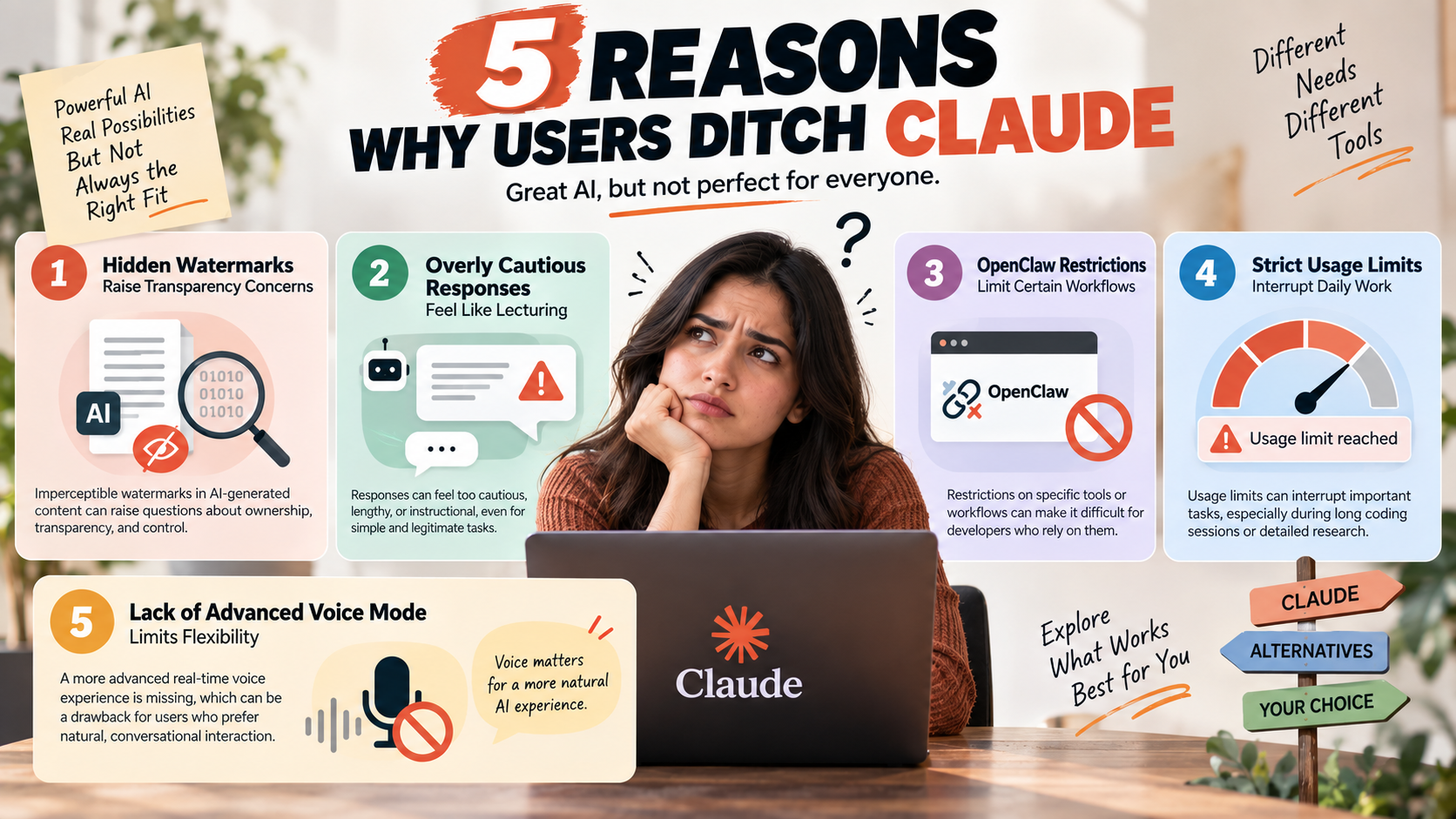

Imperceptible Watermarks Can Raise Content Transparency Concerns
One concern for some users is the use of imperceptible watermarks in AI-generated content. These watermarks can help identify AI-generated material without adding an obvious visible mark. For users who want complete control over their content, hidden signals may raise questions about transparency and ownership.
This concern can matter more to professional creators, publishers, and developers. They may want to know whether generated content contains signals that can later be detected. Even when a watermark does not affect content quality, its presence can influence how users view the platform.
Watermarking alone may not be enough to explain why users ditch Claude. However, it can become more important when combined with other frustrations. Users may compare how different AI platforms approach content provenance, attribution, detection, and transparency.
For users who want greater control over AI-generated material, these policies are worth understanding. Content provenance and watermarking practices can influence which AI assistant best fits a user’s publishing or development workflow.
Lecturing AI Responses Can Make Simple Tasks More Frustrating
Some users also dislike responses that feel overly cautious, lengthy, or instructional. Claude may sometimes provide extensive warnings or explanations before addressing a request. A broader Claude review can help users evaluate whether this response style is balanced against the model’s reasoning, coding, and overall usefulness. Users can interpret this style as “lecturing,” particularly when they believe the task is straightforward and legitimate.
This can become frustrating during technical work. Developers often want a direct explanation, practical example, or concise solution. Repeated warnings can add unnecessary friction and make simple tasks feel more complicated than they need to be.
Safety systems remain important because AI providers must prevent harmful assistance. However, users also expect an assistant to distinguish between genuinely dangerous requests and legitimate professional or educational work. When that distinction feels inconsistent, trust in the tool can decline.
The issue may be especially noticeable in areas such as cybersecurity, programming, automation, and other sensitive subjects. Users may spend more time explaining their intentions instead of completing the original task.
For some people, this communication style is only a minor inconvenience. For others, directness and context awareness can become important factors when choosing an alternative AI assistant.
OpenClaw Restrictions Can Limit Certain AI Workflows
Restrictions involving specific tools or workflows can also affect how users evaluate an AI platform. OpenClaw has attracted attention in discussions around AI-assisted development and automation, particularly as AI agents work with tools and external systems to complete tasks. As a result, restrictions affecting related workflows can be frustrating for users who depend on those tools.
When an AI platform prevents a preferred tool from working as expected, developers may see the restriction as a workflow limitation. This can be particularly frustrating when the intended activity is legitimate and does not appear harmful to the user.
The reason for a restriction can vary. Platforms may limit certain activities because of security concerns, abuse prevention, policy requirements, or the way external tools interact with their systems. Users may not always agree with those decisions.
For developers, the larger issue is workflow flexibility. If a preferred automation tool cannot be used reliably, they may consider another AI provider with different policies or integration options.
However, users should avoid assuming that every OpenClaw-related restriction is permanent or universal. Platform policies can change as providers respond to emerging tools and security concerns.
Ultimately, compatibility with preferred development tools can influence whether users continue using an AI service and can help explain why users ditch Claude.
Strict Usage Limits Can Interrupt Daily AI Work
Strict usage limits can become a significant frustration for people who rely heavily on Claude. The issue is especially noticeable during long coding sessions, detailed research tasks, and conversations involving large amounts of context.
AI workloads require substantial computing resources. Providers therefore use usage limits to manage capacity and maintain service availability. From the user’s perspective, however, a limit can still be disruptive when it appears during an important task.
For example, a developer may begin debugging a complex application and reach a usage restriction before solving the problem. Large codebases and lengthy conversations can also consume considerable context, making extended sessions harder to maintain.
Unpredictability can make the experience even more frustrating. When users cannot easily estimate how much capacity remains, it becomes difficult to plan longer workflows around the platform.
Some professionals respond by maintaining access to multiple AI assistants. They can move tasks to another provider when Claude becomes unavailable or reaches a usage limit.
Usage limits do not necessarily indicate weak model performance. They are primarily a workflow and availability issue. For heavy users, however, reliable access can be just as important as reasoning quality when choosing an AI assistant.
The Lack of an Advanced Real-Time Voice Mode Limits Flexibility
Voice interaction is becoming an increasingly important part of the AI experience. Users expect modern assistants to support natural conversations with quick responses, smooth turn-taking, and minimal interruption.
A lack of a comparable advanced real-time voice experience can therefore influence how users evaluate Claude. Real-time voice interaction can make brainstorming, learning, accessibility, and hands-free tasks more convenient.
It is important to distinguish basic voice functionality from an advanced conversational voice mode. A sophisticated system can support natural turn-taking, interruptions, conversational timing, and more fluid exchanges.
For users who regularly interact with AI through voice, these differences can influence their choice of platform. They may prefer an assistant that combines strong reasoning with mature voice capabilities.
However, this limitation will matter less to people who primarily use AI through text. Developers who spend most of their time writing and reviewing code may also consider voice less important than coding performance and context handling.
Still, multimodal AI capabilities are becoming increasingly relevant. Users now compare assistants across more than text generation. Voice, vision, browsing, coding tools, and integrations can all influence which platform becomes part of their daily workflow.
Why Are People Ditching Claude?
One major reason why users ditch Claude is its dynamic usage limits. Developers working with large codebases can consume substantial context during long conversations. A session that starts smoothly can become difficult when a user reaches a usage restriction.
This issue matters most to professionals who depend on AI throughout the workday. Interruptions can force developers to wait, change models, or move an active task to another platform. The problem becomes more noticeable when a project requires repeated debugging and code review.
Account restrictions can create another source of frustration. Automated systems may flag activity that appears unusual, although users may not always understand what caused the restriction. This uncertainty can reduce confidence in the platform.
Meanwhile, competing AI assistants continue adding features such as web access, voice interaction, and execution environments. Understanding how AI assistants are changing daily productivity tools can help users decide which platform fits their workflow better, particularly when Claude’s limitations become noticeable.
Why Is Claude Getting Dumb?
Some users describe Claude as becoming “dumber,” but that conclusion needs context. Changes in model behavior do not necessarily mean the underlying intelligence has permanently declined.
AI assistants can behave differently after model updates, alignment changes, system adjustments, or changes to how long conversations are handled. A response that once worked may also change because the surrounding prompt, context, or safety interpretation has changed.
Long conversations can create another problem. When a chat contains thousands of tokens, the model must balance older instructions against newer information. Important details can become less influential, which may cause inconsistent answers or repeated suggestions.
Safety tuning can also affect the user experience. A model designed to reduce harmful outputs may sometimes become cautious when interpreting technical or security-related prompts. Developers can experience this as unnecessary refusal when the underlying request is legitimate.
These factors can create the perception that Claude has become less capable. In practice, the experience may reflect a combination of model behavior, context management, alignment, and prompt complexity.
Why Is Claude Being Banned?
Account restrictions and organizational bans are different issues, and they should not be treated as the same thing. Individual users may encounter automated account-review systems, while companies may restrict AI tools because of internal security policies.
Some users report frustration when an account is restricted without a clear explanation. Automated systems can evaluate signals related to unusual activity, payments, access patterns, or suspected misuse. A legitimate user may still find the process difficult if the reason for a restriction is unclear.
Businesses have additional concerns. Companies handling proprietary source code may limit employees from entering confidential information into external AI services. Privacy requirements, security policies, and regulatory obligations can all influence those decisions.
Safety policies can also affect technical users. Security research, penetration testing, scraping, and authentication-related prompts may trigger additional safeguards. These restrictions are intended to reduce abuse, but legitimate researchers can sometimes encounter friction.
For professionals, the result is straightforward. If an AI platform creates uncertainty around access, organizations may prefer another provider or use stricter internal controls.
Is Coding Going Away Due to AI?
Coding is changing, but the evidence in this article does not support the idea that software development is disappearing. AI can automate many repetitive programming tasks, including boilerplate code, basic tests, documentation, and common functions.
The more difficult question is what happens to the developer’s role. Modern software projects involve business requirements, architecture, security, performance, integration, testing, and long-term maintenance. These areas require more than generating syntactically correct code.
AI-generated code can also contain subtle problems. A function may appear correct while failing under unusual inputs. Generated dependencies can become outdated, and an implementation may ignore requirements that were not clearly expressed in the prompt.
Developers therefore need to evaluate AI output rather than accept it automatically. Code review, testing, debugging, and architectural judgment remain important even when AI handles much of the initial implementation.
The likely shift is from writing every line manually toward directing, reviewing, and integrating machine-generated work. Developers who understand systems deeply can use AI as a productivity tool without surrendering responsibility for the final software.
Why Is Claude Not So Good?
Claude remains capable, but users may find it less suitable for certain workflows. The most important limitations depend on the features a developer expects from an AI assistant.
One common concern involves access to current information. Software libraries and APIs change frequently. Without an appropriate live-search or external-information workflow, an AI assistant can produce recommendations that no longer match current documentation.
Safety behavior can create another source of friction. Claude’s safeguards may cause refusals when prompts involve cybersecurity, scraping, authentication, or other sensitive subjects. Legitimate technical work can sometimes require additional explanation or context.
These limitations become more important when developers compare multiple AI assistants. A model that performs well for reasoning and writing may not be the best choice for every development workflow.
The decision therefore should not rely on benchmark scores alone. Users should evaluate current documentation access, coding support, usage limits, safety behavior, reliability, and overall workflow fit.
For some professionals, Claude remains valuable as part of a multi-model setup. Others may prefer an alternative when specific tools and integrations matter more than conversational quality. Comparing open-source and closed AI approaches can also help users understand why different platforms may offer different levels of flexibility. Ultimately, why users ditch Claude depends on whether its limitations interfere with the user’s particular workflow.