
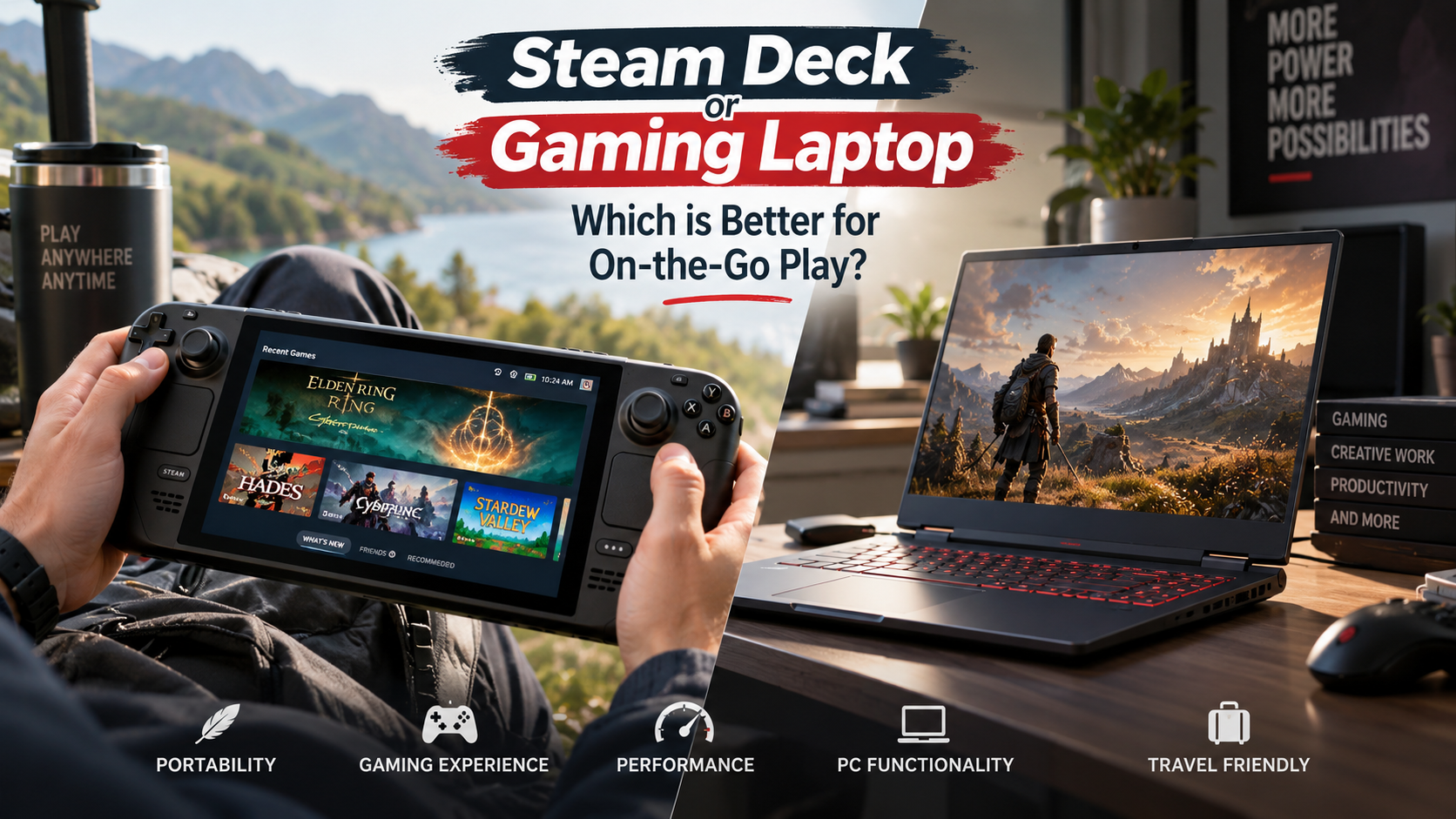
Should You Pick a Steam Deck Instead of Gaming Laptop for On-the-Go Play?
Choosing a dedicated machine for on-the-go gaming once meant buying an expensive laptop. Those systems often came with large power bricks and limited portability. Today, choosing a Steam Deck instead of gaming laptop hardware has become a practical option for many players. Valve changed portable gaming by placing desktop-style architecture inside an ergonomic handheld. The device also connects directly to your existing library on Valve’s official Steam platform.
This shift changes what portable gaming really requires. A gaming laptop provides strong graphics performance, productivity software, and a physical keyboard. A handheld focuses on convenience, portability, and fast access to games. It also supports suspend-and-resume functionality for shorter gaming sessions.
The right choice depends on how you spend your free time. Do you need a workstation that can also play games? Or do you mainly want comfortable gaming away from a desk?
This guide compares both options, including performance, PC functionality, availability, ownership requirements, and hardware limitations.

Should I buy a gaming laptop or a Steam Deck?
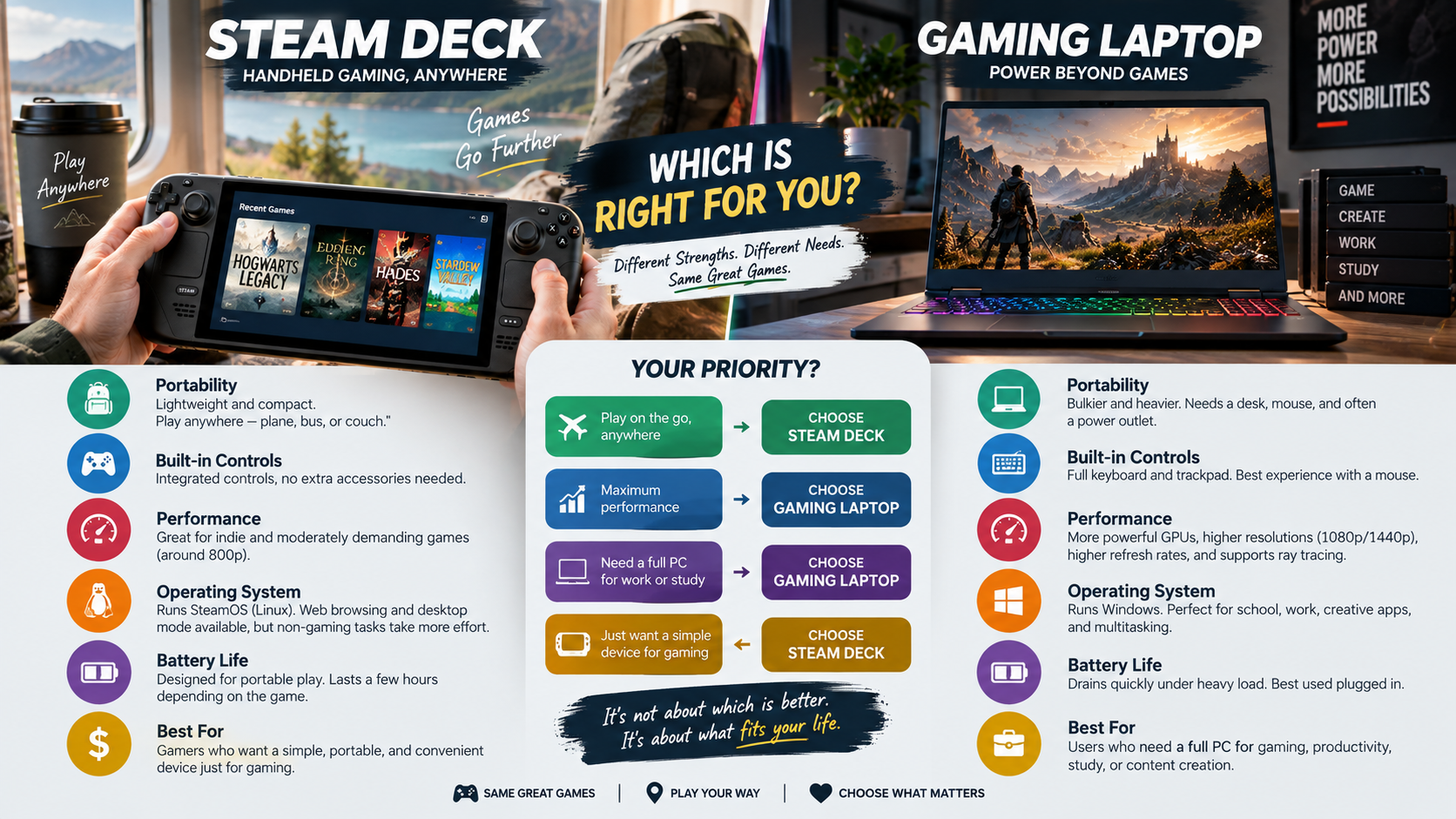
Choosing a Steam Deck instead of gaming laptop hardware depends on whether portability or computing power matters more. A handheld works well if you want quick gaming sessions on couches, trains, hotel beds, or during travel. Its compact design fits comfortably in your hands and requires little setup. You can wake the system, continue playing, and put it away when finished. If you are leaning toward a laptop, this gaming laptop buying guide can help you compare the available options.
A gaming laptop makes more sense when you need broader computing capabilities. It offers a larger display, physical keyboard, and stronger graphics hardware. These features matter for demanding games, competitive shooters, creative applications, and school or work projects.
Consider these differences before buying:
- Steam Deck: Better for portable, relaxed, and convenient gaming.
- Gaming laptop: Better for demanding games and productivity.
- Steam Deck: Uses an integrated handheld design.
- Gaming laptop: Provides more raw performance and desktop versatility.
Neither device is automatically better. Your preferred games, travel habits, and computing needs should determine the choice.
Performance and Everyday Versatility Differences
Gaming laptops and handhelds approach performance from very different directions. A laptop can include dedicated graphics hardware designed for higher frame rates, higher resolutions, and advanced graphical features such as ray tracing. It also provides a full desktop operating environment for productivity, creative applications, browsing, and other demanding workloads. However, ray tracing can also affect gaming performance, especially on demanding titles.
The Steam Deck takes a different approach. Its hardware targets efficient portable gaming at resolutions such as 720p or 800p. That lower target helps the handheld deliver usable performance while keeping power consumption more manageable than a typical high-performance laptop.
The difference becomes especially noticeable with demanding modern games. A gaming laptop generally provides more headroom for graphical settings and performance. A handheld may require lower settings or additional upscaling to maintain smoother gameplay.
However, raw performance is only part of the decision. The Steam Deck offers a more immediate gaming experience. Its compact controls and handheld form factor make short sessions easier.
For travel-focused players, that convenience can matter more than maximum graphical performance.
Is the Steam Deck just a portable PC?
Yes. The Steam Deck is fundamentally an open, compact computer rather than a traditional closed gaming console. It uses standard x86-based computing architecture with a custom AMD processor and unified memory. The system boots into SteamOS, a Linux-based operating system designed around gaming and controller navigation.
Its PC nature becomes clearer when you switch to Desktop Mode. From there, you can use a web browser, manage files, install applications, and access productivity tools. The system also provides administrative access, giving users more control than a conventional closed console.
The hardware can even support alternative operating systems. Users can wipe the internal storage and install Windows instead of SteamOS. This flexibility makes the device useful beyond its primary gaming purpose.
For buyers considering a Steam Deck instead of gaming laptop, this distinction matters. You are not buying a console with a fixed software environment. You are buying a compact PC that happens to be designed primarily for handheld gaming.
Desktop Mode and Peripheral Expansion
Desktop Mode expands the Steam Deck beyond handheld gaming. When connected to a powered USB-C dock, the device can function as a basic desktop workstation. You can connect an external monitor, keyboard, mouse, storage device, and wired network connection. If your desktop lacks suitable connections, you may also want to consider whether you should add USB-C ports to your desktop PC.
This setup makes several everyday tasks more practical. A larger monitor provides more workspace for browsing and document editing. A physical keyboard also makes longer writing sessions easier than using the handheld controls.
The Linux desktop environment supports common activities such as web research, office document work, media playback, and retro emulation. It can therefore handle many lightweight tasks without requiring another computer.
However, it should not be treated as a direct replacement for every workstation. High-end creative workloads may require considerably more processing power or specialized software. A gaming laptop remains more flexible for users who regularly perform demanding professional tasks.
For basic computing, though, the handheld offers useful versatility. Docking effectively gives the Steam Deck a second role as a compact desktop computer when you need it.
Can I still buy a Steam Deck?
Yes, the article’s source information states that the Steam Deck can be purchased new through the official Steam storefront. Earlier supply shortages and reservation periods are no longer presented as a major purchasing barrier in the supplied material.
The storefront includes different hardware configurations, including LCD and OLED display variants. Storage capacities also vary, giving buyers options based on their budgets and game libraries.
The source also notes the availability of factory-certified refurbished units. These can provide a lower-cost route into the Steam Deck ecosystem. Refurbished hardware is presented as having undergone hardware inspections and being covered by factory warranty protection.
Before purchasing, buyers should still consider the specific model and storage capacity they need. Larger game libraries can quickly consume internal storage, while the display type can affect the overall experience.
Price is another important consideration when comparing a Steam Deck instead of gaming laptop purchase. A handheld may provide a more focused gaming experience, while a laptop can serve additional computing roles.
The best value therefore depends on whether gaming or broader PC functionality is your priority.
Availability Across Global Retail Channels
Steam Deck availability depends on the region where you live. The supplied article states that Valve handles direct shipments across North America, the European Union, the United Kingdom, and selected Asian markets. Authorized distribution partners may also serve some regions.
Buyers outside standard delivery territories may find hardware through established electronics importers. However, importing a handheld creates additional considerations that are easy to overlook.
Before ordering from a third-party seller, check the warranty terms carefully. Regional support can differ from the protection available through official purchasing channels. You should also confirm that the included charging equipment is suitable for your region.
Other costs can affect the final purchase price. Shipping, taxes, import duties, and retailer markups can make an imported device less attractive than an officially distributed model.
If you are comparing a Steam Deck instead of gaming laptop, availability should therefore be part of the calculation. A cheaper listed price does not always mean a cheaper final purchase.
Check the complete delivered cost and warranty coverage before committing to an imported unit.
Can I get a Steam Deck if I don’t have a PC?
Yes. You do not need to own a desktop computer or gaming laptop before buying a Steam Deck. The handheld can operate as a self-contained gaming system from the moment you set it up.
The supplied article explains that you can complete initial setup, configure your account, download games, and install system updates directly on the device. You do not need another computer for these basic functions.
Getting started requires a Steam account and an active Wi-Fi connection. You can browse the digital storefront from the handheld, purchase compatible games, and download them directly to internal storage.
This makes the Steam Deck an accessible entry point for people who have mainly used consoles. You can access PC gaming without first building a desktop setup.
That said, owning another computer can still be useful for advanced tasks. Desktop management, file transfers, troubleshooting, or specialized applications may be easier on a traditional PC.
For someone considering a Steam Deck instead of gaming laptop, the key point is simple: the handheld does not depend on another PC for normal gaming use.
Building Your Digital Game Library
Building a Steam library does not require purchasing a large collection of games immediately. The supplied article highlights free-to-play titles as one starting point for new players. Seasonal sales can also reduce the cost of many indie, classic, and established PC releases.
The Steam ecosystem provides more than a digital storefront. New users can also benefit from features connected to their game libraries and accounts. These include cloud save support, community guides, and shared controller layouts.
Community controller configurations can be especially useful on a handheld. They allow players to use layouts created by other members of the Steam community instead of configuring every control from scratch.
Seasonal discounts can also help players build a backlog gradually. Rather than buying several games at full price, you can wait for discounts on titles that interest you.
For someone choosing a Steam Deck instead of gaming laptop, the broader library can add considerable value. The device provides direct access to PC games without requiring a separate desktop gaming setup.
However, always check individual game compatibility before purchasing unfamiliar titles.
What are the downsides of a Steam Deck?
The biggest disadvantages involve performance, battery life, software compatibility, and physical size. The Steam Deck is designed around efficient portable gaming rather than maximum graphical performance. As a result, demanding modern games may require lower graphics settings or upscaling to maintain stable frame rates.
Battery life also depends heavily on the game being played. Intensive titles can consume power quickly, while lightweight games place less demand on the hardware. This makes access to a charger important during long travel sessions.
Software compatibility creates another limitation. Some multiplayer games rely on anti-cheat systems that do not work with SteamOS or its compatibility layers. As a result, certain popular online games may be unavailable.
The physical design can also affect comfort. The handheld is wider and heavier than many traditional controllers. Long sessions may therefore feel tiring for some players. Its cooling fan can also become audible when demanding games place the hardware under sustained load.
These limitations matter when choosing a Steam Deck instead of gaming laptop.
Anti-Cheat Barriers and Display Compromises
Online multiplayer compatibility is one of the more important limitations to consider. The supplied article identifies games such as Fortnite and Call of Duty as examples of titles that cannot run under SteamOS because of strict anti-cheat requirements.
This means game compatibility should be checked before buying the device for competitive multiplayer. A large PC library does not automatically mean every title will work correctly on SteamOS.
Display output presents another compromise. The handheld’s built-in display is designed around its portable resolution. When that output is enlarged on a large 4K television, the lower native resolution can appear softer than content produced by hardware designed for higher-resolution gaming.
This difference becomes more noticeable on large screens viewed from closer distances. A gaming laptop with stronger graphics hardware may provide a better experience for high-resolution external displays.
Therefore, buyers should consider where they intend to play. The Steam Deck works best when its portable design is central to the experience.
If your priority is competitive multiplayer or high-resolution television gaming, a traditional gaming computer may better match those requirements.
Frequently Asked Questions
Can you use a handheld gaming device for school or office work?
Yes, you can use the system for basic academic and workplace tasks. By entering Desktop Mode and attaching a USB-C hub, you can connect an external display, mouse, and keyboard. The integrated Linux environment supports modern web browsers, Google Workspace, LibreOffice, and communication tools like Discord or Slack without difficulty.
How long does the battery last during typical gameplay?
Battery runtime varies considerably based on the game, brightness, performance requirements, and system settings. The supplied article gives a general range of two to eight hours for typical use. If you are comparing portable gaming devices, understanding why batteries can drain quickly can also help you manage power more effectively.
Can you run games from other PC storefronts besides Steam?
Yes, you can install titles from other stores like Epic Games, GOG, and EA App. Tools like the Heroic Games Launcher or adding non-Steam shortcuts allow you to run these external libraries easily. While setup takes a few manual steps, the operating system never blocks third-party game storefronts.
Does a portable gaming handheld support modern external controllers?
Yes, the machine includes native Bluetooth and USB connectivity for standard modern controllers. You can pair official Xbox, PlayStation DualSense, and Nintendo Switch controllers in seconds. Up to four gamepads can connect at the same time for local multiplayer sessions when docking the device to a desk monitor or television.
Conclusion
Deciding whether to choose a Steam Deck instead of gaming laptop comes down to balancing portability, productivity, and performance. A gaming laptop remains the stronger option if you need one device for demanding creative work, intensive school assignments, high-resolution gaming, or high-frame-rate competitive esports.
A laptop provides a larger display, built-in keyboard, and greater raw computing power. Those features make it better suited to users who need a versatile workstation alongside their games.
The Steam Deck takes a different approach. Its biggest advantage is convenience. It makes PC gaming easier to fit into everyday routines, whether you are playing on the sofa, in bed, or while traveling.
It also avoids the desk setup, large laptop chassis, and bulky power accessories associated with some gaming systems.
Before buying, consider your favorite game genres, travel habits, and existing computer setup.
If gaming and portability are your priorities, the Steam Deck offers a focused alternative. If you need maximum performance and versatility, a gaming laptop remains the safer choice.