How to Tell If a Phone Battery Has Been Replaced: A Buyer’s Guide
Knowing how to tell if a phone battery has been replaced can save you from buying a faulty secondhand device. A previous battery replacement does not automatically mean a phone is unreliable. However, you should check whether the replacement used a genuine, compatible battery.
Modern smartphones offer several ways to identify previous repairs. Apple’s Parts and Service History feature provides useful information about replaced components. Android users can also examine battery statistics and use diagnostic applications.
Buying a used or refurbished smartphone can save money on flagship devices. However, lithium-ion batteries gradually lose capacity with regular use. Poor-quality replacements can also cause overheating, charging problems, and unexpected shutdowns.
This guide explains how to check battery replacement history through software and physical inspections. You will also learn about refurbished phone batteries, Cashify’s replacement practices, and common signs of refurbished devices.
How to Tell If a Phone Battery Has Been Replaced?
You can check whether a phone battery has been replaced through system settings, diagnostic applications, and physical inspections. However, the available information depends on your smartphone model and operating system.
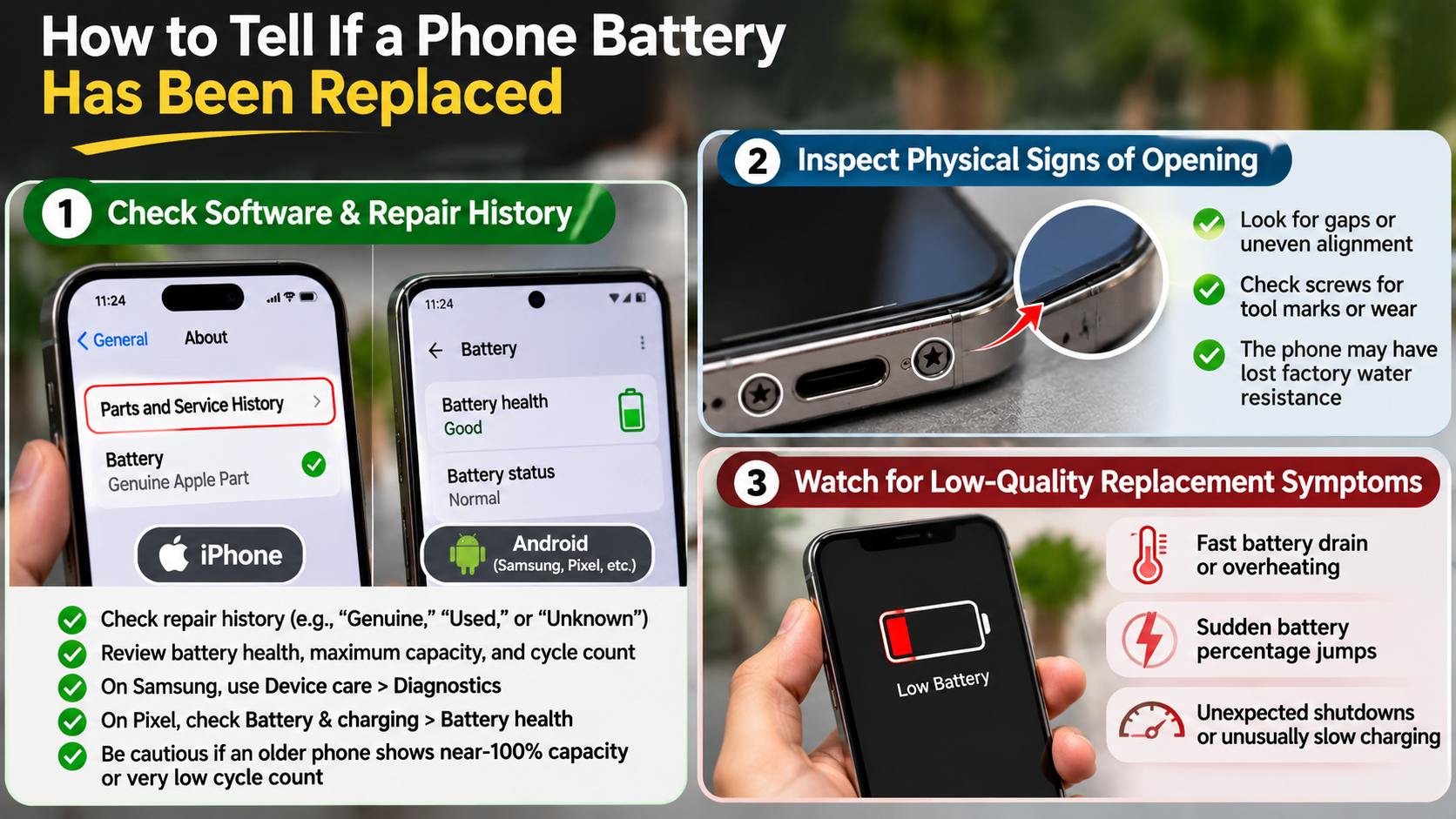
For iPhones, open Settings, select General, and tap About. Look for the Parts and Service History section. On supported models, this section identifies previous battery replacements and displays labels such as Genuine, Unknown, or Used.
Android phones require a slightly different approach. Open your manufacturer’s diagnostic tools or use a trusted application such as AccuBattery. Compare the estimated battery capacity with the manufacturer’s original specifications.
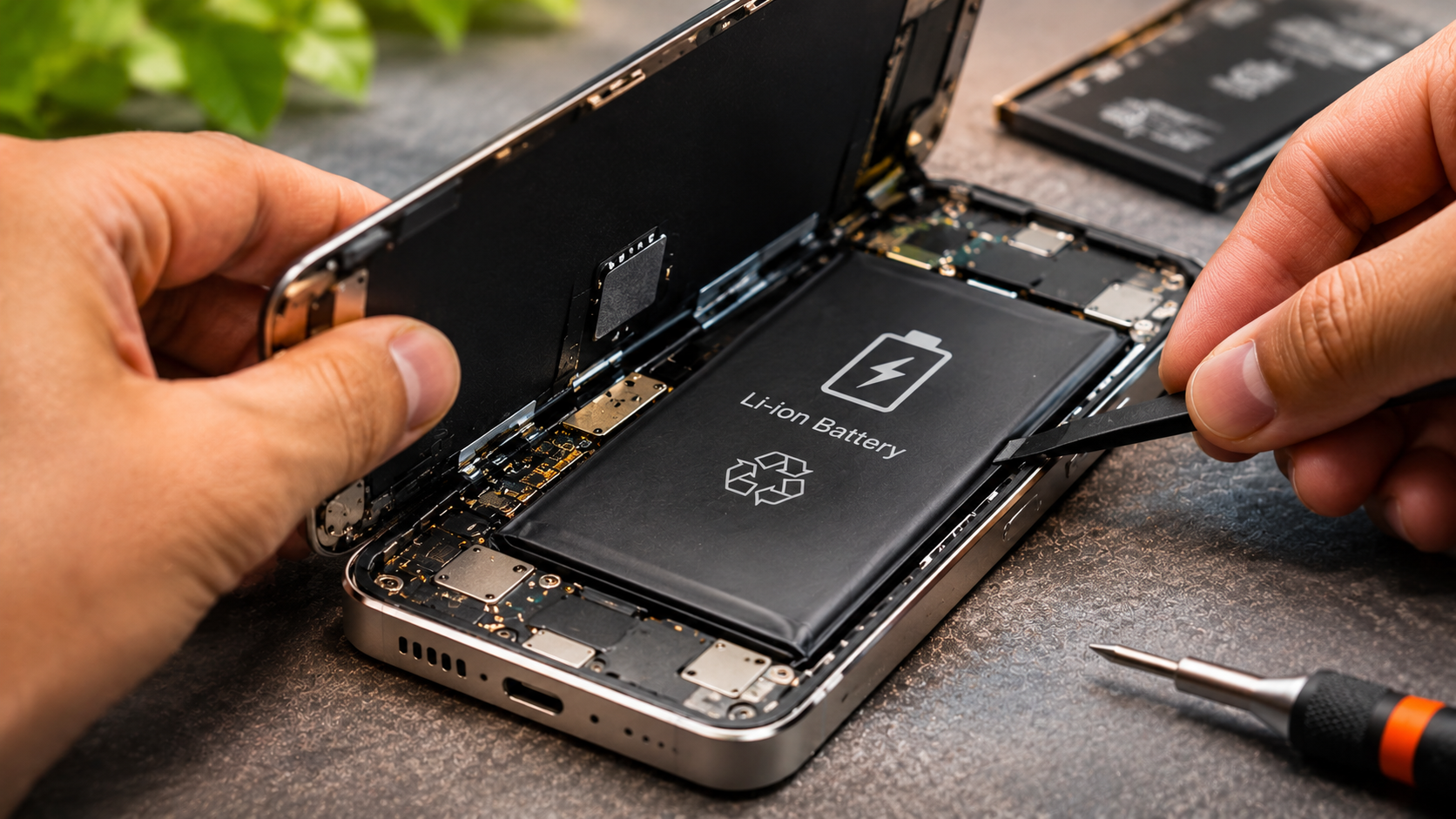
You should also inspect the phone’s exterior. Look for damaged screws, uneven adhesive, loose back panels, or unusual gaps around the frame. These signs can indicate previous repairs. If you notice corrosion around battery contacts or connectors, understanding how to clean battery corrosion with isopropyl alcohol safely can help you learn about proper battery maintenance.
Remember, no single check guarantees accurate results. Combine software information, battery performance, and physical inspection before purchasing a secondhand phone.
Checking Battery Cycle Counts and Voltage
Battery cycle counts and manufacturing dates can provide additional clues about previous replacements. A battery cycle represents the equivalent of using 100% of its capacity, although this usage can happen across multiple charging sessions. Understanding the difference between battery health and cycle count can also help you determine how much wear your phone’s battery has experienced.
On supported iPhone models, open Settings, select Battery, and tap Battery Health. Depending on your model and iOS version, you can view battery cycle count, maximum capacity, and manufacturing information.
Android devices offer different levels of battery information. Some manufacturers provide built-in diagnostics, while others require third-party applications. AccuBattery estimates battery capacity using charging and usage data. However, its readings are not official manufacturer records.
Look for unusual differences between the phone’s age and battery statistics. For example, a two-year-old phone showing very few cycles deserves further investigation. However, low cycle counts do not prove replacement.
Important: Cycle counts, voltage readings, and manufacturing dates should support your inspection, not serve as definitive proof.
Do Refurbished Phones Have New Batteries?
Refurbished phones do not always come with new batteries. Their battery condition depends on the seller’s refurbishment standards and replacement policy.
Some sellers replace batteries whenever their capacity falls below a specified threshold. Others test existing batteries and retain them if they meet their performance requirements. Therefore, two refurbished phones with similar cosmetic grades can have different battery conditions. If you are considering a replacement, it is also worth understanding whether replacing your Samsung tablet battery is worthwhile before deciding between repair and replacement.
For example, Apple Certified Refurbished iPhones receive new batteries and outer shells. Third-party refurbishers follow their own inspection and replacement procedures. They may retain an existing battery if it passes their quality checks.
Before purchasing, check the seller’s battery health guarantee. Ask whether the device contains its original battery or a replacement. Also, confirm whether the replacement uses genuine manufacturer parts.
Pay particular attention to the warranty terms. A refurbished phone’s general warranty does not automatically guarantee battery replacement or coverage for every battery-related issue.
Understanding Minimum Battery Health Guarantees
Battery health guarantees help buyers understand how much capacity a refurbished phone should retain. However, there is no universal minimum standard followed by every refurbisher.
Some sellers advertise a minimum battery health of 80%, while others promise 85% or higher. These percentages indicate the battery’s estimated maximum capacity compared with its original capacity.
For example, a battery displaying 85% maximum capacity can hold approximately 85% of its original charge. This does not mean the phone delivers exactly 85% of its original screen-on time. Actual performance also depends on applications, network conditions, brightness, and background activity. Your charging habits also matter, so understanding whether fast charging ruins your phone battery can help you maintain battery performance over time.
Before accepting a seller’s guarantee, check these details:
- Minimum battery health: Confirm the exact percentage promised at delivery.
- Measurement method: Ask how the seller tests battery capacity.
- Replacement conditions: Check when the seller installs a replacement battery.
- Warranty coverage: Confirm whether battery-related problems qualify for repairs.
Avoid relying only on cosmetic grades. A phone in excellent physical condition can still have a heavily degraded battery.
Does Cashify Put an Original Battery?
You should not assume that every refurbished Cashify phone contains an original manufacturer battery. The company offers refurbishment and replacement services, but the exact battery supplied can depend on the device and service performed. Before purchasing, consider other smartphone mistakes that reduce battery life, especially if you want to avoid unnecessary battery wear.
Cashify’s published policies confirm that it provides refurbished smartphones with a six-month warranty. However, its general refurbished-device warranty policy does not establish that every phone receives a new battery. It also does not confirm that every replacement uses a third-party cell.
Therefore, check the specific device listing and ask Cashify about its battery replacement history. Request confirmation about the battery’s manufacturer, replacement status, and available health information.
For iPhones, Apple’s Parts and Service History can provide additional verification. A compatible device may display Genuine, Unknown, or Used beside the battery entry. An Unknown label does not automatically mean the battery is unsafe. It means Apple could not verify the component under its requirements.
Always confirm the exact replacement details before paying. Do not rely on general claims about refurbished battery quality.
What to Expect From Cashify Battery Performance
A refurbished phone’s battery performance depends on its existing battery condition or the replacement component installed during refurbishment. You should not assume every Cashify device arrives with 100% battery health. Knowing how to tell if a phone battery has been replaced can help you verify its condition before purchasing.
Cashify advertises a six-month warranty for refurbished smartphones. However, its published warranty terms distinguish between refurbished devices and separately supplied accessories. They also list a three-month warranty for accessories, including batteries.
This distinction matters when evaluating battery protection. A phone’s general warranty does not necessarily provide identical coverage for every component. Read the applicable terms before purchasing.
If you are considering a refurbished iPhone, check its battery health before completing the purchase. Also, ask whether the battery has been replaced and whether the replacement appears in Apple’s service history.
Here are three practical checks:
- Request the displayed battery health percentage.
- Ask for details about any previous battery replacement.
- Confirm the applicable warranty and return conditions.
These checks help you understand what you’re buying and avoid unexpected replacement expenses.
Is There a Way to Tell If a Phone Is Refurbished?
Yes, you can identify several signs of a refurbished phone by checking its model information, repair history, and physical condition. However, no single indicator confirms that a device has been refurbished.
On iPhones, open Settings, select General, and tap About. Find the Model Number and examine its first letter. An F prefix generally identifies an Apple-refurbished unit, while N indicates a replacement device. M generally indicates a retail unit, and P identifies a personalized device.
Android users should check the device’s IMEI through the manufacturer’s official support or warranty portal. This may provide warranty or activation information, but it does not reliably confirm refurbishment history.
You should also inspect the packaging and accessories. Look for inconsistent serial numbers, damaged seals, and signs of previous repairs. Generic packaging can indicate third-party refurbishment, although it does not prove anything independently.
Combine these checks with a thorough hardware inspection before purchasing.
Inspecting Model Numbers and Packaging Clues
Model numbers and packaging can help identify a phone’s previous ownership or replacement status. However, these details should support other checks rather than determine the device’s complete history.
For Apple devices, examine the first letter of the part number displayed under Settings, General, and About. The commonly referenced prefixes include:
- M: Originally sold as a retail unit.
- F: Refurbished by Apple.
- N: Supplied as a replacement device.
- P: Personalised with engraving.
Remember that these prefixes do not confirm the battery’s replacement history. A retail iPhone can have a replacement battery, while an Apple-refurbished device can have a new battery.
For Android phones, compare the IMEI and serial number displayed in Settings with the device packaging. Missing original accessories or generic boxes may indicate previous refurbishment.
Also inspect the charging port, screws, frame, and back panel for repair marks. Ask the seller for service receipts whenever possible. A documented repair history provides stronger evidence than packaging or cosmetic appearance alone. If you are buying a replacement device, knowing what to consider when buying a new computer can also help you evaluate hardware condition, warranty coverage, and long-term value across other electronics.
Conclusion
Knowing how to tell if a phone battery has been replaced can help you avoid costly surprises when buying a used or refurbished smartphone. Check the battery health, service history, and physical condition before making a purchase. iPhone buyers can also use Apple’s official Parts and Service History guide to verify recorded component replacements.
Remember, a replaced battery is not necessarily a bad sign. A genuine, high-quality replacement can improve battery performance and extend your phone’s lifespan. However, replacement quality, repair history, and warranty coverage matter.
Before buying, ask the seller whether the battery is original or replaced. Verify its health percentage and request proof of any previous repairs. These simple checks will help you make a more informed purchase and choose a reliable secondhand smartphone.