Why You Must Avoid Scanning an Unknown QR Code Today
You should avoid scanning an unknown QR code when you cannot verify its source or destination. QR codes are convenient for restaurant menus, parking payments, event tickets, and mobile applications. However, that convenience can create security risks when criminals replace legitimate codes with fraudulent ones.
A tampered QR code may send you to a phishing website, fraudulent payment page, or malicious download. The Federal Bureau of Investigation (FBI) has warned about criminals tampering with legitimate QR codes to redirect victims to malicious websites.
A QR code also hides its destination until your phone reads it. This makes it harder to judge the link before interacting with it. Scammers can use this uncertainty to create a false sense of trust.
This guide explains the main QR code security risks and practical ways to stay safe. You will learn how to identify suspicious codes and verify links before opening them. You will also learn which actions to avoid after scanning.
Is it safe to scan an unknown QR code?
It is not always dangerous to scan an unknown QR code, but you should treat it with caution. The main risk comes from the destination and what the code asks you to do. A fraudulent code can lead to a fake website, malicious download, or payment request.
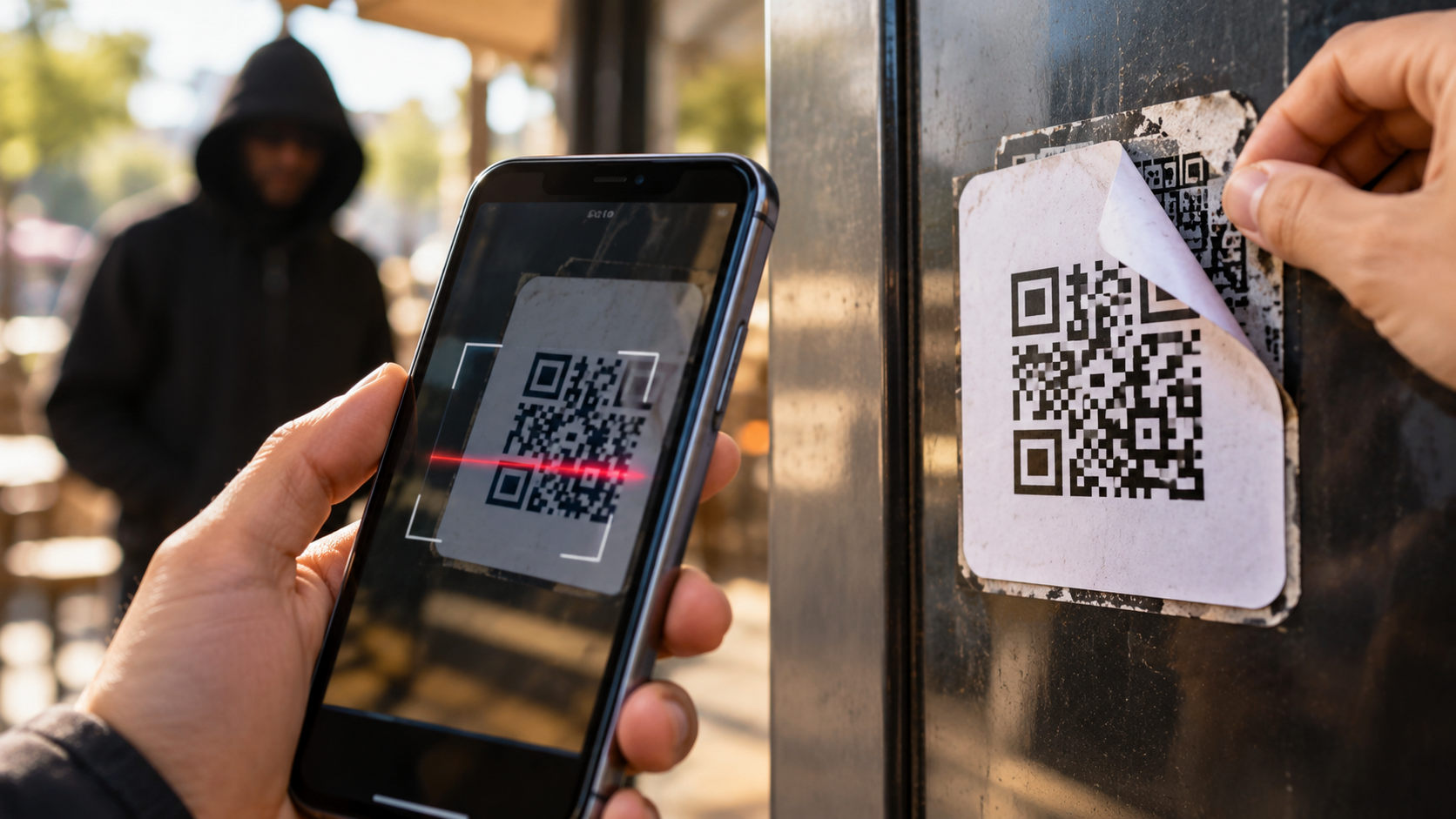
Public QR codes deserve extra attention because criminals can replace genuine stickers with counterfeit ones. This can happen on posters, parking meters, restaurant tables, payment machines, and other public displays.
Before you avoid scanning an unknown QR code, inspect the code and its surroundings carefully. Look for tampered stickers, unusual branding, spelling mistakes, or labels placed over an original code.
If you decide to scan it, do not immediately open the displayed link. Check the complete web address first. Make sure the domain belongs to the expected organization.
If the destination looks unfamiliar, close the page. You can also visit the company’s official website manually. This avoids relying on an unverified QR destination and follows the same principle as clicking on a suspicious link: verify the destination before interacting with it.
Physical Tampering of Public Codes
Physical tampering is one of the simplest QR scams to recognize. Criminals can place a fake sticker over a legitimate QR code. The replacement may look convincing, especially in a busy public location.
Check the physical surface before scanning. Look for raised edges, damaged printing, mismatched colors, or another sticker covering the original code. A recently attached sticker deserves additional attention.
This risk is particularly important at payment locations. A criminal may replace a merchant’s payment code with one that directs money elsewhere. Similar tampering can send customers to fake websites or fraudulent payment pages.
If something looks unusual, do not scan the code. Ask the business or property operator to verify it instead.
You should also avoid relying only on appearance. A professional-looking sticker can still lead to a fraudulent website. The destination URL provides a more useful security check.
When possible, use the organization’s official app or manually enter its verified website address. This reduces your dependence on an unfamiliar QR code.
What are four best practices you should follow to avoid unsafe QR codes?
You can reduce QR code security risks by following four simple habits. These steps do not make every QR code safe, but they give you more control over what happens after scanning.
- Inspect the physical code. Look for stickers, damaged signs, strange branding, or other signs of tampering.
- Preview the destination. Check the complete URL before opening the website. Watch for misspellings, unfamiliar domains, and suspicious shortened links.
- Avoid unexpected downloads. Never install an application simply because a scanned QR code tells you to.
- Use official sources for sensitive actions. Open your bank, payment service, or company’s verified website manually when possible.
You should also keep your phone’s operating system, browser, and security software updated. Updates often include fixes for known security vulnerabilities. For additional protection, review these malware protection tips to reduce the risk of malicious software.
Finally, do not allow urgency to override caution. Scammers may claim that you must act immediately to receive a reward, prevent account closure, or complete a payment.
If you cannot verify a QR code’s source, avoid scanning an unknown QR code altogether. Taking a few seconds to verify the source can prevent a much bigger security problem later.
Disabling Automatic Browser Redirects
Some devices and applications offer settings that control how links are handled after scanning. Where your device provides such an option, review those settings carefully. Avoid automatic actions that you do not understand.
The goal is simple: see the destination before interacting with it. A QR scanner may display a website address before you open the page. Use that opportunity to inspect the domain.
Look for small spelling differences. Scammers may create domains that resemble legitimate businesses without actually belonging to them. Shortened URLs can also make the final destination harder to identify.
However, disabling automatic redirects is not a complete security solution. Modern browsers and operating systems provide protections against many known threats. You should still verify the destination before continuing.
Keep your browser and operating system updated. Security updates can address vulnerabilities that criminals might otherwise exploit.
If a scanned link opens a security warning, do not ignore it because the QR code appeared on a legitimate-looking sign. Close the page and verify the request independently.
What are the risks of scanning a QR code?
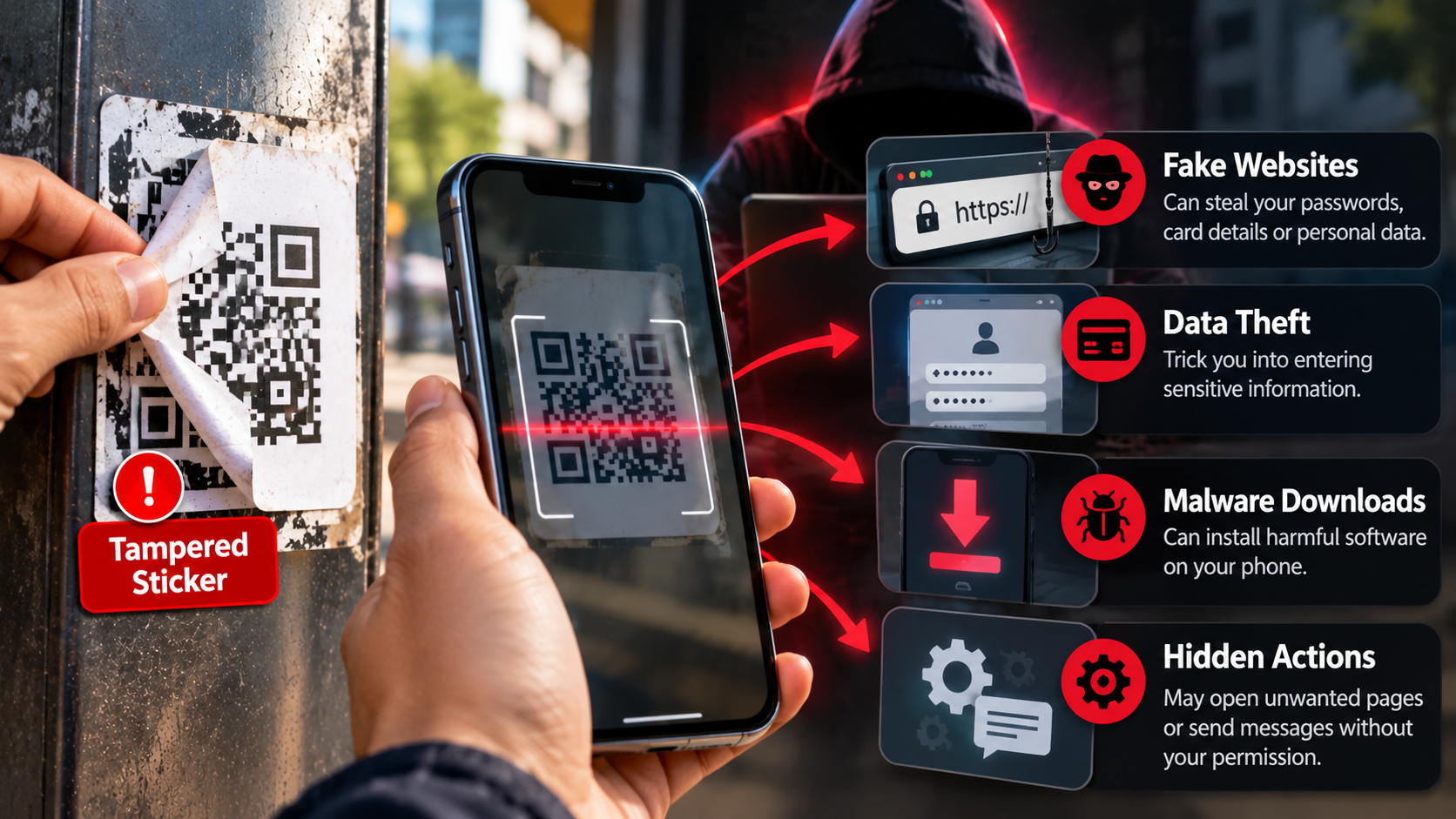
The risks depend on where the QR code leads and what you do afterward. One common threat is quishing, a term used for phishing attacks delivered through QR codes. A fraudulent website may imitate a bank, payment service, delivery company, or other trusted organization.
Another risk is malware. A QR code can direct you to a website that tries to persuade you to download a malicious application or file. Understanding how malware spreads can help you recognize why unexpected downloads from QR codes deserve caution. Modern phones have security protections, but users can still be tricked into installing unsafe software.
QR scams can also lead to fraudulent payments. A fake payment page may request card details, banking credentials, or other sensitive information.
Other QR codes may trigger actions such as opening a messaging service, starting a phone call, or composing a message. These actions can become dangerous when combined with deceptive instructions.
If you avoid scanning an unknown QR code when its source cannot be verified, you reduce these risks. When you do scan a code, verify its destination before entering information or approving a transaction.
Drive-By Exploits and Data Interception
A malicious QR code can direct your browser toward a website containing harmful content. In some cases, attackers may attempt to exploit vulnerabilities in outdated browsers or operating systems.
These attacks do not automatically compromise a device simply because someone scanned a code. Modern mobile platforms include several security protections. The greater everyday risk is often social engineering, where scammers persuade users to provide information or install software.
A fraudulent website may request passwords, payment information, verification codes, or personal details. If you provide them, an attacker may use that information for account theft or financial fraud.
Keeping your operating system and browser updated reduces exposure to known vulnerabilities. You should also download applications through official app stores whenever possible.
Do not install an application solely because a QR code recommends it. Search for the application independently and verify its developer.
If a website asks you to disable security protections, install an unknown configuration profile, or ignore a browser warning, stop immediately. These requests are strong warning signs.
Which of the following should you not do when scanning a QR code?
When you scan a QR code, avoid taking sensitive actions until you verify the destination. Never assume that a code is trustworthy simply because it appears in a familiar location.
Do not enter banking credentials, passwords, card details, or verification codes into a website reached through an unexpected QR code. You should also avoid downloading applications from unfamiliar websites. These precautions are especially important when dealing with phishing attempts designed to steal account information.
Never ignore a browser or operating system security warning. These warnings can indicate that a website or download may be unsafe.
Avoid rushing because a QR-linked page claims that you have limited time. Scammers commonly use urgency to pressure people into making mistakes.
Be particularly cautious with QR codes received through unexpected emails, messages, flyers, or social media posts. Promises of prizes, refunds, discounts, or urgent account verification can be warning signs.
If you need to make a payment, open the company’s official app or manually enter its verified website address. This provides a safer alternative to trusting an unfamiliar QR destination.
When you cannot verify the source, avoid scanning an unknown QR code. A short delay is safer than entering sensitive information into a fraudulent website.
Refusing Sensitive Financial Transactions
Do not make a financial transaction simply because a QR code says payment is urgent. This is especially important when the code appears on an unfamiliar sticker or unexpected message.
A fraudulent payment QR code can redirect money to an account controlled by a scammer. The payment page may look legitimate while using different recipient information behind the scenes.
Before paying, verify the merchant name, payment recipient, amount, and website. If anything looks different, stop the transaction.
For parking, restaurant, delivery, or utility payments, consider opening the provider’s official application or website manually. You can then confirm the correct payment process independently.
Never provide your banking password or one-time verification code to complete a QR payment. Using multi-factor authentication can provide another layer of protection if an account password is compromised. Legitimate payment services generally do not require you to share confidential authentication information with another person.
If you believe you sent money to the wrong recipient, contact your bank or payment provider as soon as possible. Quick reporting may help them investigate the transaction.
The same principle applies to cryptocurrency payments. Verify the destination wallet and payment request through an independent, trusted source before approving a transfer.
Can someone steal my information if I scan a QR code?
Yes, but scanning the code alone does not automatically give someone access to all your information. The greater danger usually occurs when the QR code takes you to a fraudulent website and you interact with it.
A malicious QR code can redirect you to a phishing page that imitates a legitimate service. The page may ask for your username, password, card number, or other personal information.
If you submit those details, criminals can potentially use them to access accounts or conduct fraud. A malicious website may also attempt to persuade you to download unsafe software.
Some sophisticated attacks can exploit software vulnerabilities, although these attacks generally require specific conditions. Keeping your phone and browser updated can reduce exposure to known vulnerabilities.
Never assume a QR code is trustworthy because it appears on an official-looking sign. Verify the destination independently before entering sensitive information.
If a QR code unexpectedly requests credentials, payment details, or software installation, close the page. Then access the relevant service through its official app or website.
When you cannot verify a QR code’s destination, the safest choice is to avoid scanning an unknown QR code.
Session Hijacking Through Deceptive Portals
Session hijacking is a more advanced type of attack. In certain circumstances, stolen authentication information or session tokens can help attackers access an account without repeatedly entering the password. Understanding how long these authentication-related cookies remain active can help explain the broader session-security risk.
However, a QR scan does not automatically give an attacker your session cookies. The outcome depends on the website, device, browser, vulnerabilities involved, and information provided by the victim.
Phishing remains a common concern for everyday QR scams. A fake login page can capture usernames and passwords when users enter them.
Some attacks may also attempt to steal authentication tokens through technical vulnerabilities. Keeping browsers and operating systems updated helps reduce this exposure.
Use multi-factor authentication (MFA) wherever available. MFA can provide additional protection if a password is compromised, although some phishing attacks can target authentication processes too.
If you accidentally enter sensitive information on a suspicious website, act quickly. Change the affected password through the legitimate service and monitor the account for unusual activity.
For financial accounts, contact your bank or payment provider if you suspect unauthorized access or transactions.
Conclusion
QR codes make everyday tasks faster, but convenience should never replace caution. When you cannot verify the source or destination, avoid scanning an unknown QR code.
Before scanning, inspect the code for signs of tampering. After scanning, check the URL carefully before opening the website. Never enter passwords, banking details, or verification codes on an unfamiliar page.
Keep your phone, browser, and apps updated to reduce exposure to known security vulnerabilities. For payments and sensitive accounts, use the organization’s official app or website whenever possible.
A QR code itself is not automatically dangerous. The real risk comes from the destination and the actions you take afterward. Pause, verify, and think before you tap. A few seconds of caution can help protect your accounts, money, and personal information from QR-based scams.