Is It Safe to Use Alcohol to Clean My PC?
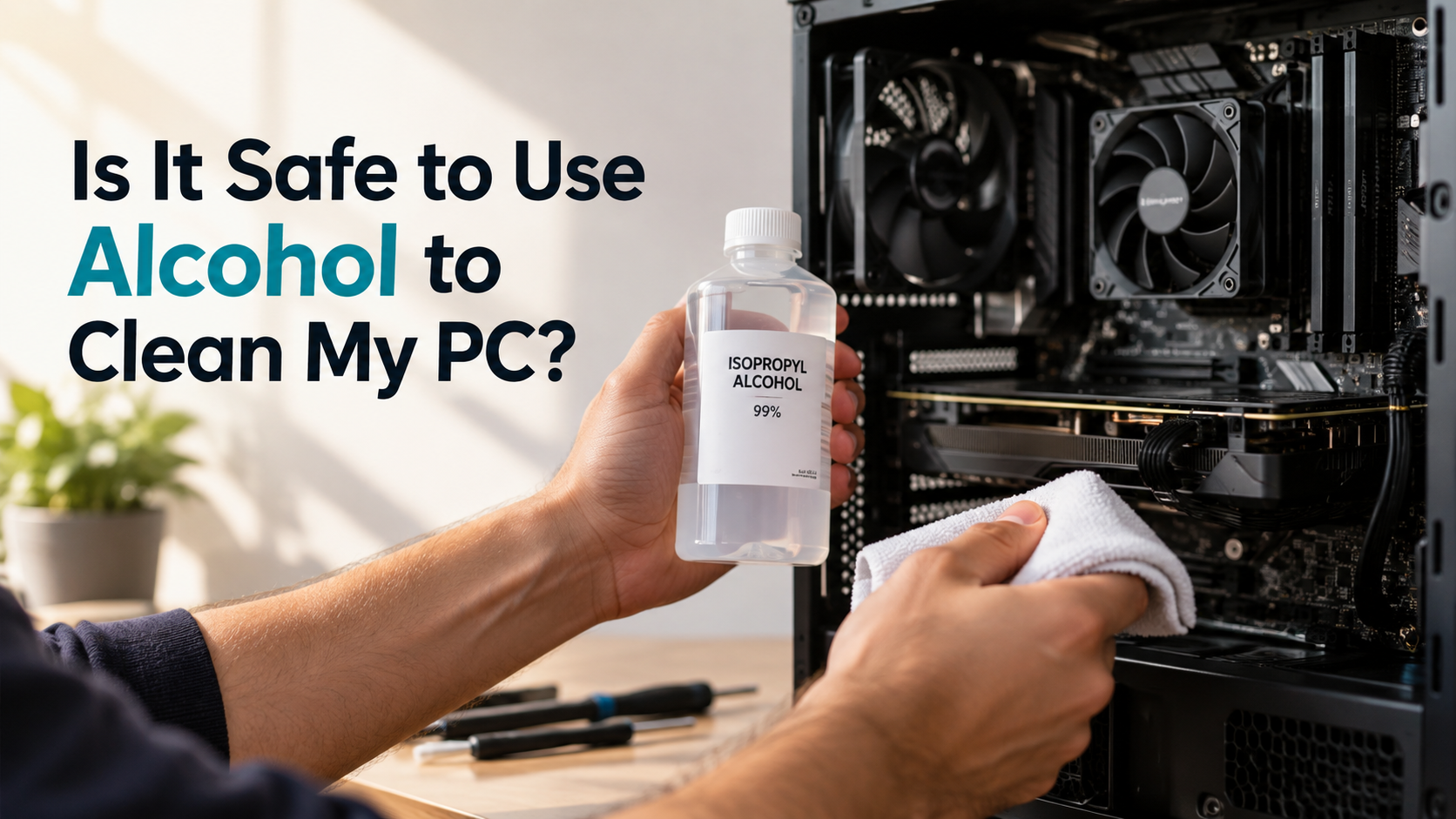
Dust, oils, fingerprints, and thermal paste can build up inside a computer. This often leads PC owners to ask, “Can I use alcohol to clean my PC?” The short answer is yes. Isopropyl alcohol (IPA) is commonly used to clean many PC components when applied correctly.
Isopropyl alcohol (IPA) is widely used for cleaning electronics because it can remove oils, fingerprints, flux residues, and other contaminants. For more information, see this guide to cleaning electronics with isopropyl alcohol from Chemtronics.
Before cleaning, shut down the PC completely and disconnect it from power. Never apply liquid directly to electronic components. Instead, use a small amount on a lint-free cloth or cotton swab.
In this guide, you will learn how to use alcohol safely on PC components. We cover keyboards, CPUs, motherboards, graphics cards, and thermal paste. You will also learn the differences between 70%, 91%, and 99% isopropyl alcohol.
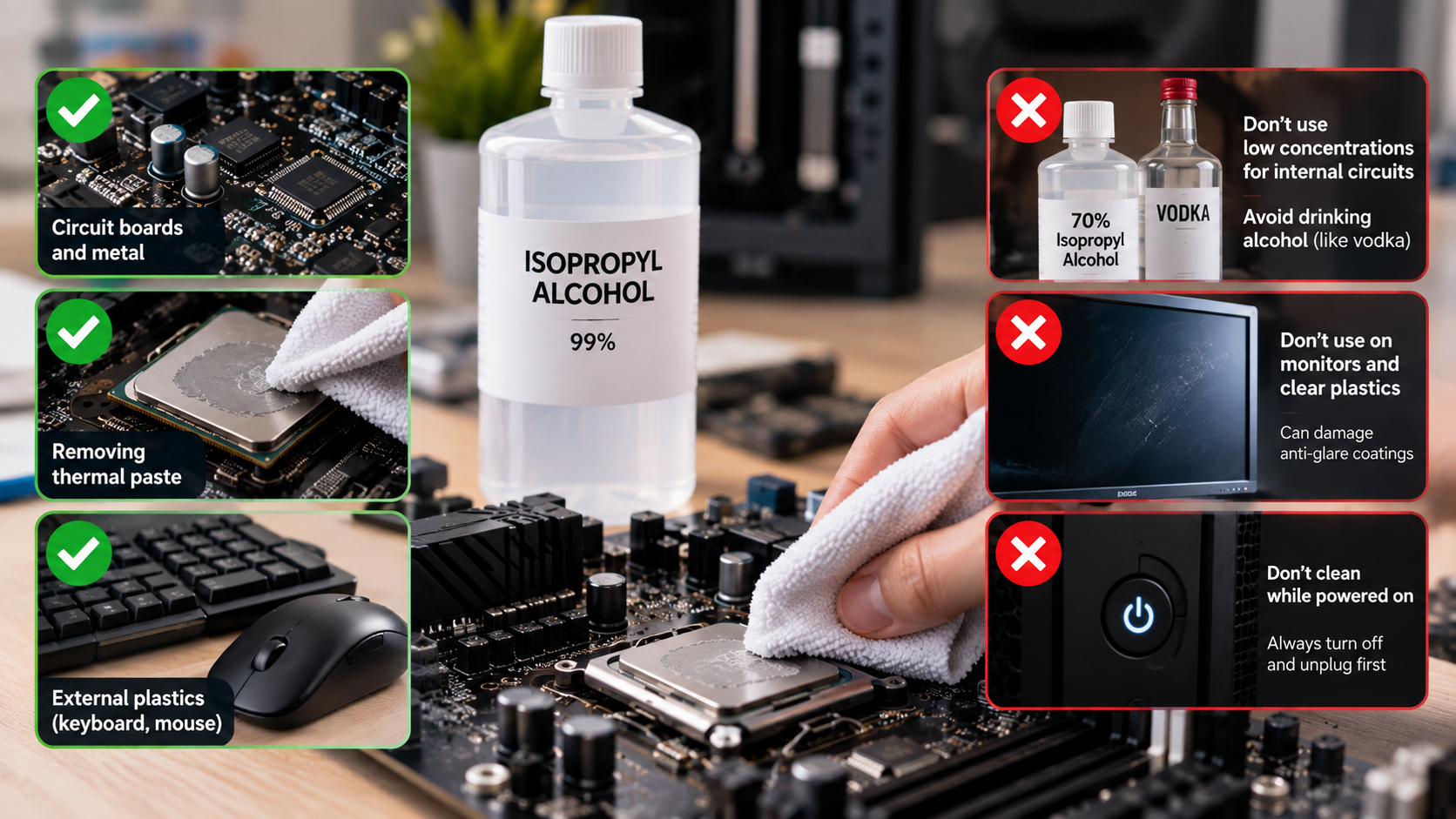
Is It Safe to Use Alcohol to Clean My PC?
Yes, isopropyl alcohol is generally safe for cleaning PC components when used correctly. It can remove fingerprints, oils, thermal paste, and some residue from electronics. It also evaporates without leaving the same type of residue as many household cleaners.
Always shut down your computer before cleaning it. Disconnect the power cable and switch off the power supply. If possible, remove the battery from a laptop before performing internal cleaning.
Never spray alcohol directly onto a motherboard, graphics card, keyboard, or other component. Put a small amount of IPA onto a lint-free cloth or cotton swab instead.
Use only enough liquid to dampen the cleaning material. Avoid soaking components or allowing alcohol to pool around sockets and connectors. After cleaning, allow the component to dry completely before restoring power.
For internal electronics, 90% or higher IPA is often preferred because it contains less water. However, 70% IPA can also be useful for many surfaces when applied carefully.
Essential Drying Time and Static Precautions
Drying time depends on how much alcohol you used. A lightly dampened surface may dry within minutes, while liquid trapped inside a connector needs much longer.
Do not power the PC back on simply because the visible surface looks dry. Check connectors, slots, and recessed areas for remaining moisture.
When cleaning internal hardware, follow these precautions:
- Work in a well-ventilated area.
- Keep alcohol away from flames and high heat.
- Use a lint-free cloth or suitable swab.
- Avoid excessive liquid around sockets and connectors.
- Give components enough time to dry completely.
- Handle circuit boards by their edges when practical.
Static electricity can also damage sensitive components. Use an anti-static wrist strap or another appropriate ESD-safe method when working inside a PC.
Can I Use 70% Alcohol to Clean My Keyboard?
Yes, 70% isopropyl alcohol can be used to clean many keyboard surfaces. It is particularly useful for removing fingerprints, skin oils, and general grime from keycaps and external surfaces. If you are cleaning a laptop rather than a desktop keyboard, follow these additional laptop keyboard cleaning tips to avoid damaging delicate components.
However, the keyboard should never be soaked with alcohol. Liquid can enter mechanical switches, membrane layers, USB ports, or the keyboard’s internal circuit board. That can cause malfunction or leave moisture trapped inside.
Disconnect the keyboard before cleaning it. For external surfaces, lightly dampen a microfiber cloth with 70% IPA. Then wipe the keycaps and surrounding areas without allowing liquid to pool.
You can remove compatible keycaps for separate cleaning. Allow them to dry fully before reinstalling them.
Alcohol compatibility also depends on the material. Some printed legends, painted surfaces, rubber coatings, and custom finishes may react poorly to repeated alcohol exposure.
Protecting Delicate Keycap Coatings and Legends
Test the cleaning solution on a small, inconspicuous area first. This is especially important for inexpensive keyboards or custom keycaps with printed or coated surfaces.
ABS and PBT keycaps often tolerate IPA, but their finishes can vary. A manufacturer may also recommend a different cleaning method.
Avoid aggressive scrubbing. It can wear away printed legends even when the plastic itself remains unaffected.
For safer keyboard cleaning:
- Disconnect the keyboard first.
- Remove loose dust before using liquid.
- Apply IPA to the cloth rather than the keyboard.
- Avoid flooding switches and openings.
- Check the manufacturer’s cleaning instructions.
- Let everything dry before reconnecting the keyboard.
If your goal is disinfection rather than deep internal cleaning, 70% IPA can be useful. For electronic contacts and internal components, higher-purity IPA is often more convenient.
Can I Use 70% Alcohol to Clean My CPU?
Yes, 70% isopropyl alcohol can be used to clean a CPU’s metal heat spreader. The main drawback is its higher water content. This makes it evaporate more slowly than 90% or 99% IPA.
When removing thermal paste, 90% or higher IPA is usually more convenient. It dissolves oily thermal compound effectively and leaves less water behind.
You do not need to clean the CPU silicon itself during normal thermal paste replacement. Most desktop processors have a metal integrated heat spreader that you can safely wipe.
Apply a small amount of IPA to a lint-free cloth or suitable microfiber material. Gently wipe the old thermal paste from the heat spreader. Do not pour alcohol onto the processor.
If alcohol reaches the CPU socket, remove excess liquid and allow it to dry completely. Be especially careful with delicate socket pins, because physical damage can be far more serious than the cleaning process itself.
Safe Thermal Paste Removal on Processors
Start by removing most of the old thermal paste with a dry, lint-free cloth. Then use a small amount of IPA to remove the remaining residue.
For stubborn paste, repeat the process instead of applying excessive pressure. The goal is a clean metal surface, not aggressive scrubbing.
If 70% IPA is the only option available, you can still use it carefully. Simply use a small amount and allow additional drying time.
Follow these steps:
- Shut down and unplug the computer.
- Remove the CPU cooler carefully.
- Wipe away excess thermal paste.
- Dampen a lint-free cloth with IPA.
- Gently clean the CPU heat spreader.
- Allow the surface to dry completely.
- Apply fresh thermal paste before reinstalling the cooler.
Avoid unnecessary contact with the CPU’s underside and socket contacts. Once the heat spreader is clean and dry, you can install the cooler again.
Which Isopropyl Alcohol Is Better for Electronics, 91% or 70%?
For internal PC electronics, 91% or higher is generally more convenient than 70% IPA. The main reason is the lower water content. Higher concentrations usually evaporate faster and leave less moisture behind. Good airflow also matters when maintaining internal components, so choosing a PC case designed for effective air and liquid cooling can help with overall hardware maintenance.
This does not mean 70% IPA will automatically damage electronics. It can be used carefully on suitable surfaces. The important factors are the amount applied, the component being cleaned, and the drying time.
For motherboards, graphics cards, and other circuit boards, use a small amount of IPA. Never pour alcohol onto the board or spray it directly into connectors.
A 91% solution provides a useful balance between cleaning ability and evaporation. 99% IPA leaves even less water behind and is commonly chosen for more delicate electronics maintenance.
Disinfection Versatility Versus Circuit Board Safety
The best concentration depends on what you are cleaning. For example, 70% IPA can be useful for external surfaces where disinfection is also important.
For internal electronics, higher-purity IPA is often preferable because it reduces the amount of water introduced during cleaning.
A simple comparison looks like this:
| Alcohol concentration | Typical use | Main consideration |
|---|---|---|
| 70% IPA | Keyboards and external surfaces | Slower evaporation |
| 91% IPA | General electronics cleaning | Good balance |
| 99% IPA | Circuit boards and thermal paste | Very low water content |
Regardless of concentration, technique remains important. Avoid excessive liquid and allow components to dry fully before applying power.
Is 100% Isopropyl Alcohol Safe for Electronics?
99% or anhydrous isopropyl alcohol can be useful when using alcohol to clean my PC, but saying that 100% IPA is completely safe for everything would be too broad. Electronics often tolerate IPA well, but some plastics, adhesives, rubber parts, labels, and protective coatings can react to concentrated alcohol.
For circuit boards and metal surfaces, high-purity IPA is useful because it contains very little water. It can remove oils, flux residue, and thermal paste while evaporating quickly.
However, not every component should be treated with concentrated IPA. Displays, painted surfaces, rubber coatings, and certain plastics may require different cleaning methods. Always check the material before applying alcohol.
Use the smallest amount necessary. Apply the alcohol to a lint-free cloth or suitable swab instead of pouring it directly onto the hardware.
Remember that isopropyl alcohol is highly flammable. Keep it away from flames, sparks, hot tools, and other ignition sources.
Safe Handling of Anhydrous Solvents
High-purity IPA should be stored in a tightly closed container. Isopropyl alcohol can absorb moisture from the surrounding environment, which may gradually reduce its concentration.
Good ventilation is also important because IPA vapors can accumulate in poorly ventilated areas. Never smoke or use an open flame while cleaning your computer.
When using alcohol to clean my PC, follow these basic precautions:
- Keep the container tightly sealed.
- Work in a well-ventilated area.
- Keep IPA away from ignition sources.
- Use only small quantities during cleaning.
- Wear suitable gloves during prolonged exposure.
- Check material compatibility before cleaning plastics or coatings.
- Allow components to dry completely before restoring power.
For most PC maintenance, 91% or 99% isopropyl alcohol is a practical choice for internal electronics. Controlled application matters more than simply choosing the highest concentration available.
Conclusion
Using alcohol to clean my PC is generally safe when you choose the right product and use it carefully. Isopropyl alcohol (IPA) is a practical option for removing thermal paste, fingerprints, oils, and other residues from many computer components. However, the concentration and application method both matter.
For internal electronics, 91% or 99% IPA is usually the more practical choice because it contains less water and evaporates quickly. 70% IPA can still work for keyboards and some external surfaces, but it requires more drying time. Always apply a small amount to a lint-free cloth or swab instead of spraying alcohol directly onto your hardware.
Most importantly, shut down and unplug your PC before cleaning. Avoid excessive liquid, protect sensitive connectors and coatings, and make sure every component is completely dry before restoring power. With these precautions, alcohol can be a useful part of regular PC maintenance without unnecessarily risking your hardware.