Will GTA 6 Be Better on TV or Monitor?
Choosing between playing GTA 6 on a TV or monitor depends on how you want to experience Vice City. Your display affects immersion, visual clarity, and responsiveness. A large living room screen delivers cinematic scale, while a desktop display offers sharp details and comfortable viewing at close distances.
Upgrading your gaming setup before launch can improve your experience. However, choosing the wrong display may limit the visual quality you expect. Poor contrast can wash out vibrant neon sunsets. Slow pixel response can also create distracting motion blur during high-speed police chases.
In this guide, we’ll compare playing GTA 6 on a TV versus a monitor. You’ll discover which television models offer excellent gaming features, how display performance differs, and what frame rates you should expect. We’ll also explain which display specifications matter most when preparing your setup for Grand Theft Auto VI.
Should I Play GTA 6 on a TV or Monitor?
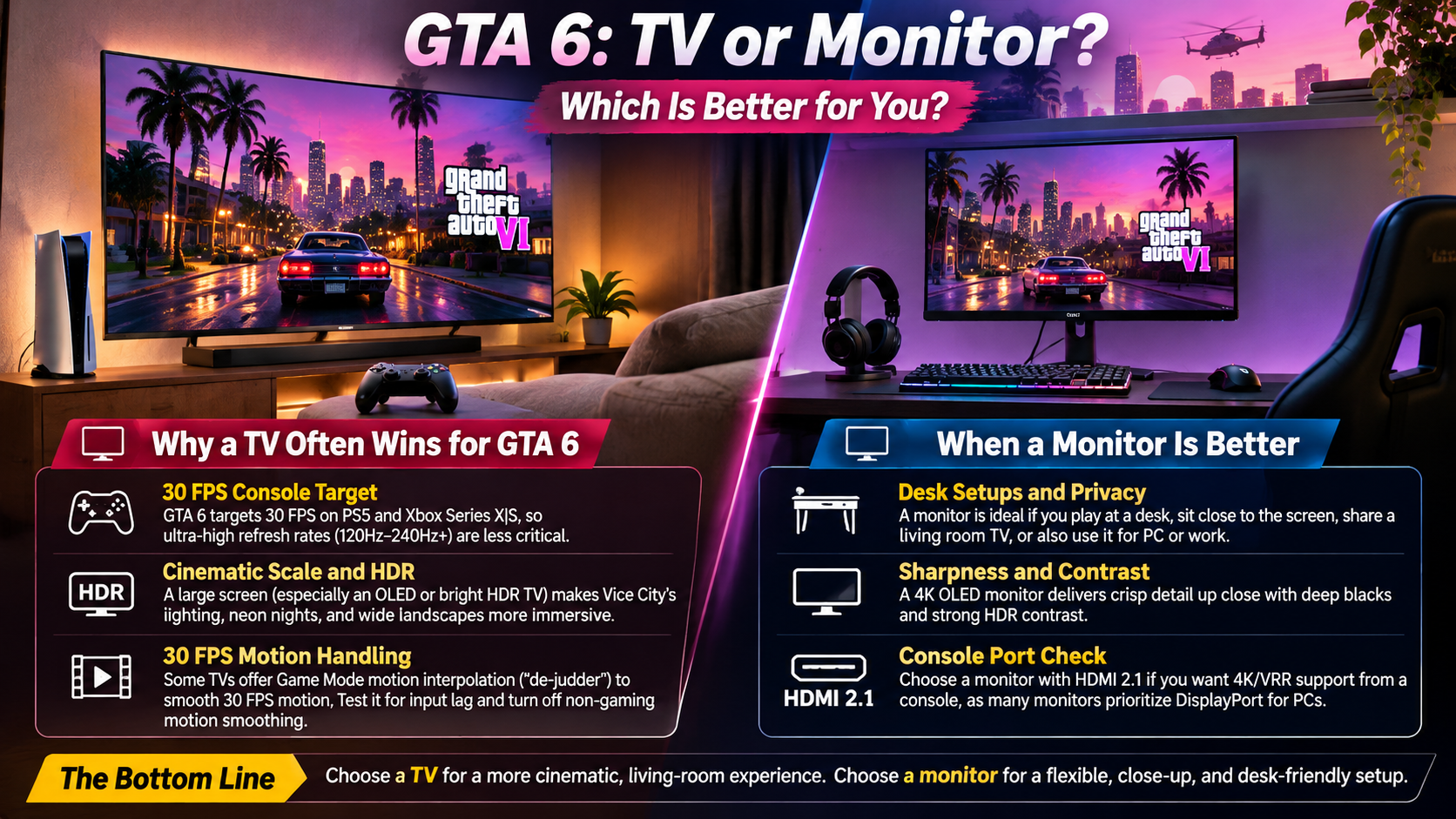
You should play GTA 6 on a TV if you prioritize cinematic immersion, comfortable seating, and impressive HDR visuals. However, a gaming monitor suits players who prefer desk gaming, sharp details, and responsive controls.
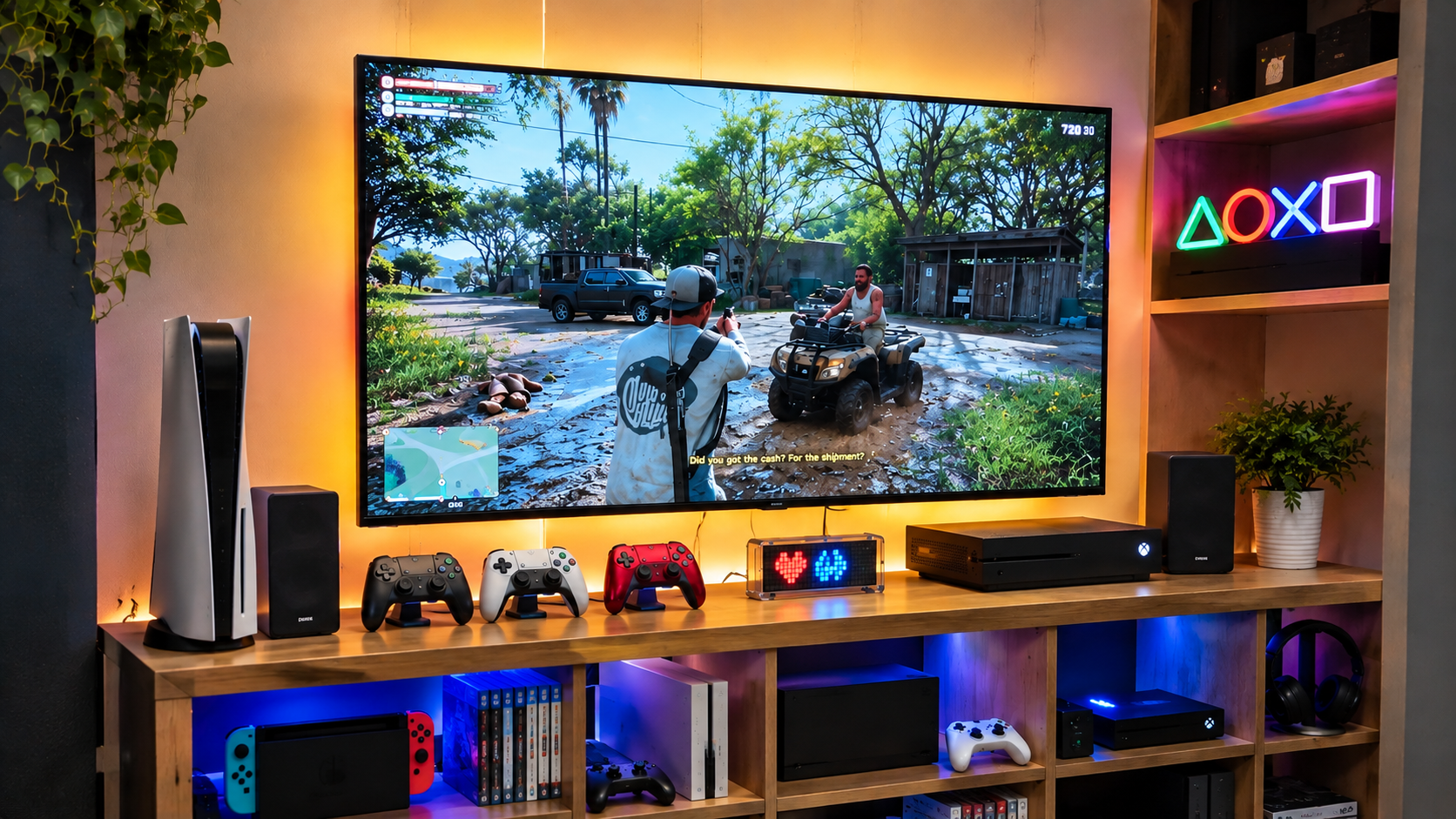
Grand Theft Auto VI is an open-world, story-driven adventure. Its detailed environments, weather effects, and cinematic sequences benefit from larger screens. Sitting comfortably on a sofa while exploring Leonida can create an immersive experience.
A 65-inch OLED television can make city lights, sunsets, and dark environments look spectacular. However, a large screen isn’t automatically better. Viewing distance, resolution, and panel quality also influence image clarity.
A 27-inch or 32-inch 4K monitor offers excellent detail at shorter viewing distances. If you’re planning to upgrade your setup, choosing the right display through this guide to choosing the perfect gaming monitor can help you find a screen that balances resolution, refresh rate, and image quality.
Ultimately, your preferred gaming environment matters more than screen size alone. Consider your seating arrangement, available space, and display specifications before deciding.
Matching Your Display to Your Playstyle
Your gaming habits should influence whether you choose a TV or monitor for GTA 6. Different displays offer different advantages depending on how you enjoy open-world games.
If you enjoy exploring cities, driving along coastlines, and watching cinematic sequences, a television offers greater immersion. Its larger screen makes detailed environments feel more expansive. Modern OLED and Mini-LED televisions also deliver impressive contrast and HDR brightness.
A gaming monitor makes more sense if you prefer sitting close to your screen. Its compact size allows you to examine interface elements and smaller details comfortably. This setup also works well for players who frequently switch between gaming and desktop activities.
Consider these differences before choosing:
- Choose a TV: If you prefer sofa gaming, cinematic visuals, and larger screens.
- Choose a monitor: If you want desk gaming, close-up clarity, and a compact setup.
- Consider an OLED display: If deep blacks and accurate contrast matter most.
- Consider Mini-LED: If you play in brightly lit rooms and need higher brightness.
Your preferred gaming environment should guide the final decision. Your console budget matters too, especially when planning a complete gaming setup. If you’re still deciding which system to buy, explore the most affordable gaming consoles in 2026 before investing in a new display.
Which TV Is Best to Play GTA 6?
The best TV for playing GTA 6 should combine excellent contrast, accurate colours, and modern gaming features. An OLED television with HDMI 2.1, VRR, and ALLM offers an excellent starting point.
Models such as the LG C4 and Samsung S90D deliver impressive picture quality. Their OLED panels produce deep blacks and vibrant colours. These characteristics help distinguish bright neon signs from darker environments.
OLED technology also provides extremely fast pixel response times. This reduces motion smearing during camera movements and high-speed driving sequences.
However, OLED isn’t the only suitable option. Players with brightly lit gaming rooms may prefer Mini-LED televisions. Models such as the Samsung QN90D and Sony Bravia 9 offer high brightness and effective local dimming.
Your final choice should depend on room lighting, budget, screen size, and gaming features. Remember that GTA 6’s actual output also depends on your console and the game’s graphics settings. Your graphics card also plays an important role in gaming performance, and understanding what your GPU can do besides playing games provides additional insight into its capabilities.
Essential TV Specs for Open-World Gaming
When choosing a television for GTA 6, focus on specifications that improve picture quality and gaming responsiveness. You don’t necessarily need the most expensive model. However, certain features can make a noticeable difference.
A native 120Hz refresh rate provides additional flexibility for other compatible games and gaming applications. Nevertheless, GTA 6 currently targets 30 FPS on supported consoles. Therefore, a 120Hz television won’t automatically make this particular game run at 120 FPS.
Check these important specifications before purchasing:
- HDMI 2.1: Provides modern connectivity and supports advanced gaming features.
- Variable Refresh Rate (VRR): Helps reduce screen tearing when supported by the game and console.
- Auto Low Latency Mode (ALLM): Automatically switches compatible displays into a low-latency gaming mode.
- HDR support: Improves the presentation of highlights, shadows, and colour.
- OLED or Mini-LED: Offers excellent contrast or high brightness, depending on your environment.
- Game Mode: Reduces additional image processing that can increase input lag.
These features help prepare your television for modern console gaming. Once you’ve selected your display, adjusting its picture and performance options can also improve your experience. Follow this guide to optimize your monitor settings for gaming and get the most out of your display.
Is Gaming Better on a TV or Monitor?
Gaming is better on a monitor when you prioritize close-up clarity, responsive controls, and desk-based gaming. A television is generally better for cinematic experiences, larger images, and comfortable sofa gaming.
Neither display category wins every comparison. Your viewing distance and preferred gaming environment determine which option works best.
Monitors typically offer higher pixel density at smaller screen sizes. This makes text, interface elements, and fine details easier to examine from close distances.
Modern televisions provide another advantage through their larger panels and advanced image processing. Premium OLED and Mini-LED models deliver impressive contrast, brightness, and HDR performance.
Input lag also deserves consideration. Gaming monitors and premium televisions can both provide responsive experiences. However, inexpensive televisions may introduce additional processing delays.
For GTA 6, these differences matter less than they would in competitive shooters. The game focuses heavily on exploration, storytelling, and open-world activities.
Understanding Input Lag and Pixel Response
Input lag and pixel response time are two important specifications when comparing gaming TVs and monitors. Although they sound similar, they measure different aspects of display performance.
Input lag measures the delay between your controller input and the corresponding action appearing on screen. Lower input lag makes controls feel more responsive.
Pixel response time measures how quickly individual pixels change between colours. Faster transitions help reduce ghosting and motion smearing during movement.
Gaming monitors often advertise response times as low as 1ms. However, manufacturers sometimes measure these figures under ideal conditions. Actual performance depends on the panel and selected settings.
Premium OLED televisions also deliver extremely fast pixel transitions. Their performance can compete with many gaming monitors.
For GTA 6, look beyond advertised specifications. Check independent input-lag measurements and real-world response-time tests before purchasing. Enable Game Mode to reduce unnecessary processing.
Both display types can provide excellent responsiveness when you choose a suitable model. However, maintaining your console also matters for long-term gaming performance. Before cleaning your system, understand whether you can safely clean a game console with a vacuum and which precautions to follow.
What Is GTA 6 Frame Rate?
GTA 6 currently targets 30 frames per second (FPS) across PlayStation 5 and Xbox Series X|S consoles. Rockstar confirmed this performance target on November 10, 2026, explaining that it prioritizes visual fidelity and environmental detail.
This confirmation changes how players should approach their display purchases. A 120Hz television or monitor cannot independently increase the game’s frame rate. The console and game determine how many frames the system renders.
Rockstar has also confirmed additional visual improvements for PS5 Pro. These include PlayStation Spectral Super Resolution (PSSR) and ray-traced shadows. However, the PS5 Pro does not currently offer a confirmed 60 FPS mode.
For players choosing between a TV and monitor, stable motion presentation and image quality deserve greater attention. A good display can make the game’s existing visual output look impressive without requiring higher frame rates.
How Display Refresh Rate Affects Frame Pacing
A display’s refresh rate determines how frequently its screen can update each second. For example, a 60Hz display refreshes 60 times per second, while a 120Hz display refreshes 120 times.
However, refresh rate and game frame rate aren’t interchangeable. GTA 6 currently targets 30 FPS on supported consoles. Connecting your console to a 120Hz monitor won’t automatically produce additional game frames.
A higher-refresh-rate display can still offer useful advantages across your gaming setup. It supports compatible games, provides additional flexibility, and can work with modern VRR implementations.
Consider these differences:
- 30 FPS: GTA 6’s confirmed console performance target.
- 60Hz display: Provides sufficient refresh capability for a 30 FPS game.
- 120Hz display: Offers additional flexibility for other compatible games.
- VRR: Can help manage supported refresh-rate fluctuations within the display’s operating range.
For GTA 6, prioritize consistent frame pacing, good motion handling, and picture quality rather than purchasing a display solely for 120Hz support.
Final Verdict: Should You Play GTA 6 on a TV or Monitor?
Choosing between a TV and monitor for GTA 6 ultimately depends on your gaming preferences. A large 4K OLED television offers a more cinematic experience, making Vice City’s detailed environments, vibrant nightlife, and dramatic weather effects feel more immersive. Meanwhile, a 4K gaming monitor provides excellent close-up clarity and fits perfectly into a desk-based setup.
For most players who enjoy story-driven adventures, an OLED TV is the better choice. Its large screen, deep blacks, and impressive HDR capabilities complement GTA 6’s visual design. However, a quality gaming monitor remains an excellent option if you prefer sitting closer to your screen.
Before upgrading, prioritize 4K resolution, good HDR performance, low input lag, and HDMI 2.1 connectivity. A 120Hz refresh rate is useful for other compatible games, but it won’t increase GTA 6’s confirmed 30 FPS target.
For official game announcements and updates, visit Rockstar Games’ official GTA VI website. You can also explore the PlayStation 5 and Xbox Series X|S specifications before choosing your gaming setup.
Ultimately, choose the display that suits your space, budget, and gaming habits. The right screen will help you enjoy every detail of Vice City.