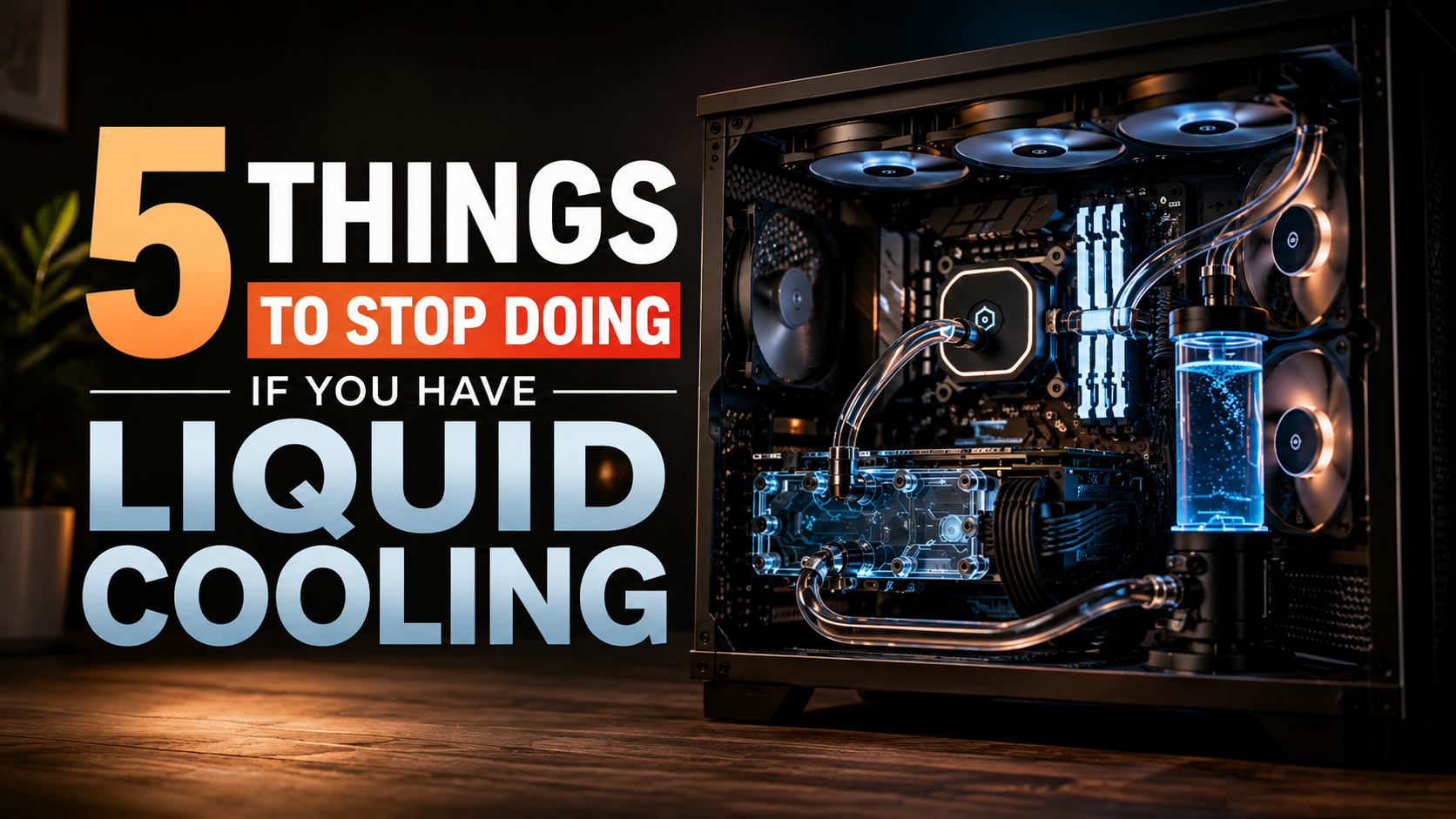
5 Things To Stop Doing If You Have Liquid Cooling
Maintaining a high-performance computer with liquid cooling requires care, precision, and an understanding of hardware limits. Many builders choose custom loops or factory-sealed systems to keep temperatures under control. However, poor maintenance habits can still damage expensive components or reduce cooling performance.
According to hardware insights from NVIDIA, managing thermal loads effectively prevents long-term component degradation. If you rely on liquid cooling, you need to understand the hidden risks and daily maintenance mistakes that lead to failure.
Liquid cooling offers strong thermal performance, but it also introduces additional components and potential failure points. Pumps, fittings, tubing, radiators, and coolant all require appropriate care. Even an AIO cooler, which needs far less maintenance, can eventually experience pump wear or reduced cooling efficiency.
If you rely on liquid cooling, understanding its risks can help you avoid expensive mistakes. This guide answers important questions about liquid cooling disadvantages, system risks, maintenance, AIO reliability, and potential leaks.
The goal is simple: know what to stop doing so your cooling system remains reliable, efficient, and safe for your hardware.
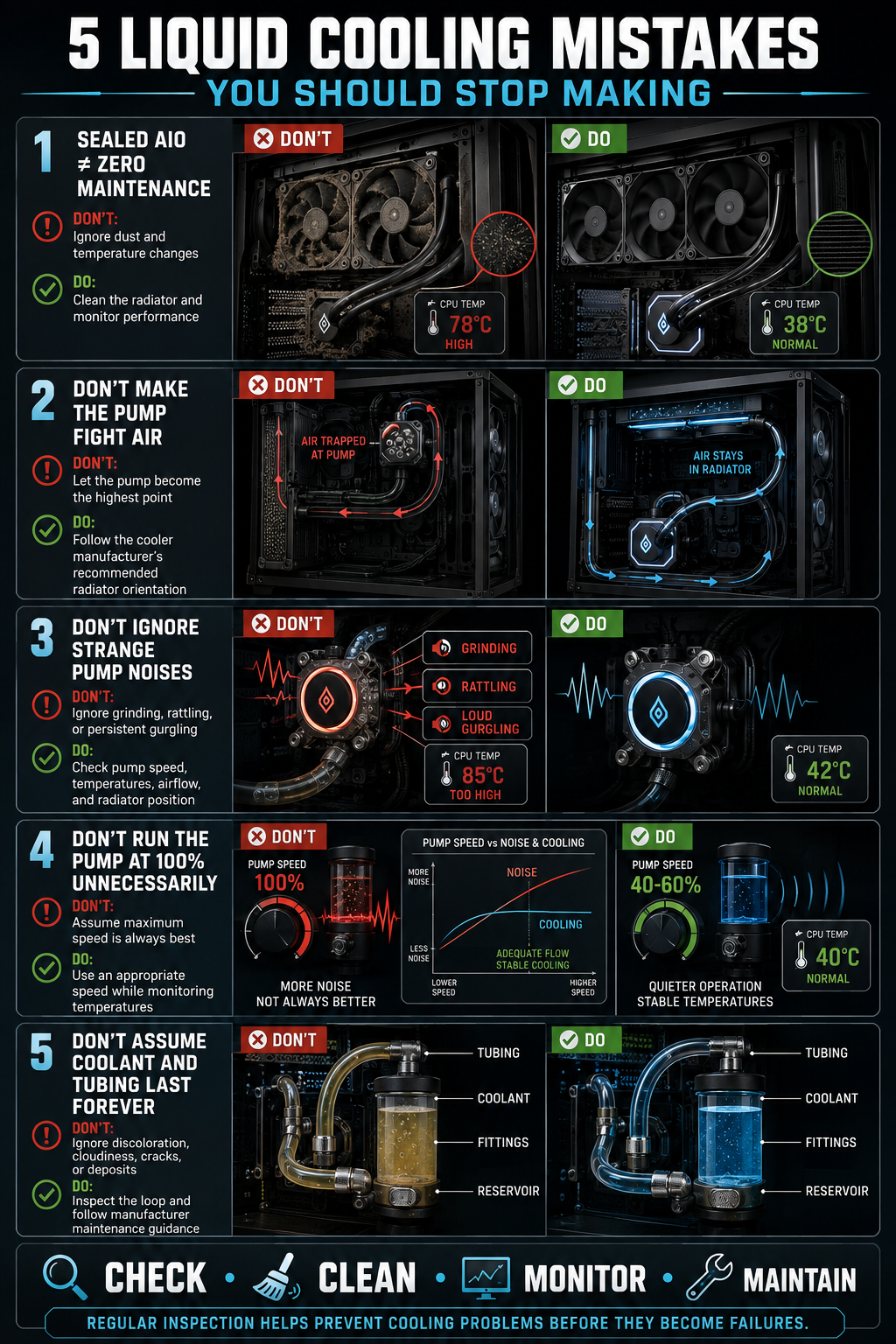
1.Stop thinking a sealed AIO needs zero maintenance
A sealed AIO requires far less maintenance than a custom loop, but it is not completely maintenance-free. You should still keep the radiator and fans free from dust. Dust buildup restricts airflow and can gradually increase CPU temperatures.
You should also monitor your CPU temperature, pump behavior, and fan performance. A sudden temperature increase can indicate a pump problem, poor radiator airflow, or another cooling issue. Unusual noises can also provide an early warning that the pump is wearing out.
Do not open, refill, or modify a sealed AIO unless the manufacturer specifically designed it for servicing. Opening the unit can introduce leaks and may affect your warranty.
Instead, perform simple visual and performance checks during routine PC maintenance. Check for damaged tubing, unusual residue, and changes in cooling performance.
A sealed design reduces maintenance requirements. It does not eliminate them. Treat your AIO as a sealed cooling system that still needs basic monitoring and cleaning throughout its service life.
2.Stop mounting the radiator with the pump fighting gravity
Radiator placement matters because coolant and trapped air behave differently inside a liquid cooling system. The goal is to prevent air from collecting inside the pump chamber, where it can increase noise and potentially affect pump operation.
With a front-mounted radiator, installing the tubes at the bottom is generally preferred when the case allows it. This arrangement helps keep trapped air away from the pump.
Top-mounted radiators are also commonly used and can work very well. In that position, the radiator is normally above the CPU pump block, allowing air to remain in the radiator rather than inside the pump.
The key rule is simple: avoid making the pump the highest point of the loop. The pump should not be forced to continually move air instead of coolant.
Check the cooler manufacturer’s installation guidance because radiator and tube orientation can vary by design. Correct positioning can reduce bubbling, improve acoustics, and help maintain reliable coolant circulation over time.
3.Stop ignoring strange noises from the loop
Liquid cooling systems can produce some normal operating sounds, but sudden or unusual noises deserve attention. A brief bubbling sound during startup can occur when air moves through the loop. However, persistent rattling, grinding, buzzing, or loud gurgling may indicate a problem.
A rattling or grinding pump can suggest mechanical wear. Repeated gurgling may indicate that air is reaching the pump. A sudden change in pump noise can also point to developing hardware problems.
Do not immediately assume that every noise means the cooler is failing. Check the pump speed, CPU temperature, radiator fans, and mounting position first. Dust buildup can also make radiator fans sound louder than usual.
If the noise appears alongside rising temperatures, investigate the cooling system promptly. Continuing to run a system with a potentially failing pump can increase thermal stress on the processor.
For custom loops, also check the coolant level and look for visible air accumulation. Unusual noise combined with higher temperatures is a warning sign, not something you should simply ignore.
4.Stop running the pump at 100% around the clock
Running a liquid cooling pump at 100% is not automatically dangerous. Many pumps can operate continuously at high speeds. However, maximum speed is not always necessary for everyday workloads.
Higher pump speeds can increase noise without providing a meaningful temperature improvement once adequate coolant flow has been achieved. The exact relationship depends on the pump, water blocks, radiator, tubing, and overall loop design.
For many systems, a suitable fixed speed or controlled pump curve can provide a better balance between cooling performance and acoustics. Some users prefer maximum pump speed because it simplifies configuration and can provide additional flow. Others prioritize quieter operation.
Do not reduce pump speed blindly. Monitor CPU and GPU temperatures while adjusting the setting. If temperatures remain stable, a lower speed may be perfectly adequate.
Always follow the pump manufacturer’s recommended operating range. Some pumps have specific minimum speeds or control methods.
The goal is not to run the pump as slowly as possible. The goal is to use enough flow for reliable cooling without unnecessary noise.
5.Stop assuming coolant and tubing last forever
Coolant and tubing can remain reliable for years, but neither should be treated as permanent. In custom loops, coolant can gradually degrade, while tubing can discolor, harden, cloud, or develop other signs of aging.
The correct replacement interval depends on the coolant, tubing, metals, and loop design. Instead of following one universal schedule, use the manufacturer’s maintenance recommendations. Inspect the coolant regularly for cloudiness, particles, unusual color changes, or deposits.
Tubing also deserves periodic inspection. Look for cracks, kinks, discoloration, brittleness, or changes around fittings. These signs can indicate that replacement is becoming necessary.
AIO coolers are different because their coolant and tubing are sealed at the factory. You generally should not open or refill them. However, very slow fluid loss through tubing permeability can occur over long periods.
If an AIO develops higher temperatures, unusual pump noise, or obvious physical damage, investigate the cooler rather than assuming it will continue working indefinitely.
Regular inspection helps you identify aging components before they become leaks or cooling failures.
What are the disadvantages of liquid cooling?
Liquid cooling provides excellent thermal performance, especially during heavy and sustained workloads. However, it is more complex than traditional air cooling. A liquid-cooled system may include pumps, radiators, tubing, fittings, reservoirs, and water blocks. Each component adds another possible point of failure.
Pump failure is one important concern. A failed pump can stop coolant circulation and cause temperatures to rise quickly. Custom loops also require careful installation because loose fittings, damaged tubing, or poor routing can increase leak risks.
Liquid cooling can also take up considerable space inside a PC case. Large radiators may create clearance problems around the motherboard, memory, or graphics card. Choosing the right PC case for air and liquid cooling can help ensure adequate radiator clearance and component compatibility. Custom systems require even more planning.
Other disadvantages include:
- Higher initial hardware costs
- More complicated installation
- Greater maintenance requirements
- Potential pump failure
- Possible coolant leaks
- Additional space requirements
- Coolant degradation in custom loops
For many users, a quality air cooler remains a simpler option. Comparing air cooling vs liquid cooling can help determine which approach makes more sense for your performance, aesthetics, and workload needs.
Higher Financial Cost and Maintenance
Advanced liquid cooling systems usually cost more than standard air cooling. A custom loop may require a pump, reservoir, radiator, CPU block, GPU block, fittings, tubing, and coolant. These parts can quickly increase the total system budget.
Maintenance also adds long-term costs. Custom loops may require coolant replacement, flushing, cleaning, and occasional replacement of worn components. Acrylic blocks and fittings should also be inspected for cracks, damage, or other signs of wear.
However, not every liquid cooling system requires the same level of maintenance. AIO coolers are factory-sealed and generally need much less attention. Users normally only need to keep the radiator and fans clean while monitoring temperatures and pump operation.
Before choosing liquid cooling, consider both the purchase price and maintenance requirements. Understanding how long liquid cooling systems last can also help you evaluate the long-term value of a cooler. A high-end air cooler may provide excellent results without the added complexity.
For enthusiasts, the extra expense may be worthwhile. For everyday users, however, simpler cooling can provide better value and easier long-term ownership.
How risky is liquid cooling?
The risk associated with liquid cooling depends on the cooler design, installation quality, component reliability, and maintenance routine. Modern AIO coolers are factory-filled and sealed, which greatly reduces user-related installation mistakes. Custom loops involve more potential risks because users assemble the system themselves.
Poorly tightened fittings, damaged tubing, incorrect components, or improper routing can increase the chance of leaks. Using low-quality parts can also create unnecessary reliability concerns.
Pump failure is another possible problem. If coolant stops circulating, CPU temperatures can rise rapidly. Modern processors include thermal protection and can throttle or shut down when temperatures become unsafe. However, preventing the problem is still better than relying on emergency protection.
To reduce liquid cooling risks:
- Use components from reputable manufacturers.
- Follow installation instructions carefully.
- Leak-test custom loops before powering the PC.
- Monitor pump operation and temperatures.
- Inspect tubing and fittings regularly.
- Avoid unnecessary modifications to sealed AIO units.
Catastrophic failures are uncommon when systems are installed correctly. Good components, careful installation, and regular monitoring make liquid cooling a reliable option for many PC builders.
Preventing Sudden Pump Failure
A pump is essential to a liquid cooling system because it keeps coolant moving through the loop. If the pump stops, heat can build up quickly around the CPU or other cooled components.
Monitoring pump operation can help you identify unusual behavior early. Many motherboards allow users to monitor pump or fan headers through the BIOS. Software monitoring tools can also display temperatures and fan or pump readings while Windows is running.
Do not ignore sudden temperature increases or unusual pump noises. These symptoms can indicate a developing mechanical problem.
You can also configure temperature warnings through your motherboard or monitoring software. If temperatures rise beyond your normal range, an alert gives you an opportunity to shut the system down before the problem becomes more serious.
Keep in mind that pump-speed readings vary between coolers. Some pumps operate at fixed speeds, while others support speed control. Always follow the manufacturer’s recommended settings.
Regular monitoring cannot prevent every pump failure. It can, however, help you detect cooling problems early and reduce the chance of prolonged overheating.
How to take care of liquid cooling?
Proper maintenance helps your liquid cooling system maintain stable temperatures and reliable performance. The required maintenance depends heavily on whether you use an AIO or custom loop.
For AIO coolers, routine care is relatively simple. Keep the radiator and fans free from dust, check temperatures occasionally, and watch for unusual pump noises. You generally should not open or refill a factory-sealed AIO.
Custom loops require more attention. Inspect tubing, fittings, reservoirs, and water blocks for discoloration, deposits, cloudiness, cracks, or signs of leakage. Follow the coolant manufacturer’s instructions for flushing and replacement rather than relying on one universal schedule.
Useful maintenance tasks include:
- Cleaning radiator fins and fans
- Inspecting fittings and tubing
- Monitoring coolant condition
- Checking for deposits or corrosion
- Watching CPU and GPU temperatures
- Following manufacturer maintenance recommendations
Dust is another important concern. Dirt on radiator fins restricts airflow and reduces heat transfer. Cleaning the radiator regularly helps the cooling system work efficiently.
Inspecting Fittings and Tubing
Fittings and tubing deserve regular attention, particularly in custom liquid cooling loops. Small problems can develop slowly before becoming visible leaks. Checking connection points regularly gives you a better chance of finding issues early.
Look for moisture, staining, discoloration, cracks, or residue around fittings and tubing. Pay particular attention to areas above the graphics card, motherboard, and power supply. Coolant can travel away from the original leak point, making early detection important.
Do not overtighten compression fittings. Excessive force can damage threads, seals, or acrylic components. Always use the installation method recommended by the manufacturer.
You do not need to dismantle your loop during every inspection. A careful visual check is usually enough for routine monitoring.
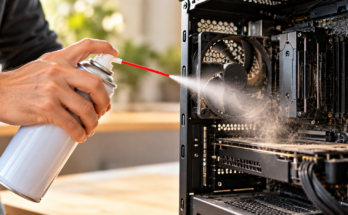
Radiator cleaning is also important. Dust buildup restricts airflow and can increase component temperatures. Use suitable compressed air and prevent fans from spinning freely while cleaning them.
If you notice moisture or suspected coolant residue, shut the system down safely. Do not continue operating a PC while investigating a possible leak.
How risky is AIO cooling?
AIO cooling offers a convenient middle ground between traditional air cooling and custom liquid loops. Manufacturers assemble, fill, and seal these coolers before they reach customers. This removes many installation risks associated with custom systems.
You do not need to fill the loop, connect separate fittings, mix coolant, or bleed trapped air. That makes an AIO easier for beginners and users who want liquid cooling without extensive maintenance.
However, AIO coolers still contain mechanical components. The integrated pump can wear over time, while fans can also fail. Tubing can slowly lose small amounts of fluid through permeability over many years.
A failing AIO does not automatically destroy a PC. Modern processors have thermal protection that can reduce performance or shut the system down when temperatures become excessive. Still, an aging cooler can cause higher temperatures, thermal throttling, or unusual noise.
When choosing an AIO, consider:
- Cooler size and case compatibility
- CPU power requirements
- Pump and fan design
- Manufacturer reputation
- Warranty coverage
- Expected system lifespan
A quality AIO can provide reliable cooling for years when installed correctly and monitored regularly.
Understanding Long-Term Fluid Permeability
AIO tubing can gradually allow very small amounts of coolant to escape as vapor over long periods. This process is called fluid permeability. It happens slowly and does not normally create an immediate cooling problem.
Over several years, however, gradual fluid loss can contribute to reduced cooling performance. An older AIO may begin showing higher temperatures, increased pump noise, or other signs of aging.
There is no single replacement date that applies to every AIO cooler. Lifespan depends on the cooler’s design, materials, pump quality, operating conditions, and usage. Some units may remain reliable for several years, while others may develop problems sooner.
Instead of replacing an AIO based only on age, monitor its performance. Rising temperatures without a change in workload can indicate that the cooler is becoming less effective.
Never open a sealed AIO unless the manufacturer specifically designed it for servicing. Opening the unit can introduce leaks and may void the warranty.
If an older AIO shows clear signs of failure, replacing it is usually safer than continuing to operate it under heavy loads.
Can an AIO leak destroy a PC?
An AIO leak can damage PC hardware, but it does not automatically mean the entire computer will be destroyed. The outcome depends on the amount of coolant released, where it travels, and whether the system is powered when the leak occurs.
Some coolants are designed with low electrical conductivity. However, you should never assume leaked coolant is completely harmless. Contamination and contact with other materials can affect its electrical properties.
If you suspect a leak, shut the computer down immediately. Disconnect power safely before touching wet components. Do not continue using the system to determine whether it still works.
After disconnecting power, identify the affected components and inspect the source of the leak. Hardware should be cleaned and dried appropriately before any attempt to restart the PC.
A small leak does not always result in permanent damage. In some cases, careful cleaning and complete drying may allow hardware to be recovered. However, coolant reaching a powered motherboard, graphics card, or other sensitive electronics can cause electrical damage.
Prevention remains the best approach. Inspect your cooling system regularly and replace damaged components before a small problem becomes a major failure.
Immediate Steps After a Leak
If you discover an AIO or custom-loop leak, remain calm and avoid restarting the PC. The first priority is to stop electrical power safely.
Follow these basic steps:
- Shut the PC down if it is still running.
- Disconnect the system from its electrical supply safely.
- Avoid touching wet components while power remains connected.
- Identify the leak source and affected components.
- Remove affected hardware only when it is safe to do so.
- Clean contaminated components using appropriate methods.
- Allow all affected hardware to dry completely.
- Inspect and repair the cooling system before testing again.
Do not use excessive heat to speed up drying. Heat can damage sensitive components and may push moisture into areas that are difficult to reach.
Never power on hardware simply to check whether it survived. Doing so while moisture remains present can cause additional electrical damage.
If coolant has reached major components such as the motherboard, graphics card, or power supply, consider professional inspection. Proper leak prevention and careful maintenance remain the best protection for your PC.
Frequently Asked Questions
How long does a typical AIO liquid cooler last?
Most sealed AIO liquid coolers last between three to six years depending on usage intensity and pump quality. Over time, the internal pump bearings wear down and minor fluid evaporation reduces cooling efficiency. Replacing the unit proactively prevents unexpected thermal throttling.
Do I need special coolant for custom liquid loops?
Yes, you must use specialized pre-mixed coolants designed specifically for PC liquid cooling loops. These fluids contain anti-corrosive inhibitors and biological growth preventatives. Using plain tap water will quickly ruin your copper blocks and metal fittings.
Can liquid coolers leak right out of the box?
Factory defects can occasionally cause dead-on-arrival leaks, though quality control testing makes this rare. This is why thorough dry-testing or paper-towel testing your system outside the chassis before final assembly remains a crucial step for every PC builder.
Is liquid cooling better than air cooling for gaming?
Liquid cooling generally offers better thermal performance under heavy, sustained workloads and keeps processor boost clocks higher for longer durations. However, high-end dual-tower air coolers often match budget AIO liquid coolers while remaining completely silent and virtually bulletproof.
Conclusion
Managing a liquid-cooled PC requires diligence, attention to detail, and sensible maintenance. Liquid cooling can deliver excellent performance, but it introduces additional components that need proper care.
Understanding the disadvantages and potential risks helps you make better decisions. Stop ignoring pump behavior, skipping recommended maintenance, or overlooking visible problems around fittings and tubing.
A few simple habits can protect your investment:
- Monitor pump operation and temperatures.
- Keep radiators and fans clean.
- Inspect custom-loop fittings and tubing.
- Use the correct coolant for your system.
- Follow manufacturer maintenance guidance.
- Shut down immediately if you suspect a leak.
- Never power on wet hardware.
AIO coolers generally require less maintenance than custom loops, but they are not completely maintenance-free. Pumps and other components can still wear over time.
With proper installation, monitoring, and maintenance, liquid cooling can remain a reliable way to control temperatures. Avoiding these common mistakes can help keep your system cool, quiet, stable, and efficient for years. If you plan to push your processor beyond standard settings, follow this guide to overclock your CPU safely.