How Long Do Users Say Liquid Cooling Systems Last? Real Insights and Lifespan Expectations
When building a high-performance PC, effective thermal management plays a major role in system stability and hardware protection. Many enthusiasts ask, how long do users say liquid cooling systems last? compared with traditional air coolers.
Liquid cooling systems can deliver excellent temperatures, lower noise levels, and improved performance. However, they contain more components than air coolers, including pumps, coolant, tubing, and radiators. Each part can affect overall reliability.
Most users report that liquid cooling systems last several years when installed correctly and maintained properly. Products from manufacturers such as Corsair and other leading brands often provide reliable performance, but real-world lifespan depends on usage patterns, installation quality, and maintenance habits.
This guide explores user experiences, average lifespans, common failure points, and ways to extend the life of your liquid cooling setup.
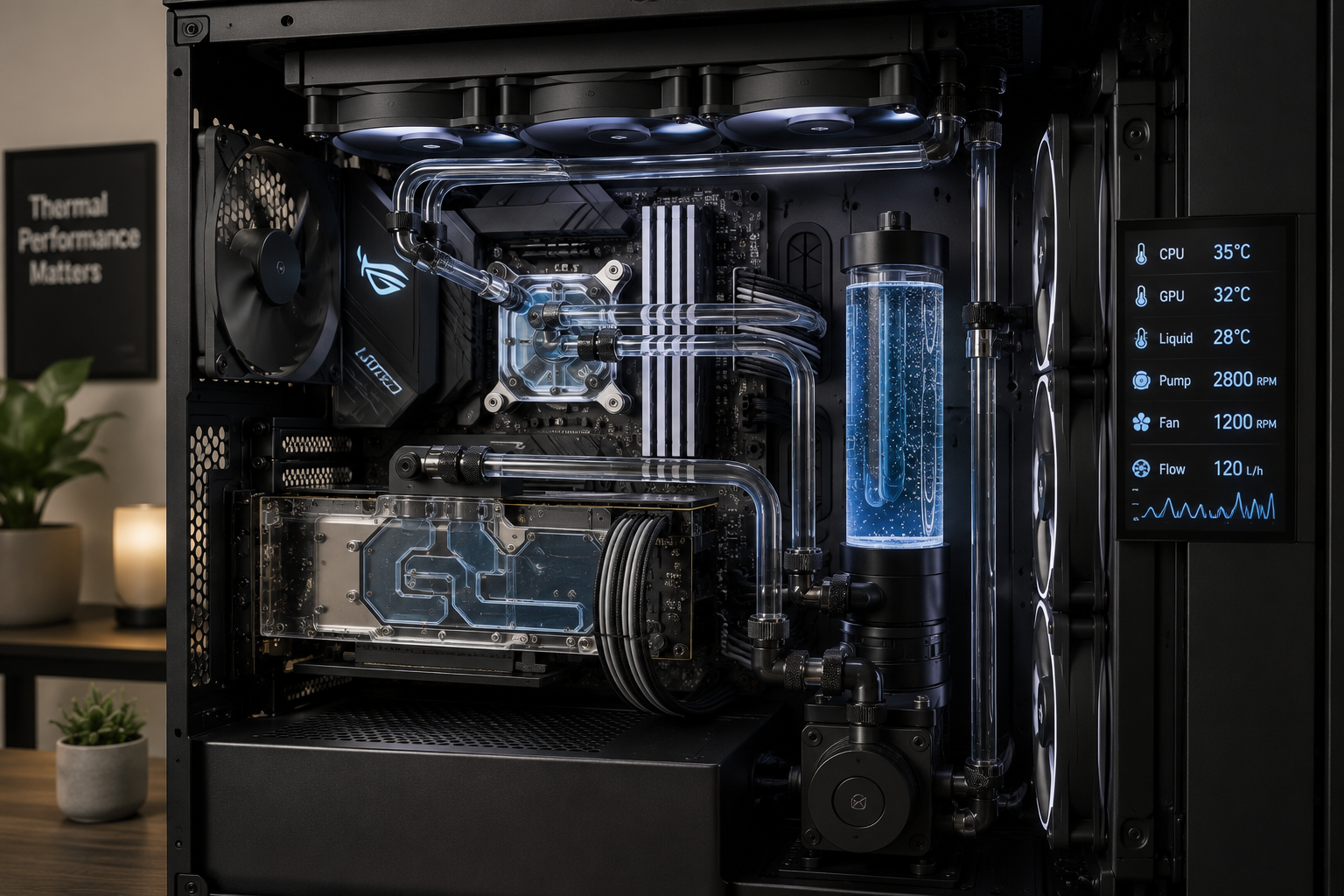
What Is the Lifespan of a Liquid Cooling System?
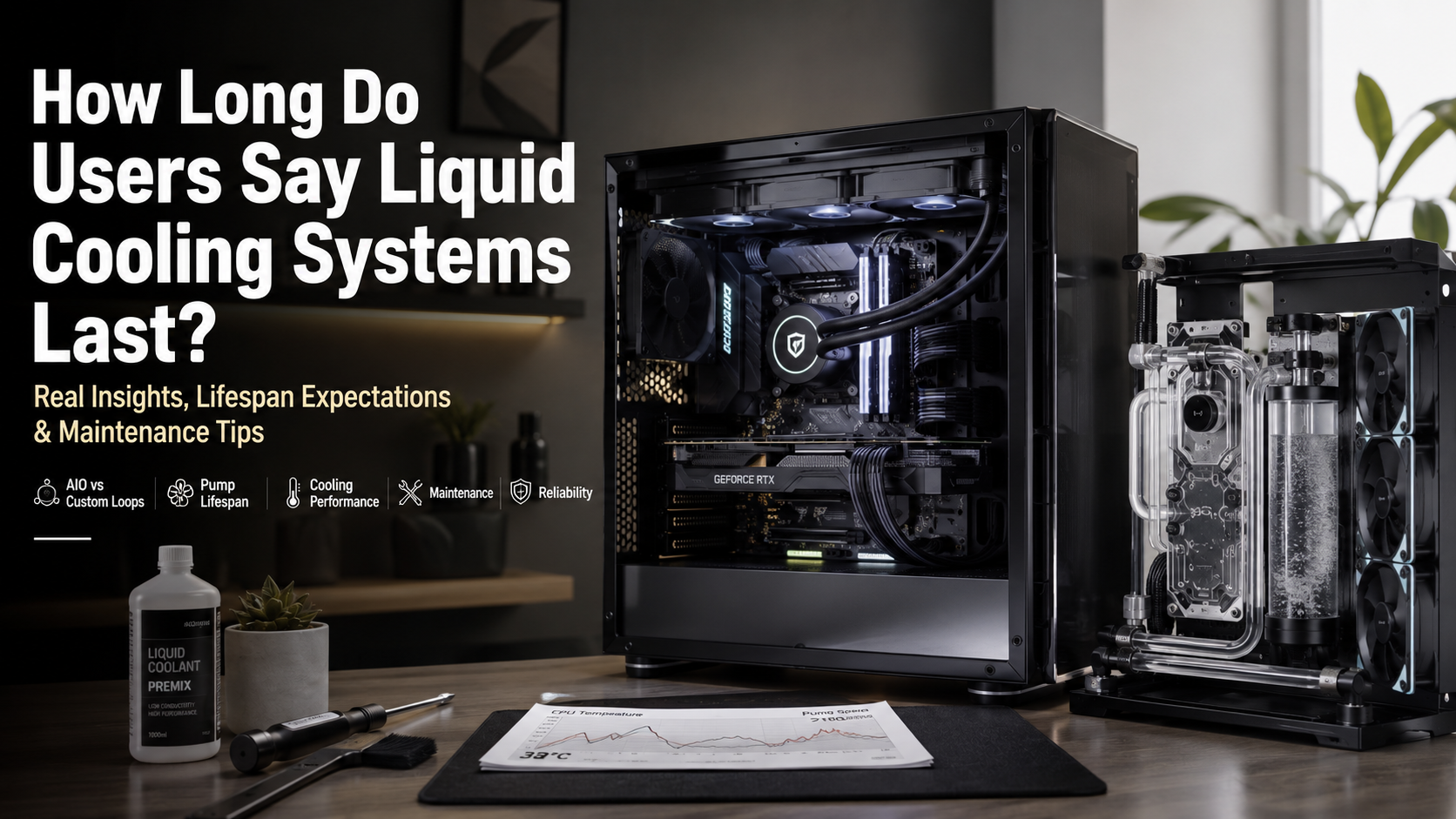
The typical lifespan of a liquid cooling system depends on the type of cooler you use. A standard AIO liquid cooler generally lasts between three and six years, while a properly maintained custom liquid cooling loop can continue performing for a decade or even longer. The biggest difference lies in maintenance. AIO coolers are factory sealed and cannot be easily serviced, whereas custom loops allow users to replace coolant and clean components regularly.
Over time, sealed AIO units experience coolant permeation, a natural process where tiny amounts of liquid slowly escape through the tubing. As coolant levels decrease, cooling performance drops and the pump works harder. Ambient temperature, daily workload, and installation quality also influence overall lifespan. Choosing a reputable brand, mounting the radiator correctly, and keeping the system free from dust can significantly extend the life of your liquid cooling solution while maintaining stable CPU temperatures.
Understanding Manufacturer Warranties and Pump Wear
Most reputable liquid cooler manufacturers provide three- to six-year warranties, which closely match the expected lifespan of many AIO liquid coolers. While a warranty does not guarantee a cooler will fail after that period, it offers a good indication of how long the manufacturer expects the hardware to perform reliably under normal conditions.
The water pump is usually the first component to wear out. It operates continuously whenever the computer is running, making it vulnerable to mechanical and electrical wear over time. As the pump ages, coolant circulation becomes less efficient, causing CPU temperatures to rise during demanding tasks.
Proper installation can help extend pump life. Mount the radiator so that air collects away from the pump block whenever possible. This reduces the chance of air bubbles entering the pump, lowering noise and unnecessary strain. Regularly cleaning radiator fins and fans also improves airflow, helping the entire cooling system operate efficiently for longer.
How to Tell If Your AIO Is Dying?
Recognizing the early signs of a failing AIO liquid cooler can help prevent overheating and protect your processor from performance issues. One of the most common warning signs is a sudden increase in CPU temperatures during normal use. If your system becomes unusually hot while performing the same tasks, the pump or coolant flow may be declining.
Strange noises from the pump block are another indicator of trouble. Rattling, grinding, or unusual buzzing sounds often suggest that the pump is struggling or reaching the end of its lifespan. A failed pump may also cause your CPU temperature to rise immediately after startup, even when the radiator fans are running at full speed.
Other signs of AIO failure include:
- Higher idle temperatures compared to previous readings
- Reduced cooling performance during gaming or heavy workloads
- Stiff tubing or visible damage around the cooler
- Moisture, leaks, or corrosion near fittings
Monitoring temperatures with hardware software can help detect problems early. If cleaning dust and improving airflow does not solve rising temperatures, replacing the AIO cooler is usually the safest option.
Monitoring Coolant Flow and Thermal Performance
Tracking your CPU temperatures is one of the best ways to monitor the health of your liquid cooling system. Hardware monitoring tools can help you compare temperature changes over time and identify whether your cooler is losing efficiency. A gradual increase in CPU temperatures under the same workload may indicate reduced coolant levels, pump wear, or declining thermal performance.
Before assuming your AIO cooler has failed, check simple issues first. Dust buildup on radiator fins can restrict airflow and reduce cooling efficiency. Cleaning the radiator, checking fan operation, and improving case airflow can often restore normal temperatures.
If temperatures continue increasing after basic maintenance, the problem may be inside the cooler itself. In sealed AIO cooling systems, coolant loss caused by long-term permeation cannot usually be repaired. A weakening pump or reduced coolant circulation may eventually prevent the cooler from removing heat effectively.
Regular temperature monitoring allows you to identify cooling problems early and replace aging components before they affect expensive PC hardware.
How Risky Is Liquid Cooling?
Modern liquid cooling systems are designed with strong safety features, but they still carry some risks because they place liquid near valuable computer components. The biggest concern among PC builders is leakage. A coolant leak can potentially reach the motherboard, graphics card, or power supply, causing electrical damage.
For most users, the risk is relatively low with a quality AIO liquid cooler. These systems are factory sealed and tested before shipping. They use reinforced tubing and secure fittings to reduce the chances of leaks during normal operation. However, no mechanical system is completely risk-free.
Custom water cooling loops require more attention because users install and maintain every component themselves. Multiple fittings, tubing connections, and coolant changes create more opportunities for installation mistakes.
Common risks include:
- Coolant leaks from damaged tubing or loose fittings
- Pump failure causing rapid temperature increases
- Poor installation leading to air trapped inside the system
- Incorrect maintenance affecting long-term reliability
With careful installation, proper testing, and regular maintenance, liquid cooling remains a safe and effective solution for high-performance gaming PCs.
Minimizing Leak Risks Through Proper Installation
Proper installation is one of the most important factors in reducing the risks associated with liquid cooling systems. A correctly installed cooler improves reliability, maintains efficient coolant flow, and lowers the chance of unexpected leaks. This is especially important for custom water cooling loops, where users assemble multiple components manually.
Before powering on a custom loop, builders should perform a thorough leak test. Many enthusiasts run the pump separately for several hours while keeping other PC components disconnected. This process helps identify loose fittings or damaged connections before coolant reaches sensitive hardware.
Using high-quality components also improves long-term safety. Reliable tubing, secure fittings, and trusted coolant formulas reduce the chances of system failure. Some users prefer non-conductive coolant, which may help reduce immediate electrical damage if a minor leak occurs, although it does not eliminate all risks.
For AIO coolers, careful mounting is equally important. Correct radiator placement, secure connections, and proper cable management help maintain stable operation. A well-installed liquid cooler can provide years of dependable cooling performance.
How Often Should I Replace Liquid Cooling in My PC?
The recommended liquid cooling replacement schedule depends on whether you use an AIO cooler or a custom water cooling loop. For most AIO liquid coolers, replacement is generally recommended after around five years of regular use. Some units may last longer, but aging pumps, reduced coolant levels, and declining thermal performance can make replacement a better option.
Because AIO systems are sealed, users usually cannot refill or service the internal coolant. Once the cooler begins losing efficiency, replacing the entire unit is often the safest and most practical solution.
Custom cooling loops require a different maintenance approach. Instead of replacing the entire system, users can maintain performance by regularly servicing individual parts. Recommended maintenance includes:
- Draining and replacing coolant every 12–18 months
- Cleaning water blocks and radiators when needed
- Checking fittings and tubing for wear
- Inspecting coolant for particles or discoloration
Heavy workloads, high ambient temperatures, and frequent gaming sessions can shorten cooling system lifespan. Monitoring CPU temperatures and pump performance helps determine when replacement or maintenance is necessary.
Is Liquid Cooling Still Worth It?
For many PC enthusiasts, liquid cooling is still a worthwhile investment, especially when using powerful processors for gaming, content creation, streaming, or professional workloads. Modern CPUs can generate significant heat during demanding tasks, and a capable liquid cooler can help maintain lower temperatures and stable performance.
An AIO liquid cooler provides several advantages over traditional air cooling. It usually offers strong thermal performance, cleaner installation, and a more attractive appearance inside a gaming PC case. Many compact builds also benefit from liquid cooling because the radiator can move heat directly toward the case exhaust area.
However, liquid cooling is not the perfect choice for every system. High-quality air coolers can deliver excellent performance with fewer maintenance requirements and no risk of coolant leaks. Budget-focused users or those building simple systems may find air cooling more practical.
Liquid cooling is most valuable for users who want:
- Better thermal headroom for high-performance CPUs
- Improved temperatures during extended workloads
- A cleaner and more customized PC design
- Reliable cooling for overclocking or demanding applications
Choosing between liquid and air cooling depends on your performance needs, budget, maintenance preferences, and overall PC goals.
Liquid Cooling System Lifespan FAQs
How long do users say liquid cooling systems last on average?
Most users report that AIO liquid cooling systems last between three and six years. Some units continue working longer, depending on installation quality, usage, and maintenance.
Custom liquid cooling systems can last much longer because individual parts can be replaced. While tubing and coolant require regular updates, radiators and water blocks can remain functional for many years.
Proper airflow, correct radiator placement, and routine maintenance are the biggest factors affecting lifespan.
Can a liquid cooling system leak and damage my PC?
Yes, leaks are possible, although modern liquid coolers are designed with strong manufacturing standards. Most leaks occur because of damaged tubing, loose fittings, or installation mistakes.
A leak can potentially damage sensitive components such as the motherboard or graphics card. Users should inspect their system carefully after installation.
For custom loops, performing a leak test before powering on the entire PC is an important safety step.
Should I choose an air cooler or a liquid cooler for longevity?
Air coolers generally last longer because they have fewer failure points. A traditional heatsink does not contain coolant or a pump, and its fan can usually be replaced easily.
Liquid coolers provide advantages such as improved temperatures, quieter operation, and better aesthetics. However, pumps and coolant introduce additional components that can eventually fail.
For maximum reliability with minimal maintenance, air cooling is usually the safer choice. For high-performance builds, liquid cooling may provide better thermal results.
How often should custom loop coolant be replaced?
Most custom loop users replace coolant every 12 months. Regular replacement helps maintain cooling efficiency and prevents deposits from forming inside the system.
During maintenance, users should flush the loop, inspect components, and check for signs of corrosion or buildup.
Consistent maintenance keeps the system cleaner and helps extend component lifespan.
Does radiator mounting position affect liquid cooler lifespan?
Yes. Radiator placement can influence pump health and overall cooling performance.
When the radiator sits below the pump, air may collect inside the pump chamber. This can create noise and increase mechanical stress.
Placing the radiator above the pump allows trapped air to move away from the pump, improving reliability and reducing wear.
What are the main symptoms of a failing water pump?
A failing water pump often produces unusual sounds and causes temperature problems. Users may notice buzzing, clicking, or grinding noises.
CPU temperatures may rise quickly even during light workloads. Monitoring software may also show abnormal pump speeds or zero RPM readings.
If the pump has completely failed, replacing the cooler is usually necessary.
Conclusion
Understanding how long do users say liquid cooling systems last helps PC builders choose the right cooling solution for their needs. AIO coolers commonly provide reliable performance for three to six years, while custom liquid cooling systems can last much longer with proper maintenance.
Liquid cooling offers excellent thermal performance, but it requires attention to installation, airflow, and component health. Monitoring pump noise, temperatures, and coolant condition can prevent unexpected failures. It is also important to ensure your cooling solution matches your processor’s performance requirements and avoids issues like CPU bottlenecking that can affect overall system balance. Learn more about this topic in our guide on how CPU bottlenecking affects PC performance.
For users who want simple reliability, air cooling remains a strong option. For enthusiasts seeking maximum cooling performance and customization, liquid cooling can provide years of dependable service when properly maintained.
Choosing the right cooling method depends on your performance goals, maintenance preferences, and willingness to monitor your system over time.