
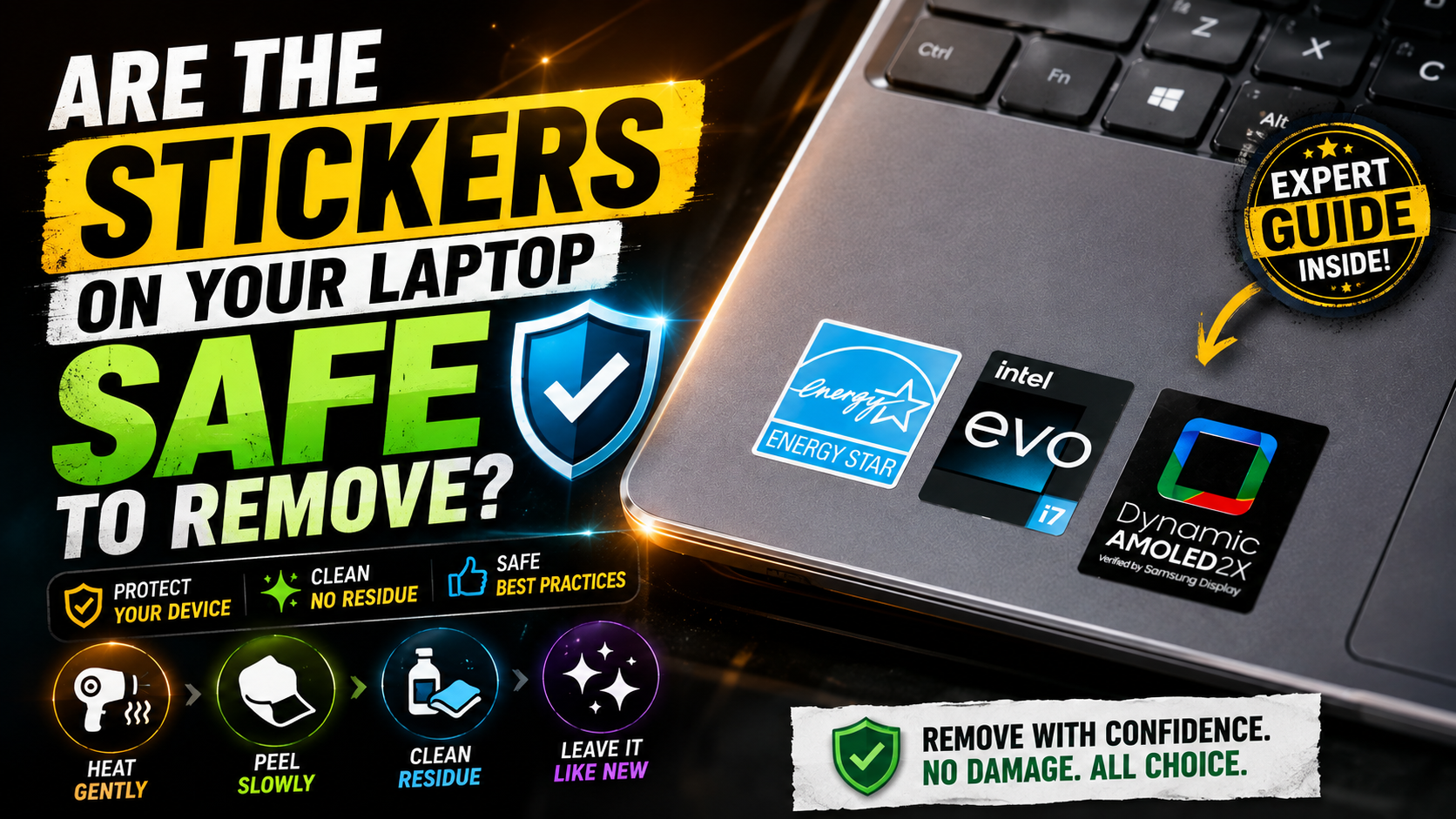
Are The Stickers On Your Laptop Safe To Remove?
Personalizing your computer with laptop stickers is a fun way to express your style. However, you may eventually wonder if removing them is safe. Many people worry about sticky residue, scratches, or damage to the laptop’s finish.
Electronics need gentle care when removing adhesives from aluminum or plastic surfaces. Harsh scraping can leave scratches or marks on delicate casings. Using the right removal method helps protect your device while giving it a cleaner appearance. For additional guidance on caring for electronic devices and extending their useful life, you can refer to Consumer Reports’ electronics repair and care resources.
This guide explains whether laptop stickers are safe to remove and what risks to consider. You will also learn how to remove stickers without damaging your laptop. We cover adhesive residue, discoloration, ventilation, sticker quality, and long-term use.
Finally, we explain why laptop personalization remains popular among students, professionals, creators, and technology enthusiasts. With a few simple precautions, you can enjoy customized laptop designs without compromising your device.
Should I Take Off The Laptop Stickers?
Whether you should remove laptop stickers depends on your preferences and how long they have been attached. Some people enjoy a personalized laptop, while others prefer a clean and professional appearance. Your decision may also depend on how well the stickers have held up.
Older decals can collect dust around their edges and start looking worn. They may also peel, tear, or leave visible adhesive behind. Removing them can make sense when you plan to sell your laptop or want a refreshed appearance. If you use your laptop primarily for studying, you may also find Chrome extensions for students useful for improving productivity and focus.
Before removing a sticker, avoid pulling it away quickly. Rushing can tear the material and leave more adhesive on the surface. It can also tempt you to scrape the remaining glue.
Consider removing stickers if you:
- Plan to sell or give away your laptop
- Want a cleaner or more professional appearance
- Have damaged or peeling decals
- Want to replace an old design
- Need easier access to the laptop’s exterior surface
Taking your time helps preserve the finish and prevents unnecessary cosmetic damage.
Safe Removal Methods Protect Your Device Finish
Using the correct sticker removal method can help protect your laptop’s exterior. Start by gently warming the sticker with a standard hair dryer. Use low or moderate heat and keep the dryer moving. Excessive heat is unnecessary and may affect sensitive components or finishes.
Once the adhesive softens, lift one corner with your fingernail or a suitable plastic edge. Peel the sticker slowly at a shallow angle instead of pulling it straight upward. A slow motion reduces tearing and helps separate the adhesive evenly.
If residue remains, use a small amount of isopropyl alcohol on a microfiber cloth. Apply the alcohol to the cloth rather than pouring it directly onto the laptop. Gently wipe the affected area until the adhesive loosens.
Avoid sharp tools, abrasive pads, and aggressive scraping. Also avoid acetone and similar harsh solvents. These products can damage certain plastic coatings and finishes.
For safer removal:
- Warm the sticker gently.
- Peel it slowly.
- Use a microfiber cloth for residue.
- Test cleaning products on an inconspicuous area first.
Will Putting Stickers On My Laptop Damage It?
Putting stickers on a laptop usually does not cause structural or functional damage. Laptop stickers made for electronics are generally designed to attach to smooth surfaces without affecting normal operation. However, placement and adhesive quality still matter.
The main concerns are usually cosmetic rather than mechanical. A sticker can protect the covered surface from sunlight while the surrounding material gradually changes color. When you eventually remove the decal, the covered area may look different from the rest of the laptop.
Adhesive can also become harder to remove after prolonged use. Heat, friction, and time may cause some adhesives to bond more strongly. Low-quality stickers can create additional problems if they use aggressive glue.
Placement is especially important for laptop cooling. Do not cover ventilation openings, intake grills, or major exhaust areas. Blocking airflow can interfere with heat management during demanding tasks.
For safer laptop customization:
- Choose removable vinyl stickers.
- Keep vents and exhaust areas clear.
- Avoid stickers with unusually strong adhesives.
- Inspect the surface before applying multiple decals.
With thoughtful placement, stickers can personalize your laptop without affecting everyday performance.
Heat Dissipation And Proper Placement Rules
Laptops depend on airflow to manage heat produced by processors and other internal components. Some systems use fans, while others rely partly on passive cooling. Because of this, sticker placement should never interfere with ventilation openings. If your laptop is showing unusual heat or performance problems, check for warning signs that your laptop may need attention.
Avoid placing thick decals directly over cooling vents, intake grills, or exhaust areas. A sticker covering an opening can restrict airflow, depending on the laptop’s design. Reduced airflow may increase internal temperatures during demanding workloads.
Heat can also affect adhesives over time. A sticker placed near a warm exhaust area may become harder to remove later. Repeated exposure to heat can gradually change the adhesive’s properties.
Before applying a sticker, check the laptop lid and surrounding surfaces carefully. The lid is usually the safest place for decorative designs, provided the sticker does not interfere with vents or hinges.
Keep these placement tips in mind:
- Leave ventilation openings completely uncovered.
- Avoid areas that become unusually hot.
- Keep stickers away from moving hinges.
- Use thin decals when possible.
- Do not cover ports or important labels.
Good placement protects both your laptop’s cooling performance and its exterior appearance. A little planning can prevent avoidable problems later.
Is A Laptop Sticker Safe?
Standard laptop stickers are generally safe for everyday use when they are made for electronic devices. They normally present no electrical hazard because they remain on the outside casing. However, the quality of the sticker and adhesive can affect the laptop’s surface.
Cheap decals may use stronger adhesives that become difficult to remove. Some materials can also react poorly with particular plastic coatings. This does not mean every inexpensive sticker will cause damage, but quality remains an important consideration.
Look for stickers designed specifically for laptops, electronics, or other smooth consumer devices. Removable vinyl is often a practical choice because it is durable and easier to peel away than fragile paper labels.
You should also consider the condition of the laptop’s exterior. Older, scratched, painted, or coated surfaces may respond differently to adhesives.
For safer use, choose stickers that:
- Use removable or pressure-sensitive adhesive
- Are designed for electronic surfaces
- Have a thin, flexible construction
- Can be removed without heavy scraping
- Come from a reputable manufacturer
Choosing High-Quality Vinyl For Safety
Choosing high-quality vinyl can make both application and removal easier. Premium vinyl laptop stickers typically use pressure-sensitive adhesives that hold firmly while remaining removable. This makes them suitable for people who want personalization without a permanent change.
Cheap paper labels can behave differently. They may tear during removal and leave small pieces stuck to the surface. Removing those pieces often requires extra rubbing or scraping, which increases the risk of scratching delicate finishes.
Vinyl also tends to handle everyday use better than ordinary paper. It can resist minor moisture and remain visually attractive for longer periods. However, no sticker is guaranteed to remove perfectly from every surface.
Before applying a decal, clean the laptop surface gently. Make sure it is dry and free from dust. Avoid applying stickers across seams, ventilation openings, ports, or other functional areas.
When choosing laptop stickers, look for:
- Removable adhesive
- Durable vinyl construction
- Smooth edges
- A reputation for clean removal
- Designs intended for laptops or electronics
A better-quality sticker can make future removal much simpler.
Are Laptop Stickers Permanent?
Laptop stickers are not inherently permanent. However, their longevity depends on the sticker material, adhesive strength, surface, and environmental exposure. A quality vinyl decal may remain removable for years, while a poor-quality paper sticker can deteriorate much sooner.
Over time, adhesives can become more difficult to separate from a surface. Regular exposure to warmth can contribute to this change. Friction from carrying or handling the laptop can also wear down the sticker itself.
Paper stickers may fade, tear, or break apart as they age. Vinyl decals generally offer greater durability and can maintain their appearance for much longer. Even durable stickers should not be considered permanently attached.
If you plan to remove an older decal, avoid forcing it. Gently warming the surface can help soften the adhesive. You can then peel the sticker slowly instead of pulling aggressively.
Older laptop stickers may leave more residue because of prolonged adhesive contact. For that reason, removal becomes easier when you use patience and the right technique.
The key factors affecting sticker longevity include:
- Adhesive strength
- Sticker material
- Heat exposure
- Friction and handling
- Length of time attached
With proper care, most laptop stickers can be removed without major problems.
Heat Exposure Changes Adhesive Strength
Heat can change how adhesive behaves over time. Laptop surfaces may become warm during normal use, especially around areas close to internal components. Repeated exposure can cause some adhesives to become more firmly attached.
This does not mean every sticker will become permanent. It simply means an older decal may require more care during removal. Pulling too quickly can cause the sticker to tear or leave adhesive behind.
When removing an aged sticker, gentle external warmth can help. A hair dryer set to low or moderate heat can soften the adhesive. Keep it moving and avoid concentrating heat on one spot for too long.
After warming the sticker, lift one corner and peel it slowly. If the material resists, warm it slightly again rather than forcing it.
Remember these precautions:
- Use gentle heat, not excessive heat.
- Keep the hair dryer moving.
- Do not heat one area continuously.
- Peel slowly at a shallow angle.
- Clean remaining residue with appropriate materials.
Heat can make removal easier, but careful handling remains essential. The goal is to soften the adhesive without overheating the laptop’s exterior.
Why Do People Keep Stickers On Their Laptops?


People keep stickers on their laptops because they provide an easy way to show personality and interests. A laptop can become a personal canvas for favorite bands, software projects, universities, hobbies, artwork, or professional communities. For students, that personalization often goes alongside choosing the right device for school, including Mac or Windows for students.
Unlike many accessories, stickers are inexpensive and highly visible. They can turn a standard corporate or school laptop into something that feels more personal. They can also create opportunities for conversation in classrooms, offices, conferences, and coffee shops.
For many users, the appeal goes beyond appearance. A particular sticker may represent a favorite event, community, achievement, or period of life. Over time, a collection can become a visual record of changing interests and experiences.
Laptop personalization is also common among technology enthusiasts. Developers may display programming-related designs, while students may showcase school organizations or creative interests.
People often use stickers to:
- Express their personality and interests
- Support favorite brands or communities
- Display hobbies and creative work
- Remember events or achievements
- Start conversations with others
This makes laptop stickers more than simple decoration. They can help users feel a stronger connection to an otherwise ordinary device.
Building Personal Connections Through Design
A collection of laptop stickers can tell a story about its owner. Each decal may represent a specific interest, event, community, or personal milestone. Over time, the laptop lid can become an evolving piece of personal artwork, much like a minimalist study desk setup can reflect a student’s personal style and approach to learning.
This is one reason people may hesitate to remove old stickers. Even an outdated design can carry sentimental value. Removing it may feel like removing a small reminder of a particular experience.
Some users also enjoy updating their laptop’s appearance as their interests change. New stickers can be added while older ones remain as part of the overall design. This creates a visual timeline that reflects different stages of someone’s life.
The social aspect matters, too. A recognizable logo or niche design can help people discover shared interests. A simple sticker may start a conversation between strangers who otherwise would not interact.
A personalized laptop can therefore provide:
- Self-expression
- A record of personal experiences
- A sense of community
- Conversation starters
- A changing creative outlet
For many owners, the meaning behind a sticker matters more than its appearance. That emotional connection can make a familiar laptop feel uniquely theirs.
FAQ SECTION
Do laptop stickers void the manufacturer warranty?
Applying stickers to the exterior casing of your laptop does not void your standard manufacturer warranty. Hardware warranties cover internal manufacturing defects and component failures. However, if a sticker blocks ventilation and causes overheating, or if removal methods damage the casing, those specific physical damages would not be covered under standard repair policies.
How can I get rid of sticky residue after removing a sticker?
You can easily remove lingering sticky residue using a microfiber cloth dampened with a small amount of isopropyl alcohol. Gently rub the affected area in circular motions until the glue dissolves completely. Avoid using harsh chemical solvents like acetone or nail polish remover, as they can melt or discolor plastic laptop shells instantly.
Can laptop stickers leave permanent discoloration marks?
Decals themselves do not stain the laptop, but uneven UV exposure can create a shadow effect. The covered plastic or metal remains protected from sunlight, while the surrounding area fades slightly over time. Cleaning the entire surface gently and exposing the laptop to ambient light usually helps blend the contrast gradually.
Are bumper sticker materials safe to use on laptops?
Standard automotive bumper stickers are generally too thick, heavy, and aggressive for laptops. They often use industrial-strength adhesives that leave behind stubborn, difficult-to-clean residue and can damage delicate device finishes. It is always best to use thin, removable vinyl stickers specifically manufactured for electronics and laptops.
Conclusion
Laptop stickers offer a simple way to customize your device and express your personality. In most cases, they are safe when you choose suitable materials and apply them carefully.
Removable vinyl stickers are a practical option because they tend to be durable and easier to remove. Always keep stickers away from ventilation openings, exhaust areas, ports, hinges, and other functional parts.
When removing an old sticker, avoid rushing. Gentle warmth can soften the adhesive, while slow peeling reduces the chance of tearing or leaving excess residue. A microfiber cloth with a small amount of isopropyl alcohol can help clean remaining adhesive.
Long-term exposure to heat and sunlight can make stickers harder to remove or create visible outlines. These effects are usually cosmetic rather than functional.
By choosing quality decals and using careful application and removal methods, you can enjoy laptop personalization without unnecessary risks. Your device can stay clean, stylish, and functional while still reflecting your personality. If you’re considering a gaming laptop, you can also learn more about how to choose a gaming laptop.