
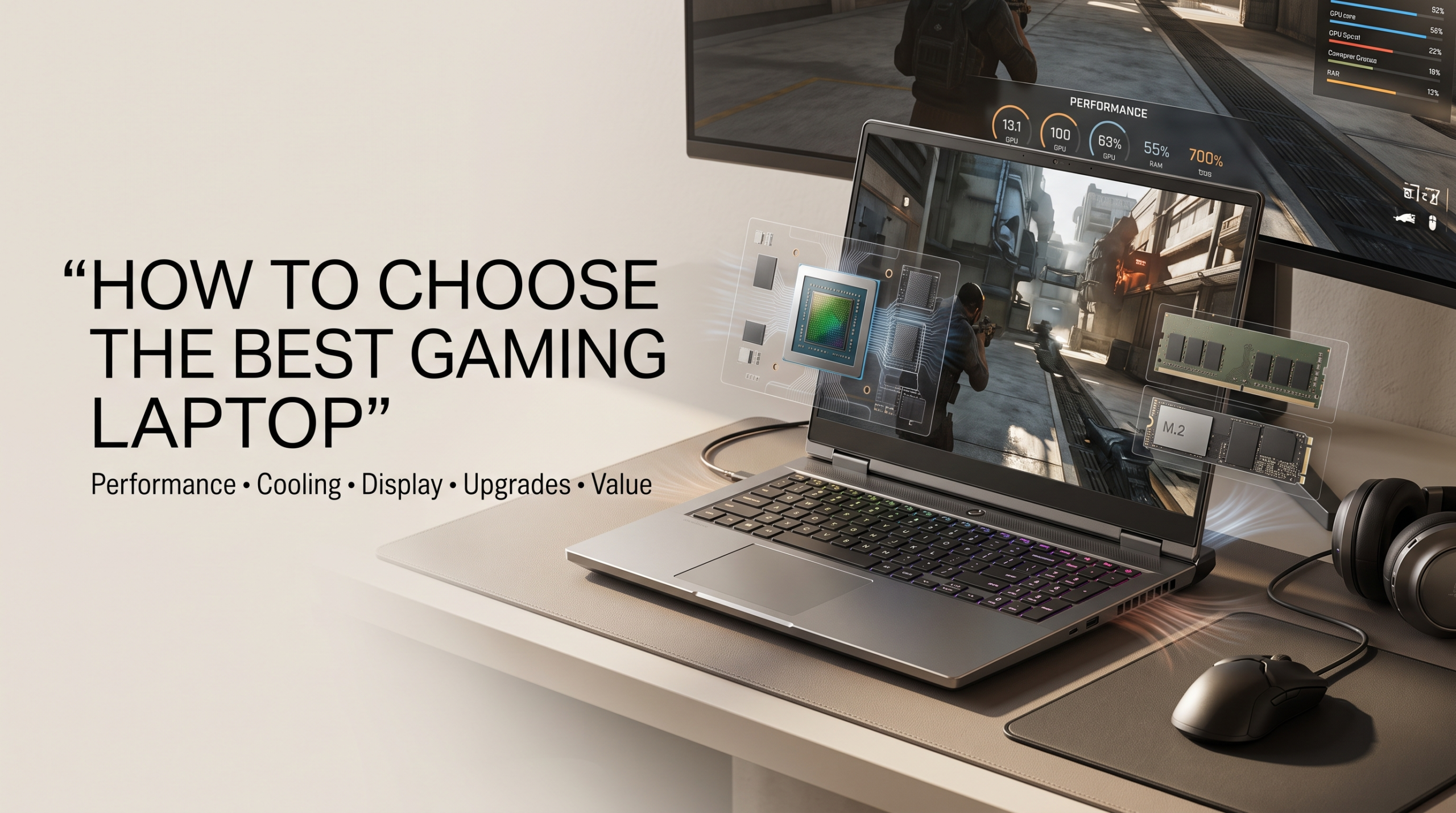
How to Choose the Best Gaming Laptop for Your Budget and Needs
Buying a modern gaming laptop is no longer about choosing the biggest graphics card available. Today’s portable gaming machines offer desktop-level performance in a compact design. They can handle AAA games, ray tracing, competitive esports titles, and demanding creative workloads with ease.
However, choosing the right model requires more than checking a processor or GPU name. Laptop manufacturers often customize hardware performance through power limits, cooling systems, and chassis designs. These factors can create major differences between two laptops using the same components.
A powerful graphics card with poor cooling may perform worse than a slightly weaker GPU with better thermal management. This makes real-world performance more important than marketing numbers alone. Understanding modern GPU capabilities, such as those explained through NVIDIA GeForce laptop GPU technology, can help you make a more informed buying decision.
This guide explains the key factors you should consider before buying a gaming laptop. We will cover GPU power limits, processors, cooling technology, displays, memory, storage, and upgrade options.
By the end, you will understand how to compare gaming laptops like a hardware expert and choose a machine that matches your gaming style, budget, and long-term needs.
Understanding GPU Power: Why TGP and Wattage Matter

The Truth About Graphics Card TGP in Gaming Laptops
When comparing gaming laptops, many buyers assume that identical GPU models deliver identical performance. This is one of the biggest mistakes shoppers make.
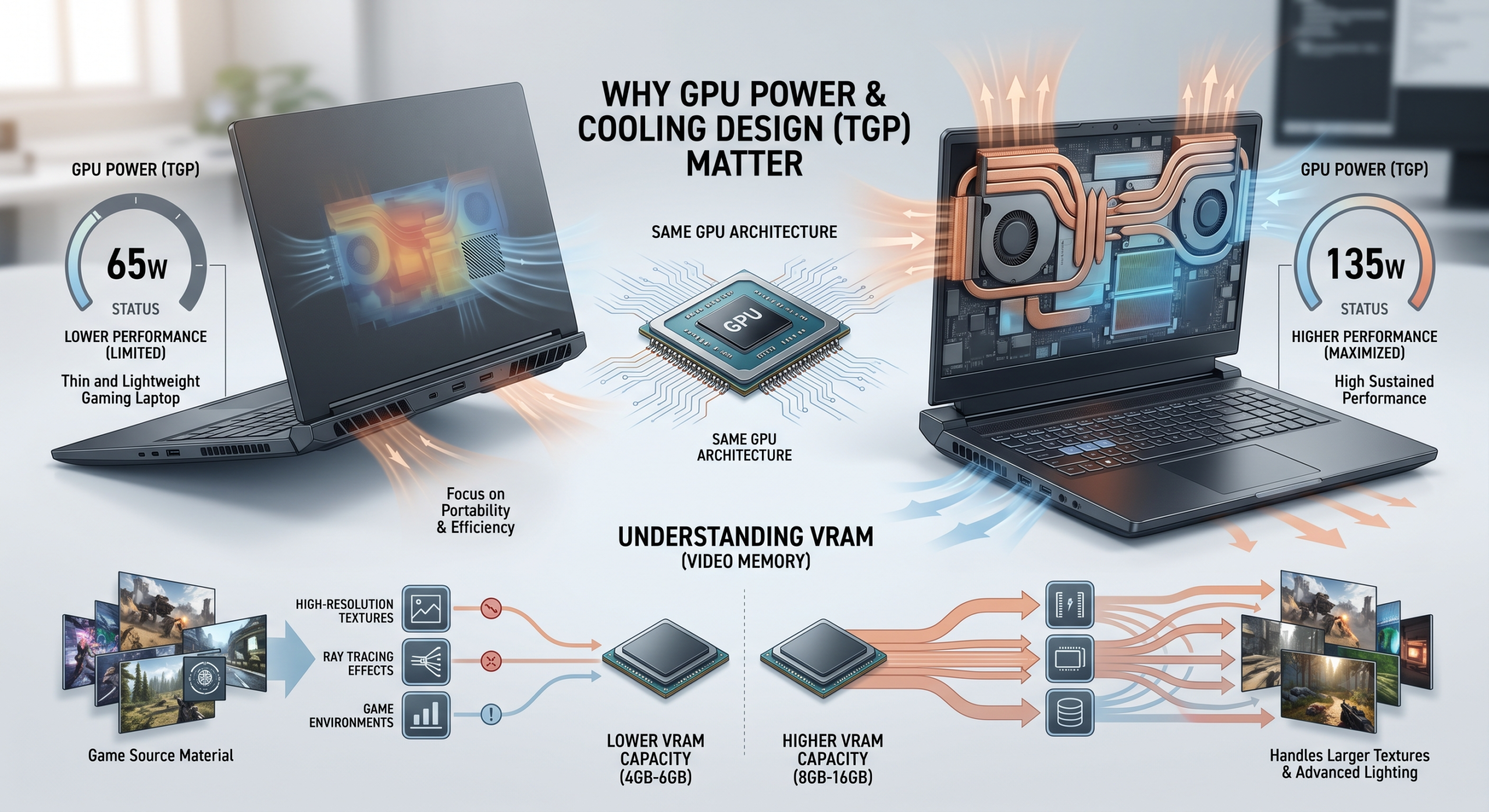
Laptop graphics cards depend heavily on Total Graphics Power (TGP). TGP determines how much power the GPU can use during demanding workloads. Manufacturers adjust this limit based on the laptop’s size, cooling system, and design goals.
For example, a thin gaming laptop may limit a graphics card to 60W or 80W. A larger desktop-replacement model may allow the same GPU to run at 120W or 140W. The higher-power version can deliver significantly better frame rates because it maintains higher clock speeds for longer periods.
In demanding games, the difference can be substantial. A well-cooled, high-TGP laptop may outperform a thinner model using the same graphics hardware by a large margin.
When choosing a gaming laptop, never judge performance only by the GPU name. Always check the power limit and cooling design.
| Low-TGP Thin Laptop (60W–80W) | High-TGP Performance Laptop (120W–140W) |
|---|---|
| Prioritizes portability and battery life | Prioritizes maximum gaming performance |
| More likely to experience thermal throttling | Uses stronger cooling solutions |
| Lighter and easier to carry | Heavier but delivers better sustained performance |
The Role of VRAM in Modern Gaming Performance
Video RAM (VRAM) has become increasingly important as modern games use larger textures and more detailed environments. High-resolution assets, advanced lighting effects, and open-world designs require more graphics memory.
Older gaming laptops with only 8GB of VRAM may struggle when running newer games at maximum settings. This is especially noticeable when playing at higher resolutions or enabling advanced features like ray tracing.
For better long-term performance, consider a gaming laptop with at least 12GB or 16GB of VRAM if your budget allows. More VRAM helps your system handle future game releases and demanding creative applications.
A balanced GPU is not just about raw speed. It also needs enough memory to store modern game assets efficiently.
Choosing the Right Processor and Managing Heat
Intel vs AMD vs Emerging Processor Options in 2026
The processor plays an important role in gaming performance. It manages game physics, artificial intelligence calculations, background tasks, and communication between different hardware components.
AMD processors are known for strong efficiency and excellent multi-core performance. They often provide great battery life while handling demanding workloads effectively.
Intel processors continue to offer strong gaming performance, especially in situations where high clock speeds benefit competitive games. Many high-end gaming laptops use Intel chips because of their strong single-core performance.
Newer ARM-based processors are also entering the laptop market. However, traditional x86 processors from Intel and AMD remain the preferred choice for gaming because they offer broader compatibility with existing PC games and software.
When choosing a processor, avoid focusing only on core count or clock speed. Real gaming performance depends on how the CPU works with the GPU, cooling system, and power limits.
Why Cooling Matters for Gaming Laptop Performance
High-performance hardware generates significant heat. A gaming laptop must remove this heat efficiently to maintain stable performance.
If temperatures become too high, the system reduces clock speeds automatically. This process is called thermal throttling. It protects the hardware but can reduce frame rates and create inconsistent gameplay.
A good gaming laptop should include an advanced thermal design. Important cooling features include:
- Dual or quad exhaust vents for improved airflow
- Liquid metal thermal interfaces for better heat transfer
- Vapor chamber cooling systems for efficient heat distribution
Cooling performance often separates premium gaming laptops from cheaper alternatives. A powerful GPU cannot reach its full potential if the laptop cannot keep temperatures under control.
When comparing models, look beyond specifications. Check reviews that test real gaming temperatures and sustained performance.
Gaming Laptop Displays and Keyboards: The Features You Use Every Day
Choosing Between Refresh Rate and Resolution
The display is one of the most important parts of any gaming laptop because it directly affects your gaming experience. A powerful GPU can deliver impressive performance, but a poor-quality screen can limit how much you enjoy it.
Choosing the right display requires balancing resolution, refresh rate, response time, and battery efficiency. A 4K display offers exceptional sharpness and detail, but it requires much more graphics power. It also consumes more battery, especially during gaming sessions.
For most players, a 1440p (QHD) display provides the best balance. It delivers clearer visuals than 1080p while remaining easier for modern GPUs to handle. Pairing this resolution with a 165Hz or 240Hz refresh rate creates smooth gameplay with excellent image quality.
Competitive gamers may prefer higher refresh rates because they reduce motion blur and improve responsiveness. However, single-player gamers may benefit more from better colors, contrast, and HDR support.
The ideal display depends on the type of games you play and how you plan to use your laptop.
Understanding Gaming Laptop Panel Technologies
Gaming laptops use different display technologies, and each option offers unique advantages. Choosing the right panel depends on whether you prioritize speed, image quality, or visual immersion.
| Panel Type | Strengths | Weaknesses | Best For |
|---|---|---|---|
| IPS | Accurate colors and wide viewing angles | Average contrast levels | Everyday gaming and content creation |
| OLED | Perfect blacks, excellent contrast, instant response times | Higher cost and possible burn-in concerns | Cinematic AAA games and media |
| Mini-LED | Extremely bright with strong HDR performance | Slight blooming around bright objects | Premium gaming and HDR content |
OLED displays are becoming increasingly popular in high-end gaming laptops. They provide deep blacks, vibrant colors, and extremely fast response times. These features make story-driven games look more realistic and immersive.
However, competitive players who spend many hours with static interfaces may prefer IPS or Mini-LED panels. These technologies can offer excellent performance while reducing long-term image retention concerns.
Keyboard Quality and User Experience
A gaming laptop is not only about internal hardware. The keyboard and overall design also affect daily use.
A good keyboard should provide comfortable key travel, responsive feedback, and reliable durability. Many gaming laptops include features such as:
- RGB backlighting
- Anti-ghosting technology
- Dedicated shortcut keys
- Customizable lighting controls
A strong keyboard improves both gaming and productivity. It makes long gaming sessions, schoolwork, and creative tasks more comfortable.
Memory, Storage, and Upgrade Options
Why 32GB RAM Is Becoming the New Gaming Standard
Memory plays a major role in gaming performance, multitasking, and system responsiveness. While 16GB of RAM was once enough for most players, modern games and background applications are becoming increasingly demanding.
Today’s gaming laptops often run multiple applications at the same time. Players may have browsers, voice chat programs, game launchers, streaming software, and other tools running alongside their games.
For this reason, 32GB of DDR5 RAM is becoming a strong choice for future-ready gaming systems. It helps prevent slowdowns and provides enough memory for demanding games and creative workloads.
When buying a gaming laptop, always check whether the RAM is upgradeable. Some models use soldered memory, which cannot be replaced later. Others include removable RAM slots, allowing affordable upgrades in the future.
Upgradeable memory gives your laptop a longer usable lifespan and protects your investment.
Choosing the Right SSD for Faster Gaming Performance
Storage speed has become increasingly important for modern games. Large open-world titles constantly load textures, environments, and game assets in real time.
Traditional hard drives are no longer suitable for gaming laptops. They are much slower than modern solid-state drives and can create longer loading times.
A good gaming laptop should include a PCIe Gen 4 or Gen 5 NVMe SSD. These drives provide fast data transfer speeds and help games load quickly.
Storage capacity is also important. Many modern games require 100GB or more of space, so a small drive can fill quickly.
Before purchasing, check whether the laptop includes:
- A second M.2 SSD slot
- Easy storage upgrades
- Replaceable drives
- Sufficient factory storage capacity
An additional M.2 slot is especially valuable because it allows you to expand your storage without replacing the original drive.
A gaming laptop with upgrade-friendly storage can remain useful for many years.
Frequently Asked Questions About Gaming Laptops
Can a Gaming Laptop Replace a Desktop PC?
Yes, a high-end gaming laptop can replace a desktop computer for most users. Modern portable systems offer powerful processors, advanced graphics cards, and fast storage that can handle demanding games and professional workloads.
Many premium models can run AAA games, video editing software, 3D rendering applications, and productivity tools without major limitations.
However, gaming laptops still have some disadvantages compared to desktops. Desktop computers usually provide better cooling, easier upgrades, and higher performance for the same price.
A desktop allows users to replace individual components like the graphics card, processor, and cooling system. Gaming laptops usually have limited upgrade options because major components are integrated into the motherboard.
The biggest advantage of a laptop is portability. If you need powerful performance while traveling, studying, or working in different locations, a gaming laptop offers a convenient all-in-one solution.
How Long Does a Gaming Laptop Battery Usually Last?
Battery life depends heavily on the hardware, usage, and power settings. During gaming, most high-performance laptops last around 1 to 2 hours because powerful GPUs and processors consume large amounts of energy.
Gaming laptops are designed primarily for plugged-in performance. Their high-performance components require significant power, especially during demanding games.
For lighter tasks, battery life improves significantly. Activities such as web browsing, document editing, and video playback may provide around 5 to 8 hours on many modern systems.
To extend battery life, many laptops use hybrid graphics technology. These systems switch between the dedicated GPU and integrated graphics depending on workload.
For example, the laptop may use integrated graphics during basic tasks and activate the dedicated GPU during gaming.
Using battery-saving modes, lowering screen brightness, and enabling efficient graphics settings can also improve runtime.
What Is a MUX Switch and Why Does It Improve Gaming Performance?
A MUX switch is an important feature found in many modern gaming laptops. It allows the dedicated graphics card to connect directly to the laptop display instead of routing information through the integrated graphics processor.
In traditional laptop designs, frames created by the dedicated GPU often pass through integrated graphics before reaching the screen. This extra step can create a small performance limitation.
A MUX switch removes this bottleneck by creating a direct connection between the dedicated GPU and display. As a result, games can achieve higher frame rates and improved responsiveness.
Depending on the game and resolution, enabling a MUX switch can improve performance by around 5% to 15%. The actual difference depends on the hardware configuration and the type of game being played.
Many premium gaming laptops also support Advanced Optimus technology. This feature automatically switches between integrated and dedicated graphics to balance performance and battery life.
If gaming performance is your priority, choosing a laptop with a MUX switch or Advanced Optimus support is a smart decision.
Is an OLED Screen Worth the Extra Cost on a Gaming Laptop?
An OLED gaming laptop display can be worth the additional cost if you value image quality and immersive visuals. OLED technology uses individually controlled pixels, allowing each pixel to turn completely off when displaying black.
This creates true blacks, outstanding contrast, and more realistic images compared with traditional LCD panels. Games with dark environments, cinematic scenes, and detailed visuals often look significantly better on OLED screens.
OLED panels also provide extremely fast response times. This helps reduce motion blur and creates a smoother experience during fast-paced gameplay.
However, OLED is not the perfect choice for every gamer. Competitive players who spend many hours with static elements, such as game menus or interfaces, may prefer IPS or Mini-LED displays.
These alternatives can provide excellent brightness, high refresh rates, and strong image quality while avoiding potential long-term burn-in concerns.
Before choosing an OLED gaming laptop, consider your gaming habits, budget, and the type of content you view most often.
How Often Should You Clean a Gaming Laptop’s Cooling System?
Regular cleaning is essential for maintaining the performance of a gaming laptop. Because gaming systems use powerful fans to move large amounts of air, they naturally collect dust over time.
Dust buildup can block ventilation areas and reduce cooling efficiency. When airflow becomes restricted, internal temperatures increase, which can cause thermal throttling and lower gaming performance.
For most users, cleaning the cooling system every six months is a good maintenance schedule. Users in dusty environments or homes with pets may need to clean their systems more frequently.
Basic maintenance usually involves:
- Turning off the laptop completely
- Disconnecting the power source
- Removing the bottom panel if possible
- Cleaning dust using compressed air
Avoid forcing fans to spin at extremely high speeds while cleaning, as this can potentially damage internal components.
Keeping vents and fans clean helps your gaming laptop maintain stable temperatures, quieter operation, and longer hardware life.
Conclusion: Choosing the Best Gaming Laptop for Your Needs
Choosing the right gaming laptop depends on finding the perfect balance between performance, cooling, portability, and budget. Do not focus only on the GPU or processor name. Consider factors like TGP limits, thermal design, display quality, RAM capacity, and storage options before making a decision.
A powerful graphics card paired with efficient cooling will deliver more stable performance than a thinner laptop with limited power. Features like 32GB RAM, fast NVMe storage, and a high-refresh-rate display can also improve your experience and extend your laptop’s useful life.
By comparing real-world performance instead of marketing claims, you can choose a reliable gaming laptop that meets your gaming, creative, and everyday computing needs.
For a deeper comparison of modern laptop processors and performance differences, check out our guide on AMD Ryzen 7 vs Intel Core i7