
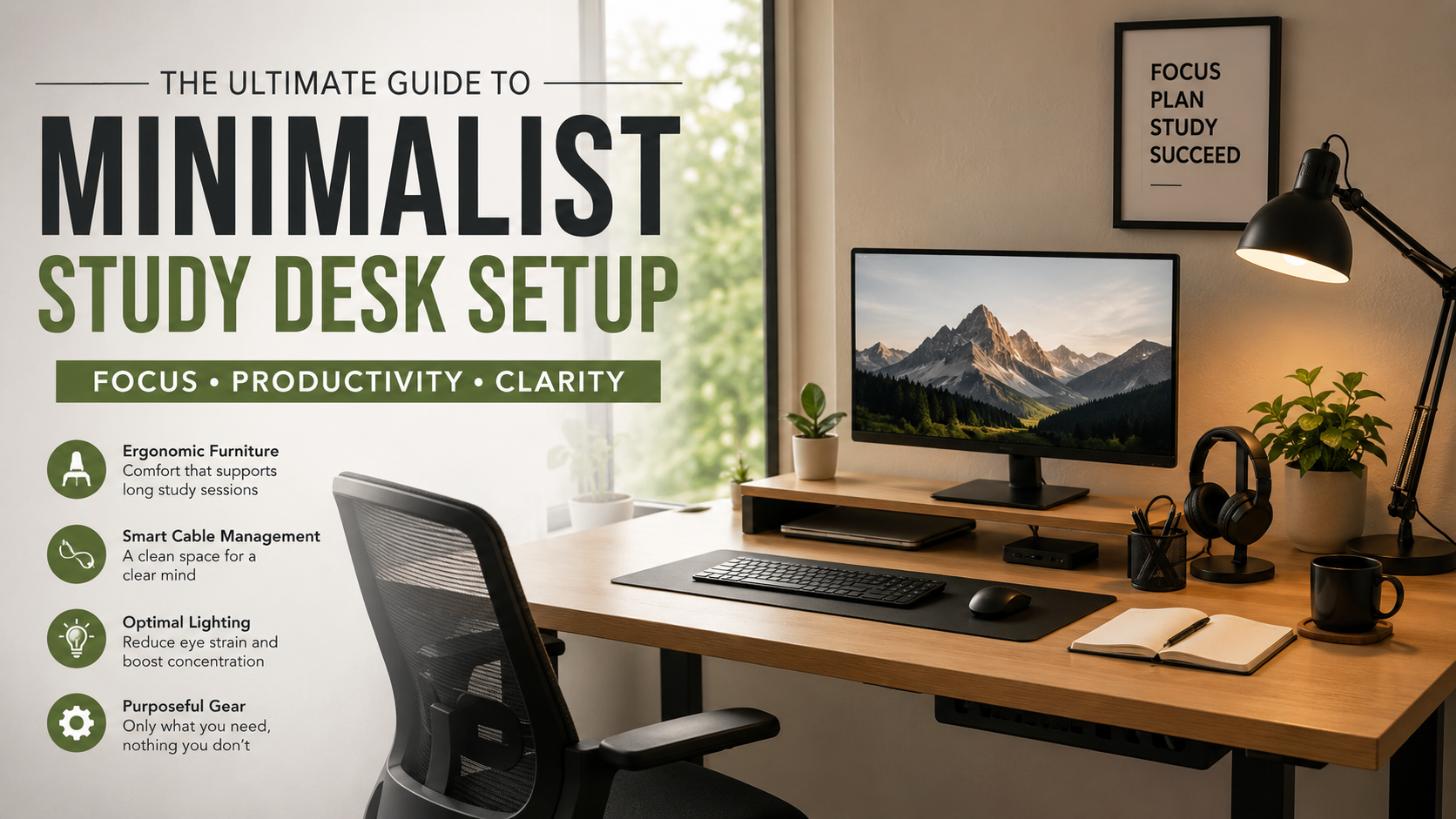
Minimalist Study Desk Setup: The Ultimate Guide to Focus and Productivity
Creating an intentional workplace changes everything about how you retain complex information. In fact, it helps you process detailed ideas much faster. Furthermore, it helps you maintain strong momentum during long academic projects. However, a cluttered workspace often leads directly to a cluttered mind. Consequently, this chaotic environment causes mental fatigue whenever you sit down to work. Designing a minimalist study desk setup allows you to eliminate physical visual noise. Therefore, you can sharpen your everyday cognitive focus. In addition, you can streamline your daily workflow into a seamless experience.
When you remove superfluous items from your sightlines, your brain spends far less background energy. As a result, it stops filtering out ambient distractions. Instead, it spends more effort digesting important study material. According to ergonomic guidelines published by the Mayo Clinic, proper physical alignment prevents strain. Specifically, balanced lighting and deliberate equipment placement boost your mental concentration. Ultimately, a sleek setup does far more than look impressive on social media feeds. Indeed, it serves as a powerful instrument engineered for long-term cognitive performance.
However, building a streamlined workspace does not mean stripping away every item you own. For example, you do not need to work in a completely sterile room. Instead, it involves selecting functional tools that actively support your goals. Meanwhile, you must eliminate items that drain your attention. In this complete guide, you will discover how to select ideal ergonomic furniture. Furthermore, you will learn to execute flawless cable management. Ultimately, you will learn to optimize task lighting and maintain an inspiring study environment every single day.
Core Essentials for a Minimalist Study Desk Setup

Choosing the Right Desk and Ergonomic Chair for a Minimalist Workspace
Your desk forms the foundation of your entire workspace. Therefore, it dictates both the physical footprint and the visual tone of your room. When selecting a surface for a minimalist study desk setup, choose clean lines. In addition, prioritize high build quality over excessive storage drawers or elaborate decorative trim. For instance, a sturdy tabletop measuring between 48 and 60 inches wide offers ample space. Consequently, it comfortably holds a laptop, an external monitor, and a physical notebook without overwhelming your room. Neutral surface finishes like light oak, natural birch, solid white, or matte black work best. Specifically, these finishes reflect soft light evenly. As a result, they do not draw unnecessary visual focus while you read or type.
Meanwhile, pairing your desk with an adjustable ergonomic chair is equally critical for sustained productivity. Furthermore, it is vital for long-term spinal health. In fact, a high-quality mesh chair provides essential lumbar support. Therefore, it encourages proper upright posture during long study sessions. In addition, it maintains cooling airflow without adding visual bulk to your room layout. Look for chairs with customizable armrests, seat height adjustments, and tilt tension controls. Ultimately, investing in an ergonomic seating solution ensures physical discomfort never interrupts your train of thought. Consequently, you can remain fully immersed in deep work for hours.
Selecting Purposeful Gear for Your Clean Desk Layout
The primary rule of minimalist technology is simple. Indeed, every device on your surface must earn its place through daily utility. Therefore, resist the temptation to clutter your desk with single-use gadgets. Similarly, avoid decorative figurines or extra displays that you rarely consult. Instead, start with your core computing device, such as a laptop or desktop tower. Furthermore, elevate the primary screen using an adjustable monitor arm or a minimal desk riser. Consequently, raising your display to eye level instantly improves posture. As a result, it frees up valuable real estate directly beneath the screen.
In addition, complement your screen with compact, low-profile wireless peripherals. Ultimately, these tools reduce physical drag and keep your desktop clean. For example, a compact mechanical keyboard without a dedicated number pad saves horizontal room. Therefore, this layout allows your mouse hand to sit closer to your body’s center line. Meanwhile, a contoured wireless mouse provides precise navigation without adding extra cords to your workspace. Finally, keep a pair of comfortable noise-canceling headphones nearby on an under-desk hook. As a result, having instant access to audio isolation helps you tune out household noise. Consequently, you can drop into intense concentration whenever study deadlines approach.
Master Cable Management for a Minimalist Desk Setup
Hiding Power Cables and Wires in Your Minimalist Workspace
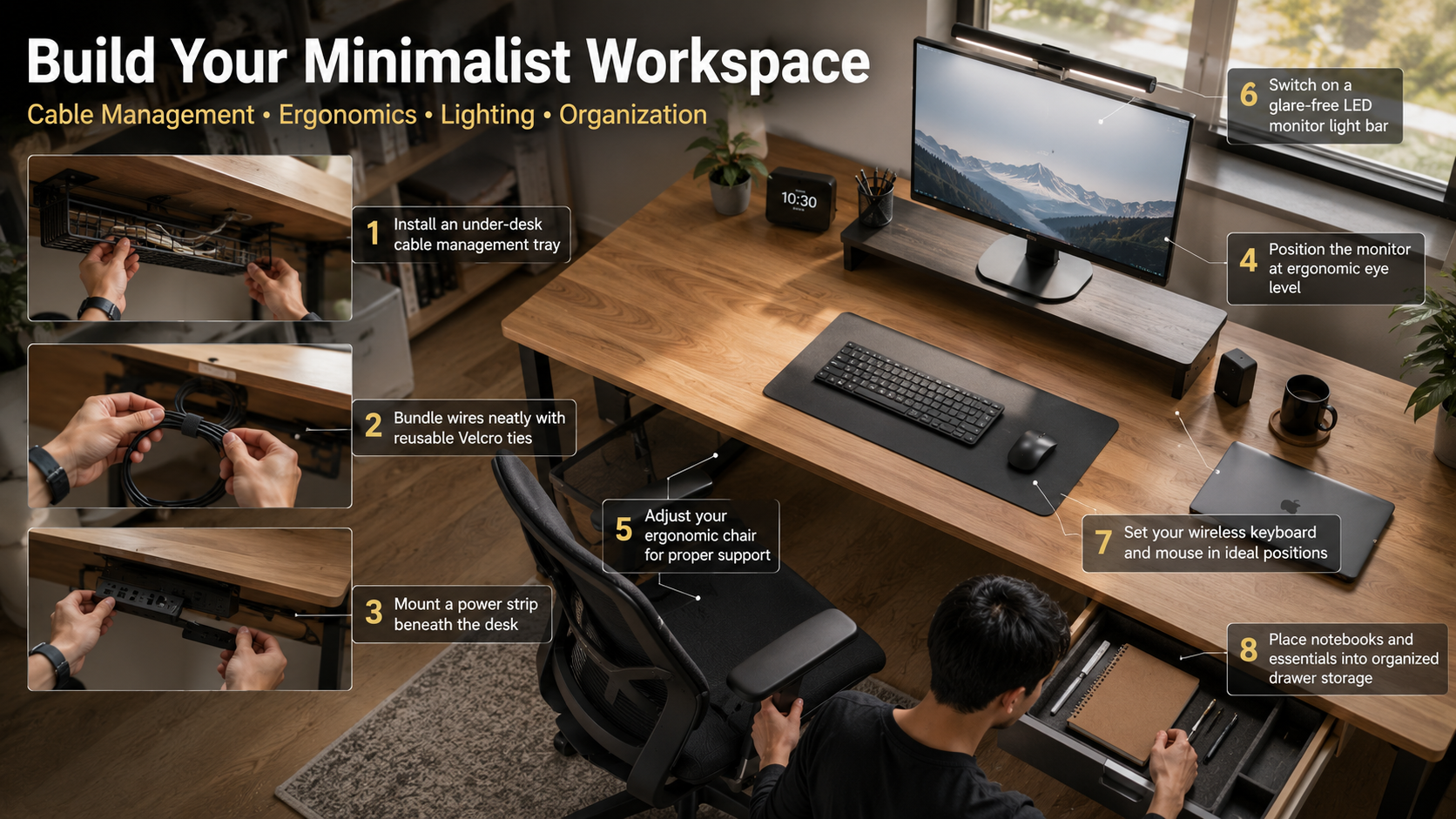
Visible tangles of power cords, display cables, and charging wires ruin the calm aesthetic of an immaculate workspace. However, executing effective cable management is not merely an aesthetic choice. In fact, it prevents accidental unplugging and reduces dust buildup. Furthermore, it creates a sense of order that settles your mind. Therefore, the most effective strategy begins beneath the desk surface. Specifically, keep these cords completely out of your direct line of sight. For example, mount a heavy-duty power strip directly to the underside of your desk. Use industrial double-sided tape or mounting screws to keep main power connections off your floor.
Next, install a wide metal wire grid or fabric cable tray directly behind the power strip. Consequently, route all bulky power bricks, monitor adapters, and excess cord lengths directly into this tray. Meanwhile, secure them tightly with reusable velcro cable ties. In addition, run your main power supply cord cleanly down the back side of one desk leg. For instance, use adhesive cable clips or fabric cable sleeves that match the frame color. As a result of keeping every cord grouped, hidden, and elevated off the floor, your desk appears to float effortlessly. Furthermore, it maintains easy access for future hardware upgrades.
Maintaining a Streamlined Study Environment with Daily Habits
Building a minimalist desk setup requires thoughtful hardware, but maintaining it demands consistent daily habits. Therefore, adopt a strict “one in, one out” philosophy for every piece of stationery or tech accessory. However, do not allow pens, highlighters, sticky notes, and paper clips to scatter across your desktop. Instead, keep them hidden inside an under-desk drawer module or a modular felt drawer tray. Consequently, keeping your primary surface completely clear between work blocks establishes a refreshing psychological reset every time you approach your desk.
In addition, at the end of each study session, take two minutes to reset your physical environment back to its baseline state. For example, throw away scrap paper and clear away empty coffee mugs or water bottles. Furthermore, coil up any temporary charging cords you used during the day. Meanwhile, tuck your keyboard flush against your monitor riser. In addition, place your notebook back inside its designated drawer. As a result, when you return to your desk the following morning, you will find a clean, inviting canvas. Ultimately, this fresh space encourages immediate focus rather than reminding you of yesterday’s unfinished chores.
Lighting and Ergonomics for a Streamlined Study Environment
Optimizing Task and Ambient Lighting in a Minimalist Desk Setup
Lighting plays a fundamental role in regulating your circadian rhythm. Furthermore, it maintains energy levels and prevents eye fatigue during long study sessions. Therefore, whenever possible, position your study desk near a source of natural daylight. However, keep the window perpendicular to your monitor screen to eliminate harsh glare and direct reflections. In fact, natural light boosts daytime alertness and elevates your mood. As a result, it makes complex learning tasks feel far less daunting. Meanwhile, during daytime hours, supplement natural light with soft room lighting. Consequently, this prevents stark contrast between your bright screen and dark surroundings.
In contrast, for evening or late-night study routines, invest in an LED monitor light bar. Specifically, mount it directly onto the top edge of your display frame. Traditional desk lamps occupy valuable surface area and cast asymmetrical shadows. However, a light bar casts a uniform, glare-free pool of light across your workspace. Therefore, look for models with adjustable brightness and variable color temperature settings. For instance, using crisp, cool light during the day helps sustain high energy levels. On the other hand, switching to a warm, low-intensity glow in the evening signals to your body that it is time to wind down.
Arranging Gear for Ideal Body Mechanics in Your Minimalist Workspace
Ergonomics is the science of designing your workspace to fit your body’s natural biomechanics. Ultimately, proper setup prevents repetitive strain injuries and chronic muscular tension. Therefore, position your primary monitor directly in front of you at approximately an arm’s length distance. In addition, ensure that the top third of the display aligns with your eye level when sitting upright. As a result, this height prevents you from tilting your head forward or craning your neck downward. Otherwise, improper neck angles place pounds of unnecessary stress on your cervical spine over time. Meanwhile, if you use dual monitors, center the main screen. Furthermore, angle the secondary display inward slightly.
Similarly, your seating position should support a natural, relaxed posture from head to toe. Therefore, adjust your chair height so your feet rest completely flat on the floor. Alternatively, you can use a firm footrest with your knees bent at a 90-degree angle. In addition, position your keyboard and mouse at a height that allows your elbows to rest naturally at your sides. Consequently, your forearms should sit parallel to the desk surface. Meanwhile, keep your wrists straight while typing rather than bending them upward or resting them on hard edges. Ultimately, making these small adjustments guarantees physical pain never distracts you from achieving your study goals.
FREQUENTLY ASKED QUESTIONS (FAQs)
What is a minimalist study desk setup?
A minimalist study desk setup is an intentional, clutter-free workspace engineered to maximize focus and daily productivity. Specifically, it centers on keeping only essential items on your main desktop surface. For example, these essentials include a primary screen, a keyboard, a mouse, and an ergonomic light source. Meanwhile, you hide cables and remove unnecessary accessories. Rather than sacrificing function for empty aesthetics, minimalism focuses on eliminating physical visual noise that drains cognitive energy. Therefore, by organizing your physical environment with clean lines, functional furniture, and proper cable management, you create a dedicated study space. As a result, this space reduces anxiety, speeds up learning, and promotes long periods of deep concentration. Consequently, it allows students and professionals to work efficiently without feeling overwhelmed by surrounding clutter.
How do I build a minimalist desk setup on a budget?
You can build an impressive minimalist desk setup on a strict budget by prioritizing organization and decluttering. First, start by completely clearing off your existing desk surface and removing every non-essential item. Therefore, store loose stationery inside existing drawers rather than buying new containers. Next, manage messy cords using inexpensive velcro cable ties, adhesive clips, and a basic power strip. Consequently, secure the power strip underneath your tabletop with double-sided mounting tape. In addition, instead of buying expensive monitor arms, raise your screen to eye level using a sturdy stack of hardback books. Alternatively, you can use a basic wooden board resting on simple blocks. Ultimately, focus on clean lighting, thoughtful arrangement, and strict habits before investing in premium hardware.
Which desk size works best for a minimalist study setup?
A desk measuring between 48 to 60 inches wide and 24 to 30 inches deep offers the ideal balance for a minimalist study setup. Indeed, this size comfortably accommodates a large monitor, a laptop, an ergonomic keyboard, a mouse pad, and an open notebook without feeling cramped. However, if you live in a smaller apartment or dorm room, a compact 42-inch desk can work remarkably well. Nevertheless, you must utilize vertical monitor arms and under-desk cable trays to keep the main tabletop clear. Furthermore, always prioritize a depth of at least 24 inches to ensure your display sits a comfortable distance from your eyes. As a result, proper screen distance prevents severe eye strain and preserves critical desktop real estate for writing.
How does a minimalist desk improve study productivity?
A minimalist desk improves study productivity by removing visual clutter that competes for your brain’s attentional bandwidth. In fact, every object sitting on your desk forces your visual cortex to process background information. For example, loose papers, extra pens, and old coffee cups lead to subtle mental fatigue over time. Conversely, a clean, organized workspace minimizes these micro-distractions. As a result, it makes it significantly easier to drop into a state of flow and maintain concentration on complex assignments. Furthermore, an orderly physical environment lowers friction when starting hard tasks. Consequently, it reduces study-induced anxiety and creates a professional atmosphere. Ultimately, this clean setting signals to your brain that it is time to accomplish focused, high-quality work.
What lighting is best for a minimalist study desk setup?
An adjustable LED monitor light bar combined with balanced ambient light offers the best lighting solution for a minimalist study desk setup. Specifically, light bars clamp directly onto the top frame of your screen. As a result, they cast an even beam of light across your keyboard and notebook without taking up physical desk space or causing screen glare. Furthermore, choose a light bar that features variable color temperature and dimmable brightness controls. Consequently, this feature allows you to adapt your environment throughout the day. In addition, complement your task light with soft room illumination to prevent high contrast between your bright display and a dark room. Ultimately, proper lighting reduces eye strain and keeps you comfortable during extended study sessions.
How do I handle physical paper notes on a minimalist desk?
You can manage physical paper notes effectively on a minimalist desk by adopting a hybrid workflow that limits physical paper accumulation. For instance, restrict yourself to keeping a single active, high-quality notebook on your desk during study sessions. Consequently, return it to an under-desk drawer as soon as you finish writing. Meanwhile, to handle loose handouts, study guides, or research articles, use a mobile scanning app. Therefore, digitize documents immediately into cloud-based notes platforms like Notion, Evernote, or Google Drive. Once digitized, file or recycle the physical papers to prevent stacks from forming on your surface. Ultimately, keeping paper off your desktop keeps your environment pristine and ensures your notes remain organized and searchable.
CONCLUSION
Ultimately, building an intentional minimalist study desk setup transforms your daily academic or professional routine into a calm, highly productive experience. By stripping away unnecessary physical clutter, you free up vital cognitive bandwidth. Consequently, this allows you to direct your complete energy toward mastering complex concepts and producing your best work. Furthermore, every deliberate choice you make supports your long-term mental clarity. For example, hiding trailing power cables inside an under-desk tray and setting up a glare-free LED monitor light bar directly enhance your physical comfort over long study sessions.
However, remember that true minimalism is an ongoing personal process tailored to your unique workflow rather than a rigid set of strict aesthetic rules. Therefore, you do not need to spend thousands of dollars on high-end designer furniture or cutting-edge technology to construct an inspiring environment. Instead, start small by clearing off non-essential objects and grouping loose wires with inexpensive cable ties. In addition, properly arrange your primary equipment to support healthy body mechanics and posture.
As you continuously refine your workspace over time, you will build a personal sanctuary that eliminates daily friction. As a result, this clean environment reduces mental fatigue and encourages consistent achievement. To further enhance your daily productivity routine alongside your new physical space, you can also learn how to create a study timetable to better organize your time. Take fifteen minutes today to clear off your desk surface, organize your core tools, and experience the transformative power of a truly dedicated minimalist study space.