Dark Mode vs Light Mode on Phone: Which Should You Use?
We check our phones hundreds of times each day. That makes dark mode vs light mode on phone settings more important than simple personal preference.
Your display choice can affect readability, visual comfort, and battery life. However, neither mode is automatically better for everyone. Your surroundings, screen brightness, device type, and personal vision needs all matter.
Digital eye strain is usually associated with prolonged screen use, glare, poor lighting, and uncorrected vision problems. Screen color alone does not determine whether your eyes become tired.
According to the American Academy of Ophthalmology, digital eye strain relates closely to ambient lighting contrast and uncorrected refractive errors rather than screen brightness alone.
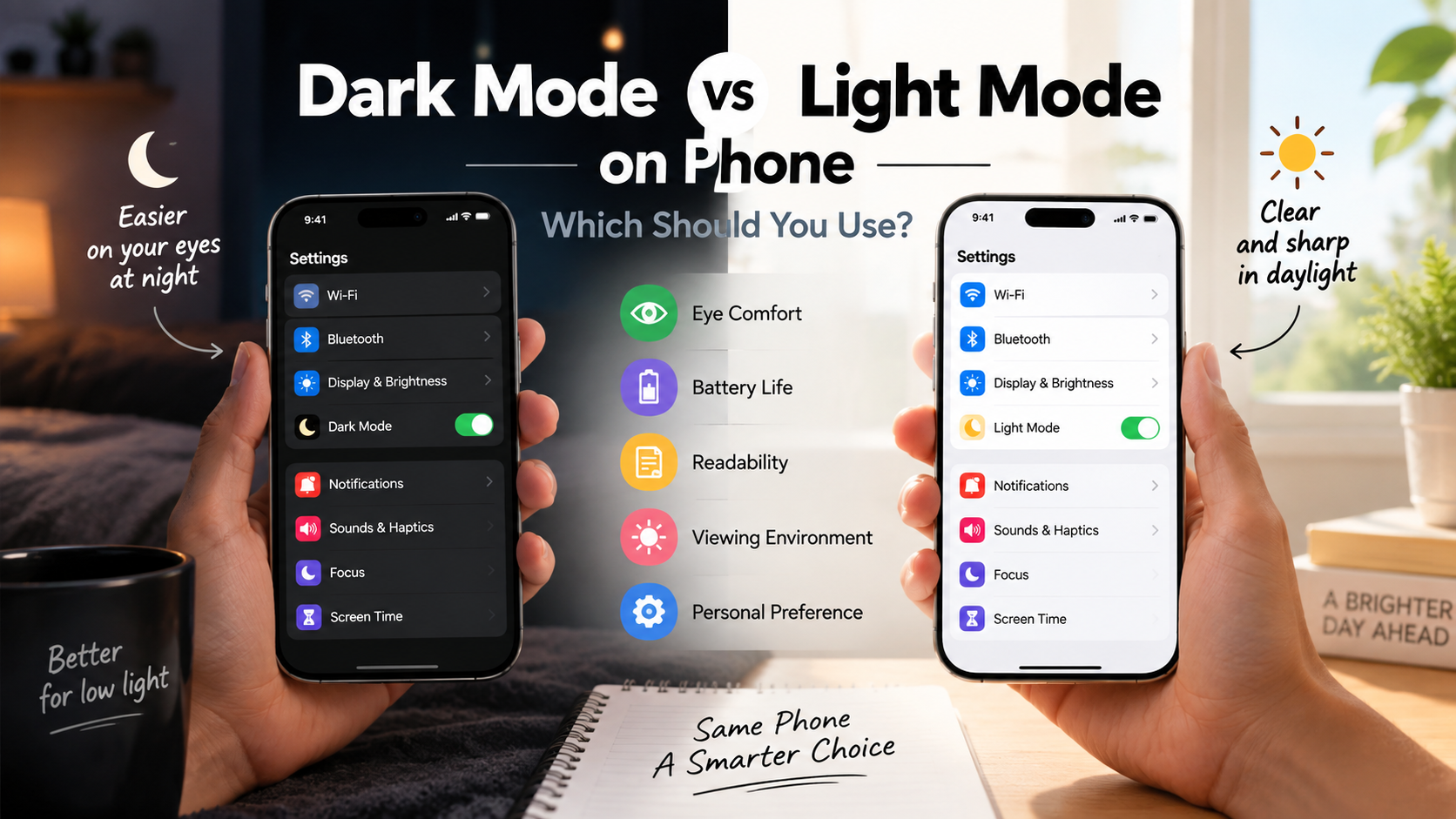
Many users prefer dark mode because it feels less intense in dim rooms. Others prefer light mode because text looks sharper during the day. Both choices can be useful in different situations.
This guide explains dark mode vs light mode on phone displays in practical terms. You will learn how each setting affects readability, battery use, nighttime viewing, and everyday comfort.
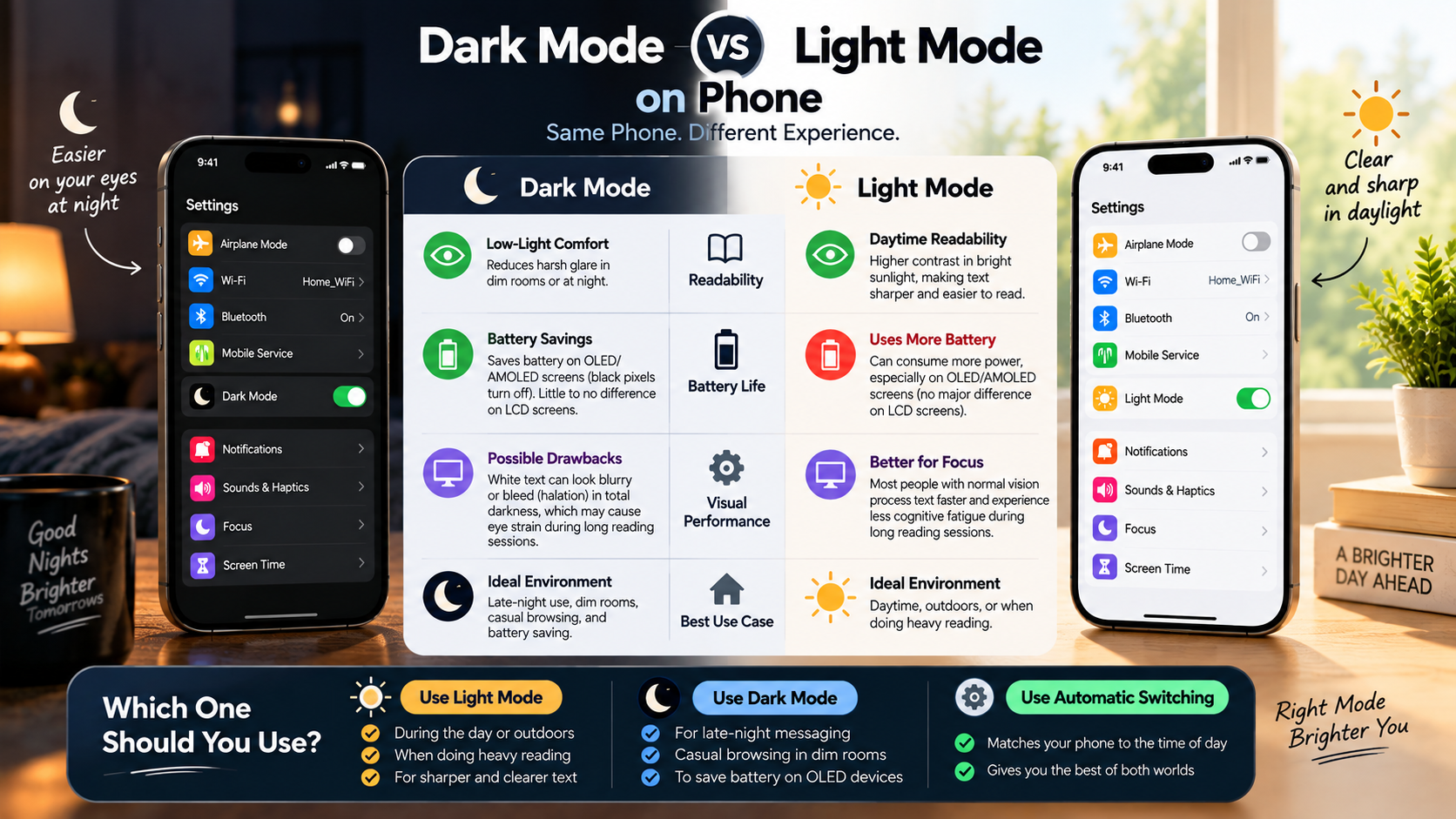
Is dark mode good or bad for eyes?
Dark mode is neither universally good nor bad for your eyes. Its effect depends on your surroundings, brightness level, viewing habits, and individual vision.
In a dark room, a darker interface can reduce the amount of bright content on your screen. This may make nighttime viewing feel more comfortable. However, dark mode does not prevent digital eye strain on its own.
Some people find light text on dark backgrounds difficult to read. Small fonts can appear less sharp, especially during long reading sessions. People with certain vision conditions may also notice more halos or blur. For additional information about screen-related concerns, see Do Blue Light Screen Protectors Work?
The main goal should be visual comfort and clear readability. Keep your brightness at a comfortable level and avoid using a very bright screen in a dark room.
If your eyes feel tired, try increasing text size or changing the display theme. Regular breaks can also help reduce discomfort.
Persistent eye pain, headaches, or blurred vision should not be blamed on display mode alone. If these symptoms continue, consider having your vision checked.
The Problem of Pupil Dilation in Dark Mode
Pupil size changes naturally based on the amount of light around you. In darker environments, your pupils generally become larger. This allows your eyes to collect more available light.
However, pupil dilation does not mean dark mode is harmful. In fact, dark mode can feel more comfortable when the surrounding room is also dark.
The bigger concern is often text clarity and visual contrast. Bright letters on a dark background can sometimes appear blurred or surrounded by a glow. This effect is commonly described as halation or blooming.
People with astigmatism may notice this effect more strongly. Letters can appear less defined, which may make reading feel more demanding.
If dark mode feels uncomfortable, try increasing the font size. You can also adjust brightness or switch to light mode. If you spend long periods using your phone, The Screen-Free Tech Trend offers another perspective on reducing screen exposure.
There is no universal rule that dark mode damages your eyes. The best setting is the one that provides comfortable, readable text in your current environment.
Does Gen Z use dark mode?
Gen Z commonly uses dark mode across smartphones, computers, social platforms, and other digital services. Its popularity comes from more than eye comfort.
Dark interfaces often look modern, minimal, and visually polished. They can also make colorful images, videos, icons, and artwork stand out more clearly.
Many younger users spend significant time on their phones during evening hours. A darker interface may feel less intense when the surrounding environment is dim.
Battery efficiency is another reason dark mode remains popular. On OLED and AMOLED displays, black pixels can turn off completely. This can reduce power consumption when large parts of the screen are black.
However, battery savings vary by device and usage. Brightness, screen content, refresh rate, and display technology all influence actual power consumption.
When considering dark mode vs light mode on phone preferences, personal comfort matters more than generational trends. Gen Z may favor dark interfaces, but your ideal setting depends on your own habits and environment.
Aesthetic Culture and Digital Media Consumption
Dark mode has become an important part of modern digital design. Many apps now offer dark themes because users expect greater control over their interface appearance.
For younger audiences, dark interfaces often represent minimalism, personalization, and modern digital culture. Dark backgrounds can make colorful photos, videos, artwork, and icons appear more prominent.
Dark themes can also reduce the visual intensity of large white areas. This may make social media browsing or video watching feel more comfortable in dim surroundings.
However, appearance should not be the only consideration. Readability remains important for articles, documents, emails, and other text-heavy content.
Some users therefore switch between modes depending on the activity. Dark mode may work well for entertainment and messaging, while light mode may feel better for reading.
Ultimately, interface preferences are personal. A design that looks sleek to one person may feel difficult to read to another.
What is the disadvantage of dark mode?
The biggest disadvantage of dark mode is that some people find it harder to read. This can become noticeable during long reading sessions or when text is very small.
Bright text against a dark background can sometimes appear to glow or blur. This effect may be more noticeable for people with astigmatism or other vision-related issues.
Dark mode can also feel less comfortable in very bright environments. Strong sunlight creates reflections on phone screens, making content harder to see. However, outdoor visibility also depends on brightness, screen quality, and viewing angle.
If your screen becomes difficult to read outside, increase brightness temporarily. Moving into shade can also reduce reflections and improve visibility. A matte surface can also affect reflections, although you should consider the potential trade-offs explained in Will a Matte Screen Protector Ruin Your Phone’s Display?
The key disadvantage is therefore reduced readability for some users and situations. Dark mode is not inherently harmful, but it may not be the best choice for every task.
When comparing dark mode vs light mode on phone displays, consider what you are doing and where you are doing it. Your preferred mode can change throughout the day.
Halation and Outdoor Screen Usability Issues
Halation occurs when bright text appears to spread or glow against a dark background. As a result, individual letters may look less defined.
This effect can become more noticeable when text is small or when the contrast is very strong. People with astigmatism may sometimes notice visual distortion more clearly.
Outdoor use creates another challenge. Sunlight can reflect from your phone’s glass and reduce screen visibility. This problem can affect both light and dark interfaces.
Increasing brightness can improve readability, but it can also increase battery consumption. Finding shade or changing the viewing angle can often help without using maximum brightness.
If dark mode makes text difficult to read, switch to light mode. Increasing the font size can also improve readability.
For comfortable phone use, focus on clear text, suitable brightness, and reduced glare. These factors are often more important than choosing one theme permanently.
Should I use dark mode or light mode on my iPhone?
You do not need to use only one display mode on your iPhone. Switching between light and dark mode can help you adapt to changing lighting conditions.
Light mode is often easier to read during daylight. It can work particularly well for emails, articles, documents, navigation, and other text-heavy tasks.
Dark mode can feel more comfortable in dim rooms. On iPhones with OLED displays, it can also reduce power consumption when much of the interface uses true black.
Apple allows you to automate the appearance of your iPhone. You can schedule dark mode and light mode around sunset and sunrise or choose custom times.
You can also use True Tone to adjust the display’s color balance based on surrounding light. Night Shift provides warmer colors during evening hours.
These features may improve viewing comfort, but they are not guaranteed treatments for eye strain or sleep problems.
When deciding on dark mode vs light mode on phone settings, focus on readability and comfort. Adjust brightness and text size as needed instead of relying on theme selection alone.
Automating Display Appearance in iOS Settings
You can automatically switch between dark mode and light mode through your iPhone’s display settings.
Open Settings, select Display & Brightness, and find the Appearance section. Turn on Automatic to let iOS change the appearance according to your schedule.
You can use the default sunset-to-sunrise schedule or create custom times. This can be useful if you prefer light mode during the day and dark mode at night.
You can also enable True Tone from the Display & Brightness settings. This feature adjusts the display’s color balance according to your surrounding light.
For evening use, consider enabling Night Shift. It changes the display toward warmer colors, which some people find more comfortable at night.
These settings are designed for convenience and comfort. They should not be treated as medical treatments.
A practical setup is simple:
- Use light mode during bright daytime activities.
- Switch to dark mode when your surroundings become dim.
- Adjust brightness to match your environment.
- Increase text size when small letters cause discomfort.
- Take regular breaks during long screen sessions.
Which is better, dark mode or light mode on phone?
Neither dark mode nor light mode is universally better. The ideal choice depends on your lighting conditions, activity, display technology, and personal comfort.
Light mode can be especially useful for reading, writing, email, navigation, and other text-heavy activities. Dark text on a light background often provides familiar and clear letter definition.
Dark mode may work better in dim rooms. It can reduce the visual intensity of bright interfaces and may save battery on OLED and AMOLED displays.
Your phone’s screen technology also matters. OLED displays can turn individual pixels off to create true black. LCD screens use a backlight, so dark mode usually offers little battery benefit.
When deciding dark mode vs light mode on phone settings, think about your current environment. A setting that works well at noon may not feel comfortable at midnight.
The most useful approach is to switch modes when your surroundings or activities change. There is no need to stay with one setting permanently.
Adapting Phone Themes to Your Immediate Environment
Your surroundings should influence your phone’s display settings. A theme that feels comfortable in a dark bedroom may not work equally well outside.
During bright daytime conditions, light mode can make text and menus easier to distinguish. It can be useful when reading articles, checking documents, or navigating unfamiliar places.
In a dim room, dark mode may feel less visually intense. It reduces the amount of bright interface content displayed across the screen.
Brightness is also important. A very bright screen can feel uncomfortable in a dark room, regardless of whether you use light or dark mode.
When considering dark mode vs light mode on phone displays, use these practical guidelines:
- Choose light mode when you need clear text in bright surroundings.
- Try dark mode when using your phone in dim environments.
- Lower brightness when the screen feels harsh.
- Increase text size if small letters cause strain.
- Reduce reflections whenever possible.
- Take regular breaks during extended screen use.
These adjustments can make a bigger difference than the theme alone. Your goal should be comfortable and readable viewing.
Frequently Asked Questions
Does dark mode really save phone battery?
Yes, dark mode can save battery on OLED and AMOLED displays. These screens can turn individual pixels off when displaying true black.
The actual savings depend on several factors. Screen brightness, content, refresh rate, and the amount of black displayed all affect power consumption.
LCD displays work differently. Their backlight remains active even when the screen displays dark colors. Therefore, dark mode generally provides little battery savings on traditional LCD phones.
If battery life is your priority, reducing overall brightness can also make a noticeable difference.
Can dark mode cause astigmatism?
No. Dark mode cannot cause astigmatism. Astigmatism is related to the shape of the eye’s cornea or lens.
However, people with astigmatism may find bright text on dark backgrounds harder to read. Halos, blur, and glare can make letters appear less defined.
If dark mode causes discomfort, switch to light mode or increase the text size.
Why do my eyes hurt when using light mode?
Light mode can cause discomfort when your screen is much brighter than the surrounding environment.
For example, using a bright white display in a dark room can create significant glare. Your eyes may feel tired, dry, or uncomfortable after prolonged exposure.
Try lowering screen brightness and reducing reflections. Increasing text size can also reduce the effort required to read small content.
Does dark mode help you fall asleep faster?
Dark mode alone does not guarantee faster sleep. Overall screen brightness and nighttime device use are also important factors.
Lowering brightness can reduce the intensity of light reaching your eyes. Features such as Night Shift or Night Light can also create a warmer display.
However, display settings should not be considered a guaranteed solution for sleep problems. Limiting screen use before bed may be more helpful for some people. For practical ideas beyond changing display settings, explore Screen free activities for families to try.
Conclusion
Choosing between dark mode vs light mode on phone displays does not have to be an all-or-nothing decision. Both settings can be useful when matched to the right environment.
Light mode often provides excellent readability during daytime activities. It can be especially useful for reading, writing, navigation, and other text-heavy tasks.
Dark mode can feel more comfortable in dim surroundings. It can also reduce power consumption on phones with OLED or AMOLED screens when large areas display true black.
The best approach is to adapt your display throughout the day. Use automatic appearance settings if you prefer your phone to switch modes without manual changes.
Also consider brightness, text size, reflections, and viewing distance. These factors can strongly influence visual comfort.
Ultimately, dark mode vs light mode on phone is a personal choice. The right setting is the one that keeps your screen comfortable, clear, and easy to use.
If one mode causes discomfort, switch to the other and adjust your display settings. Your phone should adapt to your environment, rather than forcing you to adapt to one permanent theme.