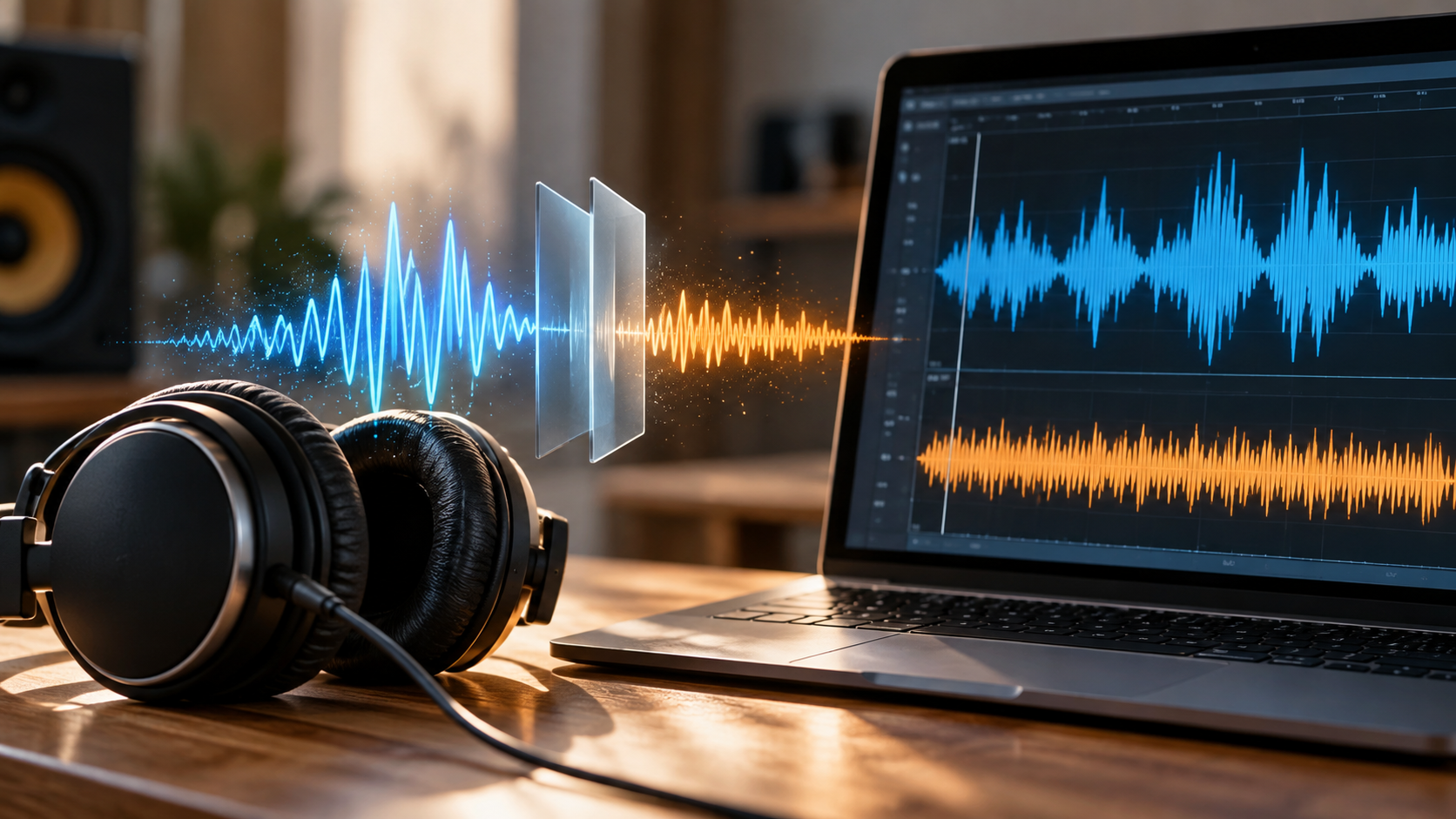
Audio vs. File Compression: What to Avoid for Better Audio Quality
Audio vs file compression can be confusing because the word “compression” describes two very different processes. In digital audio, it can refer to dynamic range processing or digital data compression. Understanding the difference helps you avoid unnecessary quality loss and choose the right audio format for storage, editing, and playback.
Dynamic range audio compression is a signal-processing technique. It reduces the volume difference between the quietest and loudest parts of an audio signal.
Digital data or file compression reduces the storage space or transmission bandwidth needed for an audio file. It can be either lossless or lossy.
When a producer says a track is “over-compressed,” they usually mean excessive dynamic processing. This can reduce punch, contrast, and perceived liveliness. When a listener complains about compressed audio quality, they may instead mean lossy data compression.
Understanding audio vs file compression helps prevent common mistakes. You can then choose suitable formats, export settings, and processing methods.
To preserve audio quality, it is important to understand how dynamic processing differs from digital encoding. You should also know which forms of compression permanently remove audio information.
How Can I Compress Audio Files Without Losing Quality?
To reduce the storage size of an audio file without losing its original data, use lossless audio compression. Lossless codecs reduce file size while allowing the original PCM audio to be reconstructed exactly during playback.
This differs from lossy compression. Lossy formats remove some audio information to achieve smaller files. Once that information is removed, converting the file back to WAV cannot restore it.
Lossless Audio Codecs
Lossless audio formats work somewhat like ZIP archives. However, their algorithms are optimized for digital audio data. They identify patterns and redundancies in the audio stream, then store the information more efficiently.
When decoded, the compressed file produces the same original PCM samples.
Common options include:
- FLAC: An open, lossless format that commonly reduces WAV file sizes while preserving the original audio data.
- ALAC: Apple’s lossless format, designed for strong integration with Apple devices and software.
- WavPack and APE: Other lossless formats with different compression and compatibility characteristics.
The actual compression ratio depends on the recording. Complex or noisy audio may compress less efficiently than simpler material.
Archival Compression Formats
For backups and file transfers, general-purpose archive formats such as ZIP can also store WAV or AIFF files. However, dedicated audio codecs such as FLAC are usually more efficient for audio storage.
If you need to preserve the original recording, lossless compression is the safer choice. It reduces storage requirements without permanently changing the audio data.
Does Compression Reduce Audio Quality?
Compression does not automatically reduce audio quality. The result depends on which type of compression you use and how aggressively you apply it.
Lossless file compression, such as FLAC or ALAC, does not remove audio information. The decoded audio can match the original PCM source exactly.
Lossy file compression works differently. Formats such as MP3, AAC, and Ogg use perceptual coding to reduce the amount of stored data. They remove information considered less important to human hearing. The result can sound very good, but some source information is permanently discarded. Understanding how bitrate affects audio quality can also help you judge the trade-off between file size and perceived sound quality.
Dynamic range compression changes the level and envelope of an audio signal. It does not primarily reduce file size. Used carefully, it can control peaks and improve consistency. Excessive processing can instead produce pumping, reduced punch, and listening fatigue.
| Compression Type | Mechanism | Quality Impact |
|---|---|---|
| Lossless file compression | Efficient data storage | No source-data loss |
| Lossy file compression | Perceptual data reduction | Permanent information loss |
| Dynamic range compression | Changes signal dynamics | Depends on processing |
Why Lossy Data Compression Permanently Changes Audio
Lossy codecs such as MP3 and AAC use psychoacoustic models to reduce data. These models take advantage of characteristics of human hearing.
The encoder analyzes the audio and determines which information can be represented with fewer bits or removed with limited perceived impact. Masking is one important principle. A strong sound can make a nearby, quieter sound harder to hear.
The encoder can therefore reduce information that may contribute less to the perceived result. The exact process varies between codecs and encoding settings.
Once information has been removed, it cannot be recovered from the encoded file. Equalization or restoration software cannot recreate the original samples with certainty.
This is why repeatedly converting between lossy formats can create generation loss. Each encoding stage can introduce additional artifacts.
For example, converting an MP3 to AAC does not improve the source. The new encoder works from an already compressed signal.
For maximum preservation, keep the original lossless master and create lossy versions from that source. When preparing music for online listening, you can also explore how to get the highest-quality audio out of YouTube Music without unnecessarily reducing playback quality.
Why Dynamic Compression Alters Tonal Balance and Dynamics
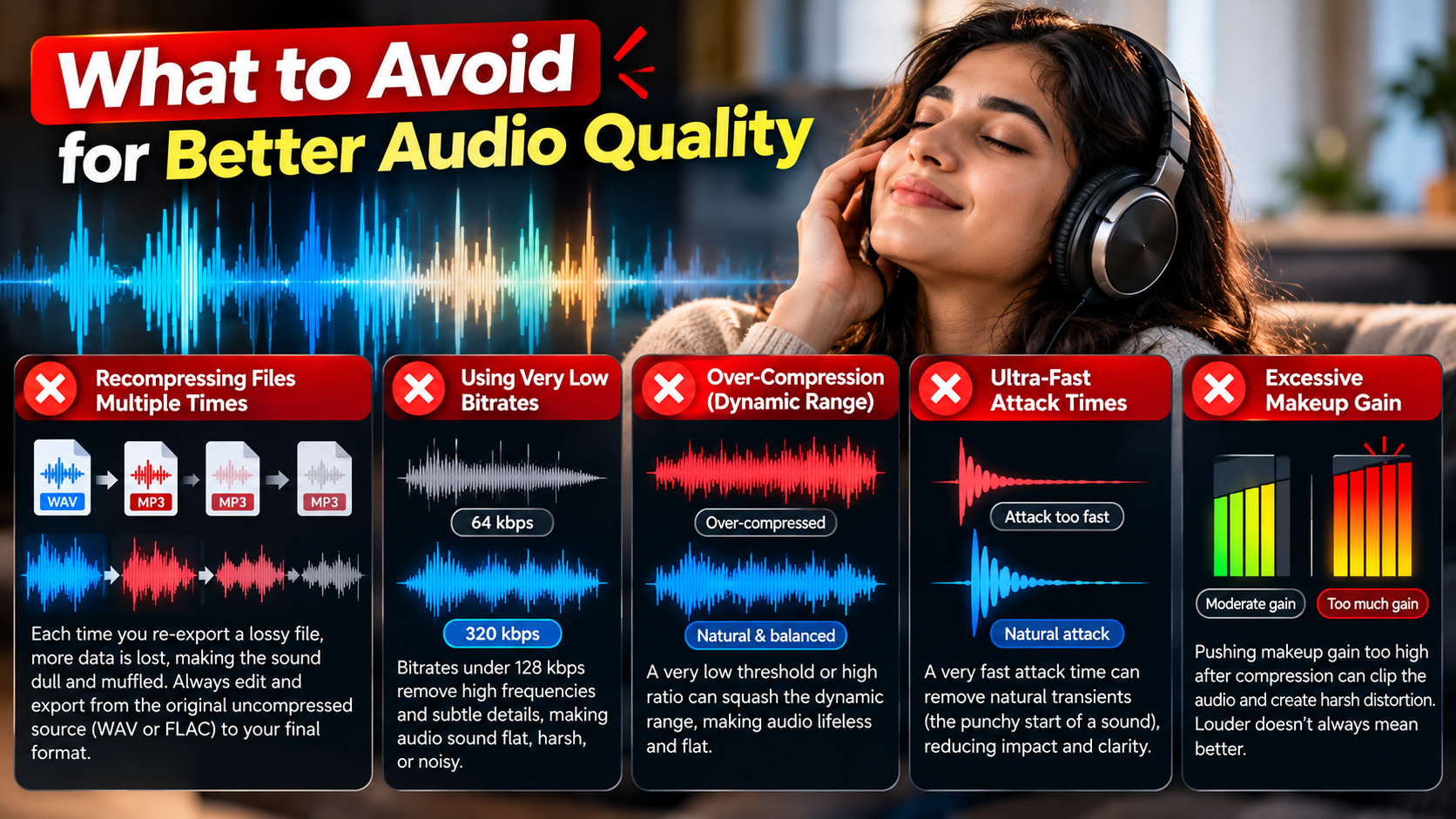
Dynamic range compression changes the level of an audio signal rather than its file structure. A compressor reduces gain when the signal exceeds a selected threshold. Makeup gain can then raise the overall level.
This process can be useful. It can control peaks, improve consistency, and help instruments sit together within a mix.
The problem begins when dynamic compression is applied too aggressively. Heavy compression can reduce the contrast between quiet details and louder transients. Drums may lose impact, vocals can become overly dense, and the mix may feel less open.
This effect is often associated with discussions about the Loudness War, where excessive loudness processing reduced dynamic contrast in some recordings.
Dynamic compression also differs from lossy data compression. It does not simply delete digital bits from the file. Instead, it changes the amplitude relationships within the signal.
Good compression depends on the source material and settings. Threshold, ratio, attack, release, and makeup gain all affect the final result.
How to Enhance the Quality of an Audio File
An audio file cannot gain recording resolution that was never captured. However, careful restoration and processing can improve perceived clarity, balance, and usable headroom.
The right approach depends on the problem. Noise, clipping, excessive dynamics, frequency buildup, and poor gain staging require different solutions.
1. Surgical Frequency Cleanup
Muddy or harsh audio often has frequency problems rather than insufficient resolution. A carefully configured equalizer can reduce unwanted energy without damaging useful content.
A high-pass filter can remove unnecessary low-frequency rumble. For vocals, dialogue, and some acoustic instruments, this may free headroom for useful low-end information. The cutoff should depend on the recording rather than following one fixed frequency.
A narrow parametric EQ notch can also reduce an unwanted resonance. This is often better than broadly cutting or boosting large parts of the spectrum.
Avoid excessive high-frequency boosting when trying to create clarity. Boosting treble can make noise and harshness more noticeable.
The goal is controlled correction rather than aggressive tonal change. Always compare the processed signal with the original at matched listening levels.
2. Spectral Repair and Denoising
Restoration software can help when an audio recording contains unwanted background noise or damaged sections. Spectral tools display frequency information over time, making it easier to identify specific problems.
Broadband denoising can reduce steady sounds such as hiss, HVAC noise, or electronic background noise. Excessive noise reduction can create metallic or watery artifacts, so moderate settings are usually safer.
De-clipping tools can also attempt to reconstruct portions of waveforms damaged by excessive recording levels. Results depend heavily on the severity of the clipping and the restoration algorithm.
These processes cannot perfectly recover every missing detail. They are restoration techniques, not replacements for a clean original recording.
For important work, keep an untouched copy of the source. Then process a duplicate and compare the result carefully.
3. Dynamic Expansion
If an audio file has been heavily compressed, the original performance dynamics may not be fully recoverable. However, an upward expander or transient shaper can sometimes increase the perceived contrast.
An expander changes the level relationship between different parts of a signal. A transient shaper can emphasize the attack or sustain characteristics of suitable material.
These tools can make drums and other percussive sounds feel more pronounced. However, they do not recreate the exact dynamics that existed before destructive processing.
Use moderate settings and listen for unnatural peaks, increased noise, or exaggerated transients. Restoration should improve the perceived result without introducing new problems.
4. Controlled Gain Staging
Gain staging is important when preparing audio for distribution. Digital systems can experience inter-sample peaks when reconstructed waveforms exceed the level suggested by individual samples.
This matters because a file can appear below 0 dBFS while its reconstructed waveform produces higher peaks. A downstream encoder or digital converter may respond differently depending on its implementation.
For distribution, engineers often leave some true-peak headroom. A target around -1 dBTP is commonly used for many streaming-oriented workflows, although exact requirements vary.
Avoid treating one number as a universal rule. Always check the delivery specifications of the target platform.
Good gain staging reduces the risk of clipping during later processing or encoding. It also gives encoders more room to work with the source signal.
What Are Common Audio Compression Mistakes?
Whether you are using a hardware compressor or exporting audio from a digital audio workstation, several mistakes can reduce quality.
- Transcoding lossy files repeatedly: Converting MP3 to AAC, or repeatedly re-encoding another lossy format, can introduce additional artifacts. Keep a lossless master whenever possible.
- Over-compressing an already limited track: Heavy dynamic compression after brickwall limiting can further reduce remaining dynamics and increase distortion.
- Using unsuitable attack times: Very fast attack settings can reduce the initial impact of drums and other transient sounds. The appropriate setting depends on the source and desired effect.
- Ignoring inter-sample peaks: A master that is extremely close to 0 dBFS can create problems during later encoding or conversion. Leaving suitable true-peak headroom can reduce this risk.
- Confusing bit depth with bitrate: Bit depth describes sample resolution in PCM audio. Bitrate describes the amount of data transmitted or stored per second.
These concepts are related to digital audio but describe different things. 16-bit and 24-bit refer to PCM bit depth, while 128 kbps and 320 kbps describe bitrate.
Understanding these differences helps prevent incorrect export settings and unnecessary processing.
Which Audio Compression Is Best?
There is no single best audio compression format for every situation. The appropriate choice depends on your purpose, required quality, storage limits, compatibility needs, and distribution platform.
For Archiving, Studio Mastering, and Critical Listening
FLAC is a practical choice for lossless music storage. It preserves the source audio while usually requiring less space than uncompressed PCM files. It also supports metadata and high-resolution audio.
ALAC provides similar lossless preservation and is especially useful within Apple-focused workflows.
For production, WAV and AIFF remain common uncompressed PCM formats. They are useful when compatibility with recording and editing software is the priority.
The important principle is simple: keep a lossless or uncompressed master before creating smaller distribution versions.
For Streaming, Mobile Distribution, and Bandwidth Conservation
AAC is widely used for lossy audio distribution and can provide good quality at moderate bitrates.
Opus is a modern, flexible lossy codec designed for applications ranging from speech to music. Its efficiency makes it useful when bandwidth is limited.
MP3 remains widely compatible with older hardware and software. It can still be useful when broad compatibility is more important than codec efficiency.
When using MP3, VBR can provide a useful quality-to-size balance. High-bitrate CBR is another option when predictable bitrate and compatibility are important.
Ultimately, the best format is the one that matches the intended use without unnecessary conversions. For listeners deciding how audio should be delivered to their devices, understanding wired vs wireless audio can also help clarify the trade-offs between connection methods and playback quality. Keep your highest-quality source separate from compressed delivery copies.
Conclusion
Understanding audio vs file compression is essential when you want to preserve sound quality while managing file size. Dynamic range compression changes the characteristics of an audio signal, while digital file compression changes how audio data is stored or transmitted.
For the best preservation, keep an original lossless or uncompressed master and create compressed copies for specific uses. FLAC and ALAC can reduce file size without permanently removing source data, while formats such as AAC, Opus, and MP3 use lossy compression to save more space.
For lossy distribution, formats such as AAC, Opus, and MP3 can reduce storage and bandwidth requirements. The IETF’s official Opus specification provides detailed technical information about how the Opus codec handles speech and music.
Avoid repeatedly converting between lossy formats, over-processing already limited audio, and confusing bitrate with bit depth. Choose your format based on the purpose, required quality, compatibility, and available storage or bandwidth.
The key principle is simple: compress files when you need efficiency, but preserve your lossless source whenever audio quality matters.