Switch to Google Pixel from Samsung Galaxy: A Complete Comparison
Deciding whether to switch to Google Pixel from Samsung Galaxy can be challenging. Both brands offer powerful Android smartphones with different strengths. However, their software experiences, hardware designs, and everyday features are quite different.
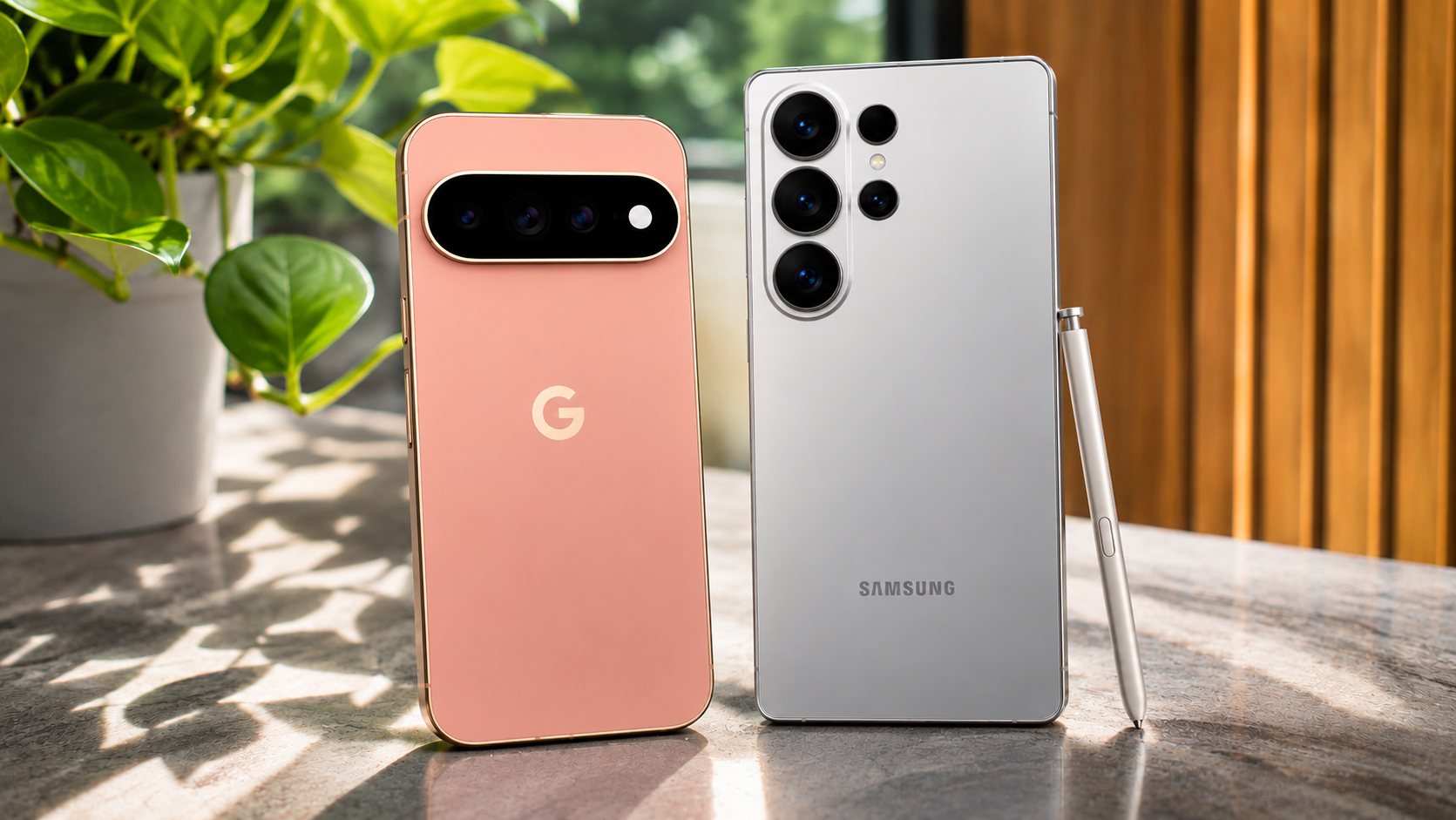
Samsung Galaxy phones focus on powerful hardware, extensive customization, and advanced multitasking. Google’s Pixel lineup takes another approach. It prioritizes clean Android software, artificial intelligence, and computational photography.
Both manufacturers also provide tools that make switching between Android devices easier. Google’s setup process supports transferring important information from an existing Samsung phone. However, some manufacturer-specific features require additional attention.
Before making the change, consider how you use your smartphone. Think about your camera preferences, gaming habits, productivity needs, and budget. This guide compares both brands and explains what to expect during the transition.
Should I Change from Samsung to Pixel?
Switching from Samsung to Google Pixel depends on your priorities. Pixel phones are worth considering if you prefer clean software, useful AI features, and reliable photography. Samsung offers more customization options and productivity features. Therefore, neither brand is automatically better for every Android user.
Many Galaxy owners appreciate Samsung’s One UI experience. However, some users find its additional apps and settings unnecessary. Pixel offers a simpler interface with Google’s services and applications closely integrated. This creates a more consistent Android experience.
Before switching, consider the features you currently use. Samsung provides several tools that Pixel does not directly replace.
For example, Samsung users may depend on:
- Samsung DeX: Connects compatible phones to external displays for a desktop-like experience.
- S Pen: Supports handwriting, drawing, and productivity on compatible Galaxy devices.
- Edge Panels: Provides shortcuts to frequently used applications and tools.
- Good Lock: Offers advanced interface customization.
If these features are essential, switching could require changing your daily workflow.
Software Simplicity Versus Heavy Multitasking
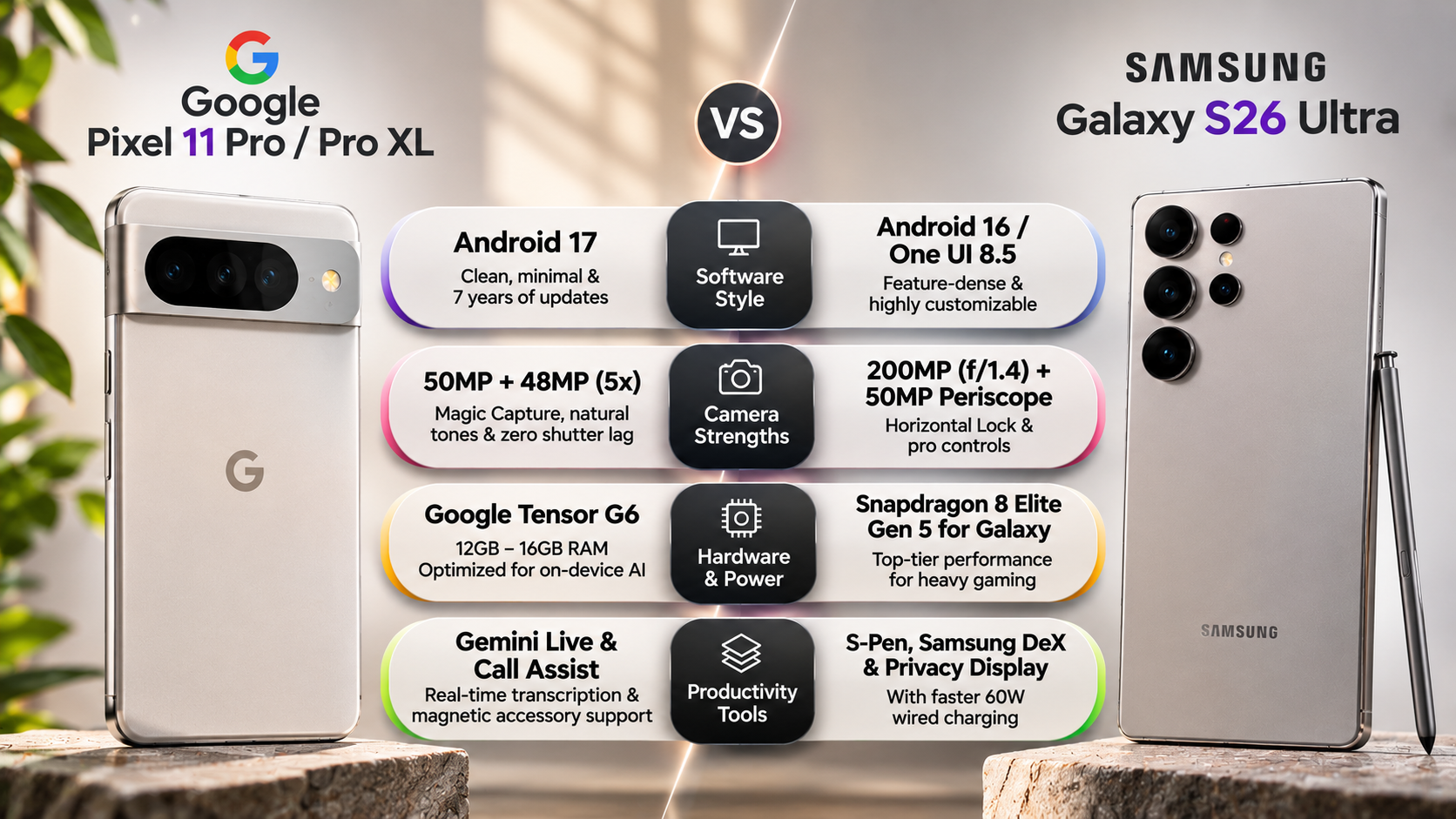
Google Pixel and Samsung Galaxy approach Android software differently. Pixel delivers a relatively clean interface with Google’s applications and services. Samsung One UI offers more customization, multitasking controls, and additional productivity tools.
Pixel users benefit from Google’s software integration. Features such as Call Screen, supported AI tools, and automatic transcription can simplify everyday tasks. However, feature availability depends on the device, language, and region.
Samsung provides a different advantage through its multitasking capabilities. Users can open multiple applications, arrange floating windows, and customize their home screens. Its ecosystem also supports features such as Samsung DeX on compatible models.
Consider your actual usage before choosing either interface. If you rarely customize settings or use advanced multitasking, Pixel may feel more comfortable. However, users who depend on Samsung’s productivity tools should examine the alternatives carefully.
Ultimately, the better software experience depends on whether you value simplicity or flexibility.
Is It Hard to Switch from Samsung Galaxy to Google Pixel?
Switching from Samsung Galaxy to Google Pixel is generally straightforward. Both devices run Android, making data migration easier than switching between completely different operating systems. Google’s setup process allows users to transfer important information during initial configuration.
When setting up a new Pixel, you can connect your Samsung phone using a compatible USB-C cable. Follow the instructions displayed on your Pixel’s screen to begin transferring data.
Depending on compatibility and available storage, the process can transfer:
- Contacts and calendar information.
- Photos and videos.
- SMS and MMS messages.
- Call history.
- Compatible applications.
- Selected device settings.
Transfer times depend on the amount of stored information and connection speed. Larger photo libraries may take considerably longer.
However, not everything transfers automatically. Banking applications, authentication tools, and certain account-based services may require separate setup. You should also check your backups before resetting your Samsung device.
Managing Proprietary App Data and Secure Folders
Samsung includes several applications and services that store information differently from Google’s ecosystem. These require additional attention when moving to a Pixel phone. Transferring your regular contacts and photos does not guarantee that every application-specific file will move successfully. For example, when moving saved credentials from Samsung Pass to another service, consider the potential disadvantages of using password managers before choosing an alternative.
Pay particular attention to these services:
- Samsung Notes: Export important notes into compatible formats, such as PDF, before switching.
- Samsung Health: Check available export and synchronization options for your health records.
- Secure Folder: Move important files outside Secure Folder before migration. Check their security and privacy settings afterward.
- Samsung Pass: Review saved credentials and move compatible information to an alternative password manager.
- Samsung-specific settings: Recreate important routines, shortcuts, and preferences manually.
Google Drive can help store exported documents and other supported files. However, cloud backups do not automatically preserve every application feature.
Before resetting your Galaxy phone, open your Pixel and verify that your important information is accessible. This simple check can prevent unnecessary data loss during the transition.
Is Google Pixel as Good as Samsung Galaxy?
Google Pixel can compete with Samsung Galaxy in several important areas. Both brands offer premium displays, capable cameras, long-term software support, and powerful everyday performance. However, their strengths differ depending on the model and price category.
Samsung generally emphasizes hardware versatility. Its flagship Galaxy S Ultra models offer advanced zoom systems, powerful processors, and productivity features. Pixel phones focus more heavily on Google’s software integration and computational photography.
The performance difference also depends on the specific devices being compared. Tensor processors prioritize AI-related workloads and Google’s software features. Samsung uses different processors across markets and models, making direct comparisons important.
Software support is another consideration. Google provides seven years of updates for Pixel 8 and newer supported generations. Samsung also offers seven years of support for select recent flagship devices, including the Galaxy S24 series. Regular security updates also matter when evaluating long-term smartphone protection. You can learn how to check whether your Android phone is still secure before deciding which device to keep.
Therefore, compare specific models rather than assuming one brand always delivers better hardware or longevity.
Camera Performance and Daily Real-World Responsiveness
Camera performance is one of the biggest reasons people consider switching from Samsung Galaxy to Google Pixel. Google emphasizes computational photography, using software processing to improve everyday pictures. Samsung focuses on versatile camera hardware, particularly in its flagship Ultra models. Night photography is another important consideration, especially when comparing image details, exposure, and low-light performance. Explore Google Pixel vs. Samsung Galaxy night photography to understand how both brands perform in darker environments.
Pixel phones are particularly appealing for point-and-shoot photography. Google’s image processing can produce balanced exposure, detailed portraits, and natural-looking results. Its camera software also includes features designed to improve photographs taken in challenging situations.
Samsung offers advantages in other photography situations. Compatible Galaxy Ultra models provide powerful optical zoom capabilities and extensive camera controls. These features appeal to users who frequently photograph distant subjects.
For everyday photography, consider the following differences:
- Pixel: Computational photography, portrait processing, and straightforward camera controls.
- Samsung: Versatile zoom systems, additional shooting controls, and flexible camera hardware.
- Video: Compare stabilization, recording resolutions, and low-light performance on specific models.
- Moving subjects: Test shutter response and motion handling using real-world photographs.
Neither brand wins every camera comparison. Your preferred photography style should determine the better choice.
Should I Buy Google Pixel or Samsung?
Choosing between Google Pixel and Samsung Galaxy depends on your budget and everyday requirements. Pixel is worth considering if you prioritize clean Android software, Google’s AI features, and computational photography. Samsung is often more suitable for users who want extensive customization and advanced hardware options.
Pixel phones integrate closely with Google’s applications and services. This makes them appealing to people who regularly use Google Photos, Gmail, Google Assistant, and other Android services. Their camera experience also suits users who prefer taking photographs without adjusting numerous settings.
Samsung offers a broader collection of productivity features. Its compatible devices support advanced multitasking, Samsung DeX, and S Pen functionality. Galaxy phones can also integrate with Samsung’s watches, tablets, and other accessories.
Before purchasing, compare the actual devices available within your budget. Consider their processor performance, display quality, battery capacity, charging speed, camera hardware, and software support.
The best smartphone is the one that supports your daily activities without requiring unnecessary compromises.
What Is the Disadvantage of Google Pixel?
Google Pixel phones offer several advantages, but they also have limitations. Some Samsung users may notice differences in processing performance, charging speeds, customization, and hardware flexibility. These differences become particularly important when comparing premium Galaxy models with similarly priced Pixel devices.
One commonly discussed limitation involves Google’s Tensor processors. They prioritize machine learning and AI-related tasks rather than competing solely through traditional processing benchmarks. Some competing flagship processors can deliver stronger sustained gaming performance.
Charging speeds are another consideration. Certain Galaxy flagship models support faster wired charging than comparable Pixel devices. However, actual charging performance varies by generation and model.
Other potential disadvantages include:
- Gaming performance: Some competing flagship processors deliver better sustained graphics performance.
- Charging: Several Samsung models offer faster wired charging.
- Customization: Pixel provides fewer advanced interface customization options than Samsung One UI.
- Connectivity: Modem performance and reception vary between individual devices and network conditions.
- Ecosystem: Some Samsung-exclusive applications and accessories may not have direct Pixel alternatives.
These limitations do not make Pixel a poor choice. They simply highlight areas worth checking before purchasing.
Final Verdict: Should You Switch from Samsung Galaxy to Google Pixel?
Switching from Samsung Galaxy to Google Pixel is worthwhile if you prefer clean Android software, helpful AI features, and reliable everyday photography. Pixel offers a straightforward smartphone experience with Google’s services deeply integrated into the operating system. It is particularly appealing to users who value simplicity over extensive customization.
However, Samsung Galaxy remains a stronger choice for users who enjoy advanced multitasking, faster charging on select models, S Pen functionality, and greater hardware flexibility. Its ecosystem also offers useful advantages for people who already own Galaxy accessories.
Before making the switch, consider your daily smartphone requirements and compare specific models. Check camera performance, battery life, processor capabilities, network compatibility, and software support.
Our recommendation: Choose Google Pixel for its clean software experience and photography capabilities. Stick with Samsung Galaxy if productivity, customization, and hardware versatility matter more to you. Before making your final decision, use Google’s official Pixel comparison tool to compare available Pixel models and identify the device that best matches your requirements. Ultimately, the right choice depends on which features you use most every day.