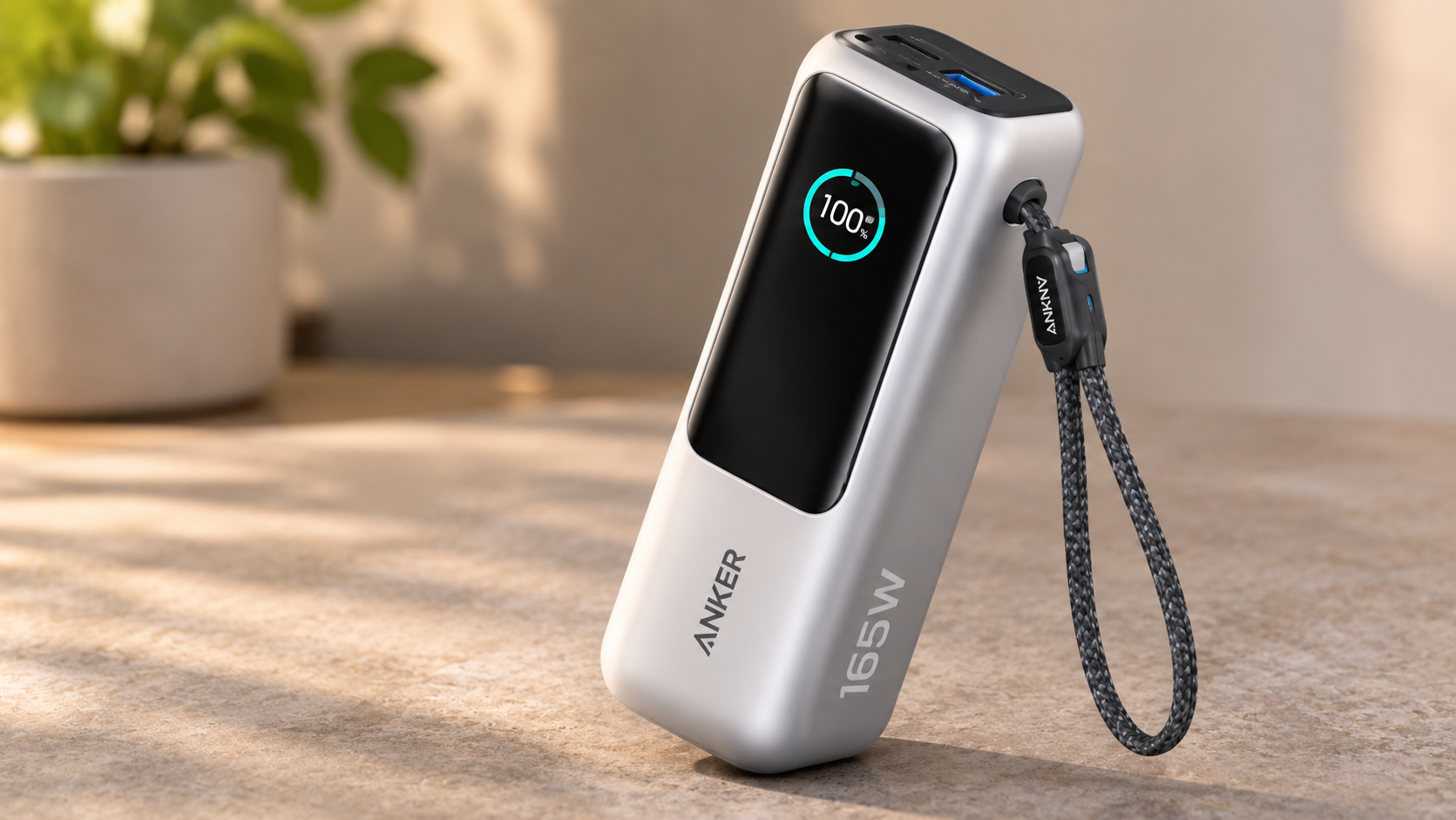
4 Common Problems With Anker Power Banks (And How to Fix Them)
When your portable charger stops delivering power, you need to understand the cause before replacing it. Sometimes, changing a cable solves the problem. In other cases, battery degradation or an internal safety mechanism may be responsible.
This guide covers four common Anker power bank problems and explains how to troubleshoot them. You will also learn about charging failures, product recalls, reliability, and battery lifespan. Let’s examine these issues and the steps you can take to resolve them.
1. Battery Draining Quickly
One of the most common problems with Anker power banks is unexpectedly fast battery drain. Your portable charger might lose several percentage points while sitting unused. It may also run out of power after charging your phone only once or twice. However, this does not always indicate a defective battery.
Power banks experience energy loss during voltage conversion. Therefore, the usable capacity is lower than the advertised battery capacity. Actual performance depends on the model, connected device, cable, and charging conditions. Some models also consume small amounts of power when idle.
Several factors can contribute to faster battery consumption:
- Normal conversion losses: Power banks do not deliver their entire rated capacity to connected devices. Some energy is lost through internal circuitry and voltage conversion.
- Connected cables: Leaving cables plugged in can sometimes activate internal electronics and increase standby power consumption.
- Battery aging: Repeated charging cycles gradually reduce lithium-ion battery capacity.
- Heavy phone usage: Running demanding applications while charging increases power consumption.
How to fix it: Disconnect unused cables after charging. Avoid running demanding applications while charging your phone. Also, check whether your power bank loses charge unusually quickly when disconnected. If the problem continues, contact Anker Support for model-specific assistance.
2. Slow Device Charging
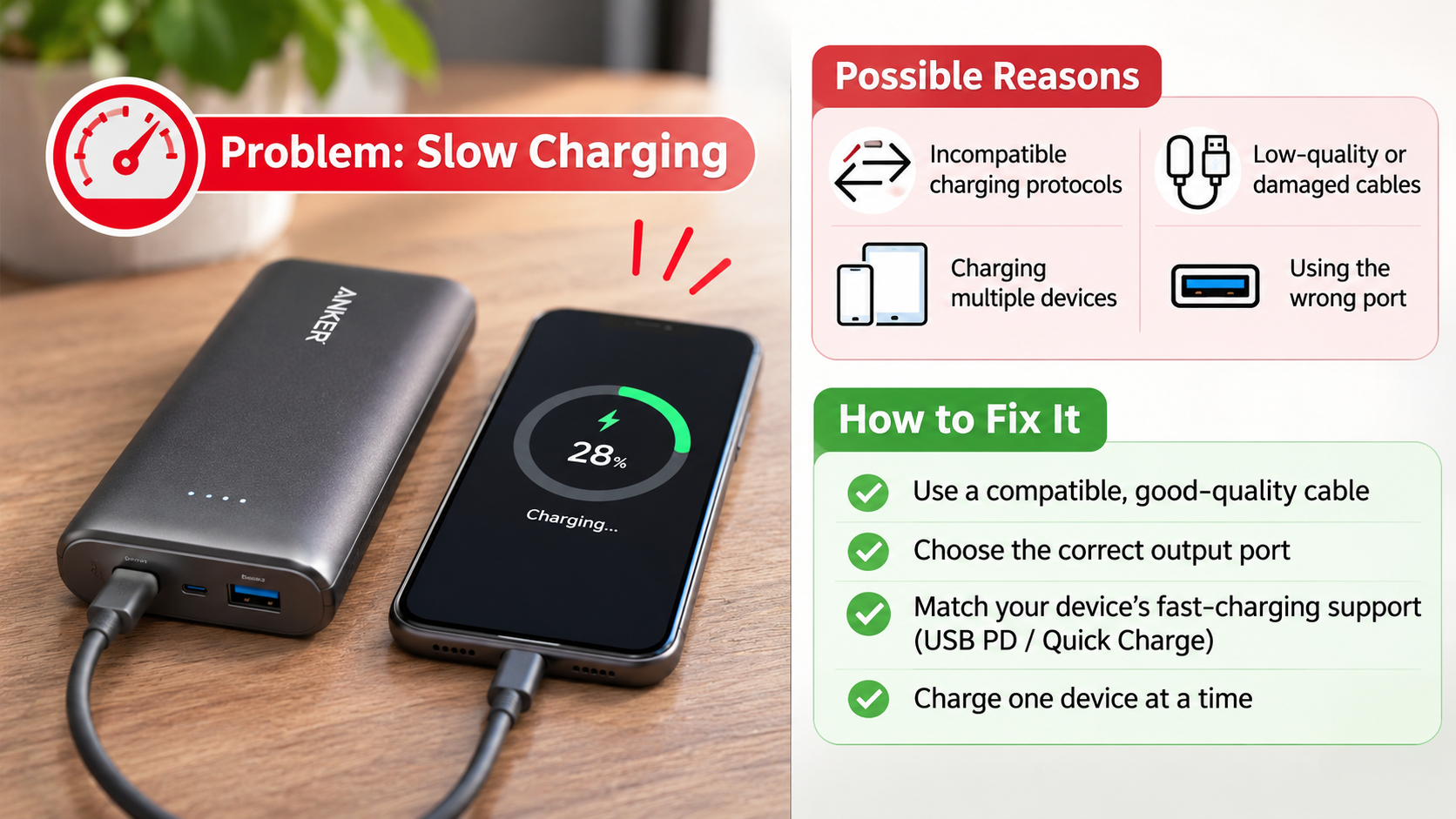
Slow charging is another frequent issue reported by portable charger users. Your Anker power bank might take much longer than expected to charge a smartphone or tablet. This problem does not necessarily indicate a battery defect. In many cases, incompatible charging standards, unsuitable cables, or limited output power cause the slowdown.
Modern devices support different fast-charging technologies. These include USB Power Delivery (USB PD) and Qualcomm Quick Charge. Your power bank and connected device must support compatible charging protocols to achieve their advertised speeds. A basic charging cable can also prevent fast charging.
Here are some common reasons behind slow device charging:
- Incompatible charging protocols: Your phone might not support the same fast-charging technology as your power bank.
- Low-quality cables: Damaged or unsuitable cables can restrict charging speed and power delivery.
- Shared output power: Connecting multiple devices can divide the available output between ports.
- Port selection: Some power bank ports provide different maximum output levels.
How to fix it: Use a compatible, undamaged cable and select the correct output port. Check your device’s fast-charging requirements and your power bank’s specifications. Try charging one device at a time. If charging remains unusually slow, test another compatible cable and device.
3. Slow Power Bank Recharging
Sometimes, the power bank itself takes several hours to recharge. This issue becomes particularly noticeable with high-capacity models, such as 20,000mAh and 26,000mAh units. However, long charging times are not always a sign of hardware failure. Your wall adapter, charging cable, and power bank input rating all affect recharging speed.
For example, a low-wattage adapter cannot recharge a large battery as quickly as a compatible high-wattage charger. Similarly, a damaged cable can interrupt power delivery or reduce charging performance. Some models also support different input speeds depending on the selected port.
Common reasons for slow power bank recharging include:
- Low-wattage adapters: Older 5W or 10W adapters may take considerably longer to recharge high-capacity power banks.
- Unsuitable cables: A cable with limited power-delivery support can restrict the charging speed.
- Pass-through charging: Charging your phone while recharging the power bank may affect available power and charging performance.
- Input limitations: Every model has a maximum supported input wattage. A more powerful adapter cannot exceed that limit.
How to fix it: Check the manufacturer’s specifications and use a compatible USB-C Power Delivery adapter. Select the recommended input port and use an appropriate cable. Disconnect connected devices while recharging. If the problem continues, test another compatible adapter and cable.
4. Overheating
Overheating is a more serious problem because excessive heat can affect battery performance and create safety risks. Anker power banks may become slightly warm during fast charging or high-power operation. However, unusual heat, swelling, smoke, or burning smells should never be ignored.
Environmental conditions can contribute to overheating. Charging your devices in direct sunlight or inside an enclosed bag restricts heat dissipation. Damaged cables and faulty battery cells can also create problems. Additionally, certain Anker power bank models have been included in official safety recalls.
Anker announced recalls involving specific power bank models because of potential lithium-ion battery overheating risks. These recalls demonstrate why checking your device’s model and serial number matters.
How to prevent overheating:
- Keep your power bank away from direct sunlight and excessive heat.
- Avoid charging it inside enclosed bags or poorly ventilated spaces.
- Use compatible charging adapters and undamaged cables.
- Stop using a device that becomes unusually hot, swells, leaks, or produces smoke.
- Check the official Anker product recall page for affected models and serial numbers.
Important: If your power bank is unusually hot or visibly damaged, disconnect it only if safe. Stop using it and follow Anker’s safety instructions. Never attempt to repair a swollen battery yourself.
What Are the Common Problems With Anker Power Banks?
The common problems with Anker power banks include fast battery drain, slow charging, failure to recharge, overheating, and unresponsive power buttons. Some users also experience inaccurate battery indicators or USB port connection problems. However, these symptoms do not always mean the power bank has permanently failed.
Charging accessories are often responsible for performance problems. A damaged USB cable, incompatible wall adapter, or dirty charging port can interrupt normal operation. Battery degradation can also reduce the amount of power your portable charger stores over time.
Before replacing your device, consider these basic troubleshooting steps:
- Test the power bank with another compatible charging cable.
- Try a different wall adapter with suitable power output.
- Inspect the USB ports for visible dirt or damage.
- Check the manufacturer’s instructions for model-specific reset procedures.
- Compare the advertised capacity with your actual charging requirements.
- Check whether your model appears on Anker’s official recall list.
If these steps do not resolve the issue, contact Anker Support. Provide the model number, purchase information, and a description of the problem. This information can help the support team identify whether your device needs servicing or replacement.
Are Anker Power Banks Reliable?
Anker has established a strong reputation in the portable charging market. Its products offer different capacities, charging speeds, and safety features. Many consumers choose Anker because its power banks support popular charging standards and offer convenient charging options.
However, brand reputation does not guarantee that every product will work perfectly. Like other electronics manufacturers, Anker has experienced manufacturing defects and product recalls. Certain lithium-ion battery cells have created overheating and fire risks in specific power bank batches. These incidents make product safety checks particularly important.
When evaluating an Anker power bank, consider the following factors:
- Charging performance: Check the supported output wattage and compatibility with your devices.
- Battery capacity: Choose a capacity that matches your daily charging requirements.
- Safety features: Review the protection features listed for your particular model.
- Warranty coverage: Check the warranty period and applicable conditions in your country.
- Recall information: Verify the model and serial number before continuing to use a potentially affected device.
Overall, Anker remains an established option for portable charging. However, buyers should compare individual models rather than relying entirely on brand reputation. Checking independent reviews, product specifications, and recall notices can help you make a better purchasing decision.
Why Is My Anker Power Bank Not Working?
Your Anker power bank might stop working because of a depleted battery, damaged cable, faulty charging port, or activated safety protection. Sometimes, the device appears completely unresponsive even when the battery still has some charge. Identifying the cause is important before attempting any troubleshooting procedure.
Start by checking the charging accessories. Connect the power bank to a compatible wall adapter using a working cable. Allow it to charge for the period recommended in its manual. Then, check whether the LED indicators or display respond.
You can also try these troubleshooting steps:
- Check the battery level: Make sure the power bank has sufficient remaining charge.
- Inspect the ports: Look for visible dust, debris, corrosion, or physical damage.
- Change the cable: Test another compatible cable to rule out connection problems.
- Try another adapter: Use a suitable wall charger that meets the manufacturer’s input requirements.
- Check the instructions: Follow the reset procedure specified for your particular model.
Avoid inserting metal objects into charging ports or connecting output and input ports together without explicit manufacturer instructions.
If your device still does not respond, contact Anker Support. Stop using it immediately if you notice unusual heat, swelling, leakage, or smoke.
What Anker Power Bank Was Recalled?
Anker has issued multiple product recalls involving specific power bank models. These recalls followed concerns about lithium-ion battery cells that could overheat and create fire or burn hazards. However, not every unit from an affected model is necessarily included. Eligibility depends on the specific recall and serial number.
An important recall announced in June 2025 involved approximately 1.15 million Anker PowerCore 10000 power banks. The affected product was specifically model A1263. Consumers were instructed to check their serial numbers and stop using confirmed affected devices.
Anker also announced a separate recall in September 2025 involving these models:
- A1647 – Anker Power Bank (20,000mAh, 22.5W).
- A1652 – Anker MagGo Power Bank (10,000mAh).
- A1257 – Anker Power Bank (10K, 22.5W).
- A1681 – Anker Zolo Power Bank (20K, 30W).
- A1689 – Anker Zolo Power Bank (20K, 30W).
What should you do? Check your model and serial number through Anker’s official recall portal. If your device is confirmed affected, stop using it immediately. Follow Anker’s instructions for compensation and safe disposal. Never throw a recalled lithium-ion battery into household rubbish or ordinary recycling bins.
What Is the Lifespan of an Anker Power Bank?
The lifespan of an Anker power bank depends on its battery chemistry, charging habits, operating temperature, and frequency of use. Many conventional lithium-ion power banks provide approximately two to three years of practical service. However, this is a general estimate rather than a guaranteed lifespan for every Anker model. For a broader understanding, read our guide on the average lifespan of a portable battery bank, including the factors that affect battery longevity.
Battery capacity gradually decreases as lithium-ion cells go through repeated charging cycles. A charging cycle represents cumulative battery usage equivalent to 100% of its capacity. For example, using 50% of the battery twice generally equals one full cycle.
Several factors can affect your power bank’s usable lifespan:
- Charging frequency: Frequent full charging cycles gradually reduce battery capacity.
- High temperatures: Excessive heat accelerates battery degradation.
- Storage conditions: Leaving a power bank completely discharged for extended periods can affect battery health.
- Charging habits: Using compatible adapters and cables helps maintain normal operation.
- Battery chemistry: Different battery technologies have different cycle-life characteristics.
Some LiFePO4 batteries can support substantially more charging cycles than conventional lithium-ion cells. However, do not assume that every Anker power bank uses this chemistry. Check the specifications of your particular model.
To extend battery life, avoid extreme temperatures and follow the manufacturer’s storage recommendations. Also, inspect your device regularly for physical damage or unusual battery behaviour. Replace or service it when its performance or safety becomes unreliable.
Conclusion
Anker power banks offer convenient portable charging, but occasional problems can affect their performance and reliability. Issues such as fast battery drain, slow charging, overheating, and charging failures often have simple solutions. Checking your cables, using compatible adapters, and following the manufacturer’s troubleshooting instructions can help resolve many common problems.
However, never ignore unusual heat, battery swelling, or unexpected performance changes. Check Anker’s official recall notices to ensure your device is safe to use. With proper maintenance, safe charging habits, and suitable storage conditions, you can extend your power bank’s usable lifespan.
Ultimately, understanding the common problems with Anker power banks helps you troubleshoot issues, protect your devices, and get the most out of your portable charger.