
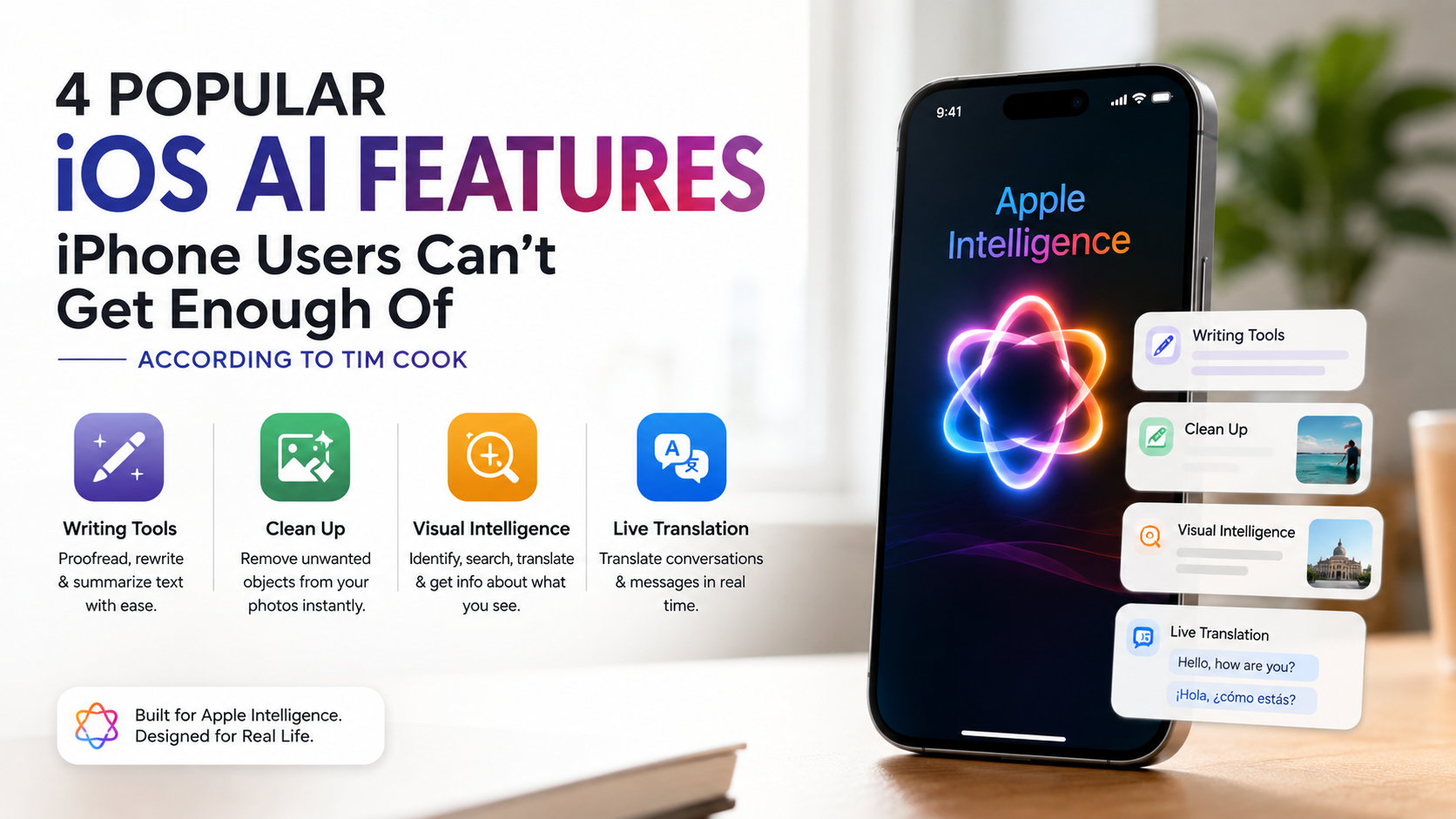
4 Popular iOS AI Features iPhone Users Can’t Get Enough Of (According to Tim Cook)
Popular iOS AI features are changing how people use their iPhones every day. Apple Intelligence brings practical AI tools to tasks such as writing, photo editing, visual search, and translation.
These features focus on practical tasks rather than making AI feel like a separate app. They work directly inside familiar iPhone experiences, helping users write, edit, search, and communicate more efficiently.
Among the most useful additions are Writing Tools, Clean Up, Visual Intelligence, and Live Translation. These popular iOS AI features show how Apple is making artificial intelligence a more natural part of the iPhone experience.
Apple Intelligence has introduced several tools that make everyday iPhone tasks faster and easier. Writing Tools, Clean Up, Visual Intelligence, and Live Translation are four standout examples.
Each feature solves a different everyday problem. Together, they show how Apple is moving AI beyond simple chatbots and into the operating system itself.

1. Writing Tools: Basic AI Assistance Done Locally
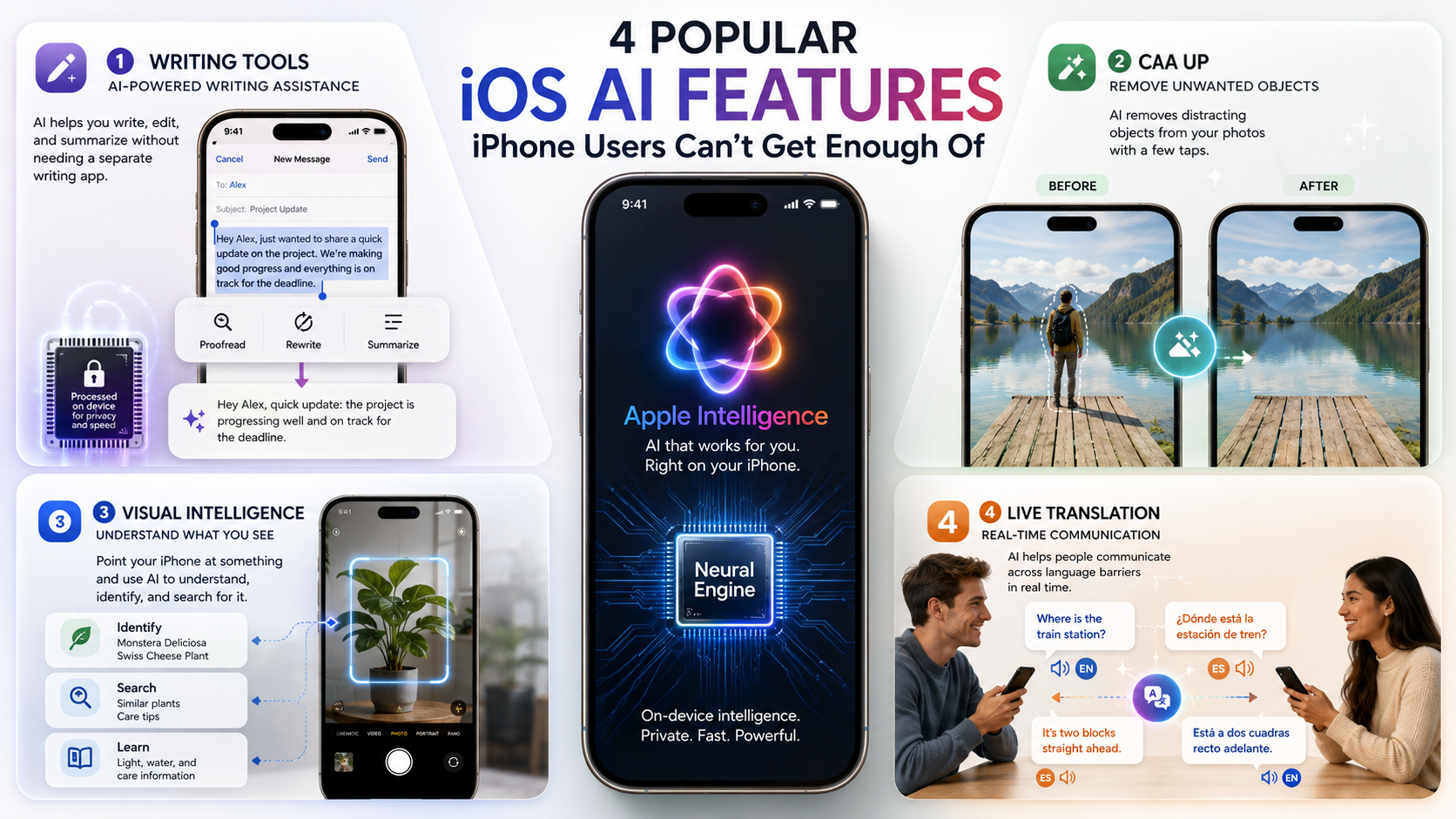
Writing Tools are among the most practical Apple Intelligence features available on compatible iPhones. They can help users proofread, rewrite, and summarize text across supported apps.
You can select text and adjust its tone, improve its wording, or shorten it into a quick summary. This makes the feature useful for emails, messages, notes, and other everyday writing tasks.
A major advantage is that many basic Apple Intelligence requests are processed directly on the device. This can improve privacy and reduce the need to send information to the cloud.
For users who write frequently, Writing Tools can save time without requiring a separate AI writing app. This makes them one of the most useful popular iOS AI features for students, professionals, and everyday iPhone users.
2. Clean Up: Remove Unwanted Objects From Your Photos
The Clean Up tool brings AI-powered photo editing directly into the iPhone Photos app. It allows users to remove distracting objects from an image with a few taps.
Instead of opening a separate editing application, you can select an unwanted person, object, or background distraction. Apple Intelligence then attempts to remove it while filling the area naturally.
This makes Clean Up useful for everyday photography. You might use it to remove a stranger from the background or eliminate an object that distracts from the main subject.
The feature is particularly appealing because it keeps the editing process simple. You do not need advanced Photoshop skills or another professional editing tool.
For many users, Clean Up is one of the most useful iPhone AI photo features. It turns a previously complicated editing task into a quick, built-in action.
3. Visual Intelligence: Apple’s Take on Circle to Search
Visual Intelligence gives the iPhone a more powerful way to understand what you see. It can use the camera and on-screen content to provide information about objects, places, text, and more.
The experience has similarities to Google’s Circle to Search, although Apple’s implementation is integrated into its own hardware and software ecosystem.
You can use Visual Intelligence to identify objects, summarize or translate text, search for information, and interact with content around you. Depending on the experience, it can also connect with supported search and AI camera technology and AI services.
This makes the camera more than a tool for taking photos. It becomes a way to interact with the physical world and quickly find useful information.
For users who enjoy visual search, Visual Intelligence on iPhone can make everyday discovery much faster. It is another example of how popular iOS AI features are becoming part of Apple’s core mobile experience.
4. Live Translation Is Also Making a Splash
Live Translation is another Apple Intelligence feature designed to make communication easier. It can translate supported conversations, messages, and other communication in real time.
The feature is particularly useful when two people speak different languages. Instead of manually copying text into a translation app, users can access translation within supported Apple experiences.
Live Translation works across supported communication features and languages. Availability can vary depending on the device, operating system, language, and region.
For travelers, international families, and multilingual users, this can remove friction from everyday conversations. It also shows how Apple is moving AI beyond writing and image editing.
Among today’s popular iOS AI features, Live Translation stands out because it solves a practical communication problem. It makes the iPhone more useful when language differences would otherwise slow a conversation.
What AI Features Are Available on iPhone?
Apple Intelligence provides a growing collection of AI tools across iOS. Writing Tools can rewrite, proofread, and summarize text in supported apps. Users can adjust wording without switching to a separate writing assistant.
Siri has also become more capable. It understands requests more naturally and can maintain context between related questions. Apple has expanded Siri’s product knowledge and system integration as well.
Photos includes several useful AI features. Users can search photos with natural language, create Memory Movies, and remove distracting objects with Clean Up.
Messages can summarize conversations and suggest replies with Smart Reply. Genmoji and Image Playground also add creative options for supported users.
Other popular iOS AI features include:
- Visual Intelligence for understanding objects, text, places, and on-screen content.
- Notification and message summaries for quickly reviewing information.
- Call and voicemail summaries for catching up without replaying everything.
- Intelligent actions in Shortcuts for summarizing text and creating content.
Together, these tools make AI feel like part of the operating system rather than another app.
Advanced Writing Tools and Smart Summaries
Writing Tools are among the most practical Apple Intelligence features for everyday users. They work across supported text fields and can help improve messages, notes, emails, and other written content.
Users can select text and choose options such as rewriting, proofreading, or summarizing. These tools are useful when a message needs a clearer tone or a shorter format.
For students, professionals, and frequent email users, summarization can reduce the time spent reading lengthy content. Rewrite options can also make informal text sound more polished without starting again.
Apple has expanded its AI features beyond simple text editing. In supported experiences, Apple Intelligence can summarize webpages, conversations, notifications, and recorded calls.
The main benefit is convenience. You can access these tools where you are already working.
However, AI-generated content can still contain mistakes. Apple warns that generative outputs may be inaccurate or unexpected. Important information should always be checked before sharing or relying on it.
These capabilities make AI writing tools on iPhone especially useful for quick editing and information management.
Which iPhone Will Have AI Features?
Apple Intelligence is not available on every iPhone. The supported list has expanded since the original launch, so older compatibility information can quickly become outdated.
As of 2026, Apple lists these iPhones as compatible with Apple Intelligence:
- iPhone 15 Pro and iPhone 15 Pro Max
- iPhone 16, 16 Plus, 16 Pro, and 16 Pro Max
- iPhone 16e
- iPhone 17, 17 Pro, 17 Pro Max, and 17e
- iPhone Air
The original requirement was based around Apple’s A17 Pro and newer generations. Newer models now use A18, A19, and A19 Pro chips with additional hardware designed for demanding AI workloads.
This means the iPhone 15 Pro remains the oldest iPhone generation officially supporting Apple Intelligence. Standard iPhone 15 and 15 Plus models do not support Apple Intelligence.
Compatibility alone does not guarantee every feature. Apple notes that availability can depend on language, region, and software version. Users should also check which iPhones are no longer supported in 2026 when considering an upgrade.
For the best experience, keep your iPhone updated and enable Apple Intelligence under Settings > Apple Intelligence & Siri.
The Power of Apple Silicon Chips
Apple’s custom silicon plays a central role in running AI features efficiently. Supported iPhones combine powerful processors with dedicated neural processing hardware.
These components help the device handle machine learning and generative AI workloads locally. Local processing can also reduce the need to send personal information to remote servers.
Apple Intelligence uses on-device processing whenever possible. For more demanding requests, it can use Private Cloud Compute. This system uses Apple silicon servers to handle tasks requiring additional computing power.
Apple says data sent to Private Cloud Compute is used only to fulfill the request. It is not stored or made accessible to Apple. Independent researchers can also inspect the software behind the system.
This approach combines local processing with cloud-based capacity. It allows compatible iPhones to handle more complex AI features without placing every workload entirely on the device.
Newer chips also provide more headroom for future AI capabilities. Apple’s newer iPhone 17e, for example, uses an A19 chip and a 16-core Neural Engine designed for demanding generative models. This hardware focus also makes iPhone battery life and optimization relevant when evaluating newer devices.
As a result, Apple silicon and Neural Engine hardware remain important reasons why Apple Intelligence excludes many older iPhones.
What Are the Best Features of iOS?
iOS offers far more than artificial intelligence. Its strongest features combine customization, privacy, communication, and integration across Apple devices.
Useful features include Lock Screen customization, widgets, StandBy, Live Voicemail, AirDrop, NameDrop, and extensive privacy controls. Messages also supports features such as Check In, audio transcription, and customizable reactions and stickers.
Apple has continued expanding iPhone personalization. Users can arrange apps more freely and customize the appearance of their Home Screen.
Privacy is another major part of the iOS experience. App Tracking Transparency gives users greater control over whether apps can track their activity across other companies’ apps and websites.
Apple Intelligence adds another layer to this ecosystem. Features such as Writing Tools, Clean Up, Visual Intelligence, and message summaries are built into familiar apps rather than isolated AI platforms.
iOS 26 also introduced broader system changes, including a new Liquid Glass design and additional Apple Intelligence capabilities.
The best iOS features depend on how you use your phone. For some people, AirDrop matters most. Others may prefer privacy controls, customization, communication tools, or popular iOS AI features.
Seamless Ecosystem Integration and Privacy
Apple’s ecosystem remains one of the biggest strengths of iPhone ownership. Devices such as the iPhone, iPad, and Mac can work together with minimal setup.
AirDrop makes it easy to transfer photos and files between supported Apple devices. Continuity features can also let users move between devices while keeping their work connected.
For example, text copied on one Apple device can be pasted on another when the devices meet Apple’s Continuity requirements. This reduces friction when moving between an iPhone and Mac.
Privacy adds another important layer. Apple Intelligence processes many requests directly on the device. More complex requests can use Private Cloud Compute while maintaining Apple’s stated privacy protections.
Apple says Private Cloud Compute does not retain user data after fulfilling a request. Independent security researchers can inspect the relevant software.
This combination of ecosystem integration and privacy helps explain Apple’s appeal. Users can access familiar tools across devices without constantly moving information between separate services.
For people who already own several Apple products, these connections can make switching ecosystems less attractive.
Which iPhone Doesn’t Have AI Features?
Many older iPhones can run newer versions of iOS, but that does not mean they support Apple Intelligence. This distinction is important when comparing iPhone models.
As of 2026, Apple’s official compatibility list begins with the iPhone 15 Pro and iPhone 15 Pro Max. Standard iPhone 15 and 15 Plus models are excluded.
Older models, including the iPhone 14 series, iPhone 13 series, iPhone 12 series, and earlier devices, do not support Apple Intelligence.
These phones can still receive supported iOS updates and security improvements. Apple’s current iOS 26 compatibility list includes models going back to the iPhone 11. However, Apple Intelligence requires newer hardware.
This creates an important difference between iOS compatibility and AI compatibility. An iPhone can support the latest operating system while missing its most demanding AI features.
Older iPhones still provide many useful functions. They can use apps, cameras, messaging, privacy controls, and other standard iOS capabilities.
If Apple Intelligence is a priority, check the exact model before upgrading. The iPhone 15 Pro and newer compatible models provide access to Apple’s current AI platform.
Understanding Hardware Limitations for Upgrades
AI features place different demands on smartphone hardware than traditional software. Generative models require substantial processing capacity and memory.
Apple designs its supported devices around these requirements. Dedicated neural processing hardware helps compatible iPhones handle AI workloads more efficiently.
This explains why simply installing a newer iOS version does not unlock Apple Intelligence on every device. Software compatibility and hardware capability are separate requirements.
The difference is especially clear with the iPhone 15 lineup. The iPhone 15 Pro models use the A17 Pro chip and support Apple Intelligence. The standard iPhone 15 models use different hardware and do not appear on Apple’s supported list.
Newer models extend this capability further. Apple’s iPhone 17e, for example, combines its A19 chip with a 16-core Neural Engine and Neural Accelerators.
For buyers, this means hardware selection matters more than the iOS version alone. If you want access to future Apple Intelligence features, choosing a currently supported model is the safer option.
Before buying a used iPhone, verify the exact model and its Apple Intelligence compatibility. This simple check can prevent an expensive upgrade mistake, especially when considering smartphone mistakes that reduce battery life.
Why Is Gen Z Obsessed With iPhones?
Gen Z’s strong preference for iPhones has several social and practical causes. The exact reasons vary by person, but messaging, social media, familiarity, and ecosystem effects all play a role.
One widely discussed factor is the difference between iMessage and standard SMS or RCS conversations. Green message bubbles can become a visible social marker in mixed-device group chats.
Apple’s ecosystem also creates familiarity. Many younger users encounter iPhones, iPads, and Macs at school, home, or through friends. Once they become comfortable with those products, switching platforms can feel inconvenient.
Social media is another consideration. Young users often care about camera quality, video sharing, messaging, and how content appears on popular platforms.
Brand identity can also influence purchasing decisions. Apple’s consistent hardware design, accessories, and software experience create a recognizable culture around the iPhone.
However, it is too broad to say every Gen Z user is “obsessed” with Apple. Preferences differ by country, income, age, and individual needs.
Still, the combination of social connection, familiarity, ecosystem benefits, and brand recognition helps explain why iPhones remain highly influential among younger consumers.
The Social Dynamics of Group Messaging
Group messaging can strongly influence smartphone preferences. Communication is central to how many young people coordinate friendships, school activities, events, and everyday plans.
Apple’s Messages ecosystem offers features such as rich media sharing, reactions, FaceTime integration, shared experiences, and other communication tools. These features become more valuable when most people in a social group use iPhones.
The issue is not simply technical. Device choice can also affect how people feel included in a group conversation.
Features such as FaceTime and shared Apple services can reinforce that sense of belonging. The more friends and family members use the same platform, the more convenient that platform becomes.
This creates a form of network effect. People may choose the same device their social circle already uses because communication becomes easier.
The effect can be especially noticeable among teenagers and young adults. Messaging habits often develop within peer groups, where platform consistency can matter.
That does not mean iPhones are universally better for social communication. Android devices offer strong messaging and sharing features too.
Still, Apple’s tightly integrated communication ecosystem remains an important part of the brand’s appeal. It helps explain why social considerations can influence smartphone purchases alongside cameras, performance, and price.
Frequently Asked Questions
Can I use Apple Intelligence without an internet connection?
Many lightweight Apple Intelligence tasks run entirely on-device without requiring an internet connection. Features like text summarization, proofreading, and basic writing tools utilize the local Neural Engine inside your A17 Pro or newer chip. However, more complex requests or future integrations requiring external knowledge may securely route through Private Cloud Compute, which necessitates an active data connection.
Do Apple AI features cost extra money to use?
Apple Intelligence features are built directly into compatible iOS versions and do not require a separate paid subscription. As long as you own an eligible iPhone model and update your software to the latest version, you can access these intelligent tools for free. Apple includes these capabilities as part of its standard operating system value proposition.
Is my personal data safe when using iOS AI features?
Apple prioritizes user privacy through a groundbreaking approach called Private Cloud Compute. Most processing happens securely on your device, meaning Apple never stores or sees your personal information. When cloud processing is necessary for heavier tasks, your data is never retained, and independent experts can verify these robust privacy guarantees.
Will older iPhones ever get Apple Intelligence through updates?
Older iPhones will unfortunately not receive Apple Intelligence capabilities because their processors lack the necessary hardware architecture. Running advanced generative artificial intelligence models requires specific Neural Engine performance and RAM thresholds that older chips simply do not possess. Upgrading to an eligible device remains the only way to access these tools.
Conclusion
Apple Intelligence has changed what users can expect from a modern iPhone. Popular iOS AI features now cover writing, summaries, photo editing, visual searches, messaging, calls, and creative tools.
The biggest advantage is integration. Instead of opening a separate AI app, users can access many capabilities directly within familiar iOS experiences.
Hardware remains equally important. Apple’s current compatibility list begins with the iPhone 15 Pro and 15 Pro Max. Newer models, including the iPhone 16 and 17 families, offer broader access to Apple’s evolving AI platform.
Privacy is another defining part of Apple’s approach. On-device processing handles many tasks, while Private Cloud Compute supports more demanding requests. Apple says data sent to Private Cloud Compute is not retained.
Beyond AI, iOS continues to stand out through ecosystem integration, customization, privacy, and communication features.
Gen Z’s strong connection with iPhones also shows how technology choices involve more than specifications. Social habits, familiarity, ecosystem effects, and brand identity all matter.
For anyone considering an upgrade, the key is simple: check Apple Intelligence compatibility, software requirements, and feature availability before buying.
As Apple continues developing its AI platform, these capabilities are likely to become an even more central part of the iPhone experience.