
How a Magnetic Switch Clicks: Mechanics, Sound, and Performance
Understanding how a magnetic switch works reveals how modern hardware detects movement without traditional electrical contacts. This technology appears in gaming keyboards, industrial equipment, and other electronic devices. It offers precise sensing, reliable operation, and flexible control.
Traditional mechanical switches typically use metal contacts to register an input. Over time, these contacts can wear out or become less reliable. Magnetic switches use a magnet and a sensor to detect movement instead. This contactless design reduces wear on the electrical sensing mechanism.
However, magnetic switches are not always completely silent or inherently faster in every situation. Their performance depends on the sensor, controller, firmware, and device design. Their sound also varies with the switch housing and surrounding components.
This guide explains how magnetic switches work, what makes them sound different, and their main advantages and disadvantages. You will also learn how magnetic switches compare with traditional mechanical switches.
How Does a Magnetic Switch Work?
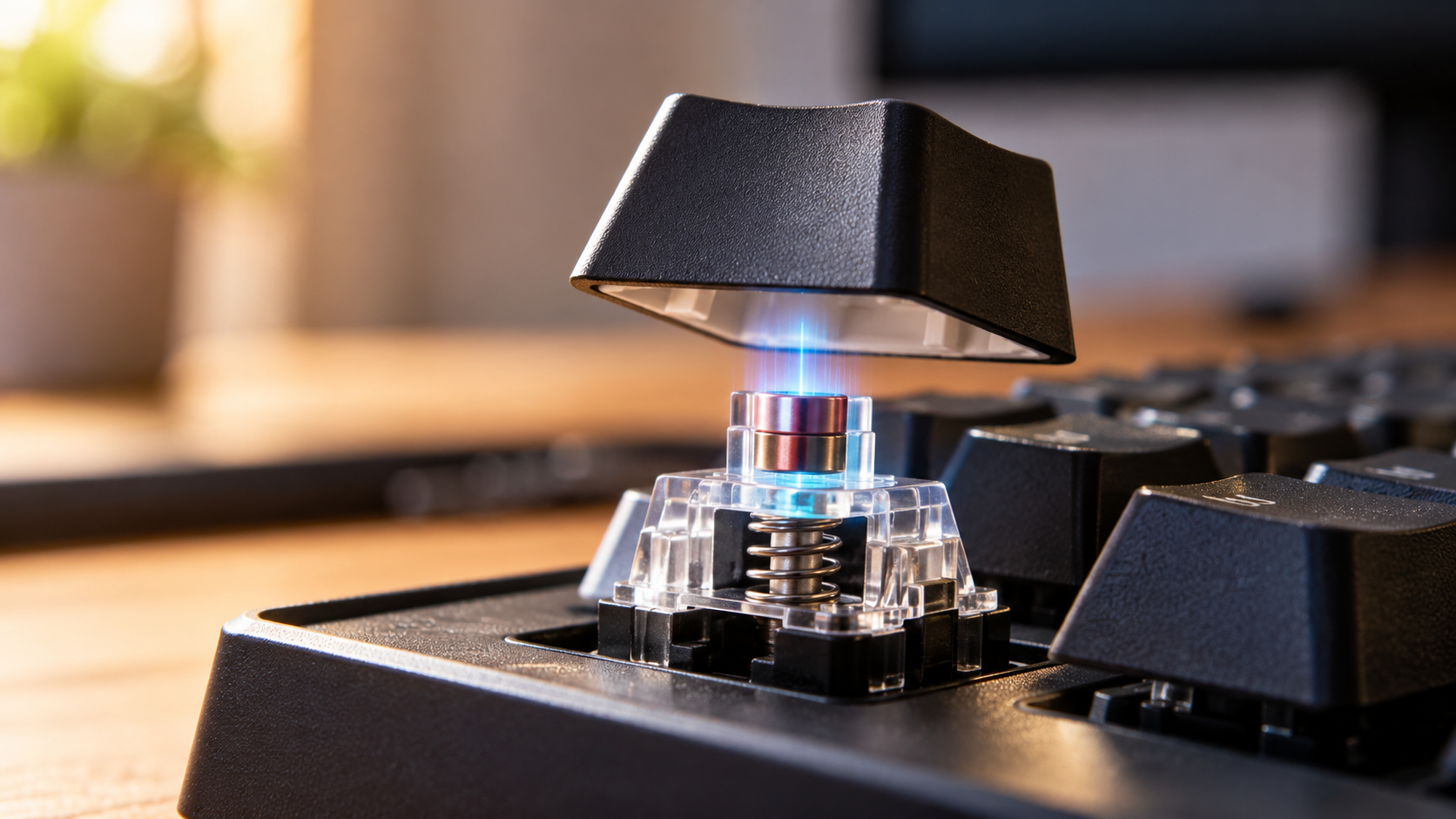
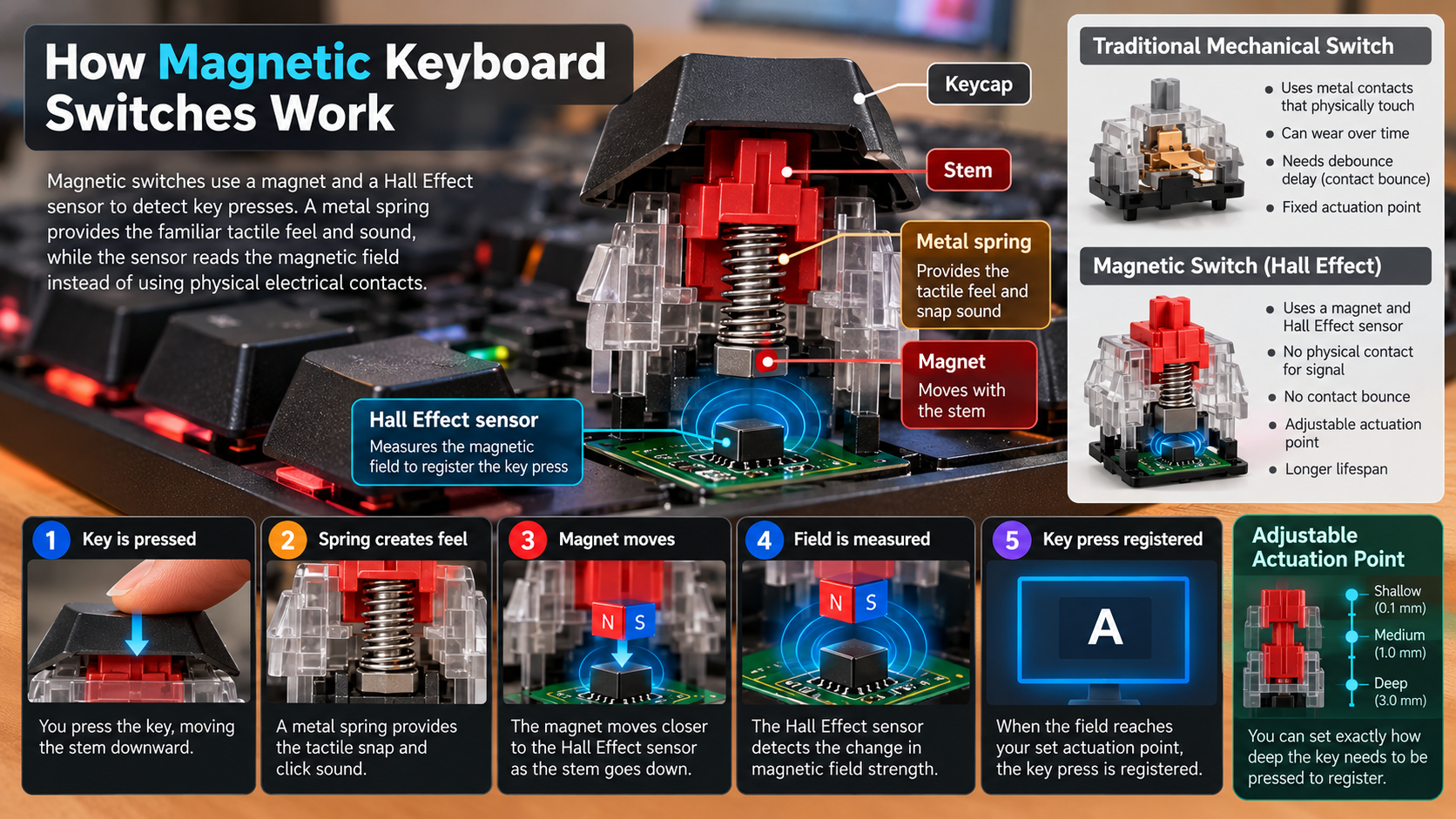
A magnetic switch detects movement by measuring changes in a magnetic field. In many gaming keyboards, a small permanent magnet sits inside the moving switch stem. A Hall effect sensor rests on the printed circuit board beneath it.
When you press a key, the magnet moves relative to the sensor. The sensor detects changes in magnetic field strength and produces an electrical signal. A controller interprets this signal to determine whether the key has reached its activation point.
Unlike traditional mechanical switches, this process does not require metal contacts to close an electrical circuit. Some magnetic keyboards also support adjustable actuation, allowing users to choose how far a key must travel before registering a press.
Important features include:
- Contactless sensing: Detects movement without traditional electrical contact closure.
- Adjustable actuation: Changes the travel distance required to register a keypress.
- Rapid Trigger: Allows supported keyboards to reset keys based on movement rather than a fixed reset point.
- Reduced contact wear: Avoids wear caused by repeatedly opening and closing electrical contacts.
Actual performance depends on the keyboard’s hardware and software.

The Role of Hall Effect Sensors
Hall effect sensors are central to many magnetic keyboard switches. They detect magnetic fields and convert changes in the field into electrical signals. The keyboard’s controller then interprets those signals to determine the key’s position and movement.
Unlike a basic mechanical switch, which typically registers a keypress at a fixed contact point, a Hall effect system can track movement across a range. This capability enables features such as adjustable actuation and Rapid Trigger on compatible keyboards.
For example, you might configure a key to activate after a short movement for gaming. Alternatively, you could choose a deeper activation point to reduce accidental presses while typing.
However, not every magnetic switch offers the same level of precision. Sensor quality, magnet placement, calibration, and firmware all influence performance. The relationship between magnetic field strength and key travel also depends on the sensor’s design.
The key advantage is that the keyboard can interpret movement without relying on traditional electrical contact closure. This provides greater flexibility for supported input settings.
How Do Magnetic Switches Sound?
The sound of a magnetic switch depends on its physical construction, not just its sensing technology. Many magnetic keyboard switches produce a smooth sound because they do not rely on traditional metal contact leaves to register a keypress.
However, this does not mean every magnetic switch is quiet. Most keyboard noise comes from moving parts making contact inside the switch. The stem can strike the housing when pressed fully down or released. Keycaps, stabilizers, and the keyboard case also influence the final sound.
Some magnetic keyboards produce a deep, muted sound, while others sound sharp or clacky. Terms such as creamy and thocky describe subjective sound preferences rather than specific technical characteristics.
Several factors influence the acoustic profile:
- Switch construction: Stem shape, housing materials, and internal design affect sound.
- Lubrication: Suitable lubrication can reduce friction and scratchy noises.
- Keycaps: Material, thickness, and shape influence acoustic characteristics.
- Keyboard case: Case materials and internal damping can change resonance.
- Typing style: Typing force and whether keys bottom out affect perceived loudness.
Choose a switch based on its actual sound and feel rather than assuming magnetic technology guarantees a quieter keyboard.
Understanding Acoustic Dampening Factors
Acoustic dampening helps control unwanted vibrations inside a keyboard. Although magnetic sensing eliminates the need for traditional electrical contacts, it does not eliminate noise from moving parts. The stem, housing, keycaps, and stabilizers can still create audible sounds.
Lubrication may reduce friction between compatible moving components. It can also make key movement feel smoother. However, excessive or unsuitable lubricant may interfere with switch operation, so follow the manufacturer’s recommendations.
Foam or silicone layers inside the keyboard case can absorb some vibrations. These materials may reduce resonance and change the perceived depth of the sound. Their effectiveness depends on the keyboard’s construction and the materials used.
You can also experiment with different keycaps and compatible switches to adjust the acoustic profile. Stabilizer tuning may help reduce rattling on larger keys, such as the spacebar and Enter key.
Before modifying your keyboard, check its construction and warranty conditions. Dampening changes the sound, not the underlying magnetic sensing mechanism. Test one adjustment at a time to understand its effect.
How Do Magnets Work With Switches?
Magnets allow magnetic switches to detect movement without requiring traditional electrical contacts. In many Hall effect keyboard switches, a small permanent magnet sits inside the moving stem. A sensor on the circuit board detects changes in the surrounding magnetic field as the key moves.
The sensor converts these changes into an electrical signal. The keyboard’s controller processes that signal to estimate the key’s position and determine whether it has crossed the configured actuation point.
The precise relationship between magnet movement and sensor output depends on the hardware design. Magnetic field strength does not always change linearly with distance. Therefore, accurate position tracking may require calibration and software processing.
This arrangement can support several useful features:
- Adjustable actuation: Select how far a key travels before activation.
- Rapid Trigger: Reset or reactivate supported keys based on movement.
- Contactless detection: Reduce wear associated with traditional electrical contacts.
- Custom key settings: Configure different activation points for different uses.
However, magnets alone do not guarantee exceptional speed or precision. Sensor resolution, scanning frequency, firmware, and controller performance also matter. The complete system determines the actual user experience.
Flux Fields and Proximity Detection
Magnetic switches rely on changes in magnetic field strength to detect movement. The term magnetic flux density describes the strength of a magnetic field at a particular location. As a magnet moves relative to a sensor, the measured field can change.
In a Hall effect keyboard, the sensor converts the magnetic field into an electrical output. The controller uses this information to estimate the key’s position. It can then determine whether the key has reached its activation point.
However, the sensor does not directly measure distance. Its output depends on the magnet’s orientation, position, geometry, and surrounding magnetic materials. Calibration and signal processing help the controller translate sensor readings into useful movement information.
This approach can support precise actuation settings and rapid key resets. Nevertheless, actual responsiveness depends on more than magnetic sensing alone. The keyboard’s scanning rate, processing delays, and firmware implementation also affect input latency.
Magnetic proximity detection enables flexible input control, but the quality of that control depends on the entire system rather than the magnet itself.
What Is the Disadvantage of a Magnetic Switch?
Magnetic switches offer several advantages, but they also have limitations. One common drawback is cost. Hall effect sensors, compatible circuit boards, and supporting electronics can make magnetic keyboards more expensive than basic mechanical models. If you are comparing keyboard technologies, understanding the limitations of mechanical keyboards can also help you evaluate the trade-offs.
Compatibility is another concern. Magnetic switches generally require a compatible PCB, sensor arrangement, and controller. You cannot assume that a magnetic switch will work in a keyboard designed for conventional mechanical switches. Even magnetic switches from different manufacturers may use incompatible designs.
Other potential disadvantages include:
- Limited switch compatibility: Replacement options depend on the keyboard’s specific design.
- Software requirements: Adjustable actuation and Rapid Trigger may require dedicated configuration software.
- Calibration needs: Some keyboards require calibration to maintain reliable position detection.
- Learning curve: Sensitive settings may cause accidental keypresses until users adjust them.
- Sound and feel differences: Some models may not provide the tactile feedback or clicky sound certain typists prefer.
Strong external magnetic fields can also affect some sensor designs, although practical susceptibility varies by device.
Ultimately, magnetic switches are not automatically the best choice for every user. Consider price, compatibility, typing preferences, and the features you will actually use before buying.
Compatibility and Hardware Limitations
Compatibility is an important consideration when choosing magnetic keyboard switches. Traditional mechanical switches often follow widely used physical formats, but compatibility still depends on the switch design, mounting system, and PCB.
Magnetic switches introduce an additional requirement: the keyboard must have compatible sensing hardware. A conventional mechanical PCB generally cannot detect magnetic movement simply by installing a magnetic switch. It needs the appropriate sensors and supporting electronics.
Even within the magnetic keyboard category, compatibility is not universal. Switch dimensions, magnet placement, sensor characteristics, and firmware support can differ between manufacturers and models. Some keyboards support only specific replacement switches.
Before purchasing replacement switches, check the keyboard manufacturer’s compatibility list. Confirm the supported switch models, mounting requirements, and available configuration software. Do not rely on appearance alone when choosing replacements.
These limitations can make upgrades less flexible than they appear. You may need to replace the entire keyboard instead of swapping switches into an existing build.
Check compatibility before buying. Doing so helps avoid unnecessary expenses and ensures that the switches work correctly with your keyboard’s hardware and software.
What Is Better: Mechanical or Magnetic Switches?
Neither magnetic nor traditional mechanical switches are universally better. The right choice depends on your budget, typing preferences, and intended use. Gamers comparing different keyboard technologies can also explore mechanical vs membrane keyboards for gaming before choosing a setup.
Traditional mechanical switches offer a broad range of tactile, linear, and clicky designs. They are available at many price points and often provide more flexibility for custom keyboard builds. Users who enjoy a pronounced tactile bump or an audible click may prefer specific mechanical switch types.
Magnetic switches are particularly attractive for competitive gaming. Compatible keyboards can offer adjustable actuation points and Rapid Trigger, allowing users to customize how keys activate and reset. Contactless sensing also reduces wear associated with traditional electrical contacts.
However, magnetic technology does not automatically guarantee lower latency or better typing performance. The controller, firmware, scanning rate, and overall keyboard design influence responsiveness.
Consider these differences:
- Competitive gaming: Magnetic switches may suit players who benefit from adjustable actuation and Rapid Trigger.
- Everyday typing: Either technology can work well, depending on the switch’s feel and sound.
- Custom keyboard building: Traditional mechanical switches may offer broader compatibility.
- Budget-conscious buying: Compare complete keyboard prices and features rather than assuming one type is always cheaper.
- Tactile feedback: Choose the specific switch design that feels comfortable to you.
The best option is the one that meets your actual needs.
Choosing the Right Technology for Your Needs
Your daily activities should guide your switch choice. If you play competitive games, a magnetic keyboard with adjustable actuation and Rapid Trigger may offer useful control. These features can help you customize key activation and resetting, particularly in games that require repeated directional inputs.
However, these features are not essential for every player. You may see little practical benefit if your games do not depend on rapid repeated keypresses. Your keyboard’s overall responsiveness, comfort, and reliability still matter.
For writers, programmers, and office professionals, both magnetic and mechanical switches can provide an excellent typing experience. The important factors are the switch’s feel, sound, activation force, and suitability for long typing sessions. If you prefer a traditional keyboard for work, this guide to choosing a mechanical keyboard for your office can help you evaluate your options. Mechanical switches may also appeal to users who want a particular tactile bump or clicky sound.
Budget also matters. Compare the price of the complete keyboard, available features, software support, and replacement options before deciding.
If possible, test both switch types before purchasing. Choose magnetic switches for their specific sensing features, not simply because they are newer. Select mechanical switches when their feel, compatibility, or price better matches your priorities.
Conclusion
Magnetic switches offer a modern approach to input technology by using magnetic fields to detect movement without traditional electrical contacts. This technology supports features such as adjustable actuation and Rapid Trigger on compatible keyboards. For a deeper technical explanation, read Texas Instruments’ guide to Hall-effect sensors.
Although magnetic switches can benefit competitive gamers, traditional mechanical switches remain a practical choice for everyday typing, customization, and different tactile preferences. Magnetic keyboards may also cost more and require specific hardware compatibility.
Ultimately, the best choice depends on your needs, budget, and preferred typing experience. Compare the features of both technologies before investing in a new keyboard, and choose the switch that delivers the right balance of performance, comfort, and value.