
Mechanical vs Membrane Keyboard for Gamers: Which One Is Better?
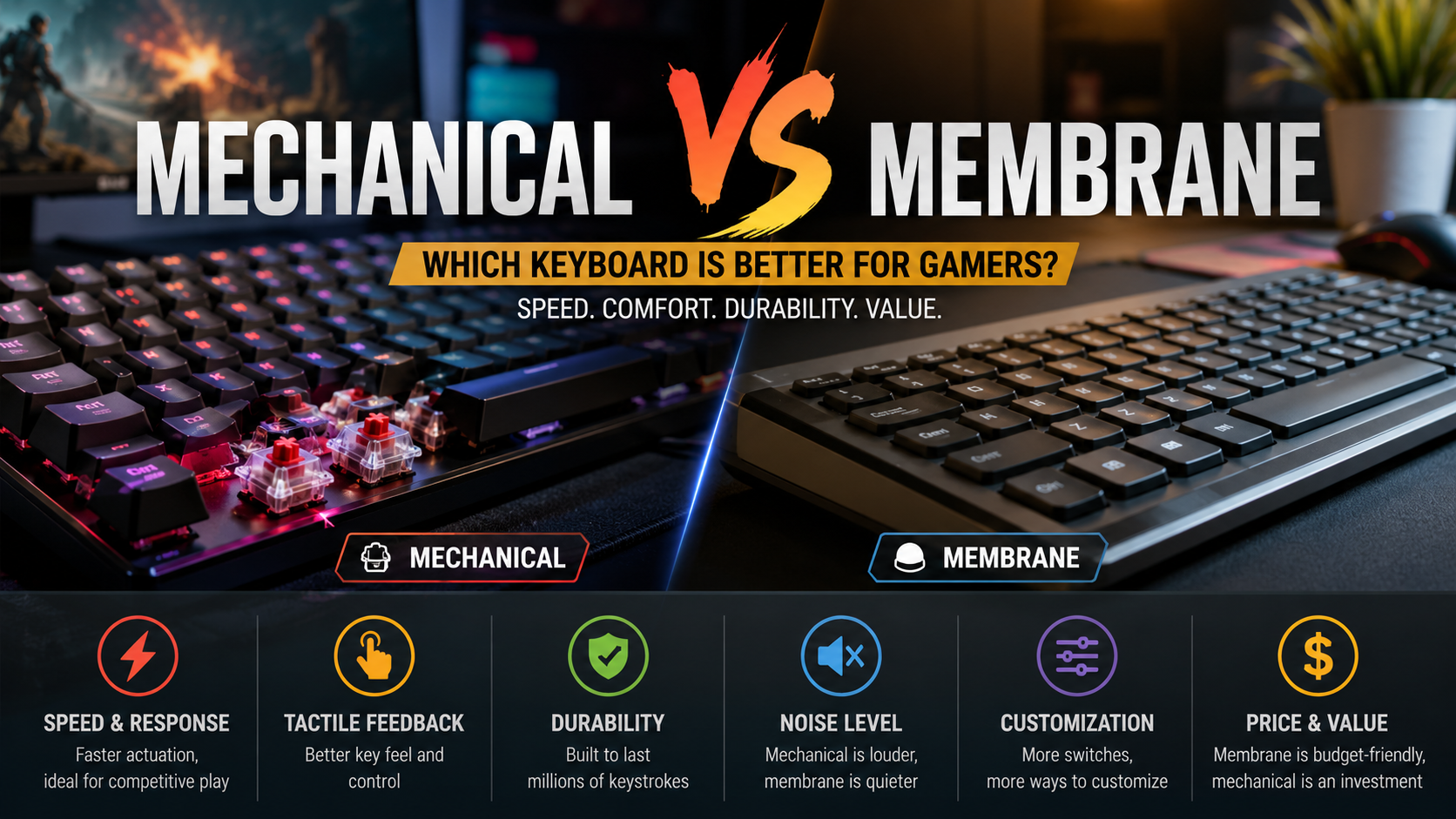
Choosing the right keyboard can make gaming more comfortable and responsive. The mechanical vs membrane keyboard debate usually comes down to performance, feel, durability, noise, and price.
Mechanical keyboards use individual switches beneath each key. Membrane keyboards use rubber domes and a conductive membrane to register keystrokes. These different designs create noticeably different gaming experiences.
Mechanical keyboards are popular among competitive players because they offer consistent feedback and extensive customization. Membrane keyboards appeal to gamers who want a quieter and more affordable setup.
Neither option is perfect for every player. Your preferred games, budget, playing style, and workspace all influence the right choice.
This guide compares mechanical vs membrane keyboard options across speed, comfort, durability, rollover, noise, and customization. For a deeper technical comparison of these keyboard technologies, see RTINGS’ mechanical vs. membrane keyboard guide.
Whether you are buying your first gaming keyboard or upgrading your setup, understanding these differences can help you make a confident decision.
Do Gamers Prefer Membrane or Mechanical Keyboards?
Many dedicated gamers prefer mechanical keyboards, especially those who play competitive titles. Mechanical switches provide individual actuation for each key and create a more defined gaming feel.
Membrane keyboards use rubber domes instead. When you press a key, the dome pushes against a conductive layer to register the input. This design is simple, affordable, and usually quieter.
However, preference is not universal. Some gamers enjoy membrane keyboards because they are inexpensive, quiet, and comfortable for everyday use.
Mechanical keyboards also offer more switch choices. Players can choose between linear, tactile, and clicky switches based on their preferred feedback and sound.
Competitive players often choose mechanical models because of their consistent feel and customization. They can select switches that suit rapid movements and repeated inputs.
Still, a membrane keyboard can perform well for casual gaming. The best choice depends on your priorities rather than popularity alone.
Why Tactile Feedback Matters in Gaming
Tactile feedback gives your fingers a physical indication that a key has reached its actuation point. This can make each input feel more controlled and predictable.
For gamers, that feedback can help develop consistent muscle memory. It may also reduce the need to press every key completely to the bottom.
However, tactile feedback does not automatically make a keyboard faster. Switch design, actuation force, key travel, and latency all affect responsiveness.
Linear switches provide smooth movement without a tactile bump. Many gamers prefer them for rapid and repeated actions.
Tactile switches provide a noticeable bump during each press. They can suit players who want clearer feedback from every keystroke.
Clicky switches add an audible click alongside tactile feedback. They can feel satisfying but may be too loud for shared spaces.
Ultimately, feedback is a personal preference. A consistent and comfortable switch can help you play longer with less unnecessary hand fatigue.
Which Is Better for Gaming: Mechanical or Membrane?
When comparing mechanical vs membrane keyboard options, mechanical models often provide a stronger feature set. They typically offer consistent actuation, durable switches, and extensive customization.
However, mechanical technology does not guarantee better gaming performance by itself. A well-designed membrane gaming keyboard can also provide reliable inputs and useful gaming features.
Anti-ghosting and key rollover depend on the keyboard’s circuit and controller. Some gaming membrane keyboards support several simultaneous inputs, while mechanical models can offer different rollover capabilities.
Mechanical switches also tend to maintain their feel for a long time. Many are rated for tens of millions of keystrokes, although ratings vary by switch and manufacturer.
Membrane keyboards usually cost less and can operate quietly. They are practical for casual gamers who do not need advanced customization.
For competitive FPS, fighting, and action games, many players prefer mechanical keyboards. Their consistent feel and broad switch selection can be useful during fast gameplay. Players building a complete setup may also want to explore how to choose the perfect gaming monitor.
For casual gaming, however, the difference may be less noticeable. A quality membrane keyboard can still provide a smooth and reliable experience.

Customizable Actuation and Switch Options
Mechanical keyboards offer many customization choices, although traditional switches usually have fixed actuation points. Their actuation distance depends on the specific switch design.
Some modern gaming keyboards use adjustable actuation through Hall-effect or other advanced switch technologies. These keyboards let users change how far a key travels before registering.
A shorter actuation setting can suit games that require frequent and rapid inputs. A longer setting may help prevent accidental presses during normal use.
Players can also choose between different switch characteristics. Linear switches feel smooth, while tactile switches provide a noticeable bump.
Some keyboards allow different actuation settings for individual keys. This can help players customize movement, ability, and modifier keys separately.
However, adjustable actuation is not standard on every mechanical keyboard. It is generally found on more advanced gaming models.
For most gamers, choosing the right switch feel is more important than chasing the shortest possible actuation distance.
Is a Mechanical Keyboard the Same as a Gaming Keyboard?
A mechanical keyboard and a gaming keyboard are not the same thing. Mechanical describes the switch technology, while gaming describes the keyboard’s intended features and audience.
A gaming keyboard can use either mechanical or membrane switches. Some affordable gaming keyboards use membrane technology while adding RGB lighting and gaming-focused controls.
Mechanical gaming keyboards combine mechanical switches with features designed for players. These may include programmable keys, RGB lighting, onboard profiles, media controls, and dedicated software.
A standard mechanical keyboard may not include those gaming features. It can still provide excellent typing and gaming performance.
When considering mechanical vs membrane keyboard options, look beyond the switch type. Check latency, rollover, layout, software support, build quality, and comfort.
RGB lighting is useful for customization, but it does not improve gaming performance. Likewise, mechanical switches do not automatically make a keyboard better for every player.
The best gaming keyboard combines suitable switches with reliable hardware and features that match your needs.
RGB Lighting and Macro Features
Gaming keyboards often include software for RGB lighting, macros, profiles, and key customization. These features allow players to personalize their setups and create different configurations. For a broader overview of essential gaming peripherals, see this guide to gaming equipment.
Per-key RGB lighting lets users assign colors to individual keys. Some software can also create lighting effects or game-specific profiles.
Macro functionality can assign several actions to one key. This can be useful for productivity and supported gaming functions. However, some multiplayer games restrict automation features.
Onboard memory is another useful feature. It allows the keyboard to store profiles and settings for use across different computers.
These features are not exclusive to mechanical keyboards. Some membrane gaming keyboards also include RGB lighting, macros, and programmable controls.
The difference is that mechanical gaming keyboards often combine these features with a wider selection of switch types.
When choosing between mechanical vs membrane keyboard designs, prioritize useful features over appearance. Comfort, reliable input, and a suitable layout should come first.
Are Membrane Keyboards Good for Gaming?
Yes, membrane keyboards can be good for gaming. They are especially suitable for casual players, beginners, and gamers working with a limited budget.
Membrane keyboards can handle everyday games without requiring a large investment. Their simple construction also makes them widely available at affordable prices.
Quiet operation is another major benefit. Rubber-dome keyboards generally produce less noise than clicky mechanical switches.
They can work especially well for strategy games, simulation titles, and slower-paced games. These genres may not demand constant rapid key inputs.
Their main limitation is feel. Many membrane keyboards have a softer keypress than mechanical models. Some players may find this less satisfying during long sessions.
Gaming membrane keyboards can still include anti-ghosting and improved rollover. Therefore, not every membrane keyboard struggles with simultaneous inputs.
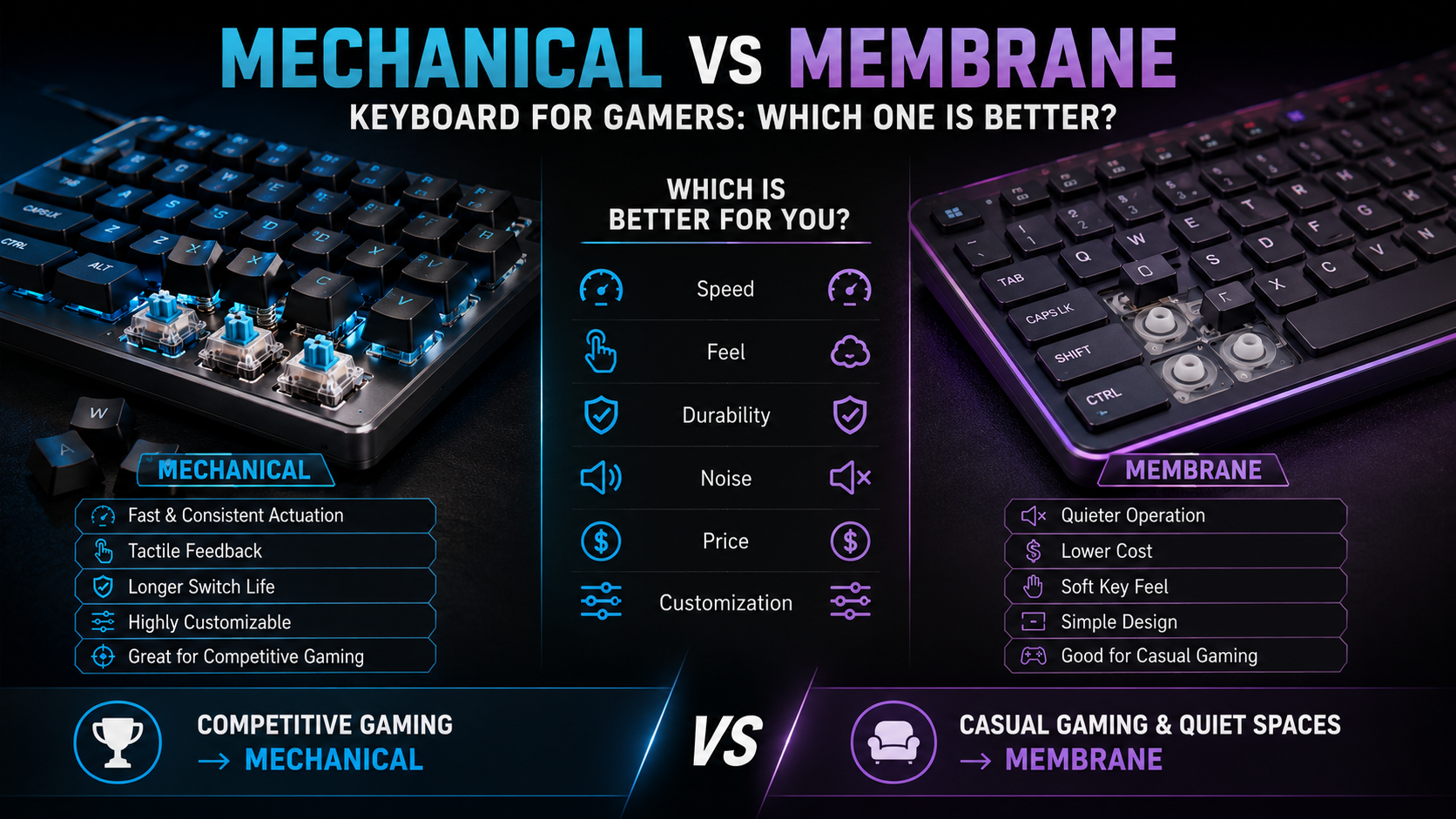
For competitive players, mechanical keyboards may provide a more consistent and customizable experience. For casual gamers, a quality membrane keyboard can offer excellent value.
Your games, preferences, and budget should guide the final decision.
Why Quiet Operation Can Be an Advantage
Keyboard noise matters when you share a room or play late at night. Membrane keyboards are generally quieter because their rubber-dome construction produces less mechanical sound.
This makes them useful in bedrooms, dorms, offices, and shared living spaces. You can play without creating the sharp sounds produced by some clicky switches.
However, mechanical keyboards are not always loud. Linear and silent mechanical switches can operate much more quietly than clicky alternatives. If audio is also important to your gaming setup, consider how to clean and maintain your premium headphones.
Keycap design and typing technique also affect noise. Pressing keys forcefully can make almost any keyboard louder.
A quiet mechanical keyboard can therefore offer a useful middle ground. It provides the switch feel many gamers prefer while keeping noise under control.
Membrane keyboards remain an excellent option when affordability and quiet operation are the main priorities.
When comparing mechanical vs membrane keyboard choices, consider sound, switch feel, price, comfort, and gaming requirements together.
Why Do Some People Dislike Membrane Keyboards?
Membrane keyboards are not universally disliked. However, keyboard enthusiasts often criticize their softer feel and limited customization.
Many users describe inexpensive membrane keyboards as spongy or less precise than mechanical models. The experience varies significantly between different keyboards.
Higher-quality membrane models can feel smooth and responsive. Cheap models may develop inconsistent resistance or feel less satisfying over time.
Durability is another common concern. Rubber components can change with heavy use and may gradually lose their original feel.
Membrane keyboards can also be harder to repair. Their internal layers are usually integrated into a single assembly rather than separated into replaceable components.
Despite these drawbacks, membrane keyboards remain practical. Their affordable pricing and quiet operation make them attractive to many users.
Casual gamers may not need switch customization, hot-swappable components, or enthusiast-level durability.
The criticism mainly comes from players who prioritize feedback, customization, repairability, and consistent long-term performance.
For those users, mechanical keyboards often provide a more satisfying experience. For others, membrane keyboards remain a sensible and cost-effective choice.
Durability and Long-Term Reliability
Durability is one of the biggest advantages associated with mechanical keyboards. Many mechanical switches are rated for tens of millions of keystrokes.
Some premium switches carry ratings of 100 million presses or more. Actual lifespan still depends on the switch, keyboard, usage, and build quality.
Membrane keyboards use flexible rubber domes and conductive layers. Heavy use can gradually change the feel and responsiveness of these components.
Mechanical keyboards also offer an important repair advantage. Many models have removable keycaps, while hot-swappable keyboards allow compatible switches to be replaced easily.
This modular design can extend a keyboard’s useful life. A damaged switch does not always require replacing the entire keyboard.
However, not every mechanical keyboard is hot-swappable. Some models require soldering to replace switches.
A quality membrane keyboard can still last for years. Mechanical keyboards simply tend to provide more opportunities for customization and component replacement.
For heavy gamers and enthusiasts, these advantages can help justify the higher purchase price.
Frequently Asked Questions
What makes mechanical switches last longer than membrane rubber domes?
Mechanical switches rely on independent metal springs and electrical contacts rated for up to one hundred million keystrokes. In contrast, membrane keyboards use rubber domes that stretch, flatten, and tear under continuous heavy pressure. This structural difference explains why mechanical units maintain their original performance for decades while rubber domes degrade within a few years.
Can membrane keyboards support anti-ghosting for fast gaming inputs?
Most traditional membrane setups feature limited key rollover, meaning they can only register three or four simultaneous keypresses. While specialized gaming membrane boards implement basic anti-ghosting matrices, they still lag behind mechanical boards. Mechanical options natively support full n-key rollover, ensuring every single keystroke registers accurately during intense gaming sessions.
Are optical switches considered a type of mechanical keyboard?
Optical switches represent an evolution of traditional mechanical technology by using infrared light beams to register inputs. They offer lightning-fast response times and eliminate metal debounce delay entirely. While they use physical stems similar to mechanical switches, their light-based actuation makes them the fastest option currently available for competitive esports players.
Do mechanical keyboards require specialized cleaning and maintenance?
Mechanical units are significantly easier to clean and maintain because you can pull individual keycaps off safely. Dust, debris, and pet hair can be easily brushed or blown out from between the switches. Furthermore, many mechanical models feature hot-swappable sockets, allowing you to replace worn or damaged switches without buying an entirely new keyboard.
Conclusion
Choosing between mechanical vs membrane keyboard options depends on your gaming style, preferences, and budget.
Mechanical keyboards generally provide consistent actuation, greater switch variety, strong durability, and extensive customization. These qualities make them popular with competitive gamers and enthusiasts.
Membrane keyboards remain a practical choice for casual gaming. They are affordable, quiet, and capable of providing reliable performance for many games.
Remember that switch technology is only one part of gaming performance. Latency, rollover, anti-ghosting, layout, build quality, and comfort also matter.
Mechanical does not automatically mean faster. Membrane does not automatically mean poor quality.
For competitive FPS and other input-heavy games, a quality mechanical keyboard can provide useful advantages. For casual gaming or shared spaces, a good membrane model may offer better value.
Before buying, consider the games you play and the features you actually need. The right balance of performance, comfort, durability, and price will help you build a gaming setup that suits you. If you are upgrading more than just your keyboard, check out this guide to choosing the best gaming laptop.