
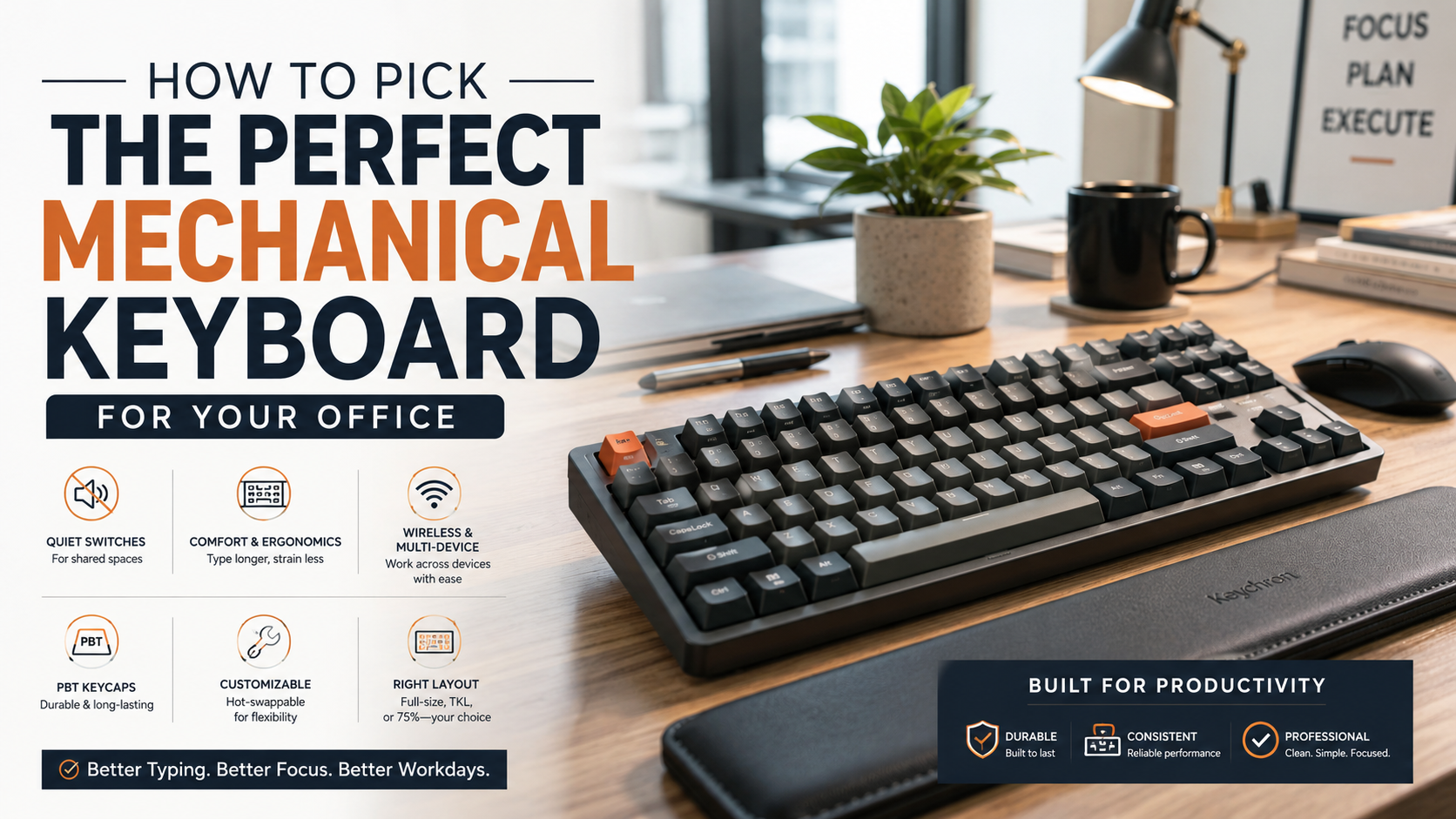
How To Pick The Perfect Mechanical Keyboard For Your Office
Choosing the right mechanical keyboard for office use can improve typing comfort, accuracy, and everyday productivity. Unlike many membrane keyboards, mechanical keyboards provide consistent key feedback and a more defined typing feel.
For people who type for several hours each day, that consistency can make a noticeable difference. However, comfort depends on more than the switch type. Layout, keyboard height, wrist position, keycap material, and desk setup also matter.
Workplace ergonomics guidance from the Occupational Safety and Health Administration (OSHA) emphasizes neutral wrist positions and reduced strain at computer workstations. A suitable keyboard can support these principles when combined with good posture and regular breaks.
Noise is another major concern in shared offices. Clicky switches can become distracting, while silent mechanical switches offer a more considerate alternative.
This guide answers the most common questions about choosing a mechanical keyboard for office work, including:
- What is a good mechanical keyboard for office use?
- How do you choose a good mechanical keyboard?
- Is a mechanical keyboard good for office work?
- Which keyboard is best for office work?
- Are mechanical keyboards too loud for an office?
What is a good mechanical keyboard for office use?
A good mechanical keyboard for office use should balance comfort, quiet operation, durability, and professional design. The best choice depends on your work habits, desk space, and preferred typing feel.
Models such as the Keychron V Max series, Logitech MX Mechanical, and Ducky One 3 can suit different office setups. However, switch choice matters more than the brand alone. Quiet linear or tactile switches are usually better for shared workspaces. For a broader look at keyboard choices for different uses, see Mechanical vs Membrane Keyboard for Gamers: Which Wins?
Wireless connectivity is also useful for modern offices. Bluetooth support can connect the keyboard to laptops, tablets, and other devices. Some keyboards also include a 2.4GHz receiver for a responsive wireless connection.
Look for features such as:
- Quiet switches for shared environments
- Comfortable key spacing for long typing sessions
- PBT keycaps for improved durability
- Wireless connectivity for a cleaner desk
- Multi-device pairing for flexible workflows
- A neutral design that fits professional spaces
A good office keyboard should feel practical rather than distracting.
Wireless Connectivity and Multi-Device Pairing
Wireless connectivity can make an office keyboard much easier to use. Instead of managing several cables, you can connect one keyboard to multiple devices.
Many modern mechanical keyboards support Bluetooth multi-device pairing. This lets you switch between a desktop, laptop, tablet, or phone with a shortcut. Some models also include a 2.4GHz USB receiver for a more responsive wireless connection.
This feature is particularly useful for professionals who move between devices during the workday. You can work on a desktop and then switch to a laptop without changing keyboards.
When comparing wireless office keyboards, consider:
- Bluetooth support for laptops and mobile devices
- 2.4GHz connectivity when low latency matters
- Multi-device switching for flexible workflows
- USB-C charging for convenient power management
- Reliable battery life for fewer charging interruptions
A wireless mechanical keyboard can also reduce desk clutter. However, wired keyboards remain a strong option for users who prefer simplicity and uninterrupted connectivity. For another compact Logitech keyboard option, see the Logitech Combo Touch review.

How to choose a good mechanical keyboard?
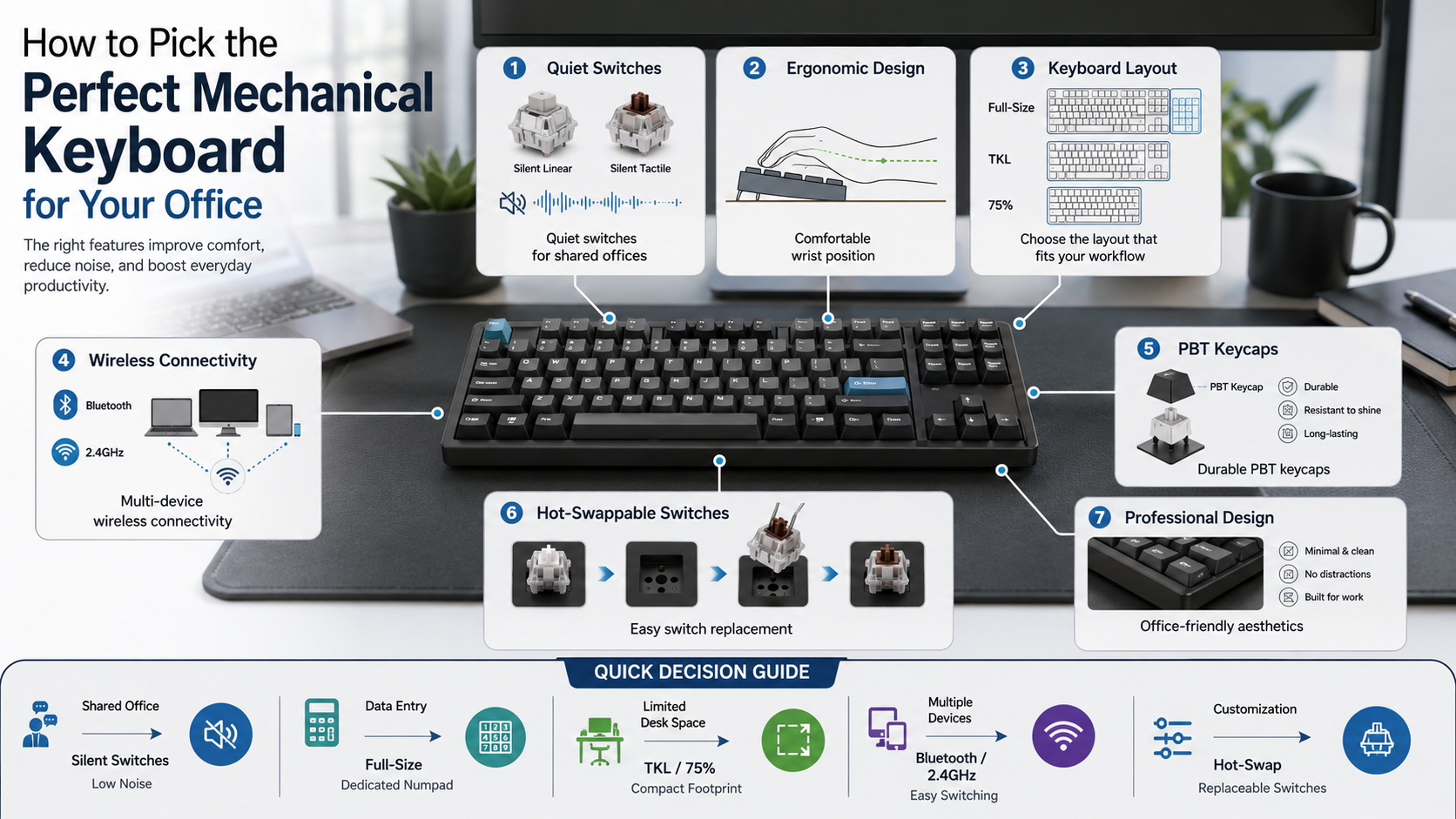
Choosing a good mechanical keyboard starts with identifying how you use your computer. Your switch preference, layout, typing style, and desk space should guide the decision.
For an office, start with quiet mechanical switches. Silent linear switches are suitable for users who want smooth keystrokes. Silent tactile switches can provide more feedback without the sharp sound of clicky switches.
Next, consider the layout. A full-size keyboard includes a dedicated number pad. A Tenkeyless (TKL) model removes the number pad and saves desk space. A 75% keyboard keeps most important keys while using an even smaller footprint.
Build quality also matters. PBT keycaps generally resist shine and wear better than standard ABS keycaps. Hot-swappable sockets are another useful feature. They allow you to replace compatible switches without soldering.
Before buying, consider:
- Your preferred switch feel
- The amount of desk space available
- Whether you need a number pad
- Wired versus wireless connectivity
- Keycap and case quality
- Ease of future customization
Selecting Hot-Swappable Circuit Boards
A hot-swappable mechanical keyboard gives you more flexibility after purchase. Instead of permanently soldering switches to the circuit board, compatible switches can be removed and replaced manually.
This is useful when you want to experiment with different typing feels. You could start with tactile switches and later try quieter linear switches. You can also replace an individual faulty switch without replacing the entire keyboard.
Hot-swappable boards are especially practical for office users. Your preferred switch may change after several months of typing. Having replaceable switches lets you adjust the keyboard without buying a new model.
Before purchasing, check which switch types the keyboard supports. Most modern hot-swap boards work with common MX-style switches, but compatibility can vary.
Useful considerations include:
- Hot-swap sockets for easy switch changes
- Compatible switch standards before buying replacements
- Spare switches for convenient repairs
- Switch pullers for safe removal
- Stabilizer quality for larger keys
Hot-swapping is not essential for every office worker. However, it provides useful flexibility for long-term keyboard ownership.
Is a mechanical keyboard good for office work?
Yes, a mechanical keyboard can be an excellent choice for office work. It provides consistent key feedback and can offer a more comfortable typing experience.
Mechanical switches do not require you to press every key with excessive force. However, the actual ergonomic benefit depends on the switch, typing technique, keyboard height, and overall workstation setup.
A lighter switch can encourage a gentler typing style. Tactile feedback can also help some users recognize key activation more clearly. These factors may reduce unnecessary force during long typing sessions.
Durability is another advantage. Many mechanical switches are rated for tens of millions of keystrokes. This can make a quality keyboard a long-term investment for frequent typists.
For office work, focus on practical features rather than gaming-focused specifications. Useful priorities include:
- Comfortable switch resistance
- Low operating noise
- Appropriate keyboard height
- Reliable connectivity
- A suitable layout
- Durable keycaps
- Stable construction
Remember that no keyboard automatically prevents repetitive strain. Good posture, neutral wrist positioning, sensible desk height, and regular breaks remain important.
Ergonomic Support and Reduced Muscle Strain
Keyboard ergonomics depends on more than mechanical switches. A well-designed workstation should keep your wrists relatively neutral and your shoulders relaxed.
Mechanical keyboards can support comfortable typing when their switch resistance and height suit your hands. A lighter switch may reduce the force needed for each keystroke. However, forcing your fingers to bottom out every key can still create unnecessary impact.
Keyboard height also deserves attention. High-profile keyboards may benefit from a wrist rest for some users. Low-profile keyboards can reduce the overall height of the typing surface.
Consider these ergonomic adjustments:
- Keep your wrists in a neutral position.
- Avoid excessive upward wrist bending.
- Keep your elbows comfortably supported.
- Position the keyboard at a practical height.
- Move the mouse closer to reduce shoulder reach.
- Take regular breaks during long sessions.
A wrist rest can support the palms when used correctly. It should not force the wrists into an elevated position while typing.
Ergonomics is ultimately about the entire workstation, not just the keyboard.
Which keyboard is best for office work?
There is no single best keyboard for every office worker. The ideal choice depends on your layout needs, operating system, typing preferences, and workspace.
The Logitech MX Mechanical is a strong option for general office users. Its low-profile mechanical design provides a familiar laptop-style footprint with mechanical feedback. It also supports convenient wireless connectivity and multi-device workflows.
For users who want a more customizable keyboard, the Keychron Q Pro series offers a different approach. Its larger, sturdier construction and mechanical design appeal to users who value customization and a substantial typing feel.
When choosing the best mechanical keyboard for office work, consider:
- Low-profile designs for a slimmer typing surface
- Quiet switches for shared workspaces
- Wireless connectivity for flexible setups
- Multi-device support for modern workflows
- Hot-swappable switches for customization
- Compact layouts when desk space is limited
- A number pad if your work involves frequent data entry
The best office keyboard is the one that matches your daily workflow. Features should support productivity rather than simply add complexity, especially when building a home office setup around the keyboard and other essential equipment.
Low-Profile Switches for Natural Alignment
Low-profile mechanical keyboards use shorter switches and a slimmer overall design. This creates a lower typing surface than many traditional mechanical keyboards.
For some users, the reduced height can make the keyboard feel more natural. It may also reduce the amount of wrist extension required when typing. However, individual comfort varies, so keyboard height should always be considered alongside desk and chair position.
Low-profile keyboards can also suit modern professional workspaces. Their slim appearance resembles many laptop keyboards while retaining mechanical switch feedback.
When considering a low-profile office keyboard, look for:
- Shorter key travel for a faster, lighter feel
- Slim chassis designs for reduced overall height
- Quiet switch options for shared spaces
- Comfortable key spacing for accurate typing
- Wireless connectivity for a cleaner desk
Low-profile keyboards are not automatically more ergonomic. Your posture, desk height, chair position, and typing technique still matter.
If you prefer traditional mechanical switches and deeper key travel, a standard-height keyboard may feel more comfortable. Try to prioritize your actual typing experience over keyboard appearance.
Are mechanical keyboards too loud for an office?
Mechanical keyboards are not automatically too loud for office use. Noise depends heavily on the switch type, keycaps, case design, and typing technique.
Clicky switches, such as many blue-style switches, create a deliberate clicking sound. These can become distracting in quiet offices or shared workspaces. Linear switches are usually quieter because they lack a click mechanism.
For the quietest setup, consider dedicated silent switches. These switches use internal dampening components to reduce impact noise during key presses and releases.
Keyboard construction can also affect sound. Foam layers, dampening materials, thicker keycaps, and well-tuned stabilizers can reduce unwanted resonance.
If you work near other people, prioritize:
- Silent linear or tactile switches
- Internal acoustic dampening
- Thick, well-fitted keycaps
- Stable stabilizers
- A desk mat that reduces vibration
- A lighter typing technique
It is also worth remembering that no mechanical keyboard is completely silent. If absolute quiet is essential, test the keyboard before using it in a shared environment.
Sound Dampening Foam and Silent Switches
Sound dampening can make a noticeable difference when building a quieter office keyboard. Internal foam can reduce the hollow resonance created inside the keyboard case.
Silent switches address another source of noise. Their internal dampening components soften the impact created when the switch reaches the end of its travel.
Keycaps also influence the sound profile. Thicker PBT keycaps can create a deeper, less sharp sound than some thin keycaps. Stabilizers on larger keys can also produce unwanted rattle if they are poorly tuned.
For a quieter office setup, combine several small improvements:
- Install silent switches where compatible.
- Add suitable case or plate foam.
- Use well-fitted keycaps.
- Tune noisy stabilizers.
- Place the keyboard on a padded desk mat.
- Avoid aggressive bottom-out typing.
Silicone O-rings can reduce some keycap impact on compatible keyboards. However, they can also change key feel and travel. They are therefore optional rather than essential.
The most effective solution is usually a quiet switch combined with sensible keyboard dampening.
Frequently Asked Questions
What is the quietest mechanical switch type for an office?
Silent linear switches, such as Cherry MX Silent Red, Gateron Silent Yellow, and Outemu Silent Peach, are the quietest options for shared workspaces. These switches use built-in internal rubber dampeners on the stem rails to eliminate the sharp plastic-on-plastic impact sounds during key travel. As a result, they produce a soft, muted tapping sound that is quieter than most standard office membrane keyboards.
Do I need a full-size mechanical keyboard for office work?
You only need a full-size mechanical keyboard if your daily job duties involve intensive numerical data entry, accounting tasks, or specialized financial spreadsheets. If you rarely use a dedicated numeric keypad, a compact Tenkeyless (80%) or 75% layout is much better. Compact layouts bring your mouse closer to your body, promoting better shoulder ergonomics while freeing up valuable desk real estate.
Can I use a gaming mechanical keyboard in an office?
You can use a gaming mechanical keyboard in an office setting, provided you disable aggressive RGB lighting effects and avoid noisy clicky switch variants. However, dedicated office-oriented mechanical keyboards are generally a better choice. They offer cleaner aesthetics, quieter sound profiles, professional keycap fonts, and multi-device wireless Bluetooth pairing designed specifically to boost productivity across several office devices.
How do I make my current mechanical keyboard quieter for work?
You can quiet your mechanical keyboard by installing internal acoustic foam, fitting silicone O-rings onto the keycap stems, and lubricating the mechanical switches and stabilizers. Placing a thick, padded cloth desk mat beneath the keyboard also absorbs vibration sounds before they transfer to your desk, noticeably lowering the overall sound volume in shared office settings.
Conclusion
Choosing the right mechanical keyboard for office work can make everyday typing more comfortable and enjoyable. Mechanical switches provide consistent feedback and can offer a more satisfying typing experience than many membrane keyboards.
However, the best office keyboard is not necessarily the most expensive model. Focus on the features that support your actual workflow.
For shared environments, quiet switches should be a priority. Silent linear and tactile options can significantly reduce disruptive clicking. Acoustic dampening, stable keycaps, and a padded desk mat can further reduce unwanted noise.
Your keyboard layout also deserves careful consideration. A full-size model suits frequent numerical entry. TKL and 75% keyboards can save space for general office work.
Wireless connectivity and multi-device pairing can simplify modern workflows. Hot-swappable switches provide useful flexibility for users who enjoy customization.
Finally, remember that keyboard ergonomics depends on your complete workstation. Maintain a neutral wrist position, use a comfortable desk height, and take regular breaks.
Review your daily needs, choose a suitable layout, and prioritize comfort and quiet operation. A thoughtfully selected mechanical keyboard can be a practical upgrade for your office setup.
The article is now structured for publication, with shorter paragraphs, natural keyword placement, clearer subheadings, restrained bolding, and more cautious ergonomic claims.