
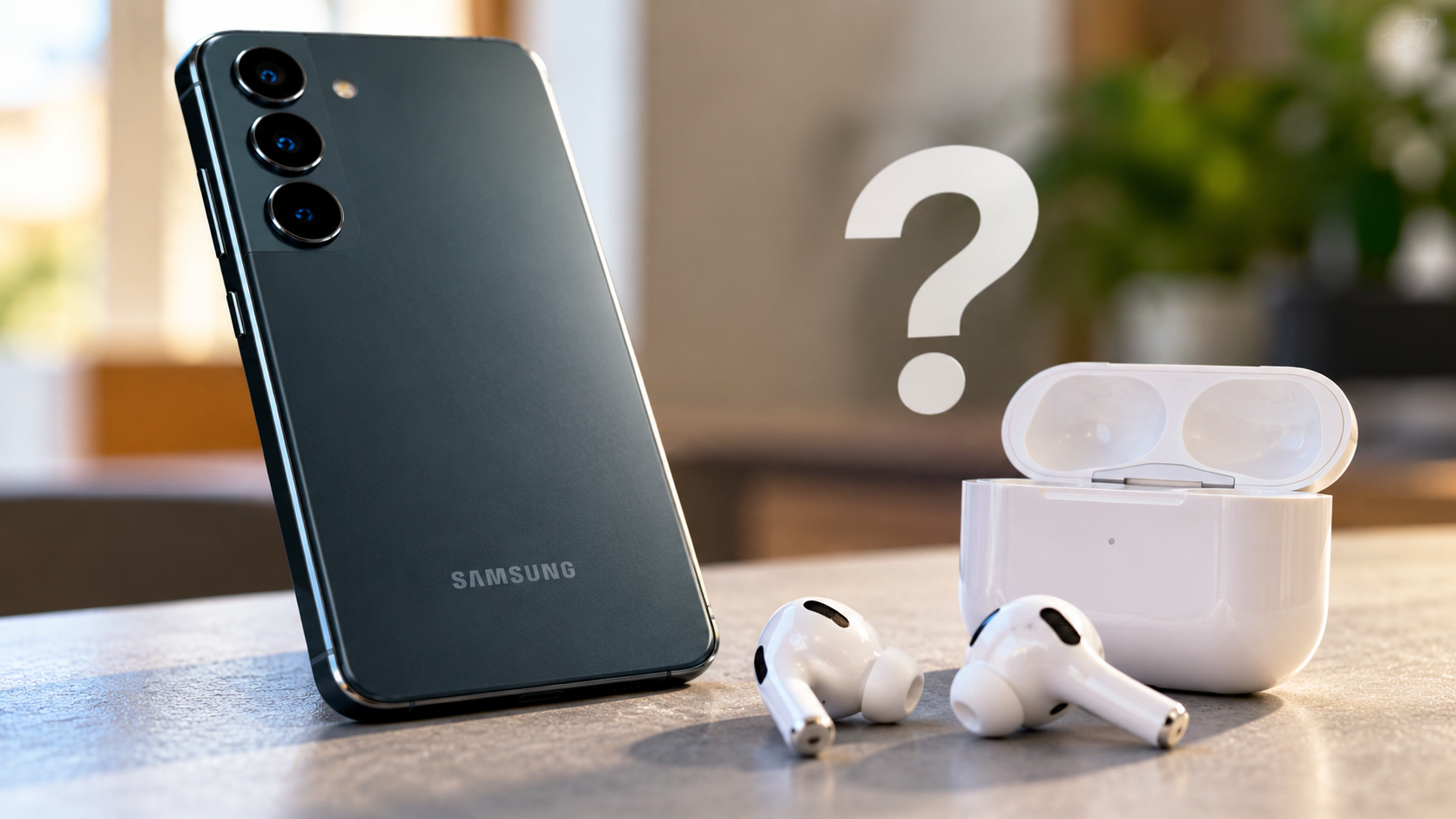
What Features Do You Lose If You Use Apple AirPods with a Samsung Galaxy Phone?
Using AirPods with a Samsung Galaxy phone is possible, but you won’t get the same experience as you would with an iPhone. Apple designs its wireless earbuds to work closely with its own devices. As a result, some features depend on Apple’s software and ecosystem.
You can still listen to music, watch videos, and make phone calls. However, certain conveniences, including Siri integration and automatic device switching, may be unavailable. Other features depend on your AirPods model and the Android device you use.
According to Apple Support, AirPods can work as a Bluetooth headset with non-Apple devices. You can listen and talk, but Siri isn’t available through this connection.
Understanding these limitations can help you decide whether AirPods are worth buying for your Samsung phone or whether Android-compatible earbuds offer better value.
What Features Do You Lose When Using AirPods on Android?
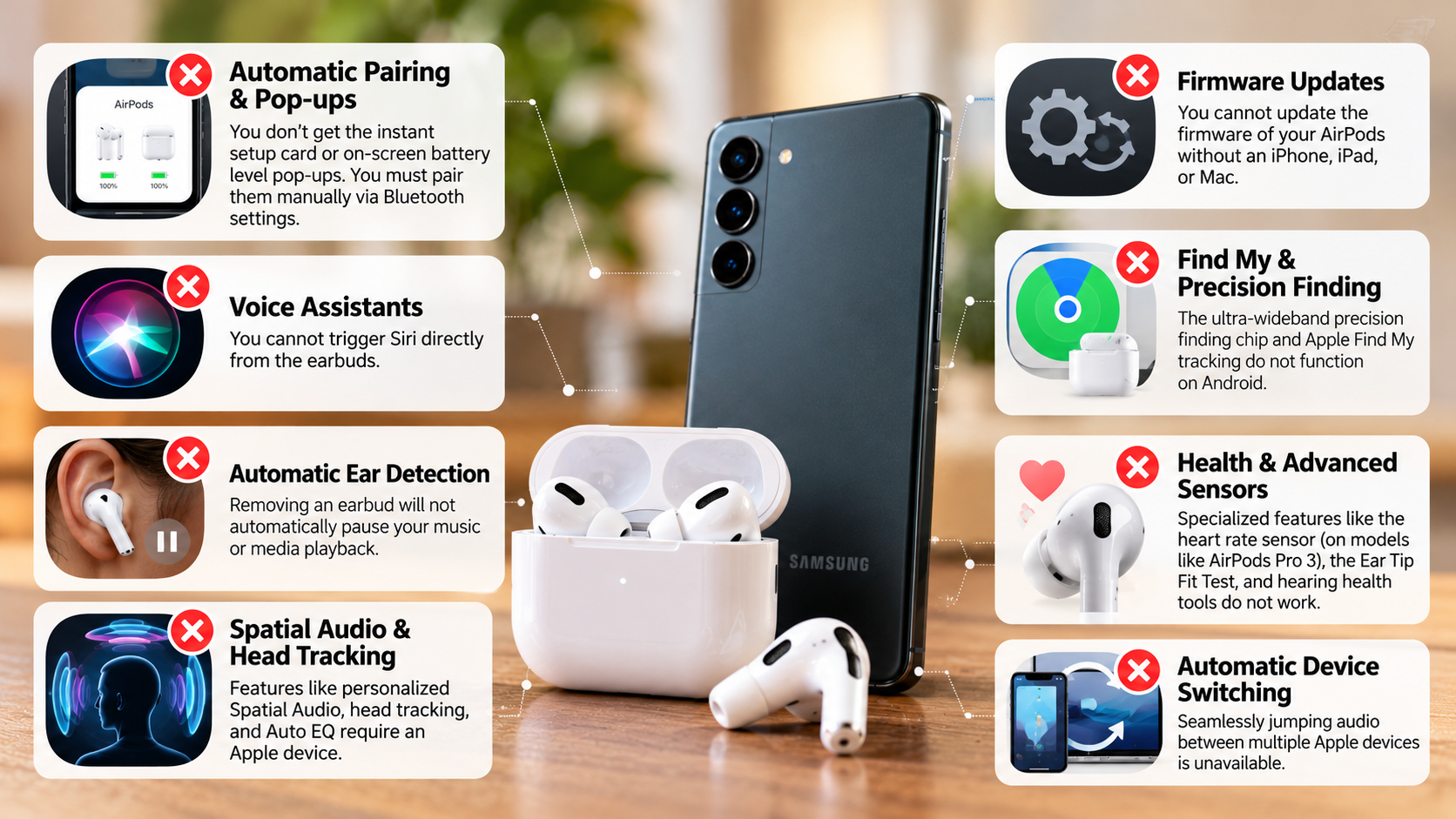
Pairing AirPods with an Android phone removes several conveniences associated with Apple’s ecosystem. Basic Bluetooth audio works, but some advanced features require compatible Apple devices or software.
Here are the main limitations to consider:
- Siri integration: You cannot use Siri through your Samsung phone as you would with an iPhone.
- Automatic device switching: Switching seamlessly between Apple devices linked to the same Apple Account isn’t available through a standard Android connection.
- Battery monitoring: Android doesn’t provide Apple’s native AirPods battery pop-up. You may need a compatible third-party app to check battery levels.
- Spatial audio: Features such as personalized spatial audio and dynamic head tracking may be unavailable or limited, depending on the AirPods model and playback setup.
- Control customization: You generally cannot configure AirPods controls through Samsung’s standard Bluetooth settings.
- Firmware updates: You cannot use Samsung’s settings to update AirPods firmware. Apple provides its supported update process through compatible Apple devices.
Not every limitation affects every AirPods model equally. Check the features you use most before purchasing a pair for your Android phone.

Loss of Firmware Updates and Customization
AirPods firmware updates can improve performance, fix bugs, and address compatibility issues. However, Samsung phones don’t provide a native interface for installing these updates.
Apple’s supported firmware update process uses a compatible iPhone, iPad, or Mac. Updates are generally delivered automatically when the AirPods meet the required conditions.
This means you may need access to an Apple device to update your earbuds when a new firmware version becomes available. It doesn’t mean your AirPods will immediately stop working without updates.
Control customization also has limitations. Some AirPods models support different press, tap, or listening-mode controls, but configuring these options generally requires a compatible Apple device.
If you only use your Samsung phone, these restrictions can make troubleshooting and personalization less convenient. Consider whether the default controls meet your needs before buying AirPods for Android.
Can I Use My Apple AirPods with My Samsung Phone?
Yes, you can connect Apple AirPods to a Samsung Galaxy phone using Bluetooth. You don’t need an iPhone to pair them or start listening to audio.
Once connected, you can use your AirPods for music, videos, phone calls, and other everyday audio tasks. The built-in microphones also work for supported calling and voice-chat applications.
To connect your AirPods, follow these steps:
- Open Settings on your Samsung Galaxy phone.
- Select Connections, then tap Bluetooth.
- Put your AirPods in their charging case and open the lid.
- Activate pairing mode using the method for your specific AirPods model.
- When the AirPods appear in the available devices list, select them.
For many models, you activate pairing mode by holding the setup button until the status light flashes white. Newer models may use a different method.
See Apple’s official pairing instructions for model-specific steps.
Basic Bluetooth Connectivity and Audio Playback
Standard Bluetooth connectivity allows AirPods to handle everyday audio tasks on a Samsung Galaxy phone. You can listen to music, stream videos, answer calls, and use supported communication apps.
Audio quality depends on several factors, including the AirPods model, Bluetooth connection, audio source, and listening environment. Pairing with Android doesn’t automatically make the sound worse, although some software features may be missing. If you’re comparing streaming platforms, our guide to which music streaming service has the best sound quality can help you understand another factor that affects your listening experience.
Basic playback controls also remain available on compatible models. You can typically use the built-in sensors or controls to play or pause audio and skip tracks. Exact gestures and supported functions vary by model.
However, Bluetooth compatibility doesn’t guarantee access to every AirPods feature. Some advanced listening modes, automatic switching options, and Apple-specific settings may not work as they do on an iPhone.
For everyday listening, AirPods can still be practical. The main trade-off is losing some of the convenience and customization available within Apple’s ecosystem.
Can Samsung Track Apple AirPods?
A Samsung Galaxy phone cannot directly use Apple’s Find My network as a native AirPods tracking solution. AirPods rely on Apple’s ecosystem for their supported Find My features.
If you lose your earbuds, you generally cannot locate them through Samsung’s SmartThings Find service as if they were compatible Samsung Galaxy Buds. You also won’t get the full Apple tracking experience through ordinary Android Bluetooth pairing.
AirPods do not have standalone GPS that continuously reports their location. Depending on the model and circumstances, Apple’s Find My network can help locate supported AirPods through nearby Apple devices.
However, these tracking features must be configured appropriately. Apple states that AirPods need to be paired with an iPhone or iPad linked to your Apple Account to appear in Find My.
If you already own AirPods, check whether Find My was configured using a compatible Apple device before losing them. You may also be able to access some Find My functions through Apple’s website, although availability varies.
Limitations of Third-Party Tracking Apps on Android
Some Android apps can help you locate nearby Bluetooth devices by detecting their signals. However, they are not equivalent to Apple’s Find My network.
These apps may help when your AirPods are powered on, nearby, and broadcasting a detectable Bluetooth signal. Signal strength can provide a rough indication of proximity, but it doesn’t reliably identify an exact location.
Their usefulness decreases when the earbuds are out of range, discharged, or no longer broadcasting a detectable signal. They also cannot reproduce Apple’s encrypted network of participating devices.
Before installing a tracking app, check its permissions, privacy policy, and recent reviews. Avoid apps that promise precise global tracking without explaining how they work.
If reliable lost-earbud tracking is important to you, compare the tracking features of AirPods and Samsung Galaxy Buds before making a purchase.
What Are the Downsides of Using AirPods on Android?
The biggest disadvantage of using AirPods on Android is the loss of convenient software integration. Although the earbuds can handle basic audio tasks, Samsung users don’t receive Apple’s complete companion experience.
Battery monitoring is one example. Your Galaxy phone doesn’t provide Apple’s native AirPods battery interface, so you may need a third-party app for battery estimates. Availability and accuracy vary between apps and AirPods models.
Sound customization is another consideration. Android doesn’t offer Apple’s dedicated AirPods settings interface, which limits access to certain model-specific adjustments. Some settings may need to be configured on a compatible Apple device first.
Other limitations can include:
- Automatic switching: Moving between devices may require manual Bluetooth selection.
- Voice assistant access: Siri isn’t available through standard Android pairing.
- Personalization: Some control settings and listening options require Apple hardware.
- Battery information: Charging case and individual earbud readings may not appear natively.
- Setup and troubleshooting: Certain settings and maintenance tasks are less convenient without an Apple device.
These drawbacks don’t make AirPods unusable on Android. They simply make them less convenient for people who want every available feature. If you’re still deciding whether to buy them, read our guide on whether AirPods on Android are worth it before making your decision.
Managing Battery Anxiety Without Native Widgets
Checking AirPods battery levels on a Samsung phone can be less convenient than checking them on an iPhone. Android doesn’t display Apple’s native AirPods battery pop-up as part of its standard Bluetooth experience.
Depending on your AirPods model and Android version, a third-party battery app may provide estimates for the earbuds and charging case. However, not every app supports every model, and some readings may be delayed or inaccurate.
Before installing an app, review its permissions and avoid granting unnecessary access to your personal information. Check recent reviews to see whether other users report reliable battery readings.
You can also monitor the status light on the charging case and listen for the low-battery warnings supported by your model. These methods won’t provide precise percentage readings, but they can help you avoid unexpected interruptions.
If frequent battery checks are important to you, compare the battery-monitoring features of AirPods and Android-focused earbuds before deciding which pair to buy.
Should I Buy AirPods If I Have Android?
Buying AirPods for a Samsung Galaxy phone isn’t necessarily a bad decision, but it may not offer the best value for everyone. The right choice depends on your priorities, budget, and preferred features.
AirPods can make sense if you already own a pair, prefer their fit, or plan to use them with Apple devices as well. Their basic Bluetooth functions still support everyday listening and calls on Android.
However, buying a new pair solely for a Samsung phone deserves more consideration. You may pay for ecosystem features that you cannot conveniently access, including Siri integration, seamless Apple device switching, and certain customization options.
Android-focused earbuds may provide a more convenient experience. Depending on the model, alternatives can offer companion apps, equalizer settings, customizable controls, battery indicators, and integrated tracking features.
Samsung Galaxy Buds are worth comparing if you use a Galaxy phone regularly. Sony and other Android-compatible brands also offer options across different price ranges.
Before buying, compare sound quality, comfort, active noise cancellation, battery life, microphone performance, and software support. Don’t choose based on brand alone.
Choosing Dedicated Android Earbuds for Better Value
Dedicated Android earbuds can offer a more complete experience on your Samsung Galaxy phone. Their companion apps may provide settings and controls that are unavailable through standard AirPods pairing.
For example, compatible Samsung Galaxy Buds can integrate with Samsung’s software for supported controls, sound adjustments, and battery information. Other Android-focused earbuds may offer equalizers, customizable gestures, and firmware management through their own apps.
However, don’t assume every alternative includes every feature. App support, tracking capabilities, noise cancellation, and customization options vary by product and model.
Before purchasing, compare the following:
- Compatibility: Confirm that the earbuds support your Samsung Galaxy model and Android version.
- Sound and noise cancellation: Check independent reviews and available listening-mode controls.
- Battery life: Compare claimed runtime and charging-case capacity.
- Software support: Look for useful companion-app features and a clear firmware update process.
- Price and comfort: Choose earbuds that fit comfortably and suit your budget.
The best option is the one that meets your needs without making everyday features unnecessarily difficult to access.
Final Verdict
Using AirPods with a Samsung Galaxy phone works well for basic Bluetooth audio and phone calls, but some Apple-specific features are unavailable or less convenient.
If you already own AirPods, you can continue using them without buying another pair. If you’re shopping for new earbuds specifically for Android, compare Samsung Galaxy Buds and other compatible alternatives before spending more on AirPods.
Your decision should depend on comfort, sound quality, battery life, software support, and the features you actually use—not simply the brand name.