
5 Disadvantages Of Using Claude You Need To Know About
Anthropic’s conversational AI has become popular for creative writing, coding, research, and analytical tasks. However, understanding the disadvantages of using Claude is essential before making it part of your daily workflow or business operations. A detailed Anthropic Claude review can also help you evaluate the platform more broadly.
Like other large language models, Claude can produce inaccurate information, follow imperfect reasoning, or misunderstand complex instructions. Its performance also depends on the model, account type, available features, and how the tool is used.
This guide examines the practical trade-offs of Claude AI. You will learn about its key risks, technical limitations, major strengths, and common frustrations. We also compare Claude with ChatGPT to help you choose the right AI assistant for your needs.
Rather than treating one model as universally better, consider how each tool fits your workflow. Understanding these differences can help you avoid unnecessary costs, productivity issues, and unreliable outputs.
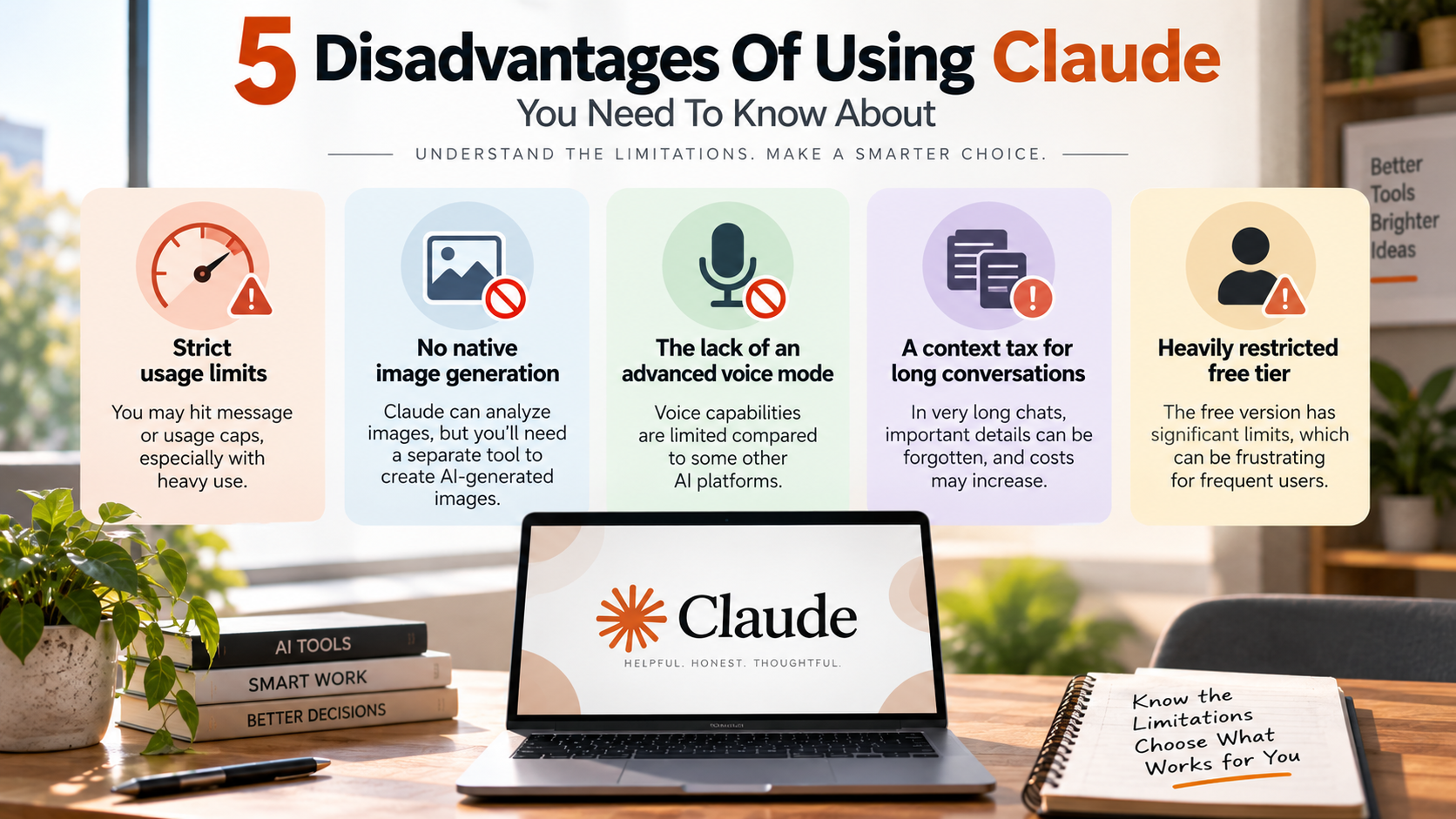
Strict usage limits
One of the most noticeable disadvantages of using Claude is its usage limits. People who rely on Claude for intensive research, coding, writing, or analysis may eventually encounter message or usage caps, particularly during periods of heavy use.
The impact of these restrictions depends on your plan, model, and current usage. A user who only asks occasional questions may never notice the limits, while someone working with Claude throughout the day can reach them much more quickly.
This can be particularly frustrating during long coding sessions or complex research projects. Being forced to wait for access to reset can interrupt your workflow and make it harder to complete time-sensitive tasks.
Paid plans can provide higher usage allowances, but they do not necessarily mean unlimited access. Businesses and developers also need to consider API limits, token usage, and associated costs when building Claude into automated workflows.
A practical solution is to make prompts more efficient and avoid unnecessary back-and-forth conversations. For demanding workloads, it can also make sense to maintain access to another AI platform as a backup, such as a free AI writing tool with no signup required for occasional writing tasks.
Before depending on Claude for professional work, estimate how frequently you will use it and review the current limits associated with your specific plan.
No native image generation
Another disadvantage of using Claude is the lack of a native image-generation workflow. While Claude can understand and analyze images in supported environments, users looking to create original AI-generated images may need to use a separate tool.
This creates an additional step for people who want both text and visual content from the same AI assistant. For example, a content creator may use Claude to write an article but then need another platform to generate a featured image, illustration, product concept, or social media graphic.
The lack of native image generation can be especially inconvenient for marketers, designers, bloggers, and small businesses that prefer an all-in-one AI workflow.
By comparison, some competing AI platforms combine conversational assistance with image-generation capabilities. Having these tools in the same ecosystem can make it easier to move from an idea to written and visual content without switching applications.
Claude can still contribute to visual workflows by helping users develop image prompts, creative concepts, descriptions, storyboards, and design directions. However, the actual image-generation step may require an external service.
For users who regularly create both written and visual content, this limitation should be considered when evaluating the disadvantages of using Claude against competing AI assistants.
The lack of an advanced real-time voice mode
Another potential disadvantage of using Claude is that users seeking a highly interactive voice assistant may find its voice experience less suitable for their needs than competing platforms.
Text-based conversations are useful for detailed reasoning and writing, but advanced real-time voice interaction can provide a more natural way to communicate with an AI. Users can speak naturally rather than typing every instruction.
An advanced voice mode can be useful when brainstorming ideas, practicing conversations, asking quick questions, learning a language, or interacting with an AI while performing another task.
Claude’s voice capabilities and availability can change as Anthropic introduces new features. Users should therefore compare the current experience with competing platforms if voice interaction is an important part of their workflow.
This limitation matters most for people who want AI to function more like a conversational assistant than a traditional text chatbot. Developers, students, professionals, and accessibility-focused users may particularly value fast, natural voice exchanges.
For primarily text-based workflows, this may not be a major concern. However, anyone evaluating the disadvantages of using Claude should consider voice quality, response latency, interruption handling, and feature availability before choosing an AI platform.
A context tax for long conversations
Claude is well known for handling large amounts of information, but another disadvantage of using Claude can appear when conversations become extremely long. A large context window does not mean that every piece of information will receive equal attention.
When a conversation contains hundreds of messages, multiple documents, competing instructions, and large amounts of source material, important details can become harder to manage.
This can lead to problems such as forgotten instructions, reduced focus, inconsistent responses, or the model placing too much importance on information that is no longer relevant.
Long-context workflows can also increase costs when using an API because processing large amounts of input and output can consume more tokens. For businesses running AI applications at scale, this can become an important operational consideration.
A better approach is to organize lengthy projects into focused conversations or stages. Remove irrelevant material, summarize completed sections, and provide only the information needed for the current task.
Claude’s large context capability remains valuable, but users should not assume that bigger context automatically produces better results. Effective information management is still necessary to maintain accuracy, relevance, and predictable costs.
Heavily restricted free tier
The heavily restricted free tier is another important disadvantage of using Claude, particularly for people who want to use AI frequently without paying for a subscription.
The free version can be useful for trying the platform, but its restrictions can become noticeable for users who depend on AI for daily writing, research, coding, or document analysis.
Free access may limit how much users can interact with the service. Availability can also vary depending on demand, model access, account conditions, and changes to the product.
This means the free version may work well for occasional questions but become frustrating for users who want Claude to serve as their primary AI assistant.
The limitations are particularly noticeable when working with demanding tasks. Long documents, complex coding sessions, and repeated follow-up questions can consume available usage more quickly than simple prompts.
Upgrading to a paid plan can provide greater access and additional capabilities, but that introduces a recurring cost. For students, casual users, and people experimenting with AI, paying for a subscription may not always be worthwhile.
The best approach is to evaluate how often you actually use Claude before upgrading. If you only need occasional assistance, the free version may be sufficient. If Claude is part of your daily professional workflow, compare the cost and usage allowances of its paid plans with competing AI services.
Overall, the restricted free tier is one of the disadvantages of using Claude that matters most to frequent users who want substantial AI access without paying for a subscription.
What are the risks of using Claude?
Using Claude introduces several practical risks, especially around data privacy, accuracy, and overreliance on AI-generated content. These concerns are important when evaluating the disadvantages of using Claude for personal or business workflows.
Like other large language models, Claude can sometimes produce hallucinations. These responses may sound confident even when the information is incomplete or incorrect.
This becomes important when Claude supports customer communications, research, legal documents, financial analysis, or technical work. Human review remains essential before using important outputs.
Data handling is another consideration. Organizations should understand the privacy, retention, and training policies that apply to their specific Claude plan or API arrangement. Sensitive source code, customer information, and confidential documents should never be uploaded without checking the applicable terms.
Businesses should also establish clear AI-use policies. These policies can define what information employees may share and which outputs require verification.
The biggest risk is not Claude itself. It is using AI output without appropriate oversight. Strong review processes can reduce many of these risks.
What are the limitations of Claude AI?
The limitations of Claude AI depend partly on the model and account you use. Understanding these limitations is important when assessing the disadvantages of using Claude for your particular workflow.
One important consideration is that feature availability can vary by plan, region, workspace, and product version.
Claude has developed beyond a simple text-generation chatbot. Depending on the current product configuration, users may have access to features such as web search, file analysis, image understanding, coding assistance, and other tools. Users interested in the model’s specific capabilities can also explore a Claude Sonnet 5.0 guide. However, these capabilities do not eliminate every limitation.
Usage limits can affect people who rely on Claude heavily. Free and paid plans may impose different message or usage restrictions. API usage also involves separate pricing and capacity considerations.
Claude can also struggle with tasks that require highly specialized software integrations or complex automated workflows. Users may need external tools to complete those tasks.
The broader limitation is ecosystem fit. Claude can be excellent for reasoning, writing, and document analysis, but another AI platform may offer better integrations for a particular workflow.
What are the advantages of using Claude?
Despite the disadvantages of using Claude, the platform offers several meaningful strengths. It is particularly useful for long-form writing, document analysis, summarization, and complex reasoning.
Claude can work with large amounts of text and maintain context across lengthy conversations. This makes it useful for reviewing reports, analyzing transcripts, studying documentation, and working with large codebases.
Its writing style is another common advantage. Claude often produces natural, polished prose with strong attention to tone and structure. This can make it valuable for editing, brainstorming, drafting, and content development.
Developers can also use Claude for debugging, code explanation, refactoring, and architectural reasoning. Results still require testing, but the model can accelerate many development tasks.
Its safety-focused design is another consideration for organizations that want strong guardrails around AI use. However, safety systems can sometimes create unnecessary refusals.
Overall, Claude works particularly well when the task involves understanding large amounts of information and producing clear, nuanced text.
Is Claude better than ChatGPT?
Whether Claude is better than ChatGPT depends on the task, preferred workflow, and features available on your account. Neither platform is consistently superior in every situation.
Claude is often a strong choice for long-form writing, document analysis, and nuanced textual reasoning. Its writing style can also appeal to users who want polished and natural-sounding drafts.
ChatGPT offers a broad ecosystem that may suit users who want multiple AI capabilities in one environment. Depending on the current plan and product version, those capabilities can include web search, voice interactions, image generation, file analysis, coding tools, and other integrations.
The best choice therefore depends on what you need most. Someone working primarily with lengthy documents may prefer Claude. A user seeking a broader collection of AI tools may prefer ChatGPT.
Feature availability changes quickly across both platforms. Compare the current plans and tools before making a long-term decision.
Instead of asking which AI is universally better, ask which platform fits your specific workflow better.
What are the disadvantages of using Claude?
The main disadvantages of using Claude include usage restrictions, potential costs, limited availability of certain features, safety refusals, changing feature availability, and integration limitations.
Usage limits can interrupt long work sessions, particularly for people who send many complex prompts. Paid plans may provide higher access levels, but limits can still apply.
The lack of certain capabilities can also affect users who want an all-in-one AI platform. Depending on the workflow, users may need additional services for image creation, advanced voice interaction, specialized integrations, or other tasks.
Claude’s safety systems can also produce refusals for requests that users consider harmless. This may happen when a prompt touches sensitive subjects or resembles restricted content.
Another limitation can involve integrations. While Claude supports various tools and workflows, users may find that another AI platform connects more easily with the software they already use.
API costs are another consideration for businesses. High-volume applications can generate substantial expenses, making it important to estimate usage before deployment.
Finally, AI output still requires human oversight. Claude can accelerate research and writing, but it should not replace professional judgment.
Understanding these disadvantages of using Claude alongside its strengths helps users decide whether the platform fits their needs, budget, and everyday workflow.