
How to Connect Gemini to Bank Accounts: Security, Setup, and Limits
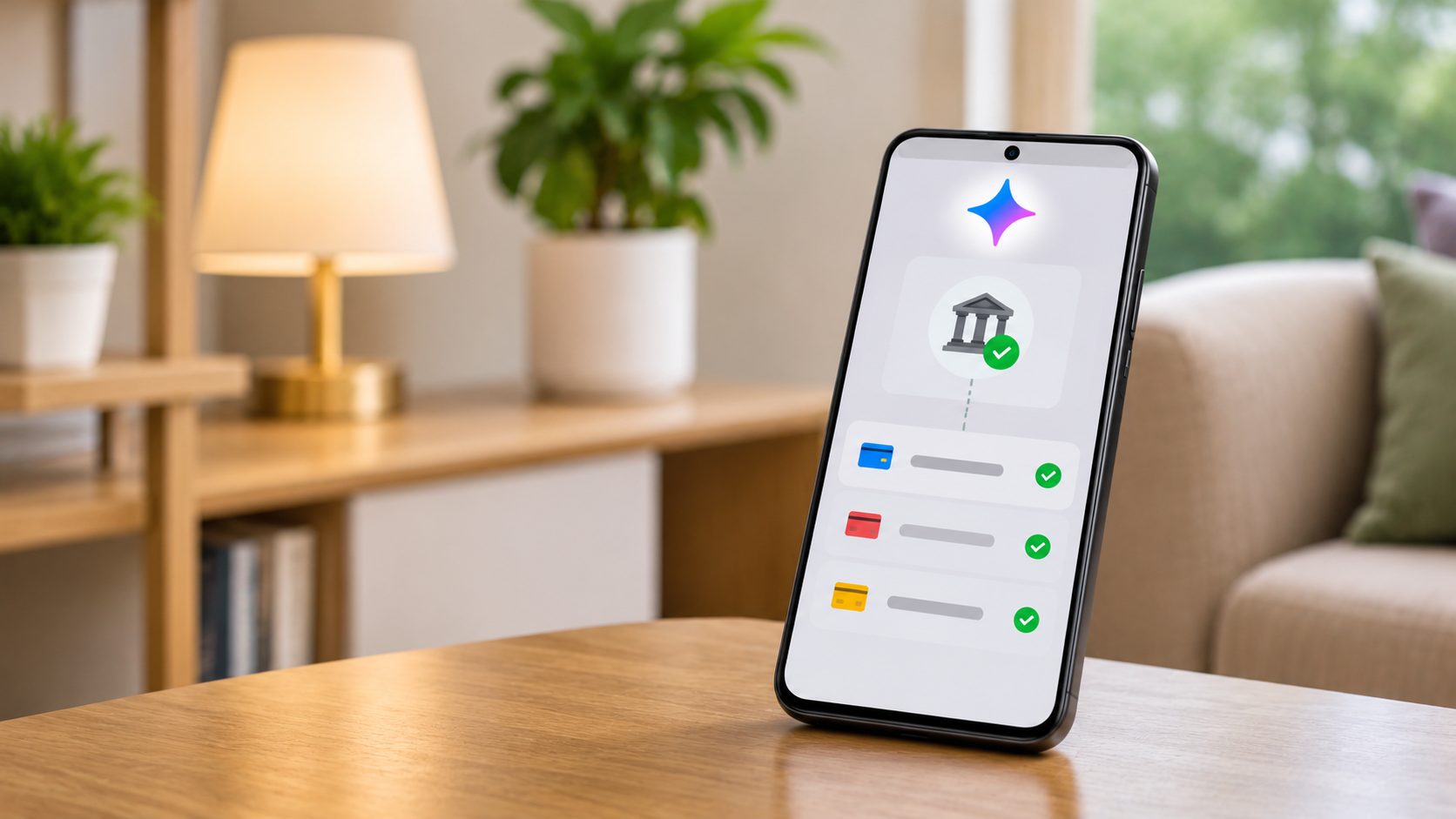
Artificial intelligence is changing personal finance management. If you want to connect Gemini to bank accounts, Google’s new Google Wallet integration makes this possible for eligible users in the United States. Introduced in November 2026, this feature helps users analyze spending habits, identify forgotten subscriptions, and receive personalized budgeting insights.
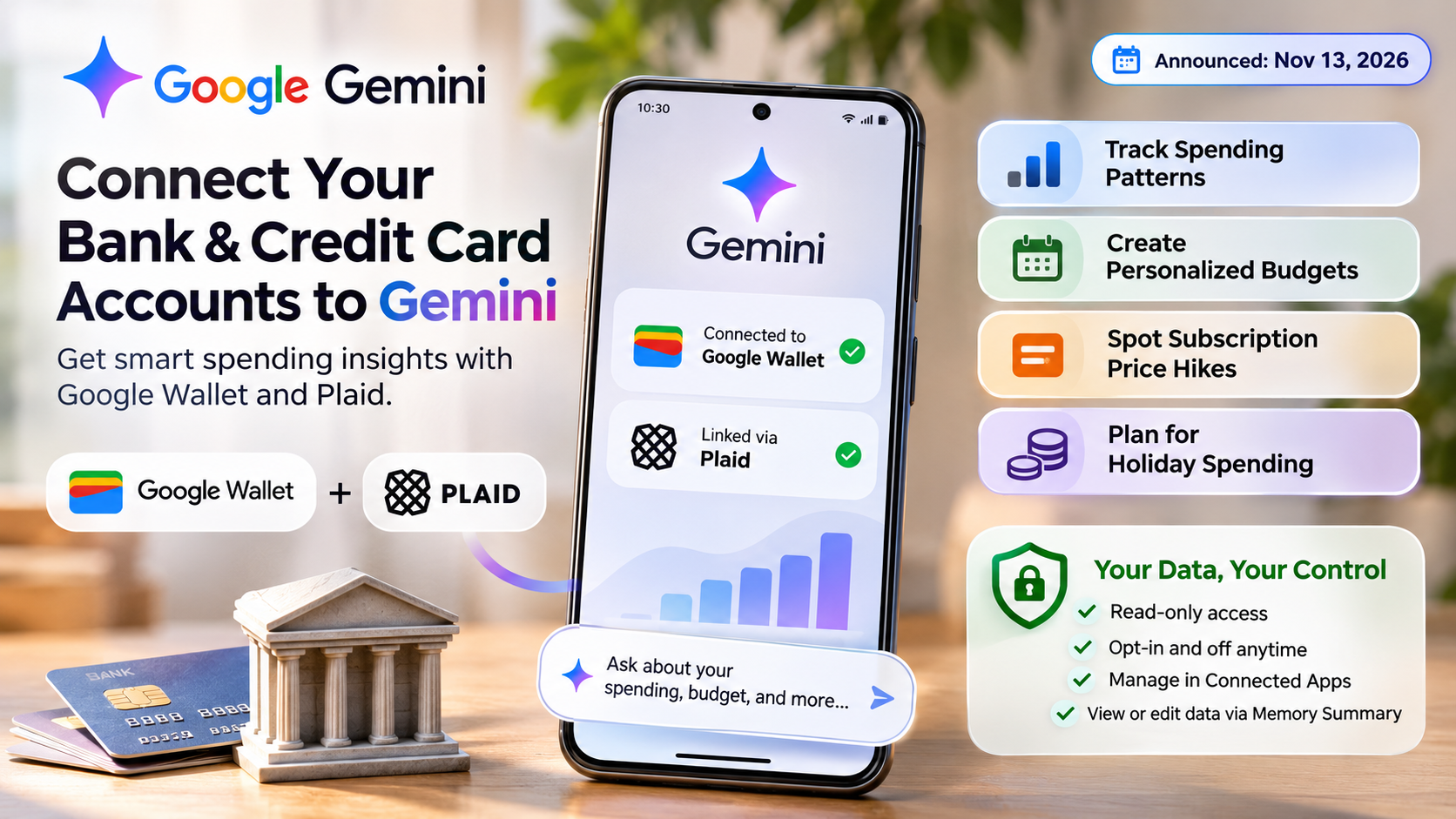
The integration allows users to analyze spending habits, identify forgotten subscriptions, and create personalized budgets. It also supports financial account connections through Plaid.
However, sharing financial information with an AI assistant raises important privacy questions. Users should understand how account linking works before enabling this feature.
In this guide, we explain how to connect Gemini to bank accounts, manage permissions, and understand regional restrictions. We also clarify the difference between Google’s Gemini AI and Gemini Trust. Finally, we explain how Indian bank accounts work with Google Pay.
Can I link my bank account to Gemini?
Yes, eligible users can connect bank accounts to Gemini through Google Wallet. Google introduced this integration in November 2026. It allows Gemini to access financial information from accounts linked to Wallet through Plaid. According to Google’s official announcement, the feature helps users understand their spending and manage subscriptions.
The feature is currently available to eligible users in the United States. You must be at least 18 and use a personal Google Account. You also need to enable Gemini Apps Activity. The integration is available in English across the Gemini website and mobile apps. However, Google is rolling it out gradually.
Once connected, Gemini can help you:
- Review spending patterns and transaction history.
- Identify recurring payments and forgotten subscriptions.
- Compare expenses across different periods.
- Generate spending charts and personalized budgets.
The connection is read-only. Gemini cannot transfer money, make payments, manage accounts, or execute investments through this integration. You can disconnect Google Wallet whenever you want.
How Plaid Protects Your Bank Credentials
Plaid acts as a third-party financial connection service between supported banks and Google Wallet. It allows users to link financial accounts and share relevant transaction information. This information can help Gemini provide personalized financial insights.
When linking an account, you follow Plaid’s authentication process. Your financial institution’s login information is handled through this service. Google confirms that Plaid collects and uses login information to establish the connection and access account data.
However, using Plaid does not automatically guarantee complete privacy. Users should understand the permissions granted during account linking. Additionally, financial users should understand how scammers are using AI to trick people and steal sensitive information.
Before connecting your bank account, consider these precautions:
-
Verify that you are using the official Google Wallet website.
-
Review Plaid’s permissions and privacy disclosures.
-
Check which financial accounts you are sharing.
-
Avoid entering banking credentials into ordinary Gemini chat messages.
-
Disconnect accounts you no longer want linked.
These precautions help you make informed decisions about sharing sensitive financial information.
Is Gemini linked to my Google Account?
Yes, Gemini operates through your Google Account. When you sign in, you can connect supported Google services through the Connected Apps feature. As a result, Gemini can use information from these services to provide more personalized responses.
For example, Google’s Personal Intelligence supports integrations with Gmail, YouTube, Search, and Google Wallet. However, access to these integrations depends on your location, account type, and eligibility requirements.
To use the Google Wallet financial integration, you must meet the following requirements:
- Be at least 18 years old.
- Use a personal Google Account.
- Live in the United States.
- Keep Gemini Apps Activity enabled.
- Use the feature in English.
Additionally, work, school, and supervised Google Accounts are not eligible for this particular integration.
Therefore, simply signing into Gemini does not automatically connect your bank account. Instead, you must enable Google Wallet separately and complete the required account-linking process.
Managing Your Connected App Permissions
Google gives users control over which supported applications can share information with Gemini. Through the Connected Apps settings, you can review available integrations and manage their permissions. This helps you decide which Google services Gemini can access when generating personalized responses. If you also want to manage Gemini’s presence in Gmail, learn how to turn off Gemini in your Google Account’s Gmail settings.
To manage your Google Wallet connection, follow these steps:
- Open Gemini on your phone or visit gemini.google.com.
- Open your profile or settings.
- Navigate to Personal Intelligence.
- Select Connected Apps.
- Find Google Wallet and switch the connection on or off.
- Follow the instructions displayed on your screen.
You can also manage your linked financial accounts separately through Google Wallet and its Plaid connection settings.
Furthermore, Google provides a Memory Summary feature. It allows you to review and edit information Gemini remembers about you. This is useful when you want to check what personal details may influence future responses.
However, disconnecting Google Wallet does not automatically erase your previous Gemini activity. Therefore, review your Gemini Apps Activity and privacy settings separately if you want to manage previously saved interactions.
Is Gemini Trust a bank?
No, Gemini Trust is not a traditional retail bank. Instead, Gemini Trust Company, LLC operates in the cryptocurrency and digital asset financial services industry. The company was founded by Cameron and Tyler Winklevoss.
Although it shares the Gemini name, the company operates independently of Google and its Gemini AI assistant. In other words, Google Gemini and Gemini Trust have no corporate connection.
Gemini Trust Company holds a limited-purpose trust company charter under New York banking law. Additionally, it is regulated by the New York State Department of Financial Services (NYDFS).
However, this regulatory status does not make Gemini Trust equivalent to a conventional retail bank. Its services primarily focus on cryptocurrency trading, digital asset custody, and related financial activities.
Therefore, users should understand the difference before opening an account or sharing financial information. Google Gemini is an AI assistant, whereas Gemini Trust operates a separate digital asset platform.
Avoiding Brand Confusion in Digital Finance
The shared Gemini name often creates confusion among people searching for banking and financial services. However, these two platforms serve entirely different purposes. Understanding their differences can help you avoid entering sensitive information on the wrong website. Before trusting an unfamiliar financial platform, use lateral reading to fact-check online information and verify its credibility.
Before signing in, always verify the platform’s official website:
- Google Gemini: Visit gemini.google.com to access Google’s AI assistant.
- Gemini Trust: Visit gemini.com to access its cryptocurrency exchange and digital asset services.
While Google Gemini connects eligible financial accounts through Google Wallet and Plaid, Gemini Trust provides cryptocurrency-related services through its own platform.
For example, connecting Google Wallet to Gemini AI does not give you access to Gemini Trust cryptocurrency accounts. Similarly, opening a Gemini Trust account does not connect your financial information to Google’s AI assistant.
Therefore, always check the website address before entering personal or financial information. Never enter cryptocurrency exchange credentials into Google’s AI chat interface.
By understanding this distinction, you can avoid unnecessary account confusion and reduce the risk of sharing sensitive information with the wrong service.
Can I add an Indian bank account to Google Pay?
Yes, Indian users can add supported bank accounts to Google Pay using the Unified Payments Interface (UPI). UPI is India’s instant payment system. It allows users to send and receive money directly between participating bank accounts.
To get started, download Google Pay and register using your bank-registered mobile number. Next, select your bank from the available list and follow the account verification instructions.
Depending on your bank and eligibility, you may need your debit card details to complete UPI registration. Alternatively, supported users can verify their accounts using Aadhaar-based authentication. After successful verification, you can set your UPI PIN to authorize eligible transactions.
Once your bank account is connected, you can use Google Pay for several everyday financial activities, including:
- Sending money to other UPI users.
- Paying merchants using QR codes.
- Paying supported utility bills.
- Checking supported bank account balances.
However, there is an important distinction between Google Pay and Gemini. Connecting an Indian bank account to Google Pay does not automatically connect it to Gemini’s financial insights feature.
Therefore, Indian users can continue making UPI payments through Google Pay. However, they cannot currently use this particular Google Wallet integration to analyze their bank transactions through Gemini.
Current Regional Limits for Gemini Finance
Google’s Gemini and Google Wallet integration currently has regional restrictions. In particular, the financial account connection through Plaid is available to eligible users in the United States. Additionally, users must meet Google’s age, language, and account requirements.
As a result, Indian users cannot currently access this specific Gemini financial integration. Even if you have an active Google Pay account in India, it does not automatically provide access to Gemini’s bank transaction analysis.
The differences between these services are worth understanding:
| Feature | India | United States |
|---|---|---|
| Google Pay UPI payments | Available | Not the Indian UPI service |
| Google Wallet financial account linking through Plaid | Not available | Available |
| Gemini financial insights through Google Wallet | Not available | Available to eligible users |
| Bank transaction analysis through this Gemini integration | Not available | Available to eligible users |
Nevertheless, regional availability may change as Google expands its financial services. Therefore, users should check the latest eligibility requirements before attempting to connect their accounts.
For now, Indian users can continue using Google Pay for everyday UPI transactions. However, they should not expect Gemini to access their Indian bank balances or transaction history through this integration.
Final Thoughts
Connecting Gemini to bank accounts through Google Wallet introduces new possibilities for managing personal finances with artificial intelligence. For eligible users, the ability to connect Gemini to bank accounts offers a convenient way to review spending habits, identify recurring subscriptions, and understand financial activities. However, these benefits also come with important privacy considerations.
Before enabling the feature, carefully review the permissions and understand how Plaid handles your financial information. Additionally, check Google’s eligibility requirements and make sure you are using the correct Google Account.
For Indian users, the situation is different. Although Google Pay supports UPI payments through supported Indian bank accounts, direct bank account integration with Gemini’s financial insights is not currently available in India.
As Google continues developing its AI-powered financial features, regional availability and supported integrations may change. Therefore, always check the latest requirements before connecting your financial accounts. Most importantly, prioritize financial security and share sensitive information only through trusted services.