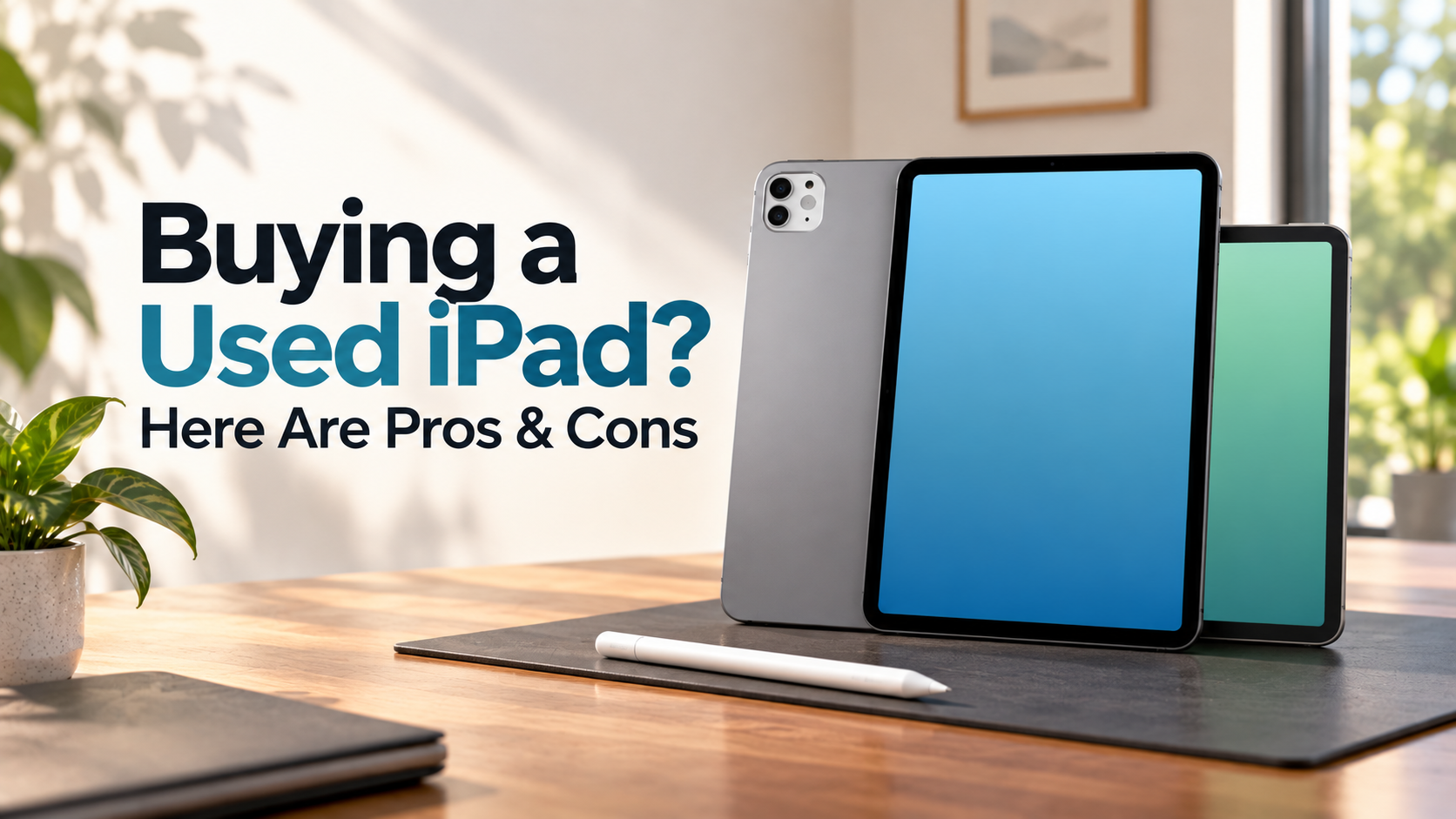
Buying a Used iPad? Here Are Pros & Cons
Are you thinking about buying a used iPad to reduce your tech expenses? Apple tablets often remain useful for years. However, the second-hand market requires careful checking before you pay. You can verify device specifications through Apple Support to confirm the model and hardware details.
Many buyers find excellent deals on older iPad models. Others end up with worn batteries, damaged screens, or Activation Lock problems. The difference usually comes down to careful inspection and seller reliability. You can verify the iPad model and generation through Apple Support before paying for a second-hand device.
Getting good value means understanding what you trade for the lower price. You should consider device condition, iPadOS support, battery health, and available accessories. Seller reputation also matters.
This guide covers the key factors to check before buying a pre-owned iPad. You will learn the main advantages and drawbacks, inspection steps, suitable models, and refurbished alternatives. With the right checks, you can avoid common second-hand buying mistakes.
Is it a good idea to buy a used iPad?
Buying a used iPad can be a good choice when you select the model and seller carefully. Apple has built many iPads around capable processors and durable hardware. As a result, older models can still handle browsing, streaming, studying, and everyday productivity.
A second-hand iPad can also provide premium features at a lower price. This makes older Air, Pro, and standard models attractive to students and budget-conscious buyers. However, age matters. Older hardware may have shorter software support and weaker battery performance.
Before buying, check the model’s current iPadOS compatibility. Software support affects app compatibility, security updates, and useful features. You should also inspect the screen, cameras, speakers, buttons, and charging port.
Battery condition deserves special attention. Apple does not provide the same battery-health menu across every iPad model. You may need diagnostic information or professional testing instead.
Finally, verify that Activation Lock is disabled. A cheaper iPad is not a bargain if you cannot activate or use it.
Evaluating iPadOS Software Longevity
Software support should be a major consideration when buying a used iPad. Apple continues supporting many iPad models for several years, but support length varies by model and release date. Therefore, avoid relying on a fixed five- or six-year rule.
First, identify the exact iPad model and generation. Then check whether it supports the current iPadOS version. Also consider whether it is likely to receive future updates.
An older iPad may still work well for basic tasks. However, limited software support can eventually affect security, app compatibility, and new features. Some apps may also require newer versions of iPadOS.
Consider your expected ownership period before buying. A slightly newer model can offer better long-term value than a much older model. This matters even when the older device costs less initially.
For a second-hand purchase, remaining software support is often more important than saving a small amount upfront. Always compare the model’s age, current software compatibility, hardware condition, and price before deciding.
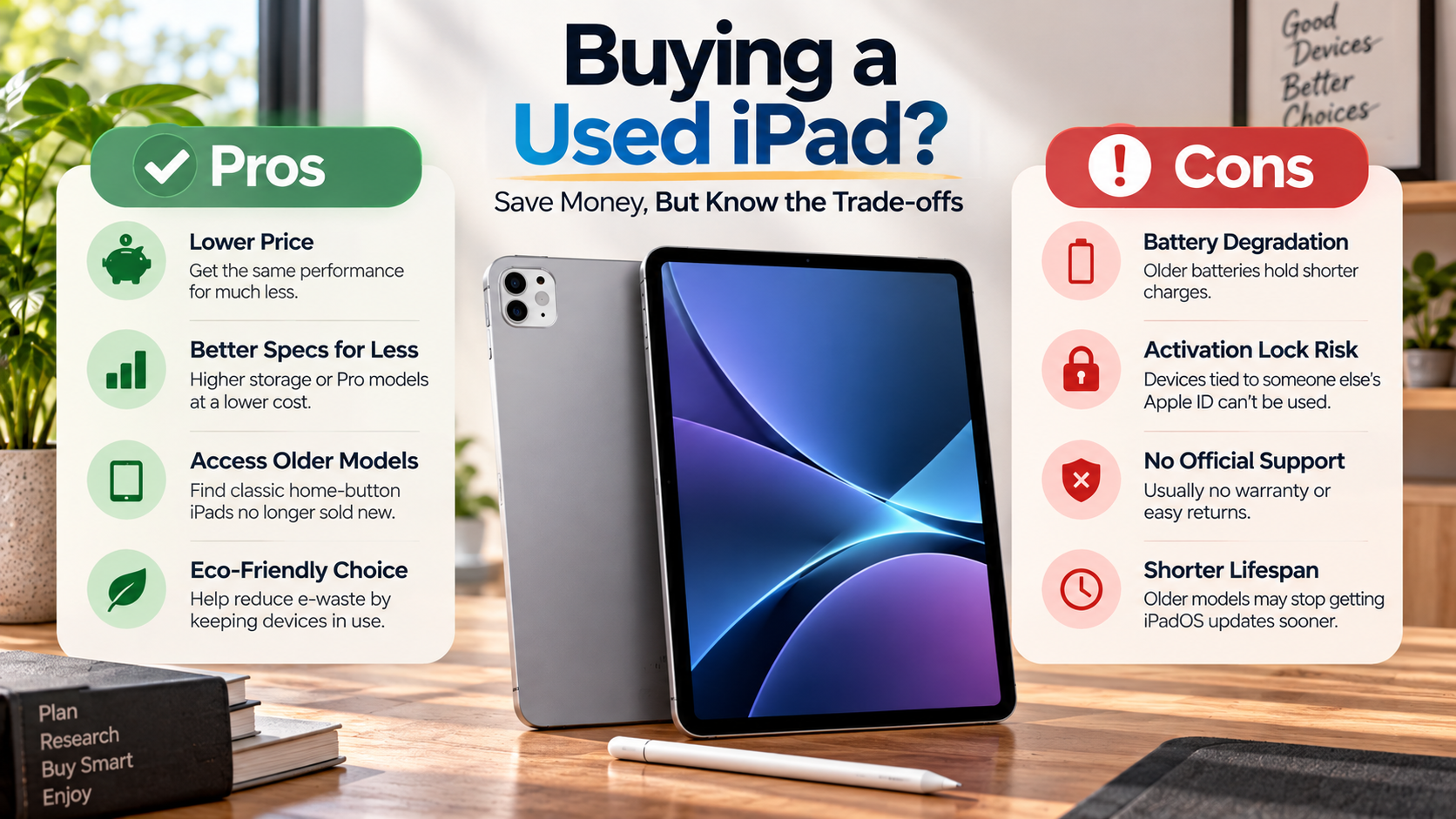
What are the pros and cons of an iPad?
The biggest advantage of an iPad is its combination of hardware quality, performance, and software support. Even older models can provide a smooth experience for browsing, streaming, reading, studying, and everyday productivity. Many models also support accessories such as the Apple Pencil and external keyboards.
Apple’s processors can provide strong performance for years. iPads also offer high-quality displays and generally retain useful resale value. You can also extend the experience with the best iPad accessories cheaper than Apple, especially when buying a used device on a budget.
However, there are important drawbacks. iPadOS does not provide the same desktop experience as macOS or Windows. Certain professional workflows can also be less convenient on a tablet.
Other disadvantages include:
-
Limited internal storage upgrades, since storage cannot be expanded internally.
-
Expensive accessories, particularly official keyboards and styluses.
-
Repair costs, which can be significant for damaged displays or other components.
-
Battery wear, especially on older second-hand devices.
-
Software limitations for specialized desktop workflows.
For many users, these drawbacks are manageable. The right choice depends on how you plan to use the device and which compromises you can accept.
iPadOS Workflow Boundaries to Consider
iPads work especially well for digital drawing, media consumption, note-taking, browsing, and document editing. They can also support demanding creative and productivity tasks on compatible models. However, they may not replace a conventional laptop for every workflow, especially for users considering the disadvantages of using a tablet as a laptop replacement.
iPadOS includes multitasking features such as Stage Manager on supported models. These tools make working with multiple apps easier. Still, some desktop-style tasks remain less flexible.
Developers may encounter limitations with traditional development environments. Audio professionals can also face restrictions involving background processing and specialized software. File management may require different workflows than those used on macOS or Windows.
Browser capabilities can differ from desktop platforms as well. Some extensions, web applications, and professional tools may offer reduced functionality.
Before buying a used iPad, list the applications you use most. Check whether each one supports your required workflow on iPadOS. If you mainly browse, stream, take notes, edit documents, or draw, an iPad may fit well.
If your work depends on desktop-only software, compare the iPad experience with your current computer first.
What should I consider before buying a second-hand iPad?
Before buying a second-hand iPad, inspect the device carefully. Start with the chassis and display. Look for cracks, dents, deep scratches, dead pixels, screen discoloration, and areas where touch input does not respond.
Next, test the main hardware. Check the speakers, microphones, cameras, volume buttons, power button, and charging port. Connect a charger and confirm that charging works reliably. If you need a replacement, learn whether a third-party charger is safe before using it with your iPad.
Battery condition also deserves attention. Older batteries may provide noticeably less runtime. If possible, request diagnostic information or have the device checked by a reputable technician.
Most importantly, verify the device’s Activation Lock status. The previous owner must remove the iPad from their Apple Account and disable Find My before you complete the purchase.
You should also verify the serial number and model information. Ask for proof of purchase when available. This can provide additional confidence about the device’s history.
Avoid rushing because a seller offers a limited-time deal. Test everything before handing over payment. A few minutes of inspection can prevent expensive problems later.
The Danger of Activation Locks
Activation Lock is one of the biggest risks when buying a used iPad. It is designed to prevent unauthorized use of a device linked to another person’s Apple Account.
Never assume an iPad is safe simply because it turns on. Ask the seller to remove their Apple Account and disable Find My. Then restart the device and begin the setup process yourself.
Ideally, you should see the initial setup process without a request for the previous owner’s credentials. If the iPad asks for the former owner’s Apple Account, do not complete the purchase.
A seller who cannot remove the lock cannot give you a normally usable device. Do not accept promises that you can fix the problem later.
Before paying, check these points:
-
The previous owner has signed out of their Apple Account.
-
Find My has been disabled.
-
The device has been erased.
-
You can begin setup yourself.
-
No previous owner’s credentials are requested.
If any of these checks fail, walk away. Activation Lock should always be resolved before payment.
What is the best 2nd hand iPad to buy?
There is no single best second-hand iPad for every buyer. The right model depends on your budget, workload, software needs, and expected ownership period. However, newer models with capable processors generally provide more usable years.
The iPad Air with the M1 chip is a strong option for buyers seeking modern performance. Its processor can handle demanding apps, multitasking, creative work, and gaming. It also offers a useful balance between performance and portability.
For tighter budgets, the 9th-generation or 10th-generation iPad can suit browsing, streaming, studying, and basic productivity. Check software compatibility and condition before choosing either model.
Creative professionals may prefer a used 11-inch iPad Pro with ProMotion. Its high-refresh-rate display can provide smoother scrolling and drawing. Pro models can also offer stronger speakers and additional features.
Prices vary significantly in the used market. Therefore, compare several listings rather than choosing based on model alone. Apple price changes for Macs and iPads in India can also affect used-market pricing, so check current prices before deciding. Condition, storage capacity, battery health, included accessories, and seller reputation can change the overall value.
Why M-Series Chips Guarantee Longevity
M-series iPads can offer substantial performance headroom for demanding workloads. Models using chips such as the M1 can handle multitasking, creative applications, gaming, and other intensive tasks with ease.
Their performance can also make them attractive second-hand purchases. A used M-series iPad may remain capable as applications become more demanding. However, the processor alone does not guarantee a specific number of years of support.
Software compatibility still depends on Apple’s supported-device policies. Storage capacity also matters because modern apps and files can consume space quickly. A model with more storage may be more practical for long-term use.
When comparing used iPads, consider the complete package:
-
Processor and performance requirements
-
Current iPadOS compatibility
-
Expected ownership period
-
Storage capacity
-
Physical condition
-
Battery condition
-
Purchase price
An M-series iPad can be a strong choice when you need extra performance. For basic tasks, however, a less expensive model may provide everything you actually need.
Is it better to buy a new or refurbished iPad?
The choice between a new, refurbished, and used iPad depends on your budget, risk tolerance, and desired protection. A new iPad provides a new battery, pristine condition, warranty coverage, and a straightforward purchasing experience. Before choosing a refurbished device, it is also worth understanding AppleCare coverage, costs, and plans in India.
Certified refurbished devices can offer a middle ground. Reputable refurbishment programs inspect devices before resale and usually provide return or warranty protection. Apple’s own refurbished products have specific quality standards and warranty terms.
Third-party refurbished sellers can offer lower prices. However, standards can differ between sellers. Replacement parts, cosmetic condition, battery condition, warranty coverage, and return policies should all be checked before buying.
A private second-hand purchase can cost less. It also carries more responsibility for the buyer. You must inspect the hardware and confirm the device is not Activation Locked.
Consider the total value rather than the sticker price. A slightly more expensive refurbished iPad may provide useful warranty protection and fewer unknowns.
For buyers who prioritize lower costs and accept more risk, a carefully inspected used iPad can make sense.
The Certified Refurbished Advantage
Certified refurbished iPads provide a useful safety net compared with many private second-hand sales. Depending on the refurbishment program, the device may undergo functional testing and inspection before resale.
You can also receive clearer information about warranty coverage, returns, and customer support. Understanding AppleCare versus carrier insurance can also help you compare the protection available with different purchasing options. These protections can reduce the risks associated with buying directly from an individual seller.
Apple’s official refurbished program has its own refurbishment standards and warranty terms. Other reputable retailers may provide different levels of testing and coverage. Always read the specific terms before purchasing.
When comparing a certified refurbished iPad with a used model, look beyond the purchase price. Check:
-
Warranty length and coverage
-
Return policy
-
Battery condition
-
Replacement-part standards
-
Cosmetic condition
-
Included accessories
-
Seller reputation
A private used iPad may still offer excellent value. However, certified refurbishment can reduce uncertainty for buyers who want additional protection.
Ultimately, compare the condition, price, warranty, and expected lifespan of each device. This approach helps you find the right balance between savings and peace of mind.
Conclusion
Purchasing a pre-owned Apple tablet remains one of the smartest ways to access premium technology on a practical budget. As long as you navigate device selection carefully, you can acquire high-tier hardware that performs reliably for study, work, and entertainment. Always prioritize tablets with modern processors to guarantee ongoing software updates, strong performance, and dependable security protections.
Thoroughly inspect every hardware component, test the touchscreen, verify battery performance, and confirm the removal of iCloud activation locks before handing over payment. If private peer-to-peer marketplaces feel too uncertain, certified refurbished programs offer an exceptional compromise by pairing reduced costs with solid warranty protections.
Take your time researching prospective sellers, compare historical price trends across different generations, and evaluate your personal computing needs. With a cautious inspection strategy and a clear understanding of your workload requirements, buying a used iPad will reward you with exceptional digital value for years to come.