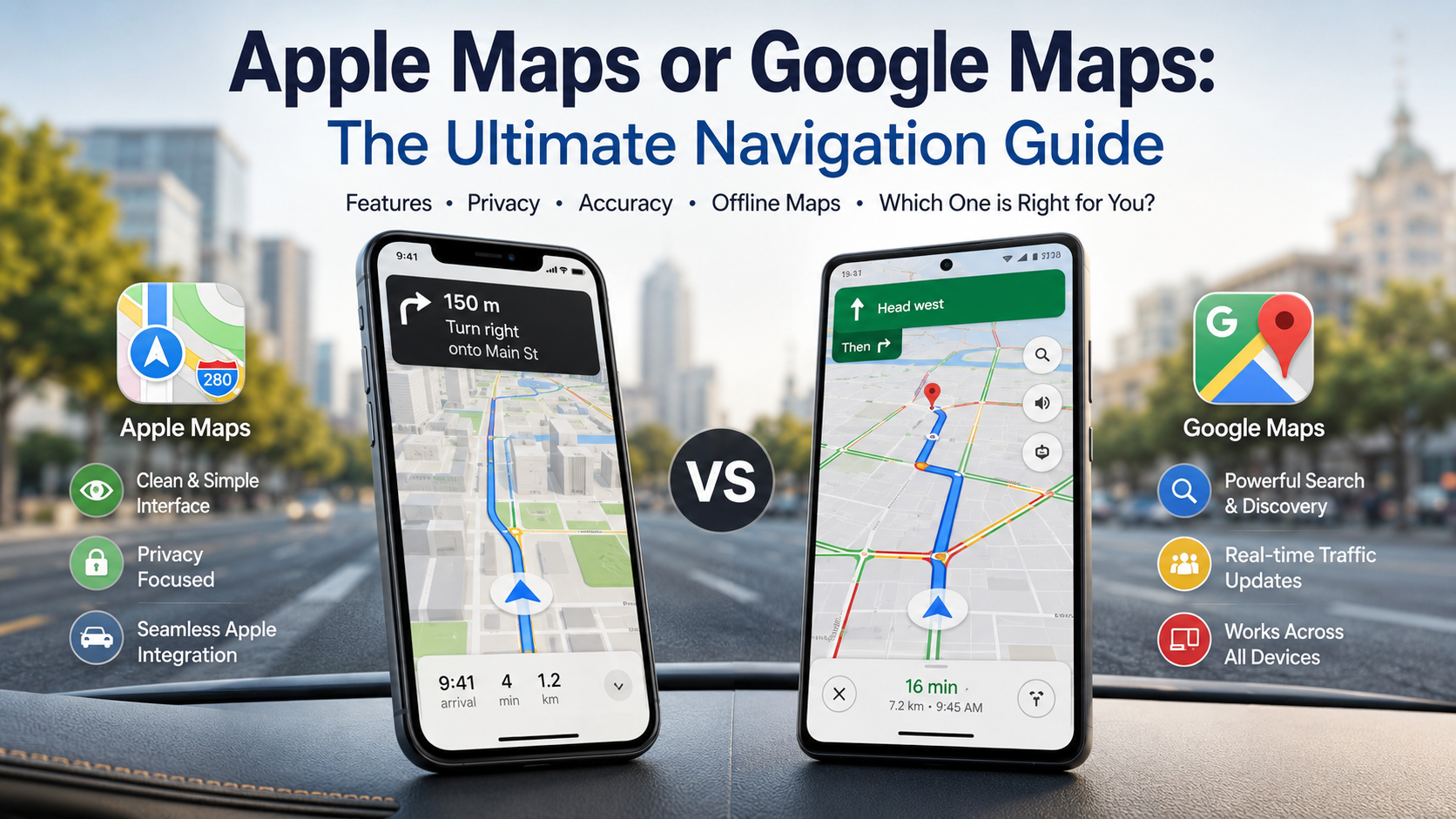
Apple Maps or Google Maps: The Ultimate Navigation Guide
Choosing between Apple Maps or Google Maps often depends on your smartphone ecosystem, privacy preferences, and travel habits. Both navigation apps have grown far beyond basic turn-by-turn directions. Today, they help with commuting, road trips, public transit, local businesses, and everyday exploration.
Reliable navigation can save time and reduce stress. Both platforms provide live traffic information, route planning, voice guidance, and offline options. However, their strengths are different.
Google Maps generally stands out for search depth, business information, and cross-platform access. Apple Maps offers a cleaner interface and deep integration with Apple devices. Privacy is another important difference, with Apple emphasizing data minimization and random identifiers for Maps activity.
Throughout this guide, we compare Apple Maps vs. Google Maps across navigation accuracy, design, offline maps, privacy, public transit, and device compatibility. The goal is simple: help you choose the navigation app that best fits your daily routine.
What is better, Apple Maps or Google Maps?
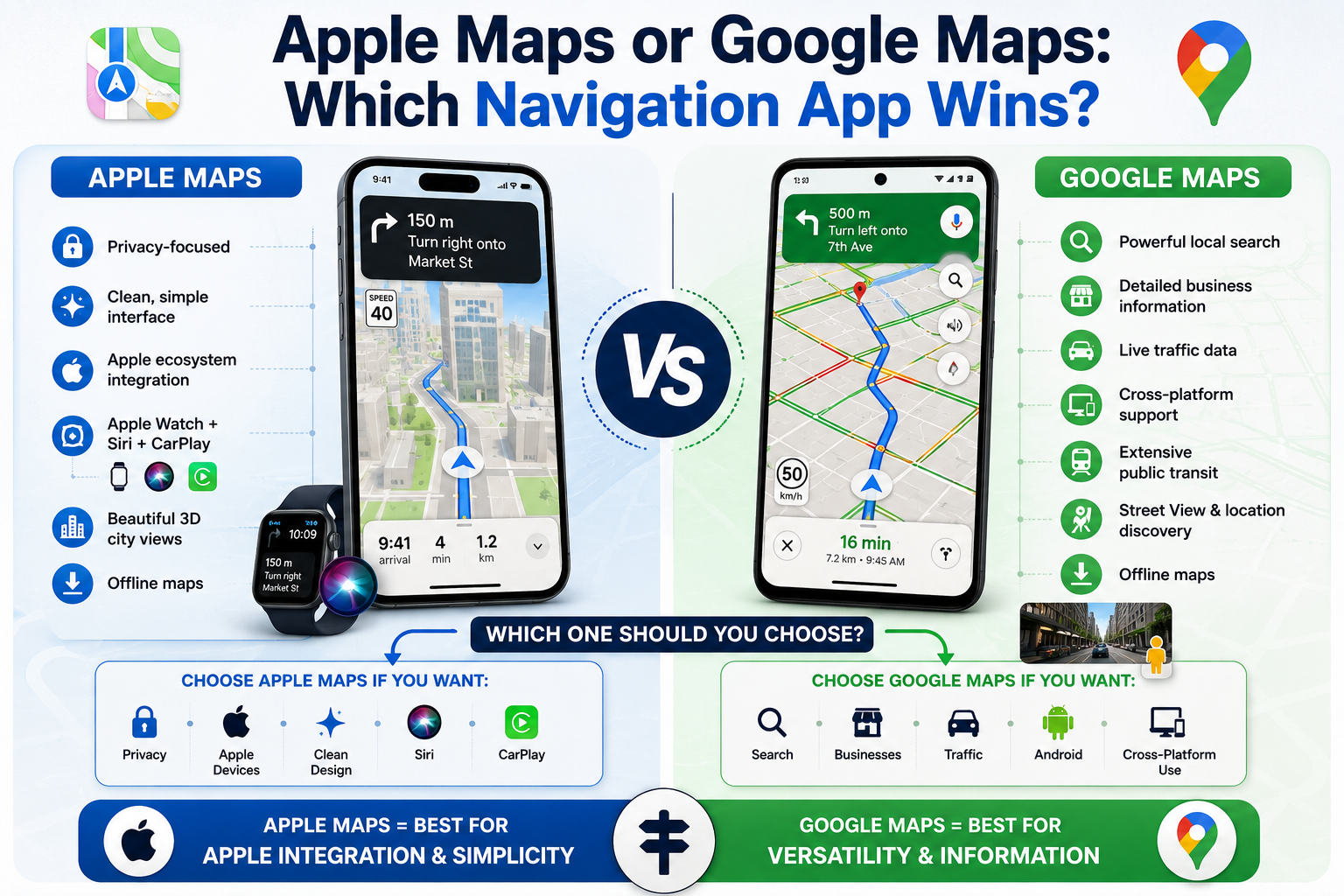
For most drivers and commuters, Google Maps is the stronger overall choice. Its biggest advantages are broad platform support, detailed place information, and powerful search capabilities. It works across Android, iPhone, and the web, making it convenient for households that use different devices.
Google Maps also provides extensive information about businesses, including locations, hours, photos, reviews, and other user-submitted details. This makes it especially useful when navigation and local discovery are equally important.
However, Apple Maps remains an excellent choice for Apple users. Its interface is clean, its directions are easy to follow, and its integration with Siri, CarPlay, and Apple Watch creates a seamless experience. Apple also places strong emphasis on Maps privacy.
The best choice therefore depends on your priorities. Choose Google Maps for search depth and flexibility. Choose Apple Maps for Apple integration, visual simplicity, and privacy-focused design, much like the broader differences explored in Apple Price Hike.
For everyday navigation, both apps perform well. Your location, device, and travel habits can ultimately determine which one feels more useful.
Visual Design and Interface Simplicity
Apple Maps prioritizes visual clarity, while Google Maps places more information directly in front of the user. Apple Maps uses a polished interface with detailed road layouts, lane guidance, landmarks, and immersive city views. These elements can make complicated intersections easier to understand at a glance.
Google Maps takes a more information-rich approach. Its interface can display traffic conditions, road closures, businesses, reviews, transit information, and other location details. That makes the screen busier, but it also provides more context during a journey.
Apple Maps can feel especially natural for drivers who already use an iPhone, Apple Watch, or CarPlay. Siri integration also makes hands-free route changes convenient.
Google Maps is better suited to users who frequently search for places before or during a trip. Its combination of navigation and local search makes it useful beyond driving.
Neither design is objectively better. Apple Maps favors simplicity and presentation, while Google Maps favors information density and discovery.
Your preferred interface may depend on whether you want fewer distractions or more data. Drivers who prefer a cleaner display may favor Apple Maps, while travelers who want more information may prefer Google Maps.
Why do people use Google Maps instead of Apple Maps?
Many users choose Google Maps because it combines navigation with powerful local search. Instead of simply finding an address, users can search for restaurants, shops, attractions, services, and other places. Business profiles can also include reviews, photos, opening hours, menus, and other useful information.
Google Maps is also available across more platforms. Android users can access its full mobile experience, while iPhone users can download the app. A web version also makes Google Maps useful on desktop computers.
Another factor is familiarity. Google Maps has been widely used for years, so many people already know its interface and features. Previous differences between the two services also influenced long-term user habits.
That does not mean Apple Maps is inferior. Apple has significantly improved its mapping service and continues expanding features and coverage. It also provides strong integration across Apple devices.
For users who regularly research businesses, compare places, or switch between devices, Google Maps offers greater flexibility. For Apple users who mainly need reliable directions, Apple Maps can be more than sufficient.
Extensive Crowdsourced Traffic Data
Google Maps benefits from a large amount of real-time location and road information. This helps the service estimate travel times, identify congestion, and recommend alternative routes. However, traffic predictions are not guaranteed to be faster or more accurate on every road.
Google Maps can use aggregated location information and other signals to understand traffic conditions. Users can also contribute corrections and information about places and roads. This combination gives Google Maps a strong data-driven approach to navigation.
Apple Maps also provides traffic information and uses data to improve routing. Both platforms can identify congestion and adjust estimated arrival times based on available information.
For everyday commuting, both services can provide useful congestion warnings and estimated arrival times. Performance can vary by country, city, road network, and current conditions.
Google Maps generally has an advantage when traffic information and local search are combined. Apple Maps remains competitive for core driving directions.
Rather than assuming one service always wins, test both apps on your regular routes. Local performance can differ significantly between regions.
The most useful navigation app is the one that consistently provides dependable directions and realistic travel times in your area.
Which is better for offline use, Apple Maps or Google Maps?
Both Apple Maps and Google Maps support offline navigation, making either service useful when cellular coverage is weak. However, offline functionality has important limitations.
Apple Maps supports offline maps on compatible Apple devices. Users can download specific regions and access driving directions, estimated arrival times, and selected place information without an internet connection.
Google Maps similarly lets users download map areas to a device. When offline, Google Maps can provide driving navigation if the entire route is covered by the downloaded area. However, offline mode does not provide live traffic information or alternate routes.
This means neither service provides a complete replacement for online navigation.
For travelers, the safest approach is to download your destination and surrounding routes before leaving. Check that the required region is covered and has finished downloading.
Offline maps are particularly helpful during international trips. They can also be useful in rural areas with unreliable mobile coverage.
Overall, both apps offer strong offline driving support. The exact features can vary depending on your device, operating system, and location.
For most users, either platform can provide useful offline navigation when properly prepared in advance.
Managing Local Device Storage
Offline maps can consume valuable storage, especially when you download large regions. Both Apple Maps and Google Maps provide tools for managing saved areas and removing maps you no longer need.
Apple Maps makes it easy to manage downloaded regions. Users can review saved areas, remove maps, and control storage when offline maps are no longer required.
Google Maps also allows users to select specific areas for offline use. Downloaded maps can be renamed, updated, or deleted. This makes it easier to maintain offline coverage without filling your device with unnecessary map data.
Neither app eliminates the need for preparation. Offline maps cannot provide live traffic conditions without an active connection.
For long trips, download only the areas you actually need. This reduces storage use and keeps your offline map library easier to manage.
You should also update downloaded maps before major journeys. Roads, businesses, and transportation information can change over time.
If your phone has limited storage, delete old vacation maps after returning home. This simple habit can free valuable space for photos, videos, and other files.
Overall, both services provide practical storage controls. Your preferred option may depend more on your phone than the navigation platform itself.
Which is better, Apple or Google?
The broader Apple vs. Google debate depends on what you value most. Apple generally emphasizes hardware integration, privacy, and a controlled software ecosystem. Google focuses heavily on search, cloud services, data-driven personalization, and broad platform compatibility, areas that also shape Google’s broader digital ecosystem as discussed in What Google Wallet Could Solve for Digital Identity Problems.
Those differences are especially visible in their mapping products. Apple Maps works particularly well when combined with iPhone, Apple Watch, Siri, and CarPlay. Apple also places strong emphasis on limiting unnecessary connections between Maps activity and personal identity.
Google Maps has a different strength. It combines navigation with Google’s extensive search and location ecosystem. This makes it particularly useful for discovering businesses, checking places, and planning trips across different devices.
There is no universal winner between the companies.
If you prioritize privacy, device integration, and visual simplicity, Apple may suit you better. If you prioritize search depth, platform flexibility, and location information, Google is often the stronger option. These ecosystem differences also extend to other Google and Apple services, including the features discussed in 4 Popular iOS AI Features iPhone Users Can’t Get Enough Of.
The right choice ultimately depends on how you use your phone and how much information you want from your navigation app.
For many people, keeping both apps available provides the most flexible solution.
Privacy Standards Versus Service Utility
Privacy is one of the clearest differences when comparing Apple Maps and Google Maps. Apple places strong emphasis on privacy and limits how Maps activity is connected to a user’s personal identity. It also uses techniques designed to reduce the precision of certain location information.
This approach makes privacy a major part of Apple’s Maps strategy. Many personalized features can also be processed on the device.
Google Maps offers a highly connected experience built around Google’s broader services. Its data and personalization features can make searches, recommendations, and location information more useful.
The trade-off is therefore less about one company being simply “private” and the other being “unprivate.” Instead, they use different approaches to personalization and data handling.
Apple Maps is the better fit for privacy-conscious users who prefer Apple’s data-minimization approach. Google Maps can be more useful for users who value extensive search and personalized location services.
Your choice should also consider convenience. Google Maps can provide more detailed information about places and businesses. Apple Maps can offer a simpler experience within Apple’s ecosystem.
Ultimately, privacy and utility involve different priorities. Consider how much personalization you want before choosing your primary navigation app.
Is Apple Maps still a good map app?
Yes. Apple Maps is now a strong navigation app, particularly for people who use Apple devices. The service has developed substantially since its early years and now offers detailed driving directions, public transit information, cycling routes in supported areas, Look Around imagery, and detailed city experiences in selected locations.
Apple has also invested heavily in its mapping infrastructure. The company uses vehicles and other collection methods to improve road information and support mapping features.
Its biggest advantage is ecosystem integration. iPhone users can combine Maps with Siri, CarPlay, Apple Watch, and other Apple features. Offline maps are also available on compatible devices.
Apple’s privacy approach is another major benefit. Maps is designed to reduce direct connections between location activity and a user’s personal identity.
Google Maps still has an advantage for many users who need extensive local search and cross-platform flexibility.
Even so, Apple Maps is no longer simply an alternative. It is a capable everyday navigation platform in its own right.
For Apple users, the app can handle daily commutes, road trips, public transit, and local exploration. Its clean design also makes it easy to follow directions without unnecessary visual clutter.
Specialized 3D City Experiences
One of Apple Maps’ most distinctive features is its emphasis on detailed visual mapping. In selected cities, Apple offers detailed three-dimensional views that can make urban navigation easier to understand.
These experiences can show recognizable landmarks, roads, buildings, intersections, and other visual details. They are particularly useful when navigating unfamiliar downtown areas or complicated street layouts. Availability varies by location, so the experience is not identical everywhere.
Apple also offers Look Around in supported areas. This feature provides street-level imagery that can help users preview a destination before arriving. Together, these visual tools give Apple Maps a polished and highly designed appearance.
Google Maps has its own strong visual tools, including Street View and satellite imagery. Its broader mapping ecosystem often provides more location information alongside those visuals.
For drivers, the practical value depends on the route. Apple Maps tends to emphasize clean visual guidance, while Google Maps focuses more heavily on combining imagery, search, reviews, and location data.
If you frequently navigate major cities, Apple Maps’ detailed visuals can be a genuine advantage. However, coverage varies by region, so users should check availability before relying on specific visual features.
Frequently Asked Questions
Does Apple Maps use less mobile data than Google Maps?
Yes, Apple Maps generally consumes slightly less cellular data during standard driving trips. Apple utilizes efficient vector graphic rendering that downloads compact map files on the fly. Google Maps often pulls richer live business profiles, satellite layers, and real-time community contributions, which increases overall data usage unless you proactively download offline areas.
Can I run Apple Maps on an Android phone?
No, Apple Maps does not offer a standalone native application for Android mobile devices. You can only access limited web-based mapping through privacy browsers like DuckDuckGo on non-Apple hardware. If you frequently share routes across diverse mobile platforms, Google Maps is the far more practical choice for multi-device households, similar to the broader considerations when comparing Chromebook vs Laptop: Which Is Better for You.
Which navigation app provides better public transit directions?
Apple Maps offers slightly better public transit visuals with clearly marked transit stops, realistic subway station entrances, and accurate fare estimates. Google Maps covers a wider array of global transit networks and tracks live bus delays more consistently, making it marginally better for international public transit travel.
Are speed trap warnings accurate on Apple Maps?
Yes, Apple Maps alerts drivers to upcoming speed cameras, red-light cameras, and reported speed traps along active routes. Users can report live road hazards, stopped vehicles, and police activity via Siri or CarPlay. Google Maps offers similar community-driven alerts thanks to its deep integration with Waze data.
Conclusion
Choosing between Apple Maps or Google Maps ultimately comes down to your devices, travel habits, and priorities. Google Maps remains the stronger all-round option for many users. Its major advantages include extensive local search, cross-platform availability, and detailed location information.
Apple Maps has also become a highly capable navigation platform. It offers polished visual guidance, strong Apple ecosystem integration, offline maps, and a privacy-focused approach.
For Android users, Google Maps is the obvious choice. iPhone users have a more interesting decision.
If you value business information and flexible search, Google Maps is likely to suit you. If you prefer Apple’s interface, device integration, and privacy approach, Apple Maps is worth using.
Both apps support offline navigation, although online features remain more comprehensive.
The best solution may be to keep both installed. Test them on your regular routes, compare local search results, and see which navigation experience feels more natural.
Ultimately, Google Maps wins on versatility and information, while Apple Maps wins on ecosystem integration and simplicity. Neither app is perfect for every user.
Choose the platform that fits your daily needs. A navigation app should make travel easier, clearer, and less stressful.