Is There Any Point in Using AirPods on Android?
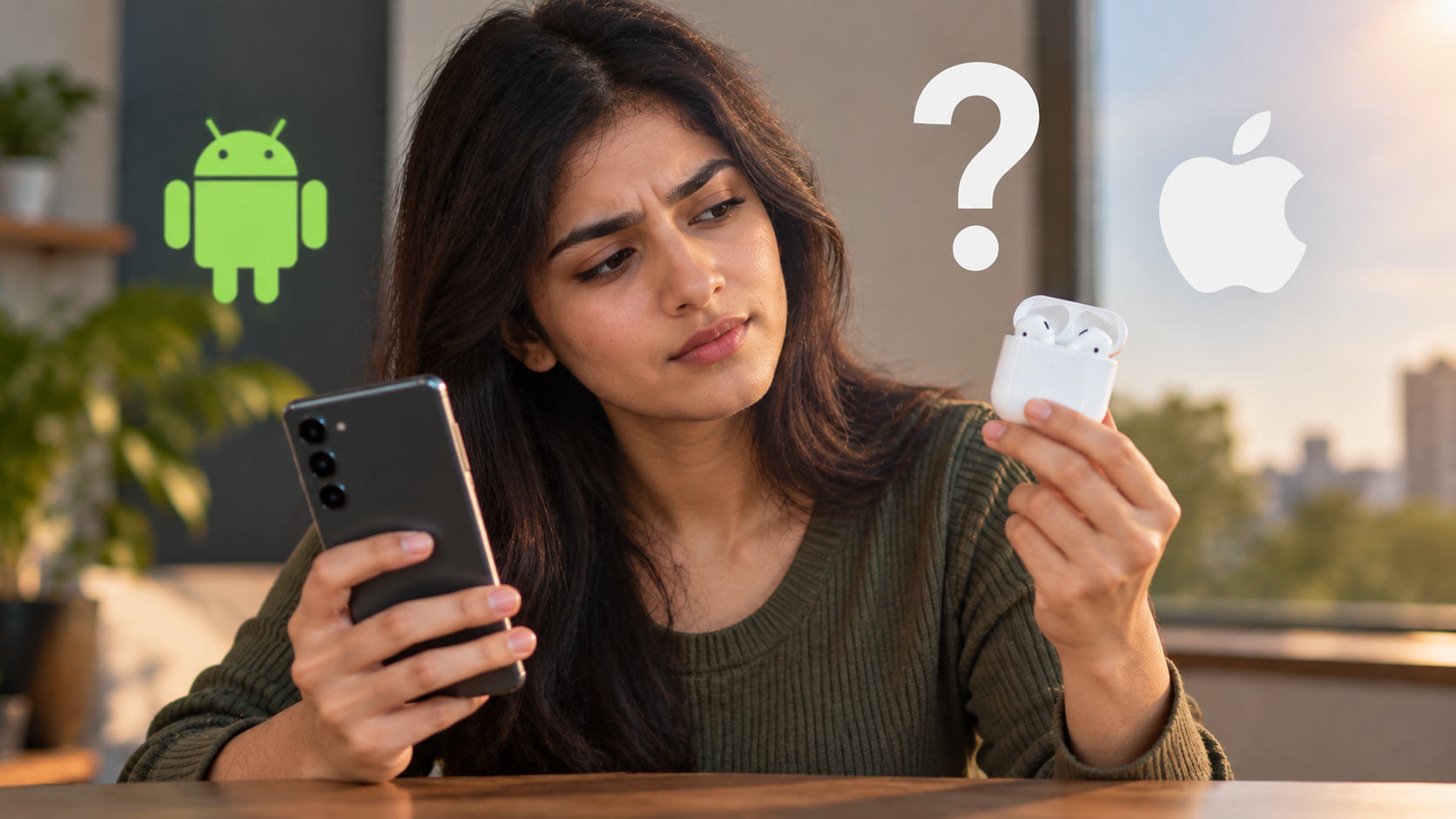
Walk down any street and you will see white stems in ears everywhere. AirPods have become a familiar part of everyday tech. However, using AirPods on Android raises an important question. Do you get enough value without an iPhone?
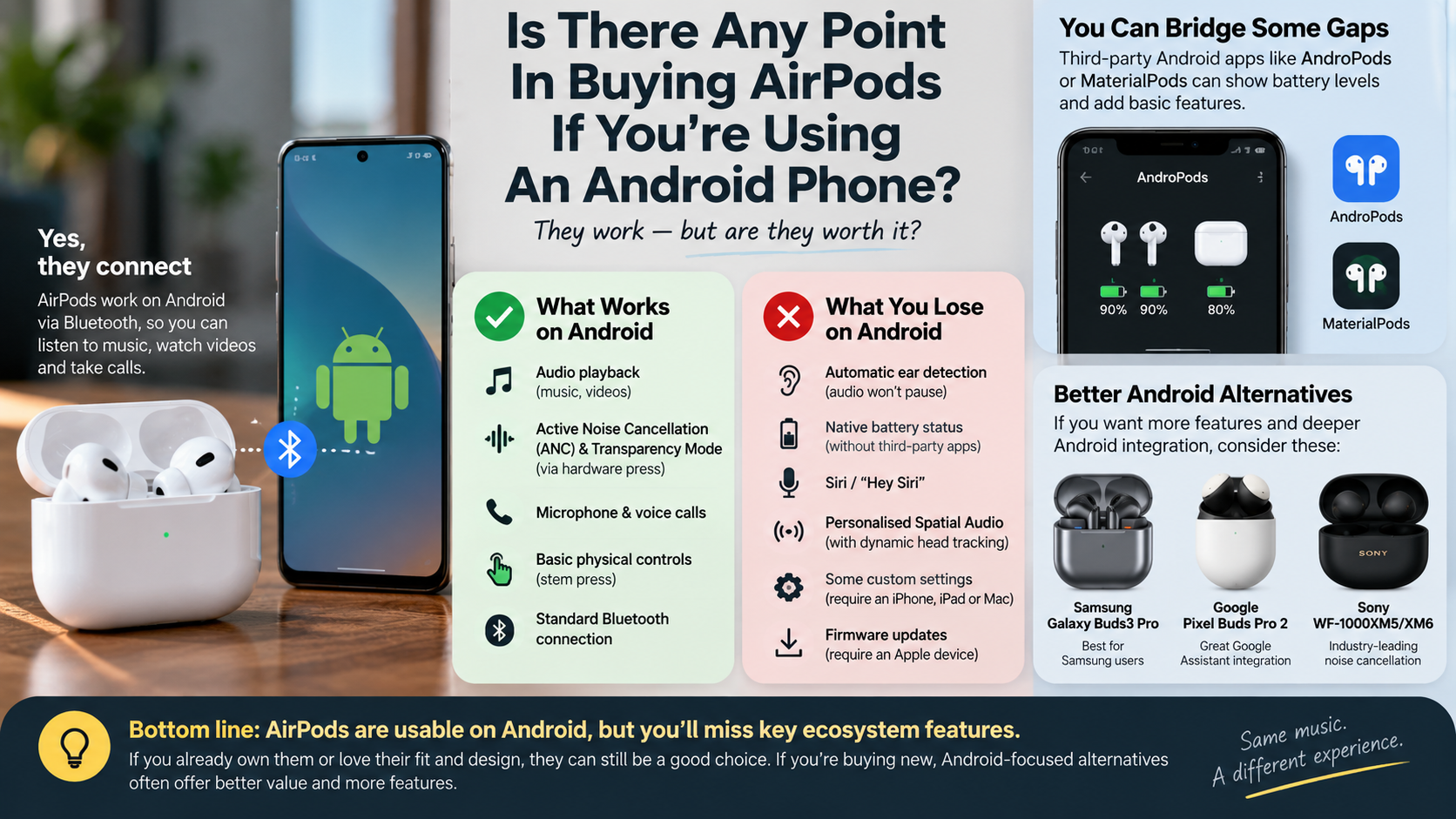
The basic answer is yes. AirPods can connect to Android phones through Bluetooth, allowing you to listen to music, watch videos, and make calls. Apple’s official AirPods compatibility guide confirms that AirPods can work as Bluetooth headphones with non-Apple devices.
The bigger limitation is software integration. Android users do not get the same Apple ecosystem features available on compatible Apple devices. Siri support is unavailable, and some settings require an iPhone, iPad, or Mac.
This makes the buying decision less straightforward. AirPods can still sound good on Android. However, you may pay for features that your phone cannot fully access.
Should I Buy AirPods If I Have Android?
You can buy AirPods for an Android phone, but they are not automatically the best value. The earbuds still provide basic Bluetooth audio and calling. The main trade-off is the reduced access to Apple’s software features.
Features such as Siri integration, automatic switching across Apple devices, and some configuration options depend on Apple’s ecosystem. Settings such as certain control behaviors and automatic ear detection are managed through Apple devices. This can make long-term customization less convenient for Android users.
Third-party Android apps may provide battery information or additional controls. However, these apps are not official Apple solutions and may vary in reliability.
Before buying, consider what you actually value. If you already like AirPods’ fit, sound, or design, Android compatibility may be enough. If you want deep customization, an Android-focused pair may offer more control.
The key question is not whether AirPods work. They do. The question is whether you need the features you lose by leaving Apple’s ecosystem.
Better Alternatives for Your Device
Android users have many earbuds designed around Google’s and Samsung’s platforms. These products often include dedicated Android apps and broader customization.
Depending on the model, companion apps can provide equalizers, touch controls, firmware updates, battery information, and listening-mode settings. That creates a more integrated experience than using hardware designed primarily around Apple’s ecosystem.
Samsung users may also benefit from Galaxy Buds because Samsung can integrate them closely with compatible Galaxy phones. Google Pixel users can consider Pixel Buds for similar platform integration.
Sony, Bose, Nothing, and other manufacturers also offer Android-compatible earbuds. Their software support varies by model, so specifications should be checked before buying. If you are also considering wired options, comparing wired vs wireless audio can help clarify which setup better fits your needs.
This does not mean AirPods are automatically inferior. Their basic Bluetooth functionality remains useful on Android. The difference is the overall software experience.
If customization matters more than brand familiarity, compare the companion app, codec support, controls, microphone performance, battery life, and noise cancellation before purchasing.
What Is the 60/60 Rule for Using AirPods?
The 60/60 rule is a commonly repeated listening guideline. It suggests keeping headphone volume around 60% and limiting continuous listening to about 60 minutes. However, it should not be treated as a precise medical safety standard.
Hearing risk depends on both volume and exposure time. Louder sound can increase the risk of hearing damage, especially when exposure continues for long periods. Your phone’s percentage slider also does not directly represent a fixed sound level because different headphones produce different outputs.
A safer approach is to keep volume comfortable and avoid raising it simply to overpower background noise. If people nearby can easily hear your music, the volume may be unnecessarily high.
Taking regular breaks can also reduce listening fatigue. Noise-cancelling earbuds can help in loud environments because you may not need to increase the volume as much.
For persistent ringing, muffled hearing, or discomfort after listening, reduce exposure and consider speaking with a hearing professional.
Protecting Your Ears Long Term
Long-term listening habits matter more than following one simple percentage rule. Your Android phone may offer volume warnings or hearing-related controls, depending on the manufacturer and Android version.
Start by keeping your listening level comfortable. Avoid turning the volume higher when traveling through busy streets, trains, or other noisy environments.
Active noise cancellation can also help in suitable situations. It reduces surrounding noise, which may make moderate listening levels easier to maintain. However, noise cancellation does not make unlimited loud listening safe.
Regular breaks are another practical habit. Give your ears quiet periods instead of listening continuously for several hours.
You should also pay attention to warning signs. Ringing, muffled hearing, or discomfort can indicate that your ears have been exposed to excessive sound.
There is no universal volume percentage that guarantees safety for everyone. Instead, think about sound level, listening duration, and frequency of exposure together. This approach is more useful than treating the 60/60 rule as a strict medical formula.
Do AirPods Lose Quality on Android?
Not necessarily. AirPods on Android can still deliver good audio quality, and connecting them to Android does not automatically make the sound poor.
The experience can vary because Bluetooth audio depends on the codecs supported by both devices. AirPods have traditionally relied heavily on AAC and SBC for Bluetooth audio. Android also supports AAC, along with several other codecs, but manufacturers can configure codec priorities differently.
This means two Android phones may not behave identically with the same AirPods. Your phone, software, Bluetooth implementation, and listening environment can all affect the experience.
Some Apple-specific audio features also depend on Apple’s ecosystem. Spatial Audio and certain personalized settings may not work in the same way on Android. Apple confirms that AirPods function as Bluetooth headsets with non-Apple devices, but Siri is unavailable there.
Therefore, it is inaccurate to say that AirPods always sound worse on Android. The more important limitation is feature compatibility, rather than guaranteed audio degradation. Your streaming source also matters, so understanding how to get the highest-quality audio out of YouTube Music can help you get better results from compatible headphones.
Dealing With the Codec Gap
Bluetooth codecs can affect how audio is transmitted between your phone and earbuds. Android supports several codecs, including AAC, aptX, aptX HD, and LDAC. However, the available options depend on the phone and connected headphones.
AirPods do not simply switch to LDAC or aptX when connected to Android. Instead, they use the codecs supported by the AirPods and the phone.
This does not mean that your music will automatically sound compressed or muddy. AAC can provide good wireless audio quality when implemented well. Differences between phones can sometimes be more noticeable than the difference between codec names alone.
If audio quality is your priority, check your Android phone’s Bluetooth codec options and the earbuds’ supported codecs before buying.
Also consider the source quality. A low-quality streaming file cannot become high-quality simply because you use a more advanced Bluetooth codec. If sound quality is a priority, comparing music streaming service sound quality can also help you choose a suitable source.
For most listeners, fit, tuning, source quality, and listening environment can matter more than codec specifications alone.
Why Are People Ditching AirPods?
There is no single reason why someone might stop using AirPods. Cost, battery aging, device preferences, and competition can all influence the decision.
Wireless earbuds contain small rechargeable batteries. Like other lithium-ion batteries, these cells gradually lose capacity through use. Because the batteries are integrated into compact earbuds, replacement is not as simple as changing batteries in traditional headphones. This reflects a broader shift in consumer electronics, where manufacturers have increasingly moved away from removable batteries.
Competition has also changed the market. Many Android-focused earbuds now offer active noise cancellation, transparency modes, multipoint connectivity, companion apps, and customizable sound at different price points.
Some people also prefer wired earphones. Wired models remove the need to recharge the earbuds and can appeal to users who value simplicity.
However, saying that everyone is abandoning AirPods would be misleading. AirPods remain popular because of their design, convenience, sound, and integration with Apple devices.
For Android users, the more relevant question is whether AirPods provide enough value compared with alternatives designed for their phone. That depends on price, features, comfort, sound, battery life, and ecosystem compatibility.
The Growing Wireless Competition
The wireless earbud market now includes products from Sony, Bose, Samsung, Google, Nothing, Sennheiser, and many other brands. This gives Android users more choices than ever.
Many competing models provide dedicated Android applications. These apps can offer equalizers, firmware updates, control customization, battery information, and different listening modes.
Some models also support multipoint Bluetooth, allowing compatible earbuds to maintain connections with multiple devices. However, relying heavily on wireless connections can introduce other practical drawbacks, so it is worth understanding the disadvantages of using Bluetooth for everything. Availability and performance also vary by product, so specifications should be checked before purchase.
This competition changes how AirPods should be evaluated. Their strongest advantage is not universal Android integration. Instead, their value is closely connected to Apple’s ecosystem and the overall AirPods experience.
Android users should therefore compare products based on actual requirements. ANC performance, microphone quality, comfort, battery life, codec support, software features, and price are useful comparison points.
The best choice can differ between users. Someone who already owns Apple devices may value AirPods differently from someone whose entire setup is Android-based.
Why Do Gen Z Wear AirPods All the Time?
The popularity of AirPods among younger people cannot be explained by audio quality alone. Wireless earbuds have become part of everyday technology, fashion, communication, and personal routines.
For some users, wearing earbuds creates a sense of privacy in public spaces. They can listen to music, podcasts, or videos without using a phone speaker. An earbud can also signal that someone is occupied, although it does not guarantee that they want to avoid conversation.
Convenience is another major factor. Wireless earbuds are small, easy to carry, and quick to use. People can switch between music, calls, study sessions, and commuting without handling cables.
AirPods also became culturally recognizable through Apple’s large user base and distinctive design. That visibility helped turn them into more than simple audio accessories.
Still, it is too broad to say that all Gen Z users wear AirPods constantly. Preferences vary by person, budget, phone platform, and lifestyle.
What is clearer is that wireless earbuds have become everyday lifestyle devices, rather than products used only for dedicated music listening.
The Power of Transparency Mode
Transparency mode has helped turn wireless earbuds into more flexible everyday devices. Instead of completely blocking surrounding sounds, compatible earbuds use their microphones to pass environmental audio through to the listener.
This can make conversations easier without removing the earbuds. It can also help users remain aware of their surroundings in appropriate situations.
However, transparency mode should not be confused with perfect environmental awareness. Earbuds can change how surrounding sounds are perceived, and users should remain cautious around traffic, machinery, and other hazards.
On compatible AirPods models, Apple provides listening modes such as Active Noise Cancellation, Transparency, and Adaptive Audio. Spatial audio is another technology that can change how headphones create an immersive listening experience. The available features depend on the specific AirPods model, while some settings are managed through Apple’s devices and software.
For Android users, the physical listening controls may still provide useful functionality. However, the level of customization can differ from the Apple experience.
That distinction matters when evaluating AirPods for Android. The earbuds remain usable, but the complete feature set is closely tied to Apple’s ecosystem.
Conclusion
Using AirPods on Android is possible, but the experience comes with some important compromises. The earbuds still provide reliable wireless audio and calling, but Android users cannot access the same level of Apple ecosystem integration. Features, customization, and device-to-device convenience can be more limited than they are with an iPhone.
That does not make AirPods a bad choice for every Android user. If you already like their design, comfort, sound, or fit, they can still be practical wireless earbuds. However, Android users should compare them with alternatives that offer dedicated apps, broader customization, and deeper Android integration.
Ultimately, the decision comes down to what you value most. AirPods on Android make sense when you prioritize the earbuds themselves over ecosystem features. If you want maximum functionality from your Android phone, purpose-built Android earbuds may offer a more complete experience for your money.