
Is the Xbox Series X More Powerful Than the Steam Machine?
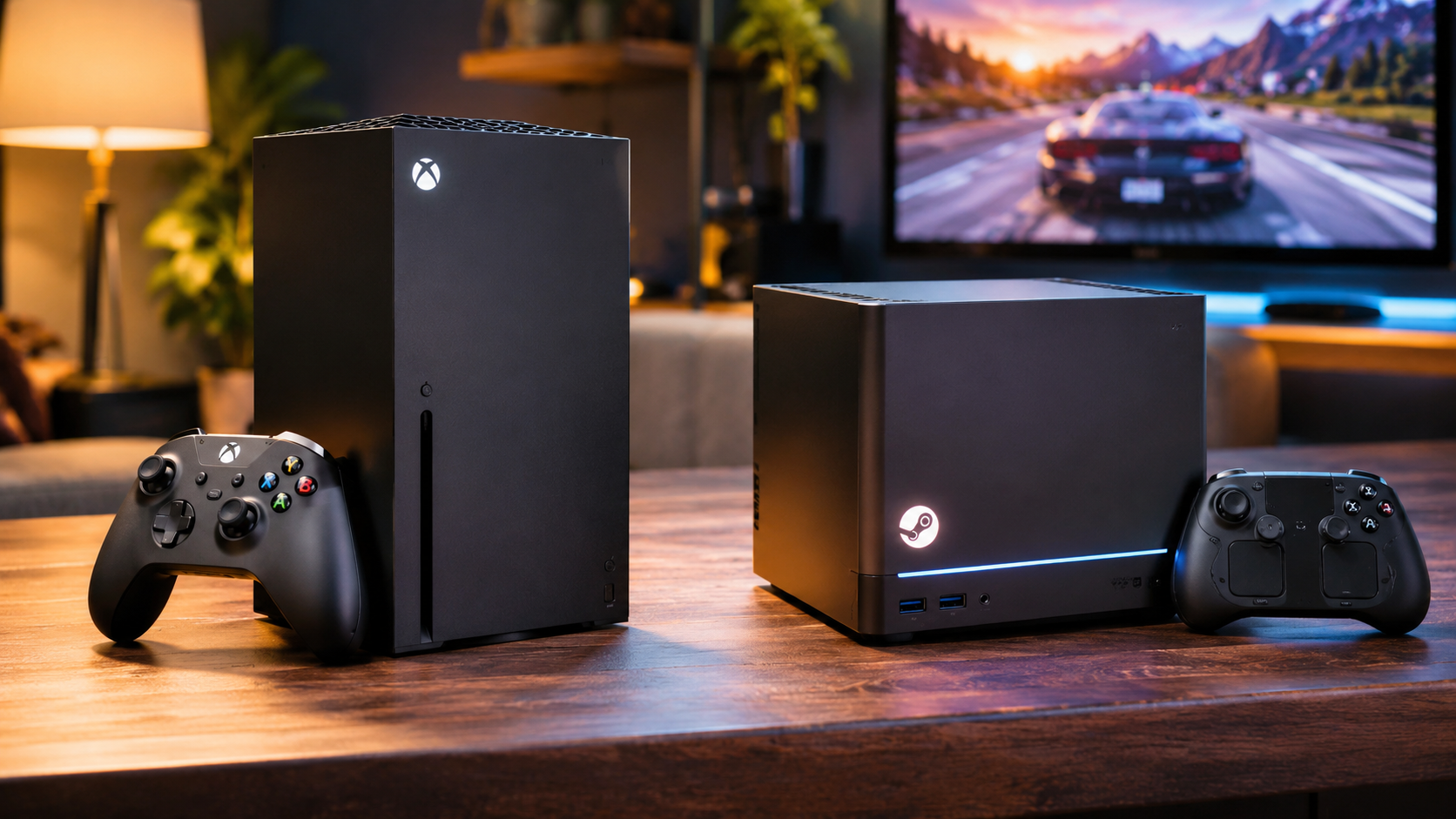
Is the Xbox Series X more powerful than the Steam Machine? The answer depends on which hardware specifications you compare. The Xbox Series X has a powerful graphics processor, while Valve’s newer Steam Machine features a more modern CPU architecture. However, both devices offer different advantages for gaming.
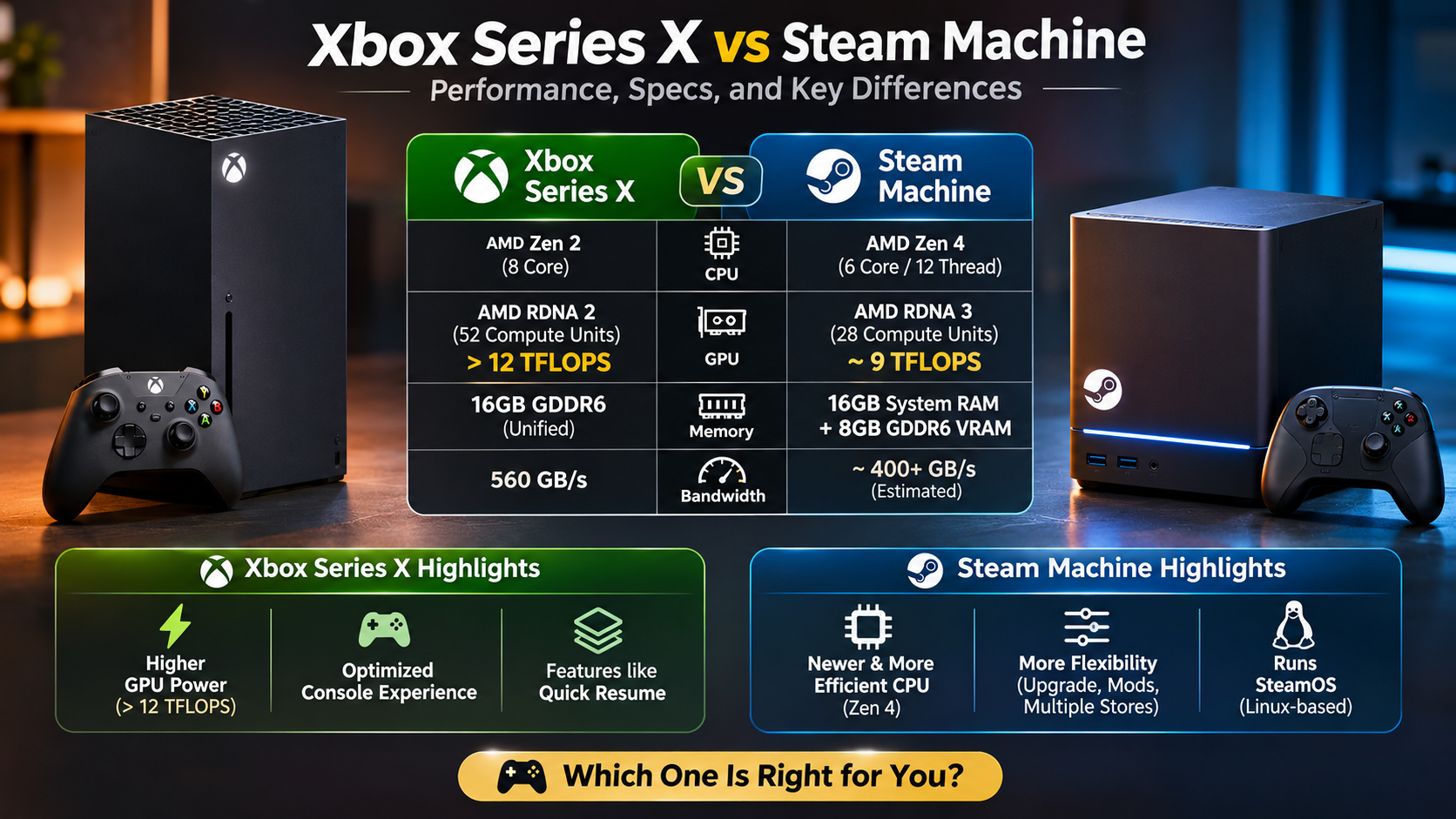
Microsoft designed the Xbox Series X around a custom AMD Zen 2 processor and RDNA 2 graphics. Meanwhile, Valve’s newer Steam Machine combines a Zen 4 processor with RDNA 3 graphics. As a result, their hardware capabilities differ in several important areas.
Furthermore, the Steam Machine brings PC gaming into the living room. It combines modern hardware with SteamOS and direct access to the Steam gaming library. In contrast, the Xbox Series X focuses on optimized console gaming and Microsoft’s gaming ecosystem.
In this comparison, we examine their CPUs, GPUs, memory, storage, and software compatibility. Additionally, we answer common questions about GTA 6, Steam support, and Xbox gaming limitations.
Is the Steam Machine Better Than the Xbox?
The answer depends on your gaming preferences and the hardware you prioritize. Valve’s original Steam Machines arrived in 2015 with different processor and graphics configurations. For a better understanding of this platform’s evolution, explore What Is a Steam Machine? Valve’s Gaming Legacy. Consequently, those older systems cannot compete with the Xbox Series X in modern gaming performance. However, Valve’s newer Steam Machine introduces considerably more advanced hardware.
The latest model features a six-core AMD Zen 4 processor and an RDNA 3 graphics processor. Additionally, it includes 16GB DDR5 system memory and 8GB GDDR6 graphics memory. Meanwhile, the Xbox Series X uses an eight-core Zen 2 processor and a custom RDNA 2 GPU.
The Xbox has 52 graphics compute units, compared with the Steam Machine’s 28. Therefore, Microsoft’s console has a larger graphics configuration. Nevertheless, the Steam Machine offers a newer CPU architecture and greater PC flexibility.
Ultimately, neither device wins every category. The Xbox provides a dedicated console experience, whereas the Steam Machine offers more software flexibility.
System Optimization and Hardware Longevity
Console optimization gives the Xbox Series X an important advantage. Developers build games around Microsoft’s standardized hardware configuration. Consequently, studios can optimize graphics, loading speeds, and performance more effectively.
The Steam Machine follows a different approach. It runs SteamOS, a Linux-based operating system designed for PC gaming. Furthermore, its compatibility layer, Proton, allows many Windows games to run on Linux.
However, not every Steam game works perfectly. Certain multiplayer titles and anti-cheat systems can create compatibility problems. Therefore, players should check individual game compatibility before purchasing the device.
Here are the main differences:
- Xbox Series X: Standardized hardware and dedicated console optimization.
- Steam Machine: PC gaming flexibility and access to Steam.
- Xbox ecosystem: Microsoft Store, Xbox Game Pass, and supported Xbox games.
- Steam ecosystem: Steam library, Proton compatibility, and desktop applications.
Both platforms offer different gaming experiences. Ultimately, your preferred games and software requirements should determine your choice.
Can Xbox Series S Run GTA 6?
Yes, the Xbox Series S is an officially supported platform for Grand Theft Auto 6. Rockstar Games lists both Xbox Series X and Xbox Series S among the game’s supported platforms. Therefore, players do not need the more expensive Series X to access the upcoming title. If you are comparing budget-friendly gaming options, explore the most affordable gaming consoles in 2026 before making your decision.
However, the two consoles have different hardware capabilities. The Series S features a smaller graphics processor and less available memory. As a result, players should not expect identical graphical settings or resolutions.
Developers must optimize GTA 6 around the Series S hardware limitations. For example, this could involve adjusting resolution, graphical effects, and rendering techniques. These adjustments can help maintain a playable experience on less powerful hardware.
Nevertheless, Rockstar has not confirmed specific Series S resolution or frame-rate targets. Consequently, claims about guaranteed 1080p resolution or 30 FPS remain unverified. Players should wait for official technical details and independent performance testing.
Resolution Targets and Memory Management
The Xbox Series S includes 10GB of GDDR6 memory. By comparison, the Series X has 16GB of GDDR6 memory. Therefore, developers must manage available resources carefully when creating demanding open-world games.
GTA 6 features detailed environments, complex characters, vehicles, and environmental effects. Naturally, rendering these elements requires careful optimization. Developers can use several techniques to balance graphical quality and performance.
These techniques include:
- Dynamic resolution scaling: Adjusts rendering resolution according to hardware workload.
- Asset streaming: Loads environmental resources as players explore the world.
- Graphics optimization: Adjusts visual effects to match available hardware.
- Performance tuning: Balances frame rates with graphical quality.
Additionally, these techniques help smaller consoles handle demanding games. However, Rockstar has not confirmed the exact implementation for Series S.
Therefore, players should avoid assuming identical performance across both Xbox consoles. Actual results will depend on Rockstar’s optimization and final game settings.
Is the Xbox Series X Extremely Powerful?
Yes, the Xbox Series X remains a powerful home gaming console. Microsoft designed it to deliver high-resolution gaming, fast loading, and advanced graphical features. Its custom AMD processor contains eight Zen 2 CPU cores. Understanding the difference between these components can help you appreciate CPU vs. GPU performance and which component matters more for gaming.
Meanwhile, the graphics processor uses AMD’s RDNA 2 architecture. It delivers an advertised 12 teraflops of computing performance and includes 52 compute units. Additionally, the console features 16GB of GDDR6 unified memory.
Its custom NVMe SSD supports Microsoft’s Velocity Architecture. As a result, the system improves data streaming and reduces traditional loading bottlenecks. Together, these components provide a strong foundation for modern console gaming.
The Xbox Series X supports several important gaming technologies:
- 4K gaming: Supports high-resolution gaming experiences.
- 120 FPS support: Compatible games can reach higher refresh rates.
- Ray tracing: Supports hardware-accelerated DirectX ray tracing.
- Fast storage: Uses a custom NVMe SSD.
- Quick Resume: Allows switching between supported games.
However, not every game delivers native 4K resolution or 120 FPS. Instead, actual performance depends on individual game settings and developer optimization.
Next-Gen Architecture and Velocity Pipeline
Microsoft developed Velocity Architecture to improve how games access and process stored data. Specifically, this technology combines the custom SSD with hardware decompression and other storage features.
Traditional hard drives can struggle when games continuously load large environmental assets. However, faster storage helps reduce these bottlenecks. Consequently, developers can create more detailed gaming environments.
The Xbox Series X uses several technologies to support this approach:
- Custom NVMe SSD: Provides fast storage access.
- Hardware decompression: Reduces the processing workload associated with compressed game assets.
- Sampler Feedback Streaming: Helps developers manage texture data efficiently.
- Quick Resume: Allows players to switch between supported games.
Together, these features improve the overall gaming experience. Furthermore, they help developers create larger and more detailed environments.
Nevertheless, loading performance varies between games. Ultimately, software implementation and optimization determine the actual results.
Can the Xbox Series X Run Steam?
No, the Xbox Series X does not officially support installing or running the native Steam desktop client. Microsoft designed the console around its Xbox operating system and authorized gaming ecosystem.
Therefore, you cannot download Steam’s Windows installer and access your PC gaming library directly. Similarly, the console does not provide standard desktop PC access.
However, Xbox consoles support Microsoft Edge for web browsing. Through this browser, users can access websites and certain web-based services. Nevertheless, browser access does not guarantee native software compatibility.
For example, opening a cloud gaming website does not guarantee that its service supports Xbox browsers. Each platform maintains its own device and browser requirements.
If you want direct access to your existing Steam library, a compatible gaming PC or Steam Machine offers a better solution. Alternatively, a handheld device can provide portable access to PC gaming. Before choosing your hardware, consider whether a Steam Deck is a suitable alternative to a gaming laptop. Unlike Xbox consoles, these devices support the Steam client and provide access to compatible PC games.
Streaming Workarounds via Edge Browser
Cloud gaming provides another way to access games without installing their native software. These services run games on remote servers and stream gameplay to compatible devices.
However, using Microsoft Edge on Xbox does not guarantee access to every cloud gaming platform. Instead, each service maintains its own supported-device requirements. Therefore, you should check compatibility before attempting to stream games.
Consider these factors before using a cloud gaming service:
- Device compatibility: Check whether the service officially supports Xbox browsers.
- Internet speed: Stable broadband helps maintain streaming quality.
- Network latency: Lower latency improves controller responsiveness.
- Controller support: Confirm that your controller works with the selected service.
When supported, cloud gaming can be useful. Nevertheless, it cannot replace native Steam installation.
For unrestricted PC gaming, choose hardware that officially supports SteamOS or Windows. This approach provides better compatibility and greater control over your gaming library.
Does Any Xbox Have Steam?
No, traditional Xbox consoles do not offer native Steam installation. This includes the original Xbox, Xbox 360, Xbox One, and Xbox Series X|S.
Instead, each generation uses Microsoft’s proprietary console software environment. Players access games through supported Xbox services and the Microsoft Store.
Steam operates differently. It is a digital PC gaming platform that provides access to thousands of games. Through compatible computer hardware, users can install supported titles and manage their libraries.
Meanwhile, Valve’s newer Steam Machine brings this PC gaming experience into the living room. It runs SteamOS and provides a dedicated interface for accessing Steam games.
As a result, both platforms offer fundamentally different experiences. Xbox prioritizes a standardized console environment. In contrast, Steam Machine focuses on bringing PC gaming flexibility to television screens.
If you want direct access to your existing Steam library, a compatible PC is the more suitable option. Therefore, buying an Xbox specifically for native Steam compatibility would be a mistake.
Console Economics and Storefront Exclusivity
Traditional console platforms operate differently from open PC gaming systems. Microsoft controls the Xbox software environment and its authorized digital marketplace.
This structure allows Microsoft to manage software distribution, platform services, and security. Additionally, it creates a consistent purchasing experience across supported Xbox devices.
Steam follows a more open PC distribution model. Through Valve’s storefront and compatible operating systems, users can access a large gaming catalogue.
These different approaches influence the hardware and software each company develops.
Xbox focuses on:
- Standardized hardware configurations.
- A controlled digital marketplace.
- Console-specific software optimization.
- Integrated subscriptions and gaming services.
Meanwhile, Steam Machine focuses on:
- Direct access to Steam games.
- A PC-based operating system.
- Greater software flexibility.
- Living-room gaming convenience.
Ultimately, these business models explain why traditional Xbox consoles do not support native Steam installation. However, future platform policies can change. Therefore, permanent predictions about software restrictions are unnecessary.
Conclusion: Is the Xbox Series X More Powerful Than the Steam Machine?
So, is the Xbox Series X more powerful than the Steam Machine? The answer depends on the type of performance you value most. The Xbox Series X offers a powerful GPU, dedicated console optimization, and a consistent gaming experience. Meanwhile, Valve’s newer Steam Machine features a more modern processor, RDNA 3 graphics, and greater access to PC gaming.
If you prefer straightforward gaming, optimized performance, and Microsoft’s ecosystem, the Xbox Series X remains a strong choice. However, if you want access to Steam games, PC features, and greater software flexibility, the Steam Machine deserves consideration.
For a more detailed hardware comparison, visit Microsoft’s official Xbox Series X technical specifications and Valve’s Steam Hardware announcements.
Ultimately, neither device is the perfect choice for everyone. Compare their hardware capabilities, game compatibility, and overall value before purchasing. Your gaming preferences should determine which platform offers the better experience.