Bypass Charging Explained: How It Works, Device Support, and Safety
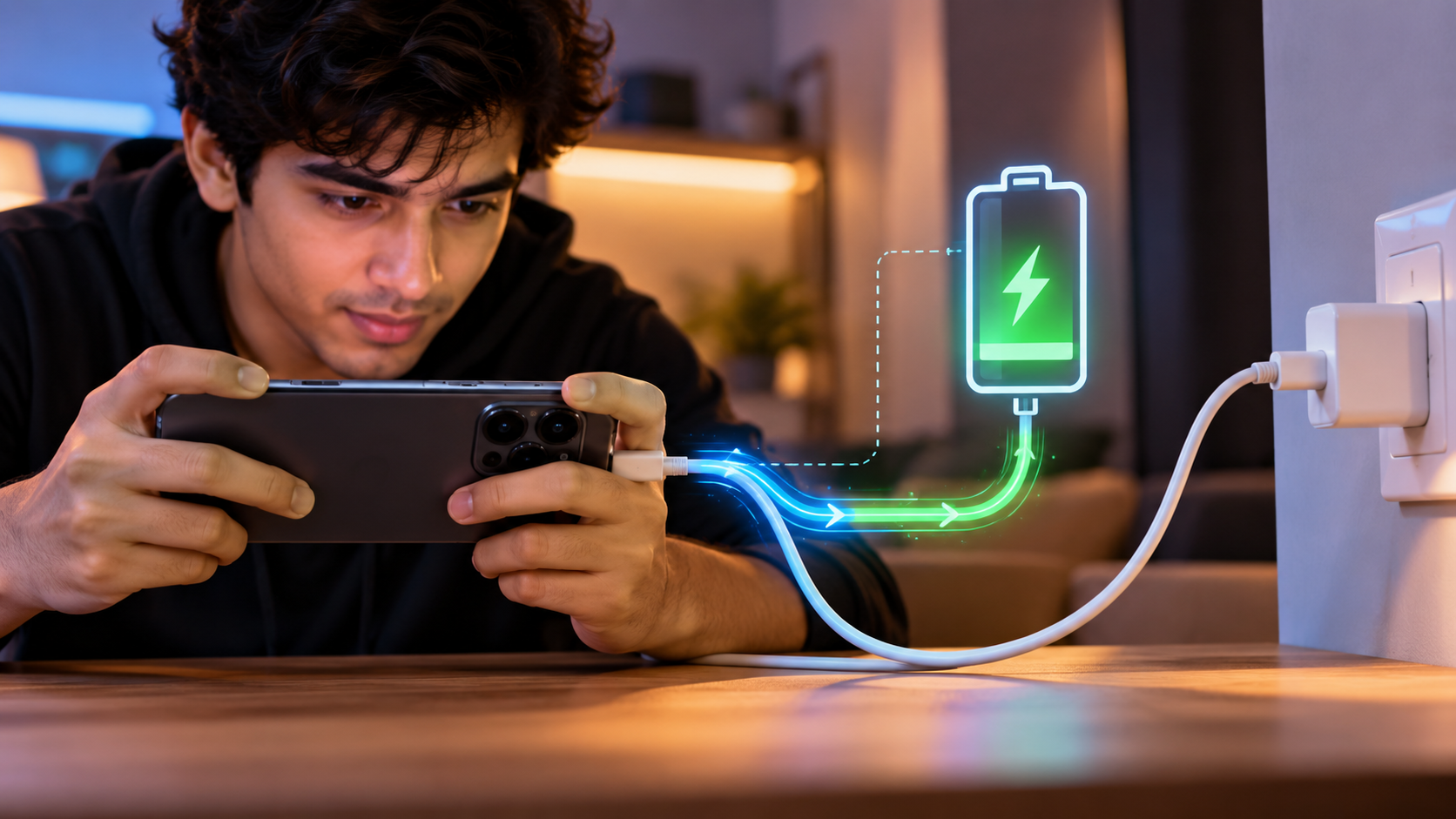
Bypass charging is a smartphone power-management feature designed to reduce battery charging during demanding tasks. Modern users often run games, GPS navigation, and video-editing apps for long periods. These activities can generate significant heat, especially when the phone is charging at the same time.
Fast charging has made smartphones more convenient, but heat remains a concern for battery health. Bypass charging addresses this issue by changing how power reaches the phone’s internal components. On supported devices, the charger can supply power directly to the system while reducing or pausing battery charging. Samsung’s official explanation of Pause USB PD charging
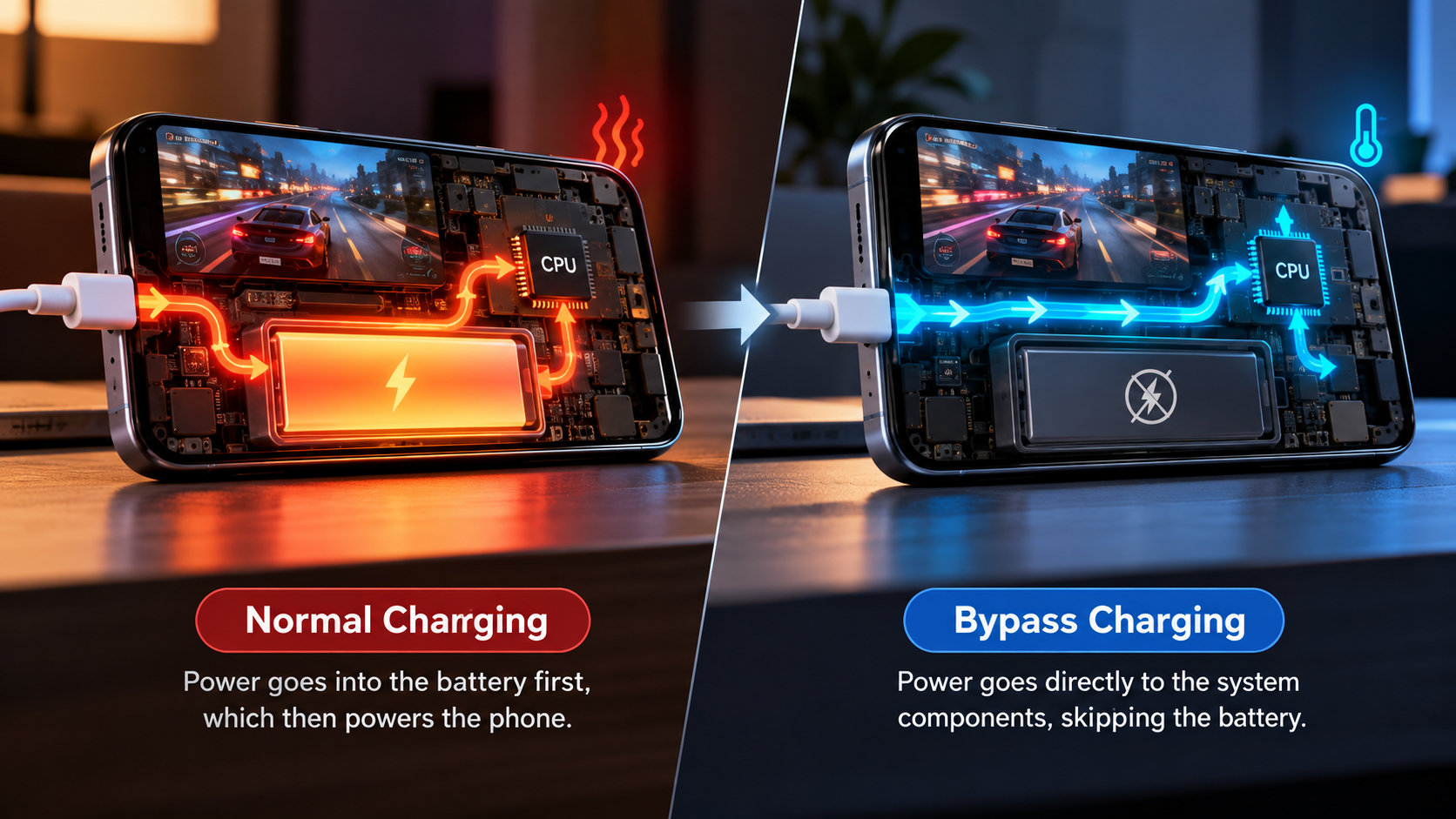
Instead of relying primarily on the battery while the phone is under heavy load, supported devices can route charger power toward the system. This can reduce battery charging during demanding activities. Samsung describes its Pause USB PD feature as a method that supplies power directly to the system rather than charging the battery.
This guide explains what bypass charging is, how it works, whether it is safe, and which phones support it. It also covers iQOO’s Direct Drive Power Supply and how its approach compares with OnePlus.
What Is Bypass Charging and How Does It Work?
Bypass charging is a power-management feature that can supply a phone’s system directly from a connected charger. The goal is to reduce or pause battery charging while the device performs demanding tasks. This differs from normal charging, and understanding common charging misconceptions can help put the technology in context. See these charging myths to stop believing before comparing different power-management features.
The exact implementation varies between manufacturers. Some systems can route charger power directly to the phone’s components while maintaining the battery at its existing level. Others may allow limited battery charging when the connected adapter provides more power than the system needs.
The main benefit is reduced battery heat during heavy workloads. Samsung describes its Pause USB PD feature as supplying power directly to the system instead of charging the battery.
This matters most during activities such as:
- Extended mobile gaming
- High-performance applications
- Long navigation sessions
- Video streaming or rendering on supported devices
By reducing unnecessary battery charging, bypass charging can help manage heat and battery wear during these workloads.
Reduce Heat During Heavy Loads
Heat is one of the main concerns when a phone performs demanding tasks while charging. Gaming can already push the processor and graphics hardware. Charging the battery at the same time can add another source of heat.
Bypass charging can reduce this additional battery-related heat by directing available charger power toward the phone’s system. Samsung specifically states that its direct system power feature can help reduce heat buildup and support peak performance during gaming.
Lower temperatures can also help reduce the conditions that contribute to battery degradation. However, bypass charging does not guarantee a completely cool phone. The processor, display, modem, and other components can still generate substantial heat.
It also does not guarantee higher frame rates. Performance depends on the game, chipset, cooling system, software, and temperature limits.
For gamers, the practical advantages can include:
- Less battery charging during gameplay
- Lower battery-related heat
- More consistent performance under sustained workloads
- Reduced charging and discharging activity
The feature therefore works mainly as a thermal and battery-management tool, rather than as a performance boost by itself.
Is Bypass Charging Safe to Use on a Smartphone?
Bypass charging is generally designed to be safe when the manufacturer provides the feature and the phone meets its operating requirements. However, calling it completely risk-free would be inaccurate. The phone still manages voltage, current, temperature, and battery conditions through its charging hardware and software.
Samsung, for example, specifies requirements for its Pause USB PD feature. On supported models, the phone needs a compatible PD charger, sufficient battery charge, and an active game.
Bypass charging can reduce battery-related heat during demanding tasks. Yet the processor and other components can still become warm. Environmental temperature also matters.
For safer operation, use the manufacturer’s recommended charger and cable. Choosing the right accessory also matters because third-party charger safety can vary depending on its quality and compatibility. Samsung also advises using approved charging accessories and notes that charging behavior can change when the device becomes too hot.
So, bypass charging should be viewed as a battery-protection feature, not a guarantee against all charging or heat-related problems.
May Help Battery Lifespan
Lithium-ion batteries gradually lose capacity through normal chemical aging. Heat and repeated charging activity can contribute to that degradation. Understanding how everyday charging habits affect battery health, including overnight charging and battery wear, can help you make better decisions about battery care.
Bypass charging is useful because the phone can use external power while limiting battery involvement. Samsung says its direct system power feature can reduce degradation associated with heat generated during charging.
The benefit becomes more relevant during long gaming sessions. Without a bypass feature, the battery may repeatedly receive and supply small amounts of power while the phone remains connected. A supported bypass mode can reduce that activity.
However, bypass charging cannot stop normal battery aging. Batteries still degrade with time, usage, temperature, and charge history.
You can further protect battery health by:
- Avoiding excessive heat
- Using compatible chargers and cables
- Keeping the phone’s software updated
- Avoiding unnecessary heavy workloads while charging
- Using battery protection features when available
Charger specifications can affect how quickly and safely a device receives power, so it is useful to understand the difference between common charging ratings.
Therefore, bypass charging is best understood as one part of broader battery-care practices.
Which Phones Have Bypass Charging in 2026?
Bypass charging is no longer limited to a small group of gaming phones. Several manufacturers now provide direct-power or bypass features on selected models. However, support varies by model, software version, region, charger, and usage conditions.
Samsung documents Pause USB PD charging when gaming on selected Galaxy devices. Its current support information includes Galaxy S24, S25, and S26 series models, along with selected Z Fold, Z Flip, and Galaxy A devices.
iQOO also offers the feature on supported gaming-focused models. Its iQOO 13 documentation describes Direct Drive Power Supply as bypass charging and explains that it can power the phone directly during gaming.
OnePlus also provides bypass charging on selected devices. Its community documentation shows the feature expanding beyond gaming on supported OxygenOS versions.
Other brands, including ASUS ROG and Nubia RedMagic, have also focused heavily on gaming-oriented power management.
Because support changes with software updates, users should check their exact model and software version before assuming the feature is available.
Expanding Beyond Dedicated Gaming Phones
Manufacturers increasingly treat bypass charging as a broader power-management feature. Gaming remains the most common use case because long sessions can place significant thermal demands on a phone.
However, newer implementations can support additional workloads. OnePlus community documentation, for example, describes system-wide bypass charging on supported OxygenOS software for activities such as streaming and navigation.
This expansion could make bypass charging useful for people who keep their phones connected for long periods. Navigation, video playback, livestreaming, and other demanding tasks can generate sustained power consumption.
Still, users should not assume that every supported phone offers system-wide bypass charging. Some implementations remain restricted to gaming modes or specific applications.
Before using the feature, check:
- The exact phone model
- The installed software version
- Supported charger requirements
- Minimum battery percentage
- Whether the feature works outside games
Samsung, for example, requires a compatible PD charger and a battery level above 20% for its documented gaming feature.
Therefore, device-specific support matters more than the brand name alone.
Does iQOO Have Bypass Charging?
Yes. iQOO offers bypass charging on supported smartphones under the name Direct Drive Power Supply. iQOO’s own community documentation identifies the feature as bypass charging and explains that it can power the phone directly from the charger during gaming.
The iQOO 13 is a confirmed example. Its Ultra Game Mode includes Direct Drive Power Supply, which users can enable while a game is running and the phone is connected to a charger.
This feature is designed to reduce battery involvement during demanding gameplay. That can help reduce battery-related heat and charging activity.
The exact experience can still depend on the charger, game, software version, and device workload. Users should therefore avoid assuming that the battery percentage will always remain perfectly fixed.
To use the feature, open a supported game and access the Ultra Game Mode controls. Then locate the Direct Drive Power Supply option and enable it.
This makes iQOO’s approach particularly relevant for users who spend long periods gaming while connected to power.
How to Enable Direct Drive Power Supply on iQOO
The exact menu can vary slightly between iQOO models and software versions. On the iQOO 13, iQOO’s documented process uses Ultra Game Mode and its in-game tools.
Start by connecting the phone to a compatible charger. Then launch a supported game and open the Ultra Game Mode panel from the screen edge.
Next, open Game Tools and look for Direct Drive Power Supply. Turn the feature on if it is available on your device.
Once activated, the phone can use charger power directly for the system during supported gaming sessions. This reduces the need to continuously charge the battery while the game is running.
If the option does not appear, check the following:
- Your exact iQOO model
- Your software version
- Whether Ultra Game Mode is enabled
- Whether the charger is connected
- Whether the feature is supported in your region
Do not assume that every iQOO phone has the same implementation. Feature availability can differ between generations.
If the battery percentage changes slightly, that does not automatically mean the feature has failed. Power-management systems can behave differently depending on system demand and available charger power.
Is iQOO Better Than OnePlus?
There is no single objective winner because iQOO and OnePlus use different approaches across their devices. The more useful comparison is feature-specific. Buyers should compare the exact models rather than judging both brands as a whole.
iQOO has placed strong emphasis on gaming features. Its iQOO 13, for example, includes Direct Drive Power Supply through Ultra Game Mode.
OnePlus also offers bypass charging on supported phones. Its implementation can vary by model and OxygenOS version, and newer software has expanded the feature beyond some gaming-only situations.
For someone choosing between the two, relevant factors include:
- Bypass charging availability on the exact model
- Charger requirements
- Gaming performance
- Cooling hardware
- Software features
- Camera and everyday-use priorities
- Update support
OnePlus owners may also want to consider useful accessories for OnePlus phones when comparing the overall experience. The feature alone should not determine the purchase. A phone with bypass charging may still differ substantially in cameras, display quality, software, battery capacity, and thermal design.
Therefore, compare the specific iQOO and OnePlus models you are considering rather than assuming one brand always provides a better experience.
Choosing Between Gaming Features and Everyday Smartphone Needs
Your priorities should determine how you evaluate iQOO and OnePlus. Bypass charging matters most if you regularly perform demanding tasks while keeping the phone connected to power.
For heavy mobile gaming, examine the complete thermal system. Look at the chipset, cooling hardware, display, sustained performance, charging requirements, and available gaming controls.
For everyday use, other factors may matter more. Camera performance, software design, update support, build quality, battery endurance, and connectivity can have a larger impact on daily ownership.
Bypass charging should therefore be treated as one feature within a larger smartphone package. It can help reduce battery involvement during supported workloads, but it does not automatically make one phone better for every user.
Before buying, check the manufacturer’s current specifications for the exact model. Software updates can also change how the feature works.
If gaming is your main priority, confirm whether bypass charging works with your preferred games. If you use navigation or video apps heavily, check whether the phone supports bypass charging outside gaming.
This approach gives you a more accurate comparison than relying on the feature name alone.