

Secret ChatGPT Code: 5 Simple Prompt Shortcuts to Get Better Results
Many people search for a secret ChatGPT code, hoping to find a hidden command that unlocks smarter responses or exclusive AI features. However, the reality is much simpler. ChatGPT is an AI chatbot created by OpenAI that can help users answer questions, write content, summarize information, generate ideas, assist with coding, and complete many everyday tasks. You can learn more about ChatGPT through the official OpenAI website.
There isn’t a secret keyword or undocumented command that instantly transforms ChatGPT. Instead, experienced users rely on straightforward prompting techniques that clearly communicate what they want.
Fortunately, you don’t need lengthy or complicated prompts to get better answers. In many cases, adding just one or two words at the beginning of your prompt can change the tone, structure, or level of detail in the response. As a result, you can save time while receiving more useful and relevant answers.
Whether you’re a student, blogger, marketer, developer, or business professional, these five prompt shortcuts can significantly improve your workflow. Let’s explore how they work.
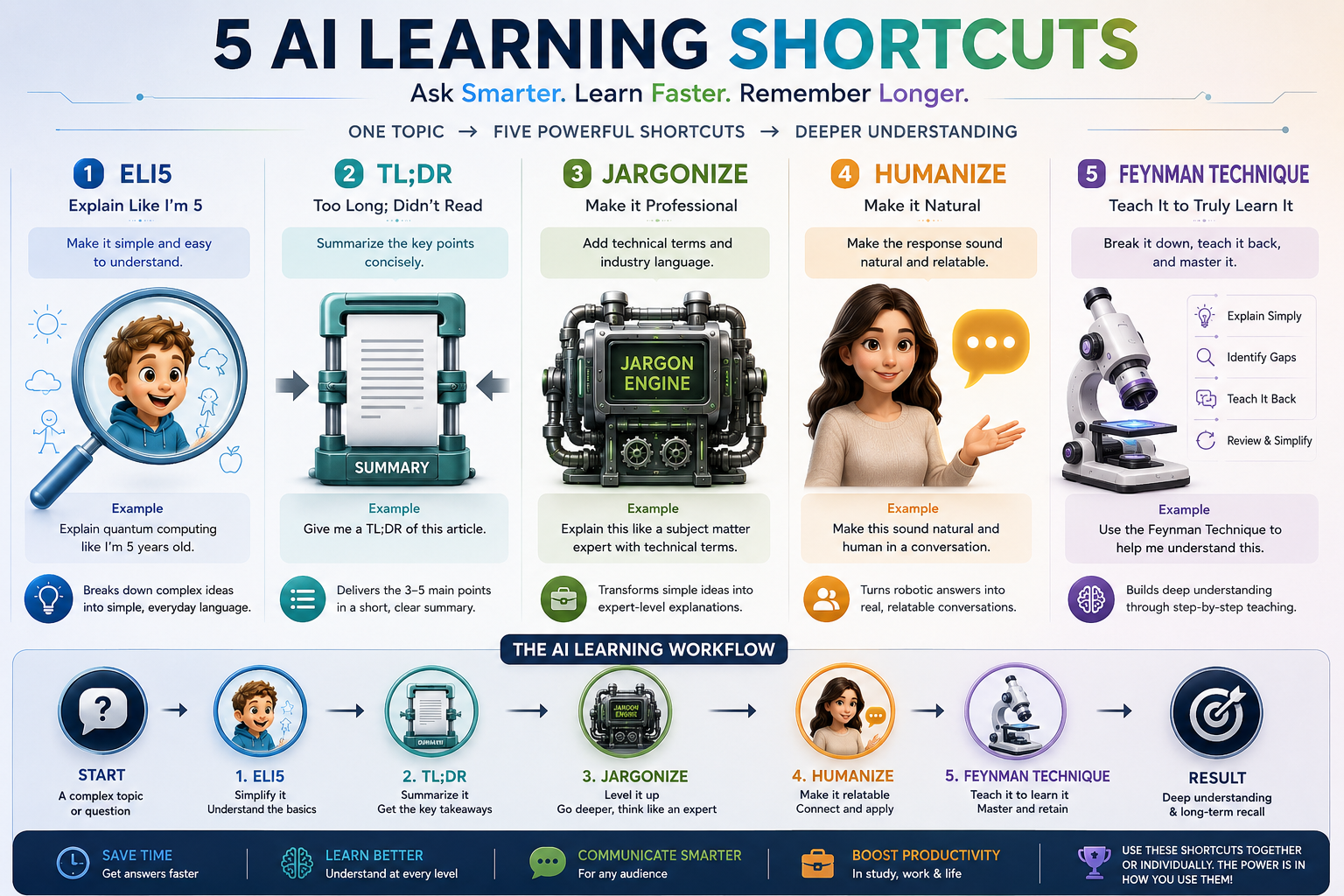
1. ELI5 (Explain Like I’m 5)
If you’re struggling to understand a difficult topic, ELI5 is one of the best prompt shortcuts available.
Instead of receiving a technical explanation full of jargon, ChatGPT explains the concept using simple language and relatable examples.
Example Prompt
ELI5: How does blockchain work?
Best For
- Science
- Technology
- Finance
- Legal concepts
- Programming
- Academic subjects
This shortcut is perfect for beginners who want quick, easy-to-understand explanations.
2. TL;DR (Summarize Long Text)
Reading lengthy articles, reports, or research papers takes time. The TL;DR shortcut tells ChatGPT to summarize the content into its most important points.
Simply paste your text after the prompt.
Example Prompt
TL;DR:
Paste your article or document here.
ChatGPT will provide a concise summary highlighting the key ideas and important takeaways.
Best For
- Blog articles
- Research papers
- Meeting notes
- Reports
- Emails
- PDFs
3. Jargonize (Professional Tone)
Need your writing to sound more polished or industry-specific?
Use Jargonize before your text to encourage a more professional, formal tone.
Example Prompt
Jargonize: Rewrite this project update.
This works well for:
- LinkedIn posts
- Business emails
- Whitepapers
- Pitch decks
- Executive summaries
- Corporate communications
If you have a specific audience in mind, mentioning it (for example, “for software engineers” or “for executives”) usually produces even better results.
4. Humanize (Make Writing Sound More Natural)
If a response feels too formal or repetitive, ask ChatGPT to rewrite it in a more conversational style.
Example Prompt
Humanize: Rewrite this blog introduction.
You can also be more specific by asking it to:
- Use natural language
- Shorten long sentences
- Remove repetitive wording
- Write in a friendly tone
- Sound like a real conversation
This is especially useful for blog posts, emails, newsletters, and social media content.
Note: While prompts like “Humanize” can make writing feel more natural, no prompt can guarantee that AI-generated text will bypass AI detection tools or appear indistinguishable from human writing.
5. Feynman Technique (Learn Complex Topics Faster)
The Feynman Technique is a popular learning method that focuses on understanding ideas through simple explanations.
Ask ChatGPT to explain a topic using this framework.
Example Prompt
Feynman Technique: Explain quantum computing.
A typical response will:
- Explain the topic in simple language.
- Highlight areas that may be confusing.
- Use clear examples and analogies.
- Review the concept to reinforce understanding.
This method is excellent for students, professionals, and lifelong learners.
Quick Prompt Cheat Sheet
| Prompt Shortcut | Best Use |
|---|---|
| ELI5 | Simple explanations of difficult topics |
| TL;DR | Summarize long articles or documents |
| Jargonize | Professional or industry-specific writing |
| Humanize | More natural, conversational writing |
| Feynman Technique | Learn and understand complex concepts |
Pro Tip
Sometimes the biggest improvement comes from adding just one or two words to your prompt. Instead of writing lengthy instructions, try using shortcuts like ELI5, TL;DR, or Humanize to quickly guide ChatGPT toward the response you need.
You can also combine prompts for even better results. For example:
- ELI5 + Bullet Points
- TL;DR + Action Items
- Humanize + Friendly Tone
- Jargonize + Executive Audience
Experiment with different combinations to find what works best for your workflow.
Frequently Asked Questions About Secret ChatGPT Code
Is there a secret ChatGPT code?
No, there is no secret ChatGPT code, hidden command, or undocumented keyword that unlocks special features or advanced capabilities. Although many websites and social media posts claim otherwise, these claims are misleading. Instead, the term “secret ChatGPT code” usually refers to simple prompting techniques such as ELI5, TL;DR, or role-based instructions like “Act as a marketing expert.” These prompts don’t activate hidden settings; rather, they help ChatGPT better understand your request and produce responses in the style or format you want. For example, ELI5 encourages simple explanations, while TL;DR generates concise summaries. Furthermore, providing clear context, specifying your audience, and describing your desired tone often improve the quality of responses even more. Therefore, the real secret isn’t a hidden code at all—it’s learning how to write clear, specific prompts that guide ChatGPT toward delivering more accurate, relevant, and useful answers.
Do these prompt shortcuts always work?
Not always, but they often produce better results than generic prompts. Although shortcuts like ELI5, TL;DR, and Humanize are popular, they are not official ChatGPT commands or hidden features. Instead, they act as clear instructions that guide ChatGPT toward the style, format, or level of detail you want. For example, ELI5 encourages simple explanations, while TL;DR requests a concise summary. However, the quality of the response still depends on your overall prompt, including the context and details you provide. Therefore, combining these shortcuts with specific instructions usually delivers the most accurate and helpful results. Experimenting with different prompt styles can also help you discover what works best for your particular tasks.
Can I combine multiple prompt shortcuts?
Yes, you can combine multiple prompt shortcuts to get more specific and useful responses from ChatGPT. In fact, mixing different instructions often helps the AI better understand your preferred style, format, and goal. Instead of using only one shortcut, you can combine techniques to create a more detailed prompt.
For example, using “TL;DR + Bullet Points” can help you turn a long article into a short, organized summary. Similarly, combining “Humanize + Professional Tone” can make your content sound natural while still maintaining a polished style. Additionally, you can add instructions like “explain simply,” “give examples,” or “write for beginners” to improve the final result.
However, remember that these shortcuts work best when you provide clear context. Therefore, experiment with different combinations and adjust your prompts until you find the style that works best for your needs.
Does “Humanize” bypass AI detectors?
No, the Humanize prompt does not bypass AI detectors or guarantee that content will be identified as human-written. While this shortcut can help ChatGPT create smoother, more natural, and conversational text, it is simply a writing instruction rather than a special feature.
Instead, Humanize helps improve readability by encouraging clearer wording, varied sentence structures, and a more natural tone. For example, it can make a blog post, email, or article feel less formal and easier to read. However, AI detection tools use different methods to analyze content, and their results are not always reliable or consistent.
Therefore, the best approach is to use Humanize as a way to improve writing quality, not as a method to avoid detection. Adding your own ideas, experiences, and editing the final content can make the writing more authentic and valuable.
Conclusion: Use the Secret ChatGPT Code to Get Better Results
The best secret ChatGPT code isn’t a hidden feature—it’s learning how to give clear instructions. Prompt shortcuts like ELI5, TL;DR, Jargonize, Humanize, and the Feynman Technique make it easier to get accurate, useful, and well-structured responses without writing complicated prompts.
For beginners, learning essential AI concepts is the next step toward becoming a more confident AI user. Check out our guide on AI terms every beginner should know to build a stronger foundation and understand the technology behind these powerful tools.