Wi-Fi vs. Unlimited Mobile Data: Which Is Cheaper for Home Internet?
Wi-Fi vs. Unlimited Mobile Data is an important comparison when choosing affordable internet for your home. Both options let you browse websites, stream videos, attend online meetings, and download files. However, their costs, speeds, and reliability can vary depending on your location and internet usage.
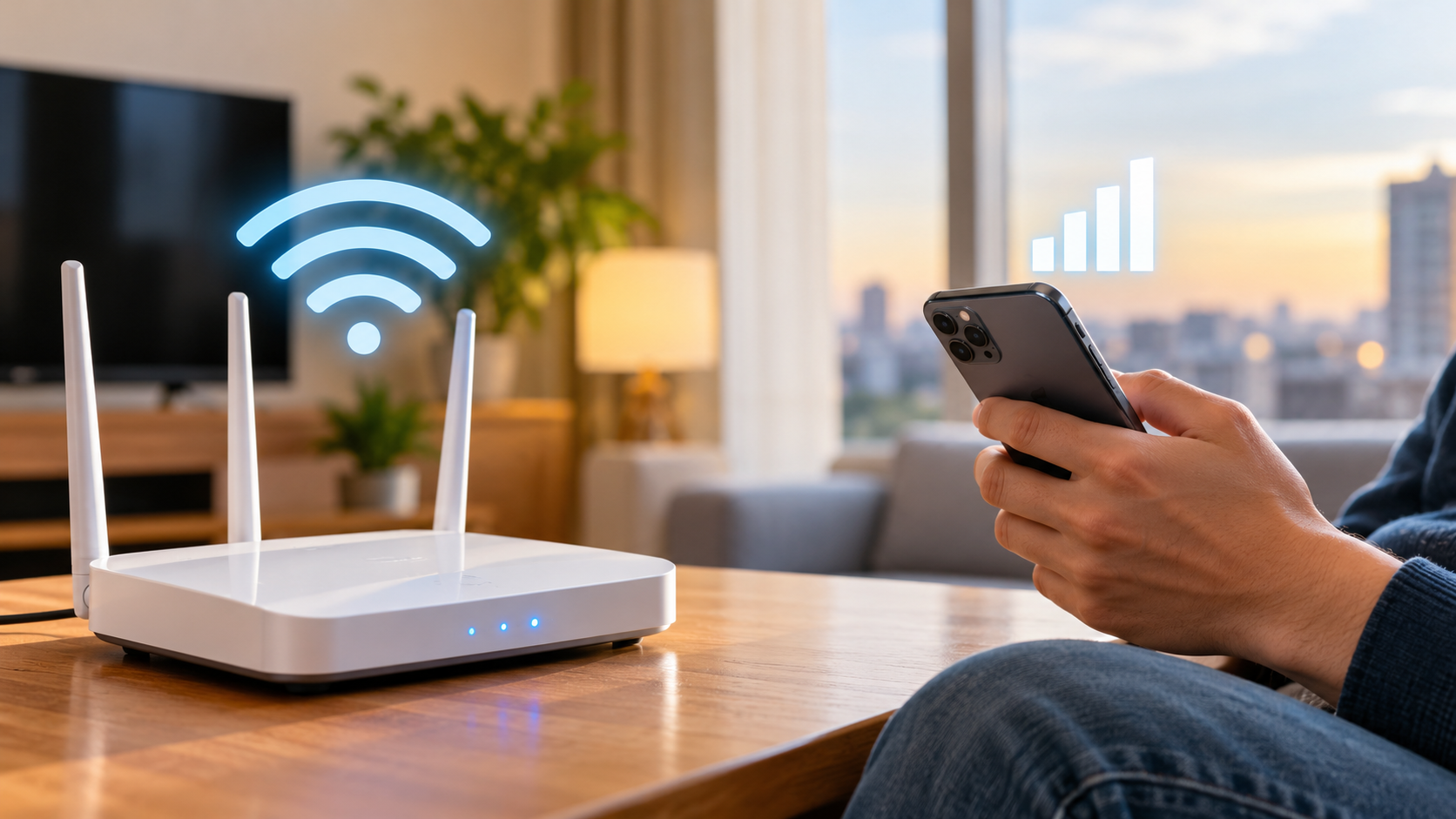
Home Wi-Fi typically connects to the internet through a broadband service, such as fiber or cable. Unlimited mobile data uses a cellular network to provide internet access through your smartphone or a mobile hotspot. Each option has advantages, but the cheaper choice depends on your household’s needs.
This guide compares Wi-Fi vs. unlimited mobile data to help you understand the costs, performance, and limitations of each option. You will learn whether broadband is worth paying for when you already have unlimited mobile data, how much 100 GB of internet might cost, and which connection works best for streaming, gaming, and remote work.
By comparing your actual expenses and internet requirements, you can choose a connection that offers reliable performance without unnecessary monthly costs.
Is It Cheaper to Use Wi-Fi or Mobile Data?
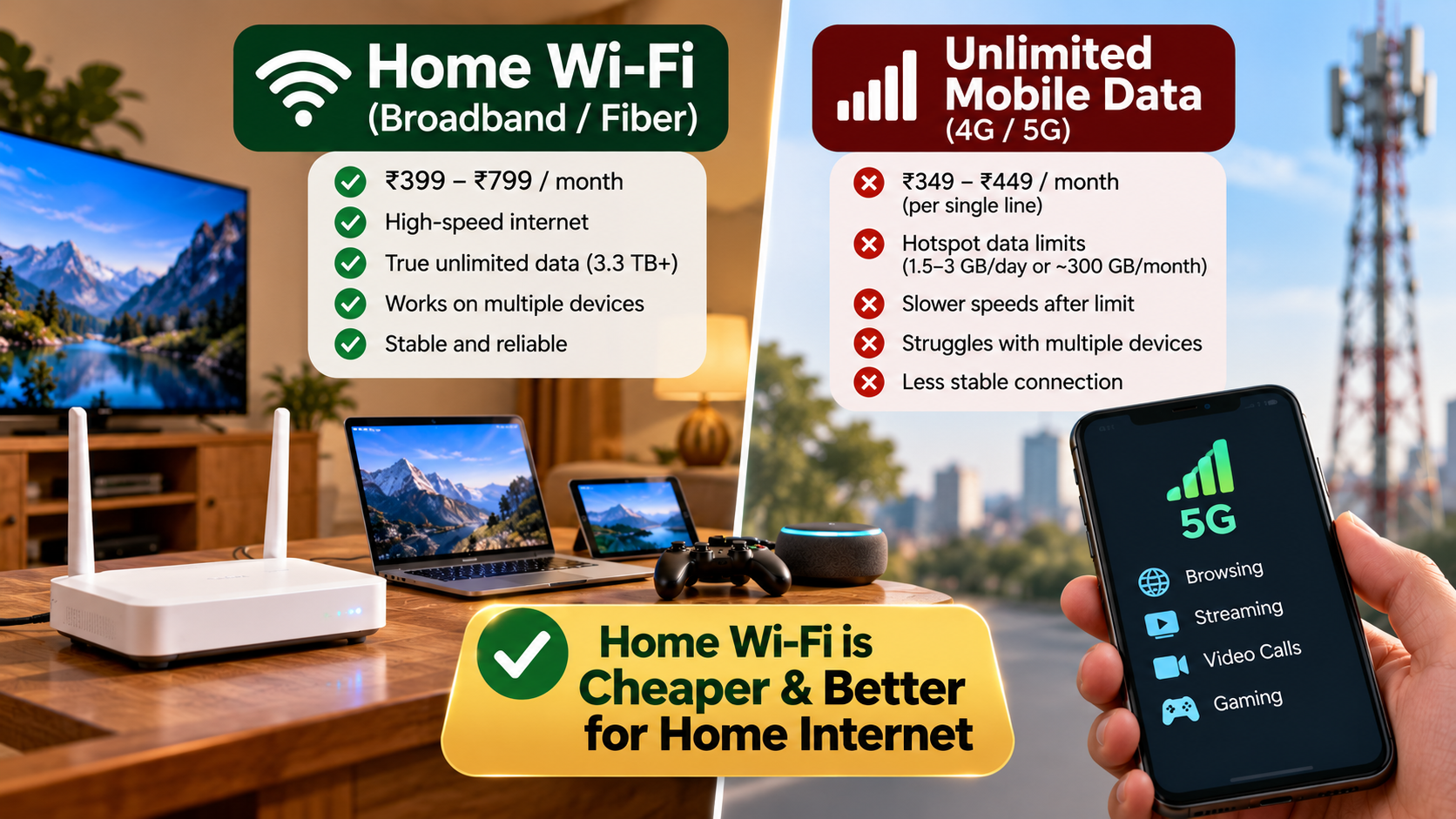
When comparing Wi-Fi vs. unlimited mobile data, home broadband is often more economical for households with several connected devices. Broadband providers commonly offer monthly subscriptions with generous or unlimited data allowances. This makes it easier to manage internet expenses without monitoring every gigabyte.
Mobile data can be cheaper for individuals who browse occasionally, stream little content, or already have a suitable mobile plan. However, using a phone as a hotspot for several devices can consume substantial data. Some unlimited plans also restrict hotspot usage or reduce speeds after certain limits.
Your actual savings depend on local broadband prices, mobile plan conditions, installation charges, and equipment costs. Compare the total monthly expenses rather than looking at advertised prices alone.
Consider these factors before choosing:
- Monthly subscription: Compare broadband charges with your mobile plan’s total cost.
- Data allowances: Check whether unlimited usage includes hotspot tethering.
- Equipment: Account for router purchases, rentals, or installation fees.
- Household usage: Consider simultaneous streaming, gaming, downloads, and video calls.
For frequent internet users, a dedicated broadband connection often offers better long-term value. However, a suitable mobile plan may be sufficient for people with modest internet needs.
Understanding Hidden Mobile Hotspot Fees
An unlimited smartphone plan does not always provide unlimited high-speed hotspot access. Some carriers include a separate hotspot allowance, while others reduce tethering speeds after a specified amount of data. These restrictions can affect laptops, smart TVs, gaming consoles, and other connected devices.
Before replacing home broadband, read your mobile plan’s terms carefully. Check the permitted hotspot allowance, speed restrictions, network management policies, and any additional charges. The word “unlimited” does not necessarily mean unlimited high-speed internet for every connected device.
Also, consider how many devices will share your connection. A single laptop performing basic tasks uses less data than a household streaming videos on several screens.
If your carrier provides sufficient hotspot data at a reasonable price, mobile internet may work well for light usage. Otherwise, additional charges or reduced speeds can eliminate the expected savings.
Compare your plan’s conditions with your household’s monthly usage. This simple check helps you avoid unexpected costs and interruptions.
Which Is Better, Wi-Fi or Mobile Data?
The better option depends on your internet activities, location, and connectivity requirements. When comparing Wi-Fi vs. unlimited mobile data, consider whether you need consistent home connectivity or internet access while travelling.
Home broadband generally suits households that need reliable internet across several devices. Fiber and cable connections can provide high speeds and stable performance, depending on the service available in your area.
Mobile data offers greater flexibility because it connects through cellular networks. You can access the internet wherever your carrier provides suitable coverage. A phone hotspot can also provide temporary internet access when broadband is unavailable. If you’re considering cellular connectivity for video streaming, find out whether 5G is strong enough for streaming in your area.
However, mobile performance depends on signal strength, network congestion, building materials, and your carrier’s coverage. Even a fast cellular connection can become unreliable during busy periods or in areas with weak reception.
Consider your main priorities before deciding:
- Remote work: Broadband can provide dependable connectivity for meetings and large file transfers.
- Online gaming: A stable connection with low latency is important for responsive gameplay.
- Video streaming: Broadband often handles multiple simultaneous streams more comfortably.
- Travel: Mobile data is more convenient when you need internet access outside your home.
- Occasional use: A mobile connection may be sufficient if your data allowance meets your needs.
For regular household use, broadband is often the practical choice. Mobile data is useful when portability matters more than consistent home coverage.
Evaluating Latency and Ping Rates
Latency measures how long data takes to travel between your device and a destination. Ping is a common measurement used to assess this delay. Lower latency generally improves responsiveness during online gaming, video calls, and other interactive activities.
Fixed broadband, particularly fiber, can deliver low and consistent latency. However, actual performance depends on your provider, network routing, equipment, and the server you connect to. Mobile connections can also offer good latency, especially on well-performing 4G or 5G networks.
Cellular performance may fluctuate as your device moves between coverage areas or shares network capacity with other users. These variations can cause lag, delayed responses, or interruptions during demanding activities.
If gaming or video conferencing is important, test both connections at the times you normally use the internet. Compare ping, download speed, upload speed, and connection stability.
Do not judge a connection by download speed alone. A fast connection with inconsistent latency may perform worse for interactive activities than a slightly slower, more stable alternative.
The better connection is the one that delivers suitable performance consistently in your location.
How Much Does 100 GB of Wi-Fi Cost?
Understanding the costs of Wi-Fi vs. unlimited mobile data helps you determine which option provides better value. Home broadband is generally sold through monthly subscriptions rather than individual gigabytes. Therefore, the cost of using 100 GB depends on your broadband plan, not simply the amount of data consumed.
For example, a household paying a fixed monthly broadband fee can often use 100 GB without an additional charge if its plan includes sufficient data. Some providers impose data caps, usage policies, or additional fees, so check the conditions before signing up.
Mobile data pricing works differently. Some plans include a fixed allowance, while others advertise unlimited access with restrictions on hotspot usage or high-speed data. If you need 100 GB for a laptop or other connected devices, your plan must support that amount of usage.
There is no single price for 100 GB of home internet worldwide. Costs vary by country, provider, connection type, and speed.
To estimate your expenses, compare:
- The monthly broadband subscription.
- Installation and router costs.
- Any broadband data limits or additional fees.
- The mobile plan’s price and hotspot allowance.
- Any extra charges required to obtain more high-speed data.
Choose the option with the lowest total cost that still meets your internet requirements.
Analyzing Flat-Rate Pricing Structures
Flat-rate broadband plans make monthly budgeting easier because the subscription price generally stays the same regardless of how much data you use. This is especially useful for households that stream videos, download large files, attend online meetings, or update several devices regularly.
However, a fixed monthly price does not automatically mean every broadband plan offers unlimited data. Some providers apply data caps, fair-use policies, or additional charges. Always review the plan details before assuming that your internet usage will not affect your bill.
Mobile plans may also offer unlimited data, but their conditions can differ. For example, high-speed smartphone data might be unlimited while hotspot usage has a separate limit.
Calculate the total monthly cost for both options, including equipment, installation, and any necessary add-ons. Then compare that figure with your typical usage.
A flat-rate broadband plan can offer better value when several people use the internet daily. For lighter usage, an existing mobile plan may be sufficient without requiring another subscription.
Ultimately, the best pricing structure is one that matches your actual usage without unnecessary expenses.
Is Wi-Fi Worth It If I Have Unlimited Data?
Paying for home broadband may still be worthwhile if your smartphone plan includes unlimited mobile data. The comparison between Wi-Fi vs. unlimited mobile data comes down to whether your cellular connection can reliably handle your household’s internet needs.
A dedicated broadband connection lets several devices connect through a home router without relying on your phone as the primary hotspot. This can be more convenient for households that use laptops, televisions, gaming consoles, and smart home devices simultaneously.
Using a smartphone hotspot regularly can also increase battery consumption and generate heat. Frequent exposure to high temperatures may accelerate battery wear over time. Keeping your phone connected as a permanent internet source can therefore be less practical than using a dedicated router.
However, broadband is not automatically necessary for everyone. If you live alone, have strong cellular coverage, and use relatively little data across your devices, mobile internet might be enough.
Before paying for two services, compare your broadband subscription with the limitations of your mobile plan. Check hotspot speeds, data allowances, network congestion, and coverage inside your home.
Home broadband is usually worth the cost when you need dependable connectivity for multiple devices. Unlimited mobile data can be a reasonable alternative when your usage is light and your cellular connection performs well.
Preventing Smartphone Battery Degradation
Using your smartphone as a mobile hotspot can increase battery consumption because the device maintains a cellular connection while sharing internet access over Wi-Fi. This workload can also generate additional heat, particularly during large downloads or when several devices connect simultaneously.
Battery health can deteriorate faster when a phone repeatedly operates at high temperatures. However, hotspot use does not automatically damage a battery, and the effect depends on the device, operating conditions, and frequency of use.
If you rely on mobile tethering, place your phone in a well-ventilated area. Avoid leaving it in direct sunlight or covering it with materials that trap heat. Follow the manufacturer’s charging and temperature recommendations.
For occasional laptop use, a smartphone hotspot can be convenient. For continuous internet access across an entire household, a dedicated router may be more practical.
A separate router also allows your phone to remain available for calls, messages, and other tasks without constantly sharing its connection.
You do not need to purchase broadband solely to protect your battery. Instead, weigh potential battery wear alongside convenience, performance, and the total cost of each internet option.
What Are the Disadvantages of Wi-Fi?
Home Wi-Fi offers convenient wireless access, but it also has limitations. Most importantly, Wi-Fi requires an internet connection from a provider if you want to access online services. Depending on your location, broadband installation may involve setup charges, equipment costs, or a service contract.
Wireless coverage can also vary throughout your home. Thick walls, metal objects, appliances, and long distances from the router may weaken the signal. Larger houses may need better router placement, additional access points, or a mesh Wi-Fi system. If you’re exploring ways to improve wireless coverage, understanding why routers have external antennas can help you compare different network designs.
Another disadvantage is limited portability. Your home router provides connectivity at your property, but it does not automatically give you internet access while travelling. You may need mobile data or another network when you leave home.
Broadband performance can also vary because of provider outages, network congestion, or equipment problems. A home Wi-Fi connection is not guaranteed to be faster or more reliable than every cellular connection.
Before choosing broadband, consider the installation requirements, monthly subscription, available speeds, coverage needs, and contract terms. If your household uses little data, these costs may outweigh the benefits of a dedicated connection.
Dealing With Physical Signal Interference
Wi-Fi signals can weaken as they travel through walls, floors, furniture, and other obstacles. Thick concrete walls and metal surfaces can be particularly challenging. Nearby electronic devices and competing wireless networks may also affect performance, depending on their frequency and operating conditions.
Router placement can make a noticeable difference. Position your router in a central, elevated, and relatively open location. Keep it away from enclosed cabinets and large obstructions whenever possible.
If certain rooms receive weak signals, test the connection in different locations before purchasing additional equipment. Moving the router may solve the problem without extra expense.
For larger homes, a mesh Wi-Fi system or additional access point can improve coverage. However, these solutions have costs and may require suitable placement to work effectively.
Remember that weak Wi-Fi does not always mean your broadband service is slow. Test the connection near the router and compare the results with a wired connection, if available. This can help you determine whether the problem comes from your Wi-Fi coverage or the internet service itself.
Final Verdict: Wi-Fi vs. Unlimited Mobile Data
Ultimately, Wi-Fi vs. unlimited mobile data depends on your budget, household size, internet habits, and network coverage. Neither option is automatically cheaper or better for every household.
Home broadband is usually the better choice if several people stream videos, work remotely, play online games, or connect multiple devices daily. A suitable plan can provide predictable costs and convenient household connectivity.
Unlimited mobile data may be sufficient if you live alone, use relatively little data, and have strong cellular coverage. It can also be useful when broadband installation is unavailable or inconvenient.
Before making a decision, compare monthly costs, hotspot restrictions, connection speeds, and reliability in your area. For additional guidance on choosing an appropriate internet connection, consult the Federal Communications Commission’s broadband speed guide.
Ultimately, choose the service that meets your internet requirements without unnecessary expenses. A well-priced broadband plan can offer better value for a busy household, while mobile data may save money when your connectivity needs are modest.