Why Are Some Ethernet Cables Blue?
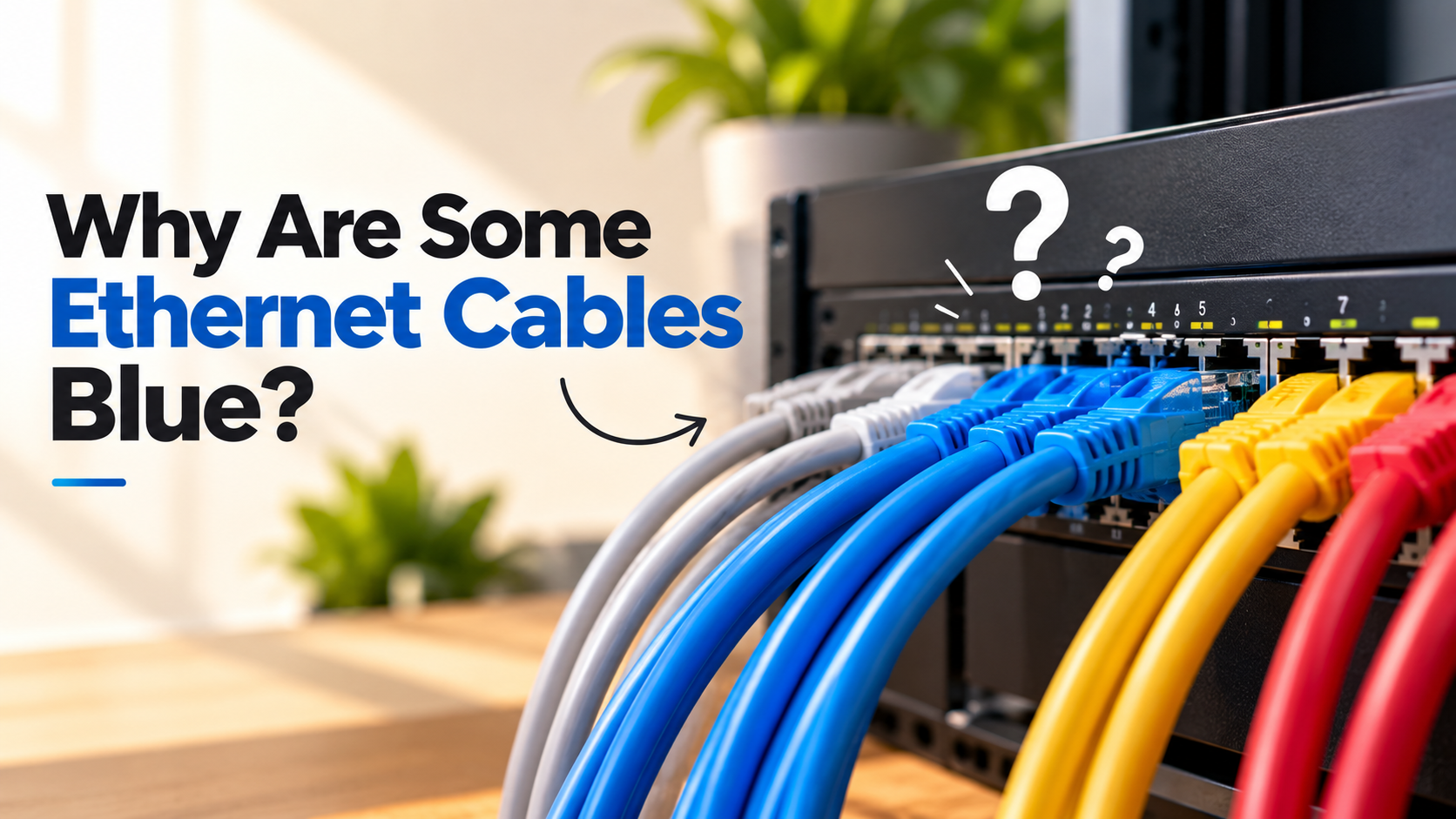
Have you ever wondered why blue Ethernet cables are so common behind routers, switches, and computers? Many people assume the bright outer jacket indicates better performance. In reality, Ethernet cable color is mainly used for identification and organization.
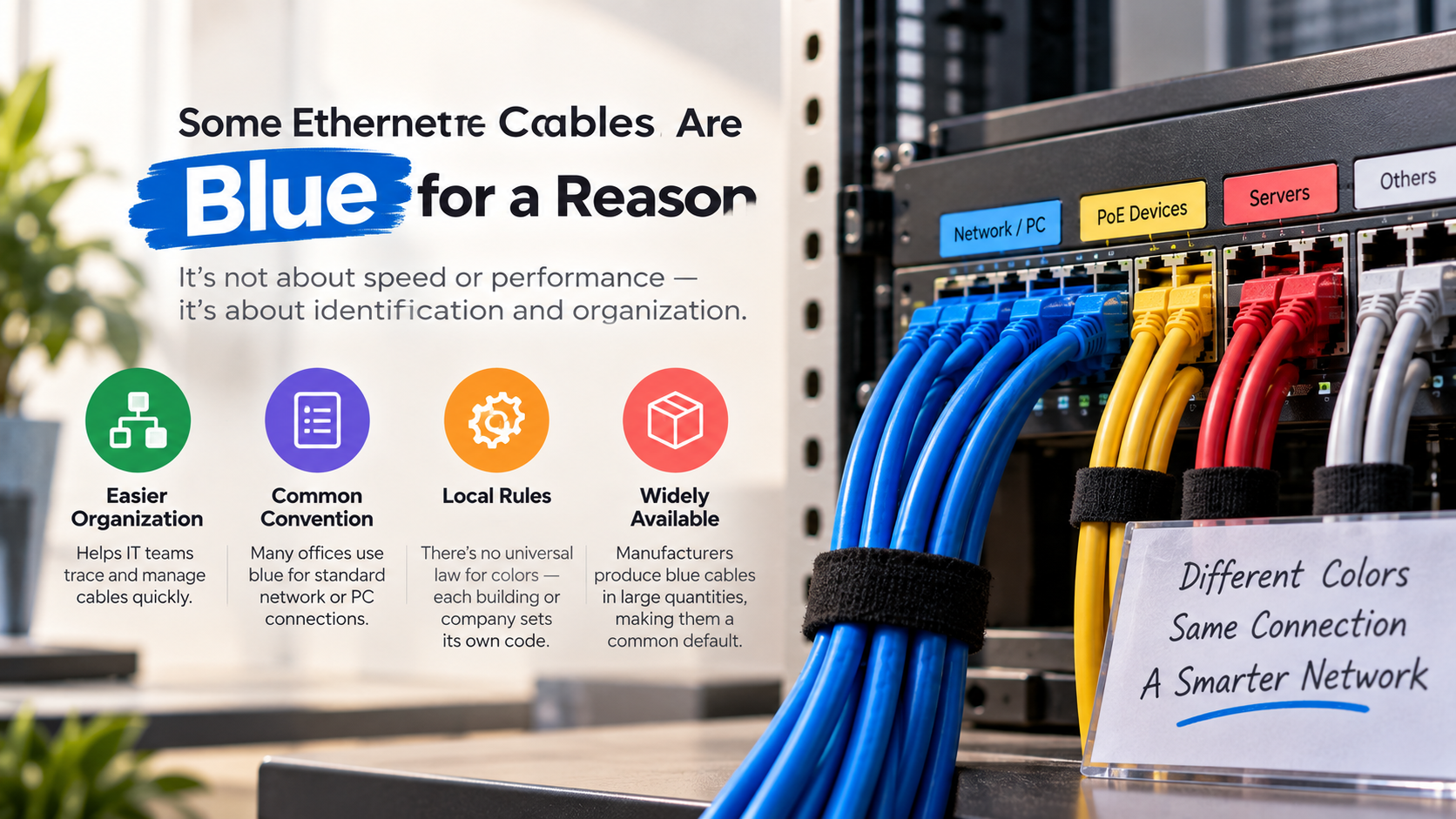
Network engineers rely on standards established by organizations like the Telecommunications Industry Association to keep complex data centers tidy and manageable. Industry standards and structured cabling guidelines support organized installations, while individual organizations may create their own color schemes. Because manufacturers commonly produce blue patch cords for general network connections, blue Ethernet cables have become a familiar choice for workstations and home networks.
Color coding can also reduce mistakes during maintenance. Technicians can quickly identify different connections without tracing every cable through a crowded rack.
The jacket color does not indicate faster speeds or better wiring. Instead, performance depends on the cable’s internal construction and category rating.
In this guide, we explain what blue Ethernet cables mean, whether color affects speed, and whether Cat6 is suitable for home networking.
Are Blue Ethernet Cables Faster?
No. Blue Ethernet cables are not inherently faster than Ethernet cables in other colors. The color of the outer jacket does not determine how quickly data travels through the cable. Instead, the cable’s internal construction and category rating determine its networking capabilities.
Ethernet signals travel through twisted copper wire pairs inside the cable. The outer PVC or other jacket material mainly protects those internal conductors from physical damage. Its color does not change the electrical characteristics of a properly manufactured cable.
For example, a blue Cat6 cable and a grey Cat6 cable with the same specifications can provide the same performance under equivalent conditions. The same principle applies to black, yellow, white, red, and other jacket colors.
When shopping for Ethernet cables, check the category rating, cable length, conductor material, and shielding. These specifications matter far more than appearance.
Cable Category Dictates Actual Bandwidth
Ethernet performance depends on factors such as conductor quality, pair twisting, cable construction, and shielding. The Ethernet cable category also sets important performance specifications. Cat5e supports Gigabit Ethernet under standard conditions, while Cat6 offers higher bandwidth and can support 10Gbps Ethernet over shorter runs.
Cat6 is generally rated for bandwidth up to 250 MHz. Its improved construction can also provide better protection against crosstalk than older cable categories.
Cable length matters, too. With copper Ethernet, longer runs can experience greater signal loss and other transmission limitations. A cable that meets its category specifications should still be selected with the intended distance in mind.
If you want better network performance, do not choose a cable based on color. Instead, look for the appropriate Cat5e, Cat6, or Cat6a rating for your network.
For many homes, Cat6 provides useful performance headroom without requiring expensive specialized cabling.
Is Cat6 Overkill for Home Use?
Cat6 is not necessarily overkill for modern home networks. For many households, it offers a practical balance between performance, availability, and cost. However, it is also worth considering the drawbacks of using Ethernet cables for home internet before choosing a wired setup. Cat5e remains capable of supporting Gigabit Ethernet, so upgrading is not essential for every internet connection.
However, Cat6 provides higher rated bandwidth and can support faster networking over appropriate distances. It supports bandwidth up to 250 MHz and offers improved resistance to crosstalk compared with Cat5e. Cat6 can also support 10Gbps Ethernet over runs up to about 55 meters under specified conditions.
This can be useful for homes with multi-gigabit internet, network-attached storage, gaming systems, or large local file transfers. It also provides additional capacity for future network upgrades.
Cat6 is backward compatible with older Ethernet standards. That means you can connect Cat6 cables to equipment designed for slower Ethernet standards without compatibility problems.
For new installations, choosing Cat6 can therefore provide useful future-proofing without dramatically increasing complexity.
Long-Term Value for Busy Smart Homes
Modern homes can contain dozens of connected devices. Streaming devices, computers, gaming consoles, smart televisions, security systems, and network-attached storage can all share the same network.
Cat6 cabling provides enough capacity for many demanding home networking tasks. It can be especially useful when large files move between local devices. Examples include computer backups, media libraries, and transfers to network-attached storage.
However, faster cabling does not automatically make your internet connection faster. Your internet plan, router, switches, network adapters, and other equipment can all limit performance. If your internet seems fast but file transfers remain slow, understanding why downloads can be slow despite fast internet may help identify the actual bottleneck.
The main benefit of Cat6 is its higher networking capability and future flexibility. It can support Gigabit Ethernet today while leaving room for faster local connections later.
For homeowners installing new permanent Ethernet runs, Cat6 can be a sensible choice. It avoids some limitations of older cabling while remaining widely available.
For simple connections using existing Gigabit equipment, however, replacing working Cat5e cables may provide little practical benefit.
Can I Use a Yellow Ethernet Cable for Internet?
Yes. A yellow Ethernet cable can be used for an internet connection just like a blue, grey, black, or white cable. The jacket color does not determine whether the cable can carry internet traffic.
Inside a typical Ethernet cable are twisted copper pairs designed to transmit network signals. Standard RJ45-style Ethernet connections allow compatible devices to communicate regardless of the cable’s exterior color.
Yellow cables are sometimes assigned a particular purpose within an organization’s cable management system. For example, an administrator might use yellow cables to identify a specific connection type, device group, or network path. However, these meanings are not universal across every organization.
The important specifications are the cable’s category rating, construction, length, and compatibility with the network equipment.
A yellow Cat6 cable can therefore provide the same type of network connectivity as a blue Cat6 cable when both meet equivalent specifications.
Simply choose the color that suits your installation, then verify the technical specifications that matter.
Universal Compatibility Across Networking Gear
Ethernet standards define important electrical characteristics and connection requirements. Because of this, compatible networking equipment does not care whether the connected cable has a blue, yellow, grey, black, or purple jacket.
A router, switch, computer, game console, or access point can use an Ethernet cable that meets the appropriate specifications. The cable’s color does not restrict the type of network traffic it can carry.
For most standard Ethernet connections, you simply connect the cable to the device’s Ethernet port. The equipment then negotiates a supported connection speed based on the capabilities of both devices and the cable.
Color can still have an important practical role. Businesses often assign specific colors to particular network functions. This makes large installations easier to inspect and maintain. For home networks, wired Ethernet is also only one part of the overall setup, alongside newer wireless standards such as those discussed in Wi-Fi 6 vs Wi-Fi 7.
At home, you can use the same approach. For example, you might use blue cables for computers, yellow cables for specific network equipment, and white cables for visible runs.
The scheme is yours to define, provided it remains consistent.
Does It Matter What Color Ethernet Cable I Use?
From a technical perspective, Ethernet cable color does not determine network performance. A properly manufactured cable can transmit network data regardless of whether its jacket is blue, red, green, black, white, or another color.
The important factors include the cable category, internal construction, shielding, length, and quality. Your network equipment also affects the final connection speed.
Color does matter, however, when you are managing multiple cables. IT technicians often use different jacket colors to identify connections quickly. This can make maintenance easier in crowded server racks, patch panels, and equipment cabinets.
The same idea can help at home. You could assign different colors to computers, gaming equipment, televisions, access points, or other devices. This makes it easier to identify a cable when troubleshooting a connection.
A simple color scheme can prevent accidental disconnections and reduce confusion. The key is to use colors consistently rather than relying on an industry-wide meaning.
So, choose the color you prefer for performance. Choose a color system for organization.
Streamlining Troubleshooting Through Visual Organization
A consistent cable-color system can make network troubleshooting much easier. Instead of following every cable through a crowded workspace, you can identify its purpose from the jacket color.
For example, you might reserve blue cables for ordinary network connections and another color for specific equipment. The exact scheme does not matter as much as maintaining consistency.
This approach can be particularly helpful when several devices sit behind the same desk or entertainment center. If visible cables are becoming difficult to manage, these ways to hide Ethernet cables around the house can also keep your setup cleaner. It can also help technicians working inside network cabinets or patch panels.
Color coding does not improve signal strength or increase bandwidth. Its value comes from faster identification and simpler maintenance.
Before creating a color scheme, document what each color means. This prevents confusion when another person needs to troubleshoot the network later.
Avoid assuming that every organization uses the same meanings. A red cable may indicate a critical connection in one installation but serve a completely different purpose elsewhere.
For home networks, a simple scheme is usually enough. Choose a few colors and assign them to device groups or connection types. Keep the system easy to remember and update.
Are All Ethernet Cables Blue?
No. Ethernet cables are available in many different colors, including blue, grey, black, white, yellow, red, green, and more. Blue is simply one of the most common choices for general network connections.
Manufacturers produce different jacket colors because businesses and consumers use them for organization and identification. A large network installation may use several colors to distinguish equipment groups or connection types.
There is no universal rule requiring Ethernet cables to be blue. In fact, color conventions can vary between organizations, installers, and industries. A blue cable may represent a standard network connection in one facility and have a different meaning elsewhere.
Home users can choose any color they prefer. White and beige cables may blend into walls and baseboards, while brighter colors can make connections easier to identify.
When purchasing Ethernet cables, do not confuse color with technical capability. Two cables can look completely different while offering identical performance if their specifications match.
Always check the category marking and other technical details before making a purchasing decision.
Common Industry Color-Coding Schemes
Network administrators often create color-coding schemes to make structured cabling easier to manage. However, these schemes are generally organizational conventions rather than universal Ethernet requirements.
Some installations use blue or grey cables for ordinary network connections. Other colors may identify special equipment, network segments, security systems, or other connection types.
Red cables are sometimes reserved for connections that administrators consider important or that require extra attention. Yellow cables may also identify particular connection types in some facilities. These meanings can vary significantly between organizations.
For that reason, never assume that a cable’s color tells you exactly what it connects to. Check the organization’s documentation or cable labels when working on an unfamiliar network.
For home installations, you can create your own simple system. For example:
-
Blue: General network connections
-
Yellow: Selected network equipment
-
Red: Connections requiring extra attention
-
White: Visible or decorative runs
The goal is clarity, not compliance with a universal color standard. A consistent system makes future maintenance easier.
Frequently Asked Questions
Why are blue cords so common in server rooms?
Blue cords became dominant in enterprise environments because major manufacturers historically produced standard patch cables in blue as their baseline stock color. Network administrators adopted this trend widely, using blue to represent regular network drops and general data connections. Over decades of bulk commercial purchasing, blue established itself as the default visual signature for everyday computing connections worldwide.
Can different colored cables cause network interference?
No, the outer plastic color has zero effect on electromagnetic interference or signal attenuation. Interference resistance depends entirely on internal construction, such as overall shielding, foil layers, individual pair twists, and physical separation splines. A fully shielded black cable shields against interference identically to an identically shielded blue cable manufactured to the same rigorous engineering standards.
Does the length of an Ethernet cable affect connection speed?
Yes, excessive cable length can degrade signal quality and reduce overall transmission speeds. Standard twisted-pair copper Ethernet cables maintain full performance up to a maximum distance of 100 meters (328 feet). Exceeding this distance causes packet loss and forced drops in network speed, regardless of cable category rating or outer jacket color.
What do red Ethernet cables usually mean?
Red Ethernet cables typically signify mission-critical, emergency, or high-priority connections within commercial data centers. Network administrators often route red cables to firewall appliances, uninterrupted power supplies, emergency backup circuits, or core server interfaces. This distinct, high-visibility color signals to field engineers that disconnecting the line will disrupt vital systems or trigger emergency protocols.
Conclusion
Blue Ethernet cables are not faster simply because they are blue. Their color primarily serves as a visual identifier for cable management and organization.
Network performance depends on factors such as cable category, internal construction, shielding, length, and connected equipment. Cat5e, Cat6, and Cat6a cables have different performance specifications, so the category marking is far more important than the jacket color.
You can use blue, yellow, grey, black, white, or red Ethernet cables for compatible network connections. The color will not change how your router, switch, computer, or other device handles network traffic.
For new home installations, Cat6 can provide useful future flexibility. It supports Gigabit Ethernet and can support 10Gbps Ethernet over shorter distances when the equipment and installation meet the necessary requirements.
Ultimately, choose cable colors that make your network easier to understand and maintain. For a connected home, it is also important to consider broader security practices when managing multiple devices and connections. A secure home network guide for remote engineers can provide additional guidance on protecting a wired and wireless setup. Then focus on the technical specifications that actually affect performance.