
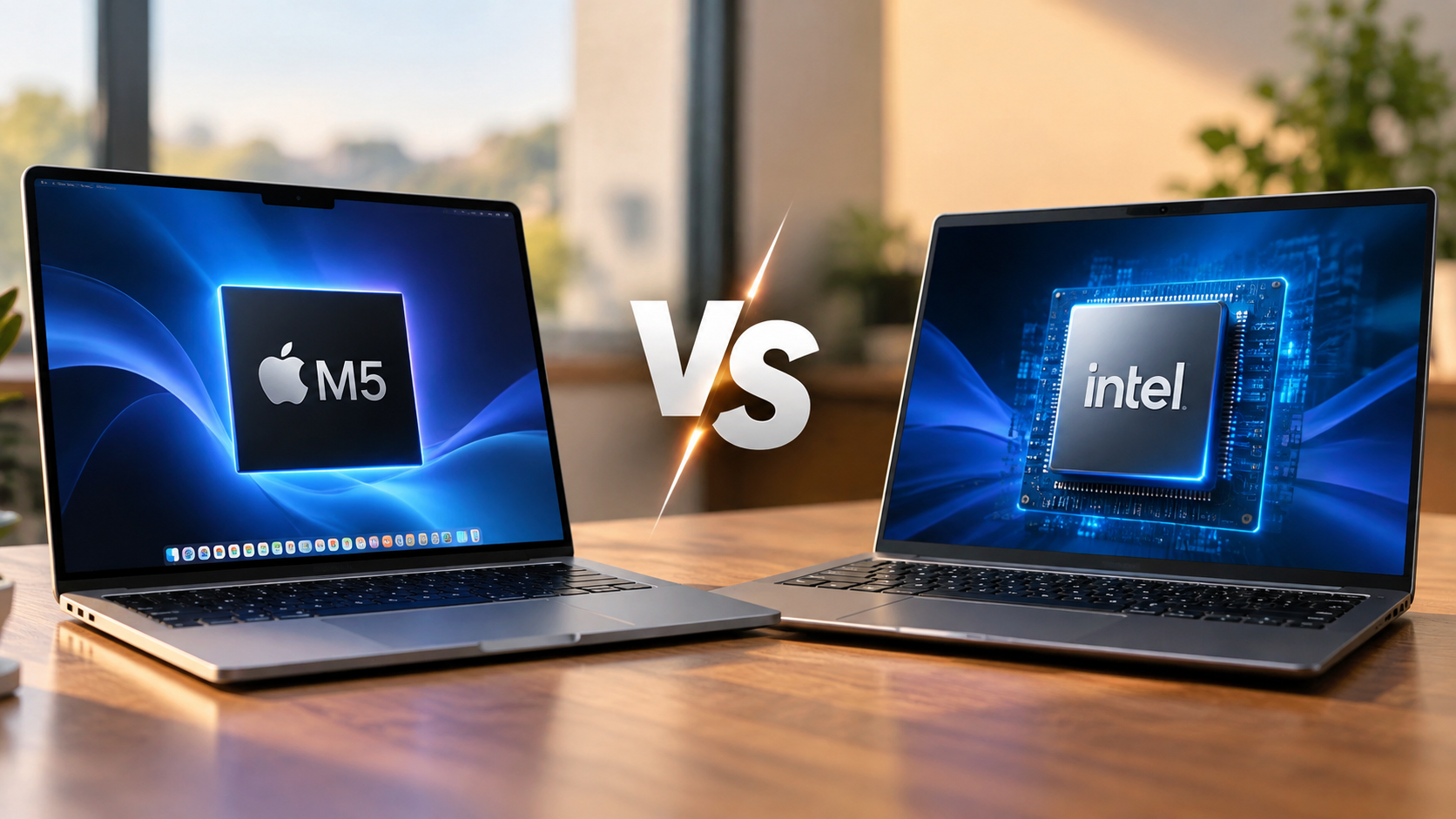
Which Intel CPU Is Equivalent To Apple’s M5?
Choosing between Apple’s M-series chips and Intel processors can be confusing. Their specifications, architectures, and performance levels differ. If you’re researching which Intel CPU is equivalent to Apple’s M5, you need to look beyond processor names. Real-world performance, power efficiency, graphics capabilities, and cooling all matter.
Apple’s M5 is designed for modern laptops and demanding everyday workloads. Intel offers several competing processors across its Core Ultra 5, Core Ultra 7, and Core Ultra 9 families. However, these processors do not deliver identical results across every application.
This guide explores which Intel CPU is equivalent to Apple’s M5 by comparing performance, battery efficiency, and everyday computing capabilities. You’ll also learn how the M5 performs against Intel Core i5, i7, and i9 processors. We explain its architecture, graphics capabilities, and suitability for demanding workloads.

What Is the Apple M5 Chip Comparable To?
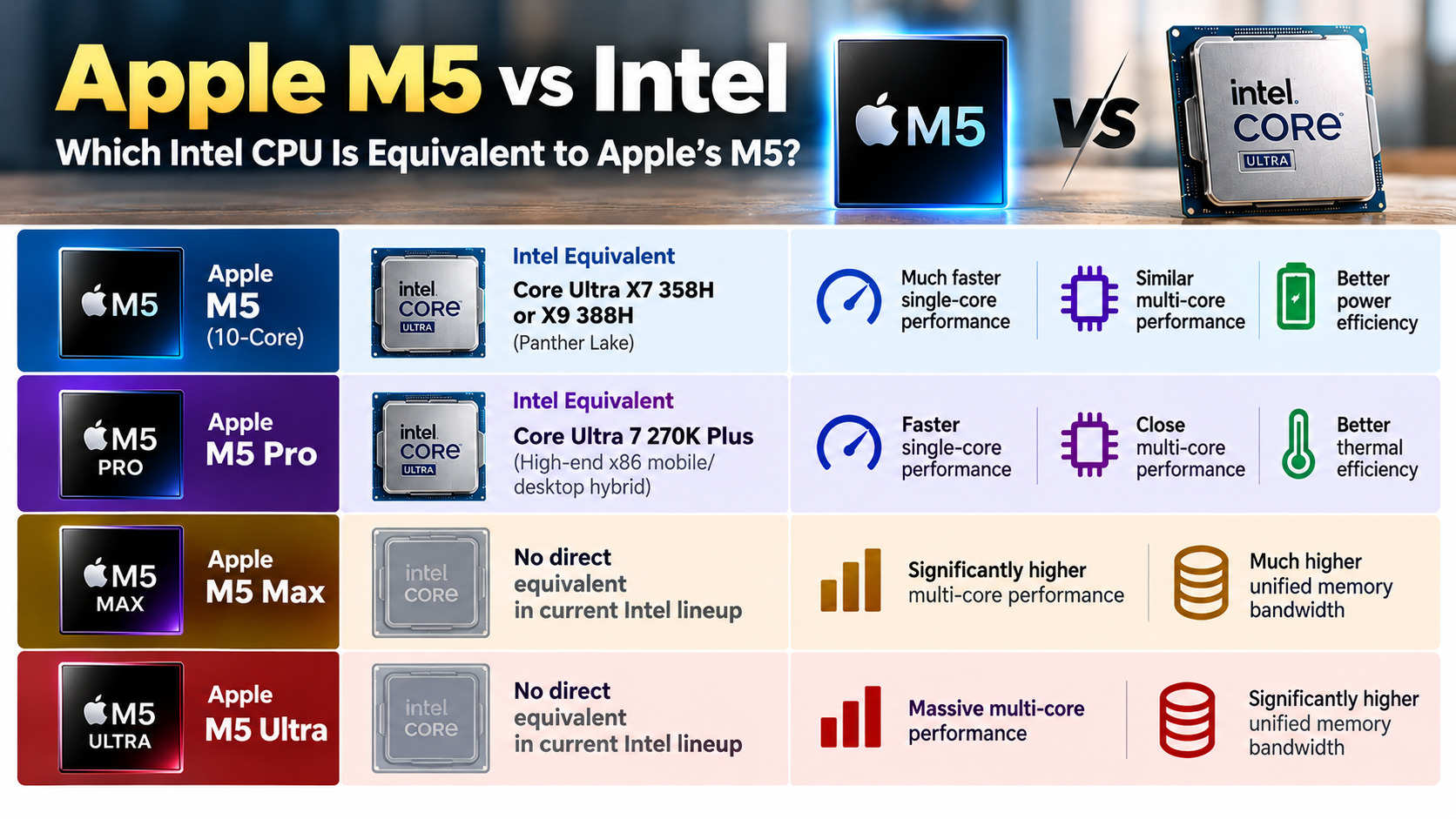
The Apple M5 is most comparable to Intel’s higher-end Core Ultra laptop processors, particularly selected Core Ultra 7 and Core Ultra 9 models. However, there isn’t one Intel processor that matches it in every category. Performance depends on the application, processor configuration, and laptop design.
The M5 features a 10-core CPU with four performance cores and six efficiency cores in its standard MacBook configuration. It also includes an integrated GPU and a dedicated 16-core Neural Engine. These components help it handle everyday computing, creative applications, and AI-related workloads.
For a practical comparison, consider the Intel Core Ultra 7 258V from Intel’s Lunar Lake family. It targets thin, power-efficient laptops. However, benchmark comparisons show that the M5 can deliver higher CPU scores.
The Intel Core Ultra 9 285H is another relevant comparison for demanding laptop workloads. It offers a different core configuration and power profile. You can explore Intel Core Ultra processors and their performance, AI capabilities, and architecture to understand how these chips compare. Therefore, neither processor should be considered an exact equivalent.
Everyday Workstation and Battery Performance
For everyday productivity, both Apple M5 and Intel Core Ultra 7 laptops provide enough performance for demanding applications. You can comfortably handle web browsing, office software, programming, and multitasking on either platform.
The difference becomes more noticeable during intensive workloads. The M5 benefits from Apple’s integrated hardware and software optimization. Its unified memory architecture also helps compatible applications access shared memory efficiently.
Battery performance is another important consideration. Apple’s M5 MacBooks offer strong battery life while maintaining responsive performance during everyday tasks. Intel laptops can also deliver excellent battery life, particularly models built around Lunar Lake processors.
However, actual results depend on battery capacity, display brightness, cooling, and workload. Neither platform maintains identical performance under every operating condition.
For creative professionals, application compatibility matters as much as processor speed. Check whether your editing software supports Apple’s hardware acceleration or Intel’s graphics features before choosing a laptop.
Is the Apple M5 Better Than the Intel i5?
The Apple M5 generally offers higher performance than mainstream Intel Core i5 laptop processors, particularly in demanding CPU workloads. However, comparing an entire processor family against one chip can produce misleading conclusions.
Intel’s Core i5 range includes several generations and configurations. Some older models target basic laptops, while newer processors offer improved performance and integrated graphics. Their capabilities vary considerably.
The same applies to Intel’s newer Core Ultra 5 processors. These chips target mainstream laptops and balance performance with power consumption. Certain models can handle everyday productivity, multitasking, and moderate creative workloads efficiently.
The Apple M5 combines performance cores, efficiency cores, and integrated graphics. It also includes dedicated hardware for machine learning and media processing. These features make it suitable for demanding applications.
However, the M5 isn’t automatically faster in every application. Software optimization, memory capacity, and power settings can change the results. Buyers should compare specific processor models rather than relying on i5 or M5 labels alone.
Real-World Creative and Gaming Workloads
The Apple M5 can handle demanding creative applications, including photo editing, video production, and software development. Its integrated GPU and dedicated media engines help accelerate supported workloads.
For video editors, hardware acceleration is particularly important. Apple’s media engine supports formats such as H.264, HEVC, ProRes, and ProRes RAW. This can improve performance in compatible editing applications.
Intel Core i5 laptops offer different graphics capabilities depending on their processor generation. Some newer models include Intel Arc graphics, while others use less powerful integrated graphics.
Gaming requires a separate comparison. Intel Arc-equipped laptops can perform well in supported games. Apple Silicon also supports several demanding games, but its gaming library remains different from Windows. If you’re considering a Windows gaming PC, explore which AMD CPU is best for gaming in 2026 before choosing your processor.
Consider these factors before choosing:
- Video editing: Compare codec support and hardware acceleration.
- Gaming: Check individual game compatibility and graphics benchmarks.
- Programming: Consider development tools, operating system support, and build performance.
- Multitasking: Compare available memory and application requirements.
Is Core M5 Better Than Core i7?
No, Intel’s discontinued Core m5 processor is not equivalent to Apple’s M5. These names look similar, but they represent completely different processor families.
Intel introduced Core m5 processors for thin, lightweight laptops and fanless computing devices. These processors focused on low power consumption rather than high processing performance.
By contrast, Intel’s Core i7 family targets a much broader performance range. It includes processors designed for everyday laptops, professional workstations, and demanding desktop computers.
Apple’s M5 belongs to an entirely different generation of computing technology. It combines CPU, GPU, and specialized accelerators into one system-on-a-chip design. Its unified memory architecture also differs from traditional Intel laptop platforms.
The distinction matters when researching processor comparisons or buying used laptops. An older Intel Core m5 device cannot compete with a modern Apple M5 MacBook in demanding workloads.
However, the Core i7 name alone doesn’t guarantee better performance than Apple’s M5. You must consider the specific Intel generation, processor model, and power configuration.
Distinguishing Intel Core M From Apple Silicon
Intel’s Core m5 and Apple’s M5 share similar names, but their designs and intended uses are different. Intel’s older Core m5 processors belonged to the ultra-low-power category.
For example, the Intel Core m5-6Y54 featured a dual-core design and a very low 4.5-watt thermal design power. It was intended for compact devices with limited cooling capacity.
Apple’s M5 is a modern processor with considerably more advanced capabilities. Its standard MacBook CPU contains ten cores, including four performance cores and six efficiency cores. Compatible Mac configurations also include a GPU with up to ten cores.
Here are the main differences:
- Intel Core m5: Older, low-power dual-core processor.
- Intel Core i7: Broad processor family covering multiple performance levels.
- Apple M5: Modern ARM-based system-on-a-chip designed for Apple’s computers.
Always check the complete processor model before comparing performance. Similar product names do not indicate similar specifications or computing capabilities.
Is the Apple M5 Intel Based?
No, the Apple M5 is not Intel-based. It uses Apple’s custom-designed silicon and an ARM-based instruction set architecture. Intel processors generally use the x86-64 architecture.
Apple previously used Intel processors in its Mac computers. However, the company transitioned its Mac lineup to Apple Silicon, beginning with the M1 family in 2020.
The M5 continues this approach through Apple’s integrated system-on-a-chip design. It combines CPU cores, graphics processing, memory controllers, and specialized accelerators within one chip package.
This architecture allows Apple to optimize hardware and software together. It also helps compatible applications use shared memory efficiently.
Intel follows a different design approach across its processor families. Its modern laptop chips combine performance cores, efficiency cores, integrated graphics, and dedicated AI hardware.
Neither architecture is universally better for every application. Software compatibility, operating system requirements, and workload type all influence the experience. If you’re considering moving between platforms, understanding the biggest drawbacks of switching from Mac to Windows in 2026 can help you make a more informed decision.
For buyers researching which Intel CPU is equivalent to Apple’s M5, understanding this architectural difference is important. Apple’s M5 runs macOS and ARM-based applications, while Intel processors support the Windows and x86 software ecosystem.
The Benefits of Custom ARM Engineering
Apple’s ARM-based architecture offers several advantages for its Mac computers. One important feature is unified memory architecture. Instead of maintaining separate memory pools for the CPU and GPU, compatible components access shared memory.
This approach can reduce unnecessary data transfers between processing units. It also helps supported applications work efficiently with large datasets.
Apple combines this memory design with its custom CPU and GPU cores. The M5 also includes a dedicated Neural Engine and hardware-accelerated media processing.
These components support different workloads without relying entirely on general-purpose CPU cores. For example, compatible applications can use specialized hardware for video encoding and machine learning.
However, unified memory has limitations. It is shared across the system, so applications compete for the same available capacity. Buyers should select sufficient memory for their workloads.
Intel laptops generally use conventional system memory alongside integrated graphics. Their exact memory configurations depend on the laptop manufacturer and processor platform.
Which Is Better, the M5 Chip or the Intel i9 Chip?
Choosing between Apple’s M5 and Intel’s Core i9 depends on your workload. These processors target different computing environments, and their performance varies across applications.
The M5 offers strong single-core performance, integrated graphics, and power-efficient operation. It is designed for Apple’s Mac ecosystem, where hardware and software work closely together.
Intel Core i9 processors cover several generations and product categories. Mobile Core i9 chips target powerful laptops, while desktop models support higher sustained power limits and demanding workloads.
For example, the Intel Core i9-13900K features 24 cores and supports demanding desktop applications. Understanding how CPU cores and threads affect processor performance can help explain why core counts matter when comparing multi-threaded workloads. It can deliver substantial multi-threaded performance when paired with suitable cooling and power delivery.
However, comparing a desktop i9 with a laptop M5 requires caution. Desktop processors have different thermal and electrical limits. Their performance cannot be judged using core counts alone.
The M5 is suitable for portable productivity and creative work. A desktop Core i9 may be more appropriate for heavily threaded workloads and specialized Windows applications.
Selecting the Right Architecture for Your Work
Your ideal processor depends on the applications you use and the type of computer you need. Choosing the most powerful processor on paper doesn’t always produce the best everyday experience.
The Apple M5 is worth considering if you prioritize portability, battery life, and macOS integration. It handles programming, productivity, photo editing, and supported video workflows efficiently.
An Intel Core i9 desktop offers a different set of advantages. It supports demanding Windows workloads and provides flexibility for high-performance desktop configurations.
Before purchasing, consider these factors:
- Battery life: Compare complete laptop battery specifications and independent tests.
- Gaming: Check graphics performance, game compatibility, and driver support.
- Video editing: Compare application support, media engines, and export times.
- Software development: Check compatibility with your IDEs, development frameworks, and virtual machines.
- Heavy rendering: Compare sustained multi-core benchmarks and cooling performance.
Ultimately, which Intel CPU is equivalent to Apple’s M5 depends on the type of performance you need. Selected Intel Core Ultra 7 and Core Ultra 9 laptop processors provide useful comparison points, but none is an exact match.
Compare the complete computer, not just its processor name. Consider performance, battery life, memory, software compatibility, and price before making your decision.
Conclusion
Choosing the right processor depends on your performance requirements, budget, and computing needs. If you’re wondering which Intel CPU is equivalent to Apple’s M5, selected Intel Core Ultra 7 and Core Ultra 9 processors are the closest comparisons. However, neither offers an identical combination of performance and power efficiency.
The Apple M5 stands out for its single-core performance, integrated graphics, and energy-efficient design. You can explore the official Apple M5 MacBook specifications to understand its hardware capabilities. Intel also offers several competing options. Check the Intel Core Ultra processor lineup to compare available models and features.
Rather than choosing based on processor names alone, select the chip that best supports your everyday tasks and long-term requirements.