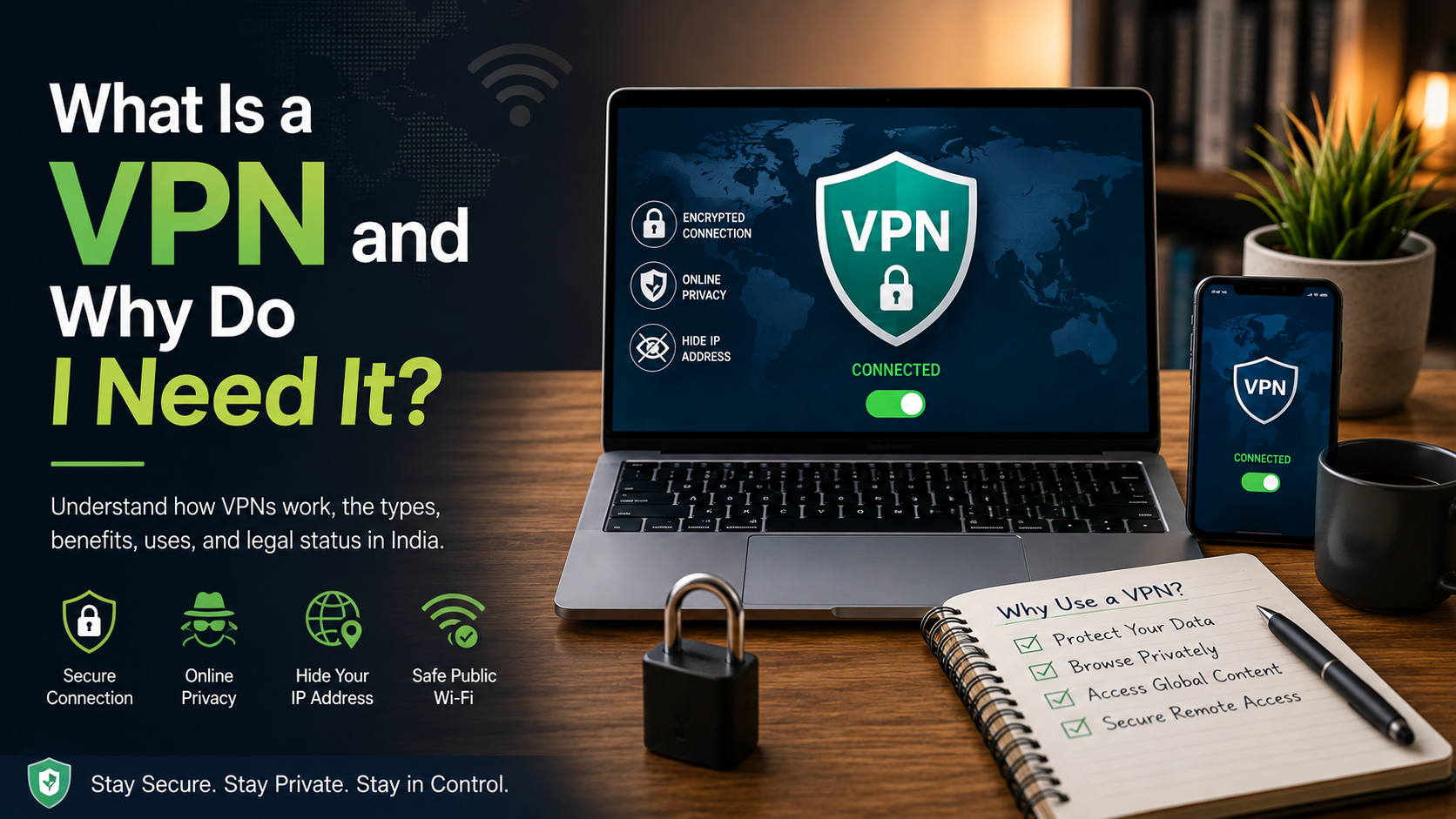
What Is a VPN and Why Do I Need It?
Every time you connect to public Wi-Fi or browse online, your personal information travels across different networks. Understanding how a VPN works can help you protect sensitive information and improve your online privacy, especially when using public Wi-Fi.
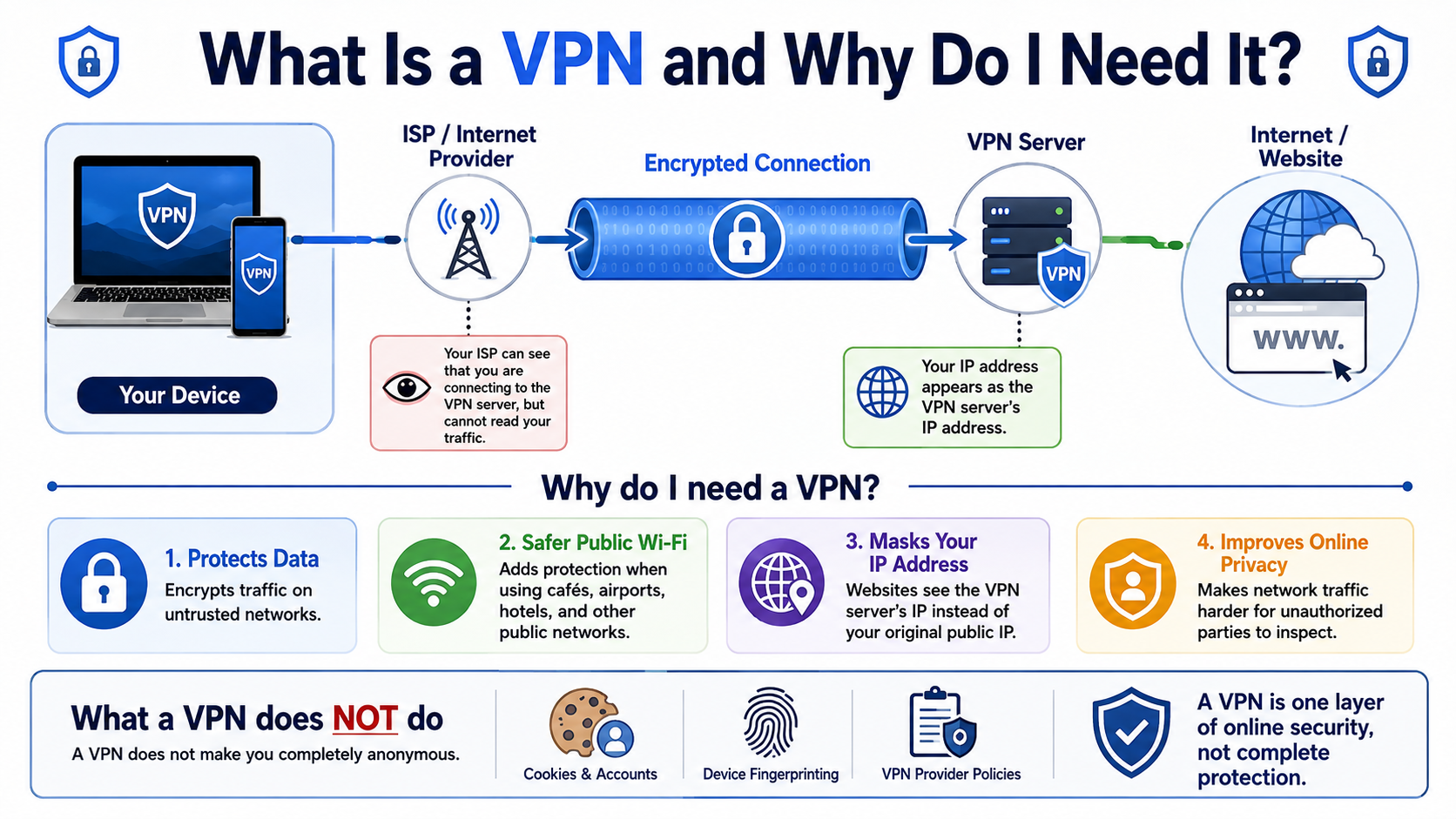
A Virtual Private Network, or VPN, creates a secure connection between your device and a remote server. It uses encryption to protect data while it travels across an untrusted network. This makes it harder for unauthorized people to intercept your traffic.
According to the cybersecurity standards defined by the National Institute of Standards and Technology (NIST), a secure VPN establishes an encrypted, point-to-point tunnel across an untrusted network.
Without proper security, attackers may try to access sensitive information on unsafe networks. A VPN can also hide your original IP address by routing your traffic through a remote server.
In this practical guide, you will learn how VPN technology works. You will also discover its main types, common uses, benefits, limitations, and legal status in India.
What is VPN and its types?
A Virtual Private Network is a technology that creates a protected connection between your device and another network. It commonly uses encryption and tunneling to protect data as it travels across the internet.
This technology serves different purposes for individuals and organizations. Some solutions connect individual users to private networks. Others connect entire business networks across different locations. Consumer services are designed for everyday users who want additional privacy and security.
The main types include:
- Remote access VPNs: Allow users to securely connect to private networks from remote locations.
- Site-to-site VPNs: Connect entire networks, such as offices in different cities or countries.
- Consumer VPNs: Protect personal internet traffic through third-party servers.
- Cloud VPNs: Provide secure access to cloud-based applications and resources.
Each type serves a different purpose. Businesses often need centralized management and strict access controls. Individual users usually focus on privacy, safer browsing, and secure public Wi-Fi connections.
Choosing the right type depends on your needs, network environment, technical knowledge, and level of required control.
Understanding Cloud-Based VPN Solutions
Cloud-based VPN solutions use software and cloud infrastructure instead of relying entirely on traditional physical hardware. They allow organizations to connect remote employees, offices, applications, and cloud resources through secure network connections.
This approach can benefit companies with distributed teams. Employees can access approved business resources from different locations without depending on a traditional office network.
Cloud solutions can also simplify centralized management. Administrators can manage users, permissions, authentication, and security policies from a central platform.
Common benefits include:
- Scalability: Organizations can add users and resources as they grow.
- Centralized management: Security settings can be managed from one location.
- Remote access: Employees can securely connect from different locations.
- Flexible infrastructure: Businesses can connect private networks with cloud services.
However, cloud-based solutions still require proper configuration. Strong authentication, access controls, software updates, and regular security reviews remain important.
A cloud solution does not automatically make every connected system secure. Organizations must still protect endpoints, applications, accounts, and internal networks.
The right choice depends on company size, infrastructure, security requirements, and remote-access needs.
Which VPN is used?
The best solution depends on your purpose, technical requirements, and preferred level of control. Individual users often choose commercial applications because they are simple to install and use.
Commercial services usually provide applications for computers and smartphones. They may also offer multiple server locations and different connection protocols.
Businesses often need more advanced enterprise solutions. These platforms can support centralized identity management, multi-factor authentication, device controls, and detailed access policies.
Technical users may prefer self-hosted options. Technologies such as OpenVPN and WireGuard can be installed on privately managed servers. This approach provides greater control but requires more technical knowledge.
When choosing a service, consider:
- The provider’s privacy and logging policy.
- Supported security protocols.
- Available server locations.
- Connection speed and reliability.
- Device compatibility.
- Security and authentication features.
- Customer support and reputation.
There is no single option that works for everyone. Your choice should depend on your privacy needs, technical experience, budget, and intended use.
A personal user may value convenience. A business may prioritize centralized control and stronger access management.
Evaluating Commercial vs Self-Hosted Protocols
Commercial and self-hosted solutions offer different advantages. The main difference is the balance between convenience and control.
Commercial providers manage servers, software, maintenance, and technical infrastructure. Users can usually install an application and connect with a few clicks. This makes these services convenient for everyday users.
However, using a commercial provider means trusting another company with your connection. Its privacy policy, logging practices, and infrastructure therefore matter.
A self-hosted option gives you greater control over the server and configuration. You can deploy technologies such as WireGuard or OpenVPN on infrastructure that you manage.
This approach can suit developers, businesses, and security professionals. However, self-hosting requires regular maintenance and technical knowledge.
You may need to manage:
- Server updates and security patches.
- Authentication and user permissions.
- Firewall settings.
- Monitoring and troubleshooting.
- Backups and configuration changes.
Commercial services generally prioritize convenience. Self-hosted deployments prioritize control. Your technical ability, privacy requirements, budget, and use case should determine which approach fits you best.
Neither option provides automatic protection from every online threat. Secure configuration and responsible usage remain essential.
Why do they use VPN?
People and organizations use this technology for several security, privacy, and connectivity reasons. One common purpose is protecting data when using untrusted networks.
Public Wi-Fi at airports, hotels, cafes, and other locations can create security risks. A properly configured encrypted connection can protect traffic between your device and the remote server.
Organizations also use these connections for secure remote access. Employees can connect to approved company resources without exposing those systems directly to the public internet.
Common uses include:
- Protecting information on public Wi-Fi.
- Supporting secure remote work.
- Connecting to private business networks.
- Hiding your public IP address from destination websites.
- Connecting separate office networks.
- Adding security to remote connections.
Organizations can also use access controls to restrict internal resources. Administrators may limit access based on users, devices, roles, or network permissions.
However, this technology is only one part of a complete cybersecurity strategy. Strong passwords, multi-factor authentication, updated software, and secure devices remain important.
An encrypted connection can reduce certain network risks. It cannot protect against every cyber threat. Users should combine it with good security habits.
Preventing ISP Throttling and Tracking
An encrypted connection can make it harder for an internet service provider to inspect traffic contents. Your ISP can generally see that your device connects to a remote server. However, it may have less visibility into the protected traffic itself.
This can make it harder to identify specific websites or applications from packet contents. However, it does not guarantee that your ISP cannot collect any information about your connection.
Encryption can sometimes affect how internet traffic is classified or managed. However, claims that this technology will always prevent throttling are too broad.
Internet speed depends on several factors. These include server distance, network congestion, connection protocol, server capacity, and your existing internet connection.
Your connection may also slow down because traffic takes an additional route through the remote server.
For better performance, choose a nearby server and use a modern protocol. Testing different server locations can also help you find a faster connection.
This technology is best viewed as a privacy and security tool. It should not be treated as a guaranteed solution for every type of tracking or traffic management.
How does VPN work step by step?
A VPN creates a protected connection between your device and a remote server. The exact process depends on the protocol, but the basic steps are similar.
First, the application connects your device to a selected server. The client and server then authenticate and establish the security settings required for the connection.
Next, the client encrypts eligible network traffic. It sends the protected data through your regular internet connection to the remote server.
Your internet service provider carries this encrypted traffic. However, the protected contents are not readable in their original form during transmission.
The remote server receives and processes the traffic. It then forwards the request to the intended website or online service.
The response travels back through the same connection. The protected data is then returned to your device.
The basic process is:
- Your device connects to a remote server.
- The connection establishes a secure session.
- Your traffic is encrypted.
- The encrypted traffic travels through your ISP.
- The server forwards the request.
- The response returns through the protected connection.
This process helps protect traffic between your device and the VPN server.
It can also change the public IP address visible to websites. However, other tracking methods can still identify users.
The Role of End-to-End Handshakes
Before protected data can travel through a VPN connection, the client and server must establish a secure session. This process is commonly known as a cryptographic handshake.
During the handshake, the client and server perform authentication. They also establish the information required to protect the connection.
The exact process depends on the protocol being used. Different technologies use different methods for authentication and key exchange.
Once the connection is established, session keys can encrypt and decrypt traffic. These keys help protect information exchanged during the session.
A secure handshake is important because it helps prevent attackers from interfering with the connection. However, the handshake alone does not guarantee complete security.
The application, server, device, authentication system, and configuration must also be secure.
Weak passwords can create risks even when strong encryption is being used. Outdated software can introduce additional vulnerabilities.
For this reason, users should keep their applications updated. Strong authentication should also be enabled whenever available.
A secure connection depends on the entire security setup. Encryption is important, but it is only one part of effective protection.
Is VPN illegal in India?
Using a VPN in India is not generally illegal. Individuals and organizations can use this technology for legitimate purposes, including privacy, cybersecurity, remote work, and secure business communication.
However, a VPN does not make illegal activities lawful. Existing laws still apply when someone uses encrypted connections for fraud, unauthorized access, or other offenses.
India also has cybersecurity requirements for certain service providers. These requirements include specific data retention and logging obligations for organizations covered by the applicable rules.
This does not mean ordinary users must personally maintain extensive browsing records. The relevant requirements primarily concern covered service providers and specified organizations.
It is also important to distinguish consumer services from enterprise systems. Regulatory requirements can differ depending on the type of service and organization involved.
The legal position can change as regulations are updated. Businesses and users with specific legal concerns should check the latest requirements before making important decisions.
For everyday users, the key point is simple: using a VPN is not itself a criminal activity in India. What matters is how the technology is used and which laws apply.
Navigating CERT-In Data Retention Mandates
CERT-In requirements include specific record-keeping obligations for certain service providers. Covered providers may need to maintain specified customer information for the required period.
The information can include customer identification details, service information, IP addresses, registration data, and other required records.
These requirements help authorities investigate cybersecurity incidents and other relevant activities. They do not mean that every user must personally keep a record of all internet activity.
The obligations mainly apply to organizations and providers that fall within the relevant regulatory categories.
Users should therefore understand the privacy policy of their chosen provider. A company may have its own logging practices in addition to any legal obligations that apply to it.
Before choosing a service, consider:
- Where the provider operates.
- What information it collects.
- How long it retains information.
- What its privacy policy says.
- Whether it explains legal obligations clearly.
- What security features it provides.
Regulations can change over time. Anyone making a business or legal decision should therefore check the latest requirements.
For consumers, the main takeaway is simple. Online privacy depends on both technology and provider policies.
Understanding those policies can help you choose a service that better matches your privacy expectations.
Frequently Asked Questions
Does using a VPN slow down your internet connection?
Yes, using an encrypted connection can slightly reduce download and upload speeds. This reduction happens because your computer must encrypt every data packet before transmission. Additionally, routing your internet traffic through an intermediary server adds physical distance to the data journey. Using modern, lightweight protocols like WireGuard and selecting geographically close servers minimizes this speed loss significantly.
Can a VPN make you completely anonymous online?
No, these tools provide privacy rather than total online anonymity. While an encrypted tunnel hides your true IP address and internet activity from local snoops, websites can still track you through browser cookies, account logins, and device fingerprinting. For complete privacy, you must combine network encryption with privacy-focused browsers and cautious browsing habits.
Is it safe to use free VPN services?
Most free services carry significant security and privacy risks. Operating global server networks requires substantial capital, so free providers often monetize user traffic by selling browsing logs to advertising brokers. Many free applications also lack robust encryption standards or contain intrusive trackers. Investing in a reputable, audited paid service ensures verified protection.
What is the difference between a proxy and a VPN?
A proxy server only reroutes traffic from a specific application, such as your web browser, without encrypting the underlying data. In contrast, an encrypted network client operates at the operating system level, automatically securing all outgoing traffic from every app, game, and background process running on your device with strong cryptographic protocols.
Conclusion
Understanding VPN technology and how it works can help you make better decisions about online security. It creates a protected connection across an existing network and can help secure traffic between your device and a remote server.
We covered the main types, including remote access, site-to-site, consumer, cloud-based, and self-hosted solutions. We also explained encryption, tunneling, handshakes, and server routing.
These tools can be useful for public Wi-Fi, remote work, private network access, and everyday privacy. However, they do not provide complete anonymity. Websites and providers may still collect information through other methods.
In India, VPN use is not generally illegal. However, existing laws still apply to activities performed through encrypted connections. Certain service providers may also have specific obligations under applicable cybersecurity regulations.
When choosing a service, focus on privacy policies, security protocols, performance, transparency, and reputation. A VPN works best as one layer of a broader cybersecurity strategy.
You do not need advanced technical knowledge to start. Choose a trustworthy provider that matches your needs, understand its privacy practices, and keep your devices secure.
With the right approach, this technology can provide useful protection for your online connections without creating unrealistic expectations about privacy or anonymity.