What Happens To Your Computer If You Skip Windows Updates
Keeping your operating system updated is one of the simplest ways to maintain a secure and reliable computer. Many users delay updates because they worry about interruptions, restart requests, or changes to familiar settings. However, understanding what happens to your computer if you skip Windows updates can help you make better decisions.
Windows updates are designed to improve security, fix software problems, and maintain compatibility with modern applications. According to Microsoft’s official guidance, regular updates help protect your device from security threats and improve system stability.
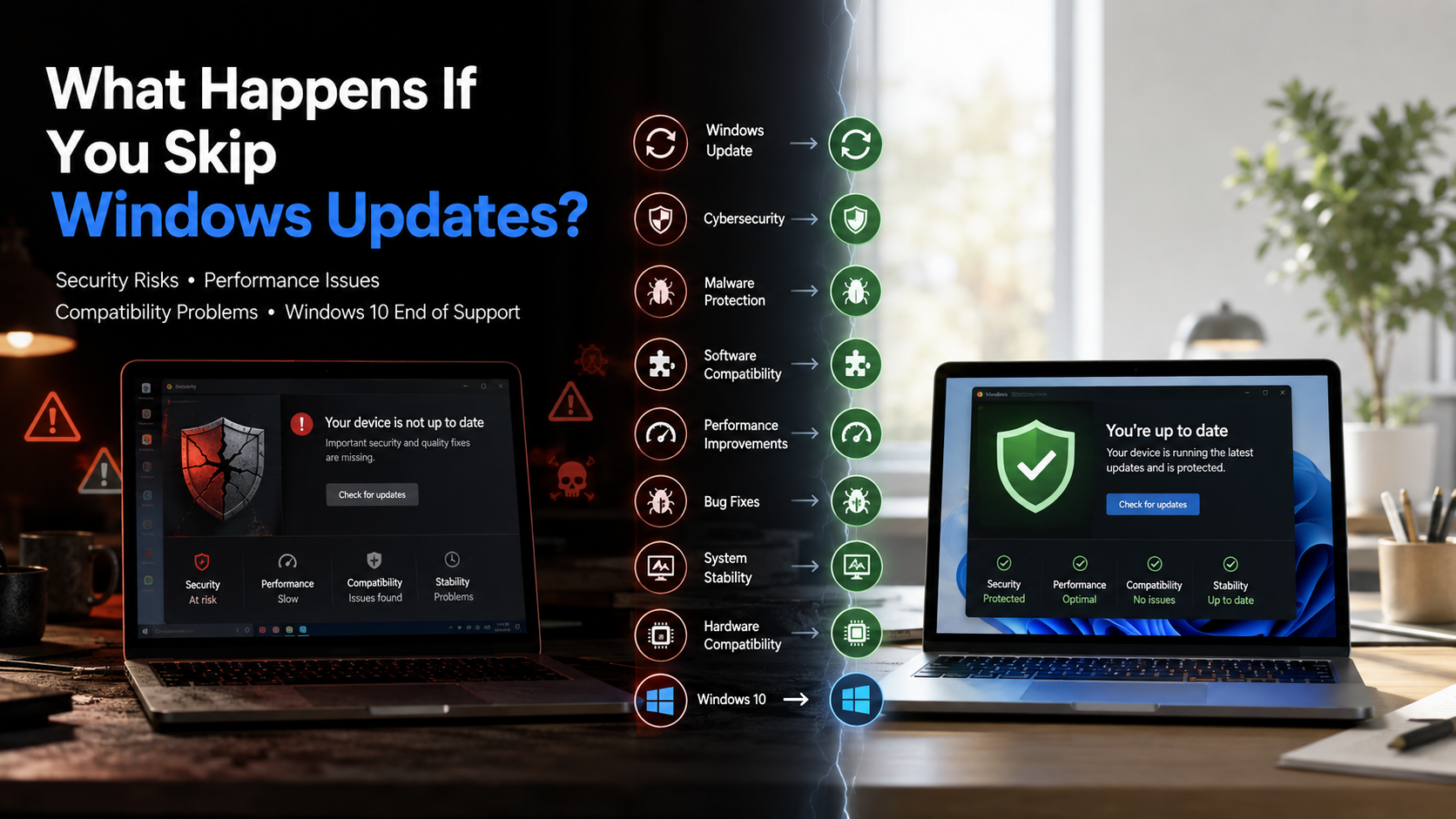
When you ignore updates for too long, your computer can become exposed to malware, performance issues, and compatibility problems. In this guide, we will explain the risks of skipping Windows updates, whether Windows 10 can be used forever, why updates matter, and what happens as older Windows versions reach the end of support.
Is it okay to skip Windows updates?
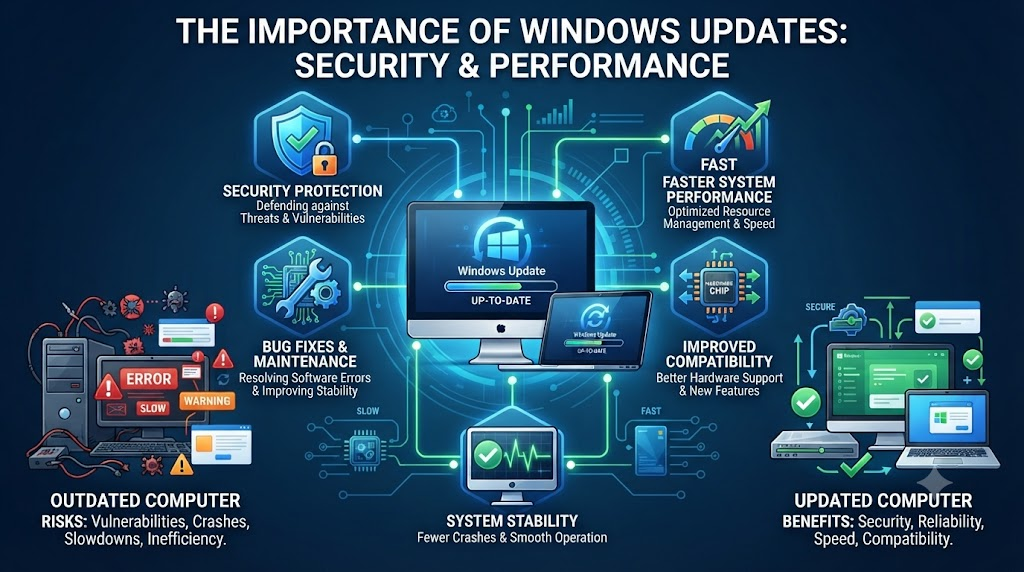
Skipping Windows updates occasionally may not cause immediate problems, but making it a regular habit can create serious risks. Every update includes important improvements that protect your system from newly discovered threats. When security researchers find vulnerabilities, Microsoft releases patches to fix those weaknesses.
If you avoid installing these updates, attackers may exploit those security gaps. This can lead to stolen personal information, malware infections, or unauthorized access to your files.
Delayed updates can also create software compatibility issues. New applications, drivers, and hardware devices are often designed for updated operating systems. An outdated computer may struggle to work correctly with newer technology.
Windows updates also include bug fixes that improve reliability. Ignoring them can allow small problems to become larger system errors over time. Keeping your computer updated helps maintain security, performance, and compatibility without unnecessary troubleshooting.
The Hidden Dangers of Delayed Security Patches
Cybercriminals constantly search for computers with outdated software. A missing security patch can become an easy entry point for attackers. Even strong antivirus protection cannot replace operating system updates.
Security updates protect important areas of Windows that antivirus programs may not fully control. They fix weaknesses in system files, network services, and built-in features.
The longer you delay updates, the longer your computer remains exposed. Attackers often target known vulnerabilities because they already understand how those weaknesses work.
Installing security patches quickly reduces these risks. Regular updates help protect your personal data, online accounts, and important files from potential threats.
Can I stay on Windows 10 forever?
Many users prefer Windows 10 because they are comfortable with its design and features. However, staying on Windows 10 forever is not a practical long-term solution. Every operating system has a support lifecycle, and eventually, official updates and security fixes come to an end.
After support ends, Windows 10 computers can continue running. However, they will no longer receive regular security improvements. This makes them more vulnerable to future threats.
Older operating systems also face growing compatibility problems. Software companies gradually focus on newer platforms. Over time, some applications, browsers, and hardware devices may stop supporting older Windows versions.
Using an unsupported operating system means accepting greater security and performance risks. Planning an upgrade before support ends helps prevent unexpected problems and ensures your computer remains protected.
The Inevitable End of Software Support
Software support cannot continue forever because developers must focus resources on newer technologies. When an operating system reaches the end of its lifecycle, companies stop creating security patches and major improvements.
A retired operating system may continue working, but it becomes increasingly difficult to maintain. New programs may require updated system features. Modern hardware may also depend on newer security standards.
Remaining on an unsupported version can limit your computer’s future capabilities. You may experience compatibility errors, reduced software choices, and increased security concerns.
Upgrading to a supported operating system provides access to current features and ongoing protection. It also ensures better compatibility with modern applications, browsers, and connected devices.
Are Windows updates really necessary?
Many people wonder if Windows updates are necessary when their computer appears to work normally. The answer is yes. Updates do much more than fix security problems. They improve performance, repair bugs, and introduce useful system improvements.
Over time, every operating system collects small errors and compatibility issues. Updates help correct these problems before they affect your daily experience.
Windows updates can improve system stability, reduce crashes, and enhance communication between hardware and software. They are similar to regular maintenance for a machine. Skipping maintenance may not create immediate damage, but problems can build gradually.
By installing updates regularly, you help your computer run efficiently. You also reduce the chances of facing unexpected errors when using new programs or devices.
Performance Boosts and Bug Fixes Included
Windows updates often include improvements that users do not immediately notice. Developers regularly identify hidden problems and create fixes that improve the overall experience.
These updates may include:
- Better system stability
- Improved hardware compatibility
- Fixes for software bugs
- Security improvements
- Performance optimizations
Some updates repair memory issues or improve how Windows manages system resources. This can help your computer respond faster and handle multiple tasks more smoothly.
Although updates may temporarily slow your computer during installation, the long-term benefits usually outweigh the short delay. Keeping Windows updated allows your device to perform more reliably and reduces future technical problems.
Does it matter if I don’t update to Windows 11?
Choosing whether to upgrade to Windows 11 depends on your hardware, preferences, and security needs. While Windows 10 may continue working for some time, Windows 11 provides newer features and improved security technologies.
Windows 11 was designed with stronger hardware-based security requirements. It includes improvements that help protect modern computers from advanced threats.
Staying on an older system can eventually limit your access to new applications and features. Developers often prioritize newer operating systems when creating software updates.
If your computer supports Windows 11, upgrading can provide a more secure and modern experience. However, users should check hardware compatibility before making the change.
Ignoring Windows 11 does not immediately break your computer, but it may reduce future compatibility and support options.
Hardware Compatibility and Modern Features
Windows 11 introduces updated requirements because Microsoft designed it around newer security standards. Features like improved protection tools and better system management depend on modern hardware capabilities.
Compatible devices can benefit from:
- Enhanced security features
- Better performance management
- Improved user interface
- Support for newer technologies
Some modern applications may eventually require Windows 11 features. New games, productivity tools, and hardware accessories may also be optimized for the newer platform.
If your current computer does not support Windows 11, you may need to consider upgrading hardware in the future. Preparing early helps avoid sudden compatibility issues and makes the transition easier.
Can I still use Windows 10 after 2026?
After Windows 10 reaches the end of official support, computers running the system will still turn on and perform basic tasks. However, continuing to use an unsupported operating system creates security concerns.
Without regular security updates, newly discovered vulnerabilities may remain unfixed. This increases the risk of malware attacks, data theft, and other cybersecurity problems.
You may also notice growing compatibility issues. New applications and devices may eventually require newer Windows versions.
Using Windows 10 after support ends is technically possible, but it is not recommended for devices connected to the internet. Moving to a supported operating system provides better protection and access to current software features.
Planning your upgrade before support ends allows you to transfer files, check hardware requirements, and avoid unnecessary disruption.
Transitioning Before Support Fully Ends
Preparing for an operating system change early can make the process smoother. Start by checking your computer specifications and confirming whether your device supports newer Windows versions.
Before upgrading, consider:
- Backing up important files
- Checking hardware compatibility
- Reviewing software requirements
- Planning installation time
A planned transition reduces the risk of losing important data or facing unexpected problems. It also gives you time to choose the right solution, whether that means upgrading software or replacing older hardware.
Moving to a supported system ensures continued security updates and better compatibility. It helps your computer remain useful and protected for years to come.
Frequently Asked Questions
What happens if I turn off Windows updates completely?
Turning off Windows updates completely prevents your computer from receiving important security patches and system improvements. Over time, your device becomes more vulnerable to malware, viruses, and security attacks.
Without updates, Windows may also develop unresolved bugs. New software and hardware may stop working correctly because they often depend on updated system components.
Although disabling updates may seem convenient, it creates long-term risks. A secure computer requires regular maintenance, and Windows updates are a major part of that process.
Do Windows updates slow down my computer?
Windows updates can temporarily slow your computer while files download, install, and configure. This slowdown usually disappears after the process finishes.
In many cases, updates improve performance by fixing bugs and optimizing system processes. If your computer feels slower after an update, restarting the device can often resolve temporary issues.
Keeping Windows updated generally helps your system remain stable and efficient.
How often should I check for new Windows updates?
Windows automatically checks for updates in the background. Most users should allow automatic updates to run without interruption.
If you prefer manual checks, reviewing Windows Update settings once a month is a good habit. This helps ensure your computer receives important security fixes.
Regular checks reduce the chance of missing critical updates.
Is it safe to postpone a Windows update restart?
Postponing a restart for a short period is usually safe, especially if you are finishing important work. However, delaying restarts for a long time prevents updates from becoming fully active.
A restart completes the installation process and applies important security changes. Restarting your computer when convenient ensures your system receives the full protection provided by the update.
Conclusion
Understanding what happens to your computer if you skip Windows updates helps you protect your device and personal information. While delaying an update may seem harmless, repeated postponements can create security risks, performance problems, and compatibility issues.
Windows updates are not only about fixing security flaws. They also improve reliability, repair bugs, and prepare your computer for modern software and hardware.
Older systems like Windows 10 may continue working after support ends, but they become harder to protect and maintain. Upgrading to a supported operating system is the best way to ensure long-term security.
If your computer is already affected by security issues, learn how to remove malware from Windows 11 without losing data to protect your files while restoring system security.