What Important Features Should You Look for in a Home Security Camera?
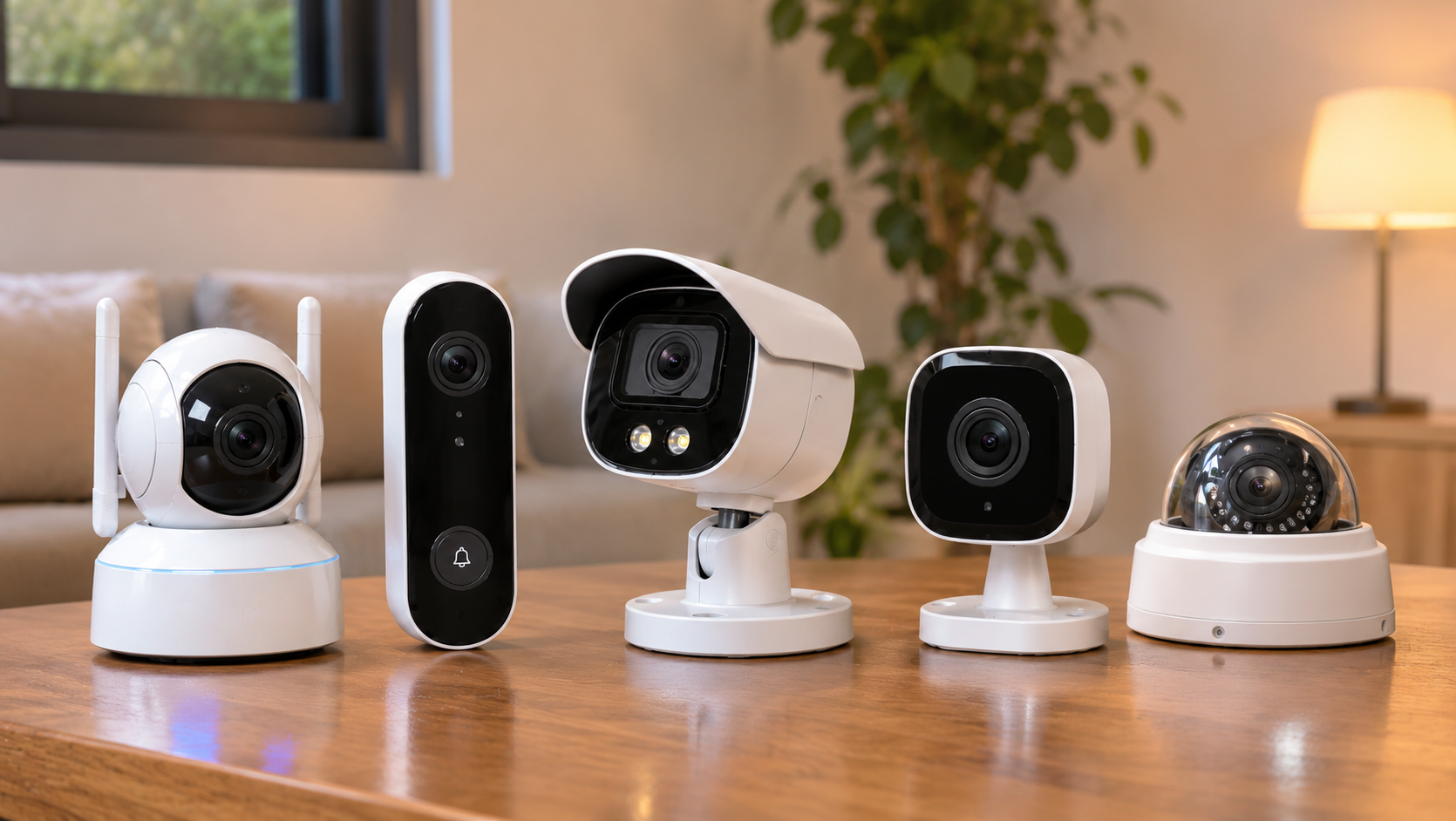
Choosing the right home security camera helps protect your property, monitor suspicious activity, and keep your family safe. A reliable home security camera allows you to monitor important areas and review recorded footage whenever necessary. However, finding the right system can feel overwhelming. Modern surveillance products offer different resolutions, storage options, connectivity methods, and smart features.
According to the FBI Crime Data Explorer, property crime remains an important concern across the United States. A reliable security camera system helps homeowners monitor their surroundings and record important events.
Buying the wrong camera can create unnecessary problems. You might experience blurry night footage, unreliable Wi-Fi connections, or unexpected subscription costs. Understanding essential features before purchasing helps you avoid these issues.
In this guide, we answer five important questions about home security cameras. You’ll discover which features matter most, whether 3K or 4K CCTV offers better value, and how wired and wireless systems compare. We’ll also explain the seven main CCTV components and how long your camera storage can last.
What Features Should I Look for When Buying a Security Camera?
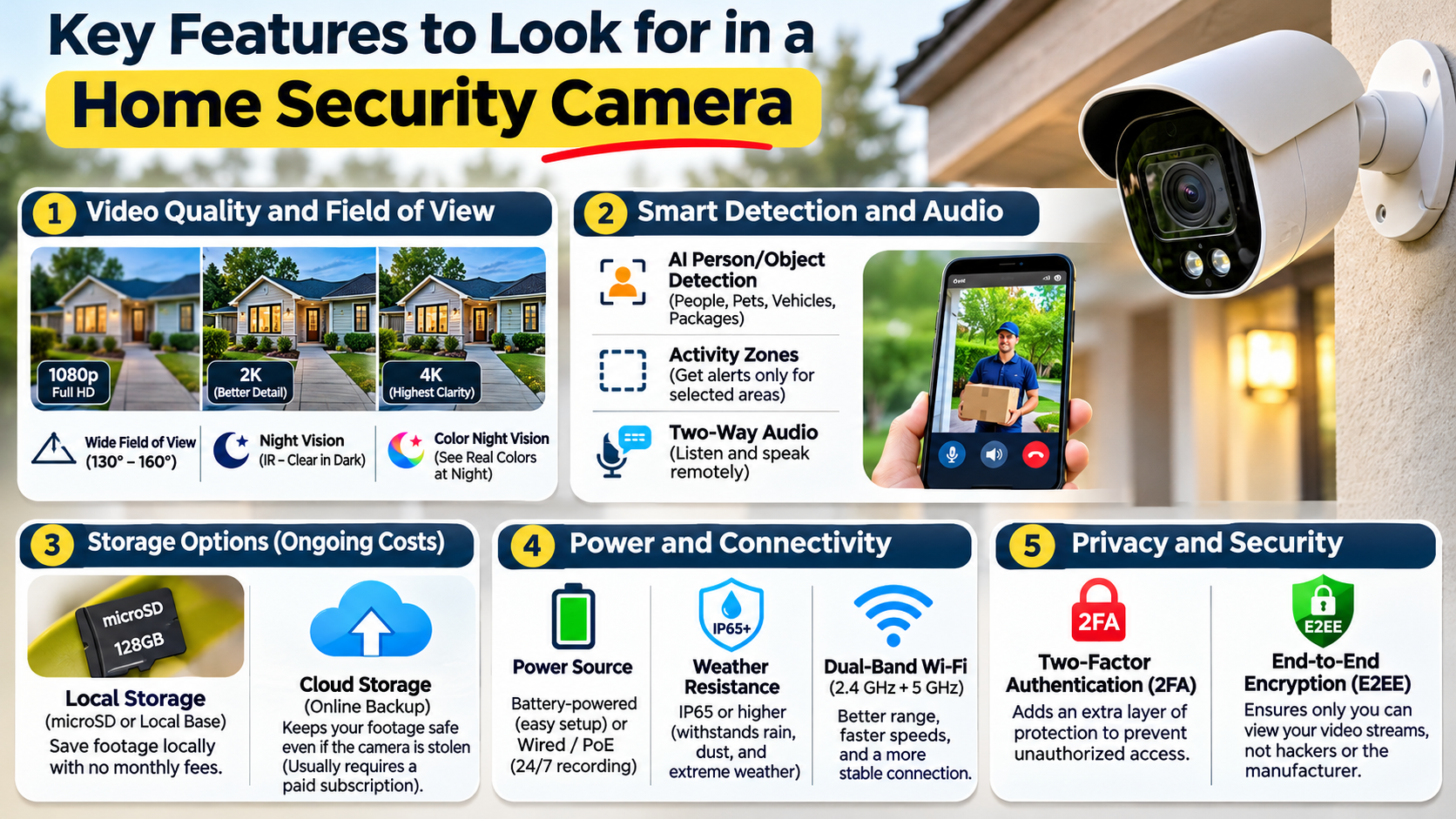
When buying a home security camera, prioritize video resolution, night vision, motion detection, weather resistance, and reliable storage. These features determine how effectively your camera monitors your property. A good home security camera should provide clear footage during the day and night. Start with at least 2K resolution for detailed everyday monitoring. Consider 4K if you need sharper images across larger outdoor areas. Also, check whether the camera supports infrared or color night vision.
Smart motion detection is another important feature. AI-powered cameras can distinguish people and vehicles from ordinary movement. This reduces unnecessary notifications from pets, trees, and passing traffic. For outdoor installations, choose cameras with suitable weather protection. An IP65 or IP66 rating offers protection against dust and water exposure. Also, consider local storage and encrypted cloud backups. These options help protect recordings if your camera or internet connection becomes unavailable.
Prioritizing Two-Way Audio and Field of View
Two-way audio and a suitable field of view make your security system more useful. A viewing angle between 110 and 130 degrees works well for many residential spaces. However, the ideal angle depends on your camera’s position and monitoring area. Wider angles cover more space but can make distant objects appear smaller. Therefore, consider the distance between the camera and important areas.
Two-way audio adds another layer of convenience. It allows you to communicate through your smartphone using the camera’s built-in microphone and speaker. You can speak with delivery drivers, visitors, or family members without opening the door. When comparing a home security camera, check whether its two-way audio supports clear communication through your smartphone.
Before purchasing, check these additional features:
- Audio quality: Look for clear microphones and speakers.
- App compatibility: Choose a camera with a reliable mobile application.
- Motion zones: Customize the areas where the camera detects movement.
- Smart alerts: Receive notifications when the camera identifies specific activity.
- Installation flexibility: Check mounting options and power requirements.
Together, these features make everyday home monitoring easier and more practical.
Which Is Better, 3K or 4K CCTV?
Both 3K and 4K CCTV cameras offer detailed footage, but they serve different needs. 4K CCTV provides higher image resolution, making it useful when identifying small details across larger areas. A standard 4K camera records at 3840 × 2160 pixels. This equals approximately 8.3 megapixels and provides more image detail than most 3K cameras.
By comparison, 3K resolution commonly refers to approximately 2880 × 1620 pixels. This produces around 4.7 megapixels. It offers good image quality for entrances, smaller rooms, and front porches. The additional resolution of 4K provides more flexibility when digitally zooming into recorded footage. However, actual identification quality depends on camera placement, lighting, lens quality, and sensor performance. Therefore, 4K is not automatically the best investment for every homeowner. Your property size, monitoring distance, and budget should guide your decision.
Balancing Bandwidth and Storage Demands
Higher resolution generally requires more storage space and network bandwidth. This is one of the main considerations when choosing between 3K and 4K security cameras. A 4K camera captures more image information, which can produce larger video files. Consequently, continuous recording may fill your hard drive faster. Remote streaming can also require a faster internet connection, particularly when viewing multiple cameras simultaneously.
However, actual storage requirements depend on several settings. Video compression, frame rate, bitrate, and recording schedules all influence file sizes. Modern H.265 compression can reduce storage requirements compared with H.264 at similar image quality.
Consider these factors before selecting your camera:
- Choose 3K: If you need detailed footage without higher storage demands.
- Choose 4K: If monitoring large outdoor spaces or capturing distant details is important.
- Check your internet: Ensure your network supports smooth remote viewing.
- Compare storage: Calculate expected recording capacity before purchasing.
A suitable balance between resolution, bandwidth, and storage provides better long-term value.
Is It Better to Have Wired Security Cameras or Wireless?
Wired and wireless security cameras offer different advantages. The better option depends on your property, installation preferences, and monitoring requirements. Wired security cameras generally provide more consistent connectivity because they do not depend on Wi-Fi signals. Power over Ethernet (PoE) cameras are particularly useful. They use a single Ethernet cable to transmit data and supply electricity. This eliminates battery charging and reduces wireless interference.
Wireless cameras offer greater installation flexibility. Most models connect to your home Wi-Fi network and use rechargeable batteries, mains power, or solar panels. They are convenient for renters and homeowners who prefer simpler installation. However, their performance depends on network coverage and power availability. Thick walls, metal structures, and long distances can weaken Wi-Fi signals. Proper router positioning can improve connectivity, so consider these Wi-Fi router placement tips before installing wireless cameras. Battery-powered models also require periodic charging. Therefore, consider installation requirements and ongoing maintenance before choosing a system.
Your choice of home security camera should also depend on available power sources, Wi-Fi coverage, installation costs, and long-term maintenance.
Choosing Based on Property Size and Permanence
Your property size and long-term plans should influence your security camera choice. A permanent installation usually benefits from a wired PoE system. It provides consistent power and network connectivity without regular battery replacements. This makes it suitable for larger homes, driveways, entrances, and properties requiring continuous recording. Although installation may involve drilling and cable management, the system can offer dependable long-term performance.
Wireless cameras are often more suitable for smaller properties and temporary monitoring. They require fewer installation changes and offer flexible placement. This makes them particularly useful for renters or people who frequently relocate their equipment. However, maintaining a stable network connection is essential for reliable monitoring. Understanding how to prevent smart home devices from going offline can also help you maintain consistent connectivity for your wireless security cameras.
Consider the following differences:
- Wired cameras: Better suited to permanent installations and continuous recording.
- Wireless cameras: Useful for flexible placement and simpler installation.
- PoE systems: Combine power and data transmission through one Ethernet cable.
- Battery-powered models: Require occasional charging or battery replacement.
- Solar-powered models: Can reduce charging requirements when sunlight is sufficient.
Ultimately, choose a system that matches your property’s layout and maintenance preferences. Neither option is universally better.
What Are the 7 Components of CCTV?
A complete CCTV system consists of seven essential components. Each component performs a specific function, from capturing video to storing and displaying recordings. Together, they create a complete surveillance system. These components form the foundation of a home security camera system and determine how effectively it captures, transfers, and stores surveillance footage.
Here are the seven main components of a CCTV system:
- CCTV Camera: Captures video footage of the monitored area using an image sensor. It records activities around your home or property.
- Camera Lens: Focuses incoming light onto the image sensor. It also determines the camera’s viewing angle and coverage area.
- Video Recorder (DVR or NVR): Processes incoming video feeds and manages recordings. A DVR works with traditional analog cameras, while an NVR typically supports IP cameras.
- Storage Device: Saves recorded footage for future viewing. Common storage options include hard drives (HDDs) and microSD cards.
- Transmission Cables or Wireless Connection: Transfers video signals between cameras and recording devices. Common options include coaxial cables, Ethernet cables, and Wi-Fi.
- Power Supply: Provides electricity to operate CCTV cameras and other system components. Depending on the setup, cameras may use power adapters, PoE, or rechargeable batteries.
- Viewing Monitor: Displays live camera feeds and recorded footage. Users can monitor their property through a dedicated screen or compatible smartphone application.
All seven components work together to provide effective surveillance. Understanding their functions helps you choose compatible equipment and build a reliable CCTV system.
How the Recorder Dictates System Compatibility
The video recorder plays an important role in determining CCTV system compatibility. It manages incoming video feeds and controls how recordings are processed and stored. However, different camera technologies require different recording equipment.
Traditional analog CCTV cameras typically connect to a DVR through coaxial cables. The DVR converts incoming analog signals into digital recordings. These systems are commonly used in older surveillance installations.
Modern IP cameras work differently. They transmit digital video through Ethernet cables or compatible wireless networks. An NVR receives and records these digital streams. PoE NVR systems can also supply power to compatible cameras through Ethernet connections.
Before purchasing a recorder, check the following:
- Camera compatibility: Confirm that your cameras support the recorder’s technology.
- Resolution support: Ensure the recorder handles your cameras’ maximum resolution.
- Channel capacity: Check how many cameras the recorder can support.
- Storage capacity: Verify the maximum supported hard drive size.
- Network features: Consider remote viewing and smart detection capabilities.
Matching your recorder with your cameras prevents compatibility problems and simplifies future upgrades.
How Many Days Does CCTV Camera Storage Last?
Most residential CCTV systems retain recordings for approximately 7 to 30 days, although actual storage duration varies considerably. Your recording history depends on hard drive capacity, camera count, resolution, bitrate, frame rate, and recording schedule. For example, a 1TB hard drive might retain several days or weeks of footage. However, two 4K cameras recording continuously can fill it much faster than lower-resolution cameras.
Motion-activated recording can significantly extend storage duration. Instead of recording continuously, the camera saves footage when it detects movement. This reduces unnecessary recordings during inactive periods. Video compression also helps manage available storage. Modern H.265 encoding can reduce file sizes compared with H.264 at similar image quality. Most CCTV recorders automatically overwrite older footage when storage becomes full. Therefore, estimate your recording requirements before purchasing a hard drive. Always allow additional capacity for important recordings and unexpected activity.
Extending Storage With Smart Compression
Smart compression and suitable recording settings can help extend your CCTV storage capacity. One useful option is H.265 video compression. It generally produces smaller files than H.264 while maintaining comparable visual quality. This allows your recorder to store more footage using the same hard drive capacity. However, actual savings depend on video complexity, bitrate, and camera settings.
You can also adjust your recording settings to manage storage more efficiently. For example, reducing the frame rate from 30 FPS to 15 FPS can lower storage consumption. However, this may affect the smoothness of fast-moving footage. Motion-based recording is another useful option. It saves space by recording activity instead of every moment.
Try these practical storage management tips:
- Enable H.265 compression if your equipment supports it.
- Use motion detection to reduce unnecessary recordings.
- Adjust frame rates according to your monitoring requirements.
- Select an appropriate recording resolution for each camera.
- Choose a hard drive designed for continuous surveillance recording.
- Review storage settings regularly to maintain sufficient recording history.
These adjustments can help you maximize available storage without unnecessarily compromising security footage.
Final Thoughts
Choosing the right home security camera requires more than comparing prices and video resolution. Consider image quality, night vision, motion detection, connectivity, and storage capacity before purchasing. Compare wired and wireless options based on your installation requirements. Also, ensure your recorder and storage devices support your chosen cameras.
A carefully selected home security camera system can help you monitor important areas, preserve useful recordings, and improve everyday property security.