
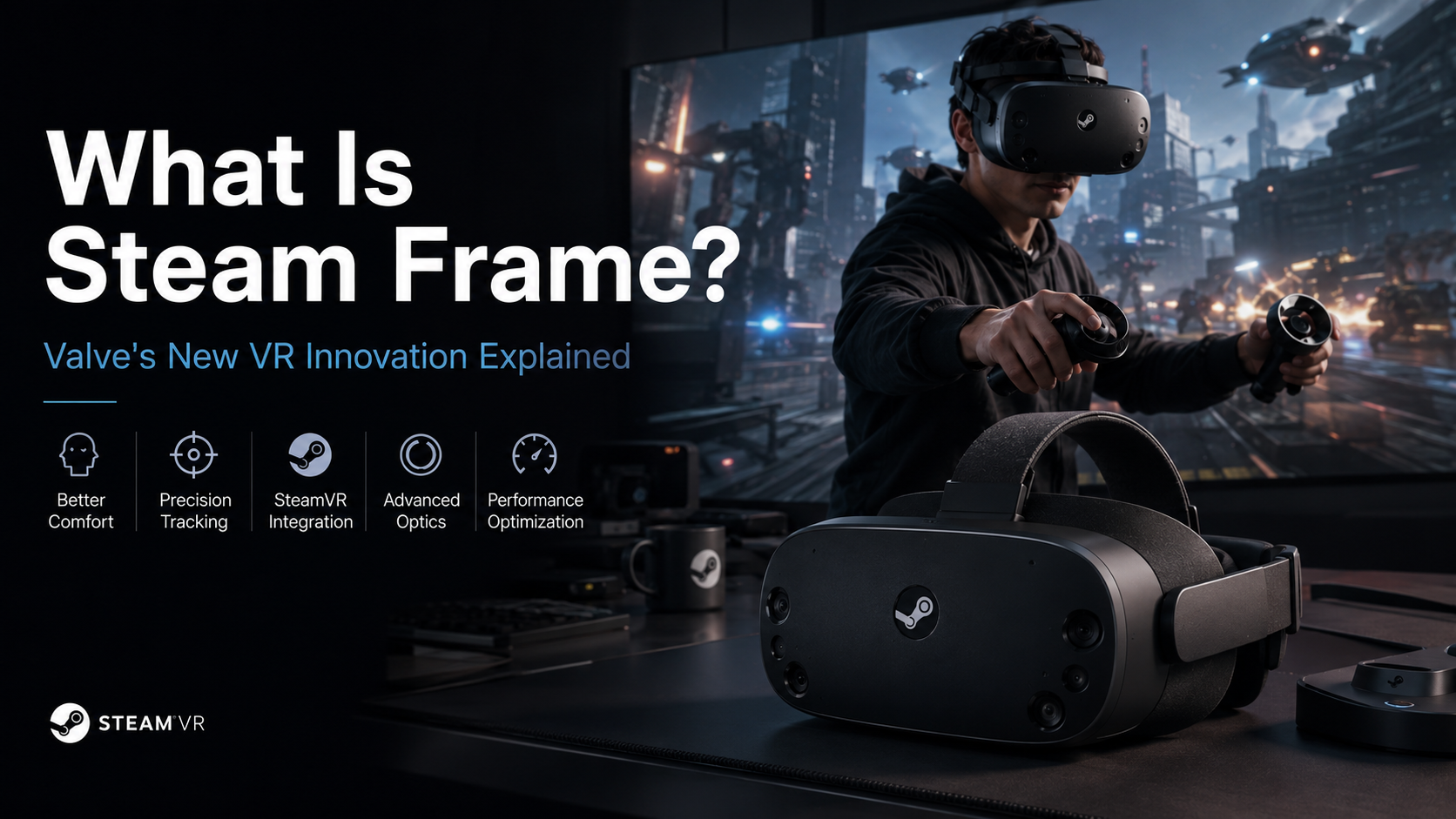
What Is Steam Frame? Valve’s New VR Innovation Explained
Virtual reality continues to evolve as players demand better performance, comfort, and immersion. The Steam Frame represents a new approach to VR hardware design, focusing on how advanced technology can improve the connection between users and digital environments.
Modern VR systems must balance several challenges. They need sharp visuals, accurate tracking, low latency, and comfortable designs for longer gaming sessions. Many traditional headsets force users to choose between high performance and physical comfort.
Steam Frame aims to address these challenges through improved hardware architecture, software integration, and user-focused design principles. By working alongside the SteamVR ecosystem, this technology highlights the importance of combining powerful hardware with efficient software
This guide explores Steam Frame’s design approach, key features, setup process, optimization methods, and potential role in the future of immersive gaming.

How Much Will a Steam Frame Cost?
The Steam Frame price remains one of the biggest questions among VR enthusiasts. Valve has not confirmed an official retail price yet, but expectations are already high. The company has a history of offering competitive hardware pricing, especially with products like the Steam Deck.
Many buyers expect Valve to balance advanced hardware with an accessible price point. However, the Steam Frame includes premium components, including a powerful mobile processor, advanced optics, tracking technology, and wireless streaming features. These additions could place it above traditional gaming accessories.
Current estimates suggest the final cost may depend on storage options and manufacturing conditions. Industry observers have suggested a wide range of possible prices, but none of these figures represent an official Valve announcement.
For buyers, the most important factor will be value. A higher price could still make sense if the headset delivers strong standalone performance, smooth PC VR streaming, and long-term software support.
Storage Tiers and Component Pricing Impact
The final Steam Frame cost will likely depend on the hardware configuration Valve chooses to offer. Storage capacity is expected to play an important role because standalone VR games require more space than many traditional applications.
A lower-storage model could appeal to users who mainly stream games from a gaming PC. Meanwhile, a larger storage version may attract players who want to install more standalone VR experiences directly on the headset.
Key factors that may influence pricing include:
- Processor performance: Advanced chips increase production costs but improve gaming capability.
- Display and optics: High-quality VR panels and lenses add to the overall hardware expense.
- Memory and storage: Larger capacities provide more flexibility but raise manufacturing costs.
- Wireless technology: Dedicated streaming features can increase the headset’s value.
Valve will need to find a balance between premium features and consumer expectations. The Steam Frame’s success may depend not only on its specifications but also on whether the final price feels reasonable compared with competing VR headsets.
What Is the Steam Frame?
The Steam Frame is a next-generation standalone virtual reality headset developed by Valve. It is designed as a more flexible successor to the company’s earlier VR hardware, offering a wireless experience without requiring a permanent connection to a desktop computer.
Unlike traditional PC VR headsets, the Steam Frame includes its own internal computing hardware. This allows users to run compatible games directly on the device, similar to other standalone VR platforms. The headset combines portable convenience with access to the wider Steam ecosystem.
Powered by a Qualcomm Snapdragon processor and a customized version of Arch Linux-based SteamOS, the Steam Frame delivers an independent VR experience. It includes high-resolution pancake lenses, inside-out tracking cameras, and advanced motion controllers with magnetic thumbsticks for accurate movement and control.
Steam Frame Hardware and On-Device Processing
The Steam Frame is built around a compact computing system that places important hardware directly inside the headset. Instead of relying entirely on an external gaming PC, the device uses an integrated processor, memory, storage, and operating system to handle VR experiences locally.
At its core, the headset uses advanced mobile system-on-chip technology combined with high-speed unified memory. This design helps reduce the need for external hardware while maintaining smooth performance for supported applications.
Valve has also focused on software compatibility. The Steam Frame uses technologies such as Proton and other compatibility solutions to help bring existing software experiences to its ARM-based architecture. This approach allows users to access compatible titles from their Steam library without requiring every game to be rebuilt from the ground up.
The result is a device that combines the convenience of mobile VR with many benefits of the broader PC gaming ecosystem.
Will I need a PC for the Steam frame?
No, the Steam Frame does not require a PC for standalone VR gaming. The headset is designed to operate independently with its own processor, operating system, and storage system.
Users can download and play supported games directly on the device without connecting it to a desktop computer. This makes the Steam Frame suitable for travel, casual gaming, and situations where carrying a full gaming setup is inconvenient.
However, a PC can still enhance the experience. Players with powerful gaming computers can use the headset for more demanding PC VR titles that require greater graphical performance than the built-in hardware can provide.
The Steam Frame supports wireless streaming from a desktop PC through a dedicated low-latency connection. This allows users to enjoy higher-end VR games while maintaining the freedom of a wireless headset.
Wireless PC Streaming and Performance Options
One of the key advantages of the Steam Frame is its ability to provide both standalone and high-performance VR experiences. The headset is designed for users who want flexibility rather than being limited to a single setup.
For standalone use, the Steam Frame runs games using its internal hardware. This provides a simple experience similar to a gaming console, with no cables or external computer required.
For more demanding applications, users can connect the headset to a powerful PC wirelessly. A dedicated wireless adapter creates a direct connection between the computer and headset, reducing dependence on standard home network equipment.
This setup helps deliver faster data transfer and lower latency compared with traditional wireless streaming methods. As a result, users can switch between portable VR gaming and advanced PC-powered experiences based on their needs.
The Steam Frame’s hybrid approach makes it appealing to both casual VR users and dedicated PC gamers.
Is the Steam Frame Its Own PC?
The Steam Frame is essentially a specialized portable computer built into a VR headset. While it is not a replacement for a traditional desktop PC, it includes many of the core components needed for independent computing.
Inside the headset are a processor, memory, storage, and a complete operating system. These components allow the device to run applications, process graphics, and manage system functions without outside hardware.
The Steam Frame is designed specifically for virtual reality rather than general computing tasks. It is not intended for demanding workloads such as professional video editing, advanced office work, or desktop-level productivity.
However, from a technical perspective, it functions like a compact Linux-based gaming computer. It can execute software, connect to networks, install updates, and run supported VR experiences directly.
This built-in computing architecture is what separates the Steam Frame from older VR headsets that depended entirely on external PCs.
Steam Frame Operating System and Software Compatibility
The Steam Frame runs on a customized version of SteamOS, giving it access to Valve’s broader gaming ecosystem. The operating system manages hardware performance, software installation, updates, networking, and application execution.
A major focus of the platform is software compatibility. Valve uses tools such as Proton and other translation technologies to help existing software work across different hardware architectures.
Because the Steam Frame uses an ARM-based processor, compatibility layers play an important role in expanding its game library. These technologies reduce the need for developers to create completely separate versions of their games.
The operating system also provides a familiar experience for Steam users. Players can access supported games, manage their library, and use Valve’s ecosystem in a portable VR format.
By combining standalone hardware with SteamOS, the Steam Frame aims to deliver a balance between mobile convenience and PC gaming flexibility.
Is the Steam Frame Worth It?
Whether the Steam Frame is worth buying depends on your gaming habits, current hardware, and expectations from a VR headset. Valve’s upcoming device is designed for players who want more freedom than traditional wired VR systems while still maintaining access to powerful PC gaming experiences.
One of the headset’s biggest advantages is its focus on flexibility. The Steam Frame is expected to support standalone VR gaming while also offering wireless PC streaming features. This approach gives users the option to enjoy immersive experiences without being limited by cables.
For gamers already invested in the Steam ecosystem, the headset could provide strong value. Access to existing libraries, familiar software features, and wireless gameplay options may make the upgrade more appealing.
However, the final decision will depend on the price, available games, and real-world performance after launch. Players who already own a capable VR headset may need to consider whether the new features justify an upgrade.
The Steam Frame may be especially appealing to users who want:
- Wireless PC VR gaming without traditional cable restrictions.
- Standalone functionality for portable entertainment.
- Steam ecosystem integration with existing gaming libraries.
- Flexible gameplay options across different VR experiences.
The headset’s value will ultimately come from how well it balances performance, convenience, and affordability.
Assessing Your Gaming Preferences
Choosing the right VR headset starts with understanding how you plan to use it. The Steam Frame may be a strong option for players who want both portable gaming and access to high-performance PC VR content.
Users who mainly enjoy casual VR experiences may appreciate the convenience of a standalone device. The ability to play without a computer could make the headset easier to use in different locations.
On the other hand, dedicated PC gamers may find the wireless streaming features more important. A strong connection between the headset and a gaming PC could deliver high-quality visuals while removing the limitations of physical cables.
Before buying, consider these questions:
- Do you want a standalone VR experience?
- Do you already own a gaming PC suitable for VR?
- Are wireless features important to you?
- Do you value access to the Steam gaming ecosystem?
The Steam Frame appears designed for players who want a balance between convenience and performance. It is not simply a replacement for existing VR devices. Instead, it aims to create a more connected experience between portable hardware and PC gaming.
Once pricing, performance tests, and user reviews become available, buyers will have a clearer picture of whether the Steam Frame delivers enough value for their needs.
Frequently Asked Questions About Steam Frame
What Is the Steam Frame?
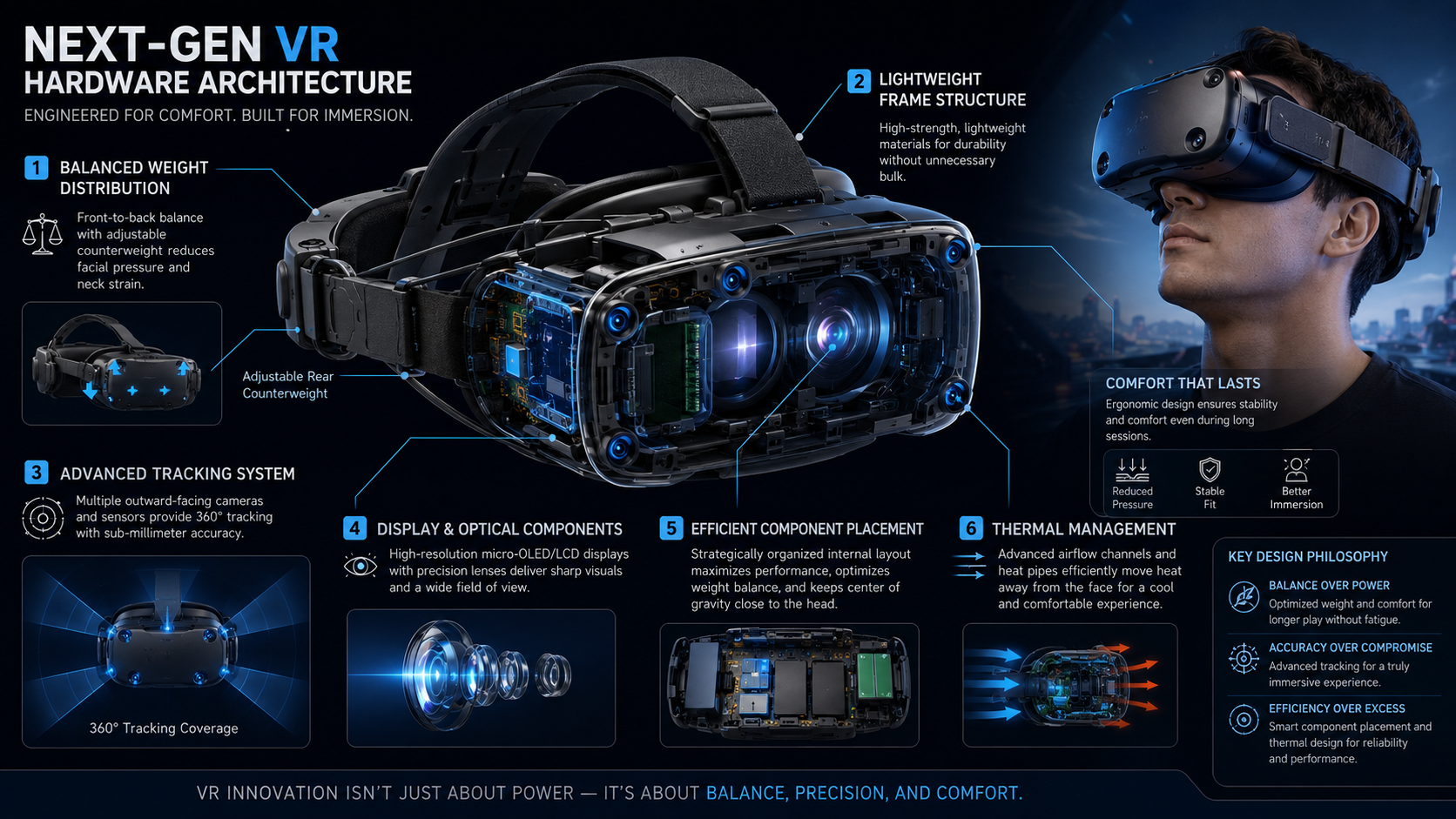
The Steam Frame is a VR hardware design concept focused on improving immersive gaming through better comfort, tracking, and software integration. It combines balanced hardware construction, advanced optics, and optimized performance to create a smoother virtual reality experience.
In addition, its main goal is to reduce common VR limitations, including discomfort during long sessions and performance challenges. By working alongside the broader SteamVR ecosystem, Steam Frame represents an approach that supports both gamers and developers.
As a result, VR hardware designs like Steam Frame highlight the importance of combining powerful specifications with practical usability as virtual reality technology continues to advance.
How Does Steam Frame Improve VR Visual Quality?
Steam Frame improves visual quality through a combination of display optimization, optical design, and performance tuning. For this reason, clear visuals depend on more than resolution alone. Lens quality, calibration, refresh rate, and stable frame delivery all influence the final experience.
Additionally, a properly adjusted optical system can help reduce issues such as distortion and screen-door effects. Display calibration also allows users to achieve sharper images based on their viewing preferences.
Furthermore, thermal efficiency and stable performance contribute to better visuals. When hardware maintains consistent operation, users can enjoy smoother gameplay with fewer interruptions.
Is Steam Frame Compatible With Existing SteamVR Accessories?
Compatibility is an important consideration for VR users who already own SteamVR equipment. Currently, the SteamVR ecosystem supports various accessories, including controllers and tracking devices, which helps users create flexible setups.
However, exact compatibility depends on final hardware specifications and official support information. Therefore, users should check confirmed compatibility details before upgrading or purchasing additional accessories.
Overall, a strong ecosystem remains valuable because it allows players to expand their VR setup without replacing every component. This flexibility can make future upgrades easier and more cost-effective.
What Are the Recommended System Requirements for Steam Frame?
The ideal system requirements for Steam Frame depend on its final hardware configuration and software optimization. Generally, advanced VR systems require capable computer hardware to deliver smooth performance.
A suitable setup typically includes:
- A modern dedicated graphics card
- A powerful multi-core processor
- At least 16GB of RAM
- Fast USB connectivity
- Compatible display connections
Moreover, higher-performance computers allow users to increase rendering quality and maintain smoother frame rates.
Therefore, matching system settings with available hardware is important. Optimizing graphics options helps prevent performance issues and creates a more consistent virtual reality experience.
How Can I Fix Motion Blur or Tracking Drift?
Motion blur and tracking drift can reduce VR immersion. Fortunately, several adjustments can improve performance. Tracking issues often come from room conditions, sensor placement, or software settings.
To improve tracking accuracy:
- Remove reflective surfaces near tracking areas.
- Check sensor positioning.
- Recalibrate the play space.
- Keep software updated.
Meanwhile, motion blur can often be reduced by adjusting graphics settings and ensuring the system maintains stable frame rates. Reducing demanding options can create smoother movement.
Ultimately, every VR setup is different. Testing settings gradually helps users find the right balance between image quality, comfort, and performance.
Conclusion: Steam Frame and the Future of Immersive Gaming
The Steam Frame represents the ongoing evolution of virtual reality hardware. Modern VR systems must deliver more than high-quality graphics. They must also provide comfort, accurate tracking, reliable performance, and strong software support.
A successful immersive gaming platform depends on the relationship between hardware and software. Balanced design, efficient thermal management, and optimized settings all contribute to a better user experience.
Proper configuration also plays an important role. Preparing the play area, adjusting SteamVR settings, and maintaining updated drivers can improve performance and comfort.
As VR technology continues to develop, future hardware will focus on removing barriers that limit adoption. Better ergonomics, improved compatibility, and smarter software integration will help create more natural digital experiences.
For users, the best results come from combining capable hardware with thoughtful setup and optimization. Steam Frame reflects the industry’s continued effort to make virtual reality more accessible, comfortable, and immersive. Readers can also learn more about Valve’s Steam Machine hardware and its role in PC gaming.