
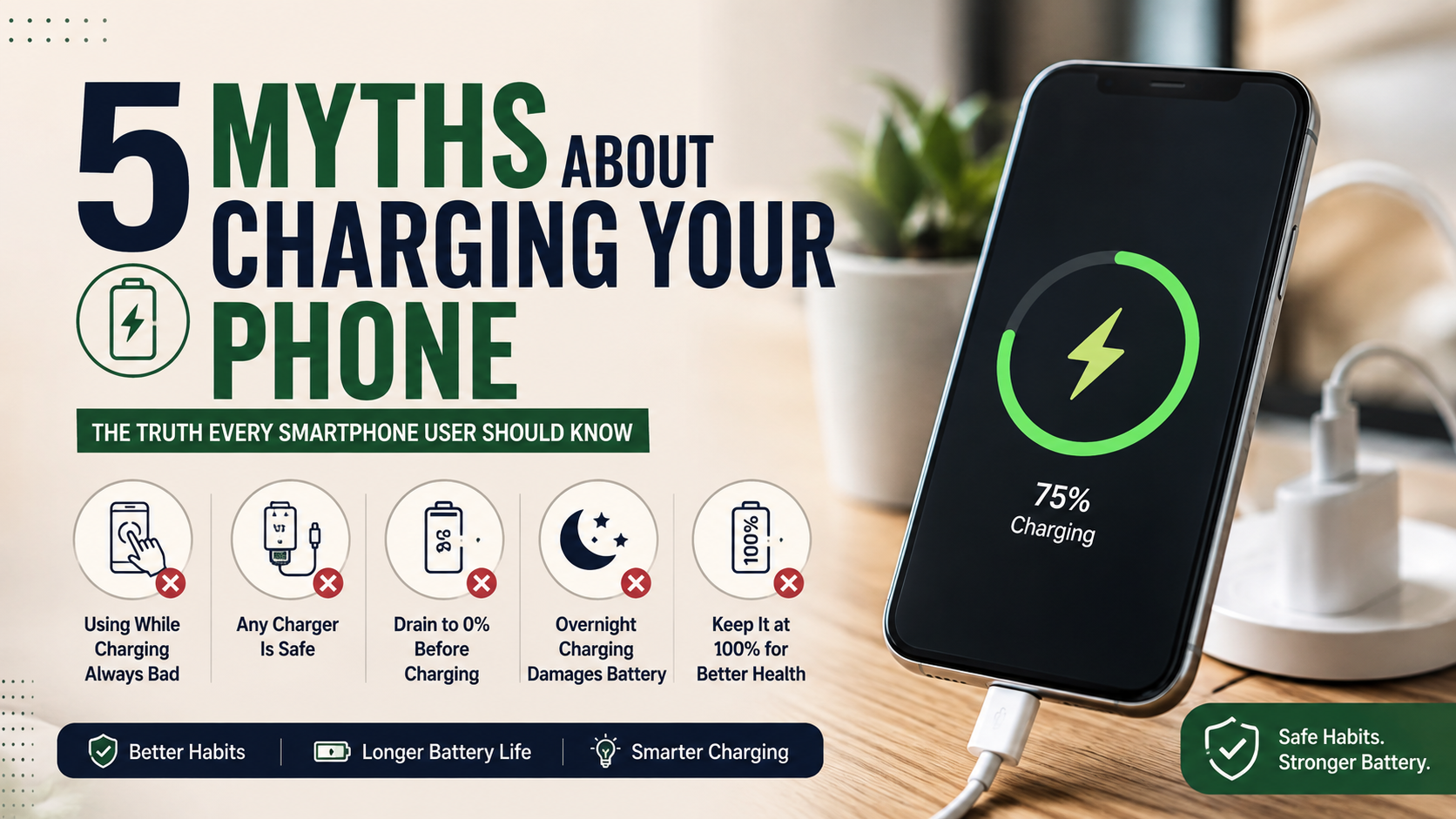
5 Myths About Charging Your Phone Properly
Smartphone users hear countless myths about charging their phones. Some people still believe they must drain the battery to 0% before charging. Others worry that overnight charging will overcharge the battery. These ideas can make everyday phone use more confusing than it needs to be.
Modern smartphones use lithium-ion batteries with built-in charging controls. These systems manage power, temperature, and charging speed during normal use. However, your charging habits still matter. Excessive heat, deep discharges, poor-quality chargers, and prolonged periods at full charge can contribute to battery wear. For a deeper look at how lithium-ion batteries handle charging, see this guide to charging lithium-ion batteries from Battery University.
Understanding the most common myths about charging can help you make better choices without constantly watching your battery percentage. Let’s look at five popular claims and separate battery facts from outdated advice.

Myth 1: You Should Never Use Your Phone While It Is Charging
Many people believe that using a phone while charging damages the battery. That idea sounds logical because the phone receives power while you use it. However, normal phone use during charging does not automatically harm the battery.
The type of activity matters more than the simple act of using the phone.
You can safely check email, read articles, send messages, browse social media, listen to music, or write notes while your phone charges. These activities usually place a modest workload on the processor.
Heavy tasks tell a different story. Mobile gaming, 4K video recording, demanding apps, and other intensive activities can make the processor and graphics hardware work much harder. Charging also produces some heat. When both processes happen together, your phone can become significantly warmer.
Why heat matters while charging
Heat plays a major role in battery aging. High temperatures can speed up the chemical reactions that gradually reduce lithium-ion battery capacity.
You do not need to stop using your phone whenever you connect a charger. Instead, watch the temperature. If the phone feels unusually hot, stop demanding tasks and let it cool down.
Leaving the phone alone can also help it charge faster.
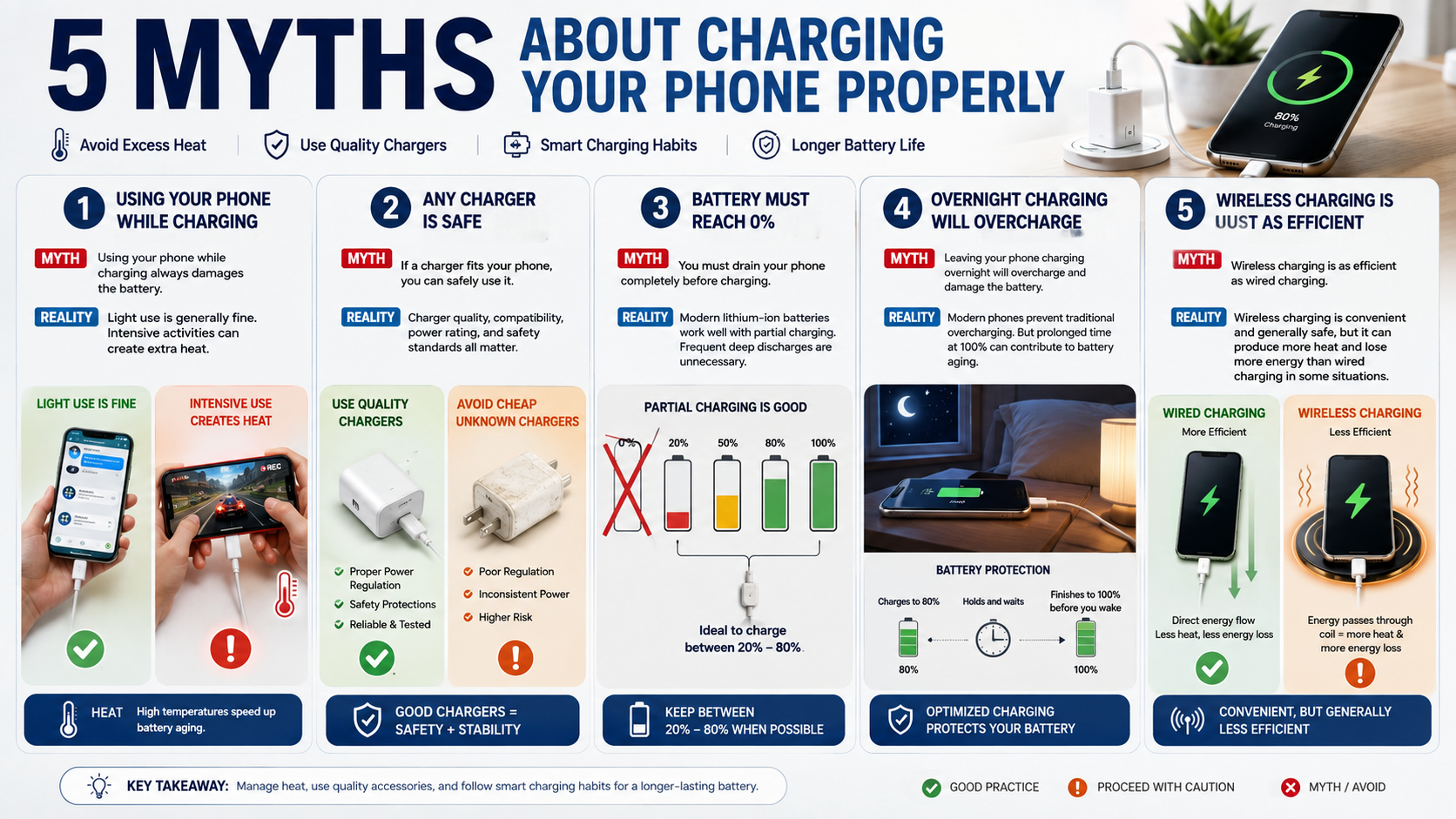
The myth: Using your phone while charging always damages the battery.
The reality: Light use is generally fine. Intensive activities can create excess heat and increase battery wear.
Myth 2: Any Charger Will Safely Charge Your Phone
Another common entry among myths about charging claims that any charger will work safely as long as it fits your phone.
That assumption can create problems.
A poorly made charger may lack important electrical protections or proper power regulation. Cheap accessories from unknown manufacturers can deliver unreliable power, generate excessive heat, or damage charging hardware.
You do not have to use the original charger that came with your phone. A reputable third-party charger can work perfectly well when it supports your phone’s charging requirements and meets recognized safety standards.
Why charger quality matters
Fast charging makes charger quality even more important. Higher charging speeds can deliver more power in a shorter period. A good charger manages that power correctly and communicates with compatible devices.
When buying a replacement charger, check the manufacturer’s reputation, supported charging standards, power rating, and safety certifications. The same principle applies when choosing iPad accessories cheaper than Apple, where compatibility and quality should matter more than simply choosing the cheapest option.
Avoid extremely cheap products with unclear specifications. A charger that saves a few dollars can cost much more if it damages your phone.
The myth: If a charger fits your phone, you can safely use it.
The reality: Charger quality, compatibility, electrical protection, and safety standards all matter.
Myth 3: You Should Let Your Phone Reach 0% Before Charging It
The belief that you should completely drain a battery before recharging it comes from older rechargeable battery technologies. Modern lithium-ion batteries do not need that treatment.
Regularly allowing your smartphone to reach 0% does not improve battery health. In fact, frequent deep discharges can place unnecessary stress on lithium-ion cells.
You can charge your phone whenever you need more power. If the battery reaches 40%, 30%, or even 60%, you can connect the charger without waiting for a lower percentage.
Partial charging can help
Lithium-ion batteries do not have the traditional memory effect associated with some older battery types. That means you can recharge your phone through partial charging sessions.
Many battery experts recommend avoiding both extremes when practical. Keeping the battery roughly between 20% and 80% can reduce some of the stress associated with very low and very high charge levels.
However, you should not become obsessed with the percentage. Your phone’s battery management system already handles many charging decisions automatically.
The myth: You must drain your phone completely before every charging session.
The reality: Modern lithium-ion batteries work well with frequent partial charging. Regular deep discharges are unnecessary.
Myth 4: Charging Your Phone Overnight Will Overcharge the Battery
Overnight charging remains one of the most persistent myths about charging. Many people think a phone will continue receiving full power after reaching 100%, eventually damaging the battery.
Modern smartphones do not work that way.
Phones use battery-management systems that control charging when the battery approaches full capacity. The device does not simply continue forcing the same amount of current into the battery all night.
That does not mean overnight charging has zero effect on battery aging.
Why overnight charging can still increase battery wear
Lithium-ion batteries can experience more stress when they remain at very high charge levels for extended periods. Heat can make that effect worse.
Therefore, occasional overnight charging should not cause alarm. However, making it a nightly habit can contribute to gradual battery aging over a long period.
Many smartphones now include optimized, adaptive, or protected charging modes. These features can delay the final part of the charging process and reach full capacity closer to the time you normally wake up.
If you charge your phone overnight regularly, turn on the battery-protection feature available on your device.
You should also keep your phone in an open, well-ventilated location. Do not place a charging phone under a pillow, inside bedding, or beneath other materials that trap heat.
The myth: Overnight charging will automatically overcharge and destroy your battery.
The reality: Modern phones prevent traditional overcharging, but spending long periods at 100% can contribute to gradual battery aging.
Myth 5: Wireless Charging Is Completely Harmless and Just as Efficient
Wireless charging offers excellent convenience, but it does not work exactly like wired charging. This distinction matters when discussing myths about charging.
Wireless charging transfers energy between the charging pad and your phone without a physical connection. That process can lose more energy than a comparable wired connection. The lost energy can appear as additional heat.
Alignment also affects wireless charging. If the phone and charging pad do not line up correctly, energy transfer can become less efficient. The charger may then generate additional heat.
Newer wireless charging systems have improved efficiency and alignment. Magnetic systems can also keep compatible devices positioned correctly. Even so, wireless charging can still produce noticeable warmth.
How to use wireless charging safely
You do not need to stop using wireless charging. Follow a few simple habits instead:
- Place the phone on a hard, open surface.
- Keep the charger away from excessive heat.
- Remove a thick case if the phone becomes hot.
- Use a reputable, compatible wireless charger.
- Avoid demanding games while charging.
- Keep the charging area clear and well ventilated.
If you want to minimize heat during a long overnight session, a quality wired charger may offer a better option.
The myth: Wireless charging is completely harmless and just as efficient as wired charging.
The reality: Wireless charging is generally safe, but it can create more heat and lose more energy than wired charging in some situations.
What Are the Most Common Charging Mistakes?
The biggest battery problems rarely come from one isolated mistake. Instead, repeated habits can slowly increase battery wear.
Common mistakes include exposing your phone to excessive heat, frequently draining it to extremely low levels, using questionable charging accessories, and keeping the battery at 100% for long periods. For a broader look at habits that can shorten battery life, see smartphone mistakes that reduce battery life.
Using a thick case during charging can also trap heat. The case itself does not automatically damage the battery. However, removing it can help the phone cool down if it becomes hot.
Heavy gaming while charging creates another potential problem. The processor and graphics hardware work hard while the battery receives power. That combination can raise the phone’s temperature quickly.
Understanding these mistakes can help you avoid many of the most common myths about charging.
How Can You Reduce Heat During Charging?
Heat management remains one of the most useful battery-care habits.
Keep your phone away from direct sunlight and hot environments when it charges. Avoid placing it underneath pillows, blankets, or other materials that restrict airflow.
If the phone becomes unusually hot, stop intensive activities and give it time to cool.
Some warmth during fast charging can occur normally. However, persistent or excessive heat deserves attention. Check the charger, charging environment, phone case, and activities you perform while charging.
Should You Charge Your Phone to 90% or 100%?
Many discussions about myths about charging focus on the ideal maximum percentage. Some people recommend 80%, while others prefer 90% or 100%.
There is no single percentage that works perfectly for every user.
Keeping a lithium-ion battery at a very high charge level can increase long-term chemical stress. Therefore, stopping around 80% can help reduce some battery wear if you do not need the extra capacity.
However, charging to 100% remains completely reasonable when you need maximum battery life during the day.
Balancing battery health with convenience
If you plan to keep your smartphone for several years, partial charging can help preserve capacity. Many newer phones also offer charging limits and battery-protection settings. iPhone users can also learn more about improving iPhone battery life in 2026.
For most people, convenience matters too. You do not need to constantly check the battery percentage. Avoid excessive heat, limit unnecessary deep discharges, and use your phone’s built-in charging controls.
These simple habits offer more practical benefits than obsessing over every percentage point.
Can I Charge My Phone Three Times a Day?
Yes. Charging your phone several times a day does not automatically damage the battery.
Lithium-ion batteries support partial charging. You can plug your phone in during lunch, while working, in the car, or before leaving home.
You do not need to wait until the battery reaches 5% or 10%. Frequent top-ups can actually help you avoid deep discharges.
Embracing partial charge cycles
A charging cycle does not simply mean plugging the phone in once. Battery manufacturers generally measure cycles based on cumulative energy usage.
For example, using 50% of the battery today and another 50% later roughly adds up to one full cycle.
Therefore, charging your phone several times throughout the day does not mean you are completing several full battery cycles.
If your phone sits at 35% and you have access to a charger, topping it up makes perfect sense.
Does Charging to 100% Reduce Battery Life?
Another common question surrounding myths about charging involves the effect of reaching 100%.
Repeatedly keeping a lithium-ion battery at maximum charge can contribute to gradual capacity loss. High charge levels create more chemical stress than moderate levels.
However, reaching 100% occasionally will not suddenly damage your phone.
Battery aging happens gradually. Temperature, charging habits, usage patterns, battery age, and charging speed can all influence the process.
If you need maximum runtime, charge to 100%. If you do not need the extra capacity, stopping earlier can support better long-term battery health.
Managing maximum-charge wear
Every rechargeable battery eventually loses some capacity. No charging habit can stop that process completely.
The goal is to slow unnecessary wear rather than prevent aging altogether.
Use optimized charging when your phone offers it. Keep the device cool. Avoid frequent deep discharges. Choose reliable charging accessories.
These practical habits can help your battery maintain useful capacity for longer.
Frequently Asked Questions
Does Fast Charging Ruin Your Phone Battery?
Fast charging does not automatically ruin a smartphone battery. Higher charging speeds can generate more heat, but modern phones regulate power and charging speed to protect the battery.
Fast charging can work safely as part of your normal routine when you use compatible equipment. Keep the phone cool and avoid intensive activities during charging if the device becomes hot.
Should I Let My Phone Die Before Charging?
No. You do not need to wait until your phone reaches 0%.
Modern lithium-ion batteries handle partial discharge and recharge cycles well. Connecting your phone to a charger before it becomes completely empty can help you avoid unnecessary deep-discharge stress.
Is It Okay to Use My Phone While It Is Charging?
Yes. Light activities such as texting, reading, browsing, and listening to music are generally fine.
The main concern involves heat. Intensive gaming, video recording, and other demanding tasks can make your phone much warmer while it charges.
Can I Charge My Phone Overnight?
Yes. Modern smartphones include charging controls that prevent traditional overcharging.
However, keeping the battery at 100% for long periods can contribute to gradual aging. If you regularly charge overnight, enable optimized or adaptive charging when your phone provides that option.
Always charge your phone in a cool, open location.
Are Wireless Chargers Bad for Your Battery?
Wireless chargers are not inherently bad for smartphone batteries. However, they can generate additional heat and may lose more energy than wired charging.
Use a high-quality compatible charger and keep your phone properly aligned. If the device becomes hot, remove a thick case and stop demanding activities.
Do Phone Chargers Consume Electricity When Left Plugged In?
Yes, but modern chargers generally consume very little electricity when they remain connected without a phone.
This standby consumption usually remains small. Still, unplugging chargers that you do not use can reduce unnecessary energy consumption and keep your charging area organized.
Conclusion
Understanding the truth behind myths about charging can make smartphone battery care much simpler. You do not need to follow outdated rules or worry about every charging session.
Do not regularly drain your phone to 0%. Do not rely on questionable chargers. Keep excessive heat away from the device. Use partial top-ups when convenient. Take advantage of optimized charging features when available.
You can also use fast charging, wireless charging, and overnight charging without fear when you follow sensible precautions.
The most important lesson from these myths about charging is simple: avoid extremes. Keep your phone reasonably cool, use quality charging accessories, and let your phone’s built-in battery-management system handle much of the work.
With these practical habits, you can reduce unnecessary battery wear and keep your smartphone reliable for longer.