
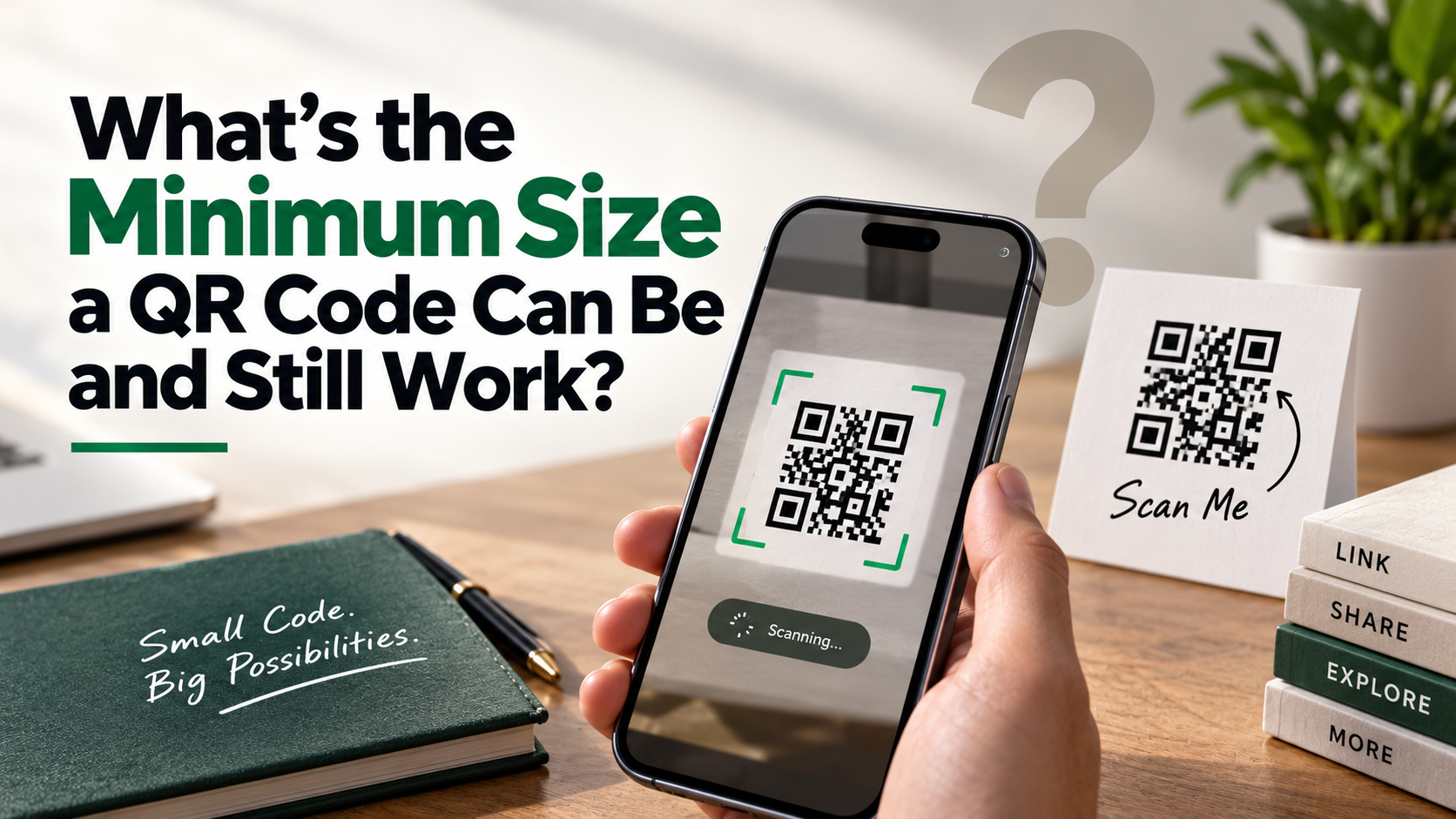
What’s the Minimum Size a QR Code Can Be and Still Work?
Printing a matrix barcode on compact packaging, business cards, or event wristbands often raises one critical question: what is the minimum size a QR code can be before it stops working reliably? A code that looks neat but fails to scan can frustrate users and waste valuable print space.
QR codes rely on precise module patterns, sufficient contrast, and a clear quiet zone around the symbol. The technical requirements are defined by QR Code specifications and standards. When you shrink a code too far, its individual modules become difficult for smartphone cameras to distinguish.
This guide explains practical QR code size limits for everyday use. It covers minimum dimensions, scanning distance, data density, error correction, print quality, and common design mistakes. It also explains why a code that works in testing may fail in real-world conditions.
For most printed materials, the goal should not be the smallest possible code. Instead, choose the smallest reliable size for your specific use case.
How small can you make a QR code and it still work?
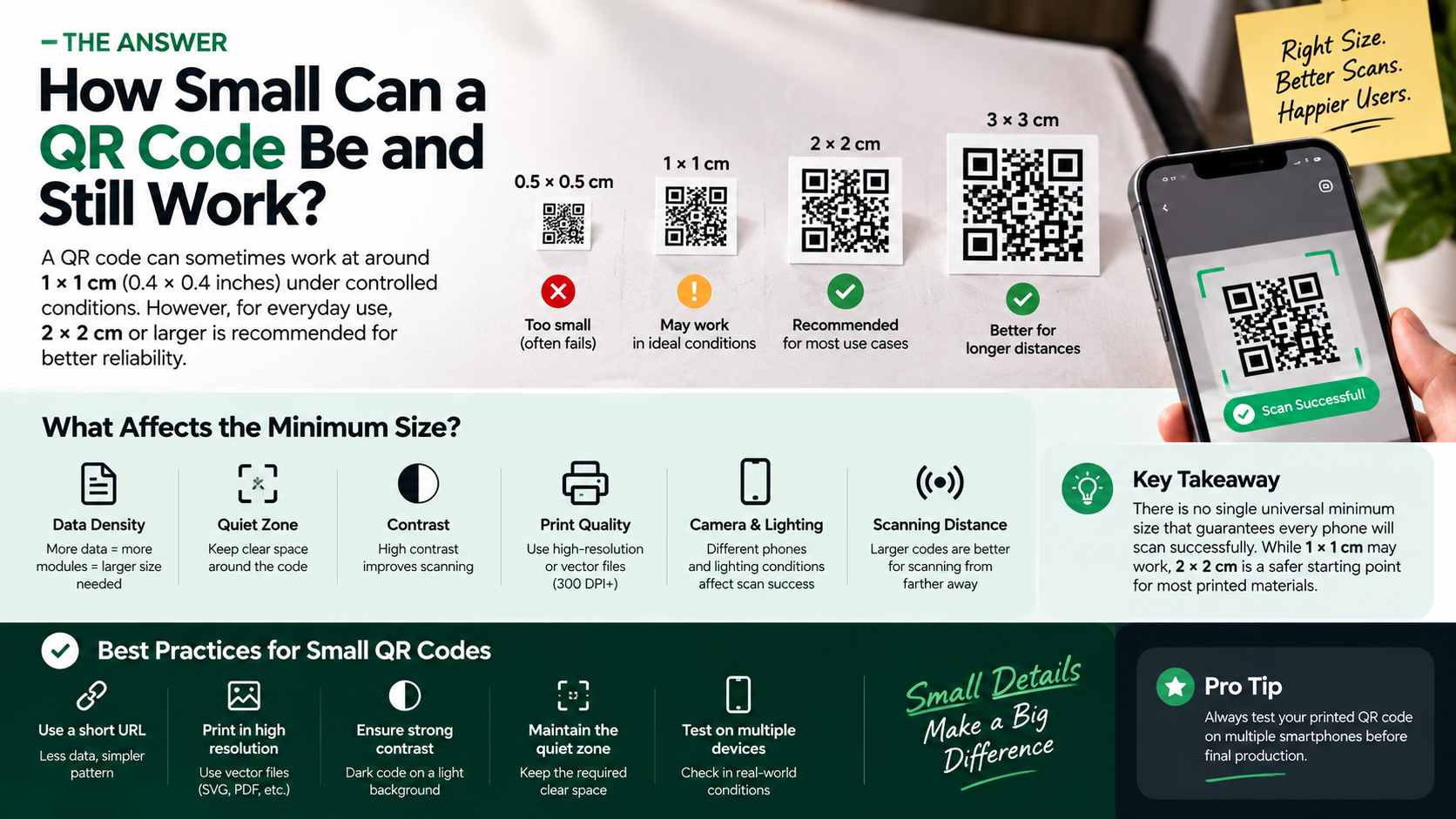
A QR code can sometimes work at around 1 × 1 centimeter (0.4 × 0.4 inches) under controlled conditions. However, this is better treated as a lower practical limit than a universal guarantee. Scan reliability depends on the code version, data density, printing method, camera quality, lighting, and scanning distance.
A small QR code works best when it contains limited data. A short URL creates fewer modules than a long URL or detailed text. Larger modules remain easier for smartphone cameras to distinguish, which is part of understanding mobile apps and how their data is encoded.
For compact designs, follow these practices:
- Use a short URL whenever possible.
- Print from a sharp vector or high-resolution source.
- Maintain strong contrast between the code and background.
- Keep the required quiet zone clear.
- Test the printed code on multiple smartphones.
For general consumer applications, a larger size provides more tolerance for printing imperfections, glare, movement, and poor lighting. A 2 × 2 centimeter code is often a safer practical starting point for printed materials.

Keep Data Density Minimal
Data density directly affects the physical size required for a reliable QR code. A QR code does not simply scale its appearance when you add more information. More encoded data can require a larger QR version, which contains more rows and columns of modules.
For example, a short URL can produce a relatively simple matrix. A long URL, contact card, or large block of text may create a much denser pattern. If both codes occupy the same physical area, the denser code has smaller individual modules. Those modules become harder for cameras to resolve.
If space is limited, reduce the amount of encoded data where practical. A short, clean URL is usually preferable to embedding unnecessary text directly in the QR code.
You can also use a short branded domain or URL redirection service. This keeps the QR pattern simpler while allowing the destination to change later.
However, shortening the data does not eliminate other size requirements. You must still preserve contrast, print quality, quiet-zone spacing, and sufficient size for the intended scanning distance.
What is the smallest size for a QR code?
The theoretical minimum QR Code symbol is based on its module structure, not simply its physical dimensions. A Version 1 QR Code contains 21 × 21 modules, plus the required quiet zone. Its physical size can therefore vary depending on how large each module is printed.
In controlled environments, specialized equipment can read extremely small symbols. Industrial marking systems may use methods such as laser etching and high-resolution imaging. These applications are different from consumer scanning with ordinary smartphones.
For everyday public use, there is no single universal minimum size that guarantees every phone will scan successfully. A 1 × 1 centimeter code may work in favorable conditions, but it provides little tolerance for errors.
For printed business materials, packaging, posters, and similar applications, 2 × 2 centimeters (0.8 × 0.8 inches) is a more conservative starting point. Larger codes become increasingly useful when users scan from farther away or under inconsistent lighting.
High-Resolution Printing Is Non-Negotiable
Print quality becomes increasingly important as a QR code gets smaller. Fine module boundaries can disappear when a low-resolution image is enlarged, compressed, or reproduced using an unsuitable printing process.
For professional print work, create the QR code as a vector graphic whenever possible. Formats such as SVG, EPS, or print-ready PDF can preserve sharp module edges during production. If you must use a raster image, use a sufficiently high-resolution source and avoid repeated resizing.
A common print target is 300 DPI or higher, although the appropriate resolution depends on the printing process and physical QR code size. Higher resolution alone cannot fix a code that is too small or poorly designed.
Also consider the material. Absorbent paper can allow ink to spread slightly, while glossy surfaces can create reflections. Curved packaging may distort the symbol from certain viewing angles.
Before approving a large print run, test an actual physical sample. Scan it using several smartphones under realistic lighting and viewing conditions.
Does a QR code need to be a certain size to work?
Yes. A QR code needs sufficient physical size for the camera to resolve its individual modules. However, the required size depends heavily on scanning distance.
A useful practical guideline is the 10:1 scanning ratio. Under this rule, a QR code viewed from approximately 20 inches away would be around 2 inches wide. This is a guideline rather than a strict technical requirement, because camera resolution, focus, module size, lighting, and code density also affect performance.
For close-range materials such as business cards, a smaller code may work well. Signs, posters, displays, and product labels often need larger codes because users naturally scan them from farther away.
Before choosing a final dimension, consider:
- How far users will stand from the code.
- How much data the code contains.
- Whether the surface is flat or curved.
- The expected lighting conditions.
- The likely quality of users’ smartphone cameras.
Designing around the actual scanning environment is more reliable than choosing one universal size.
Always Preserve the Quiet Zone
The quiet zone is the blank space surrounding a QR code. It helps scanning software distinguish the functional symbol from nearby text, graphics, borders, and other visual elements.
QR Code specifications call for a quiet zone of four modules on each side of the symbol. This space should remain clear and should not contain logos, text, decorative patterns, or colored backgrounds that reduce separation.
The quiet zone becomes especially important when you use a small QR code. At compact dimensions, surrounding graphics can interfere with the camera’s ability to identify the symbol’s boundaries.
Do not treat the quiet zone as optional design space. Removing it can reduce scan reliability even when the QR pattern itself remains sharp.
When placing a QR code on packaging or marketing material, leave visible white or otherwise clean space around all four edges. Avoid placing it directly against a border or photograph.
If a design requires a frame, ensure the frame sits outside the required quiet zone. Test the finished design at its actual printed size before production. A code that scans perfectly on a computer screen may behave differently once printed, resized, or surrounded by other design elements.
Can a small QR code be scanned?
Yes, small QR codes can be scanned successfully when their modules remain clear and the scanning conditions are favorable. Modern smartphones use autofocus, image processing, and QR recognition software to identify relatively small symbols.
However, smaller does not always mean better. Scan performance can decline when the code has weak contrast, excessive visual noise, poor printing, glare, or insufficient focus. Pale gray on white, for example, provides less contrast than dark modules on a light background.
For reliable results, use a strong contrast ratio between the QR modules and background. Traditional black-on-white designs remain one of the safest choices.
Users also need enough space to position their phones comfortably. If they must hold the device at an awkward angle or move extremely close to the code, scanning becomes less convenient.
Small QR codes are therefore most suitable for short-range applications. For posters, signs, menus, and displays viewed from several feet away, use a larger code. Always test the finished physical version rather than relying only on an on-screen preview.
Choose Lower Error Correction Levels
QR Codes support four error correction levels: L, M, Q, and H. These provide approximately 7%, 15%, 25%, and 30% recovery capacity, respectively.
Higher error correction can help a QR code survive damage, dirt, or partial obstruction. However, it also requires additional data modules. That can make the overall matrix denser and increase the physical size needed for reliable scanning.
If you are creating a very small QR code for a clean, controlled environment, Level L may be appropriate. It uses the least redundancy and can help keep the pattern less dense.
That does not mean Level L is always the best choice. Packaging, outdoor signs, industrial labels, and frequently handled materials may benefit from higher error correction.
Choose the lowest level that still suits the expected conditions. Do not reduce error correction simply to make an already unsuitable QR code smaller.
Most importantly, test the final code at its actual physical dimensions. A small code with Level L may work well on a clean business card but fail on a scratched product label. Reliability should always take priority over saving a few millimeters of space.
How small is too small for QR code?
There is no single physical dimension that makes every QR code unreadable. The minimum size a QR code can be depends on module size, data density, print quality, scanning distance, camera capabilities, and environmental conditions.
A code around 1 × 1 centimeter can work in favorable conditions, but it offers little tolerance for imperfections. Below that size, reliable consumer scanning becomes increasingly difficult, especially when the code contains substantial data.
A better approach is to treat extremely small dimensions as specialized rather than standard. If the code is intended for everyday smartphone users, prioritize a size that provides a comfortable scanning experience.
You should also consider the distance between the camera and the printed symbol. A tiny code may work at close range but become difficult to scan from across a room.
Before reducing the dimensions, check the complete design. Confirm that the modules remain sharp, the quiet zone is intact, and the contrast is strong. Then test the physical result with multiple phones.
Rather than chasing an absolute minimum, choose the smallest practical size that remains consistently scannable in the conditions your audience will encounter.
Watch for Camera Focal Failures
Camera focus is another important limitation when QR codes become very small. Smartphone cameras need enough distance to focus clearly on the printed symbol. If users move extremely close to fill the camera frame, the lens may struggle to focus.
Minimum focusing distance varies between smartphone models. Some modern devices can focus quite close, while others need more working distance. Because of this variation, a fixed distance such as 8 or 10 centimeters should not be treated as a universal limit.
The better strategy is to make the QR code large enough that users can scan it comfortably from a reasonable distance. The code should occupy enough of the camera view without forcing users to press their phone close to the surface.
Focus problems are more likely when the code is tiny, the lighting is poor, or the camera struggles with movement.
During testing, observe how easily users can acquire the code. If they repeatedly move closer, reposition the phone, or wait for autofocus, the QR code may be too small for the application.
Convenience matters. A technically scannable code can still provide a poor user experience if it requires awkward positioning.
Frequently Asked Questions
What happens if you print a QR code too small?
When you print a QR code too small, smartphone cameras may struggle to distinguish its individual modules. The minimum size a QR code can be depends on factors such as print quality, data density, contrast, and scanning distance.
If the modules blur together, scanning software may fail to identify the finder patterns and calculate the correct grid. Ink spread, low-resolution printing, and poor lighting can make the problem worse.
A QR code that looks sharp on screen may also lose clarity after printing. If you are approaching the minimum size a QR code can be, always test the physical version.
Increasing the code size, improving contrast, or reducing encoded data can improve scanning reliability.
Does the amount of data affect how small a QR code can be?
Yes. The amount of information stored in a QR code can affect the minimum size a QR code can be. A short URL usually creates a simpler matrix than a long URL, contact card, or large text string.
More data can require more modules within the QR code. When those modules are packed into a small area, each individual square becomes smaller and harder for smartphone cameras to resolve.
If you have limited space, consider using a short URL. This can reduce matrix density and make a smaller code easier to scan.
However, data density is not the only factor. Print quality, contrast, scanning distance, and the quiet zone also affect the minimum size a QR code can be for reliable everyday use.
What is the recommended size for business cards?
For standard business cards, a QR code between 2 × 2 centimeters (0.8 × 0.8 inches) and 2.5 × 2.5 centimeters (1 × 1 inch) is a practical range.
The minimum size a QR code can be depends on the amount of data, printing quality, and how users will scan it. A simple code containing a short URL may work at the smaller end of this range.
Keep the required quiet zone clear around all four sides. Avoid placing text, logos, or decorative elements too close to the code.
Use strong contrast and a sharp, high-quality source file. Before printing in bulk, test the physical business card with several smartphones.
If you want to use the minimum size a QR code can be, physical testing is essential for reliable results.
Can colored QR codes be printed smaller than black-and-white ones?
Generally, colored QR codes should not be assumed to work at smaller sizes than black-and-white designs. The minimum size a QR code can be depends partly on the contrast between the QR modules and their background.
Black modules on a bright white background provide strong contrast. This gives smartphone cameras a clearer distinction between the different areas of the code.
Colored QR codes can still work well when designed carefully. Choose dark colors against light backgrounds, and avoid gradients, transparency, or busy images behind the symbol.
If you are testing the minimum size a QR code can be, check the finished printed design rather than relying only on a screen preview.
For very small applications, black-and-white remains the safer choice. Strong contrast provides more tolerance when lighting, printing, or camera conditions are less than ideal.
Conclusion
Determining the right QR code dimensions requires a balance between design requirements and optical performance. There is no single universal minimum size that guarantees scanning on every smartphone and in every environment.
A QR code around 1 × 1 centimeter may work under favorable conditions, especially when it contains limited data and has excellent print quality. However, 2 × 2 centimeters is a more conservative starting point for many consumer-facing printed materials.
Always consider the factors that affect scan reliability:
- Data density: Shorter data can produce simpler QR patterns.
- Scanning distance: Codes viewed from farther away generally need to be larger.
- Print quality: Sharp module edges improve recognition.
- Contrast: Strong dark-on-light designs provide greater tolerance.
- Quiet zone: Keep four modules of clear space around the symbol.
- Surface: Avoid excessive glare, distortion, and texture.
- Testing: Check the finished physical code on several smartphones.
Before a commercial print run, test actual samples in realistic conditions. A QR code should scan quickly without requiring precise positioning.
The goal is not to create the smallest possible QR code. It is to create the smallest reliable QR code that gives every intended user a smooth experience.
If you want to understand how smartphone environments can be tested on a computer, you can also explore how mobile emulators work on desktop computers. This can provide useful context when evaluating mobile-based experiences and testing how digital content behaves across different devices.