4 Easy Ways to Make Your USB Cables Last Longer
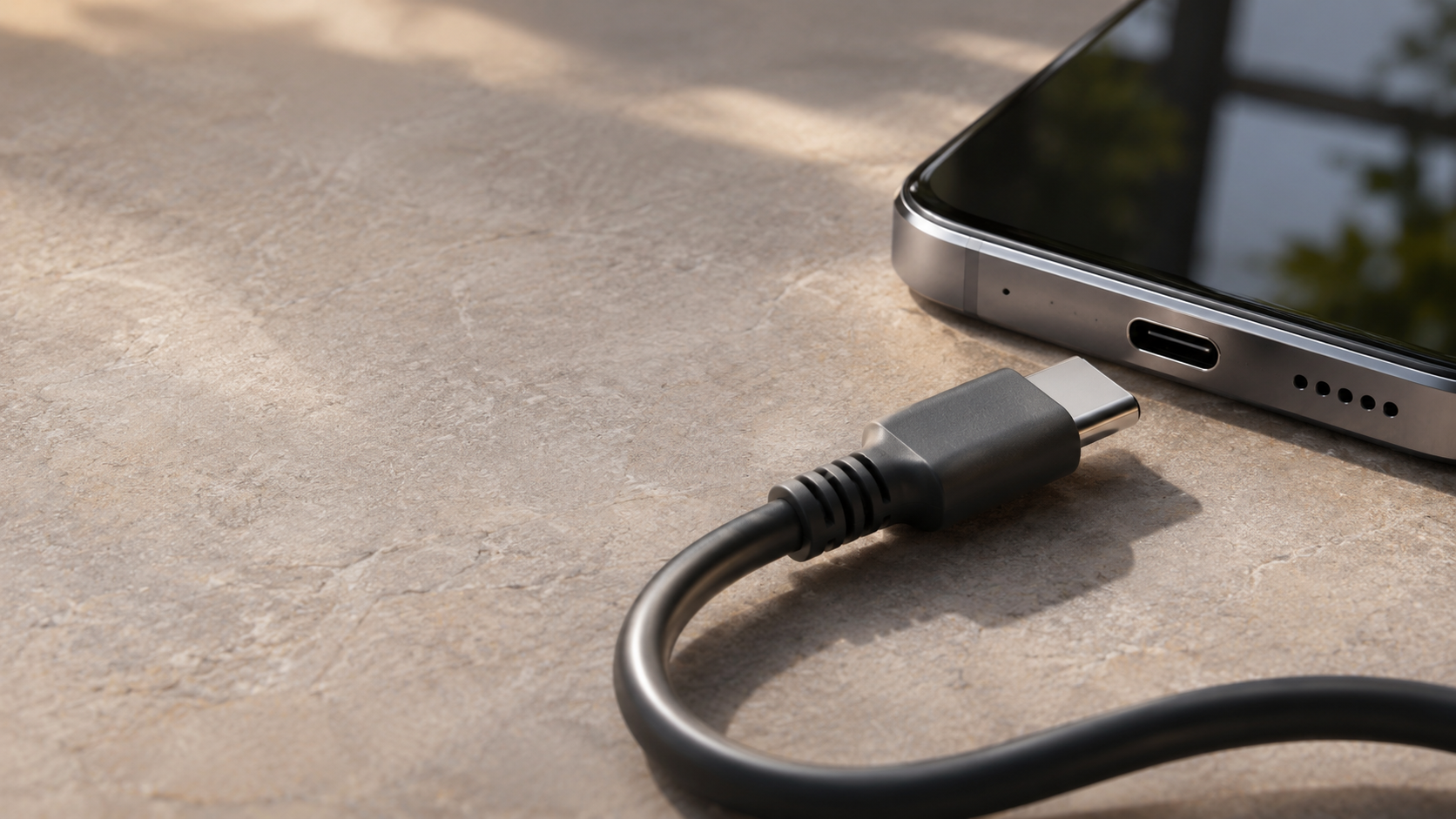
Replacing damaged charging cables can become expensive and frustrating. Learning how to make your USB cables last longer helps you save money and reduce electronic waste. A few simple changes to your daily habits can significantly improve cable durability.
Most USB cables fail because of repeated bending, rough handling, poor storage, and accumulated dirt. Pulling a cable by its wire or wrapping it too tightly can damage its internal connections. These problems often develop gradually, even when the outer insulation looks perfectly fine.
Fortunately, you don’t need expensive accessories to protect your charging cables. Proper handling, careful storage, and regular cleaning can prevent many common problems.
In this guide, we’ll cover four practical ways to protect your USB cables. We’ll also answer common questions about extending cable length, USB-C connector damage, extender safety, and expected cable lifespan.
1. Pull from the Plug, Not the Cord
One of the easiest ways to make your USB cables last longer is to unplug them correctly. Many people pull the wire when disconnecting their phones, laptops, or charging adapters. However, this habit puts unnecessary pressure on the internal connections.
Always grip the connector head, which is the rigid plastic or metal part attached to the cable. Gently pull the plug straight out of the charging port. Avoid pulling, twisting, or jerking the flexible wire.
The internal copper conductors connect to small contact points inside the connector. Repeated pulling can weaken these connections over time. Eventually, the cable may stop charging or transfer data inconsistently.
Make these simple habits part of your daily routine:
- Hold the connector: Grip the hard plug instead of the flexible cable.
- Pull gently: Remove the connector without sudden movements.
- Avoid twisting: Don’t rotate the plug while removing it.
- Check the connection: Stop using cables with loose or damaged connectors.
These small precautions reduce unnecessary stress and help prevent premature cable failure.
2. Avoid Sharp Bends Near the Neck
The area where the flexible wire meets the rigid connector is one of the most vulnerable parts of a USB cable. This section experiences repeated movement whenever you connect, disconnect, or use your device while charging.
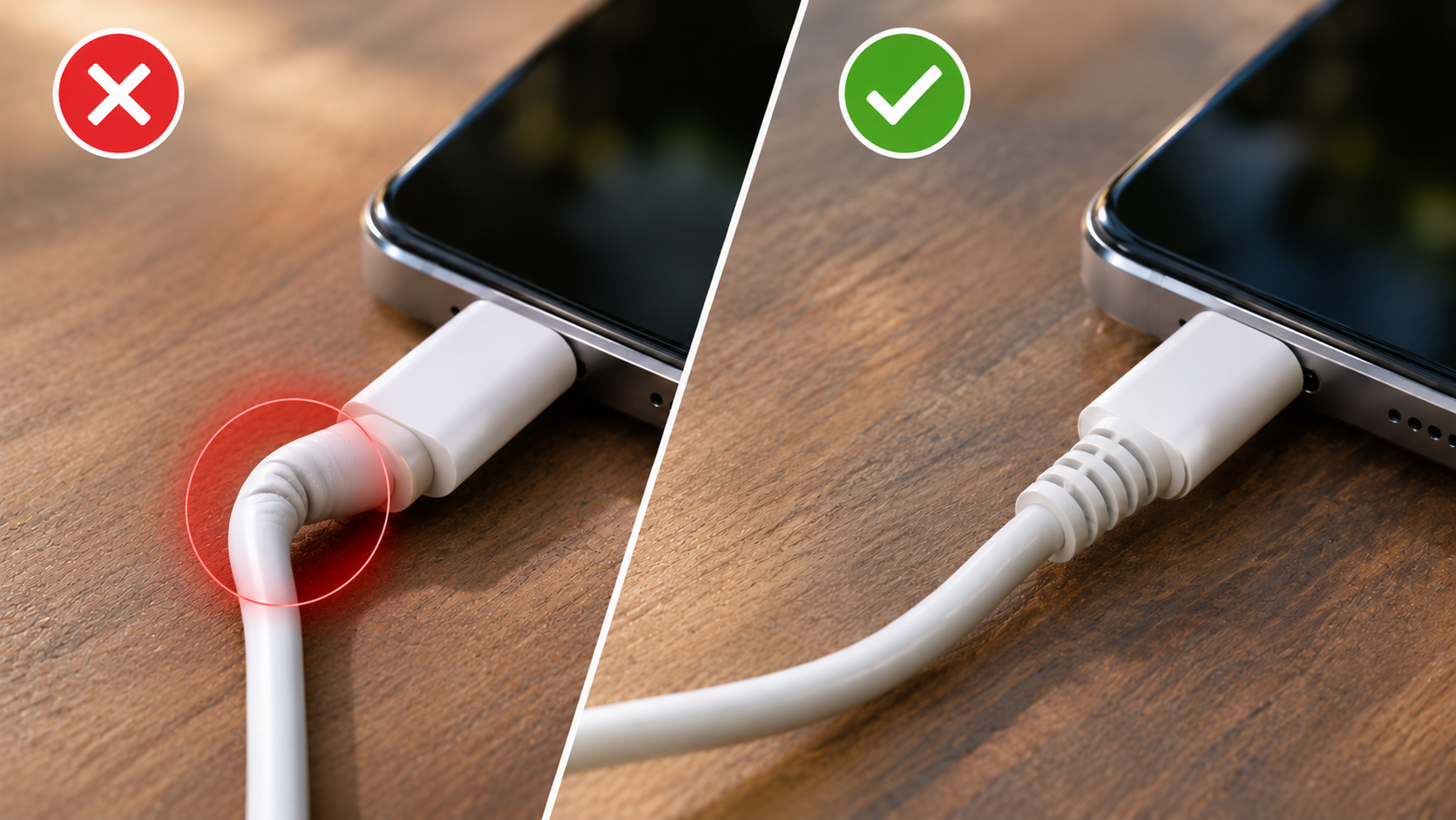
Bending the cable sharply near this point can damage its internal conductors. The outer insulation may also crack after repeated stress. Eventually, you might notice intermittent charging, exposed wires, or complete connection failure.
Avoid placing your phone under your pillow or resting it on furniture in ways that force the connector downward. Similarly, don’t bend the cable around sharp desk edges or furniture corners.
You can reduce this damage with a few practical adjustments:
- Maintain a natural curve: Keep the cable gently curved near the connector.
- Use cable protectors: Silicone protectors can reduce direct bending stress.
- Consider angled cables: A 90-degree connector may help when using your phone while charging.
- Choose reinforced cables: Look for flexible strain-relief sections and durable outer insulation.
Remember that cable protectors cannot repair damaged wires. They simply help reduce additional stress during everyday use.
3. Coil Loosely for Storage
How you store your charging cables can affect their lifespan. Folding them tightly or wrapping them around charging adapters creates unnecessary pressure on the internal wires. Repeatedly storing cables this way can weaken their conductors and damage the outer insulation.
Instead, use the loose-loop method whenever you pack away your USB cables. Create a natural circular loop approximately the size of your palm. Avoid sharp folds, tight knots, or twisting the cable repeatedly.
You should also use suitable accessories to keep stored cables organized. Soft Velcro straps and silicone cable organizers help maintain their shape without squeezing the wires.
Follow these storage tips:
- Make loose loops: Avoid folding cables into small, tight sections.
- Use soft ties: Secure cables with Velcro straps or silicone organizers.
- Keep them separate: Avoid placing heavy objects on stored charging cables.
- Choose dry storage: Keep cables away from moisture, excessive heat, and direct sunlight.
- Avoid excessive pulling: Don’t stretch cables to reach storage compartments.
Proper storage reduces physical stress and prevents unnecessary wear. It also makes your charging accessories easier to organize and carry.
4. Keep Connectors and Ports Clean
Dust, pocket lint, and other debris can accumulate inside charging connectors and device ports. This buildup may prevent your USB cable from connecting properly. You might notice loose connections, interrupted charging, or the need to adjust the plug repeatedly.
These problems can gradually increase connector wear. Keeping both ends clean helps maintain a stable connection and reduces unnecessary handling.
Check your phone’s charging port and cable connector occasionally. If you notice visible dirt, disconnect the cable before cleaning. Use a soft, dry, non-metallic brush to remove loose debris carefully. Avoid inserting metal objects into charging ports because they can damage contacts or cause electrical shorts.
Follow these cleaning precautions:
- Inspect regularly: Check connectors for dust, lint, and visible damage.
- Clean gently: Use a suitable soft brush without applying excessive pressure.
- Avoid liquids: Never pour water or cleaning solutions directly into charging ports.
- Avoid metal tools: Paper clips, needles, and metal pins can damage electrical contacts.
- Disconnect power: Unplug the cable before cleaning its connector.
If debris is deeply packed inside your phone’s charging port, consider professional cleaning. Never force an object into the port.
How Can I Make My USB Cable Longer?
You can extend the reach of a short USB cable using suitable extension accessories. However, the right option depends on whether you need additional charging distance or reliable data transfer. Simply connecting multiple cables together isn’t always the best solution.
For many setups, an active USB extension cable or a powered USB hub provides additional reach. These accessories can help maintain signal quality over longer distances. A powered hub also supplies power to connected devices, depending on its specifications.
Before purchasing an extension, check its supported USB version, charging capacity, and data-transfer speed. Longer cables can introduce additional electrical resistance, which may affect charging performance. Poor-quality extensions can also cause unstable connections.
Consider these alternatives:
- Short USB extension: Suitable for certain short-distance connections when compatible.
- Active USB extension: Useful when extending data connections over greater distances.
- Powered USB hub: Provides additional ports and power for supported devices.
- Longer certified cable: Often the simplest solution for everyday charging.
For charging a phone, moving your power adapter closer to your desk or bed may be more practical. This avoids unnecessary connections and helps protect your existing cable.
Why Are USB-C Cables So Easy to Break?
USB-C cables are not necessarily weaker than older USB cables. However, their compact connectors and frequent everyday use can make physical damage noticeable. The small connector contains closely spaced electrical contacts that require careful handling. If you’re comparing different connector types, understanding USB-C and Lightning cable reliability can help you choose the right charging cable for your devices.
One common problem is excessive pressure on the connector when someone uses a phone while charging. For example, resting a phone against your chest or bending it around furniture can place sideways pressure on the USB-C plug.
Repeated bending near the connector can damage internal conductors and weaken the outer insulation. Pulling the cable instead of holding its connector can also contribute to premature failure.
Poor-quality cables may have weaker materials, inadequate strain relief, or poorly constructed connections. These problems can increase the risk of damage during everyday use.
To reduce USB-C cable damage, follow these precautions:
- Avoid bending the connector at sharp angles.
- Don’t pull the cable when disconnecting your phone.
- Choose cables with reinforced connector joints.
- Avoid using damaged or exposed wiring.
- Keep your device and cable properly positioned while charging.
A well-made USB-C cable can last for years when handled carefully.
Are USB Extenders Illegal?
No. USB extenders are legal to purchase, own, and use. However, not every USB extension cable follows the official USB technical specifications. This distinction is particularly important when purchasing USB-C extension accessories.
The USB Implementers Forum (USB-IF) publishes technical specifications for USB products. Certain passive USB-C extension designs do not comply with these specifications. Non-compliant accessories may create compatibility, power-delivery, or signal-integrity problems.
This doesn’t mean every USB extender is dangerous or that using one is illegal. The actual risk depends on its design, construction, electrical characteristics, and compatibility with connected devices.
Before purchasing an extension, consider the following:
- Check certification: Look for products that meet relevant USB specifications.
- Verify compatibility: Confirm support for your device and required USB features.
- Check power ratings: Make sure the accessory supports your charging requirements.
- Avoid damaged accessories: Never use extensions with exposed wires or loose connectors.
- Choose reputable manufacturers: Avoid extremely cheap products with unclear specifications.
For USB-C charging, a properly rated, certified, single-piece cable is generally a simpler choice. Always follow your device manufacturer’s charging recommendations.
How Long Can a USB Cable Last?
A good-quality USB cable can last several years with normal daily use. However, its actual lifespan depends on construction quality, materials, usage frequency, and storage conditions. There is no guaranteed lifespan that applies to every USB cable.
Premium cables often include braided nylon jackets, reinforced connector joints, and stronger internal conductors. These features can improve resistance to everyday wear. However, even expensive cables can fail when repeatedly bent, pulled, or exposed to excessive heat.
Connector durability also depends on its design and rated insertion cycles. Some USB-C connectors are designed and tested for approximately 10,000 insertion and removal cycles. This rating should not be treated as a guaranteed lifespan for the entire cable.
Several factors can shorten a cable’s useful life:
- Frequent bending: Repeatedly folding the cable weakens internal conductors.
- Rough handling: Pulling the wire can damage connector joints.
- Poor storage: Tight wrapping creates unnecessary physical stress.
- Environmental damage: Heat, moisture, and sunlight can affect insulation.
- Low-quality construction: Weak materials may wear out faster.
Replace a cable if you notice exposed wires, damaged insulation, excessive heating, or inconsistent charging. Continuing to use damaged cables can create safety risks. Learn about the dangers of using an old, damaged charging cable to understand why replacing worn-out charging accessories is important. Proper care can help you get more years of reliable use from your USB cables.
Conclusion
Taking proper care of your charging accessories doesn’t require expensive tools or complicated routines. Simple habits can make a significant difference in how long your USB cables last. Always unplug cables by holding the connector, avoid sharp bends, store them in loose loops, and keep connectors clean.
When choosing replacement cables or extension accessories, prioritize quality, compatibility, and safety over low prices. You can also consult the USB Implementers Forum (USB-IF) for official information about USB cable standards and certification.
Remember, a little care goes a long way. Follow these four practical tips to make your USB cables last longer, save money on replacements, and reduce unnecessary electronic waste.