
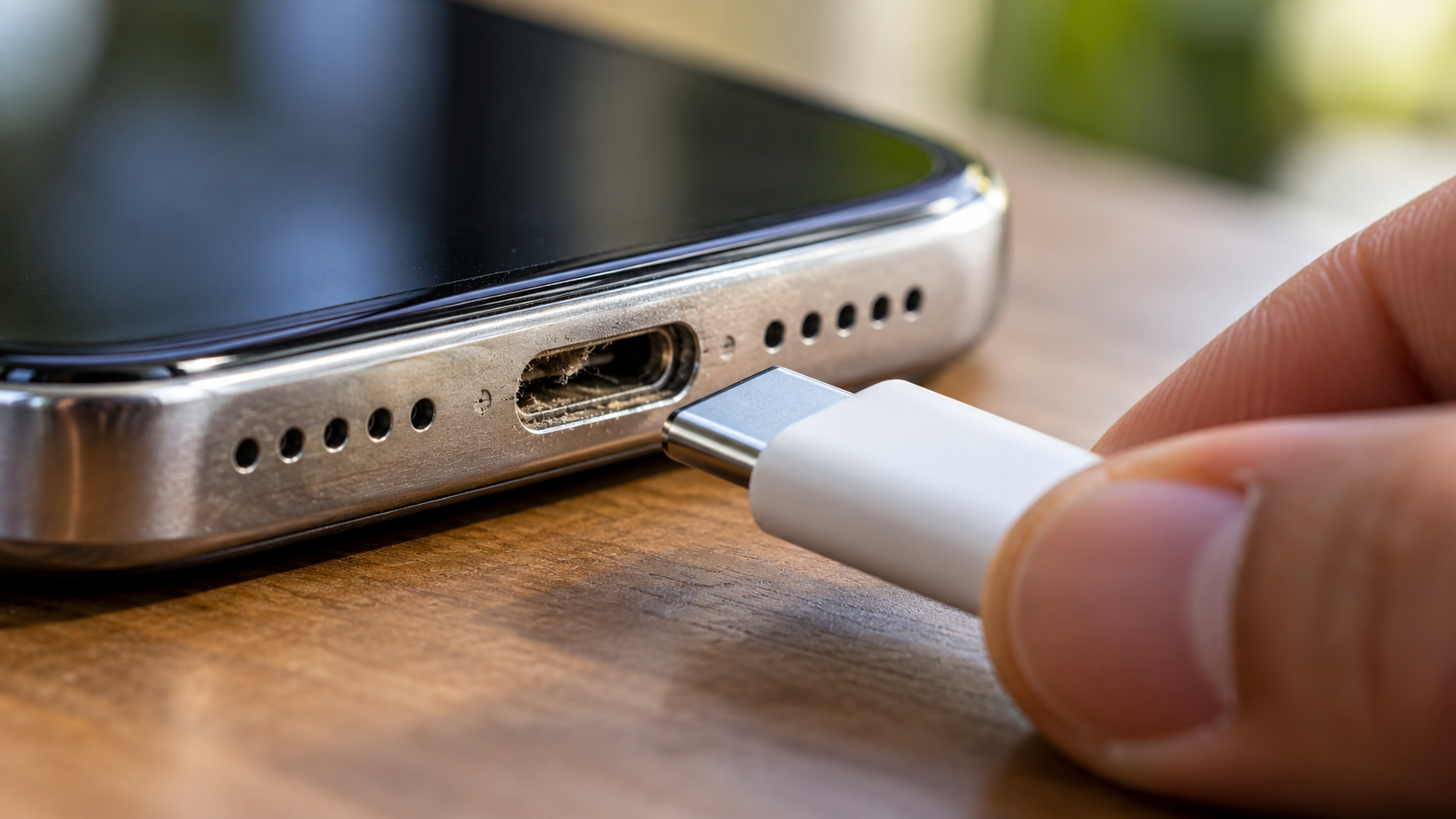
Does Your Charging Port Feel Loose? This Might Be Why
Plugging in your smartphone should feel firm and secure. If the cable wiggles or disconnects easily, you may have a loose charging port. However, a loose-feeling connection does not always mean the port itself is damaged.
Pocket lint, dust, and other debris can collect inside the port. Over time, this material can become compacted and prevent the cable from seating properly. Samsung’s charging troubleshooting guide confirms that debris inside a charging port can prevent the cable from connecting properly.
Physical damage can also cause charging problems. Drops, repeated cable pulling, moisture, worn connectors, or damaged cables can affect the connection. A faulty cable can sometimes make a healthy port feel loose.
Before assuming the port needs replacement, inspect the port and test another compatible cable. Check whether the cable sits fully inside the connector. Also look for visible damage, corrosion, or debris.
This guide explains the common causes of a loose charging port. It also covers safe cleaning, USB-C troubleshooting, repair costs, and situations that require professional service.
Why does it feel like my charging port is loose?
A charging port can feel loose for several reasons. The most common cause is debris inside the port. Pocket lint and dust can become compressed at the bottom of the connector. This prevents the charging plug from seating completely.
A damaged or worn cable can create similar symptoms. The connector may no longer fit securely, even though the phone’s port is fine. Testing another compatible cable is therefore an important first step, especially when comparing USB-C and Lightning cable reliability.
Physical damage is another possibility. Repeated pulling, accidental drops, or pressure on the cable can damage the port or its internal mounting.
You can check a few things before seeking repair:
- Does the cable sit fully inside the port?
- Does another cable fit more securely?
- Does charging stop when the cable moves?
- Can you see dirt, lint, corrosion, or physical damage?
- Does the port itself move inside the phone?
If cleaning and cable replacement do not help, the port may need professional inspection.
Recognizing Debris Versus Physical Socket Wear
Debris and physical damage can produce similar charging symptoms. The difference is important because cleaning may solve a blocked port, while hardware damage requires repair.
Start by disconnecting the charger and inspecting the port under good lighting. Look for compacted lint, dust, or other material that could prevent the plug from seating fully.
A cable that stops short of its normal position may indicate an obstruction. If the plug fits normally but still disconnects easily, the cable or port may have a physical problem. Understanding common phone charging myths can also help you avoid unnecessary repairs or incorrect troubleshooting.
You should also test a known-good compatible cable. If one cable feels loose while another fits securely, replacing the cable may solve the problem.
Watch for additional warning signs:
- The port moves when the cable moves.
- Charging repeatedly starts and stops.
- The device charges only at certain angles.
- The connector or port shows visible damage.
- Several compatible cables have the same problem.
Do not force the cable into place. Excessive pressure can turn a minor connection problem into hardware damage.
How much does it cost to fix a loose phone charging port?
The cost of fixing a loose charging port varies widely. It depends on the phone model, the type of damage, the replacement part, and the repair provider.
A simple cleaning may cost little or nothing at some repair shops. However, prices increase when the charging assembly itself needs replacement. Some phones use a replaceable charging board or flex assembly. Others require more extensive disassembly.
Repair costs can also differ between independent shops and authorized service providers. Parts quality, labor rates, device construction, and warranty coverage all affect the final price.
Before approving a repair, ask the technician what caused the problem. A useful estimate should identify whether the issue involves:
- Debris inside the port
- A damaged charging cable
- A worn or broken port
- Damaged internal connections
- Liquid or corrosion damage
- A larger motherboard problem
Ask whether the quoted price includes parts and labor. Also ask whether the repair affects water resistance or the manufacturer’s warranty.
If the phone is still covered by a warranty or protection plan, check its terms before paying for third-party repair.
Warranty Coverage and Authorized Service Pricing
Warranty coverage depends on the manufacturer, device, purchase date, and cause of damage. A charging problem is not automatically covered simply because the phone is still within its warranty period.
Manufacturers commonly distinguish between manufacturing defects and accidental damage. Drops, liquid exposure, corrosion, and physical damage may receive different treatment.
Before visiting a repair shop, check your device’s warranty or protection-plan status. Use the manufacturer’s official support website when possible.
Authorized service centers may use manufacturer-approved parts and repair procedures. Independent repair shops can offer different pricing and repair options. However, the quality and warranty terms can vary between providers.
Ask these questions before approving any work:
- What exactly is causing the loose connection?
- Does the port need cleaning or replacement?
- Is the replacement part original or third-party?
- What does the repair warranty cover?
- Will the repair affect water resistance?
- Could the repair affect the manufacturer’s warranty?
Do not choose a repair based only on the lowest price. A cheap repair can become expensive if the wrong part causes additional problems.
If the port shows burning, melting, corrosion, or other serious damage, professional inspection is safer than home repair.
Can I fix my loose iPhone charging port?
Sometimes, yes. If debris is preventing the cable from seating correctly, careful cleaning may resolve the problem. However, you should not assume every loose iPhone port can be fixed at home.
First, disconnect the charging cable and turn off the iPhone. Inspect the port under a bright light. Look for visible lint or debris that could prevent the connector from fitting completely.
Avoid metal objects, liquids, and force. Do not scrape aggressively around the connector contacts. If you are unsure about safely removing debris, professional cleaning is a safer option.
After inspection, test the phone with a known-good compatible cable. If the connection remains loose, unstable, or sensitive to movement, the port may have physical damage.
You should seek professional service when:
- The port itself moves inside the phone.
- Multiple cables disconnect easily.
- Charging works only at a particular angle.
- The phone shows signs of liquid or corrosion damage.
- Cleaning does not solve the problem.
- The connector or port appears physically damaged.
Do not force a cable to maintain a connection. Continued movement can worsen an already damaged connector.
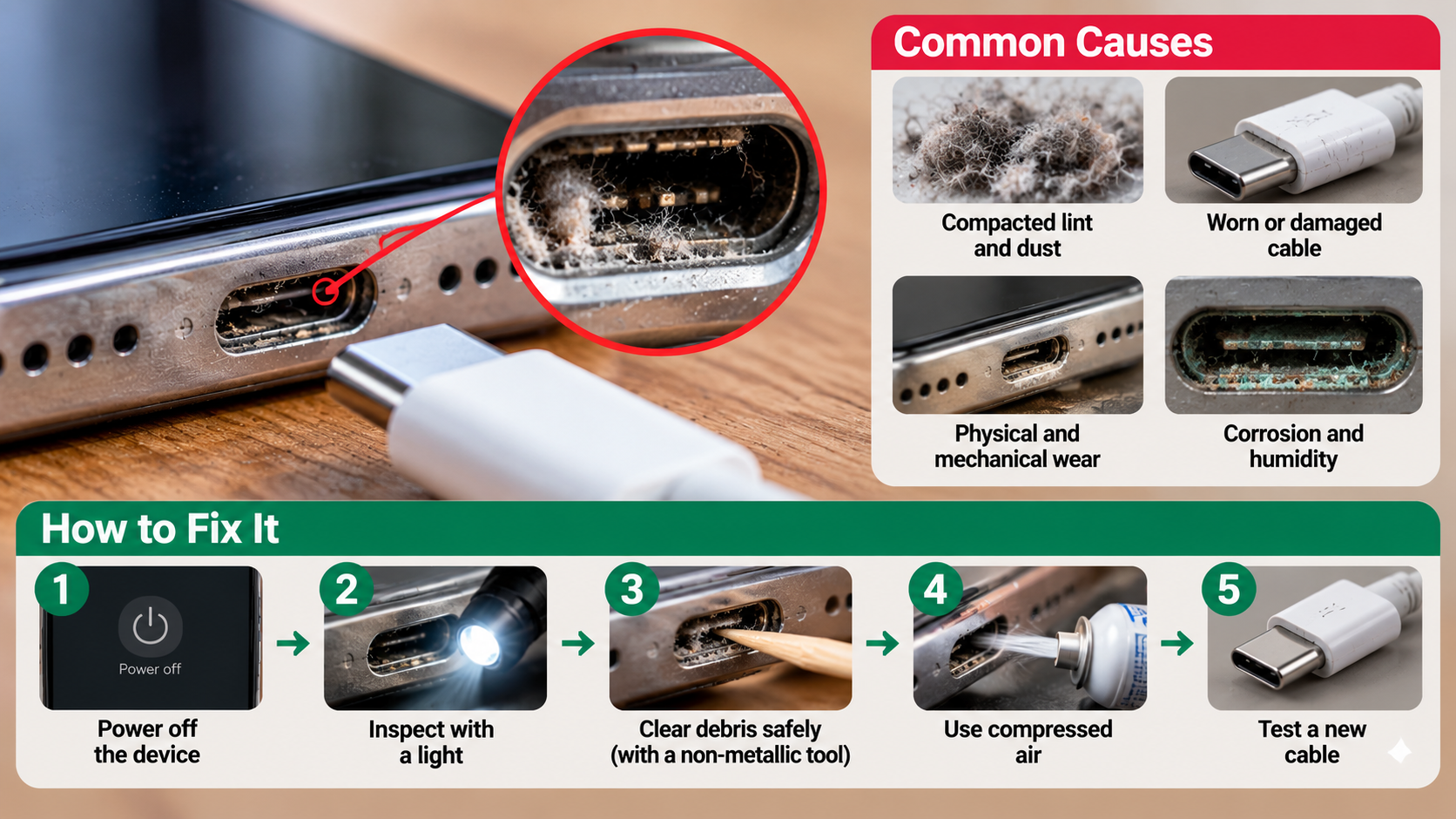

Safe Tools for Cleaning an iPhone Port
Cleaning a charging port requires more caution than it might seem. The connector contains small contacts that can be damaged by sharp or conductive objects.
Apple’s current cleaning guidance advises turning off the iPhone, disconnecting cables, avoiding moisture in openings, and avoiding compressed air. For that reason, do not automatically follow generic advice recommending compressed-air cleaning.
Avoid inserting these items into the charging port:
- Safety pins
- Sewing needles
- Paperclips
- Metal tweezers
- Blades
- Other conductive or sharp objects
Do not spray liquid cleaners directly into the port. Moisture can create additional problems, especially if it reaches internal components.
If debris is clearly visible but cannot be removed safely, consider professional cleaning. A repair technician can inspect the connector without relying on force.
After cleaning, test the connection with a compatible cable. If the cable still moves excessively, cleaning probably was not the real solution. The port or cable may require replacement.
How can I fix a loose USB-C port?
A loose USB-C connection does not always mean the phone’s USB-C port is broken. Start by checking the cable, because a worn or damaged connector can create a poor fit.
Turn off the device and inspect the USB-C port under good lighting. Look for visible debris, moisture, corrosion, or physical damage. Do not push objects deep into the port or apply force to its internal components.
Try another known-good USB-C cable that is compatible with the device. If the replacement cable fits securely, the original cable may be the problem.
If several cables feel loose, inspect the device more closely. A damaged port may also cause intermittent charging, slow charging, or charging that stops when the cable moves.
You should stop troubleshooting at home if you notice:
- A bent or damaged internal component
- Burning or melting
- Corrosion
- Liquid exposure
- A port that moves inside the device
- Charging that works only at certain angles
USB-C ports contain small contacts and mechanical components. Aggressive cleaning or bending can cause additional damage. If the problem continues after basic inspection and cable testing, professional repair is the safer option.
Protecting the Sensitive Center Connector Tongue
Many USB-C connectors contain a central tongue that carries electrical contacts. This area can be delicate, so avoid applying pressure while inspecting or cleaning the port.
Do not use a metal pick, needle, paperclip, or similar object. Avoid twisting tools inside the connector. You should also avoid spraying liquids or cleaning chemicals directly into the port.
If the port contains visible debris, follow the cleaning instructions provided by your device manufacturer. Different phones can have different cleaning recommendations. Do not assume that a technique suitable for one model is safe for another. If moisture may be involved, understanding IP67 vs. IP68 water resistance ratings can provide useful context.
You can reduce future charging-port problems by keeping the phone away from excessive dust and moisture. Avoid pulling the cable sideways while it is connected. Disconnect the cable by holding the connector rather than yanking the wire. If you regularly use wired accessories, learn how to use wired headphones without losing your charging port.
A few habits can also help:
- Use compatible, good-quality charging cables.
- Replace damaged cables promptly.
- Avoid using the phone in ways that sharply bend the connector.
- Keep the charging area reasonably clean.
- Stop using a port that becomes hot or shows visible damage.
If the USB-C connection remains loose after basic checks, have the device professionally inspected.
Conclusion
A loose charging port does not always mean your phone needs an expensive repair. In many cases, dust, pocket lint, or a worn charging cable is the real cause. Start by checking the port carefully and testing another compatible cable.
Avoid using sharp metal objects, liquids, or excessive force when cleaning the connector. These can cause more damage and turn a simple charging problem into a hardware repair.
If the connection remains loose after basic checks, or the port shows physical damage, corrosion, or signs of overheating, professional inspection is the safer choice. Taking care of your charging port and cable can also help prevent future charging problems and extend the useful life of your device.