
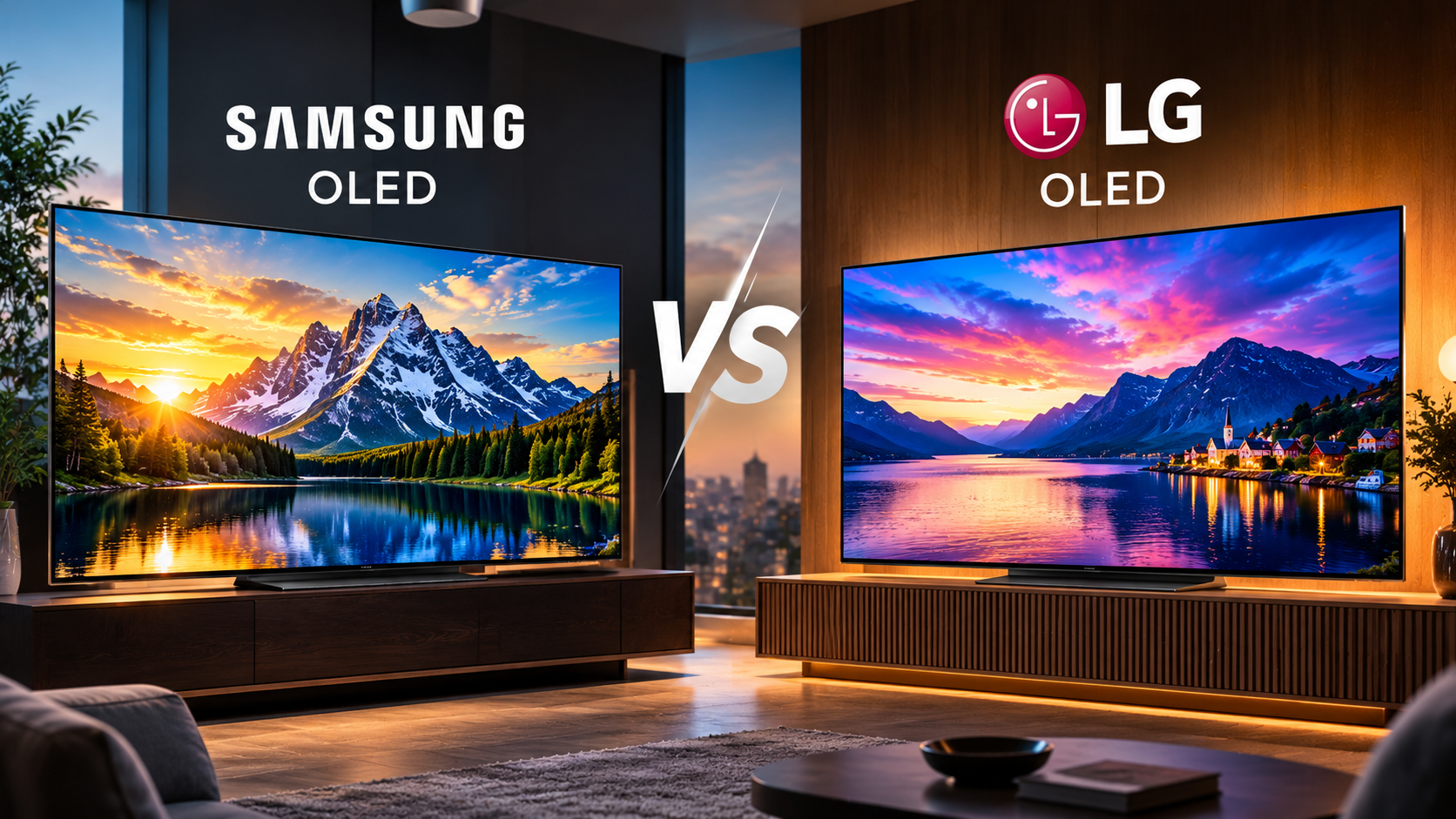
LG and Samsung OLED TVs: What’s the Difference?
Choosing between LG and Samsung OLED TVs can be difficult. Both brands offer excellent picture quality, deep blacks, and impressive contrast. However, their display technologies, image processing, smart TV platforms, and supported features differ.
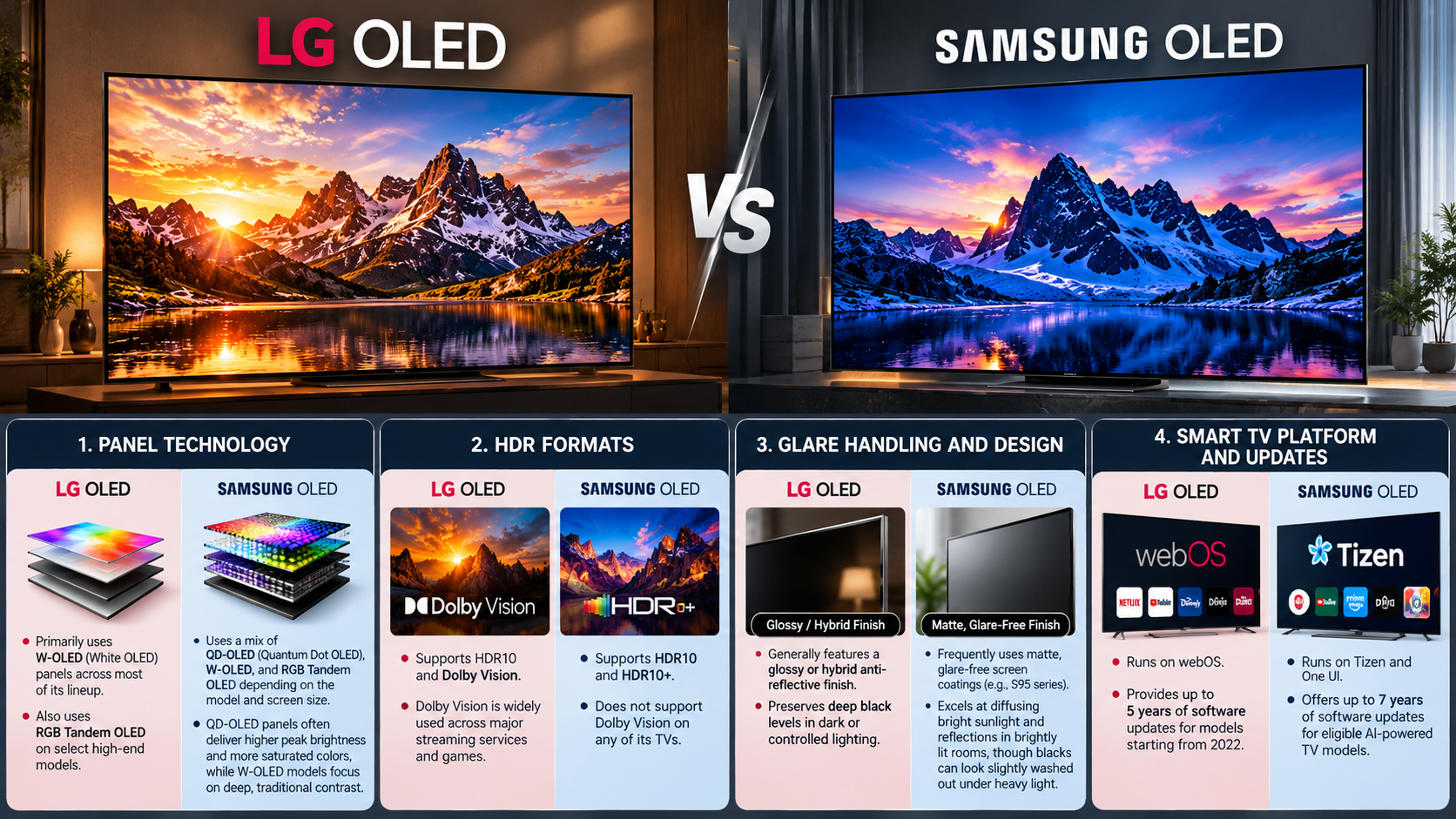
Samsung uses Quantum Dot OLED (QD-OLED) technology on selected models. Other Samsung OLED TVs use different panel technologies. LG offers OLED and OLED evo models, with performance varying by series and generation.
These differences affect brightness, color reproduction, and performance in different lighting conditions. Your choice also depends on how you watch movies, play games, or stream everyday content.
According to display testing resources such as RTINGS, individual model performance matters more than brand reputation alone. Comparing specific TVs helps you understand their real-world strengths and limitations. This guide explores LG OLED vs. Samsung OLED, HDR support, gaming features, and the differences between OLED and QLED technology.

Are Samsung OLED TVs better than LG OLED TVs?
Neither Samsung nor LG makes the best OLED TV for every viewer. The better choice depends on your room lighting, viewing habits, budget, and preferred features.
Samsung’s QD-OLED panels combine OLED pixels with quantum dot color conversion. This technology can deliver vibrant colors and strong brightness, particularly with colorful HDR content. However, not every Samsung OLED model uses QD-OLED technology. For a broader understanding of display technologies, explore AMOLED vs. OLED vs. LCD display differences.
LG’s OLED evo models use refinements designed to improve brightness and overall picture performance. Certain models also feature advanced processing that enhances image clarity and tone mapping. Their performance varies by generation and screen size.
For bright rooms, compare each model’s measured brightness and screen reflections. For dark-room viewing, both brands deliver excellent black levels and contrast. Color accuracy also depends on picture settings and calibration.
Before choosing, compare these factors:
- Brightness: Important for daytime viewing and HDR highlights.
- Color volume: Affects how vivid bright colors appear.
- Image processing: Influences upscaling, motion, and detail.
- Price: Determines which features fit your budget.
Quantum Dot Color Volume and Brightness Advantages
Samsung’s QD-OLED technology uses quantum dots to produce colors without relying on a traditional white OLED subpixel. This approach can help preserve color saturation at high brightness levels.
For example, colorful fireworks, sports uniforms, and bright HDR scenes can appear vivid. QD-OLED models can deliver particularly strong color volume compared with some conventional OLED designs. However, actual results depend on the panel generation and the content being displayed.
Brightness is not the only factor that determines picture quality. Screen reflections, automatic brightness limiting, and room lighting can also affect the viewing experience.
LG OLED evo televisions can deliver impressive brightness too. Some models use advanced panel technology and processing to improve HDR highlights. Therefore, Samsung does not automatically win every brightness comparison.
When evaluating LG and Samsung OLED TVs, check independent measurements for the exact models you are considering. Compare peak brightness, full-screen brightness, color volume, and reflection handling. These measurements provide a more reliable basis for choosing a TV than brand-level assumptions.
Which brand of OLED TV is best?
Choosing the best OLED TV brand depends on the features you value most. LG and Samsung both offer premium displays, but their product ranges differ in design, software, connectivity, and gaming capabilities.
LG has extensive experience producing OLED televisions. Its lineup includes entry-level models and premium OLED evo options. Many LG OLED models offer four HDMI 2.1 ports, although specifications vary by model. The webOS platform provides streaming apps, personalized recommendations, and smart home features.
Samsung OLED televisions offer their own advantages. Selected models feature slim designs, Tizen smart TV software, and SolarCell remote controls. Some premium Samsung televisions also support advanced cable-management solutions.
Neither brand is automatically more reliable or offers better value across its entire lineup. Prices, specifications, and software support can change between generations.
Consider your priorities before deciding:
- Choose features that suit your preferred content.
- Compare the number and capabilities of HDMI ports.
- Check software support and available streaming apps.
- Compare warranties, pricing, and local service options.
Software Ecosystems and Smart TV Interfaces
LG uses webOS, while Samsung uses Tizen OS. Both platforms provide access to popular streaming services, including Netflix, YouTube, and other compatible apps. Availability depends on your region and the television model.
LG’s webOS interface includes content recommendations, app shortcuts, and smart home controls. Many compatible models also include a Magic Remote with pointer-based navigation. This can make browsing menus easier for some users, although preferences vary.
Samsung’s Tizen platform offers streaming apps, connected-device controls, and access to supported gaming services. Its interface may display recommendations and promotional content alongside installed apps. Some users appreciate the range of features, while others prefer a simpler layout.
Both systems receive software updates, but the duration of support depends on the model and manufacturer’s policies. App availability can also change over time.
Before buying, check whether your essential apps are supported. If you already use a smart home ecosystem, compare compatibility with your existing devices. If you prefer a separate streaming device, consider whether the Apple TV 4K is still worth buying in 2026. Try each interface in a store if possible. A comfortable, responsive interface can make everyday television use more enjoyable.
Which TV is better, Samsung or LG?
Comparing Samsung and LG televisions requires more than looking at their OLED panels. HDR compatibility, connectivity, sound features, and physical design can all influence your decision.
One important difference involves HDR formats. LG OLED televisions support Dolby Vision, while Samsung televisions support HDR10 and HDR10+ instead. Dolby Vision and HDR10+ both use dynamic metadata to optimize compatible HDR content. However, the format available depends on the streaming service, movie, and playback device.
Samsung offers One Connect boxes on selected television models. These boxes consolidate compatible connections into a separate unit, helping reduce visible cable clutter. This feature is not available across the entire Samsung lineup.
LG focuses on broad connectivity and gaming functionality across many OLED models. However, ports, supported refresh rates, and other features vary by series.
When comparing specific televisions, examine:
- HDR formats supported by your favorite streaming services.
- HDMI ports and external-device connections.
- Built-in audio capabilities and soundbar compatibility.
- Wall-mounting requirements and cable-management options.
The best choice depends on which features you will actually use.
HDR Formats and Cinematic Masterpiece Support
HDR improves the range of brightness, contrast, and color available in compatible content. Dolby Vision and HDR10+ use dynamic metadata to adjust HDR presentation throughout a movie or show. Standard HDR10 uses static metadata instead.
LG OLED TVs support Dolby Vision, making them suitable for viewers who frequently watch Dolby Vision movies and series. Samsung OLED TVs support HDR10+, which offers similar dynamic metadata capabilities on compatible content.
Neither format guarantees better results in every situation. The quality of the original master, the television’s brightness, and its tone-mapping performance also matter. A well-processed HDR10 presentation can look excellent on either brand.
Before buying, check the formats supported by your preferred streaming services and physical media. Some content is available in Dolby Vision but not HDR10+. Other titles support HDR10+ or standard HDR10.
Samsung’s lack of Dolby Vision support may matter to dedicated movie enthusiasts. However, it does not mean Samsung OLED televisions cannot deliver excellent HDR performance. Compare the content you watch most often before making your decision.
Is LG OLED better than Samsung QLED TV?
LG OLED and Samsung QLED televisions use different display technologies. OLED produces light at the individual pixel level, while traditional QLED televisions use an LED backlight combined with a quantum dot layer. For a broader comparison of their strengths and limitations, explore OLED vs. QLED in 2026.
Because OLED pixels can switch off individually, OLED televisions deliver extremely deep blacks and precise contrast. They also avoid the blooming that can occur around bright objects on LCD televisions with local dimming.
Samsung QLED televisions can reach higher brightness levels than many OLED models, depending on the products being compared. This can make them suitable for bright rooms with substantial daylight. Their performance also depends on backlight design, local dimming, and screen reflections.
However, QLED is a broad product category. Some models have advanced Mini LED backlighting, while others use simpler backlight systems. Their contrast performance can differ significantly.
Consider your environment before choosing:
- OLED: Excellent blacks, pixel-level contrast, and wide viewing angles on many models.
- QLED: Potentially higher brightness and no OLED-specific permanent burn-in risk.
- Mini LED QLED: Can improve contrast through more precise backlight control.
Pixel-Level Dimming Versus Backlight Zones
OLED televisions control each pixel independently. When a pixel displays black, it can switch off completely. This creates precise contrast between dark backgrounds and bright objects.
Traditional QLED televisions rely on backlighting. Local dimming divides the backlight into zones that can brighten or dim independently. However, each zone controls multiple pixels, so light may spill around small highlights against dark backgrounds.
Mini LED technology uses smaller LEDs to enable more precise backlight control in compatible televisions. This can reduce blooming and improve contrast compared with less advanced QLED designs. However, it does not provide the same pixel-level light control as OLED.
Brightness is another important difference. Many QLED and Mini LED televisions can maintain high brightness across larger portions of the screen. This helps when watching sports or daytime television in a bright room.
OLED remains attractive for dark-room movies and high-contrast scenes. QLED may suit rooms with strong daylight or viewers concerned about permanent burn-in. If longevity is a priority, compare how long Mini LED TVs last compared with OLED TVs before making your decision. Compare actual model measurements rather than relying on technology labels alone.
Which TV should I buy, LG or Samsung?
The right television depends on your budget, room lighting, and intended use. LG OLED and Samsung OLED models both provide excellent picture quality, so choosing between them requires comparing specific features.
LG may suit gamers who want several HDMI 2.1 connections and a dedicated gaming interface. Many LG OLED models include four HDMI 2.1 ports, although you should verify the specifications of your chosen model.
Samsung OLED may appeal to viewers who prioritize vibrant HDR colors, a slim design, or selected premium connectivity features. Its QD-OLED models can deliver strong color volume, but not every Samsung OLED uses this panel technology.
For movie enthusiasts, Dolby Vision support may make LG more suitable. Samsung’s HDR10+ support can be equally relevant if your preferred content uses that format.
Use these questions to narrow your options:
- Is your room bright throughout the day?
- Do you watch more movies, sports, or games?
- Do you need several HDMI connections?
- Which HDR formats do your favorite services support?
- What screen size fits your room and budget?
Compare prices and independent test results before purchasing. A well-matched television will serve you better than a more expensive model with features you rarely use.
Gaming Performance and Variable Refresh Rate Support
Both LG and Samsung offer OLED televisions with gaming features designed to deliver responsive gameplay. Supported features can include Variable Refresh Rate (VRR), Auto Low Latency Mode (ALLM), and high refresh rates. Availability depends on the specific model and connected device.
VRR helps synchronize the television’s refresh rate with a compatible gaming system. This can reduce screen tearing and provide smoother gameplay when frame rates fluctuate. ALLM automatically switches the television into a low-latency mode when supported equipment is detected.
Many LG OLED models include a Game Optimizer interface. It provides access to supported gaming settings, picture adjustments, and performance information. Samsung also offers gaming menus and features on compatible models.
When comparing televisions, check the number of HDMI 2.1 ports, supported refresh rates, and VRR compatibility. Some models support higher refresh rates than others. Console players should also confirm compatibility with their PlayStation or Xbox, while PC gamers may need additional refresh-rate support.
For competitive gaming, input lag and response time matter. For cinematic games, HDR performance and image quality may be more important. Compare independent measurements to find the right balance for your gaming setup.
Final Verdict: LG or Samsung OLED TVs?
There is no universal winner between LG and Samsung OLED TVs. Both brands deliver deep blacks, excellent contrast, and impressive picture quality. The better option depends on your priorities and the models available within your budget.
LG OLED televisions may be preferable if Dolby Vision support, gaming connectivity, and the webOS interface matter most. Samsung OLED televisions may appeal to viewers who value QD-OLED color performance, particular design features, or the Tizen platform.
If you are comparing OLED with Samsung QLED, consider your room lighting and viewing habits. OLED is particularly compelling for dark-room movies and precise contrast. QLED can be attractive for bright rooms and viewers who prefer sustained brightness.
Before making your purchase, compare independent brightness measurements, HDR support, HDMI connectivity, software features, and warranty terms. Check the exact model number rather than relying on general brand comparisons.
Ultimately, the best TV is the one that fits your room, viewing habits, and budget. Comparing individual models will help you make a more informed decision.