
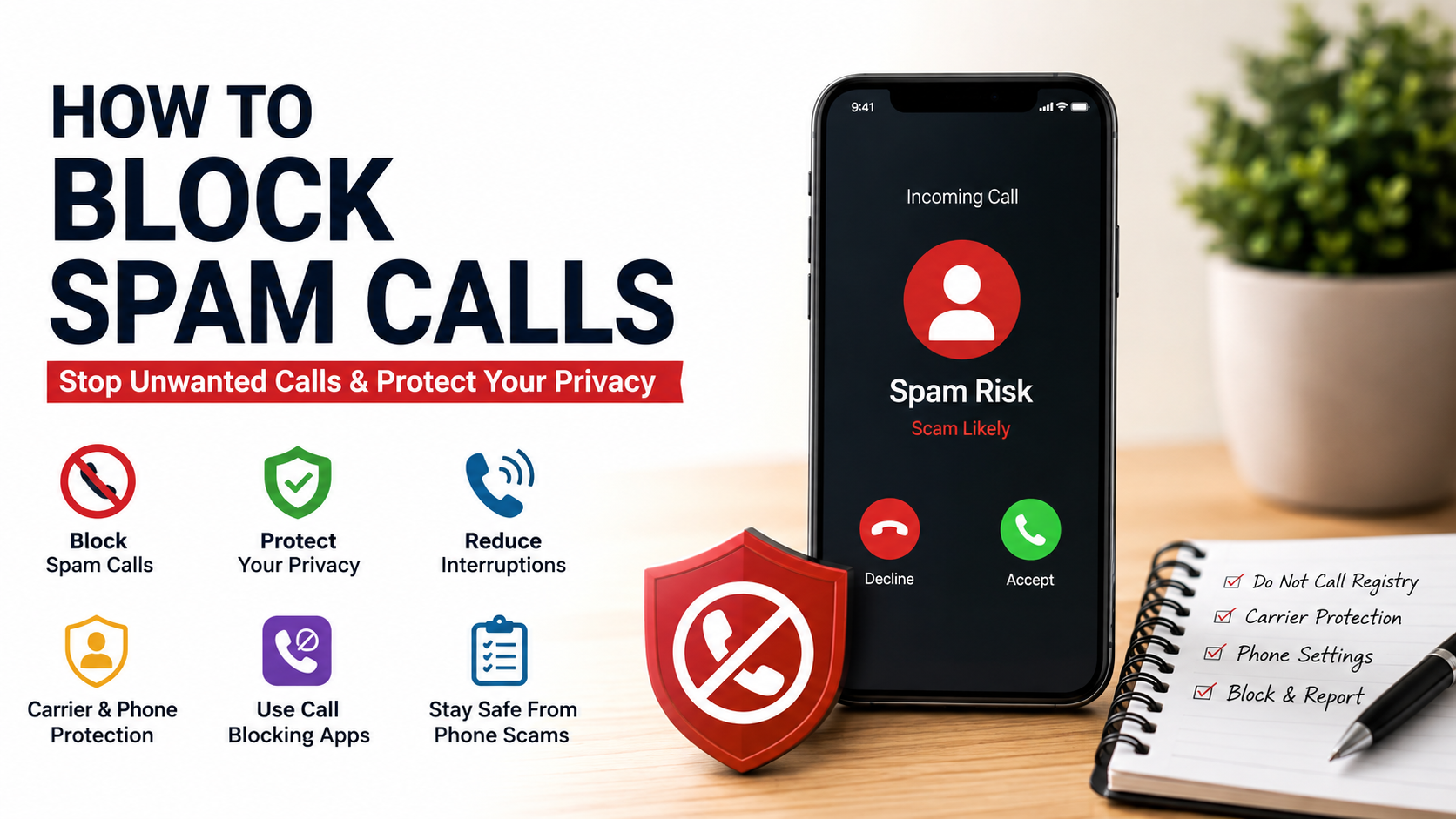
How to Block Spam Calls
Robocalls, aggressive telemarketers, and fraudulent calls can disrupt your day. Learning how to block spam calls helps protect your privacy and reduce unwanted interruptions. It can also lower your exposure to common phone scams.
Scammers constantly change their tactics. They use automated dialers, caller ID spoofing, and local-number tricks to make calls appear trustworthy. As a result, an unfamiliar number may belong to a scammer pretending to be nearby. These evolving tactics are similar to the techniques discussed in How AI Phishing Attacks Are Becoming More Dangerous.
Fortunately, modern smartphones and mobile carriers offer several ways to fight spam. You can use built-in call-blocking features, carrier protection tools, and trusted spam-filtering apps. The Federal Trade Commission’s guide to blocking unwanted calls also provides practical advice for reducing unwanted calls.
This guide explains practical ways to stop spam calls on your phone. You will learn how to block individual numbers, filter unknown callers, and use automatic spam detection.
The best approach combines several layers of protection. Registering your number with the National Do Not Call Registry can reduce legitimate telemarketing calls. Phone and carrier controls can then help identify or block suspected scams.

How Do I Permanently Stop Spam Calls?
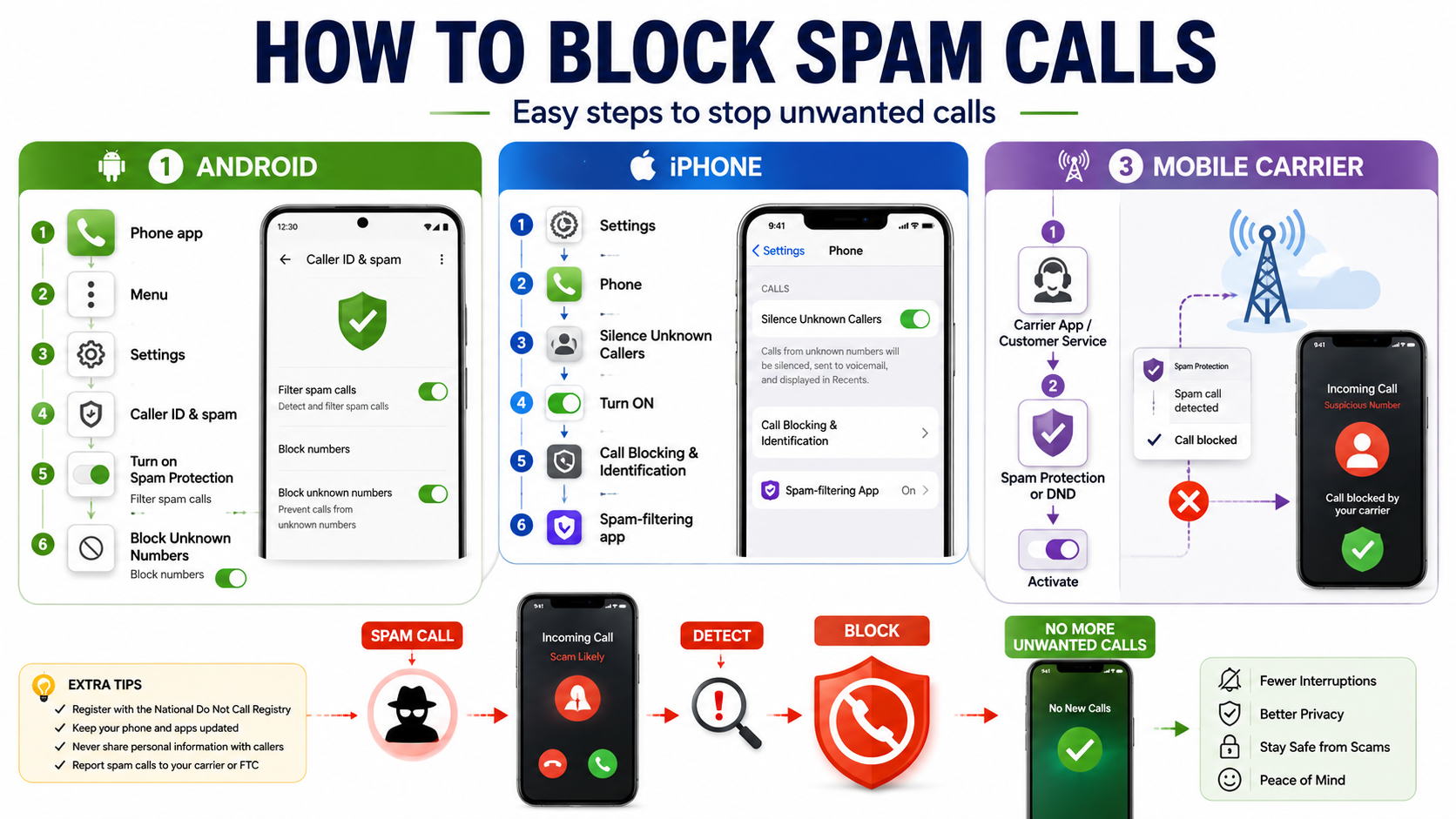
There is no single method that can permanently stop every spam call. Scammers can create new numbers, spoof caller ID, and change their calling methods. However, combining several protections can significantly reduce unwanted calls.
Start by registering your number with the National Do Not Call Registry. This can reduce calls from legitimate telemarketers that follow federal rules. It does not stop scammers or companies that are legally exempt from the registry.
Next, activate your mobile carrier’s spam and fraud protection. Many carriers provide tools that identify suspicious calls before they reach your phone. Some services can also block known scam numbers automatically.
You should also enable your phone’s built-in spam protection. On supported devices, these features can identify suspicious callers and reduce unwanted alerts.
For stronger protection, consider a reputable call-blocking app. These apps use caller databases and other signals to identify suspected spam.
Using these layers together provides a stronger defense than relying on one feature alone.
Add Your Number to the National Registry
Visit the National Do Not Call Registry and register your mobile or landline number. Registration is free and only takes a few minutes. You may need to verify your registration through email.
Once your number has been registered for 31 days, legitimate telemarketers covered by the rules generally cannot call for sales purposes. However, registration does not block every unwanted call.
Certain organizations and types of calls may still be allowed. These can include political calls, charitable solicitations, surveys, and calls from companies with an established business relationship.
The registry also cannot prevent illegal scammers from calling. Fraudsters often ignore the rules or use spoofed numbers.
For that reason, treat registry registration as one layer of protection. Combine it with your phone’s spam call filter and your carrier’s security tools.
If you continue receiving illegal telemarketing calls after registration, you can report them to the appropriate consumer protection agency. Keep records of repeated unwanted calls when possible.
How to Prevent Spam Calls on iPhone?
iPhones include built-in features that can reduce unwanted calls. One of the most useful options is Silence Unknown Callers. It can prevent unfamiliar numbers from ringing your device while still allowing you to review the calls later.
This feature is useful if you rarely receive important calls from unknown numbers. However, it may not suit people who regularly receive calls from new customers, delivery drivers, medical offices, or other unfamiliar contacts.
You can also block individual numbers from your recent calls. Once blocked, calls from that number will no longer alert you normally.
For additional protection, supported third-party call identification apps can work with Apple’s call-screening features. These services may identify suspected spam based on caller reputation and updated databases.
Before installing an app, check its privacy policy and permissions. Choose established providers and avoid apps that request access they do not need.
For most users, the best setup combines Silence Unknown Callers, manual blocking, and carrier-level spam protection.
Enable the Silence Unknown Callers Setting
Open your iPhone’s Settings and locate the Phone settings. Find Silence Unknown Callers and turn the feature on.
When enabled, calls from numbers that do not meet Apple’s recognition criteria can be silenced. Instead of interrupting you with a normal ring, the call can be sent to voicemail and remain visible in your recent calls.
This setting works well for people who prefer fewer interruptions. It is especially helpful when most important callers are already saved in your contacts.
However, remember that unknown callers are not always scammers. A legitimate business, delivery service, or new contact may use a number you have never saved.
If you expect an important call, consider temporarily disabling the feature. You can also review your voicemail and recent calls regularly.
For stronger protection, combine this setting with carrier spam detection and individual number blocking. These additional tools can help identify suspicious calls without forcing you to silence every unfamiliar number.
How Can I Block Spam Calls?
You can block unwanted callers directly from your smartphone. This method works particularly well when the same number repeatedly contacts you.
Open your recent call history and select the unwanted number. Look for the option to block or report the caller. Confirm the action, and your phone will prevent future calls from that number from reaching you normally.
Manual blocking is simple, but it has one major limitation. Scammers can change phone numbers frequently, so blocking one number may not stop future attempts.
For broader protection, use your phone’s built-in spam detection. Depending on your device, it may warn you about suspected spam or automatically filter certain calls.
You can also use reputable caller identification services. These services compare incoming numbers with databases containing reported spam and scam activity.
Avoid calling suspicious numbers back. If a caller claims to represent a bank, government agency, or company, contact that organization through its official website or verified phone number. You should also be cautious about following unexpected links, as explained in Clicking on a Suspicious Link? 5 Smart Steps to Stay Safe.
Combining manual blocking with automated filtering gives you better protection against persistent spam callers.
Block Persistent Numbers in Your Call Log
Start by opening your phone’s recent calls or call history. Find the number you want to block and open its details.
Depending on your device, you may see a contact information icon, a menu button, or a Block Caller option. Select the appropriate blocking option and confirm your choice.
After you block the number, future calls from that specific number should no longer interrupt you normally. Some phones may also block related messages from the same contact.
Manual blocking is useful for repeat offenders. It takes only a few seconds and does not require additional software.
However, blocking individual numbers cannot stop all spam. Scammers often use different numbers or spoof legitimate caller IDs. You may therefore receive another unwanted call from a different number.
For better results, combine manual blocking with your phone’s spam filter. You can also activate your carrier’s call-protection service.
If your phone offers a Report Spam option, use it when appropriate. Reporting suspicious calls can help improve spam databases and protect other users from similar numbers.
How Do I Stop Spam Calls on My Mobile?
Stopping spam calls on a mobile phone usually requires more than one setting. Start with the spam protection already available on your device. Android phones, for example, may provide caller identification and spam warnings through the default Phone app.
Open the Phone app and review its settings. Look for Caller ID and spam or a similarly named option. Turn on available identification and spam-filtering features.
Your mobile carrier may provide another layer of protection. Major carriers offer services that can identify, warn about, or block suspected scam calls. Features and pricing vary by carrier and plan.
These carrier systems can be useful because they operate at the network level. They may identify suspicious traffic before it reaches your phone.
You can also install a reputable third-party spam-blocking app. These services often maintain large databases of reported numbers and suspicious calling patterns.
Remember that no system catches every spam call. Check your phone and carrier settings regularly. Keeping your software updated can also ensure that you have access to the latest call-protection features.
Activate Built-In Android Spam Filtering
Open the Google Phone app on a compatible Android device. Tap the menu icon and open Settings. Look for Caller ID & spam or a similar option.
Turn on caller identification and spam protection if those features are available. Your phone can then use caller information and spam databases to identify suspicious numbers.
Depending on your device and settings, you may receive a warning when a call appears suspicious. Some phones can also filter or block known spam calls automatically.
These features are useful because they require little ongoing effort. Once enabled, your phone handles much of the screening in the background.
Android settings can vary by manufacturer, operating system version, and phone model. If you cannot find the exact menu, search your Phone app settings for spam or caller ID.
For stronger protection, combine Android’s built-in filtering with your carrier’s security service. You can also use a trusted third-party caller identification app.
Always download apps from the official app store. Review permissions carefully before granting access to your calls or contacts.
How to Block Spam Calls Automatically?
Automatic call blocking can reduce the amount of manual work required to manage unwanted calls. Modern smartphones, carriers, and security apps can use several signals to identify suspicious numbers.
Some systems use caller reputation databases, reported spam numbers, behavioral patterns, and network-level information. Carrier technologies may also use STIR/SHAKEN authentication to help verify caller ID information on supported calls.
However, these technologies do not guarantee that every caller is legitimate. Authentication can help identify whether caller ID information was properly signed, but it does not prove that the person calling is trustworthy.
Dedicated services such as RoboKiller, Truecaller, and Nomorobo can provide additional screening. Depending on the service, they may identify, warn about, screen, or block suspected spam calls.
Automatic filtering is most effective when combined with built-in phone controls. Keep your operating system and security apps updated so their detection databases remain current.
Before choosing a third-party service, review its privacy practices and permissions. A trustworthy provider should clearly explain how it handles caller information and personal data.
Use Dedicated Third-Party Robocall Blockers
Third-party call-blocking apps can provide another layer of protection against robocalls and scam calls. Popular services include RoboKiller, Truecaller, and Nomorobo.
These apps typically compare incoming numbers with databases containing reported spam and scam activity. Some can display warnings, while others can automatically screen or block suspicious calls.
Start by downloading the app from your device’s official app store. After installation, follow the setup instructions and enable the required call-screening permissions.
The exact features depend on the app, device, operating system, and subscription plan. Some services provide basic protection for free, while others reserve advanced features for paid plans.
Privacy should be a major consideration. Read the app’s privacy policy before giving it access to calls, contacts, or other information.
Avoid apps that request unnecessary permissions. Choose established services with transparent policies and a strong security reputation.
Remember that no third-party tool can identify every scam call. Automatic protection works best when combined with your phone’s built-in controls and your carrier’s spam-filtering service.
Frequently Asked Questions
What happens if I answer a spam call?
Answering a spam call does not automatically prove that your number is active. However, interacting with a scammer can expose you to additional risks.
Do not provide passwords, financial details, verification codes, or other sensitive information. Avoid following instructions from unexpected callers. These precautions are part of broader Cyber Safety for Students: The Ultimate Digital Guide principles for protecting personal information online.
If you answer a suspicious call, hang up without engaging. Do not press buttons simply because an automated voice tells you to do so.
If the caller claims to represent a company or government agency, verify the request independently. Find the organization’s official contact information and call that number yourself.
Can scammers spoof legitimate phone numbers?
Yes. Caller ID spoofing allows scammers to make their calls appear to come from another number.
They may imitate local numbers, banks, government agencies, businesses, or people you know. Therefore, caller ID alone should not be treated as proof of identity.
If a caller unexpectedly asks for money or sensitive information, end the call. Contact the organization through a trusted number from its official website or a statement you already have.
Do call-blocking mobile apps compromise my privacy?
Not necessarily, but privacy practices vary between apps. Some services may process caller information to provide identification or spam detection.
Review an app’s privacy policy before installing it. Check which permissions it requests and why those permissions are necessary.
Choose established providers with transparent data practices. Avoid apps that request unnecessary access to private information. These habits also support the broader principles covered in Malware Protection Tips for Home.
Are carrier spam-blocking apps completely free?
Many mobile carriers provide basic spam detection or blocking at no additional cost. If you’re learning how to block spam calls, carrier protection can be an effective first step. However, availability and features vary by carrier, location, and plan.
Some providers also offer premium services. These may include advanced blocking, reverse number lookup, enhanced caller identification, or additional customization.
Check your carrier’s current service details before assuming a feature is free. You can often activate basic protection through your carrier’s app or account settings.
Conclusion
Learning how to block spam calls starts with using the protection already available on your phone. Built-in spam filters can identify suspicious callers and reduce unwanted interruptions.
You can also block individual numbers when the same caller repeatedly contacts you. On supported iPhones, Silence Unknown Callers can reduce interruptions from unfamiliar numbers. Android devices may offer caller ID and spam protection.
Your mobile carrier can provide another important layer of defense. Carrier-level tools can identify or block known scam activity before it reaches your device.
Registering your number with the National Do Not Call Registry can also reduce calls from legitimate telemarketers. Remember that the registry does not stop illegal scammers.
For additional protection, consider a reputable third-party call-blocking service. Review its privacy practices before enabling call-screening permissions.
Most importantly, never trust an unexpected caller simply because the number looks familiar. Avoid sharing sensitive information, verification codes, passwords, or financial details.
By combining manual blocking, automatic spam detection, carrier protection, and smart calling habits, you can significantly reduce unwanted calls and protect your personal information.