
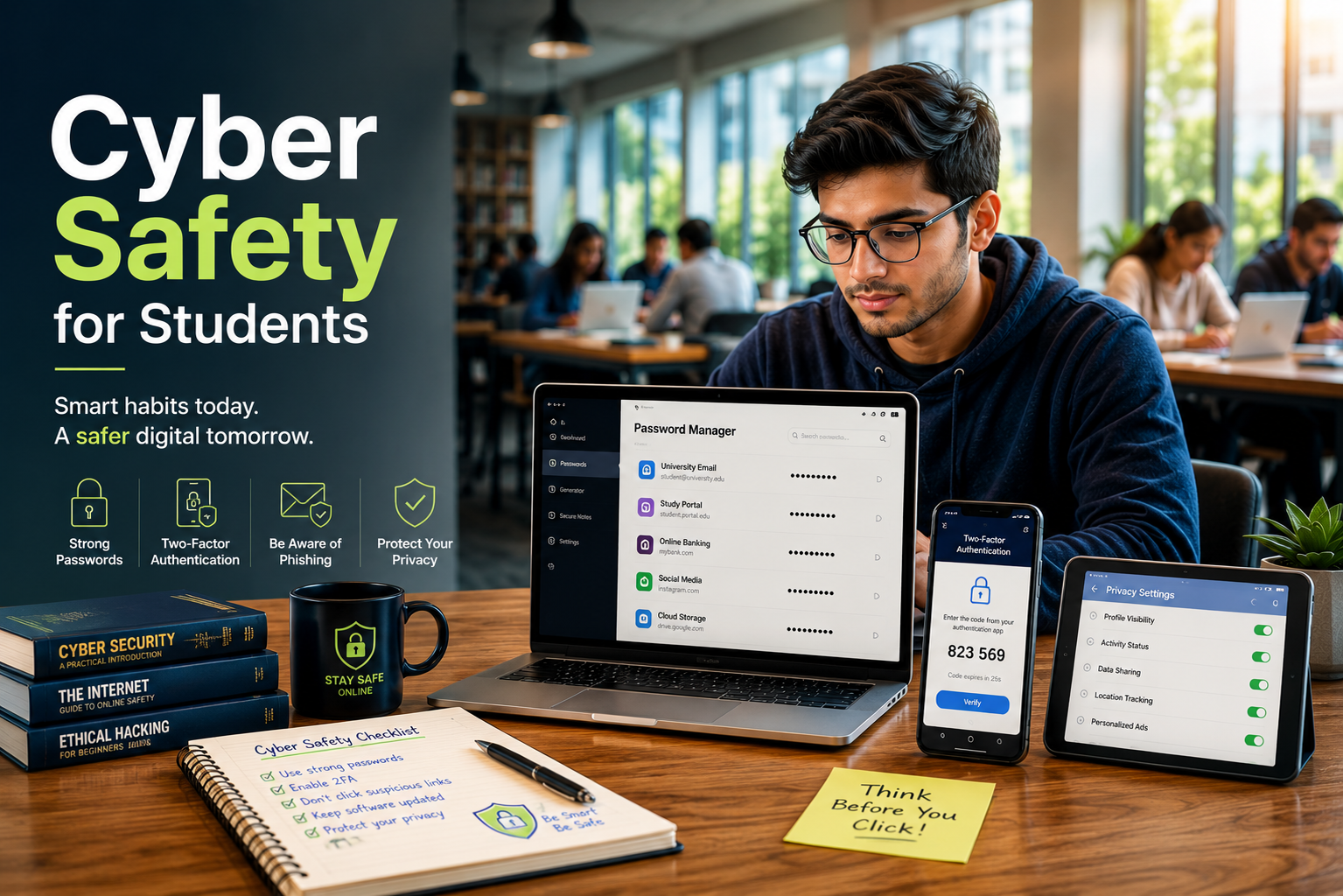
Cyber Safety for Students: A Guide to Staying Safe Online
The modern digital world offers incredible, unprecedented opportunities for learning, collaboration, and entertainment. However, navigating this vast space safely requires proactive awareness, critical thinking, and the right everyday habits. Practicing robust cyber safety for students is no longer just an optional tech habit or a minor recommendation; it is a fundamental life skill required to protect your personal information, financial data, and digital reputations. According to the official CISA (Cybersecurity and Infrastructure Security Agency) documentation, understanding basic digital hygiene significantly reduces the risk of falling victim to malicious online activity.
As educational environments increasingly rely on cloud-based platforms, virtual classrooms, and social media, students face growing digital risks. They are more likely to encounter phishing attacks, privacy leaks, and emerging threats such as deepfake technology. This article explores the core principles of Cyber Safety for Students. It also provides practical strategies to protect your data, devices, and mental well-being. Understanding these risks helps you study, communicate, and socialize online with greater confidence.
Understanding the Digital Footprint
Every single action you take online leaves a permanent, traceable trail known as a digital footprint. This includes your social media posts, photo uploads, public comments, search engine history, and website registrations. Consequently, what seems like a harmless photo or an impulsive comment today can easily resurface years later. Many students mistakenly believe that deleting a post removes it forever, but archiving tools, screenshots, and server logs can preserve data indefinitely.
Future employers, university admissions boards, and security screeners routinely audit public digital histories to evaluate an applicant’s character. Therefore, managing your online presence with extreme care is the first step toward long-term internet safety. You must view your online profile as an extension of your real-world resume.
Strategies for a Cleaner Digital Presence
-
Think before posting: Avoid sharing emotional, political, or controversial content that you might regret later in your professional career.
-
Audit your accounts: Regularly delete old accounts, forum profiles, and applications that you no longer actively use.
-
Google yourself: Periodically search your full name across multiple search engines to see what information is publicly available to strangers.
Securing Personal Accounts and Data
Weak or recycled passwords represent the easiest entry point for modern cybercriminals. Many students use the exact same simple password across multiple platforms, creating a dangerous domino effect if one obscure website suffers a data breach. Once hackers compromise one account, they will automatically use automated software to test those exact login credentials on major platforms like Google, bank accounts, and university networks.
The Power of Strong Passwords
A secure password should resemble a long passphrase rather than a single, predictable word. Combine uppercase letters, lowercase letters, numbers, and unique special symbols to maximize complexity. Avoid easily guessable information like your birthdate, pet’s name, or school name. Using a dedicated password manager can help you generate and store these unique codes safely without needing to memorize them all.
Implementing Multi-Factor Authentication (MFA)
Multi-factor authentication adds a vital, secondary layer of defense that stops hackers in their tracks. Even if a malicious actor discovers your password, they cannot access your account without a secondary verification code sent directly to your physical device. Enabling MFA on your primary email, student portals, and banking apps is a non-negotiable step for modern data protection.
Recognizing Online Threats and Scams
Phishing remains one of the most prevalent and dangerous threats targeting students today. Attackers often masquerade as trusted entities, such as your university’s IT department, a known professor, financial aid offices, or a popular streaming service, to trick you into revealing login credentials. They create a false sense of urgency, claiming your account will be deleted if you do not log in immediately.
Staying Safe on Public Wi-Fi
Coffee shops, libraries, and campus common areas offer convenient public Wi-Fi networks for studying. However, these networks are frequently unsecured, allowing interceptors on the same network to view your active browsing activity and steal data. Avoid accessing sensitive financial accounts, entering credit card numbers, or typing important passwords while connected to public networks unless you are utilizing a secure, encrypted Virtual Private Network (VPN).
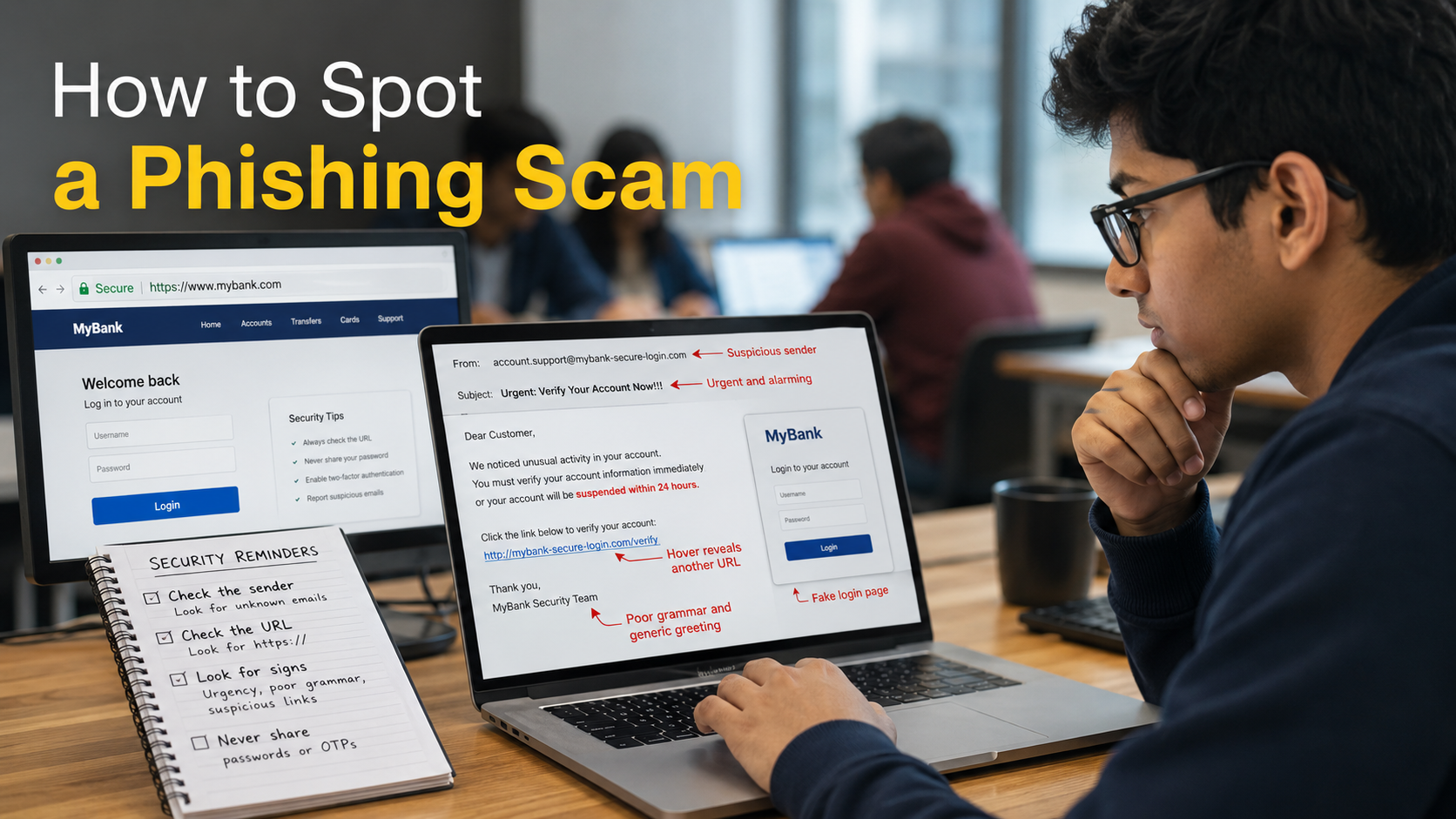
How to Spot a Phishing Scam
Phishing scams often share common warning signs. Watch for these red flags before clicking any links or sharing personal information:
- Urgent or threatening language that pressures you to act immediately.
- Mismatched sender email addresses, such as support@amz-security.com, that imitate legitimate organizations.
- Poor grammar, spelling mistakes, or unusual greetings, which are common in fraudulent emails.
- Unexpected attachments or suspicious links that redirect you to unfamiliar or fake websites.

Social Media Savvy and Privacy Settings
Social media platforms are fundamentally designed for sharing, but oversharing poses distinct, severe security risks. Identity thieves can easily piece together answers to your security questions—like your mother’s maiden name or your first pet—by analyzing your public profile details and childhood photos. Furthermore, tracking your location data gives bad actors insight into your daily routines.
Optimizing Your Privacy Controls
Take time to thoroughly review the privacy settings on platforms like Instagram, TikTok, and Snapchat. Restrict your profile visibility to “Friends Only” and carefully vet every single friend request you receive. Never share your real-time location, home address, or daily school schedule publicly. By limiting who can see your life, you drastically reduce your surface area for targeted cyber crimes.
Combating Cyberbullying and Mental Fatigue
Digital wellness is an integral, often overlooked component of student internet security. Cyberbullying, online harassment, and digital fatigue can severely impact academic performance and mental health. The psychological weight of constant connectivity can lead to stress, anxiety, and decreased focus. Recognizing when an online space becomes toxic is crucial for your overall safety.
If you encounter online harassment, do not engage or argue with the bully. Document the behavior completely by taking screenshots, block the perpetrator immediately across all platforms, and report the incident to a trusted authority figure, parent, or school administrator. Remember that maintaining firm boundaries with your digital devices and taking regular screen breaks is essential for preserving your mental well-being.
FAQ Section
Why is cyber safety for students so important today?
Cyber Safety for Students is essential because students use the internet every day for learning, research, entertainment, and communication. This constant online activity increases the risk of scams, malware, identity theft, and data breaches. Students also use school-issued devices and campus networks. These systems often store sensitive academic and personal information.
Poor online habits can damage a student’s academic reputation and future career opportunities. Employers and universities may review a person’s digital footprint before making decisions. By following Cyber Safety for Students best practices, students can protect their personal information, secure their devices, and build a positive online presence for the future.
How often should I update my passwords?
You should ideally update your primary, high-priority passwords every three to six months to maintain optimal security against evolving brute-force tracking methods. However, it is even more critical to change them immediately if you suspect an active security breach, notice unusual account login behaviors, or receive a public automated notification about a corporate data leak involving your service providers. Relying on memory alone often leads to using weak, repetitive variations that hackers easily exploit.
Using a dedicated, secure password manager helps track complex, randomly generated variations easily without causing personal confusion. This modern utility effectively eliminates the temptation to reuse old passwords across multiple platforms, ensuring that a single compromised app or forum account does not compromise your entire digital identity, banking portals, or academic networks. Taking this proactive approach drastically reduces your vulnerability to widespread identity theft and credential stuffing attacks.
Is public campus Wi-Fi entirely safe to use?
Public campus Wi-Fi networks are convenient, but they are not always secure. Hundreds or even thousands of users share these networks every day. This makes it easier for attackers to intercept unencrypted data with widely available tools. These “man-in-the-middle” attacks can expose private messages, passwords, and login details.
Avoid making financial transactions or accessing sensitive accounts while using public Wi-Fi. If you must sign in to your student portal or bank account, use a trusted Virtual Private Network (VPN). A VPN encrypts your internet traffic and helps protect your data from unauthorized access.
What should I do if I accidentally click a suspicious link?
If you click a suspicious link or unexpected email attachment, disconnect your device from the internet immediately. Turn off Wi-Fi, enable airplane mode, or unplug the network cable. This helps stop malware from communicating with external servers or stealing your personal data.
Next, run a full malware scan using trusted and updated antivirus software. Monitor your accounts for unusual activity and report any suspicious transactions to your bank if financial information may have been exposed. Change your passwords from a separate, secure device. Never enter passwords into pop-up windows that appear after clicking a suspicious link, as they are often used to steal login credentials.
How can I tell if a website is secure for browsing?
Cyber Safety for Students begins with learning how to identify secure websites before entering any personal information or login credentials. You can verify a website’s basic security by checking the URL carefully. Look for the “https://” prefix at the beginning of the web address, where the “s” indicates an encrypted connection using transport-layer security protocols. A visible padlock icon next to the URL in your browser also suggests that the site has a valid security certificate.
However, Cyber Safety for Students also means understanding that phishing websites can obtain valid security certificates. Because of this, Cyber Safety for Students requires you to check the exact spelling of the domain name and watch for subtle character substitutions that mimic trusted websites. You should also look for warning signs such as poor-quality graphics, broken links, missing contact information, or aggressive pop-up forms requesting personal details. Following these habits is an important part of Cyber Safety for Students, helping you browse safely and avoid online scams. By practising these checks regularly, Cyber Safety for Students becomes a daily habit that strengthens your online security.
Conclusion
Prioritizing cyber safety for students is a fundamental, mandatory requirement for navigating the modern educational landscape successfully. By actively managing your digital footprint, implementing strong passphrase-style passwords, enabling multi-factor authentication, and remaining vigilant against evolving phishing scams, you can protect your data effectively. Total digital security is achieved through consistent, everyday habits rather than a simple, one-time adjustment.
As technology continues to advance, the methods used by cybercriminals will become more sophisticated. Therefore, staying informed and adapting your security habits is essential. Take time to review your privacy settings regularly, question unexpected emails, and take control of your digital world with confidence. Your safety online is entirely within your control, and building these habits now will protect your identity and professional future for decades to come.