How Often Do Smartwatches Update Your GPS Position?
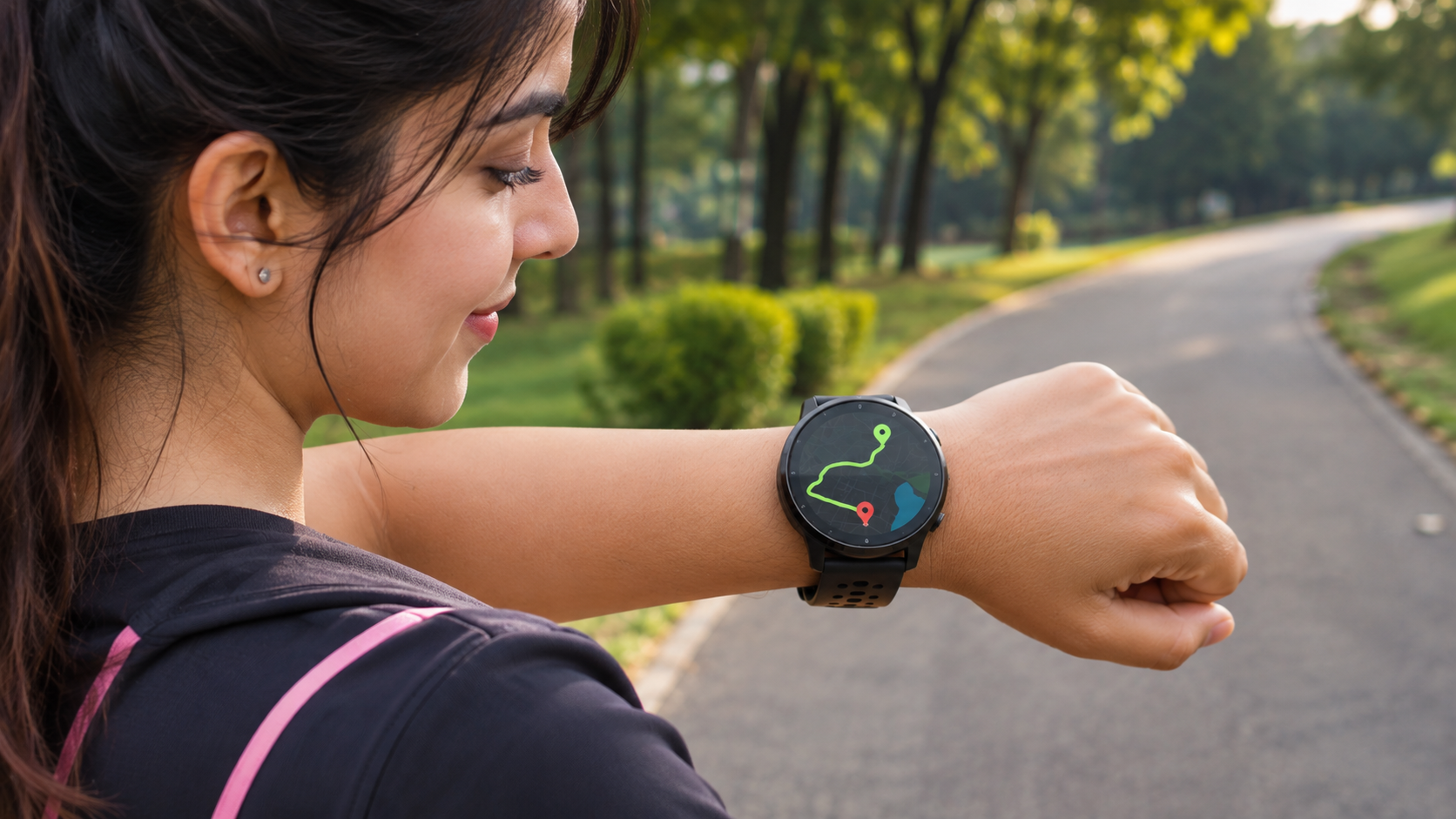
Have you ever finished a morning run only to discover that your smartwatch recorded a zigzag route? This can happen when GPS signals become weak or location updates are less frequent. Understanding how often do smartwatches update your GPS position helps you get more reliable workout data.
According to the official GPS.gov website, GPS receivers calculate their positions using signals transmitted by satellites. Your smartwatch receives these signals and processes them to determine your location. However, its recording frequency depends on the device, tracking mode, and battery settings.
Knowing how often do smartwatches update your GPS position also helps you choose suitable tracking settings. This matters when running, cycling, hiking, or navigating unfamiliar locations. Your GPS recording frequency affects route details, distance measurements, and battery consumption.
Less frequent updates may miss sharp turns or produce less detailed routes. Meanwhile, continuous GPS tracking can consume more battery power.
In this guide, you’ll learn how frequently smartwatches update GPS positions and what affects their accuracy. We’ll also explore built-in GPS, connected GPS, battery-saving features, and satellite data updates. Let’s start with the basics.
How Often Do Smartwatches Update Your GPS Position?
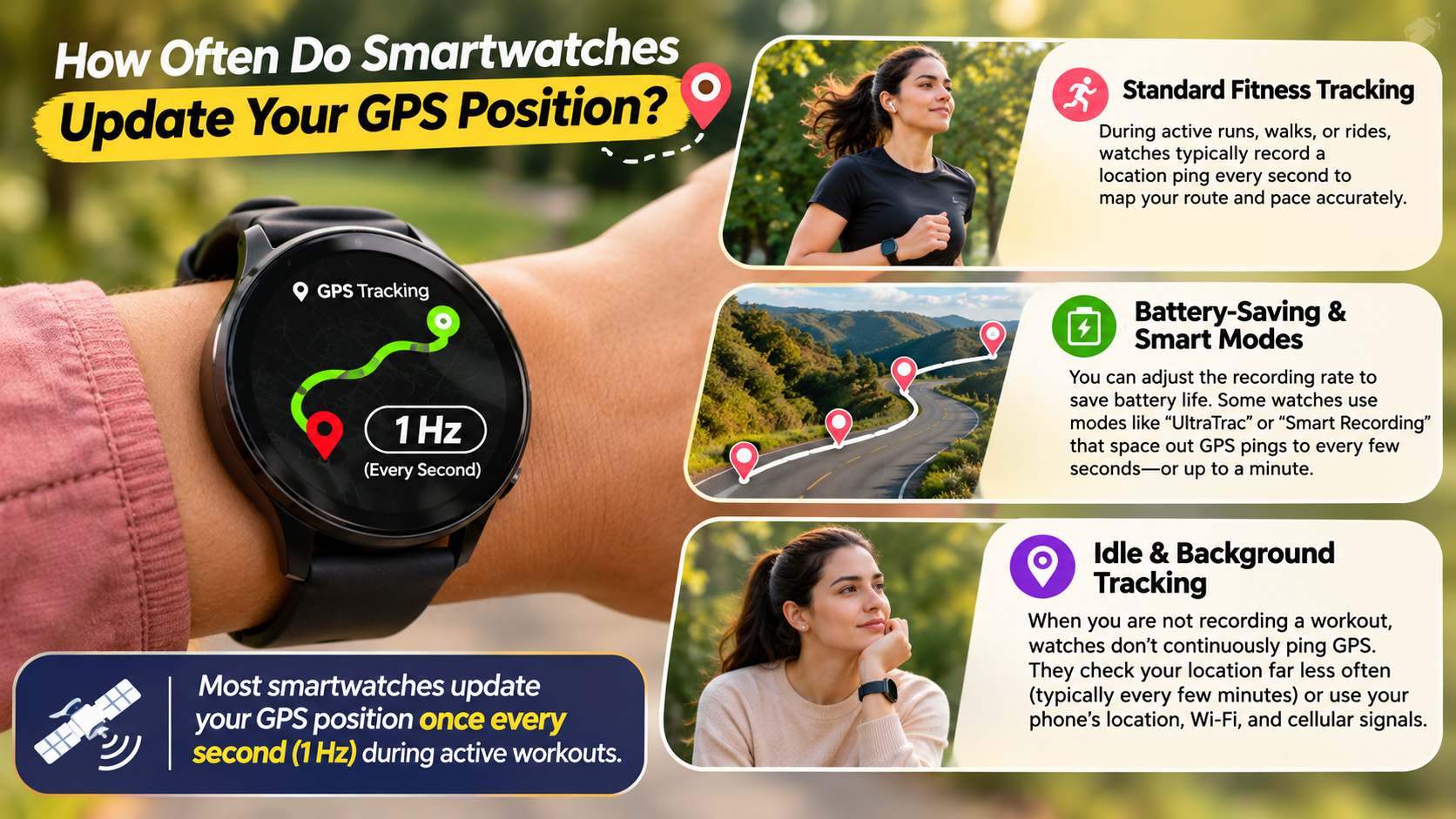
Most modern fitness smartwatches can record GPS positions approximately once every second during active workout tracking. Many manufacturers offer this setting as Every Second or one-second recording mode. However, the exact frequency depends on the watch model and selected tracking settings.
When you start a running, cycling, or hiking activity, your smartwatch receives satellite signals. Its GPS receiver uses these signals to calculate your location. The device then records position points to create your workout route.
Some watches offer smart recording or battery-saving modes. These settings collect location points less frequently instead of recording every second. This approach reduces battery consumption during longer activities.
Outside active workouts, GPS tracking usually works differently. Some smartwatches use smartphone location services or collect location information only when needed. Others activate GPS for specific features, such as navigation or outdoor activities.
Therefore, GPS update frequency is not identical across all smartwatches. Your device’s settings determine how frequently it records your position.
Balancing GPS Update Frequency and Battery Life
GPS tracking frequency directly affects your smartwatch’s battery consumption. Recording your position every second provides detailed route information. It also helps produce more consistent distance and pace measurements during workouts.
However, continuous GPS tracking requires additional power. This can significantly reduce battery life, especially during long outdoor activities. The difference becomes important when you participate in marathons, cycling trips, or multi-day hiking adventures.
Many manufacturers provide different GPS recording options to balance accuracy and battery performance. These settings allow users to choose between detailed tracking and longer operating time.
Consider these common recording approaches:
- Every-second recording: Captures frequent location points and provides detailed workout routes.
- Smart recording: Adjusts recording intervals based on movement and activity conditions.
- Battery-saving GPS: Reduces location recording frequency to extend battery life.
For everyday running and cycling, one-second recording is usually suitable. However, battery-saving settings can help during longer adventures. Check your smartwatch manual to understand its available GPS modes.
Do Smartwatches Have GPS Tracking?
Yes, many modern smartwatches support GPS tracking, but not every model has built-in satellite positioning. Some devices calculate their location independently, while others depend on a connected smartphone.
Smartwatches generally use two GPS tracking approaches. The first is built-in GPS, where the device contains its own satellite receiver. This allows users to record outdoor activities without carrying their phones.
The second approach is called Connected GPS. These smartwatches use location information from a paired smartphone. They typically connect through Bluetooth and rely on the phone’s GPS receiver.
The difference matters when choosing a smartwatch. Built-in GPS provides greater independence during outdoor activities. Connected GPS can reduce manufacturing costs and power requirements.
Before purchasing a smartwatch, check its technical specifications carefully. Look for built-in GPS support if you regularly run, cycle, hike, or exercise outdoors without your smartphone. If you’re comparing premium wearable options, explore Android smartwatch alternatives to the Apple Watch Ultra before making your decision. Also, check whether the device supports multiple satellite systems for improved positioning.
Multi-Band GNSS Versus Standard GPS
Standard GPS uses signals from the United States satellite navigation system. However, many modern smartwatches support additional Global Navigation Satellite Systems (GNSS). These include GPS, Galileo, GLONASS, and BeiDou.
Using multiple satellite systems can improve satellite availability. This becomes particularly useful when buildings, trees, or surrounding terrain obstruct signals. Your smartwatch can access signals from different navigation networks to calculate its position.
Some premium smartwatches also support dual-frequency or multi-band GNSS. These receivers process signals across different frequency bands. This can reduce certain positioning errors, especially in challenging environments.
Here are the main differences:
- Standard GPS: Uses signals from the GPS satellite network.
- Multi-GNSS: Supports multiple satellite navigation systems.
- Dual-frequency GNSS: Uses multiple signal frequencies to improve positioning performance.
However, additional satellite support does not guarantee perfect accuracy. Results still depend on satellite visibility, receiver quality, antenna design, and environmental conditions. Check your smartwatch specifications before comparing these features.
Why Are People Ditching Smartwatches?
Smartwatches offer useful fitness features, but some people are returning to traditional watches. Several factors contribute to this change, including notification overload, frequent charging, and subscription costs.
Many users initially purchase smartwatches to monitor their health and improve productivity. However, constant notifications can become distracting. Messages, emails, calls, and app alerts may interrupt everyday activities.
Battery life is another common concern. Some feature-rich smartwatches require daily charging, particularly when users enable continuous health monitoring and GPS tracking. People who prefer simple accessories may find this routine inconvenient.
Subscription fees also influence purchasing decisions. Certain wearable brands restrict advanced fitness insights, recovery information, or health analytics to paid plans. This can frustrate customers who expect access to information collected by their own devices.
Traditional watches offer a simpler experience. They generally require less maintenance and avoid constant digital interruptions. However, they cannot provide the same range of fitness measurements and smart notifications.
Ultimately, the decision depends on personal priorities. Some users value advanced tracking, while others prefer simplicity and fewer distractions.
The Rise of Screen-Free Alternatives
Smart rings, for example, can monitor sleep patterns, heart rate, and other wellness measurements. Many models also provide recovery insights through companion smartphone applications. However, they also have limitations worth considering. Before purchasing one, understand the potential drawbacks of buying a smart ring. Their compact design makes them less noticeable than traditional smartwatches.
Smart rings, for example, can monitor sleep patterns, heart rate, and other wellness measurements. Many models also provide recovery insights through companion smartphone applications. Their compact design makes them less noticeable than traditional smartwatches.
Minimalist fitness bands offer another option. They often include activity tracking, step counting, sleep monitoring, and heart rate measurements. Some models also provide basic workout tracking without large displays.
Here are some reasons people consider these alternatives:
- Fewer distractions: Many devices avoid constant screen notifications.
- Compact designs: Smart rings and fitness bands are lightweight and discreet.
- Health monitoring: They can collect sleep, activity, and heart rate information.
- Simpler experiences: Users can access selected health information through smartphone applications.
However, these alternatives have limitations. Not every smart ring or fitness band includes independent GPS tracking. Some depend on a connected smartphone for location information. Check the specifications before choosing one.
How Accurate Is GPS Location?
Smartwatch GPS accuracy typically ranges from approximately three to ten meters under favorable outdoor conditions. However, actual performance varies depending on the device and surrounding environment.
Understanding how often do smartwatches update your GPS position can also explain differences between your actual route and recorded workout distance. More frequent recording generally captures route changes in greater detail. However, recording frequency alone does not guarantee better positioning accuracy.
GPS accuracy depends on several factors. These include satellite visibility, receiver quality, antenna design, signal interference, and atmospheric conditions. Open outdoor spaces generally provide better positioning than crowded urban environments.
Tall buildings can reflect satellite signals before they reach your smartwatch. This phenomenon is called multipath interference. It can cause inaccurate position calculations and unusual route lines.
Dense forests, mountains, and deep valleys can also obstruct satellite signals. These conditions may affect your recorded distance and running pace.
Your smartwatch’s hardware also matters. Models with multi-band GNSS may perform better in challenging environments than basic receivers. However, more advanced satellite technology does not eliminate every positioning error.
Remember that GPS accuracy and workout accuracy are related but different. Your recorded distance depends on the frequency of location samples and how your device processes them. Understanding these limitations helps you interpret your fitness data correctly.
How to Improve Your Watch’s GPS Signal
You can improve smartwatch GPS performance by following a few simple practices before starting an outdoor workout. A reliable satellite connection helps your device record a more consistent route.
First, move to an open area with a clear view of the sky. Avoid standing directly beside tall buildings, dense trees, or other large obstructions. These objects can block or reflect incoming satellite signals.
Next, allow your smartwatch enough time to acquire satellite signals. Wait until your device confirms that GPS is ready before starting your activity. If the watch recommends additional preparation time, follow its instructions.
You can also improve tracking performance with these tips:
- Update your smartwatch: Install available software and firmware updates.
- Sync your device: Connect it to its companion application regularly.
- Choose the correct GPS mode: Use higher-accuracy settings when route precision matters.
- Wait for satellite acquisition: Avoid starting workouts before GPS locks.
- Check your surroundings: Move away from buildings and other signal obstructions.
These practices cannot guarantee perfect positioning. However, they can reduce common tracking problems and improve your workout records.
Does My GPS Need to Be Updated?
Yes, your smartwatch may need regular software and satellite assistance data updates to maintain reliable GPS performance. However, you do not update the satellites themselves. Instead, your device receives information that helps it locate satellites more efficiently.
Many smartwatches use Assisted GPS (A-GPS) or satellite prediction files. Garmin devices, for example, may use Extended Prediction Orbit (EPO) data. These files help the receiver predict satellite positions and reduce the time required to acquire signals.
When this information becomes outdated, your smartwatch may take longer to establish a satellite connection. This can happen after extended periods without syncing or when the device has been switched off for several days.
Most manufacturers provide satellite assistance data through companion applications or automatic synchronization. Keeping your smartwatch connected and updated helps maintain this information.
Firmware updates can also improve GPS performance. Manufacturers sometimes release software improvements that address positioning problems, connectivity issues, and battery consumption. Long-term software support is another important consideration when choosing a smartwatch. For example, check the update commitment for the Galaxy Watch Ultra2 and Galaxy Watch9, which includes five years of updates.
Therefore, regular synchronization is useful for maintaining reliable GPS tracking. Check your manufacturer’s instructions to understand how your particular smartwatch handles satellite assistance data.
Fixing Slow GPS Satellite Lock Times
If your smartwatch takes several minutes to find GPS signals, outdated assistance data may be one possible reason. However, weak satellite visibility, environmental interference, and software problems can also cause delays.
Start by moving to an open outdoor area. Give your smartwatch a clear view of the sky and wait for its GPS status indicator. Avoid starting your workout until the device confirms satellite acquisition.
If the problem continues, try these troubleshooting steps:
- Synchronize your smartwatch: Open its companion application and complete a manual sync.
- Check for software updates: Install available firmware and GPS-related updates.
- Restart your device: Rebooting can resolve temporary software issues.
- Check GPS settings: Make sure the correct satellite tracking mode is enabled.
- Allow additional acquisition time: Give the watch time to locate available satellites.
If GPS acquisition remains unusually slow, consult the manufacturer’s support documentation. Your device may need additional troubleshooting or a hardware inspection.
Regular synchronization, updated software, and a clear satellite view can help your smartwatch establish GPS connections more reliably.
Conclusion
Understanding how often do smartwatches update your GPS position helps you get the most out of your wearable device. Most modern fitness smartwatches record GPS locations approximately every second during active workouts. However, the actual frequency depends on your device, recording mode, and battery settings.
For better tracking results, choose an appropriate GPS mode, keep your smartwatch updated, and allow it to acquire satellite signals before starting outdoor activities. If battery life matters more than detailed route tracking, consider using a battery-saving mode.
Remember, GPS accuracy also depends on satellite visibility, device hardware, and your surroundings. No smartwatch delivers perfect positioning in every environment.
Ultimately, the best approach is to balance GPS accuracy, tracking frequency, and battery life according to your daily activities. With the right settings, you can enjoy more reliable workout tracking without unnecessary battery drain.