
Best Free Student Software for Academic Success
Juggling classes, assignments, and tight budgets is a core part of the university experience. Fortunately, being a student comes with major perks, including access to powerful digital tools completely free of charge. Finding the right free student software can transform how you take notes, manage projects, and create presentations, saving you hundreds of dollars each semester. Many top tech companies offer premium tools at zero cost to anyone with a valid school email address.
Instead of stretching your budget for expensive licenses, you can leverage these resources to streamline your workflow. For instance, you can access powerful productivity suites directly through the Microsoft Education platform, which provides essential tools for writing and data analysis. Utilizing these free options allows you to focus your financial resources on other university essentials while maintaining a high standard of academic work.
This comprehensive guide covers the essential applications every student needs this year. We will explore top-tier alternatives for writing, graphic design, programming, and time management. If you’re looking for subject-specific recommendations, don’t miss our guide on the best apps to help students with their science homework, which highlights useful tools for improving learning and completing assignments more efficiently. By the end of this article, you will know exactly how to equip your laptop with premium-grade utilities without spending a single penny.

Master Your Studies with the Right Digital Tools
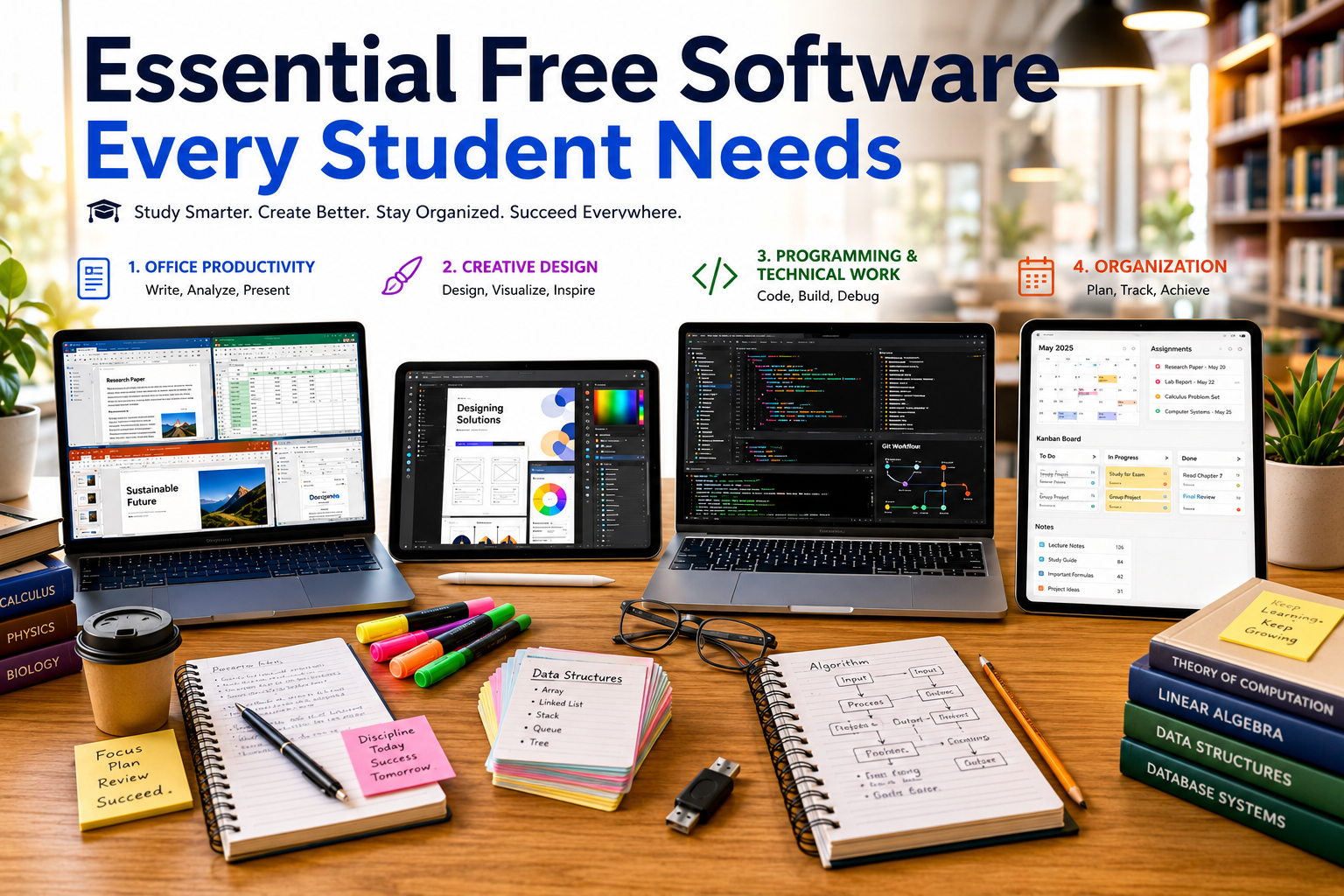
Essential Productivity and Office Suites
Every student needs a reliable office suite for essays, spreadsheets, and presentations. While proprietary software used to cost a fortune, students can now access premium ecosystems entirely free. Academic writing requires a stable platform that supports complex formatting, citation plug-ins, and cloud backups to avoid losing data during system crashes. Fortunately, the current software landscape offers incredible tools that rival paid corporate platforms in every category.
By utilizing free office suites, you ensure that your files remain compatible with your professors’ systems. These platforms also offer extensive template libraries for resumes, lab reports, and budget trackers. Choosing the right productivity ecosystem early in your academic career helps build standard workplace skills that transfer directly into future professional environments.
Microsoft 365 and Google Workspace
Most universities partner with major tech providers to give students free access to cloud-based tools. If your school provides a .edu email address, you can likely download Word, Excel, and PowerPoint for free. These desktop versions offer advanced data analysis and complex formatting tools necessary for engineering, mathematics, and business majors.
Alternatively, Google Workspace offers seamless real-time collaboration that requires no installation. It is incredibly useful for group projects where multiple people need to edit a single document simultaneously. Google Drive also provides reliable cloud storage, ensuring your essays are safe even if your laptop suddenly stops working. Both ecosystems integrate perfectly with popular learning management platforms used by universities worldwide.
Powerful Open-Source Alternatives
If you prefer offline access without cloud dependencies, open-source programs are fantastic choices for privacy-conscious users. LibreOffice and Apache OpenOffice provide fully functional word processors, spreadsheet editors, and presentation applications at zero cost. These programs run smoothly on older laptops because they require very little system memory or processing power compared to modern cloud apps.
Furthermore, open-source applications support standard file formats like .docx and .xlsx, meaning your professor will always be able to open your submissions. They contain no hidden paywalls, subscription prompts, or data-tracking algorithms. This makes them an incredibly stable option for students who want a clean, distraction-free environment for deep academic focus.
Advanced Creativity and Design Applications
Graphic design, video editing, and UI layout tools are no longer reserved solely for design majors. Modern coursework across all disciplines frequently requires visual presentations, business reports, marketing pitches, and digital portfolios. Having professional tools allows you to elevate your assignments and stand out in competitive academic environments.
Investing in creative software suites can quickly drain a student’s bank account due to expensive recurring monthly subscriptions. Thankfully, the creative tech industry has embraced the student community by offering highly capable free tiers and open-source equivalents. These applications provide the exact same toolsets used by professional studios and creative agencies worldwide.
Free Tiers of Premium Creative Tools
Canva is a massive favorite among students for creating quick, stunning graphics, posters, and interactive slide decks. The platform offers a highly generous free tier that satisfies most classroom requirements with thousands of templates. You can design professional-looking infographics for science classes or pitch decks for business competitions within minutes using their intuitive drag-and-drop interface.
For interface design, user experience mapping, and digital prototyping, Figma offers a robust free education plan. This plan gives you access to professional-grade collaboration features used by industry experts in tech companies. Students can build interactive mobile app mockups or website layouts collaboratively in real time, making it an indispensable asset for computer science and design courses.
Open-Source Multimedia Editors
If you need deeper editing capabilities for video or audio projects, proprietary software can be prohibitively expensive. Thankfully, tools like DaVinci Resolve offer Hollywood-grade video editing, color correction, and audio post-production software completely free. While it has a slight learning curve, it provides unmatched power for producing high-quality video presentations and film projects.
For audio editing, podcast assignments, or sound design, Audacity remains the undisputed gold standard for quick, high-quality audio manipulation. It allows students to record live audio, remove distracting background noise, and mix multiple tracks seamlessly. Because it is lightweight, Audacity runs efficiently on almost any computer configuration without causing system lag.
Organization, Note-Taking, and Time Management
Staying organized is often the hardest part of college life as assignments begin to pile up. Between tracking overlapping deadlines, managing massive amounts of reading material, and balancing extracurricular activities, a digital second brain is essential. Relying on paper planners or simple text files often leads to missed deadlines and unnecessary stress.
Modern organization tools allow you to centralize your academic life into a single, cohesive dashboard. By automating your scheduling and categorization, you free up mental bandwidth to focus entirely on learning. The right organizational framework helps turn chaotic lecture notes into searchable, valuable knowledge bases that last long after graduation.
Smart Note-Taking Repositories
Notion has taken the academic world by storm and is one of the best free student software options due to its highly customizable workspaces and database structures. Students can upgrade to a Personal Pro plan for free using their school email, allowing for unlimited file uploads and detailed project tracking. You can build custom assignment trackers, lecture note repositories, and daily planners that sync perfectly across your phone and laptop, making it an excellent choice for free student software users.
Similarly, Obsidian offers a powerful, markdown-based local note-taking experience for students who prefer privacy and speed. It helps you connect ideas visually through an interactive graph view, showing how different course topics intersect over time. Because Obsidian stores files locally as plain text, your notes remain completely secure and accessible even without an active internet connection, making it another reliable free student software solution for organized studying.
Reference and Citation Managers
Writing long research papers requires meticulous source tracking, accurate formatting, and extensive reading lists. Instead of compiling bibliographies manually at two in the morning, smart tools like Zotero and Mendeley automate the entire process. These programs integrate directly with your web browser to save source metadata, PDF files, and web snapshots with a single click.
Furthermore, they install plug-ins directly into your word processor to generate perfectly formatted in-text citations and bibliographies. Whether your department requires APA, MLA, Chicago, or Harvard style, these managers adjust the punctuation instantly. This eliminates formatting errors that could cost you valuable points on major term papers and thesis submissions.
FAQ SECTION
What is the best free student software for writing research papers?
Zotero is arguably the best tool for organizing research and generating bibliographies automatically. It allows you to save journal articles, books, and web pages with a single click from your browser. For the actual writing process, Google Docs and Microsoft Word (accessible via student accounts) are the industry standards. Using Zotero alongside these processors helps ensure your citations are perfectly formatted according to academic guidelines. This combination saves hours of manual formatting work, tracks your PDF files efficiently, and prevents accidental plagiarism by keeping your sources meticulously organized throughout your entire writing process.
Beyond standard features, Zotero acts as an archive, extracting metadata from obscure files and enabling seamless tag organization. You can create shared group libraries to collect references with project partners, eliminating duplicated efforts. By localizing your literature search and simplifying data entry, it establishes an incredibly reliable workspace for undergraduate theses, comprehensive literature reviews, and demanding graduate-level research papers.
Can I get professional design software for free as a student?
Yes, many top software companies offer full-featured educational licenses to verified academic users. Figma provides its professional design and prototyping platform entirely free for verified students and educators, which is excellent for UI/UX projects. For graphic design and quick presentations, Canva offers a highly functional free tier with thousands of templates. If you need advanced video editing, DaVinci Resolve offers a professional studio-grade editor completely free of charge. These tools ensure you do not have to compromise on quality when creating multimedia assignments, portfolios, or visual reports for your classes.
Accessing industrial software for free enables you to practice with identical interfaces used by modern agencies. For example, learning advanced video rendering in DaVinci Resolve or master component systems within Figma directly strengthens your professional resume. This dynamic ecosystem bridges the gap between theoretical classroom knowledge and corporate production realities, giving you a distinct advantage in internship searches.
Do I need a school email address to get free software?
In most cases, yes, an educational email address is required for instant verification. A valid email address ending in .edu or your regional institutional equivalent serves as instant proof of enrollment. Tech companies use automated verification systems like SheerID or UNiDAYS to check these credentials safely. However, if your school does not provide a student email address, many platforms allow manual verification. You can typically upload an official enrollment letter, a current tuition receipt, or a dated student ID card to unlock your free software benefits through their support portals.
The verification process remains highly streamlined across modern software suites. Once approved, access usually lasts for a full academic year before requiring a quick re-verification step. This dynamic allows student developers, creators, and researchers continuous access to premium tools, maximizing software utility throughout extended degree paths or multi-year academic programs without creating unfair financial barriers.
What are the best free alternatives to Microsoft Office?
Google Workspace is the most popular cloud-based alternative, offering Docs, Sheets, and Slides for easy collaboration. It allows multiple students to work on the same presentation or document simultaneously in real time. If you prefer a traditional desktop application that does not require an internet connection, LibreOffice is an excellent open-source alternative. It replicates almost all advanced features of Excel and Word, possesses high compatibility with standard file formats, and contains absolutely no hidden fees, paywalls, or advertisements, making it incredibly reliable for old laptops.
Choosing between Google’s collaborative cloud framework and LibreOffice’s secure offline ecosystem depends entirely on your specific workload requirements. Google handles fast group work elegantly, whereas LibreOffice handles macro scripts and large-scale data sets with ease. Combining both tools gives you a fully comprehensive, free alternative infrastructure capable of conquering every complex office assignment without ever purchasing a commercial license.
Is free open-source software safe to use on my laptop?
Yes, reputable open-source software is incredibly safe and often more secure than proprietary programs. Programs like Audacity, LibreOffice, and Zotero are developed transparently by global communities of programmers who constantly monitor the code. Because the source code is public, security vulnerabilities and bugs are caught and patched much quicker than in closed corporate systems. Always ensure you download these applications directly from their official project websites rather than third-party download portals to avoid modified or malicious installation bundles that could harm your operating system.
Furthermore, open-source utilities protect your digital privacy by excluding background telemetric tracking and hidden monetization features. Because these programs run natively without constant corporate data collection, they require significantly fewer background resources from your CPU. This background optimization translates directly into improved battery performance and faster system operations during long, intensive study sessions in the campus library.
CONCLUSION
Equipping your computer with the right tools does not have to break your bank account. The abundance of high-quality free student software available today ensures that financial constraints will never stand in the way of your academic success. From robust office suites like Google Workspace to advanced organization systems like Notion, you have access to the exact same utilities used by global professionals every day. Utilizing these applications effectively allows you to level the playing field, regardless of your personal budget.
Leveraging these digital resources allows you to organize your study schedules, collaborate seamlessly on group assignments, and produce beautiful visual projects. Taking the time to set up these applications at the beginning of the semester pays massive dividends when finals week arrives and stress levels rise. Explore these options, verify your student status using your institutional credentials, and build a streamlined digital workspace that helps you achieve your academic goals efficiently and comfortably.