
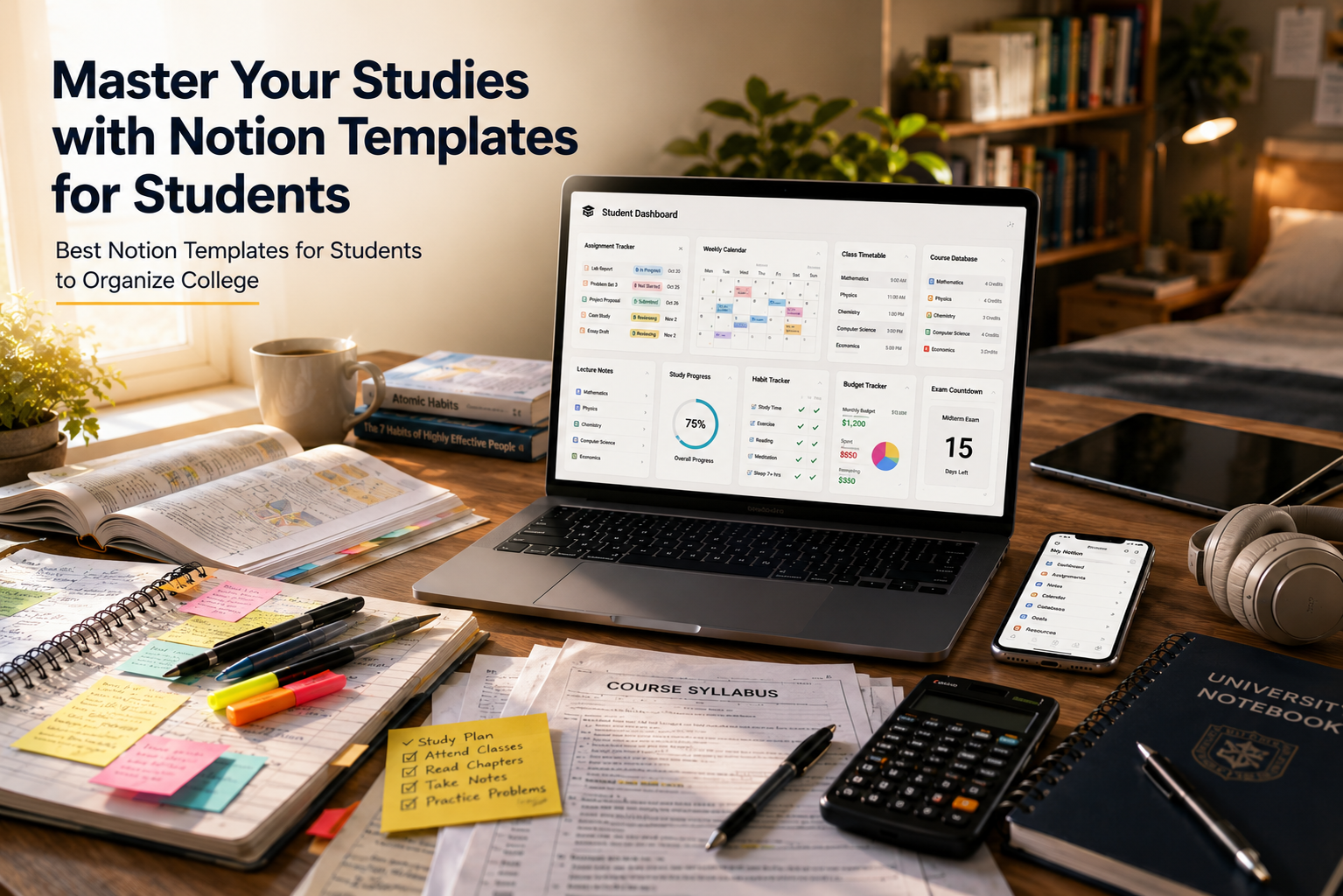
Master Your Studies: The Ultimate Guide to Notion Templates for Students
College life is a fast-paced balancing act that can easily overwhelm even the most dedicated individuals. Between tracking complex assignment deadlines, managing daily lecture notes, and maintaining a healthy social life, it is incredibly easy to feel scattered. Fortunately, Notion provides an incredible, all-in-one digital workspace that helps you centralize your entire academic world in one organized space. By utilizing specialized Notion templates for students, you can completely skip the tedious setup process and immediately build a high-functioning digital system that keeps you deeply focused.
This comprehensive guide explores how Notion templates for students can improve the way you study. We cover the essential features every workspace should include, review the best template layouts, and share practical customization tips. Whether you want to prepare for exams, organize assignments, or track daily habits, the right workspace can improve productivity and reduce stress. In addition, if you’re planning to build a student portfolio or launch a personal project, our guide on making a small business website on a budget can help you create a professional online presence without spending a fortune. Overall, investing a little time in setting up your workspace today can save you hundreds of hours throughout your college years.
Why Academic Layouts Change the Way You Study
Traditional paper planners and basic text documents often fail modern college students because they lack flexibility. For example, if a professor changes an exam date or extends a project deadline, you must update your schedule manually. As a result, you waste time rewriting plans and correcting mistakes.
However, digital workspaces solve this problem with connected databases. You can link your class schedule to your daily task list. Therefore, a change in one place updates related information automatically. This saves time and keeps your schedule accurate.
Moreover, these structured workspaces keep all your study materials in one place. Instead of searching through notebooks or desktop folders, you can quickly find everything in the cloud. In addition, this organized system reduces mental clutter and improves focus. Consequently, you spend less time looking for files and more time learning the concepts that matter most.
Key Features Every Student Dashboard Needs
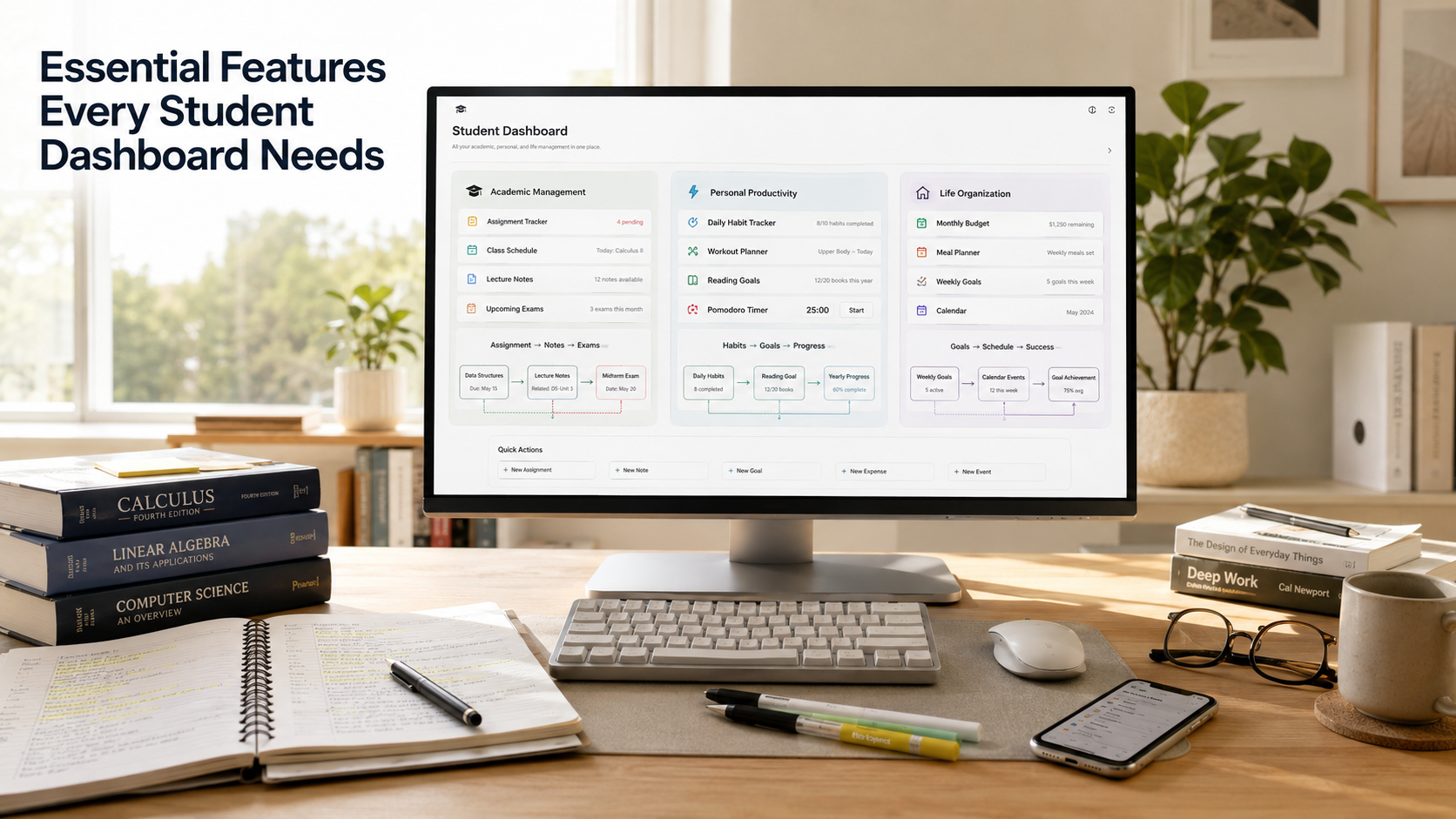

An effective academic workspace must do much more than just look aesthetically pleasing on your computer screen. It needs to serve as a functional, high-powered engine for your daily productivity and academic achievement. When selecting or building your custom setup, you must ensure it includes several core components that work together seamlessly. Without these fundamental pillars, your workspace will eventually become just another disorganized digital junk drawer that you avoid using.
Dynamic Assignment Trackers
Your assignment tracker is the ultimate heartbeat of your entire digital workspace layout. It should allow you to instantly sort tasks by due date, urgency, course name, and completion status. Advanced layouts utilize a comprehensive calendar view or a Kanban board to give you a highly visual representation of your upcoming weeks. Therefore, you can easily spot busy exam periods ahead of time and plan your study sessions before stress builds up.
Interconnected Lecture Notes Databases
Static notes written in isolated documents severely limit your ability to make meaningful connections between complex academic topics. A great student dashboard uses relational databases to link your notes directly to specific classes, professors, and text readings. You can also implement active recall strategies, like hiding crucial study answers inside drop-down toggle lists, to easily quiz yourself right inside the application before big exams.
Personal Habit and Budget Logs
True student success always extends far beyond achieving a perfect grade point average. Managing your personal life, health, and finances is equally critical to avoiding burnout during the semester. The best digital setups include built-in daily habit trackers, workout logs, meal planners, and monthly budget trackers. Keeping these personal databases alongside your academic trackers ensures you maintain a healthy, balanced lifestyle while pursuing your degree.
The Best Notion Templates for Students to Boost Productivity
Finding the perfect setup depends heavily on your specific workflow preferences, tech-savviness, and unique academic major. Let us look deeply at the most popular layout styles that high-achieving individuals use every single day to stay ahead of their coursework.
The Minimalist Clean Workspace
If you get easily distracted by too many visual elements, a minimalist design is absolutely your best choice. These layouts focus strictly on clean text, subtle lines, and hidden databases, keeping your immediate daily priorities front and center. They typically feature a clean to-do list and a straightforward calendar view, ensuring lightning-fast loading times on both your laptop and mobile phone.
The Aesthetic Notion Templates for Students
For many visual learners, the overall appearance of their workspace directly impacts their daily motivation and focus. Aesthetic layouts use beautifully cohesive color palettes, custom cover images, unique icons, and embedded widgets like lo-fi music players or countdown timers. While these visual additions make studying more enjoyable, always verify that the underlying database structure remains highly practical and organized.
The Master All-in-One University Operating System
This is the ultimate setup for heavy users who want a fully automated, connected digital experience. A master university operating system connects every single sub-page in your entire workspace using complex relational tools. For instance, when you check off an assignment in your tracker, it can automatically update your course progress bar and log your study hours into a main dashboard.
Step-by-Step Guide to Customizing Your Study Workspace
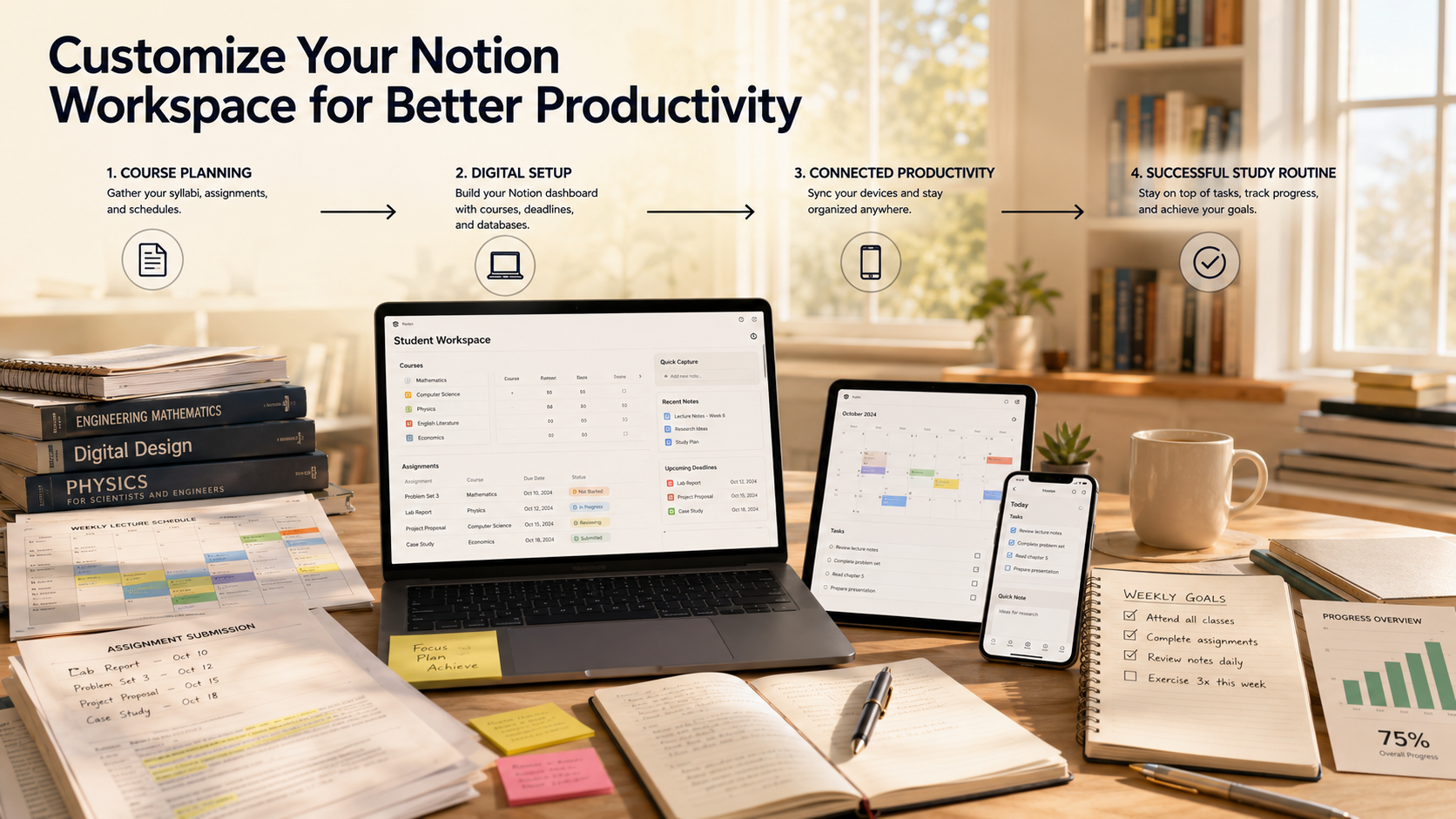
Once you download a basic layout, customizing it to match your unique workflow is the next essential step to achieving true efficiency. Every university has different requirements, so forcing yourself into a rigid, pre-made layout without adjustments will only hinder your productivity over time. Follow these simple steps to tailor the digital workspace entirely to your daily routine and personal preferences.
-
Input your current syllabus: Open all your course outlines at the start of the semester and fill your master database with every exam, project, and reading assignment.
-
Set up automated status tags: Use vibrant, colorful tags like “Not Started,” “In Progress,” “Reviewing,” and “Submitted” to quickly identify where you need to focus your immediate energy.
-
Embed external learning tools: Add live widgets, embed Spotify study playlists, or link your Google Drive folders directly inside your project pages for seamless access to resources.
-
Create a quick-capture mobile page: Design a simple, highly accessible button on your phone’s home screen to jot down sudden ideas, tasks, or reminders while walking across campus.
FAQ Section
How do I add student templates to my personal Notion account?
Adding Notion templates for students to your account is simple. First, sign in to your Notion workspace using a desktop or laptop browser. Next, open the public page for the Notion templates for students that you want to use. Then, click the Duplicate button in the top-right corner.
After you click Duplicate, the selected Notion templates for students are copied to your personal workspace. The template, databases, linked pages, and layouts are added automatically. As a result, you can start using the template immediately.
Once the process is complete, you have full control over your copy. You can edit, rename, delete, or customize every page without affecting the original version. In addition, you can modify the layout, add new databases, and personalize the design. This flexibility makes Notion templates for students ideal for different study styles and academic goals. Ultimately, well-organized Notion templates for students can help you manage courses, assignments, and deadlines more efficiently throughout the semester.
Is Notion completely free for university students?
Yes. Notion offers a free upgrade to its Plus Plan for eligible university students and educators. To qualify, sign up with your official university email address. This is usually an email ending in .edu or your institution’s local equivalent.
If you already use a personal Gmail or Yahoo account, you can change your login email in your account settings. After verification, you can claim the student plan.
The free student upgrade includes several premium benefits. You get unlimited file uploads and a 30-day version history for your pages. If you accidentally delete important notes, you can restore them within that period. This feature is especially useful during busy exam seasons.
Can I use these templates effectively on my smartphone?
Yes. You can access, view, and edit your study workspace using the official mobile app. It is available for both Android and iPhone devices. Keep in mind that large dashboards may not display well on smaller screens. Wide tables, multi-column layouts, and heavy widgets can feel crowded on a phone.
For a better experience, create a separate mobile-friendly page. Place it near the top of your sidebar for quick access. Add large action buttons and simple vertical task lists. This makes it easy to check off assignments, update habits, and find classroom information. You can do all of this while moving between classes without scrolling through large databases.
What is the best way to track my grades using a digital layout?
The most efficient and accurate method to track your academic grades is to utilize a master database that features weighted formula properties. Within your main assignment tracker database, create a numerical column for your earned score, another column for the total possible points, and a third column for the specific percentage weight of that task according to your syllabus. By applying a standard mathematical formula property, your main course dashboard will automatically calculate your real-time cumulative grade dynamically. This means every time you type in a quiz score, your overall predicted grade updates instantly. This allows you to see exactly where you stand mathematically throughout the entire semester. Consequently, you can prioritize your study time effectively, focusing heavily on heavily-weighted final projects while maintaining a clear, accurate, and predictable projection of your final grade point average.
How do I keep my workspace from becoming cluttered?
Keeping your workspace organized requires a simple weekly routine. First, set aside 10 to 15 minutes every Sunday evening for maintenance. Then, review completed assignments and archive finished group projects. Next, remove temporary notes from your inbox. After that, delete unnecessary scratchpad files and outdated documents. Finally, update your habit tracker and plan your schedule for the coming week.
At the end of each semester, move completed courses into a master Archive page. As a result, your main dashboard stays clean and ready for the next term.
A well-organized workspace reduces visual clutter and makes important information easier to find. In addition, it helps you stay focused and lowers unnecessary stress. Overall, regular maintenance keeps your dashboard useful instead of letting it become another source of distraction.
Conclusion
Embracing Notion templates for students is one of the most effective ways to improve your academic workflow and reduce college stress. These customizable templates replace scattered notebooks and forgotten sticky notes with one organized digital system. Everything you need stays in a single workspace. This makes it easier to manage classes, assignments, notes, and deadlines.
By using connected databases, you can clearly track your weekly schedule and academic progress. This improves time management, reduces stress, and helps you stay focused. As a result, you can work more efficiently and improve your grades.
The best productivity system is one that grows with your academic needs. Update your workspace as your classes and priorities change. Rearrange your layout, replace widgets, or modify your databases whenever necessary. Small improvements over time often produce the best results.
Now is the perfect time to build a digital workspace that supports your goals. Take control of your schedule, stay organized every day, and create a more productive and successful college experience.