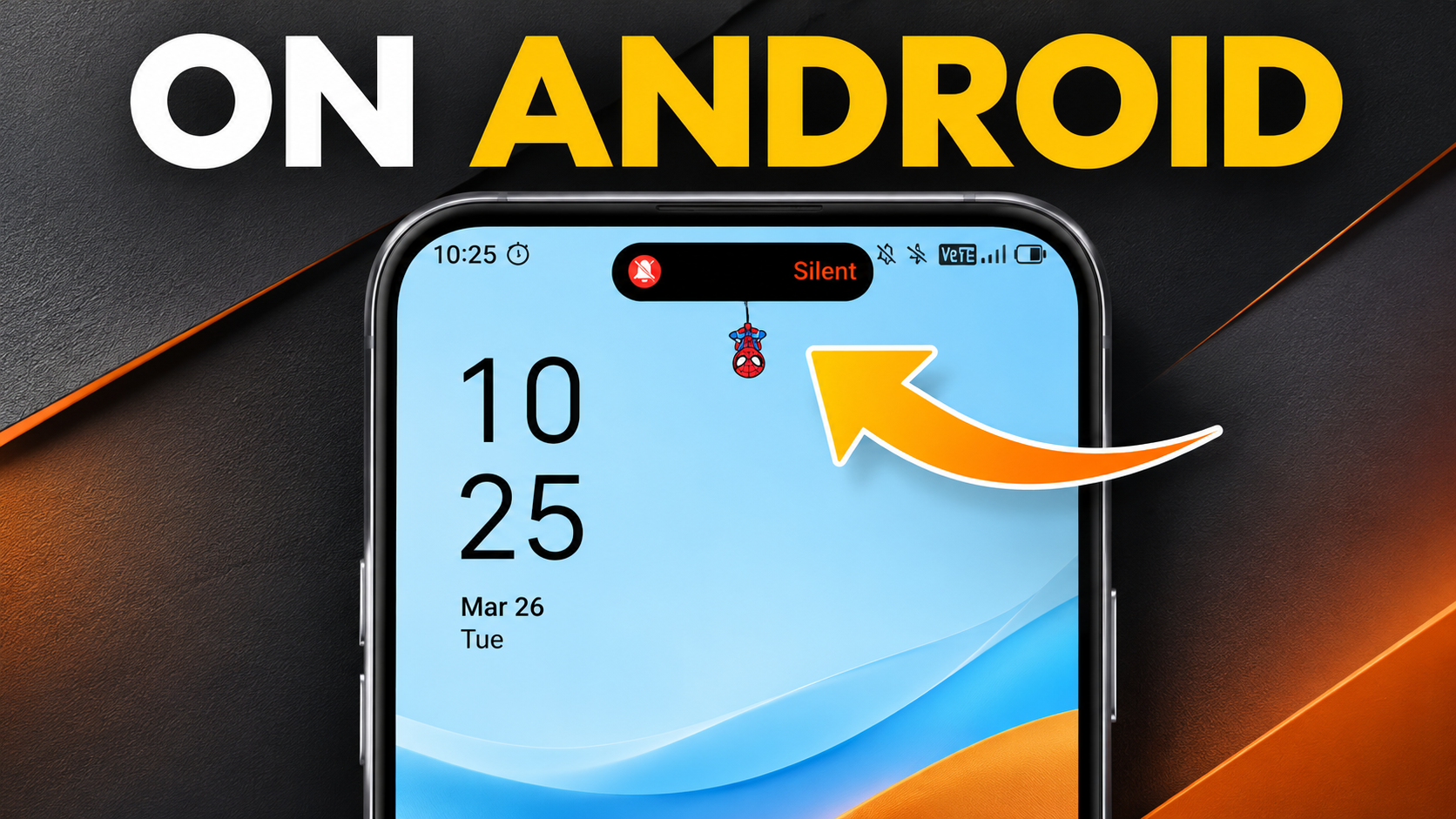
Dynamic Island on Android: 5 Apps & Complete iPhone Look Guide
Getting the Dynamic Island on Android is an easy way to customize your smartphone without buying an iPhone. Apple introduced this interactive, pill-shaped feature to turn its front camera cutout into a useful notification hub. It displays alerts, music controls, timers, and other live activities.
Android users can recreate a similar experience through third-party applications. Tools like dynamicSpot, Islandly, Edge Mask, Dynamic Bar, and Super Status Bar offer different notification and customization features. However, their capabilities vary. Some display expandable notifications, while others focus on shortcuts and status bar controls.
Many Android users enjoy the clean appearance of iOS but prefer Android hardware. Fortunately, several customization tools can bring these visual elements to Android devices. This guide explores five Dynamic Island alternatives, iPhone-style launchers, and Apple’s native Dynamic Island features. We also compare Android voice assistants with Siri and examine whether Bixby offers a better experience.
1. dynamicSpot (Best Overall Dynamic Island App for Android)
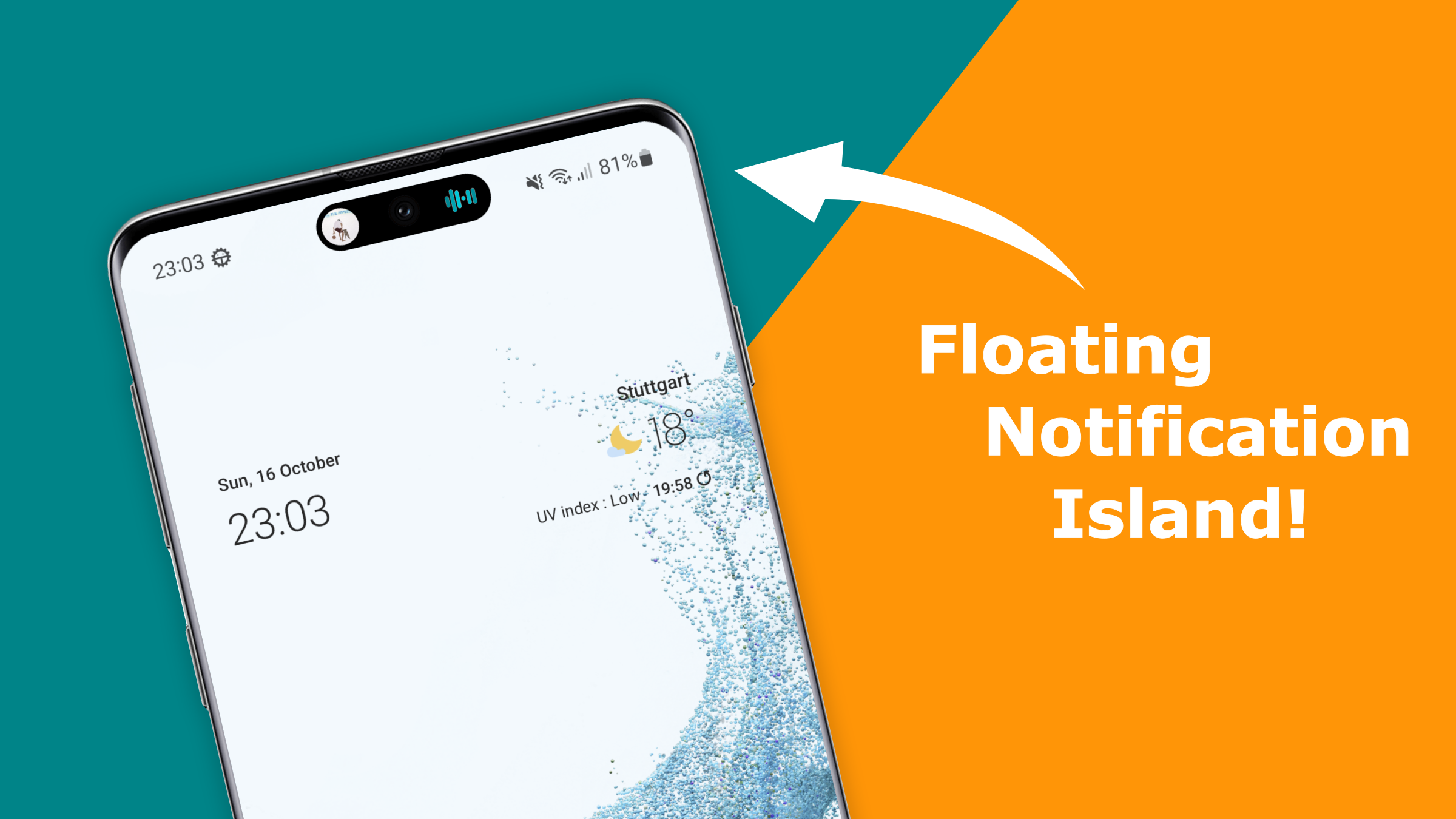
Created by XDA developer Jawomo, dynamicSpot is one of the most feature-rich apps for recreating Apple’s Dynamic Island on Android. It transforms your phone’s camera cutout into an interactive notification area. Instead of displaying basic alerts, the app provides expandable popups with useful information and controls. You can customize its position, size, colors, and animation effects to match your smartphone’s design.
Key Features:
- Live Notifications: Displays incoming messages, timers, battery charging status, and other supported notifications.
- Music Controls: Provides interactive playback controls, including a touchable seekbar and music visualizer.
- Navigation Updates: Supports compatible navigation notifications, including distance information.
- Multitasking: Supports dual popups, allowing you to view two background activities simultaneously.
- Quick Replies: Lets you respond to supported messages directly from the expanded notification.
Pricing: dynamicSpot offers a free version with core functionality. A one-time Pro upgrade unlocks additional customization and interaction features, including supported lock-screen visibility and gestures.
Best For: Android users who want a feature-rich Dynamic Island experience with notifications, music controls, and multitasking.
2. Material Capsule (Best for Android-Native Design)
Material Capsule takes a different approach to bringing Dynamic Island functionality to Android. Instead of simply copying Apple’s black pill design, it combines interactive capsule elements with Google’s Material 3 Expressive design language. This makes it a suitable option for users who prefer Android’s native visual style. Its Material You-inspired theming can adapt the interface to your wallpaper’s color palette.
Key Features:
- Dynamic Theming: Uses Material You-inspired colors to create a capsule that complements your wallpaper.
- Download Tracking: Displays active file downloads from supported browsers and applications, including Telegram.
- Custom Barcodes: Provides a convenient way to display custom barcode information.
- Quick Controls: Includes shortcuts and sliders for adjusting screen brightness and flashlight intensity.
- Flexible Interface: Offers customization options that make the capsule feel more integrated with Android.
Pricing: Material Capsule offers a free tier with limitations on active features. Paid options include a lifetime unlock and a monthly subscription, depending on the available plan.
Best For: Users who want Dynamic Island-style functionality without sacrificing Android’s Material You appearance.
3. Action Notch: Touch The Notch (Best for Custom Shortcuts)
Action Notch: Touch The Notch turns your Android phone’s camera cutout into an interactive shortcut area. Unlike traditional Dynamic Island applications, its primary purpose is to make the notch more functional. You can assign different actions to gestures performed around the camera cutout. This allows you to access useful phone features without opening individual applications or navigating through system settings.
Key Features:
- Gesture Controls: Assign actions to single taps, double taps, long presses, and left or right swipes.
- Quick Screenshots: Capture your screen using an assigned gesture.
- Flashlight Control: Turn your flashlight on or off without opening the notification panel.
- Screen Lock: Lock your smartphone directly through a customized notch gesture.
- Recording Shortcuts: Access supported audio or video recording actions through assigned gestures.
- App Shortcuts: Configure supported gestures to launch frequently used applications.
Pricing: The app offers basic gesture customization for free, with advertisements in some menus. A Pro version removes ads and unlocks additional customization options.
Best For: Users who prefer quick shortcuts and gesture-based controls instead of traditional notification popups.
4. Dynamic Island Pro – Notch Bar (Best for a Simple Interface)
Dynamic Island Pro – Notch Bar is an option for Android users who want a straightforward iPhone-inspired notification experience. Its main purpose is to recreate the appearance of Apple’s Dynamic Island without requiring extensive customization. The application uses floating overlays to display selected smartphone activities around the front camera area. Its interface focuses on basic alerts and visual effects rather than advanced multitasking features.
Key Features:
- Incoming Call Alerts: Displays supported incoming call notifications through a floating capsule.
- Charging Animations: Shows visual notifications when you connect your smartphone to a charger.
- Bluetooth Notifications: Provides alerts when compatible Bluetooth devices connect.
- Media Controls: Offers basic playback controls for supported music applications.
- Minimal Interface: Focuses on a simple pill-shaped design with straightforward customization.
Privacy Considerations: Check the application’s current Google Play Data Safety information and requested permissions before installation. Third-party applications can introduce privacy and security concerns when they request unnecessary permissions. Before installing unfamiliar software, understand the risks of installing third-party apps on Android devices. Do not assume that an app operates completely offline or collects no data without verifying its current disclosures.
Pricing: Check the Google Play Store listing for the latest pricing and available features.
Best For: Users who want a simple Dynamic Island-style appearance without needing extensive shortcut or multitasking functionality.
5. Dynamic Popup Notch (Best for Notification Customization)
Dynamic Popup Notch focuses on replacing traditional Android notification banners with an animated capsule-style interface. It displays selected alerts around the status bar area, giving your smartphone an appearance similar to Apple’s Dynamic Island. The application emphasizes visual customization, allowing you to adjust how notifications appear on your screen.
Key Features:
- Message Notifications: Displays incoming notifications from supported messaging applications.
- Timer Alerts: Shows notifications for supported running timers and time-based activities.
- Charging Notifications: Displays visual alerts when your smartphone starts charging.
- Custom Capsule Dimensions: Adjusts the capsule’s size and position to suit your camera cutout.
- Animation Styles: Offers different visual effects to customize notification transitions.
- Notification Appearance: Provides an alternative to standard Android heads-up banners.
Pricing: Check the current Google Play Store listing for its latest pricing, advertisements, and available in-app purchases.
Best For: Users who mainly want customizable notification animations and an iPhone-inspired status bar appearance.
Which App Makes Android Look Like an iPhone?
Launcher iOS-Style and Moni Launcher: OS Style are options for transforming an Android home screen into an iPhone-inspired interface. These launchers change the appearance of your app icons, folders, dock, and home screen. Some also provide an App Library-style layout for organizing installed applications. If you want to improve your home screen beyond its appearance, explore these tips to make your Android home screen more useful.
An iPhone-style launcher can make your Android device look noticeably different. However, it does not install Apple’s operating system or reproduce every native iOS feature. Android settings, background processes, and application behavior remain unchanged.
For a more complete visual transformation, combine a launcher with additional customization tools. Consider these options:
- iOS launcher: Recreates Apple’s home screen layout and icon appearance.
- Dynamic Island app: Adds floating notification popups and interactive shortcuts.
- Control Center app: Provides an iOS-inspired quick settings panel.
- Lock screen customization: Changes the clock, wallpaper, and shortcut appearance.
- Gesture navigation: Makes everyday navigation feel closer to an iPhone.
Combining these tools creates a consistent iOS-inspired experience. However, avoid installing several applications that perform identical functions. Multiple overlays can cause notification conflicts and unnecessary battery usage.
What Apps Use Dynamic Island on iPhone?
Apple’s native Dynamic Island works with built-in iPhone features and compatible third-party applications. Unlike Android alternatives, it integrates directly with Apple’s hardware and software. As a result, supported activities appear around the front camera without requiring separate customization apps.
Several built-in iPhone features already support Dynamic Island. For example, it displays incoming phone calls, Face ID verification, AirDrop transfers, Apple Maps directions, and Clock timers. Additionally, the interface expands during certain activities to show more information and interactive controls.
Third-party applications can also use Apple’s Live Activities API to display real-time updates. For instance, supported apps such as Spotify, Uber, Lyft, and United Airlines can show useful information directly on the screen. Similarly, compatible sports applications can display live scores without requiring you to open them.
Here are some common uses:
- Music playback: Displays track information and interactive music controls.
- Ride tracking: Shows Uber or Lyft trip progress and estimated arrival times.
- Navigation: Provides ongoing directions and navigation updates.
- Flight updates: Displays supported flight information and travel notifications.
- Sports scores: Shows live match updates through compatible applications.
However, not every iPhone application supports Dynamic Island. Its availability depends on the app’s integration, your iPhone model, and your iOS version. Therefore, check app compatibility before expecting its notifications to appear in Dynamic Island.
How Do I Make My Android Look Like an Apple?
You can make your Android smartphone look similar to an iPhone by combining an iOS-style launcher, gesture navigation, and notification customization. Android offers considerable flexibility, allowing you to change several interface elements without replacing the operating system.
Start by installing an iPhone-style launcher from the Google Play Store. Set it as your default home application to change your icons, dock, folders, and home screen layout. Samsung users can also customize app icons on their Galaxy phones to create a more personalized appearance. Choose a wallpaper that resembles Apple’s minimalist design for a consistent appearance.
Next, adjust your navigation settings. Most modern Android smartphones support full-screen gesture navigation. Enable this option to replace the traditional three-button navigation system with swipe-based controls.
You can then customize other interface elements:
- Install an iOS launcher: Choose a launcher with an iPhone-inspired home screen and app icons.
- Enable gesture navigation: Replace traditional navigation buttons with swipe gestures.
- Add Dynamic Island: Install a compatible notification overlay application.
- Customize the Control Center: Use an iOS-inspired quick settings application.
- Personalize your lock screen: Adjust the wallpaper, clock style, and available shortcuts.
These changes can make Android visually resemble an iPhone. However, they cannot reproduce Apple’s complete software ecosystem, native applications, or system-level integrations.
Is There Any Android App Like Siri?
Yes. Several Android applications offer features similar to Apple’s Siri. The most popular options include Google Gemini, Google Assistant, ChatGPT Voice, and Amazon Alexa. These assistants let you use voice commands to manage everyday tasks. However, their capabilities differ depending on your device, permissions, and available integrations.
Google Gemini is Google’s conversational AI assistant. For example, you can use it to answer questions, explain topics, summarize information, and manage everyday tasks. Additionally, supported integrations allow Gemini to work with services such as Gmail, Google Calendar, and Google Drive.
Meanwhile, Google Assistant remains useful for traditional voice commands. You can ask it to set alarms, make calls, send messages, check the weather, and control compatible smart home devices. However, its availability and features vary as Google transitions toward Gemini.
Other Android alternatives include:
- ChatGPT Voice: Supports natural conversations, explanations, brainstorming, and general assistance.
- Amazon Alexa: Controls compatible smart home devices and responds to everyday voice commands.
- Google Gemini: Offers conversational AI assistance and supported Google service integrations.
- Google Assistant: Handles traditional smartphone commands and everyday tasks on compatible devices.
Ultimately, the best assistant depends on your requirements. Check your Android settings to see which applications support the default digital assistant option. Also, remember that some applications require additional permissions or configuration.
Is Bixby Better Than Siri?
Choosing between Samsung Bixby and Apple Siri depends on your smartphone and daily requirements. Both assistants help users control devices, manage everyday activities, and access information. However, they focus on different strengths and ecosystems.
Samsung Bixby focuses primarily on controlling compatible Samsung devices. For instance, it supports voice commands for phone settings, device functions, and routines. Depending on your device and software version, you can also use Bixby to adjust settings and manage connected appliances. As a result, it can be particularly useful for people who regularly use Samsung products.
In contrast, Apple Siri focuses on Apple’s ecosystem. It integrates with compatible iPhones, iPads, Macs, Apple Watches, and HomePods. You can use Siri to make calls, send messages, set reminders, control compatible smart home accessories, and access supported Apple services. Therefore, it offers a convenient experience across multiple Apple devices.
Here is a quick comparison of their main features:
| Feature | Samsung Bixby | Apple Siri |
|---|---|---|
| Primary focus | Samsung device control | Apple ecosystem integration |
| Device compatibility | Supported Samsung devices | Supported Apple devices |
| Voice commands | Phone settings and routines | Everyday tasks and device functions |
| Smart home | Samsung SmartThings and supported devices | Apple Home and compatible accessories |
| Third-party integration | Depends on supported services | Depends on supported apps and services |
Overall, Bixby is worth considering if you use Samsung devices and want convenient control over compatible settings. On the other hand, Siri is a suitable choice if you regularly use Apple products. Neither assistant is universally better, so your device ecosystem should guide your decision.
Final Thoughts
Getting the Dynamic Island on Android is an easy way to give your smartphone an iPhone-inspired appearance without buying a new device. Fortunately, several applications offer different customization options. For example, dynamicSpot provides interactive notifications, while Material Capsule focuses on Android’s Material You design. Meanwhile, Action Notch offers convenient gesture-based shortcuts.
If you want a feature-rich Dynamic Island experience, dynamicSpot is a good starting point. However, Material Capsule may suit you better if you prefer Android’s native design language. Similarly, Action Notch is worth considering if quick shortcuts matter more than notification popups.
Additionally, you can combine an iOS-style launcher with notification customization for a more consistent appearance. However, installing several similar applications may cause notification conflicts or unnecessary battery usage. Therefore, choose tools that genuinely improve your everyday smartphone experience.
Before installing any application, check its permissions, compatibility, and pricing. Remember that third-party apps cannot fully reproduce Apple’s native Dynamic Island integration.
Ultimately, you don’t need an iPhone to enjoy an iOS-inspired interface. With the right Android customization apps, you can personalize your smartphone while keeping the flexibility and features of Android.