Are Chargers With Multiple Ports Slower Than Normal Ones?
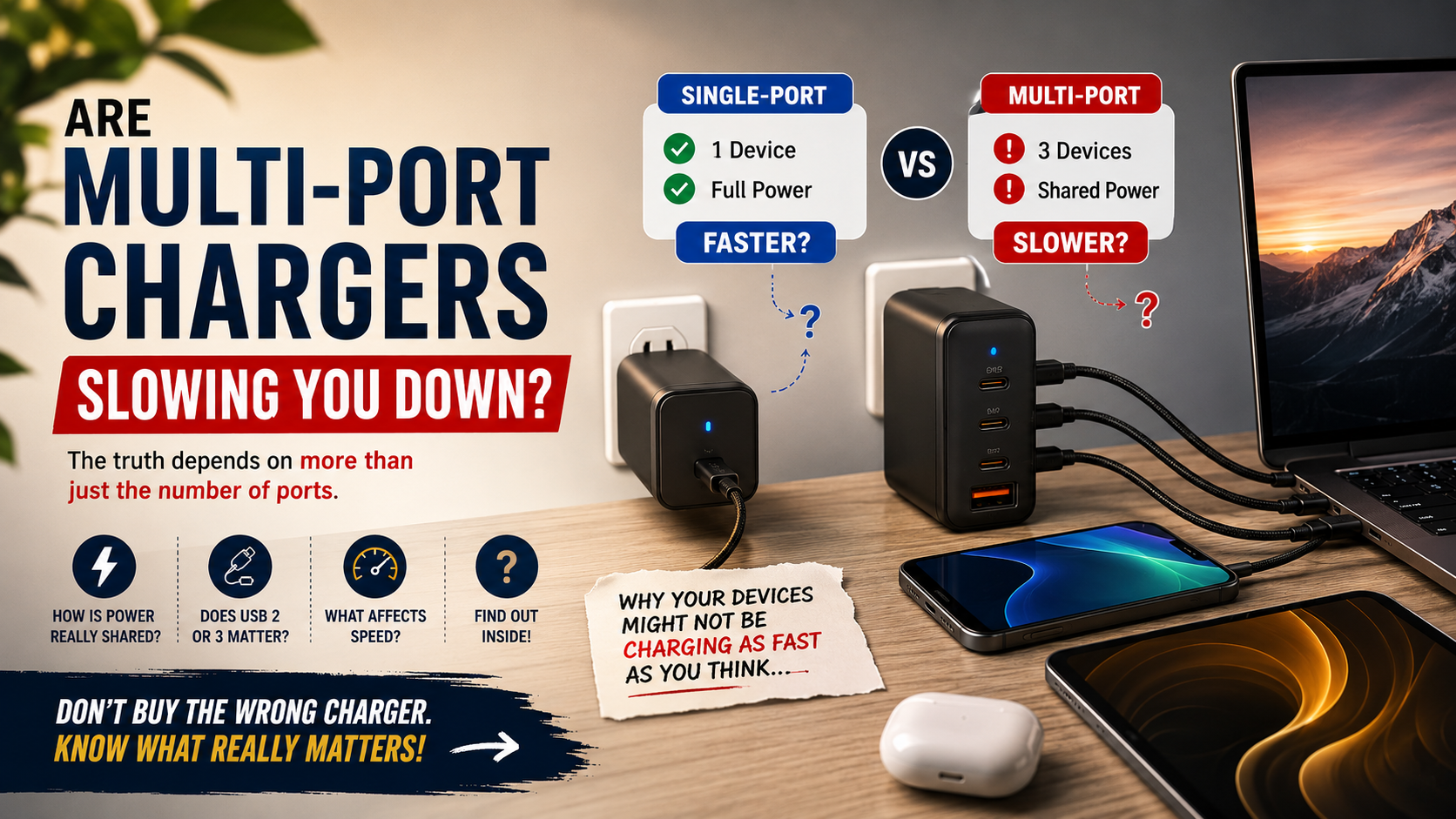
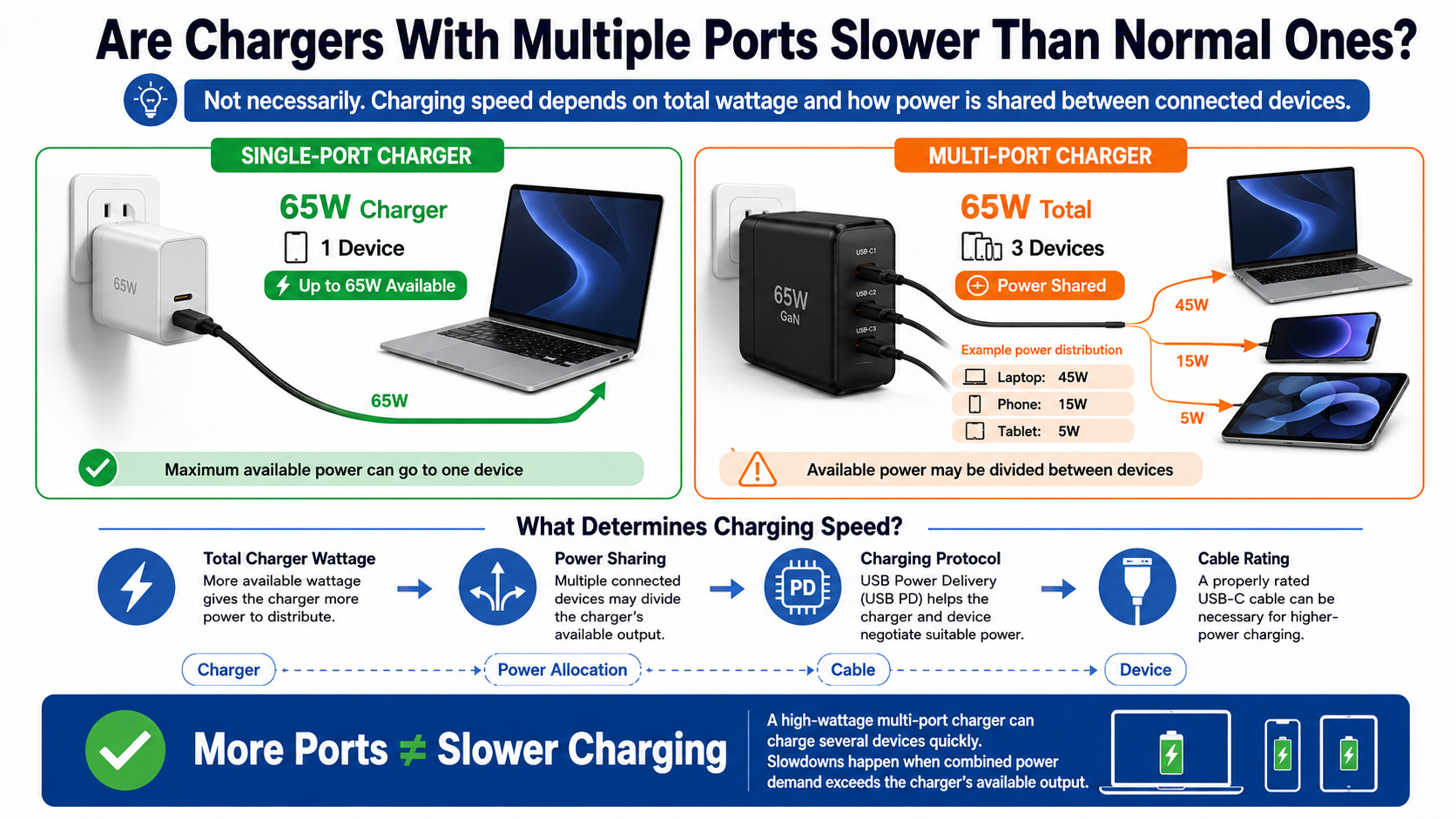
Chargers with multiple ports can sometimes charge devices more slowly than single-port adapters. However, having several ports does not automatically make a charger slower. Charging speed mainly depends on the charger’s total wattage, port allocation, charging protocol, and connected devices.
A high-wattage charger can power several devices quickly at the same time. A lower-wattage model may need to divide limited power between connected devices. For example, a 65W charger could provide 65W to one compatible laptop. When you connect a phone, it may divide that available power between both devices. For more context on charging limits, see 5V 1A Vs. 5V 2A.
Modern chargers use standards such as USB Power Delivery (USB PD) to negotiate suitable voltage and current. The device, cable, and charger all play a role in determining the final charging speed.
Your cable also matters. A properly rated USB-C cable can support higher power levels than some older cables.
Understanding power sharing helps you choose the right charger. It also explains why some chargers slow down when multiple devices are connected.
Do Multi-Port Chargers Charge Slower?
Chargers with multiple ports do not always charge slower. They become slower when the connected devices require more power than the charger can provide at the same time. If only one device is connected, many multi-port models can provide their maximum available output.
Consider a 65W charger with a laptop that supports 65W charging. With only the laptop connected, it may receive the full 65W. Connect a smartphone, and the charger may redistribute its output. Depending on the model, the laptop might receive 45W while the phone receives 20W.
The exact power split varies between chargers. Some models maintain higher output on one primary port. Others divide power differently when additional ports become active.
This makes the total wattage rating especially important when choosing a charger. You should also check the charger’s per-port limits before buying. Understanding common charging misconceptions can also help you make a better choice, as explained in Stop Believing These Myths About Charging Your Phone.
A 100W charger does not necessarily provide 100W to every port. Its maximum output may be shared across several connections.
Therefore, the number of ports matters less than how intelligently and efficiently the charger distributes its available power.
Understanding Dynamic Power Allocation
Chargers with multiple ports use power management systems to distribute available wattage between connected devices. When you connect another device, the internal controller may detect the new load and renegotiate the available power.
For example, a laptop may initially receive 65W from a charger. When you connect a smartphone, the charger can reduce laptop output and reserve some power for the phone. The exact allocation depends on the charger’s design and supported charging profiles.
Some chargers briefly interrupt charging during this process. This happens because the charger needs to establish new power agreements with the connected devices. A short interruption is generally normal.
Choosing a charger with enough total capacity can reduce noticeable slowdowns. A 100W or 140W model may suit users who regularly charge laptops and phones together.
Remember that a higher charger rating does not force extra power into a device. Compatible devices draw the power they are designed to accept.
Does USB 2 or 3 Charge Faster?
USB 3 generally offers more standard bus power than USB 2 when both are connected to compatible computer ports. However, USB version alone does not determine charging speed. Modern charging systems use additional standards that can provide much more power than basic USB connections.
A standard USB 2.0 port can provide up to 500mA at 5V. That equals 2.5W of basic bus power. USB 3.0 increased the standard current to 900mA at 5V, providing up to 4.5W.
These figures apply to the original standard bus-power specifications. They should not be confused with dedicated USB charging technologies or USB Power Delivery.
This distinction matters when comparing chargers with multiple ports. A modern USB-C PD port can deliver considerably more power than a traditional computer USB port.
USB 2 and USB 3 also describe data-transfer capabilities, not simply charging speed. A newer USB data standard does not automatically mean faster charging.
For modern phones, tablets, and laptops, focus on the charger’s supported power protocol, output wattage, device compatibility, and cable rating rather than USB version alone.
Legacy Power Limits on Modern Electronics
Older USB standards were designed primarily for data transfer and basic bus power. As a result, charging a modern laptop or smartphone through a standard computer USB port can be much slower than using a dedicated wall charger.
A standard USB 2.0 port can provide up to 500mA at 5V. That equals 2.5W of basic bus power. USB 3.0 increased the standard current to 900mA at 5V, providing up to 4.5W. For another practical look at USB power, see Use Your TV’s USB Port To Level Up Your Device.
Modern USB Power Delivery provides a much broader power range. USB PD 3.1 can support up to 240W with compatible chargers, devices, and cables.
This does not mean every USB-C charger provides 240W. Actual output depends on the equipment and negotiated power profile.
The same principle applies to chargers with multiple ports. A charger may support high power overall but divide that power between ports when several devices are connected.
Therefore, USB 3 is not automatically faster than every USB 2 setup. Check the complete charging system instead of relying on the USB generation printed on the port.
Which Charging Port Is Faster?
For modern high-power charging, USB-C is generally the most versatile port. It supports USB Power Delivery and can handle higher power levels than traditional USB connections when compatible hardware is used.
However, USB-C does not automatically mean fast charging. The charger’s wattage, the device’s charging requirements, the cable, and the supported protocol all affect performance.
USB Power Delivery can support up to 100W within its Standard Power Range. USB PD 3.1 Extended Power Range increases the maximum to 240W with compatible equipment.
USB-A can also support faster proprietary charging technologies. Some USB-A chargers can deliver considerably more than the basic USB bus-power level. However, USB-C offers broader support for modern high-power USB PD charging.
This makes USB-C especially useful in chargers with multiple ports. One USB-C port can power a laptop while another port charges a phone or tablet.
When comparing charging ports, look beyond the connector shape. Check the actual wattage and charging standards supported by each port. A USB-C port with limited output may still charge more slowly than a high-output USB-A implementation.
The Superior Architecture of USB-C Ports
USB-C connectors have 24 contacts and include configuration channels that support connection and power negotiation. These features help compatible devices and chargers determine how much power can safely be delivered.
USB Power Delivery uses this communication to negotiate suitable voltage and current levels. The result is more flexible power management than older USB charging methods.
USB-C also supports features beyond charging. Depending on the hardware, the same connector can carry high-speed data and video signals.
This versatility explains why USB-C has become common across phones, tablets, laptops, monitors, and accessories. It also makes USB-C a practical choice for chargers with multiple ports.
However, the connector itself does not guarantee maximum performance. A USB-C charger may offer only modest wattage on a particular port. Likewise, a USB-C cable may have limited power or data capabilities.
For the best results, consider the complete setup. Check the charger’s output, the device’s maximum input, the cable’s rating, and the supported charging protocol before expecting maximum speeds.
Is USB-C to C Faster Than A to C?
A USB-C to USB-C cable is often the better choice for modern fast charging. It can support USB Power Delivery when the charger, device, and cable are compatible. This makes it especially useful for laptops, tablets, smartphones, and other higher-power devices. Choosing the right accessories is also important when setting up a tablet, as covered in Best iPad Accessories.
USB-A to USB-C cables can also provide effective charging. Their performance depends on the USB-A port, charging technology, cable design, and connected device. Therefore, it is not accurate to assume that every A-to-C cable has the same charging limit.
USB-C to C connections are particularly useful with chargers with multiple ports. They can take advantage of modern USB PD profiles when the charger supports them.
Cable construction also matters. Some USB-C cables support only lower power levels, while others are designed for higher-power charging.
The cable must also match the required data and charging capabilities. A cable can physically fit both connectors but still have lower performance.
For the fastest supported charging, choose a properly rated cable that matches your charger’s output and your device’s requirements.
Built-in E-Marker Chips Ensure Speed
Some high-power USB-C cables include an E-Marker chip. This electronic marker tells compatible devices and chargers about the cable’s capabilities.
E-Marked cables are important for certain higher-current USB-C configurations. Cables designed for currents above 3A require electronic marking under USB-C specifications. High-power USB PD applications can therefore require an appropriately rated E-Marked cable.
However, not every USB-C cable needs an E-Marker. Lower-power cables can operate without one.
This distinction is important when using chargers with multiple ports. A charger may support high wattage, but an unsuitable cable can prevent a device from receiving its maximum supported power.
Cable labels and certifications can help you identify suitable products. For high-power laptop charging, check whether the cable supports the required wattage.
Remember that an E-Marker does not make every cable faster. It identifies the cable’s capabilities. The charger and device must also support the required charging profile.
For reliable performance, match the cable rating with the charger and device. This avoids unnecessary charging limits and helps your equipment use its supported power safely.
Why Is Everyone Switching to USB-C?
The move toward USB-C comes from its combination of versatility, reversible design, compact size, and broad industry support. A single USB-C connection can support charging, data transfer, and video output when the connected hardware supports those features.
USB-C also works well across different categories of electronics. Phones, tablets, laptops, headphones, monitors, and accessories increasingly use the same connector.
This reduces the need for several different proprietary cables. It also makes chargers with multiple ports more useful because one charger can support several types of modern devices.
USB Power Delivery adds another advantage. Compatible devices can negotiate suitable power levels instead of relying on one fixed charging output.
Regulation has also encouraged USB-C adoption. The European Union has introduced common-charger requirements covering many electronic devices. These rules are intended to simplify charging and reduce electronic waste.
However, USB-C does not make every device identical. Different products still support different charging speeds, data standards, and power levels.
For consumers, the main benefit is flexibility. One well-equipped USB-C charger can replace several older adapters while supporting a wider range of everyday devices.
Streamlined Convenience and Electronic Waste Reduction
A wider USB-C ecosystem can make charging simpler. Instead of carrying separate adapters for every device, users can often rely on one compatible charger and several cables.
This is especially useful with chargers with multiple ports. A single power adapter can charge a laptop, phone, tablet, earbuds, and other accessories at the same time.
Fewer chargers can also mean less physical clutter. They can make travel easier because users need fewer bulky power adapters.
Standardization may also help reduce unnecessary accessory production and electronic waste. When devices share charging infrastructure, older proprietary adapters may become less necessary.
However, USB-C does not guarantee universal performance. Two USB-C cables can support different wattages or data speeds. Likewise, two USB-C ports can have very different power capabilities.
A cable designed for a phone may not provide enough power for a demanding laptop. The same applies to chargers.
Before buying, compare the charger, cable, and device specifications together. This approach helps ensure that your USB-C charging setup delivers the speed and compatibility you actually need.
Frequently Asked Questions
Can a Multi-Port Charger Damage My Smartphone Battery?
A reputable multi-port charger should not damage your smartphone simply because it has several ports. Modern charging systems are designed to negotiate appropriate power between the charger and connected device.
Your smartphone also controls how much power it accepts. Its charging system can regulate voltage, current, temperature, and charging speed throughout the charging process.
Chargers with multiple ports do not force their maximum wattage into every connected device. A charger rated at 100W does not automatically send 100W to a phone that supports a lower input level.
Heat is a more important consideration for battery health. High temperatures can accelerate battery aging, especially when they occur frequently.
Using reputable charging accessories can reduce unnecessary risks. You should also avoid damaged cables, poorly ventilated charging environments, and unreliable adapters.
If a phone becomes unusually hot while charging, investigate the charger, cable, and device. Persistent overheating is not something to ignore.
For everyday use, a compatible charger with appropriate safety protections is a sensible choice. More ports alone do not make a charger harmful to your smartphone.
What Wattage Multi-Port Charger Should I Buy?
The right wattage depends on the devices you plan to charge together. Start by checking the maximum charging input of each device you regularly use.
A phone and wireless earbuds typically require far less power than a laptop. A 45W charger can be suitable for many smaller setups.
If you regularly charge a laptop and phone together, 65W or more can provide greater flexibility. Users with several demanding devices may prefer a 100W, 140W, or higher charger.
Remember that the total rating is not the only specification that matters. Chargers with multiple ports can divide their total output between ports.
For example, a 100W charger might provide 65W to one port and 35W to another. Another model could use a completely different allocation.
Before buying, check the manufacturer’s power table. Look for both maximum total output and individual port limits.
Choosing more wattage than your current needs can also provide useful headroom. However, there is no need to buy an extremely high-wattage charger if your devices require very little power.
Why Does My Charger Momentarily Disconnect When I Plug in a Second Device?
A brief interruption can happen when chargers with multiple ports detect a newly connected device. The charger may need to recalculate how its available power should be distributed.
For example, a laptop could initially receive 65W from a charger. Connecting a phone may cause the charger to change the laptop’s available power and reserve some output for the phone.
During this process, some charger designs briefly interrupt power. The charger then renegotiates the appropriate power profiles with the connected devices.
This behavior can be normal, especially when the charger is designed to dynamically manage its ports. The interruption should usually be brief before charging resumes.
However, repeated disconnections are different. If devices continually stop and restart charging, check the cables and charger specifications.
You should also verify that the charger can handle the combined power requirements. An overloaded or poorly designed adapter may struggle with multiple demanding devices.
If the behavior persists with different cables and devices, replacing the charger may be appropriate. A quality charger should manage power consistently under normal operating conditions.
Does Fast Charging Degrade Battery Life Quicker Than Slow Charging?
Fast charging can produce additional heat, and excessive heat can contribute to battery aging. However, modern smartphones use charging controls to manage power and temperature.
The device does not necessarily maintain maximum charging power throughout the entire charging cycle. Charging often becomes slower as the battery approaches a high state of charge.
This helps manage heat and reduce stress on the battery. Battery management systems can also adjust charging based on temperature and other conditions.
Using chargers with multiple ports does not automatically increase battery wear. The phone still controls the power it accepts within its supported charging limits.
Battery longevity depends on several factors. Temperature, charging frequency, battery chemistry, usage patterns, and the device’s charging system all play a role. For a closer look at battery longevity, see Battery Health Vs. Cycle Count: Which Matters More?
Fast charging can therefore be used safely when supported by the device and charger. The important factor is using compatible, reputable charging equipment.
Avoiding excessive heat is particularly useful. Do not cover a phone with insulating materials while it charges, especially during demanding use.
Fast charging may affect battery aging in some situations, but it does not automatically mean your battery will degrade quickly.
Conclusion
So, are chargers with multiple ports slower than single chargers? Not necessarily. Their performance depends mainly on total wattage, power allocation, charging protocols, cable capability, and the connected devices.
Chargers with multiple ports can be extremely convenient when you regularly power several devices. They may slow individual devices when their combined power demand exceeds the charger’s available output.
A high-wattage charger can reduce this limitation. Models offering 100W or more can provide useful headroom for laptops, phones, tablets, and accessories.
Before buying, check these specifications:
- Total output wattage
- Per-port power distribution
- USB Power Delivery support
- Maximum device input
- Cable wattage rating
- USB-C and USB-A capabilities
- Power allocation when multiple ports are active
A quality GaN charger with USB-C PD can provide a compact and efficient solution. Pairing it with properly rated USB-C cables can help your devices reach their supported charging speeds.
Do not choose a charger based only on its port count. Instead, consider how much power it can provide when all required ports are active.
With the right charger, cable, and device combination, chargers with multiple ports can keep your entire setup powered efficiently from one wall outlet.